Everything Else
As is always the case with new versions of iOS and iPadOS, changes in the operating systems run the gamut from tentpole features to quality-of-life improvements and smaller tweaks that you may not notice at first.
Let’s take a look at everything else that’s new in iOS and iPadOS 27.
AirPods
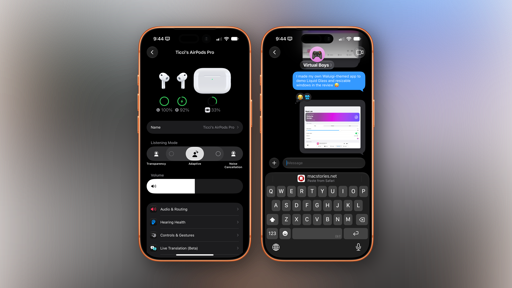
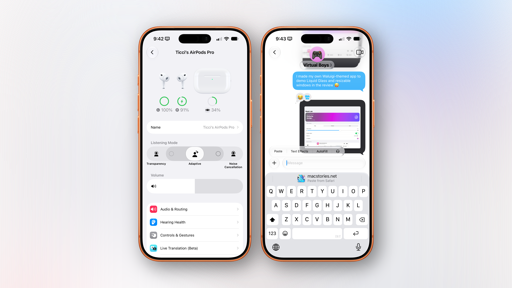
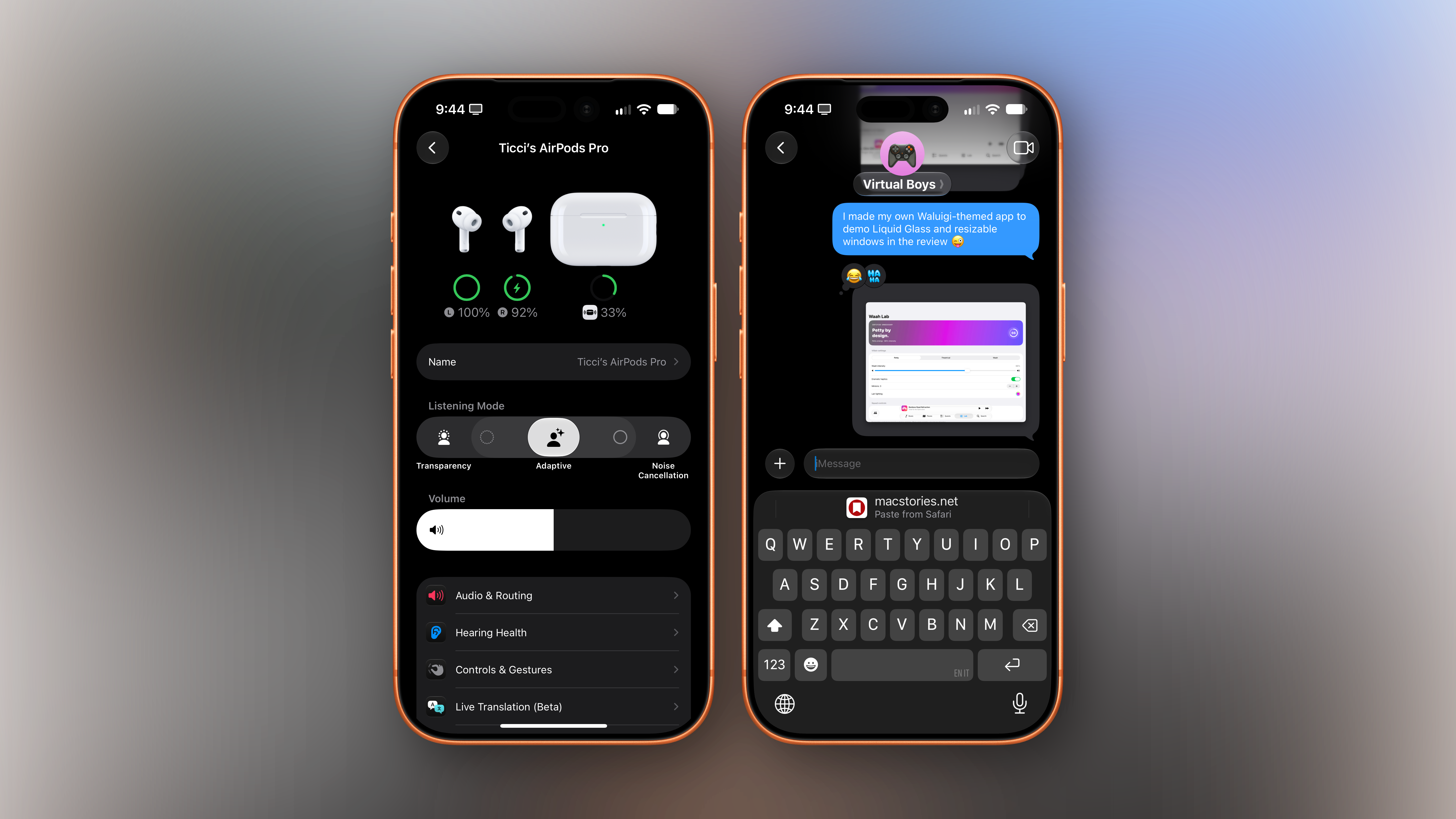
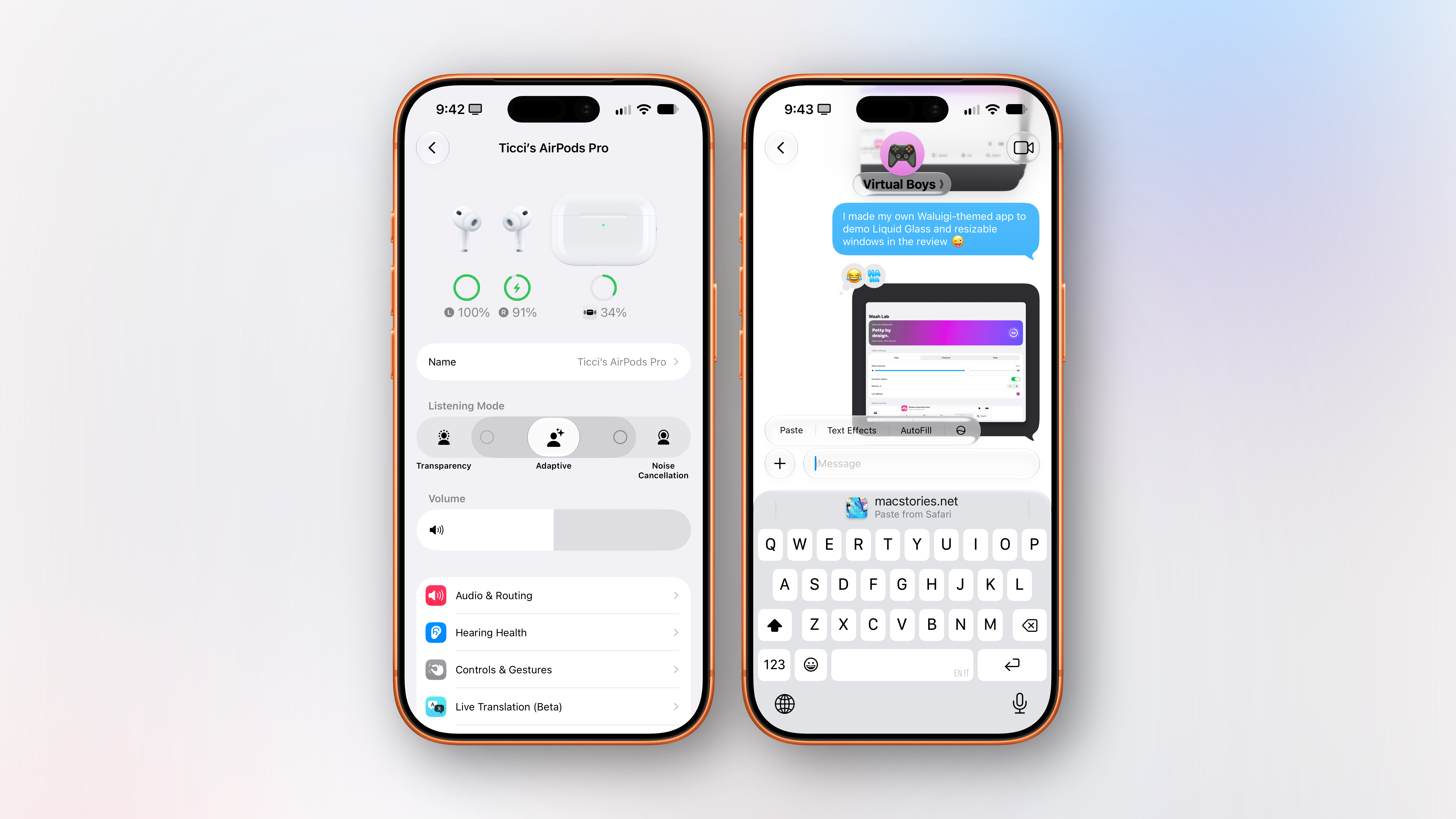
In iOS 27, Apple completely revamped the AirPods management page in Settings, going from a bland, long list of toggles and sub-menus to a more colorful page that neatly organizes everything into richer menus:
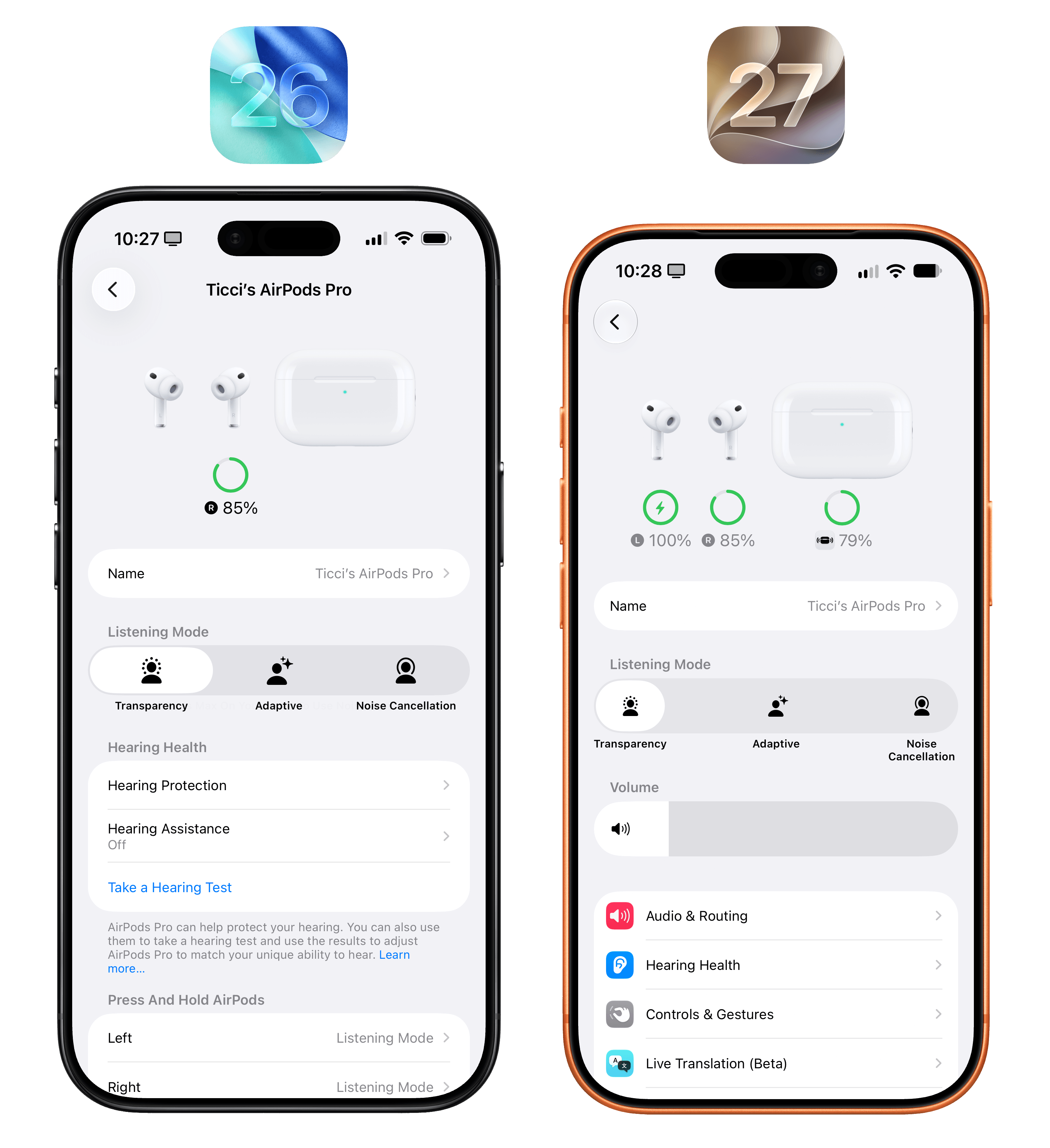
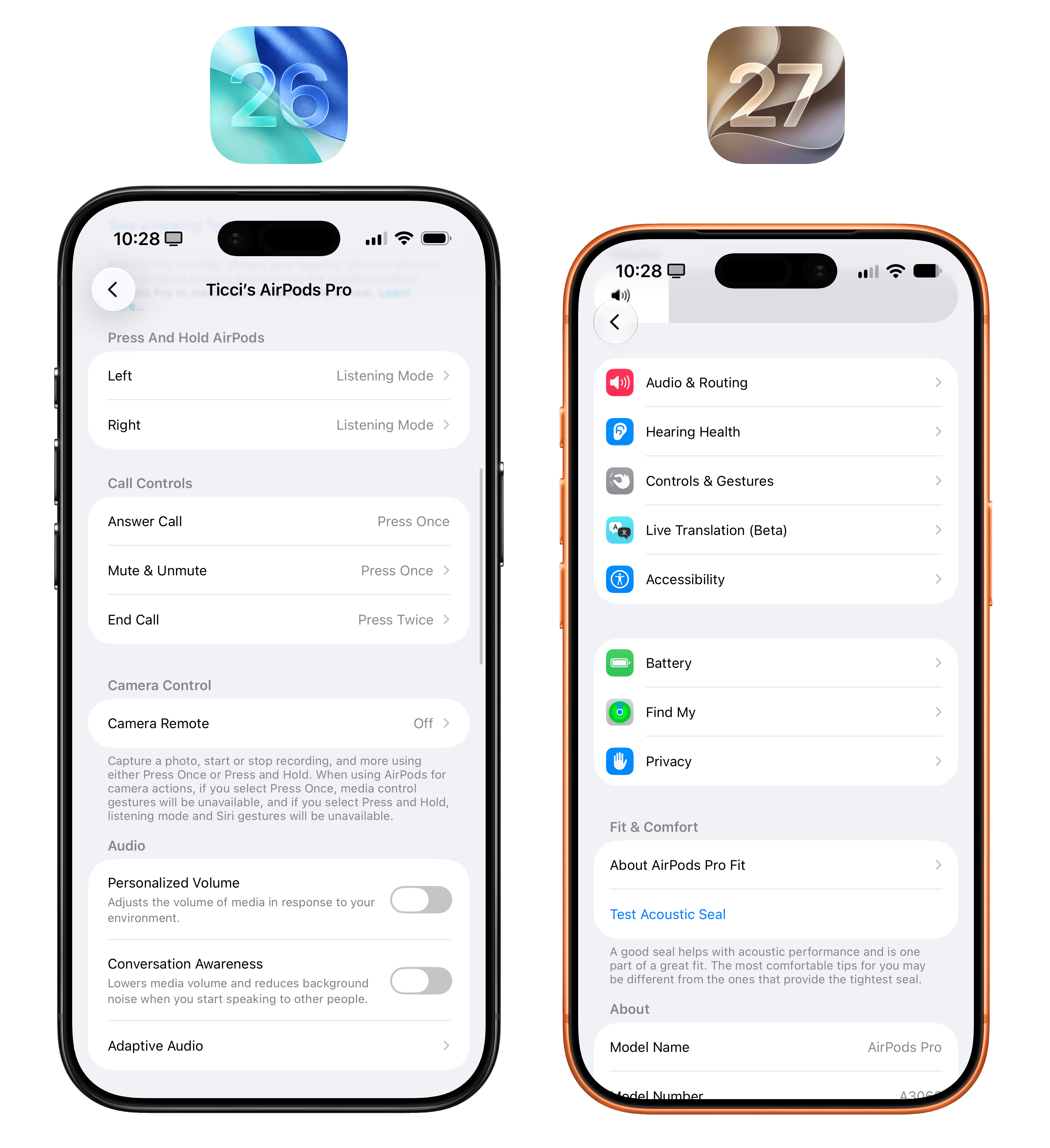
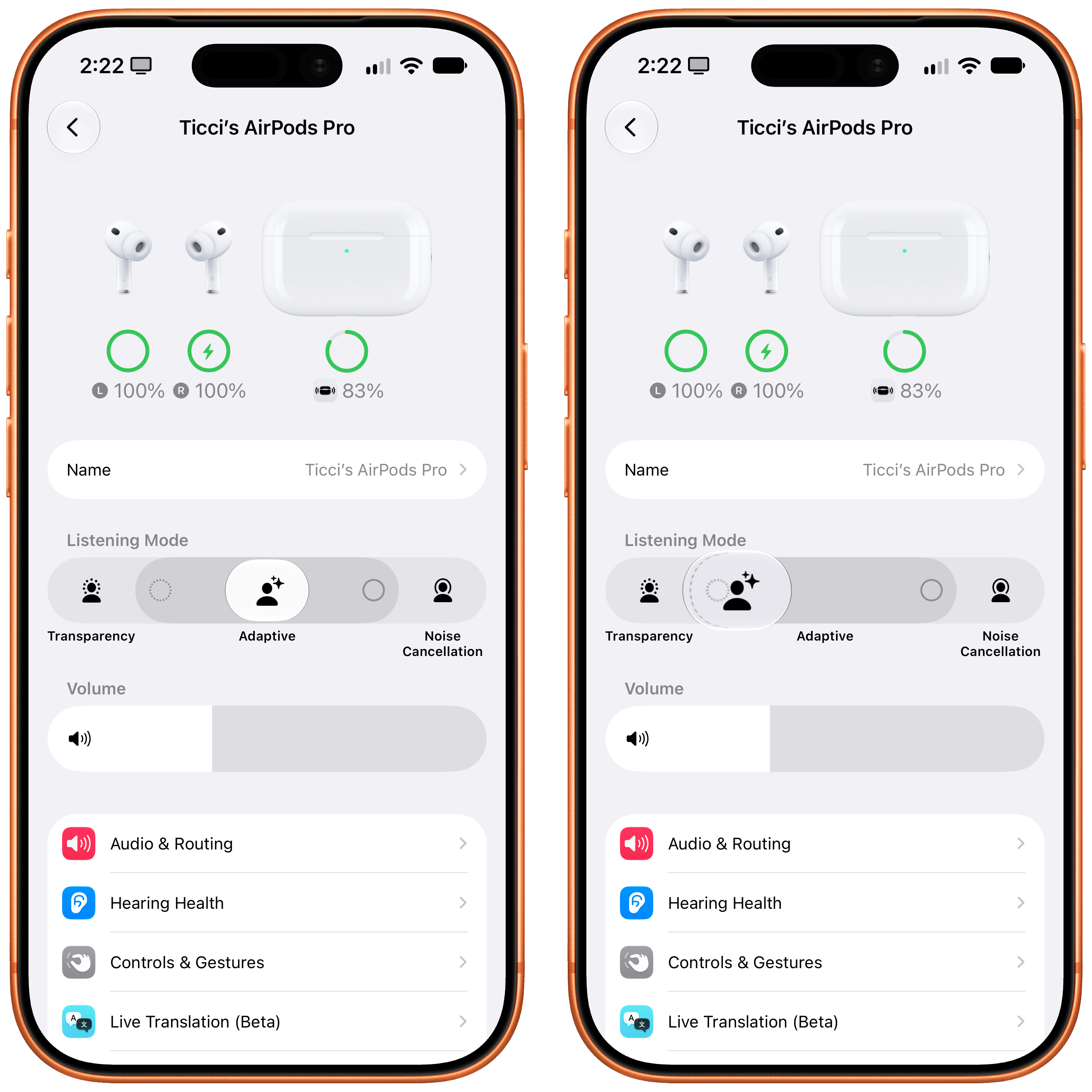
As you can see, a volume slider was added underneath the different listening modes supported by compatible AirPods, but that’s not all. When selecting ‘Adaptive’ mode in the top slider, iOS 27 will reveal new options to make its intensity lighter (leaning more toward Transparency mode) or stronger (toward Noise Cancellation). I’m glad Apple did this: I never fully understood Adaptive mode, and I’ve long preferred to toggle between Transparency and Noise Cancellation because I felt like Adaptive was suppressing too much background noise for my taste. I’ve set the new slider between Transparency and Adaptive and, so far, it’s working well.
I’ve never been into equalizers myself, but iOS 27 also introduces custom EQ support for AirPods Pro 3, AirPods 4 and later, and AirPods Max 2. Unfortunately, I haven’t been able to test this since the option to install AirPods beta firmware never appeared on my devices.
Cellular
As part of iOS 27’s focus on performance improvements across the board, Apple brought a couple of useful changes to how the system handles cellular and Wi-Fi connections behind the scenes.
First, iOS 27 intelligently transitions between Wi-Fi and cellular as you move around, keeping your data connection working without you having to go into Control Center to toggle Wi-Fi off.
I know firsthand that this works because I used to run into this very problem every single day. You see, in the 10 meters that separate our apartment’s front door from the elevator on our floor, my iPhone would stay connected to Wi-Fi in the apartment, but I couldn’t actually do anything because data wouldn’t work. Like every flawed human being, I must take advantage of the 30 seconds that I spend waiting for the elevator to open social media and doomscroll. iOS 27 fixes this: as soon as I walk out of the house, the system detects a weak connection, intelligently re-routes it to cellular, and I can get to my timeline while I mindlessly wait for the elevator to arrive. Maybe I shouldn’t have wished for Apple to fix this? In any case, the feature works well – and it’s one of those things that you’ll stop noticing and take for granted until you go back and experience what iOS 26 used to be.
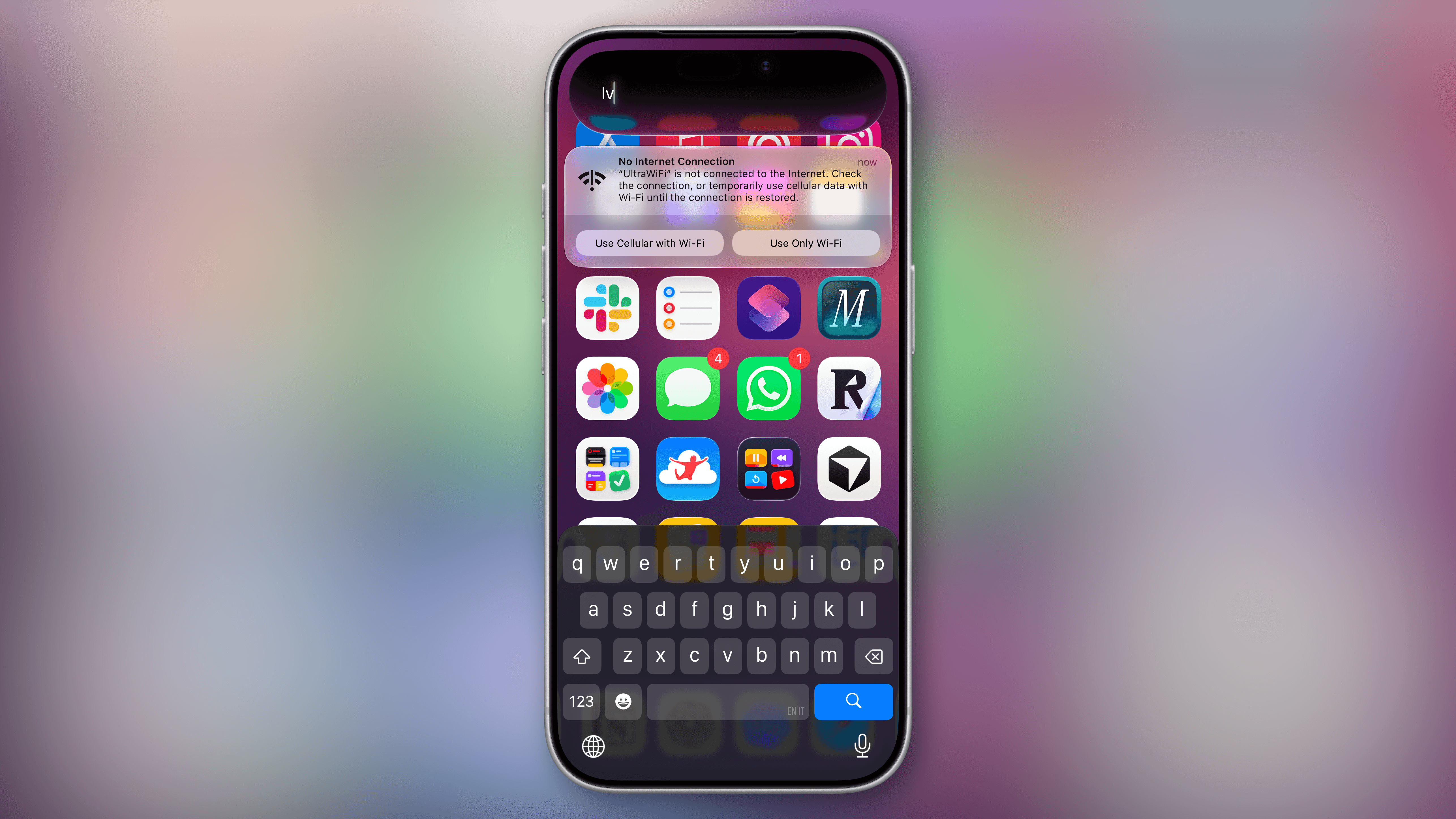
Second, there’s a new design for notifications that tell you about Wi-Fi connections that aren’t working. I hope you never get this.
Keyboard
There are always keyboard-related updates in this chapter of the review, and iOS 27 does not break tradition. I mentioned this before in the Siri AI chapter, but it bears repeating here: the larger, more powerful AFM 3 Core Advanced on-device model (which is only supported on modern devices) enables a faster, more reliable dictation experience.
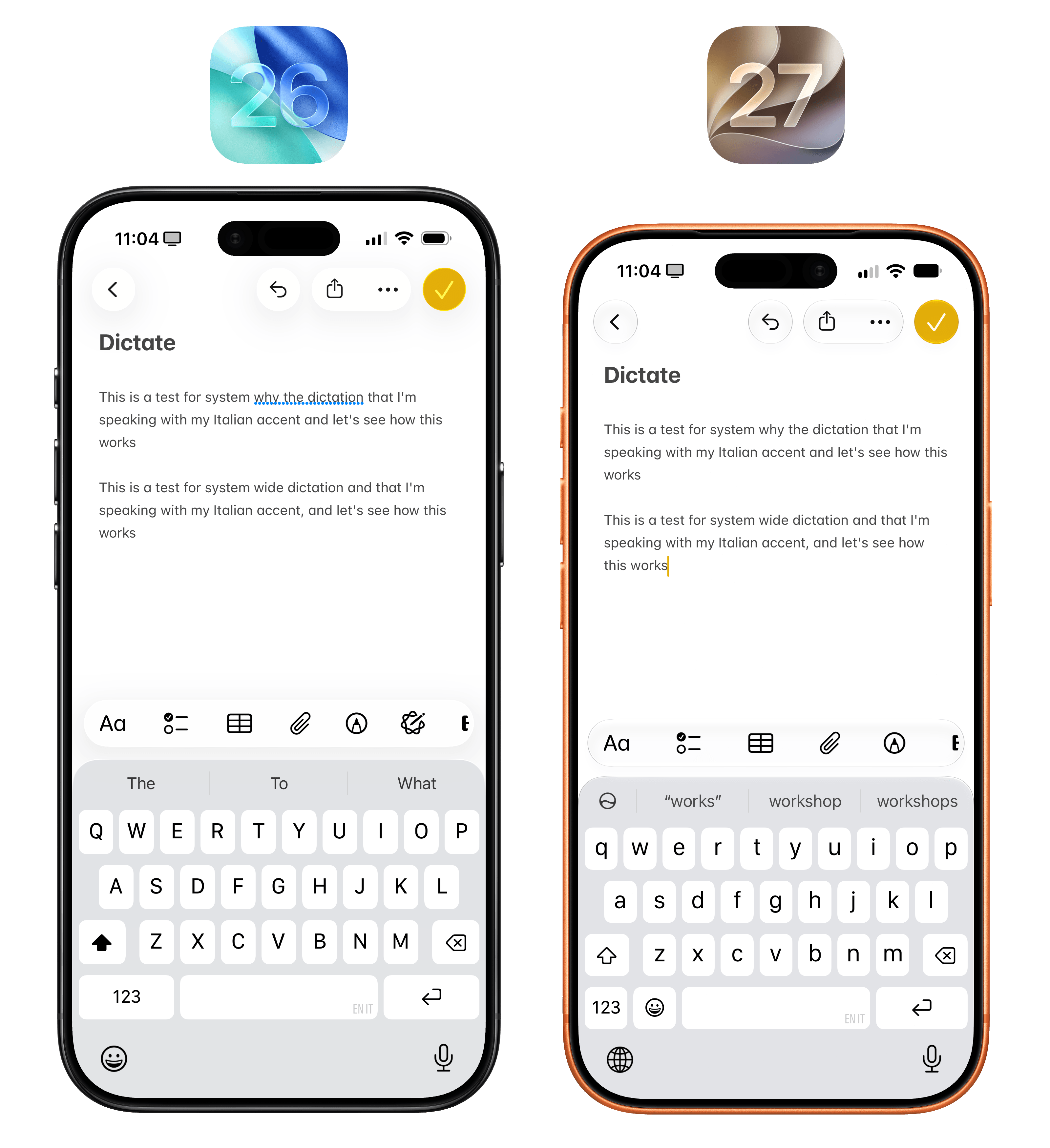
You probably won’t notice the differences at first since the UI looks the same, but in my experience, the new dictation is way more accurate than the previous one. As someone who uses an iPhone in English with an Italian accent, I’ve noticed that iOS 27 transcribes certain words more accurately than iOS 26, such as “wide”, which iOS 26 heard as “why” in the comparison above.
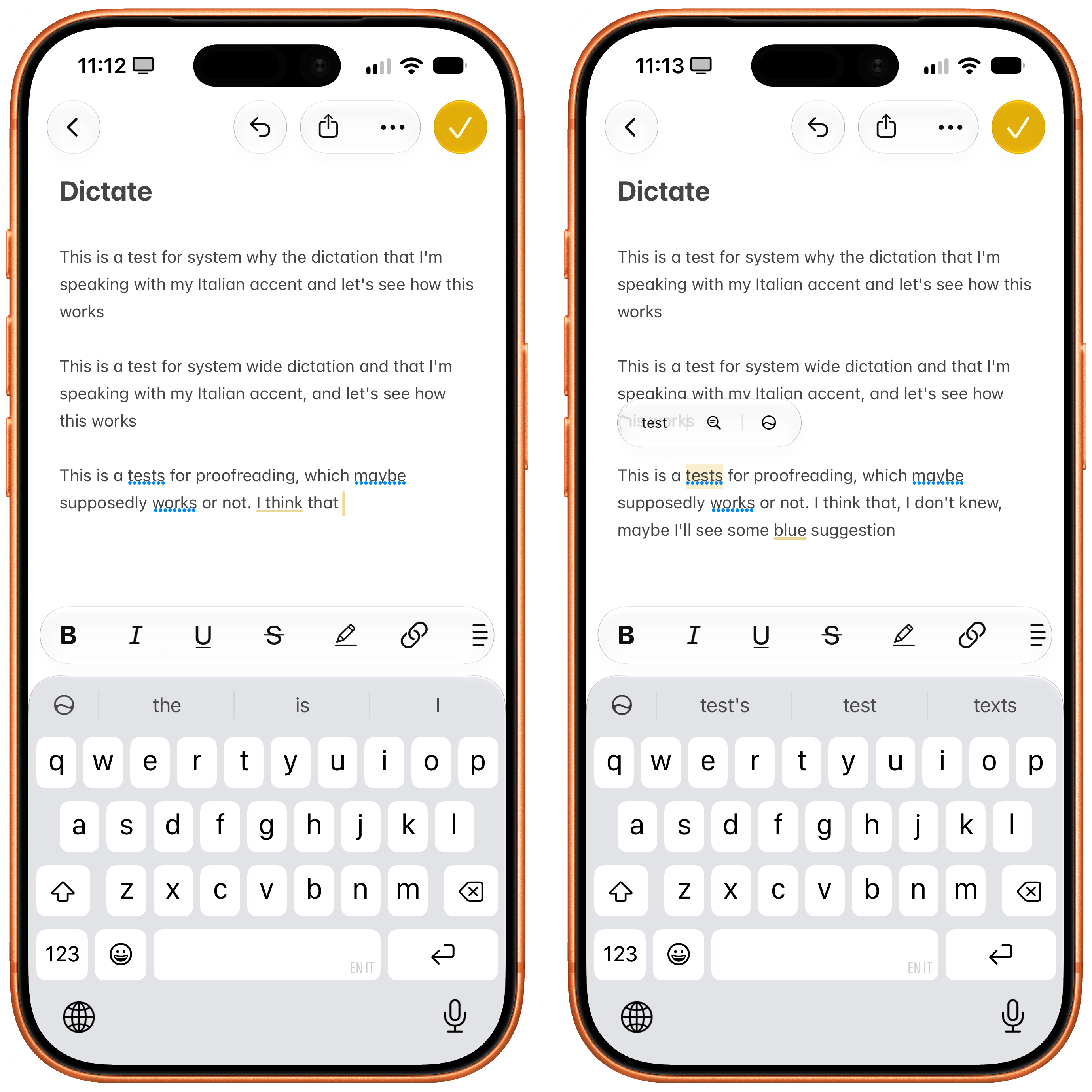
As you start using iOS 27, you’ll also notice two more additions to the keyboard experience. First, there’s system-wide automatic proofreading that checks whatever you’ve typed and underlines suggestions in blue. This is not autocorrect: proofreading checks for correctly typed words that do not fit in the context of a sentence – such as “this is a tests”, where the word “tests” would be underlined. You can accept suggestions by tapping on them.
Second, when you copy something to the clipboard – whether it’s some text, a link, or an image – the next time you select a text field, you’ll see a suggestion above the keyboard to instantly paste what you just copied.
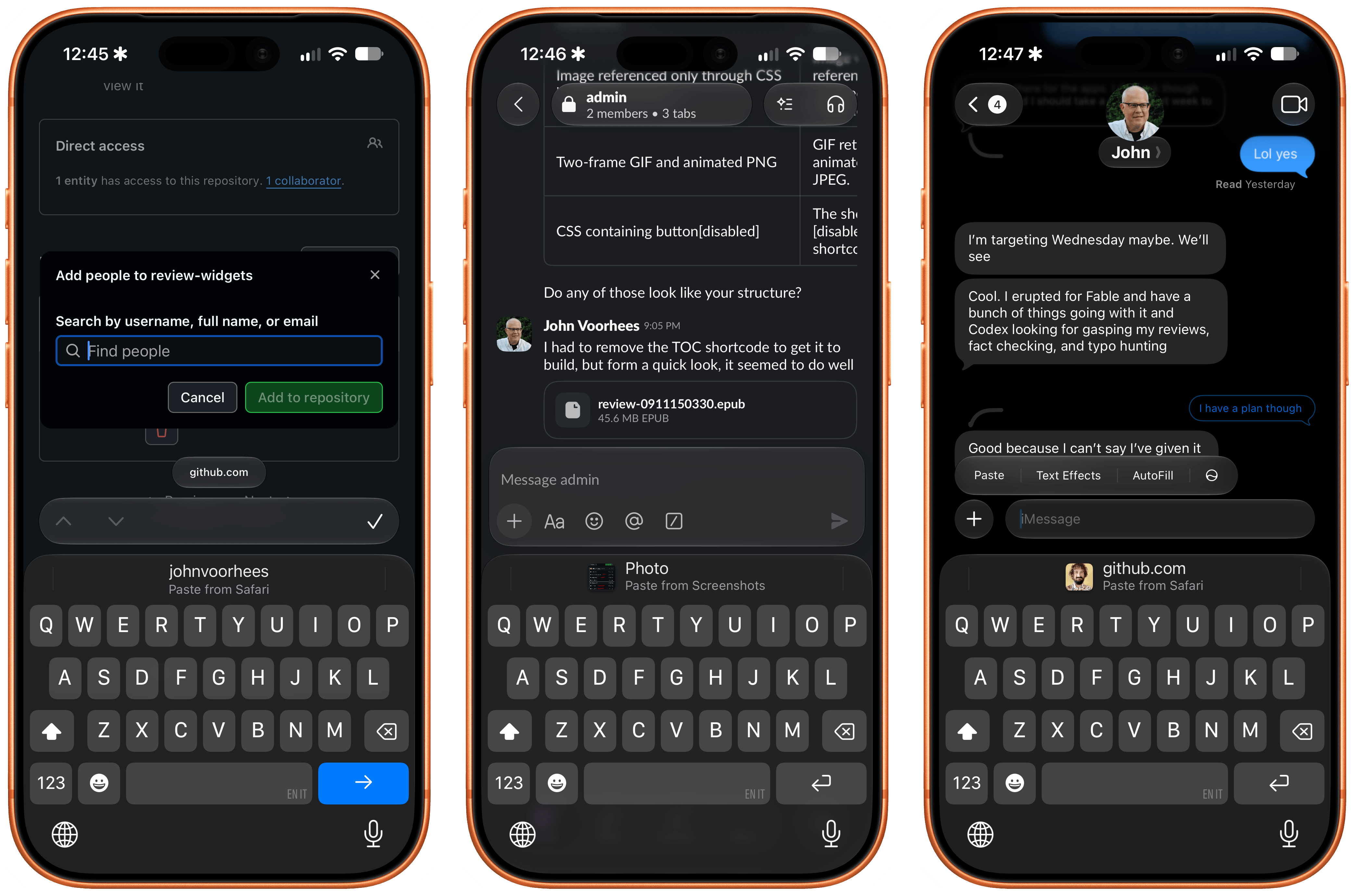
It’s a small tweak, but it’s one of those time-saving features that Apple drops out of nowhere every year and that become instant classics. I think millions of people will love this enhancement to the keyboard.
And More…
More features? More features. Let’s bring this home:
There is a new Mac-like recovery mode. As reported by 9to5Mac, there’s a brand new recovery flow in iOS 27 that resembles the page you get on macOS when you need to recover your device. If you see this screen, something’s gone wrong.
A new design for Apple Pay on the web. The Apple Pay sheet has a new look when you’re buying something on the web. I like how it handles multiple associated cards because it makes it clearer how to switch between them.
Notifications go sideways. For reasons that, in hindsight, make more sense because of the iPhone Duo, notification banners now appear with a new animation that swoops in from the top-left corner of the screen. This is not just cosmetic or optimized for the Duo, though: the animation also serves to reinforce that you can swipe from the top-left corner to open Notification Center, as opposed to swiping from the center, which opens Siri AI now.
Gotta go fast. Most reviews of iOS and iPadOS 27 (is anyone else still writing them?) will probably only focus on this part of the experience, and highlight it at the beginning of their narrative. I saved it for the end, because I think it’s important to see what iOS 27 does differently before appreciating how much faster it makes everything.
There’s no way around it: iOS 27 is the most reliable, fastest, smoothest version of iOS Apple has ever released. From smoother unlocks and scrolling Home Screen pages to better performance under heavy load (thanks to a new CPU scheduler, a part of the OS Apple has been improving a lot lately) and 30% faster app launches (courtesy of preloading app data), there is virtually no part of iOS 27 that hasn’t been affected by Apple’s focus on performance this year.
You have to see it to believe it. Which is why I’d recommend you go to Settings, load up Software Update, and upgrade from iOS 26 as quickly as you can.