Information is coming from everywhere: email, files, chat, the 30+ cloud-based apps we use every day — it’s getting harder to keep things simple. Igloo is a modern intranet that makes sense of the modern world.
Stay connected with people by using newsfeeds and integrated chat apps; get the information you need with (easy to navigate and secure) file storage and apps you already use like Zendesk and Salesforce; and keep work moving with instant notifications and document controls.
The modern workplace is anywhere with an internet-connected device — and a modern intranet like Igloo works wherever you do.
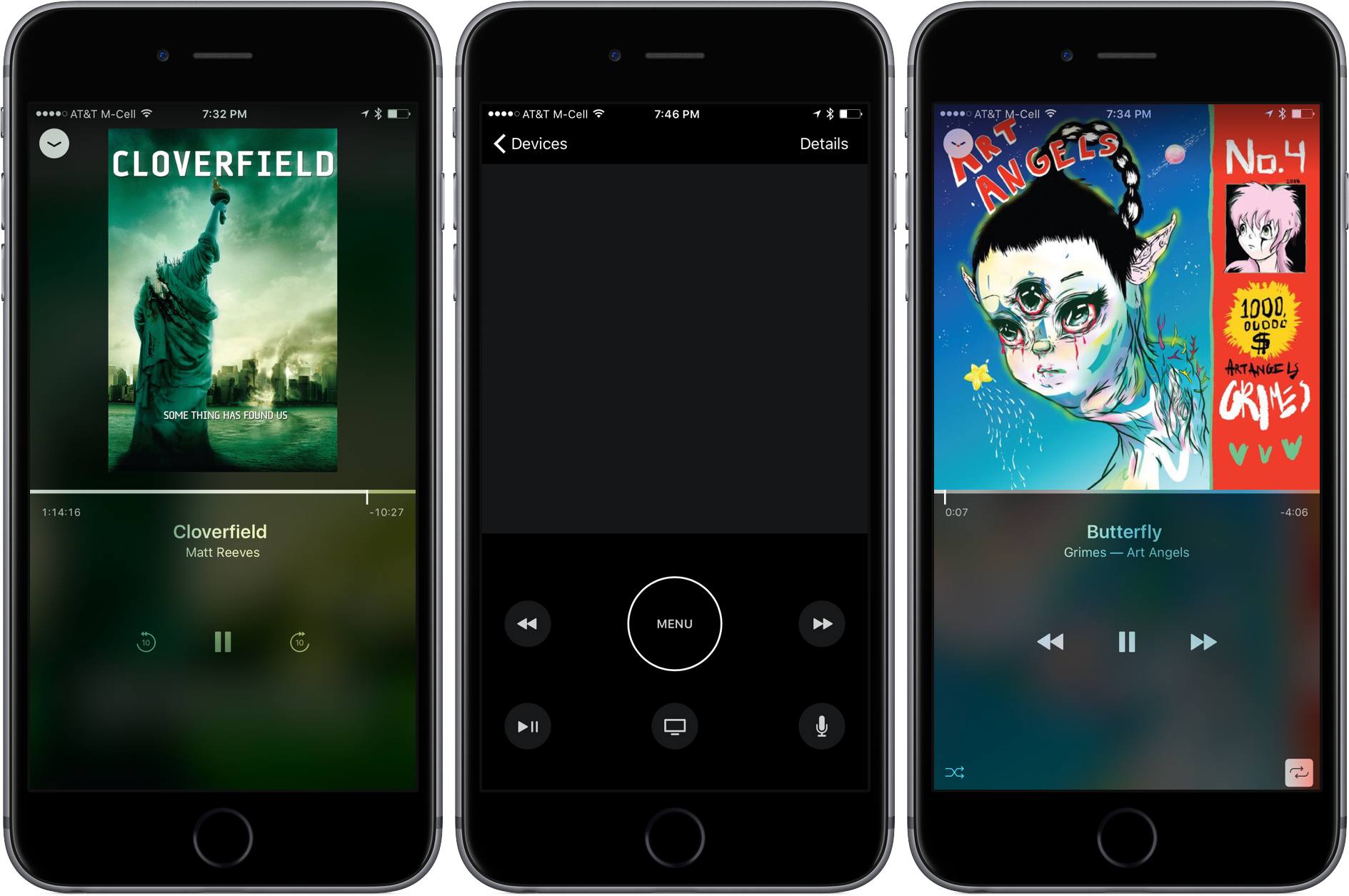
The Apple TV Remote app, which has been available as part of the iOS 10 developer beta since WWDC, is now available to the general public as a free download in the App Store. The app, which is iPhone-only, approximates the look and functionality of the Siri Remote that comes with the latest generation Apple TV, but with some important differences.
The Apple TV Remote app is a brand-new app. The previous app for controlling the Apple TV, called iTunes Remote, remains on the App Store, but warns that it is not optimized for iOS 10 if you open it on a iPhone running the iOS 10 beta. The top two-thirds of the Apple TV Remote’s screen is dominated by a dark grey rectangular area that is the equivalent of the trackpad on the Siri Remote. A large menu button dominates the space below the trackpad, which lets you step back through levels after drilling down into the Apple TV’s interface. To each side of the menu button are buttons that skip to the previous or next track if you are listening to music, and change to ten-second skip ahead and back buttons if you are watching video.
The bottom row includes a play/pause button, a ‘home’ button that takes you to the Apple TV’s grid of app icons from wherever you are, and a Siri button. A ‘Details’ button also appears in the top right corner of the screen when media is playing that opens a detail view that shows what is currently playing along with a timeline scrubber, a play/pause button, forward and reverse buttons, and shuffle and repeat buttons for music. Because the iPhone includes an accelerometer and gyroscope, the Apple TV Remote can also serve as a game controller for Apple TV games.
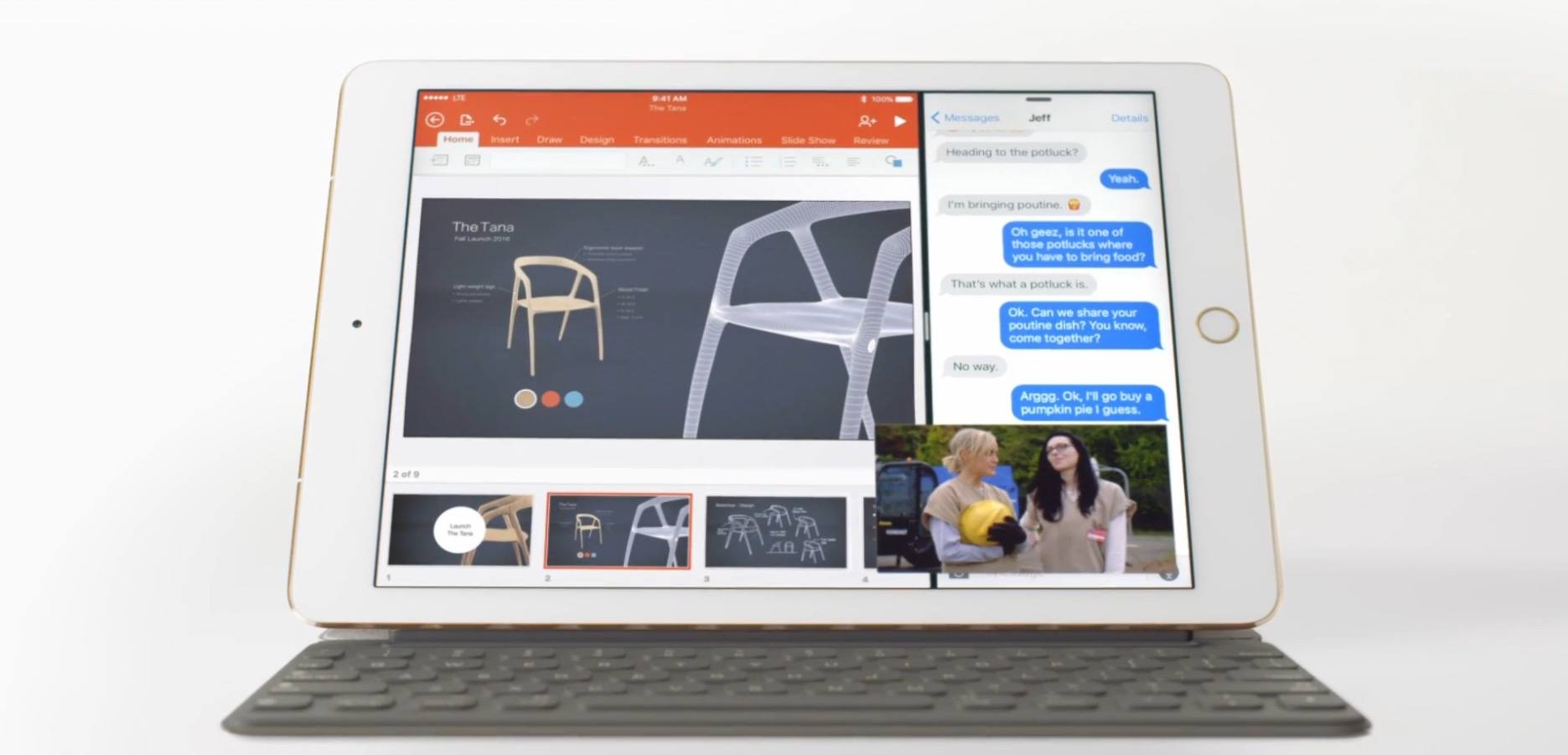
The ad follows a simple model: it showcases common usage of an iPad Pro with accessories, apps, and system features that aren’t available on traditional computers. The video jumps from showing the Apple Pencil to mentioning the iPad’s touch screen, the detachable Smart Keyboard, and apps like Office and Procreate that offer unique functionality on iOS 9. At the end, iMessage in Split View and Picture in Picture (also two features of last year’s iPad-focused iOS 9 update) make an appearance.
In the narration of the ad, Apple explains:
Just when you think you know what a computer is, you see a keyboard that can just get out of the way. And a screen you can touch and even write on. When you see a computer that can do all that, it might just make you wonder – “Hey, what else can it do?”
The video closes with the tagline “Imagine what your computer could do if it was an iPad Pro”.
The iPad Pro’s new commercial comes at an interesting time for Apple. The company announced its latest iPad, the 9.7-inch iPad Pro, as the “ultimate PC replacement” for Windows switchers, but its upcoming iOS 10 update only includes minor iPad changes – a departure from iOS 9’s iPad breakthroughs. On the other hand, the iPad line recently returned to revenue growth after several quarters, likely thanks to the iPad Pro and its higher selling price.
Explaining to consumers how an iPad can be a PC replacement and, at the same time, a new take on desktop computing has always been one of Apple’s toughest propositions. This new iPad Pro commercial seems to start from the basics again, asking what a computer truly is and how it can be different. It’ll be interesting to see if a wider marketing campaign and more commercials will follow.
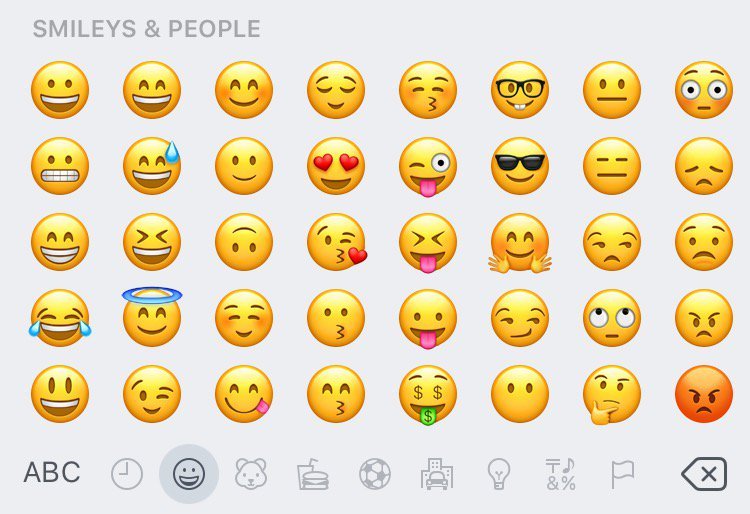
gender-diverse emoji, including female athletes and professionals;
a new rainbow flag;
new family options; and
a water pistol.
In addition to the new emoji, Apple redesigned many of its existing emoji. For instance, ‘grinning face with smiling eyes’ no longer looks like someone gritting their teeth. Many other emoji received a subtler update as a result of a new shading gradient.
Existing emoji were updated too.
It appears as though Apple is not quite finished with its emoji refresh because some of the approved Unicode 9 emoji, including the much anticipated bacon emoji, are not part of the iOS 10 beta 4 release.
Currently, the new, updated emoji are only available as part of the iOS 10 developer beta.
Useful site by Sandro Roth (via Six Colors) to browse every command supported by Siri in Apple’s apps. I almost wish iOS had a similar interface to explore commands. I wonder if we’ll start seeing more sites like this pop up after iOS 10 and SiriKit.
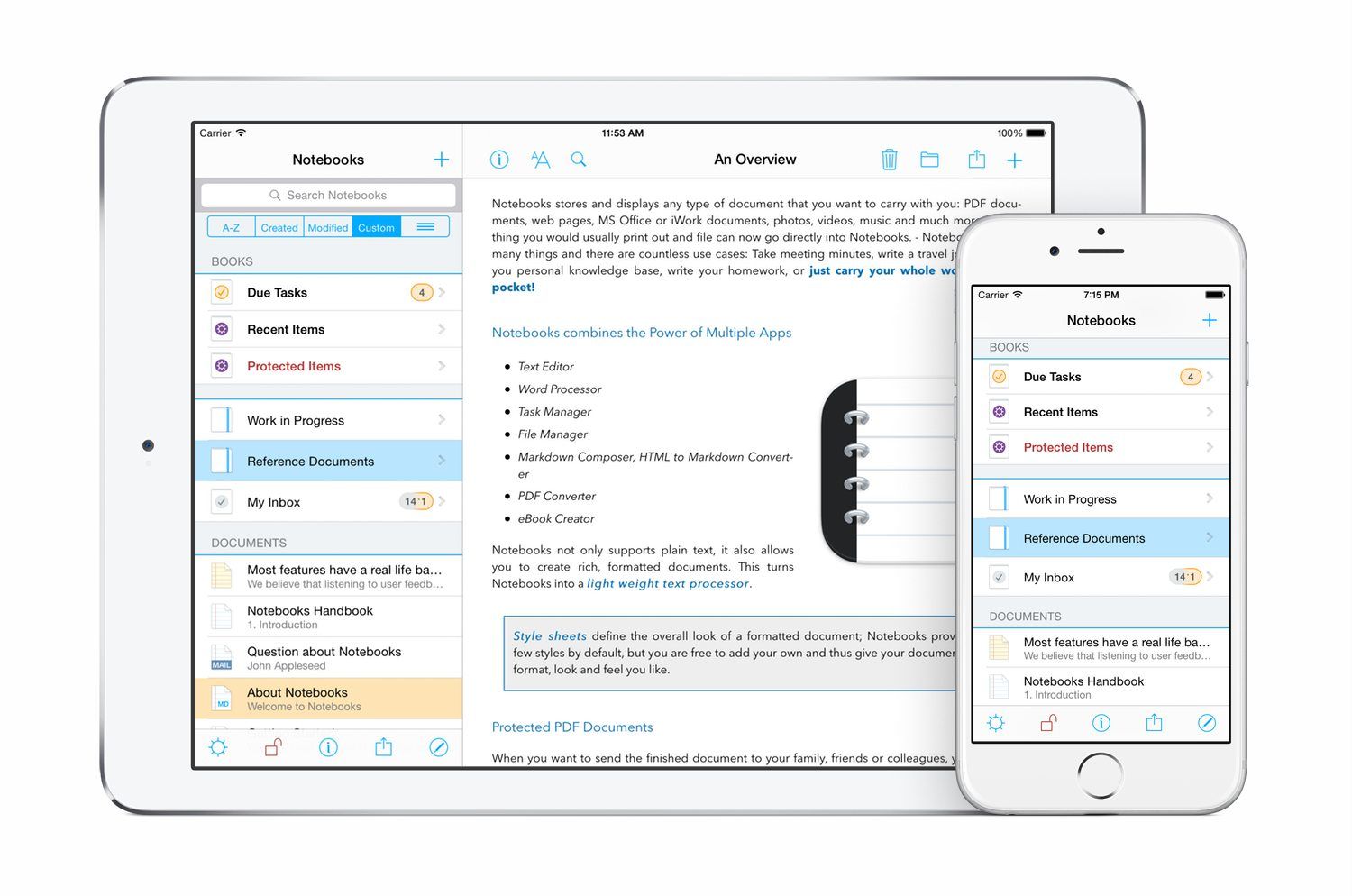
There’s a reason why there have been so many different notebook-style apps on iOS and the Mac over the years. Media-rich research projects and reference materials benefit from the familiar metaphor of a notebook as a way to organize everything in one place. The difficulty, though, is balancing organizational functionality with editing tools. Good organizational tools like search, sorting, and sync are a must, but apps that go too deep into editing features can quickly become a bloated mess. Go too light, and the editing features aren’t of much use.
Notebooks by Alfons Schmid is an iOS and Mac notebook app that has excellent organizational tools on iOS and the Mac. With solid search, sorting and sync options, your notebooks and documents are always readily available to you, which makes it a great research tool, especially on iOS. Notebooks’ editing tools are a different story. Notebooks for iOS strikes a nice balance with excellent text and PDF editing tools. The more recently released Mac version of Notebooks, however, doesn’t go much beyond text editing, which is a little disappointing.
Whether Notebooks is right for you will depend on the extent to which you want to edit files stored in it and, if so, whether iOS or OS X is the dominant platform you use. People who work on iOS will love the power of Notebooks; on the Mac, Notebooks is closer to a viewer app and may not be sufficient to meet your needs.
Bulb Boy is a bizarre point-and-tap puzzle adventure on iOS from Kraków, Poland-based Bulbware that draws inspiration from games like Machinarium. As the name suggests, the story centers around a boy who is a lightbulb. Bulb Boy appears to be going about his business, living a quiet life with his grandfather and bulb-dog in their bulb-house, until strange things suddenly start to happen. Bulb Boy’s world is beset with monsters and it’s up to you, as Bulb Boy, to defeat them by collecting a series of items that help you solve puzzles.
Everything in the game is black and green like an old CRT monitor. The animation has a distinctly retro feel too. When I started Bulb Boy I immediately felt like I had stepped into a demented version of an old cartoon from the 1930s.
The mechanics are straight-forward. You explore each scene by tapping the screen. Bulb Boy moves to where you tap and examines any items in the area. The items you collect help you solve the puzzles and move on to the next stage. In addition, Bulb Boy can take off his head to illuminate dark areas and help solve puzzles. As the game progresses it continually introduces new challenges that keep the game fresh.
Bulb Boy, which has won more awards than I can list here, is as creepy and weird as it sounds. Originally released for PCs on Steam, the game translates well to iOS’s touch interface. I played on my iPhone 6s Plus and iPad Pro and greatly preferred the experience on the iPad, where the artwork and soundtrack could really shine.
Bulb Boy is as much about exploring and enjoying its strange world as it is about the puzzles. The lead character is so charming that I very quickly found myself wanting to help him out of all the tight spots he finds himself in, which makes for an absorbing game. For the most part, the puzzles are challenging without being too hard, but if you do get stuck, Bulb Boy provides hints in the form of pictographic thought-bubbles that appear above Bulb Boy’s head. There are also walk-throughs online.
Bulb Boy is available on the App Store for $2.99 and, although I have not tried it, it’s worth noting that Bulb Boy is also available on the Mac for $9.99.