During today’s WWDC keynote, Apple unveiled updates across its family of OSes. The keynote itself was very different in structure from previous years, with a lot of the focus on Siri and Apple Intelligence, which, for the most part, are fully cross-platform. (For more on those announcements, check out Devon’s coverage.)
Nevertheless, there were plenty of new features announced for iOS and iPadOS, along with a slew of child safety tools. Let’s take a look.
iOS and iPadOS
Design
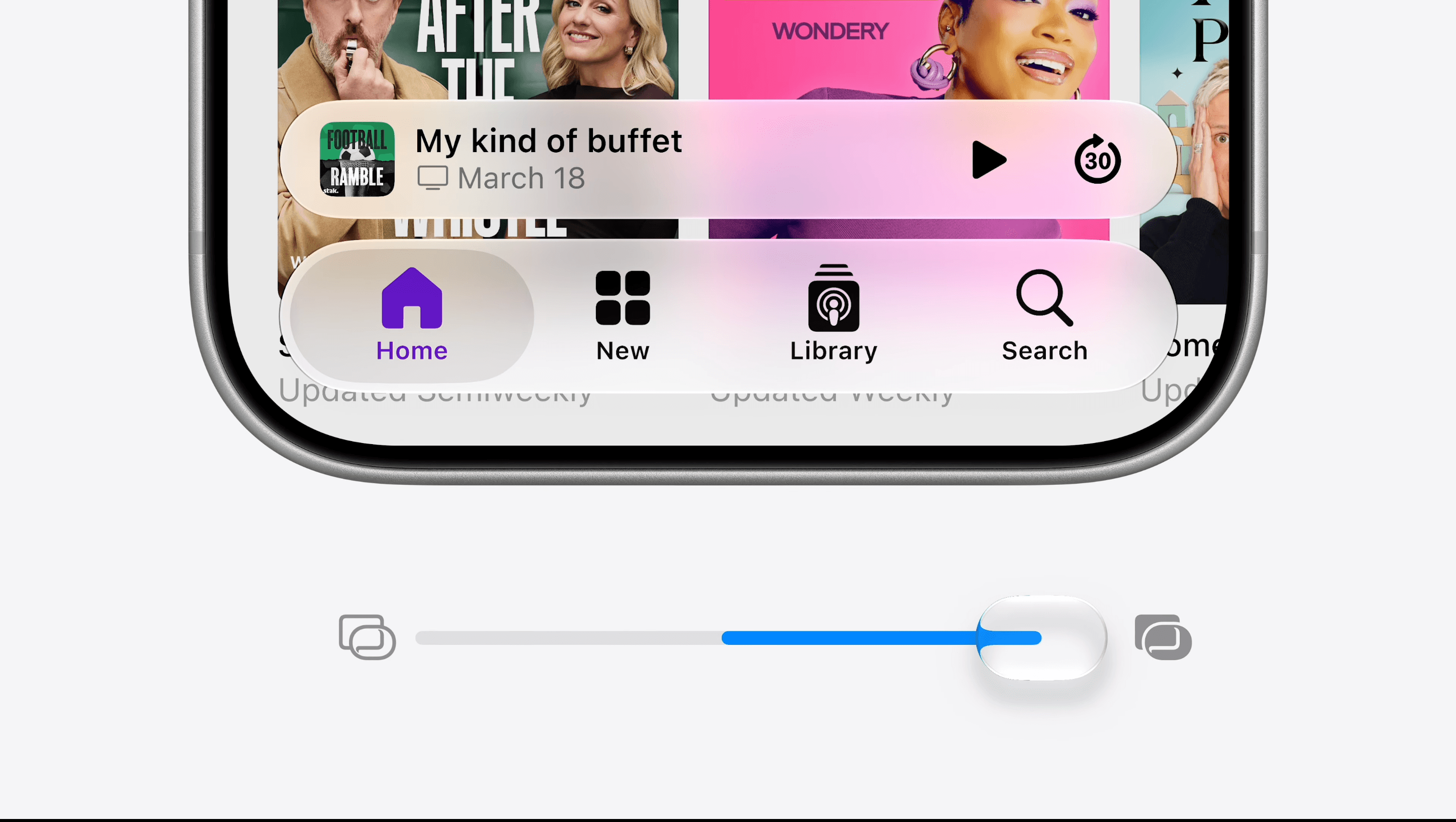
After last year’s big introduction of Liquid Glass and the debate around it, there were bound to be some refinements this time around. Apple says this year’s updated Liquid Glass material diffuses content beneath it more effectively, making the UI more legible. Furthermore, the company is introducing a setting that lets users adjust the transparency of Liquid Glass on a sliding scale from ultra-clear to fully tinted, based on their preferences.
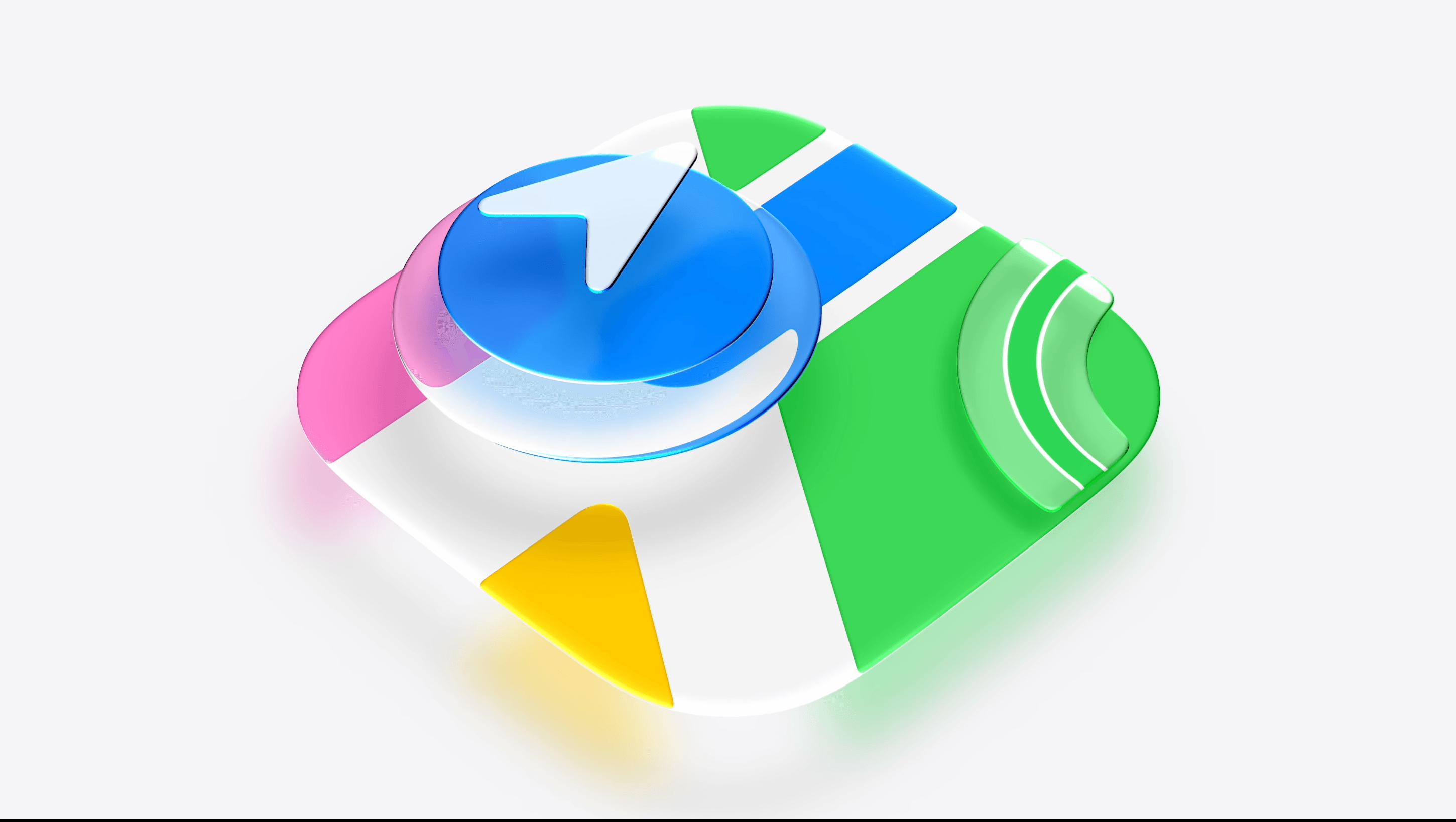
App icons for all of Apple’s apps have also been refined. Thanks to the addition of more Liquid Glass layers to the icon elements, Apple says the icons are sharper and more defined with added “character”.
Widgets also get a glow-up with a new size on iOS: extra-large. This widget size covers the entire height of the Home Screen, so now, you can see even more of your calendar, the weather, or a super-sized Photos widget.
Speaking of, editing your Home Screen and Lock Screen is now easier with undo buttons and faster switching. Interestingly, you can now shrink the time to be positioned right along the top of the Lock Screen, even if you don’t have album art expanded.
Notable design changes on iPadOS include edge-to-edge sidebars, resizable iPhone apps, and the ability to always show the menu bar. A true Finder experience inches closer and closer on the iPad, it seems.
Responsiveness
In a very Snow Leopard-style, Apple claims to have focused on updating many parts of iOS and iPadOS to be faster and more responsive. This includes apps launching 30% faster, pictures appearing in the Photos app 70% faster, AirDrop speeds increasing by up to 80%, and file transfers in the Files app on iPadOS reaching the same speed as on macOS.
iOS and iPadOS are now much smarter about deciding when to switch between Wi-Fi and cellular connections, hopefully eliminating that dance we’ve all done of jumping into Control Center to turn off Wi-Fi when the signal becomes too weak.
Apps
Text and images in the Messages app now have individual progress bars and will automatically retry sending if they fail. You can also see previews of older images that have since been offloaded from your iPhone or iPad. In Photos, you can now collaborate on Shared Albums with Android users and upload full-resolution photos.
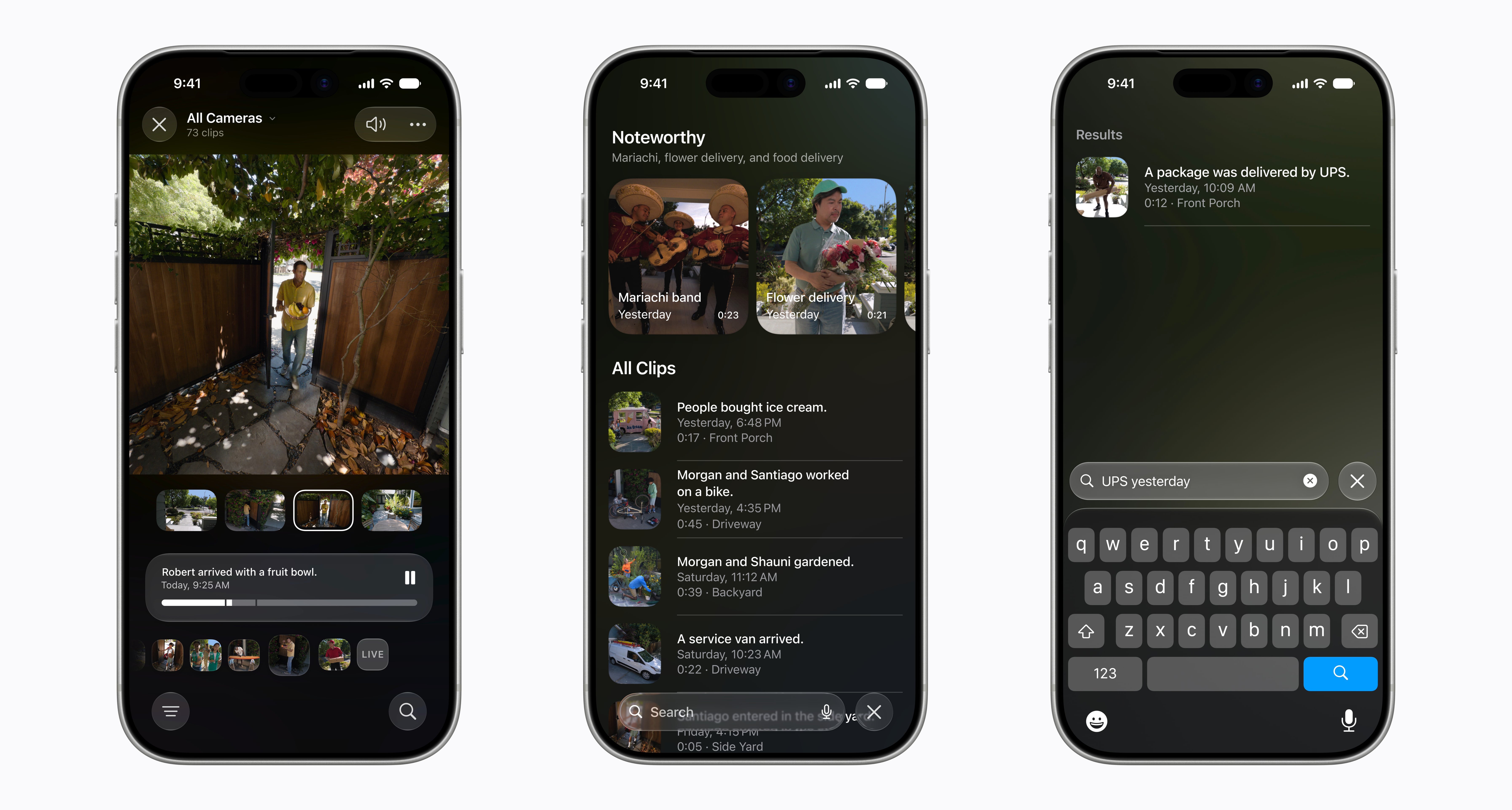
Over in the Calendar app, you can add and edit events using natural language to describe them, including who will attend, while in the Home app, HomeKit Secure Video now supports 4K cameras, intelligently combines related activity notifications, and adds descriptions to footage before you’ve watched it. Flyover in Maps is much more detailed as well, thanks to a combination of aerial imagery and Vision Intelligence models.
Search has gotten a revamp, too. Starting from when you upgrade, iOS and iPadOS will index your messages, mail, and more, unlocking better search results using a new ranking system. If this works as advertised, it will be a huge upgrade for users.
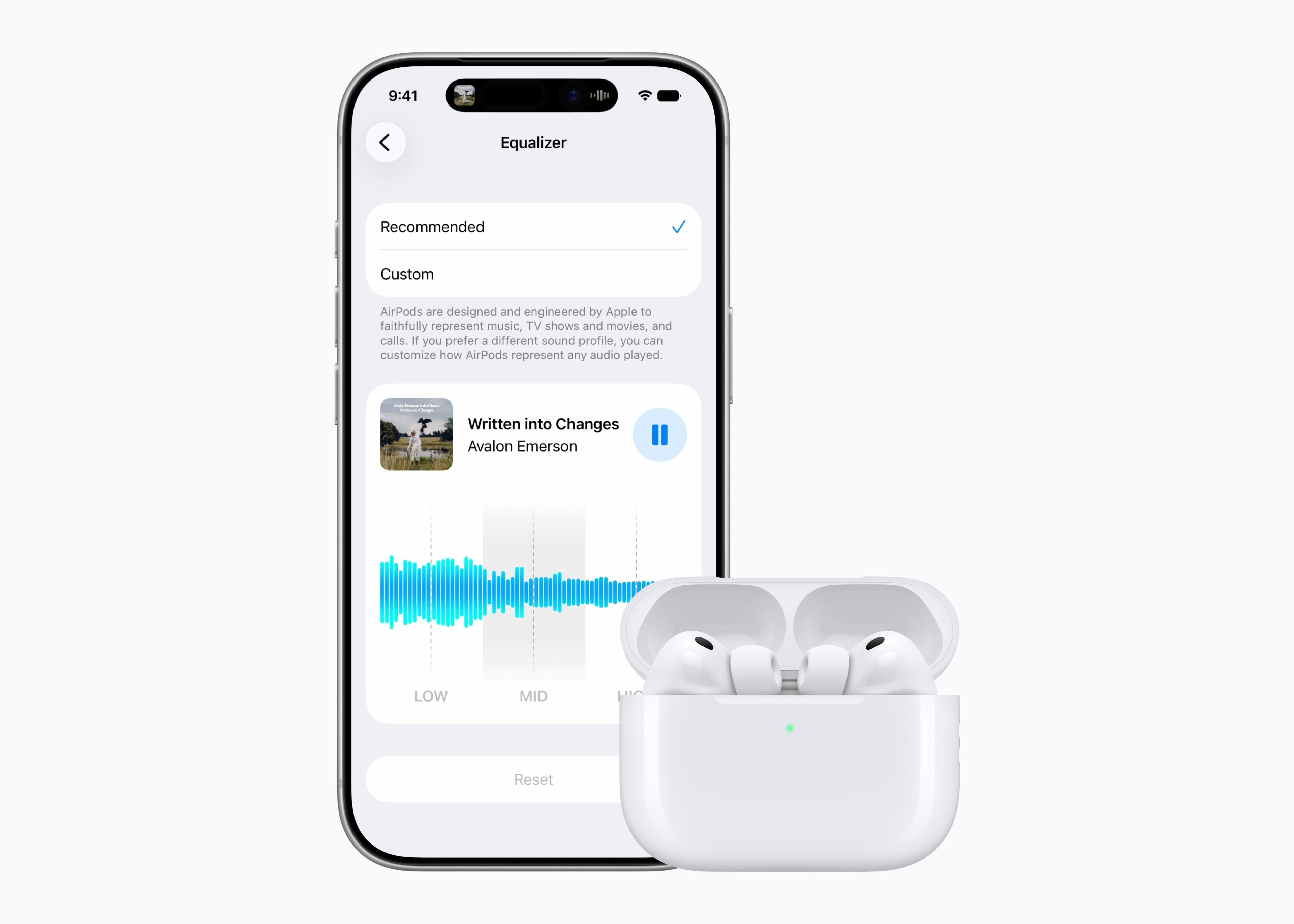
Finally, Apple has added the much-requested ability to customize the EQ settings of your AirPods, though it is limited to a simple waveform with three adjustment points.
New Parental Controls
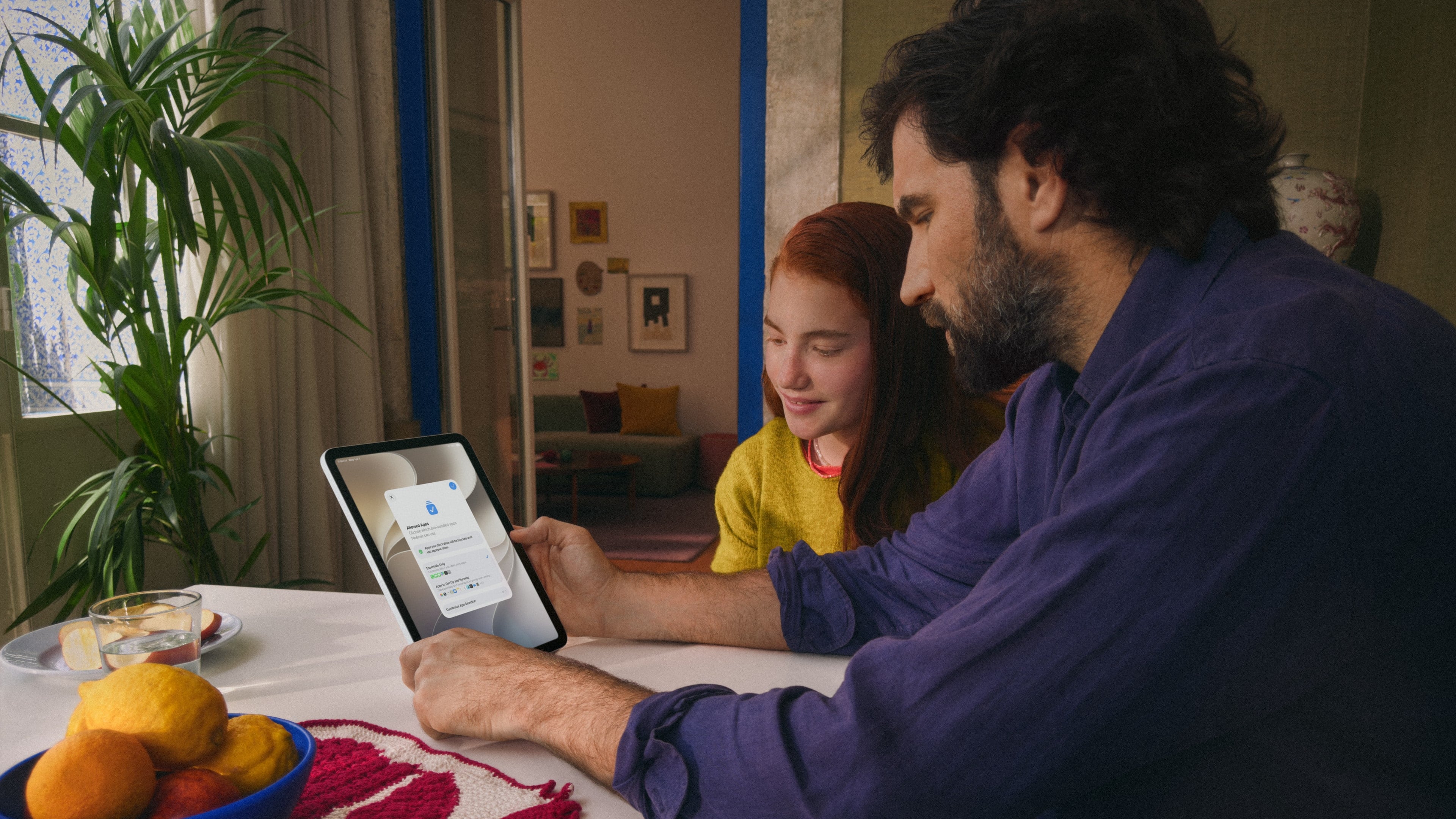
This announcement almost felt perfectly timed, though with many months of development behind it, it clearly wasn’t. Only today, UK Prime Minister Keir Starmer issued an ultimatum to tech companies to introduce software that would block explicit images on children’s phones. It remains to be seen whether Apple’s new child safety features will satisfy the PM, but their announcement mere hours later is certainly an interesting coincidence.
There are many new child safety tools that parents can take advantage of in iOS and iPadOS 27, but let’s start with the new, more streamlined way to set up a child’s account.
Account Setup
Now, when setting up a child’s account, parents will be guided through the process by a Setup Assistant. In addition to existing settings, parents can choose from select groups of system apps their child can access, or specify them individually.
The process includes a new Screen Time setup called Time Allowances. Apple has worked with the American Academy of Pediatrics to adapt its Family Media Plan into a guide for parents who use Apple products.
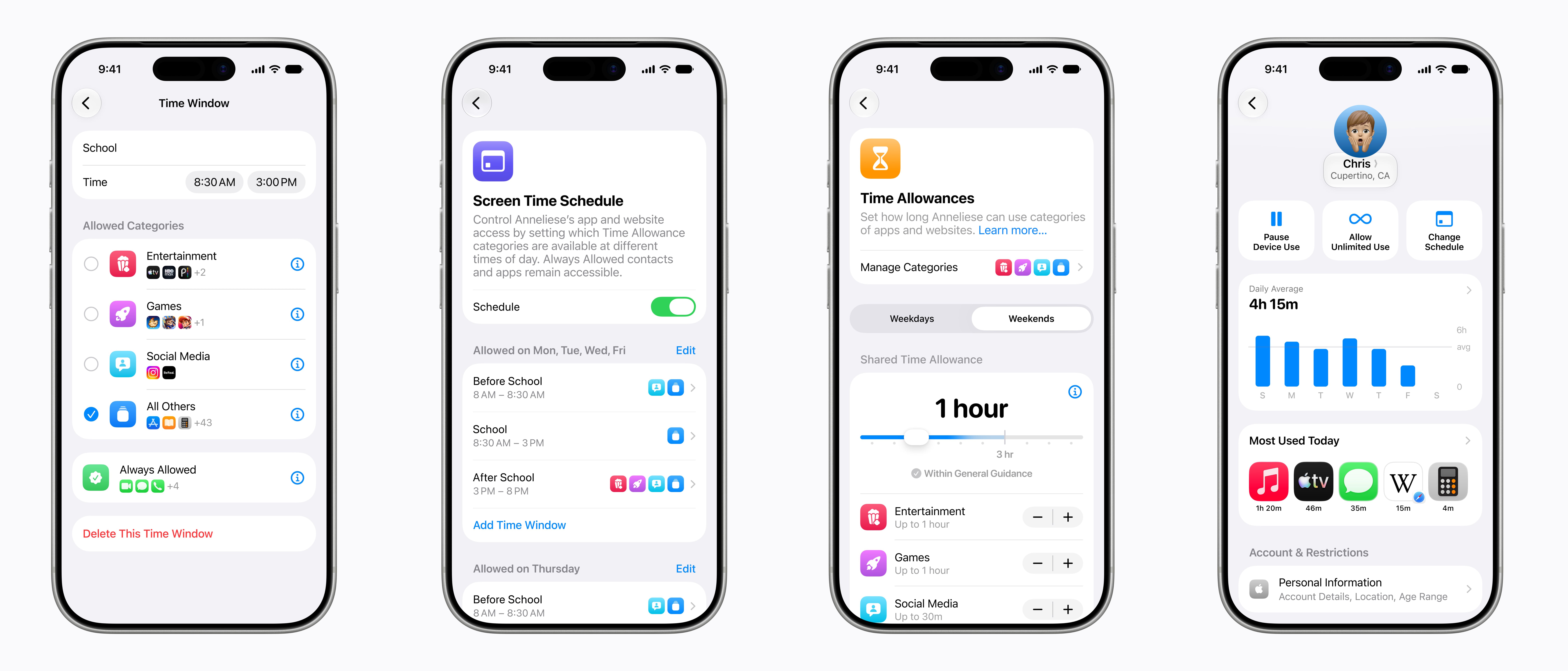
This has resulted in recommended Time Allowances for apps, grouped into three categories: Entertainment, Games, and Social Media. Parents can, of course, customize these limits, but they offer a good suggested starting point.
Screen Time Schedule is also new and allows parents to limit device and app use during certain periods, such as school, and expand it during others, such as the weekend. This can all be done with newly designed parental controls in Settings.
Communication Safety
Currently, if a child requests to download an app, the parent can approve or deny that request via iMessage. Now, the approval process extends to websites. If a child wants to visit a site that isn’t already authorized by their parent, they just tap the ‘Ask Permission’ button to request approval.
Apple’s Communication Safety already blurs nudity by default for under-18s, but it will now blur gore and violent content within Messages and FaceTime, too. Users will still be able to see the content after clicking through a simple alert, which may not be what many had hoped for.
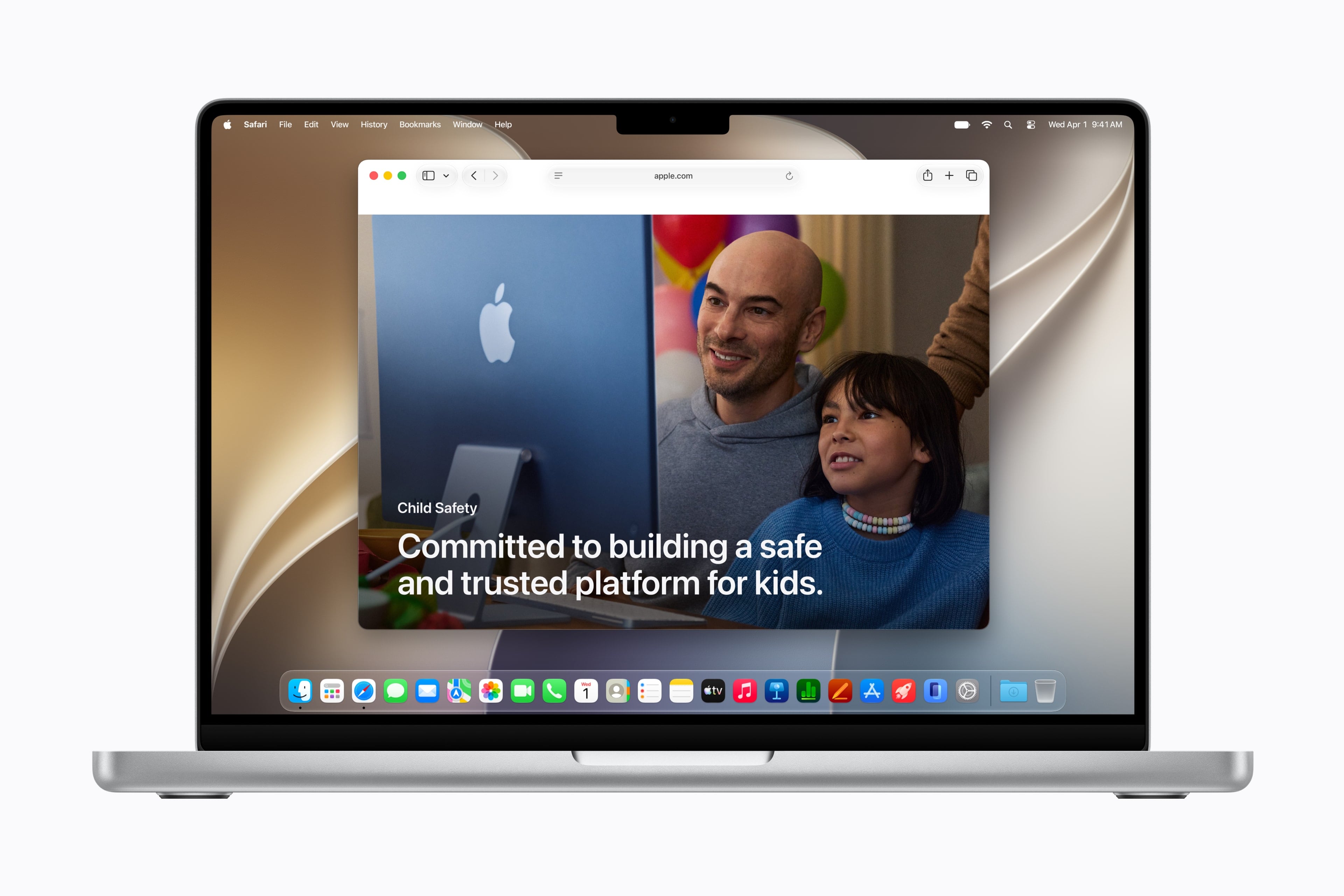
Finally, Apple has set up a dedicated parent webpage with tools, resources, and setup guidance.
Initial Thoughts
Apple’s supposed focus on quality-of-life improvements for iOS and iPadOS has resulted in a ton of new enhancements that seem likely to be welcome, if not ground-shaking. Small changes, such as web audio no longer interrupting system audio, may seem like tiny gains, but in practice, they might turn out to be many people’s low-key favorite changes.
With new parental controls, Apple also seems to be acknowledging a potential forthcoming wave of legislation and pushback against big tech regarding children’s use of its products. Whether you think the new features go far enough or not, it’s clear Apple wants to make parents feel like they are in more control.
As everyone looks to see whether the proof is indeed in the Siri AI pudding, it’s good to see that Apple hasn’t forgotten people still want tangible improvements in the performance of their iPhones and iPads. Time – and the beta period – will tell if they are tangible enough.
Public versions of iOS 27 and iPadOS 27 will be released this fall. Developer betas are available now, with public betas arriving in July.
You can follow all of our WWDC coverage through our WWDC 2026 hub or subscribe to the dedicated WWDC 2026 RSS feed.