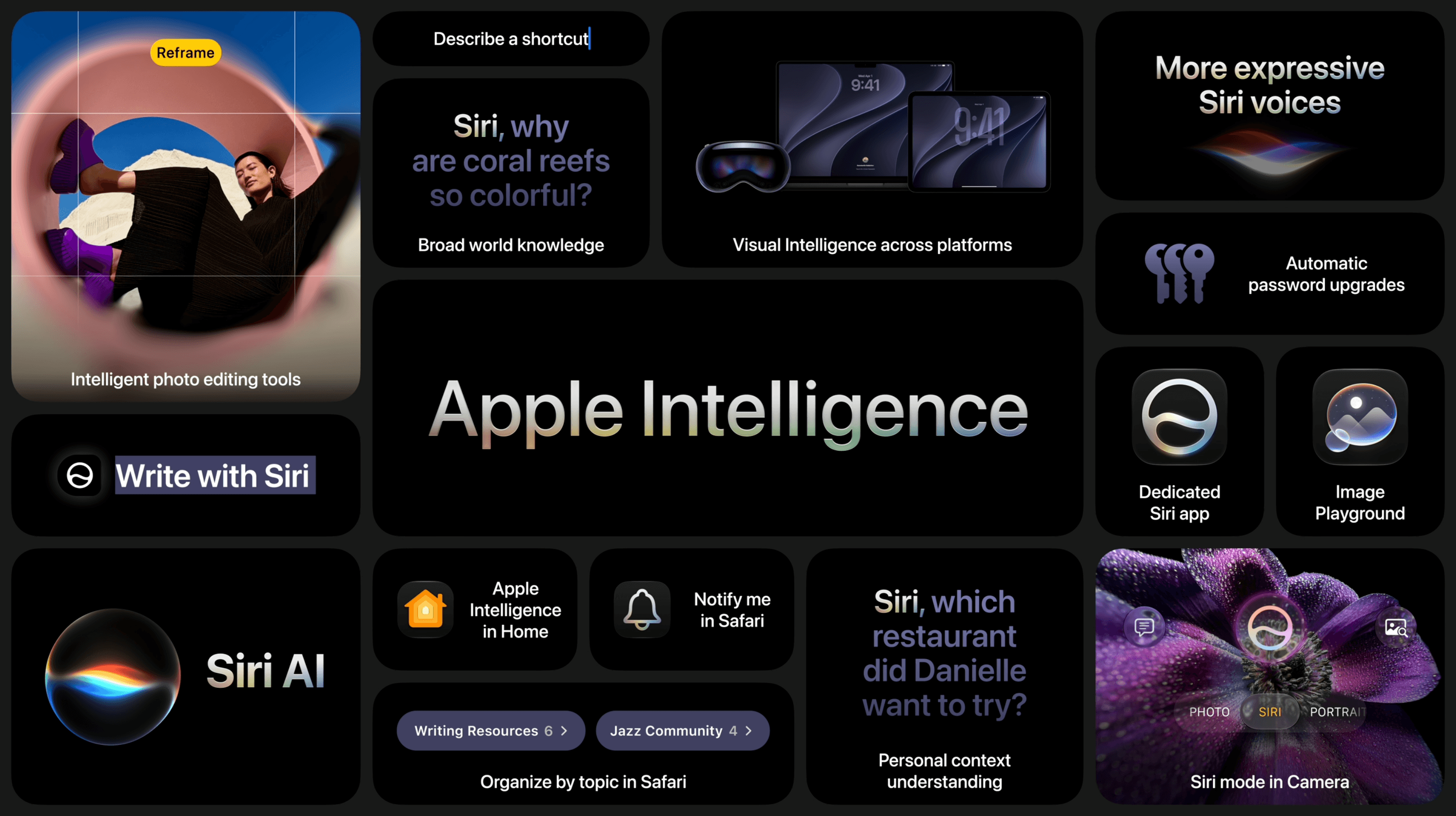
The big question coming into today’s WWDC keynote was what Apple would have to offer in terms of AI – or, as the company refers to it, Apple Intelligence. Given Apple’s behind-the-scenes struggles, delayed features, and partnership with Google to re-architect its Foundation Models based on Gemini, expectations were high, and the company delivered with the announcement of a whole new Siri and a slew of Apple Intelligence features baked into its upcoming operating systems.
Siri AI, the all-new version of Apple’s virtual assistant, was the star of the show and got plenty of time in the spotlight, including several real-time demos on the iPhone and Mac. But the company also announced updates to Visual Intelligence, new photo editing tools, a Shortcuts builder, and additional Apple Intelligence features.
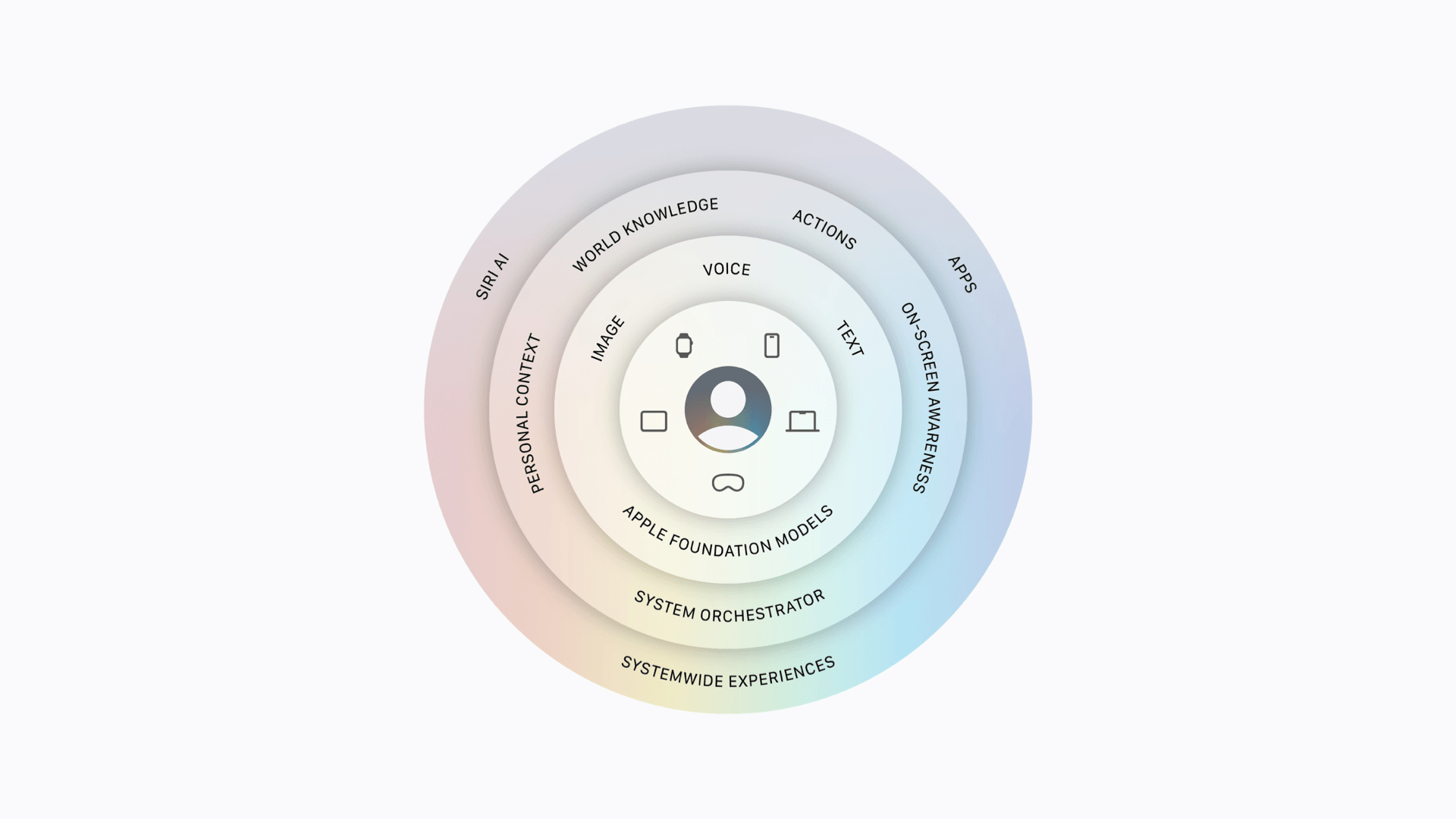
It all starts with the latest Foundation Models based on a new architecture developed by Apple in collaboration with Google’s Gemini models. Coming in both local and Private Cloud Compute variations, these models work across Apple devices using a combination of user input (via text, voice, or images), personal context, on-screen awareness, app actions, and world knowledge in conjunction with the new system orchestrator to power conversations and actions taken by Siri AI as well as Apple Intelligence features baked into each OS. Of course, Apple touts that these features are secure and protect user privacy whether they are run on-device or in Private Cloud Compute.
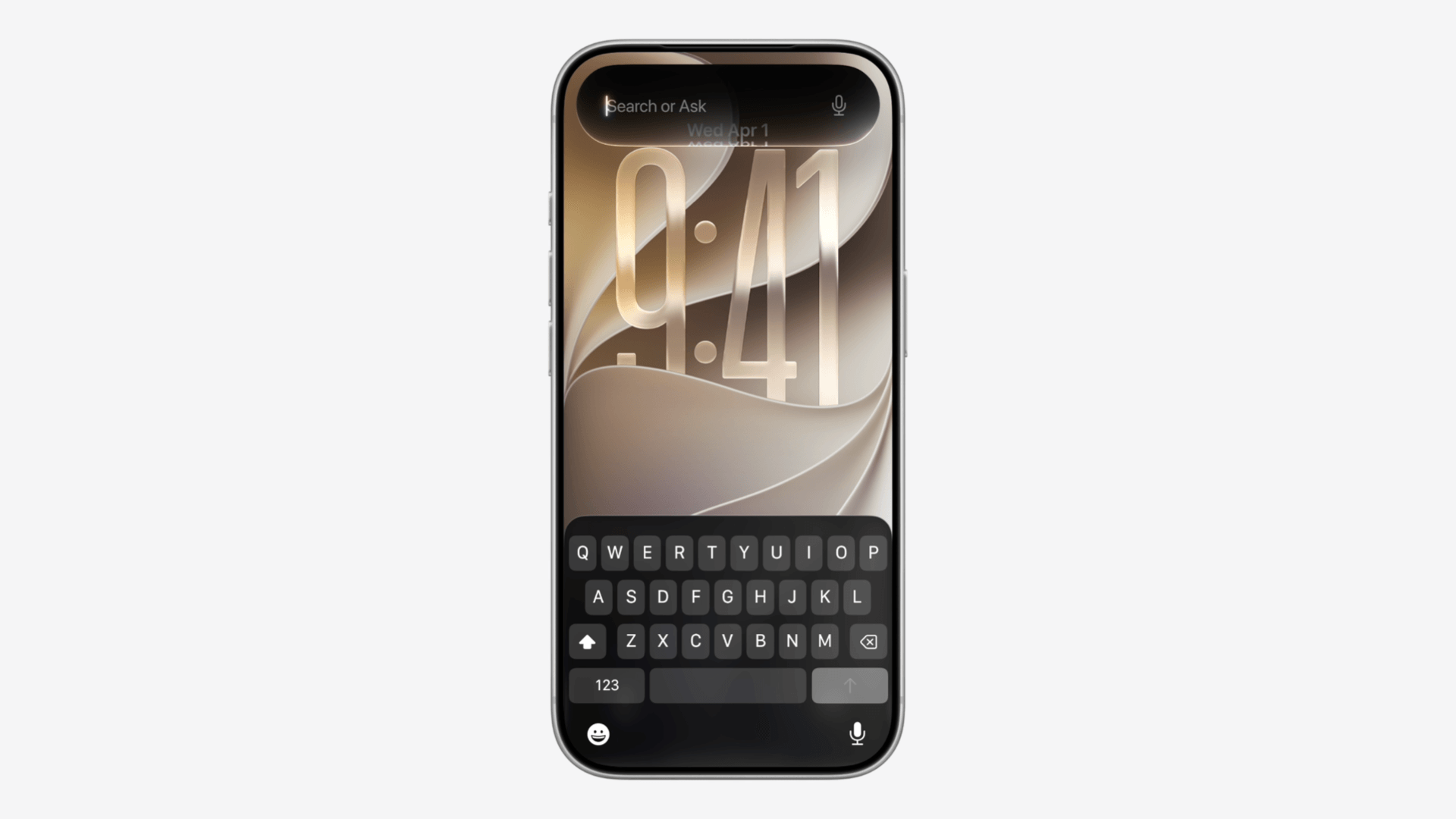
The new Siri AI is more than just a redesign, but its look has been rethought across Apple’s platforms. On iOS, it’s invoked by swiping down on the Dynamic Island, from which the UI appears. Siri AI has been combined with Spotlight on iPadOS and macOS, where it’s also available at the top of context menus, and on visionOS, it exists as a see-through orb that you can place anywhere you like in your environment and invoke with a glance. Siri AI is coming to watchOS as well. It all looks very futuristic and blends well with the slightly refined Liquid Glass design language.
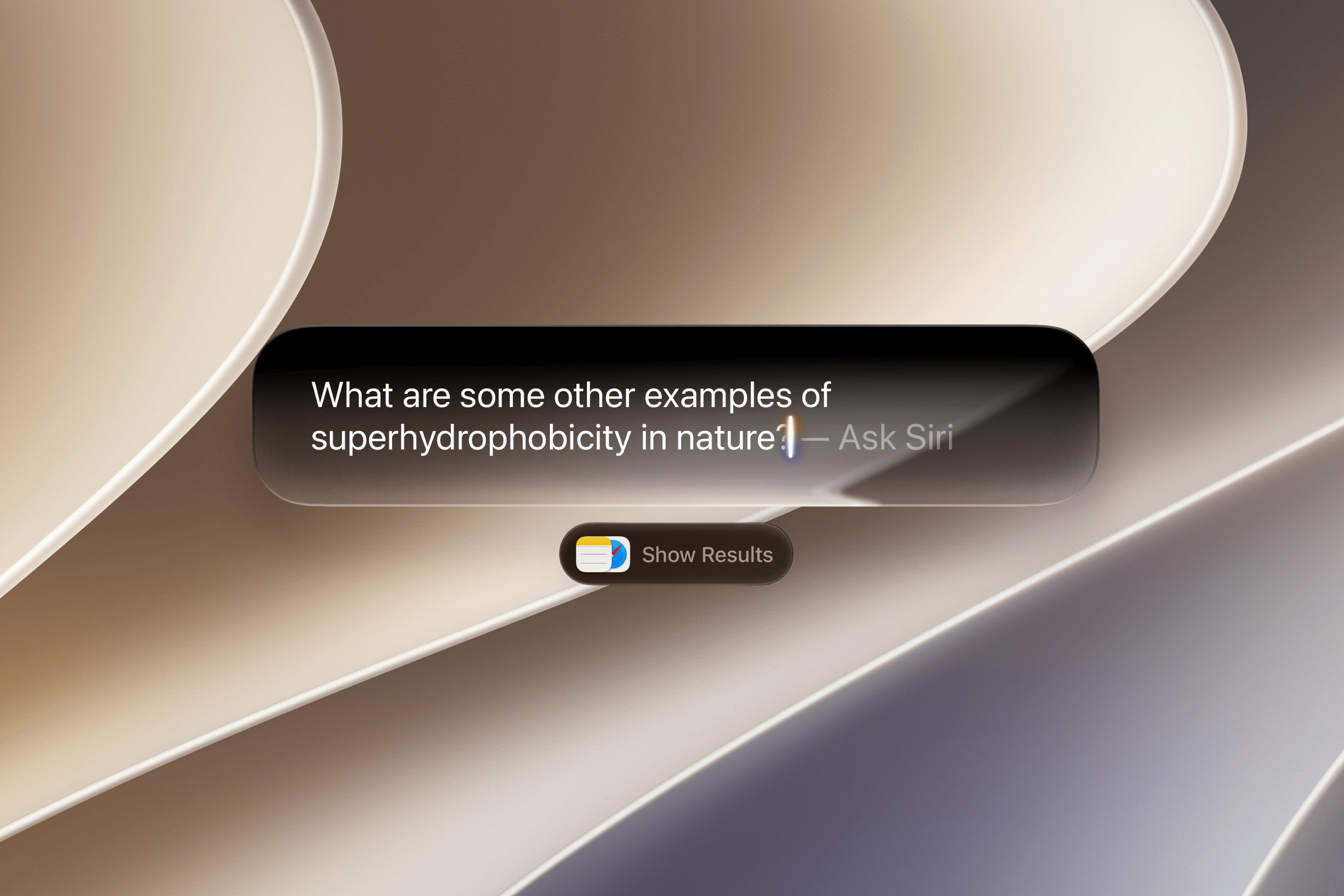
Underneath the polished look is what Apple promises to be a more capable, conversational assistant that can harness what your devices know about you and the world around you to answer your questions and help you get things done. You can go back and forth with Siri AI, asking follow-up questions that the assistant will answer based on the context of your conversation as well as its broader knowledge. In the keynote video, Apple gave several examples, including asking for details about a particular concert and how to get tickets. Siri AI was able to set a reminder to order tickets and start playing a song by the artist based on the user’s requests and the overall context of the conversation.
In another example, Siri head Mike Rockwell demonstrated Siri AI’s use of personal context by asking for a friend’s address that he knew had been sent to him but he hadn’t saved. Siri was able to find the address in the Messages app and then plan a trip to the friend’s house and another destination that Mike had been conversing with the assistant about earlier. It was quite impressive.

Siri AI can also use the device’s on-screen content as input, and it’s been integrated directly into the Camera app to make Visual Intelligence more accessible. The Camera app’s new Siri mode can be used to split a bill, pull up nutritional information for a meal based on a picture, and more. Visual Intelligence is also coming to the iPad’s screenshot feature and to the Mac via a dedicated keyboard shortcut.
Writing Tools are integrated into Siri AI as well, allowing users to generate text with a prompt. When composing in Mail and Messages, Siri will adapt its style and tone to match the way the user usually communicates with the recipient. And as you write, Apple Intelligence will automatically check your grammar, too.

To make Siri AI more conversational, Apple is adding a dedicated Siri app to each of its platforms. Here, users can start new conversations, review previous ones, and even pick up where they left off. It’s official: Siri is now a chatbot.
The new version of Siri is more natural and customizable, too. On devices that can run Apple’s latest on-device model – that is, supported devices with at least 12GB of RAM – Siri’s pace and expressivity can be adjusted to fit the user’s preferences for spoken conversation. The latest on-device model is also required for the new and improved text dictation feature built into the system.
If they work as well in practice as in the real-time demos shown today, these features promise to make Siri the intelligent, contextual, conversational assistant users have been longing for. They also make good on some of Apple’s promises from the initial Apple Intelligence announcement at WWDC 2024.
But there’s more happening in the world of Apple Intelligence than just Siri AI. The OS 27 releases include a bunch of other AI-powered features baked right in.

In the Photos app, Apple Intelligence powers an improved version of Clean Up that works with more complex shots as well as two new editing tools. The Extend tool can be used to make the background of an image wider or taller, filling in the blank space with generated content to adjust an image’s aspect ratio. And Reframe builds upon last year’s Spatial Scene technology to allow you to change the perspective of a photo in post and fill in any gaps generatively.
Safari is gaining yet another tool for managing your tabs: automatic grouping by topic via Apple Intelligence. The new Notify Me feature will allow you to task Apple Intelligence with keeping an eye on changes in webpages, such as when an event registration opens. And with Describe an Extension, Apple Intelligence can generate a Safari extension just for you based on your specific needs.
Shortcuts can now be generated with natural language thanks to Apple Intelligence. Just give the system a prompt, and it will generate a shortcut or even an automation to accomplish the task. Users can make adjustments to shortcuts by describing the changes they want to see as well. Somehow, this sounds familiar.
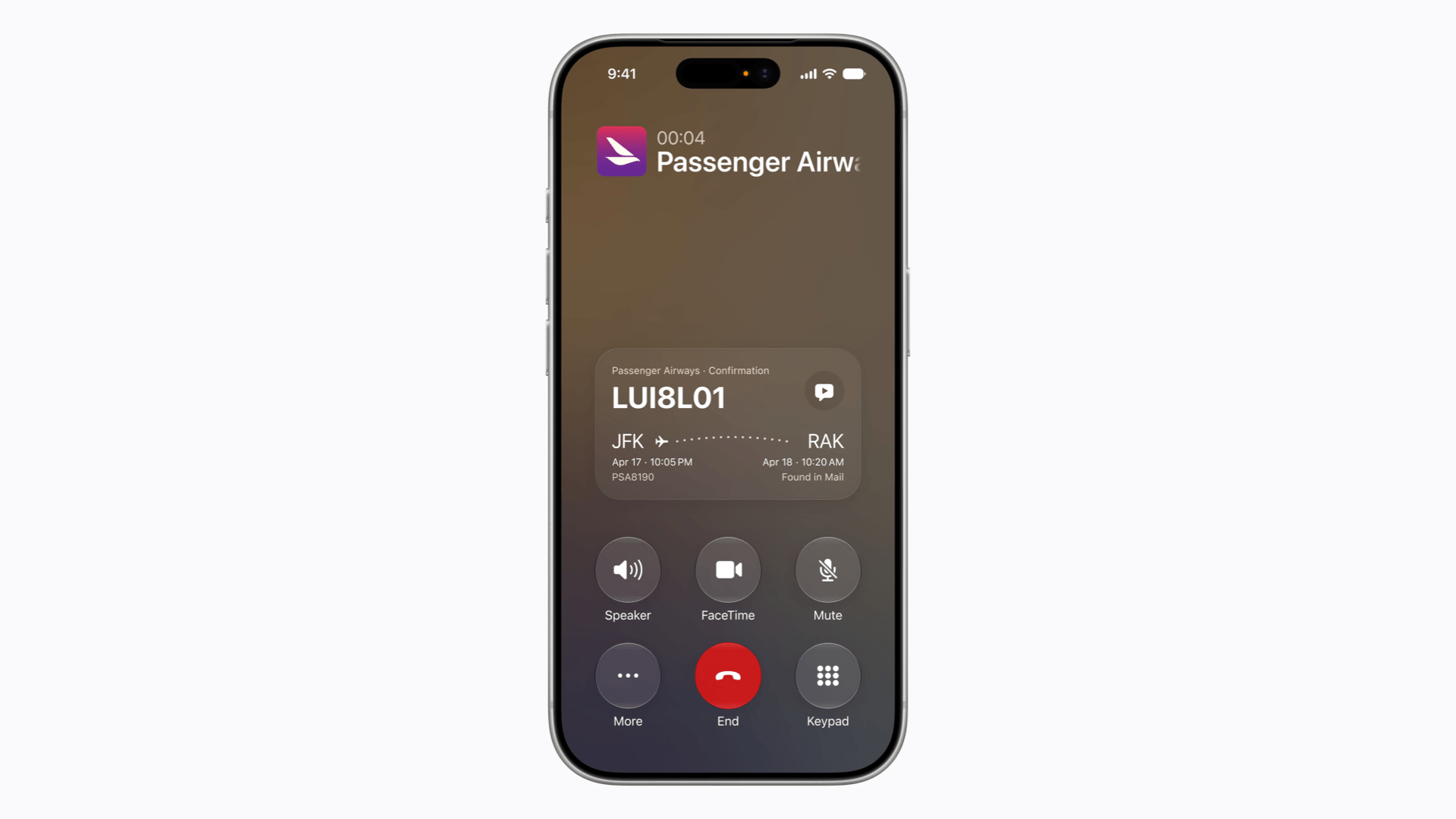
These are some of the other Apple Intelligence features announced today:
- Call Context, which surfaces relevant information proactively when you call a business
- automatic updating of compromised passwords for eligible accounts
- one-tap action suggestions based on context in Messages and Mail
- realistic image generation and more detailed adjustment in Image Playground
- the ability to generate contact posters and Lock Screen backgrounds with Image Playground
- combining multiple related Home notifications into a single activity
- video clip descriptions and search for HomeKit cameras (which can now record at 4K resolution)
- calendar event creation and editing with natural language
With this barrage of updates, the question of availability starts to get complicated. Siri AI will be available on Apple Intelligence-capable devices later this year, but only in English at launch, while Apple Intelligence itself will continue to be offered in multiple languages. Siri AI will be available on the Mac, Vision Pro, and Apple Watch in the EU, but not the iPhone or iPad; it also will not be available in China at launch. To run the latest on-device model and its capabilities for dictation and customizing Siri, you’ll need a device with at least 12GB of RAM, ruling out all but the most recent non-standard iPhones. Image generation is capped by a daily limit that can be raised by subscribing to iCloud+, which is also required to enable the AI camera features in the Home app.
It’s a big year for Apple Intelligence and especially for Siri. Apple has answered the skepticism towards its AI capabilities with splashy announcements that have dominated this year’s WWDC story. These features, if they perform as advertised in everyday use, promise not only big wins for users, but a huge win for Apple as the company continues to stake its ground in the AI landscape.
iOS 27, iPadOS 27, macOS 27 Golden Gate, watchOS 27, and visionOS 27 will be released this fall with their accompanying Apple Intelligence features. Siri AI will be released as a beta later this year. Developer betas of these updates are available now, with a public beta coming next month.
You can follow all of our WWDC coverage through our WWDC 2026 hub or subscribe to the dedicated WWDC 2026 RSS feed.