For the longest time, the iPhone’s shadow loomed large over the iPad. The iPad Pro began to change that, iPadOS solidified that shift, and now the device is forging its own path as a modular computer.
There’s never been a more exciting time to use the iPad. Yet as far as the device has come, we remain optimistic that its best days are still ahead.
Before wrapping up this anniversary week, we have to consider the future of the iPad.
When I started my iPad-only journey in 2012, I was stuck in a hospital bed and couldn’t use my Mac. It’s a story I’ve told many times before: I had to figure out a way to get work done without a Mac, and I realized the iPad – despite its limited ecosystem of apps and lackluster OS at the time – granted me the computing freedom I sought. At a time when I couldn’t use a desk or connect to a Wi-Fi network, a tablet I could hold in my hands and use to comunicate with remote colleagues over a cellular connection was all I needed. Over time, however, that state of necessity became a choice: for a few years now, I’ve preferred working on my iPad Pro and iPadOS (née iOS) in lieu of my Mac mini, even when I’m home and have access to my desk and macOS workstation.
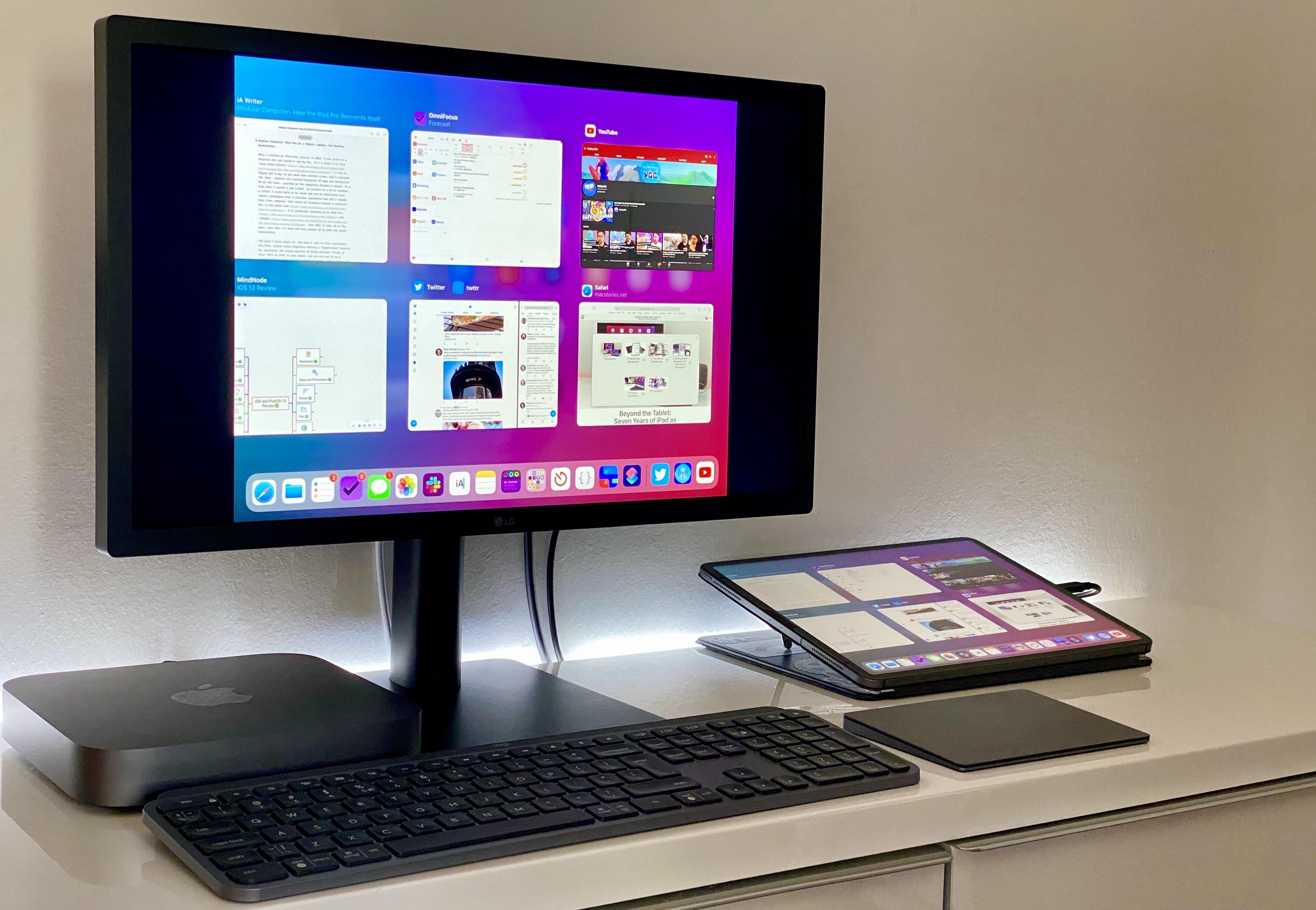
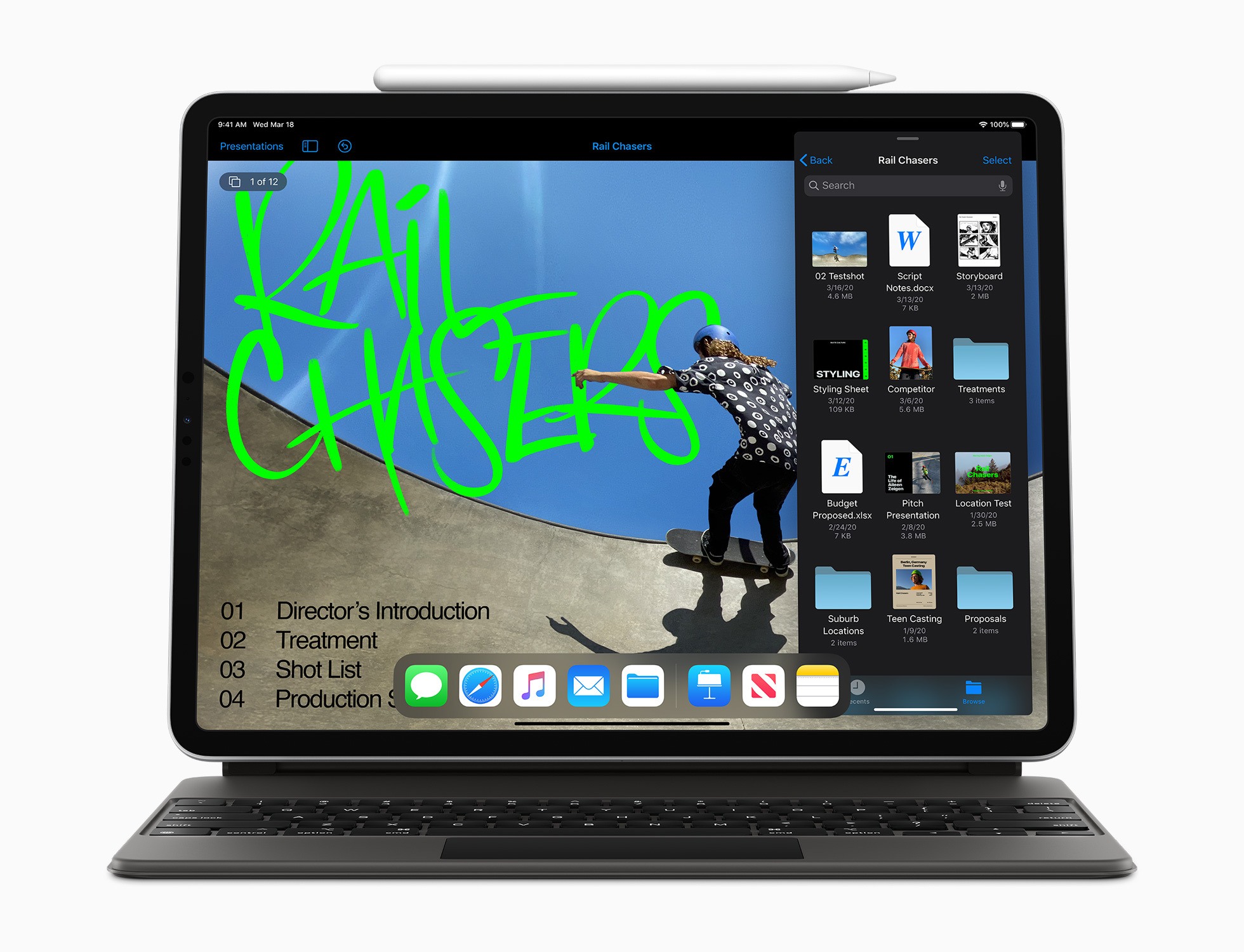
The more I think about it, the more I come to this conclusion: the iPad, unlike other computers running a “traditional” desktop OS, possesses the unique quality of being multiple things at once. Hold an iPad in your hands, and you can use it as a classic tablet; pair it with a keyboard cover, and it takes on a laptop form; place it on a desk and connect it to a variety of external accessories, and you’ve got a desktop workstation revolving around a single slab of glass. This multiplicity of states isn’t an afterthought, nor is it the byproduct of happenstance: it was a deliberate design decision on Apple’s part based on the principle of modularity.
In looking back at the past decade of iPad and, more specifically, the past two years of the current iPad Pro line, I believe different factors contributed to making the iPad Pro Apple’s first modular computer – a device whose shape and function can optionally be determined by the extra hardware paired with it.
The original iPad Pro showed how Apple was willing to go beyond the old “just a tablet” connotation with the Apple Pencil and Smart Keyboard. Three years later, the company followed up on the iPad Pro’s original vision with a switch to USB-C which, as a result, opened the iPad to a wider ecosystem of external accessories and potential configurations. At the same time, even without considerable software enhancements by Apple, the creativity of third-party developers allowed iPad apps to embrace external displays and new file management functionalities. And lastly, just a few weeks ago, Apple unveiled iPadOS’ native cursor mode, finally putting an end to the debate about whether the iPad would ever support the desktop PC’s classic input method.
The intersection of these evolutionary paths is the modern iPad Pro, a device that fills many roles in my professional and personal life. Ever since I purchased the 2018 iPad Pro1, I’ve been regularly optimizing my setup at home and on the go to take advantage of the device’s versatility. I’ve tested dozens of different keyboards, purchased more USB-C hubs than I care to admit, and tried to minimize overhead by designing a system that lets me use the same external display and keyboard with two different computers – the Mac mini and iPad Pro.
At the end of this fun, eye-opening process, I’ve ended up with a computer that is greater than the sum of its parts. By virtue of its modular nature, I find my custom iPad Pro setup superior to a traditional laptop, and more flexible than a regular desktop workstation.
So how exactly did I transform the iPad Pro into this new kind of modular computer? Let’s dig in.
Mac Madness is down to the final two machines, and Myke explains why it is all Stephen’s fault. Then, Federico takes everyone on a tour of high-resolution audio apps for the iPhone and iPad … which are all wild. Lastly, we check the temperature of the room on Apple’s Dark Sky acquisition.
You can listen below (and find the show notes here).
Pingdom: Start monitoring your website performance and availability today, and get instant alerts when an outage occurs or a site transaction fails. Use offer code CONNECTED to get 30% off. Offer expires on January 31, 2021.
Ahrefs: SEO Tools & Resources To Grow Your Search Traffic. Get a 7-day trial for just $7.
It’s been a big two weeks for iPad news. Federico and Ryan discuss the new iPad Pro and Magic Keyboard, then go deep on mouse and trackpad support and full keyboard access in iPadOS 13.4.
You can listen below (and find the show notes here), and don’t forget to send us questions using #AskAdapt and by tagging our Twitter account.
0:00 01:11:46
Adapt, Episode 22
AppStories+ Deeper into the world of apps
Sponsored by:
Pingdom: Start monitoring your website performance and availability today, and get instant alerts when an outage occurs or a site transaction fails. Use offer code ADAPT to get 30% off. Offer expires on January 31, 2021.
Sanebox: Clean up your inbox in minutes. Sign up for a two-week free trial and a $25 credit.
Yesterday, as reported by 9to5Mac and otherpublications, Amazon updated its Prime Video app to permit video purchases and rentals without using Apple’s In-App Purchase system in some circumstances. It wasn’t clear what was going on at first because some users saw what looked like an Amazon checkout process, while others got an Apple checkout flow. To add to the confusion, Apple issued a statement that said Amazon Prime is using “an established program for premium subscription video entertainment providers.”
John Gruber did some investigating and has an excellent explanation on Daring Fireball on how the deal between Amazon and Apple seems to work. As Gruber explains, If you’re signed in to the Amazon Prime app with an Amazon account and are a full Prime or Prime Video member, renting or purchasing video uses an Amazon checkout process. Otherwise, Apple’s In-App Purchase system is used, which interestingly, can also be used to sign up for a Prime Video subscription.
The Prime Video app supports every feature that makes a third-party subscription video service a first-class citizen in Apple’s multi-device TV ecosystem.
For users with existing Prime subscriptions, or new subscriptions made on Amazon’s website, Amazon now gets to bill them directly for movie rentals and purchases made in the app, giving Apple no cut of the transactions.
Users can subscribe to Prime Video in-app using an iTunes subscription, giving Apple a recurring cut, and leaving subscription management in Apple’s hands.
For users without a Prime subscription, or with a Prime subscription made through the app, Amazon now bills them for purchases and rentals through Apple’s In-App Purchase mechanism, giving Apple a cut.
Based on a few reasonable assumptions, Gruber concludes that the deal is a win for Apple, Amazon, and also consumers who get a first-rate app experience that includes the ability to buy and rent TV shows and movies in the Prime Video app for the first time.
I hope we see more deals like this. Having Prime Video available in Apple’s TV app where it’s included in the Up Next section of the app and being able to rent and buy content without resorting to a web browser makes for a much better overall experience for users looking for something to watch.
Make no mistake, whether it’s a Mac, iPhone, or an iPad, I prefer big screens. I think most people do. A big, bright screen makes reading easier, and a larger canvas for the apps you use is rarely a downside.
Still, there’s a reason we carry mobile phones when a tablet, laptop, or desktop could accomplish the same tasks: portability. Smaller is often better, even as the compromises start to pile up when you shrink a device.
Portability is why foldable phones have captured the imaginations of so many people. They promise the portability of a traditional smartphone with a screen that’s closer to a tablet’s.
Just over one year ago, in March 2019, Apple released two new iPads: a 10.5-inch iPad Air and the first new iPad mini in over three years. The 5th-generation mini was a big surprise, largely because the mini hadn’t been updated in so long, leading many people to write it off as dead.
Perhaps an even bigger surprise, however, was the mini’s hardware. The design didn’t change, but the 5th-generation mini upgraded the device to an A12 processor, the same chip in the then-current iPhone XR and XS. The update also added a Retina laminated screen with True Tone, P3 color support, and the highest pixel density of any iPad. The mini doesn’t support ProMotion, it only supports the first-generation Apple Pencil, and still relies on Touch ID for security. Still, in terms of raw horsepower, the mini is more similar to the 10.5-inch iPad Air than it is different, allowing it to hold its own in Apple’s iPad lineup despite its diminutive size.
The previous fall, I had ordered a 2018 12.9-inch iPad Pro and fell in love with it for writing and other tasks. As much as I enjoy the iPad Pro’s big display, though, it’s not suited for every task. For example, the size of the iPad Pro makes it awkward for reading in bed. Also, although I love to play games on my iPad Pro with a connected controller, that only works well if the iPad is sitting on a table.
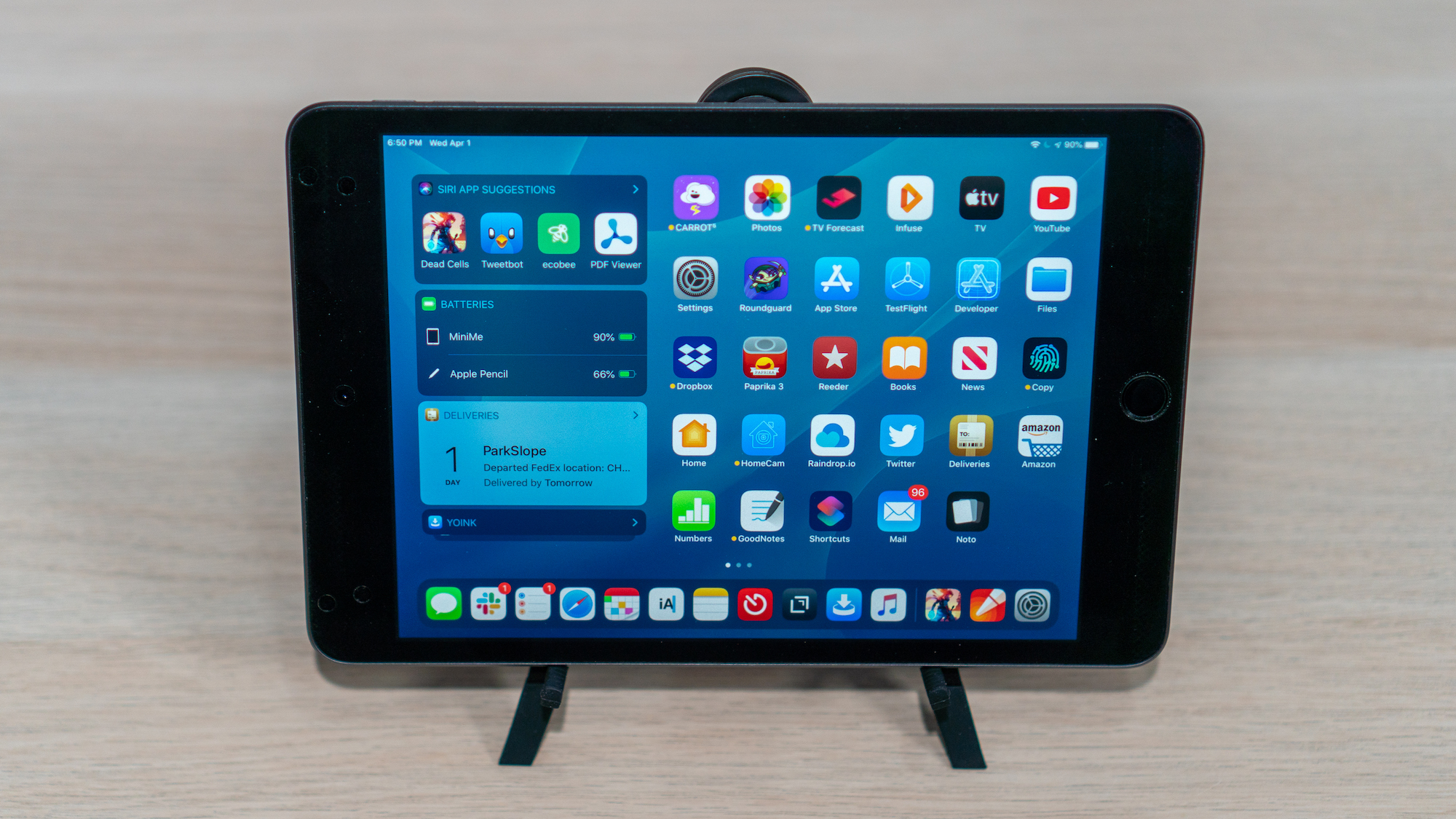
When the mini was introduced, I immediately wondered whether Apple’s smallest tablet could be the perfect complement to its largest iPad Pro: a powerful but tiny device that could work well where the Pro doesn’t. I also figured the mini could be a great ‘downtime’ device for activities like games, reading, chatting with friends, and watching TV, movies, and other video content. So, I sold some old gear I no longer used and bought a mini with 256GB of storage, so I’d have plenty of space for games and locally-downloaded video.
The plan was for my new mini to serve almost exclusively as my downtime iPad. What’s happened in practice during the past year is very different than I anticipated originally. My use of the mini has expanded far beyond what I’d expected, despite the compromises that come along with its small size. The iPad Pro remains the device I rely on for most of my needs, but as we approached the iPad’s first decade, the time felt right to consider how far the mini has come and how this unassuming device fits so neatly into the spaces between the other devices I use.
Apple has released noteworthy updates for its iWork suite of Pages, Numbers, and Keynote, alongside a new version of iMovie, all of which have as their hallmark feature mouse and trackpad support on iPadOS. There are a variety of other nice changes too, big and small, that make these apps more powerful than ever across all platforms.
John: It’s hard to understate the importance of the iPad’s large screen. Early critics dismissed the device as a big iPhone, but that criticism revealed a fundamental misunderstanding of the product.
By jumping from the iPhone’s small 3.5-inch display to one that approached 10 inches, the iPad delivered a canvas that allowed Apple and third-party developers to rethink not just the concept of mobile apps, but of apps altogether. The additional screen real estate allowed developers to flatten and spread UIs in a way that made new uses possible. That, in turn, led to richer, deeper experiences for everything from reading a comic book to managing complex projects and automating repetitive tasks, allowing users to interact directly with the software beneath their fingers.
After years of using the very best apps developers have to offer on the iPad, it was remarkably easy for Federico, Ryan, and I to come up with a list of the iPad apps that have been the most impactful for us during the past decade. There’s a lot of factors at play in arriving at these apps. Some forged a path by adopting the latest Apple technologies in a unique way that set an example for apps that followed. Others are apps that define a category that takes unique advantage of the iPad’s hardware. These are also apps that work on the iPhone or Mac too, but are most at home on the iPad’s unique platform.
Although there is no single formula for which iPad apps have been the most impactful, one thing each app in this collection shares is a rich, personal experience. These are apps inspired by and reflected in the image of Steve Jobs sitting onstage in a comfortable black leather chair swiping through photos. The iPad and the apps that run on it have come a long way since then, but the intimacy of directly manipulating apps that transform a slab of glass into anything a developer can imagine hasn’t changed, and remains what makes the iPad so special.