This Week's Sponsor:

Halide

Unlock Your iPhone Camera


BlackBerry Desktop Beta for Mac Adds PlayBook Sync

BlackBerry PlayBook owners who also happen to have a Mac have been waiting for a BlackBerry Desktop release with support for tablet sync, which since launch has been exclusive to Windows PCs with RIM promising a Mac release (alongside many other features like a proper email client) this summer. Electronista reports users of Beta Zone (RIM’s beta distribution channel for various programs and enterprise tools) have now access to the 2.1 beta version of BlackBerry Desktop for Mac that adds media sync for photos and videos, but excludes standard functionalities like backups.

It’s not clear whether the new beta version also comes with music sync, contacts and calendar sync with iCal and Entourage, or the switch wizard to migrate data from a BlackBerry smartphone to the PlayBook. The new desktop app can be downloaded by participating in BlackBerry’s Beta Zone here.


GarageBand for iPad Gets AirPlay and Copy & Paste, iMovie Updated with Various Fixes

A few minutes ago Apple released updates to GarageBand for iPad and iMovie for iOS, bringing the apps to versions 1.0.1 and 1.2.1, respectively. The most notable update in GarageBand is the inclusion of AirPlay audio output which now allows to send tracks to external speakers wirelessly. GarageBand also got Bluetooth compatibility and HDMI output with Apple’s Digital AV Adapter. Alongside bug fixes, stability improvements and possibility to import AIFF, WAV, CAF audio files and Apple Loops at 16 bit /44.1 kHz, the new GarageBand for iPad can receive audio files from the system clipboard via copy & paste. A support document details the new functionality:

You can paste an audio file from an app that supports copying audio to the clipboard. GarageBand for iPad supports uncompressed audio files with a sample rate of 44.1 kHz and 16-bit depth (the standard for audio CDs).

Audio files copied from another app can be pasted to Audio Recorder or Guitar amp tracks.

iMovie for iPhone and iPad received an update as well with the following changes:

  • Audio plays from your HDTV when using the Apple Digital AV Adapter.
  • Video plays full screen from Marquee to your HDTV when using the Apple Digital AV Adapter.
  • Resolves some cases of missing media in projects.
  • Provides more accurate clip grouping by date in Video browser.
  • Fixes an issue where a project’s background music would not fade in or out.
  • Additional performance and reliability improvements.

Both the GarageBand for iPad and iMovie updates are available now in the App Store.


“iPhone Hooks” Now Allow Apps To Send Photos to Instagram

After the launch of an official API a few months back that allowed developers to read content posted on Instagram and display photos in external iOS, Mac and web apps, the service saw a huge growth in popularity, registered users, and connected applications capable of visualizing Instagram’s streams outside of the (only) official iPhone app. We have seen a plethora of iOS and Mac apps coming out in the past weeks, giving users the possibility to browse Instagram through a “client” different from the app, providing new interactions and interface schemes otherwise impossible without the use of an API. What the API lacks though, is read access to let 3rd-party apps upload to Instagram.

As MG Siegler at TechCrunch reports, Instagram founder Kevin Systrom has no plans on opening a full-read API to let other control the social stream and upload photos not generated with Instagram’s filters and requirements, but they do have a plan to allow developers to easily send files to the Instagram app. This feature is called “iPhone Hooks” and it sounds a lot like iOS’ default “Open In” menu combined with clever URI schemes: provided an application can snap photos and save them to jpeg or png, Instagram can let this app hook into the posting process to transfer the file from app x to Instagram. Just like in the 100 Cameras in 1 iPhone app, users can snap a picture and “send it to Instagram” to apply filters and upload. With iPhone Hooks, any photo app in the future could be updated to support sending a photo to the filter interface, or simply open a specific user stream, tag and location feed. The possibility to pass along photos is of course the most intriguing option, as apps like Photogene, Camera+ or Camera Genius could take advantage of that to shoot photos, let users apply filters and edits, then send to Instagram. iPhone Hooks apparently don’t let developers apply any sort of watermark or ID to the photo (example: “shot with Camera+”) as the file is still processed by Instagram; however, users could still leave a comment to specify what app they used, and overall it’s a good thing for a 3rd-party dev to have an app that works with Instagram.

Co-founder Kevin Systrom compares this functionality to the copy and paste functionality baked into iOS. But again, this is for images, not text. “We wanted to make it easier for other iPhone apps (and iPhone web-apps) to hook into Instagram to open a particular item or post a photo through our app,” co-founder Mike Krieger says. Yes, you read that correctly, this can work with web-based apps too.

Currently, only 100 Cameras in 1 is using this functionality, but Instagram says they’re discussing implementation with other partners.

More details from the Instagram Developer page:

When triggered, Instagram will immediately present the user with our filter screen. The image is preloaded and sized appropriately for Instagram. Other than using the appropriate image format, described above, our only requirement is that the image is at least 612px tall and/or wide. For best results, Instagram prefers opening a JPEG that is 612px by 612px square. If the image is larger, it will be resized dynamically.

An important note: If either dimension of the image is less than 612 pixels, Instagram will present an alert to the user saying we were unable to open the file.

The new feature can be tested in the 100 Cameras in 1 iPhone app, and it’s likely more developers will support it in the next weeks. With iOS 5 rumored to get direct Twitter integration for photos, sharing pictures on our iPhones and iPads could soon become a very different process.


Apple Doesn’t Change Stance on Pay-Per-Install Apps

GigaOM has posted an interview with Tapjoy CEO Mihir Shah, detailing how Apple is still not accepting new and updated applications that rely on pay-per-install networks like, indeed, Tapjoy. Back in April we reported Apple, after altering its App Store algorithm to better promote apps based on active usage and quality rather than download numbers, started rejecting apps powered by “pay-per-install” systems and offer-walls – basically in-app links and buttons that allow users to gain free virtual currencies and other goods by downloading another app from the App Store. Developers get paid, users get free goods only by downloading an app they can decide to never open and, on the other side of the spectrum, Tapjoy and other companies manage the entire system by giving developers the tools to implement these functionalities.

As Apple started tweaking the algorithm, it was reported the company didn’t like offer-walls and pay-per-install networks anymore as they saw them like a way to cheat the App Store charts and make some apps rank higher because of the downloads and promotions. Tapjoy then started capping downloads through it networks to comply with Apple’s new rules, but CEO Mihir Shah says he’s “confused” as that’s proven to not be enough for Apple, with the App Store team also saying they had no time to discuss the proposed solutions.

Tapjoy, whose app promotion campaigns have been halted by Apple in new and updated iOS apps, has come up with a new solution that it hopes can help it avoid Apple’s recent ban. The company has proposed a simple fix that allows Apple to identify app referrals from Tapjoy’s ad network so it can prevent those downloads from being counted by the App Store ranking algorithm.

Tapjoy CEO Mihir Shah said he reached out to Apple three weeks ago and offered to include a referral URL for the App Store when a user chooses to download an app in exchange for virtual goods. That would allow Apple to identify that the download came from Tapjoy and not count it in the App Store ranking algorithm. Shah said Apple wrote back a couple days later saying it had no time to discuss the issue.

Tapjoy is seeing an obvious decline in revenue and traffic on iOS devices, though they’re making up with growth on the Android platform. Many suggest Apple does no longer accept this kind of offer-walls because they want to promote iAd for developers among advertisers; however, Apple’s review guidelines for App Store apps explicitly mention that ”developers who attempt to manipulate or cheat the user reviews or chart ranking in the App Store with fake or paid reviews, or any other inappropriate methods will be removed from the iOS Developer Program.”


Keep your iMac Warm with this Italian Slipper

Unless you happen to be that Starbucks guy, your iMac doesn’t get the loving attention it needs. Unlike you warm blooded humans, those aluminum iMacs can get pretty chilly thanks to its bare aluminum flesh, and it’d be a shame for your work horse to catch a chill. Why not accent those cold metallic toes with the iMac Slipper? Made from vegetable tanned leather (that will darken overtime in sunlight) and 100% premium wool, the iMac Slipper by Hard Graft is designed to accent the iMac as both a fashionable desktop companion and conversation piece for the iMac stand. The iMac slips gently into the leather footrest, providing a soft cushion for it to stand on while you pound out those complicated code thingies and process those processor numbing Photoshop jobs. That’s the least you can do for your beautiful 27” right? No matter your constitution on the necessity of such an accessory, at least the Hard Graft fellows are honest in their product description.

OK, maybe you don’t really need one but isn’t it a really cool and unique way to customize your iMac or Cinema Display and show that you really care about the details?

Well played smart crafters of fine leather products. Well played. Surely this will bring some personality and color to your most well worn machines, and what better way to stand apart from your coworkers than by wrapping your iMac in a warm leather hide? For €29.00, the iMac Slipper can be yours.


New Mac Defender Variant Bypasses Apple’s Security Update

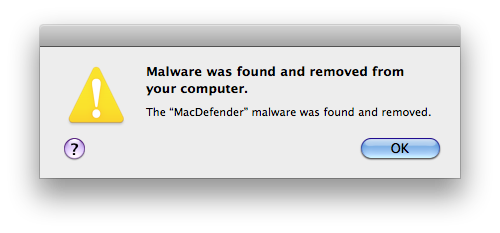
Last night, we reported Apple issued a Security Update for Snow Leopard users to update the OS X malware definitions, enhance File Quarantine’s functionalities and, more importantly, automatically find and remove known variants of the Mac Defender malware that’s been spreading among Mac users in the past month. By enabling OS X to update definitions daily in the background with a new daemon, Apple is taking the necessary measures to make sure new versions of Mac Defender and, overall, malware targeting Mac machines in the future can be removed safely and quickly a few hours / days after they’re discovered. As reported by Ed Bott at ZDNet, a new variant of Mac Defender coming with a new installer package has already been released, and it’s capable of circumventing Apple’s new security update and work exactly like Mac Defender and Mac Guard used to until yesterday.

The bad guys have wasted no time. Hours after Apple released this update and the initial set of definitions, a new variation of Mac Defender is in the wild. This one has a new name, Mdinstall.pkg, and it has been specifically formulated to skate past Apple’s malware-blocking code.

The file has a date and time stamp from last night at 9:24PM Pacific time. That’s less than 8 hours after Apple’s security update was released. On a test system using Safari with default settings, it behaved exactly as before, beginning the installation process with no password required.

Bott suggests this “cat and mouse” game is just the beginning, and Apple will have to begin addressing new variants that are discovered every day. The system put in place by Apple to provide updated definitions for easy removal of malware should allow users to prevent computer infections by automatically finding suspicious packages downloaded from the Internet. [via MacRumors]


Netflix CEO: Apple TV Is More Important For Us

At All Things Digital’s D9 conference that’s being live streamed now, Netflix CEO Reed Hastings confirmed that the service is not seeing huge traction on the iPad, with the Apple TV – and Internet-connected TVs in general – being more important for Netflix going forward. From the live-updating full transcript:

Kara: What about mobile, other platforms?

Hastings: TV most important for video, as opposed to music, which works well on mobile. In coming years we’ll be on lots of Web TV app stores.

Kara: What’s up with tablets? It’s a big deal, right?

Hastings: Meh. Apple TV more important for us. Tablets not a revolution. The big deal for us is Internet connected TVs.

Netflix keeps updating its official app for iPhone and iPad every few weeks with new features, but the company had already reported more viewing hours on the Apple TV than the iPad. The second-generation Apple TV released in September 2010 comes with direct Netflix integration on the big screen, whereas iOS devices have to run a dedicated app to download from the App Store.


OS X Lion To Be Priced Aggressively, Offer iCloud Features for Free?

Ahead of the official Lion and iCloud announcements set for the WWDC keynote on June 6, AppleInsider reports today sources familiar with Apple’s plans claim the company will offer some iCloud features and services for free to users who decide to upgrade to Mac OS X Lion this summer. In the press release issued yesterday, Apple touted iCloud as “upcoming cloud services offering”, leading to speculation that Apple has built a series of services and not just a cloud-based music application for streaming to desktops and mobile devices. According to recent speculation, iCloud will offer a set of tools to replace MobileMe, which currently comes with calendar, email, storage, contact organization and photo gallery services. It was rumored before that a MobileMe revamp could also see Apple making more services free (besides Find my iPhone), though AppleInsider claims free functionalities will only be enabled for Lion users, with older OS X versions and Windows PCs getting access to iCloud for an unspecified fee.

People familiar with Apple’s plans indicated to AppleInsider that at least one of those secrets is expected to be that at least some of the services included in iCloud will be offered for free to Mac users who make the upgrade to Lion. iCloud is expected to replace the company’s existing MobileMe service, which offers e-mail and remote file storage, along with syncing of bookmarks, contacts and calendar events, at a price tag of $99 per year.

That price tag may remain for users who do not make the upgrade to Lion, or for Windows users. But it is expected that the cloud services will become free to Mac users who run the latest version of Mac OS X.

Music streaming is not expected to be offered for free, as Apple has been working closely with music labels and publishers to get deals done to launch a music service this year and, considering the licensing fees Apple will have to give back to them, users will likely have to pay an annual fee or monthly subscription in order to have their songs mirrored to the cloud and available for streaming on any device. Another report from March indicated the new MobileMe cloud music service would cost around $20 per year.

AppleInsider also reports a source “with an unproven track record” has said Apple will follow a similar pattern to Snow Leopard to price OS X Lion “aggressively” and persuade users to upgrade early without waiting for possible discounts or online deals. Snow Leopard was released with boxed copies priced at $29 as Apple considered it a “minor” upgrade to Leopard still worth purchasing and, if Lion will also be released digitally through the Mac App Store as recent speculation pointed out, Apple might try to cut the price of Mac App Store digital download and increase the price tag of boxed copies / (rumored) portable USB key distribution. Or, Apple could simply offer all versions of Lion at a lower price to convince all kinds of Mac users to upgrade early, get some iCloud features for free, and stay on the latest version of OS X. Apple has usually priced major OS X releases at $129 with Snow Leopard being the exception at $29. It’s unclear from today’s report whether “aggressive” pricing could refer to Lion being available at $29 as Snow Leopard, or simply below $129.

It’s possible that the lower price could also be tied to purchasing Lion through the Mac App Store. The company already does this by selling its professional photography software, Aperture, for $79.99 in the App Store – a price more $120 lower than the $199.99 Apple charges for a boxed copy of Aperture 3, and even $20 less than the $99 Aperture 3 Upgrade.

Whether Apple will choose to go with the same sub-$30 pricing of Snow Leopard when Lion goes on sale is unknown.

Mac OS X Lion was initially rumored to be scheduled for a summer release in late July or August, although a report from last week claimed the OS is nearing public release after widespread internal testing.

Update: 9to5mac reports iCloud could be offered for free to students and teachers with educational discounts tied to a Mac purchase. Apple could announce such an initiative as part of the Back to School promo rumored to be unveiled at WWDC next week.

A source with some success in the past has passed along that iCloud will have educational-tiered pricing, perhaps being free for students and teachers to a certain level or with the purchase of Apple products.

Example: Buy a Mac, get an iPod and two years of iCloud for free.