ZeroNinetyNine’s Second Mac App Store 24-Hour “Bundle”

ZeroNinetyNine had great success with its first bundle, which we covered last month. In the first ZeroNinetyNine deal, 11 apps from 8 independent developers participated. During the 24 hours of December 1, 2011, every app in ZeroNinetyNine received a place in the Top 20 of Paid Apps in US Mac App Store, and also conquered the tops of Mac App Stores in France, Russia, China, Canada, UK - all over the world. Partners in ZeroNinetyNine sold more than 100,000 apps in just 24 hours! These are very good numbers and now they are trying to do better by offering a second “bundle.”

The second ZeroNinetyNine 24-hour “bundle” includes 12 apps for 99¢ before they return back to their everyday prices. Since the Mac App Store doesn’t allow apps to be bundled and sold together, ZeroNinetyNine has found a unique way to do so by designing a well-designed holding page with all the applications in their “bundle”. Several independent developers have simultaneously dropped the price of their apps for one day sale on Mac App Store for just 99¢ per app.

The apps that are included in this one-day 99¢ sale are:

Some of the apps retail for as much as $34.99.

If you have a few dollars sitting around or some iTunes credit left over from the holidays, check out these killer deals. Also, be sure to sign up on the ZeroNinetyNine page to be notified when the next deal will be coming out.


A5 Jailbreak “A Matter Of Days”

According to a new blog post published by jailbreak hacker pod2g, the long awaited jailbreak for A5 devices (iPad 2, iPhone 4S) should be “a matter of days” now. The blog post reveals that developers @planetbeing and @saurik (the creator of Cydia, marketplace for unofficial iOS apps) made their contributions to finding an exploit for the A5 chip, which has been a major issue for hackers trying to figure out a way to hack into Apple’s system in the past months.

pod2g, creator of the iOS 5.0.1 jailbreak for A4 devices, notes that there “should be nothing left” blocking the release of the A5 version. A precise release date, however, hasn’t been provided in the blog post.

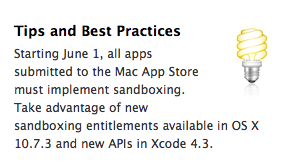
For updates, you can head over pod2g’s blog and Twitter account. The A5 jailbreak has seen a “dream team” of hackers like Saurik, Planetbeing, pod2g, MuscleNerd (iPhone Dev Team) and p0sixninja (Chronic Dev Team) working together to find a way to break out of Apple’s sandbox and release a public version of the jailbreak.


Sonora Public Beta Now Available

Just a few hours ago I listed Sonora, a new music player for OS X, among the new Mac apps to watch in 2012. I did not know Sonora was ready for the public beta, which is now available for everyone.

Being a beta, don’t expect the app to not crash sometimes, display strange errors, and lack the amount of polish you’d expect from a finished product. Still, some functionalities exclusive to Sonora have already been implemented and they’re working: full-screen mode for Lion, built-in Last.fm scrobbling, iTunes importing, music and queue controls from the top bar. I particularly appreciate the design of the icons in the navigation bar, which is very iOS-like for some reason (same for the popover controls). Songs you add to Sonora’s queue can be rearranged, or you can clear the queue entirely. The app supports Growl notifications and album artwork can be embedded in the song metadata.

That’s it for the first public beta of Sonora. Clearly we still don’t have an iTunes competitor here – the road ahead is very long when you consider the amount of stuff you can do with iTunes – but Sonora 0.6 shows some interesting ideas with a lot of potential. We’ll be following the development of this app in the next months very closely.

Download Sonora’s first public beta here.


Mac mini Turns Seven

Mac mini Turns Seven

Megan Lavey-Heaton reporting for TUAW:

While the Mac mini began its life as a low-end PowerPC G4 machine, current build-to-order models can meet or exceed stock-configuration iMacs. They’ve become smaller, more powerful, yet are still an excellent switcher machine for those who already own a monitor and keyboard. They also can function as a server or serve a variety of needs for homes and businesses.

In setting up a media server with my old MacBook earlier this week, I thought about getting a newer, faster Mac mini to do the job. My MacBook Pro has an internal SSD whilst the standard mini comes with a spinning drive, but on the other hand the new minis blow my old MBP’s performances out of the water and offer Thunderbolt, which is something I’d like to have on a media server looking forward. Plus, my MacBook’s internal SSD is only 128 GB, whereas a standard Mac mini has 500 GB of storage and can be easily extended with different, even multiple drives.

Maybe I’ll get a Mac mini someday. Thing is, I believe the Mac mini is the coolest machine Apple makes: not the most powerful or successful, just awesome to have around. It can be extended. It’s got minimal footprint but it’s packed with powerful internals. It’s extremely reliable, otherwise the good folks at Macminicolo wouldn’t have built a (terrific) business on it.

Happy birthday, Mac mini.

[via 512 Pixels]

Permalink

Day One for Mac 1.5: iCloud Sync, Markdown, Full-Screen

Following the 1.5 update that brought iCloud sync to iOS earlier this week, journaling application Day One (my review) has been updated on the Mac as well, adding sync with Apple’s iCloud just like its iPhone and iPad counterparts, but also bringing several additional functionalities, especially in the text editing and exporting areas.

Day One 1.5 can read and save files to iCloud automatically, in the background, all the time. As on iOS, existing entries from Dropbox will be merged with iCloud if you decide to use Apple’s service, but you can’t use iCloud and Dropbox simultaneously. Sync is blazing fast in Day One, with iCloud constantly pushing changes across devices as you type. This is true on the Mac as well, as journal items are pushed almost in-real to and from OS X.

The core features of Day One for Mac remain intact in this update. The menubar quick entry menu is still there, as is the Tweetie-like navigation in the main journal with access to days, calendar, favorite items, and reminders. You can set a passcode for the entire app while keeping the menubar’s quick entry panel (possibly with a keyboard shortcut) working and fully functional; you can also navigate between months and years easily through the journal’s main interface.

Among Day One’s new features the most notable one is undoubtedly Markdown and MultiMarkdown support. Folks accustomed to John Gruber’s popular plain text formatting tool will be up and running with Day One in no time; Markdown support has been enabled in Write and Read modes, meaning you’ll see visual live previews of Markdown formatting (italic will be displayed as italic) as you type. The layout of Read and Day modes has been improved, and there are other new cool additions such as font size controls and Sans/Serif /Monospaced fonts waiting for you to be activated in the Preferences, which are now accessible from a new cog icon in the bottom left corner of the app. Also new in 1.5 is hover preview in Days and Starred views, which will give you a nice-looking popover to get a quick peek  at single entries in your journal.

With Markdown formatting for easier writing, live previews, new font options, popovers and an overall refined UI (transitions and various refinements, including a full-screen mode for Lion), Day One 1.5 sure looks like a winner.

It’s not just sync and the good looks. Day One 1.5 comes with more options to get your data out of the application, too. Auto Backup has been enabled, allowing you to sync with iCloud, but back up the database to another location on your Mac (such as Dropbox). Furthermore, entries (or entire days) can now be exported to Markdown format (.md) besides plain text.

Other minor features from 1.5 include:

  • Auto Bold First Lines (Titles)
  • Live sync UI updates
  • Command S to Save
  • Printing
  • On Startup Preference
  • Journal Merging
  • Spelling and Grammar Preferences
  • Keyboard Navigation and Controls

With better export options and auto-backup to any folder, Day One 1.5 offers the same strong foundation of the iOS version, but delivers more in terms of quantity of functionalities and quality of writing environment. Day One still is the best app to archive your thoughts and keep a daily journal, period.

Day One 1.5 is available on the Mac App Store.


Mac Apps To Watch In 2012

Mac Apps To Watch In 2012

Mac.AppStorm has published a nice list of upcoming Mac apps to watch in 2012. The list includes some MacStories staff favorites like Coda, TextMate, Spotify and Caffeinated. Other new apps worth keeping an eye on are Mou (Markdown text editor), Wunderkit (from the creators of Wunderlist) and Chocolat.

Today we want to reverse things and start looking forward instead of reviewing what has already come. We’ll introduce you to ten apps that are going to make big waves in 2012. Interestingly enough, most of them happen to be geared towards designers and web developers so if you fit that description, you’ll definitely want to take a look! We’ll also look at an awesome new Google Reader app, what’s in store for Spotify and even get a glimpse of the gem that 6Wunderkinder has been keeping up its sleeve.

I had some additions I wanted to share, but I decided to run a quick poll among my Twitter followers first. Surprisingly, it appears we all share the same apps we’re looking forward to.

OmniFocus 2, confirmed in 2011.

A new app by Bjango, aimed at designers (WIP icons above).

Alien Blue for Mac, confirmed months ago.

Two new music apps, Sonora and Enqueue, currently in beta.

OmniOutliner 4, also confirmed and possibly featuring new cloud syncing capabilities.

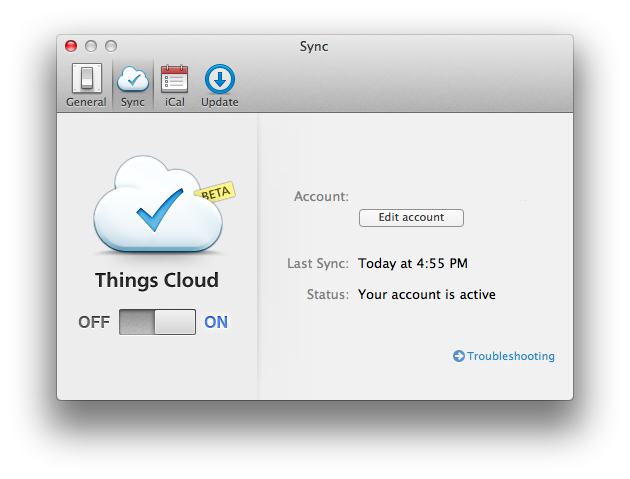
Someone even mentioned Things with cloud sync. There’s also an interesting list of “rumored” software, such as iBooks for Mac, a new iWork, Aperture 4, and Flipboard for Mac (or the web?).

2011 has been a great year for third-party Mac software. From the looks of things, I think 2012 is going to be fantastic.

Permalink

The Next Apple

John Biggs writes “Why Samsung Is The Next Apple”:

Then consider Samsung’s lead in cellphone sales. While many would argue that Samsung specializes in meh and me-too, 60 million cellphones sold in 2011 can’t be a fluke. This isn’t about Android or iOS or Windows Phone – it’s about Samsung making and selling millions of phones to millions of people. Samsung is mercenary. They’re happy to use anyone’s OS as long as it puts phones into boxes and boxes into shopping bags.

So you have two superlatives: biggest phone manufacturer and biggest TV manufacturer. Add in some tablets, some washing machines, and some acceptable software and you have a real and vibrant ecosystem. The next year will bring plenty of efforts to bring streaming media into the home, but the guy who is already there will win.

John Biggs surely has been to CES more times than I have (actually, I never have) and he knows this industry, but he’s plain wrong. On several fronts. John is looking at the problem from the tech nerd’s perspective – the one that considers gadgets alone, and probably tech specs, the most important factor in the ecosystem equation.

There are many issues with this way of thinking. First: “some acceptable software” and “some washing machines” alongside mobile devices and TVs are not enough to build a “real and vibrant ecosystem”. It’s a start – though we could argue on the washing machines – but it takes a lot more. Ask Apple, who’s the company Biggs is comparing Samsung to, that is been building an ecosystem and devices for more than 10 years and yet sometimes still struggles to keep it all together. Ask Google, who still can’t get their social act together after all these years spent indexing people’s search results and web behavior.

Samsung is huge. It’s a huge company with a huge array of devices in a variegated catalogue of different hardware. But it takes an awful lot of software to build ecosystems, and TouchWiz is a laughable foundation for a “real and vibrant” ecosystem.

Second, it takes experience. Apple and Google (and Microsoft, too) have been building ecosystems of apps, services and users for years. It’s not just the software itself, as in the operating system that runs on computers and smartphones. Does Samsung sell songs? Do they host millions of user accounts? Do they facilitate digital purchases thanks to a system that has millions of credit cards on file? Do they run the most popular email web service in the world?

The answer is they don’t, but they sell a lot of Galaxy S units, Smart TVs and consumer devices. Yet in the popular line that Biggs mentions, the smartphones, they don’t completely own the experience: for as much as they customize Android with their UI “innovations”, the OS is still being made and maintained by someone else. Samsung may be selling millions of smartphones and they’re undoubtedly on track for a successful 2012 with televisions, but I just don’t see how the millions of devices Samsung is selling now can nurture a vibrant ecosystem with just some acceptable software and washing machines.

Is there any doubt that owning the experience is key to building a real ecosystem?

Apple, Google and Amazon seem to agree with me. Also worth remembering: Samsung comes from an OEM perspective that’s always generally used software by others, or at least never fully committed to building real ecosystems with its own code. The three companies above have been preferring the integrated approach as of late, with only some exceptions (Google has its own OSes but lacks hardware; Amazon is doing its own hardware but still forks Android).

Third: Apple – which I mention because Biggs compared it to Samsung – doesn’t just sell millions of devices, build and own its software ecosystem and nurture customer lock-in (as loyalty is apparently defined these days) – they also have a direct, strong relationship with customers through a retail presence worldwide. The importance of retail stores in relation to the ecosystem can never be stressed enough – it’s overlooked sometimes, so I’ll just link to the actual numbers again. Retail stores have become the link between software ecosystems (which are intangible) and the real world, which is made of people. Does Samsung have any plans about that? They’re doing something, and they also have good taste in icons.

Last, I could illustrate the theory on Samsung doing pretty well as long as Apple designs great things, but I’ll just make the facts speak for themselves (again).

It takes years to build an ecosystem. And I don’t see how we can write Samsung “will be the next Apple” just yet.