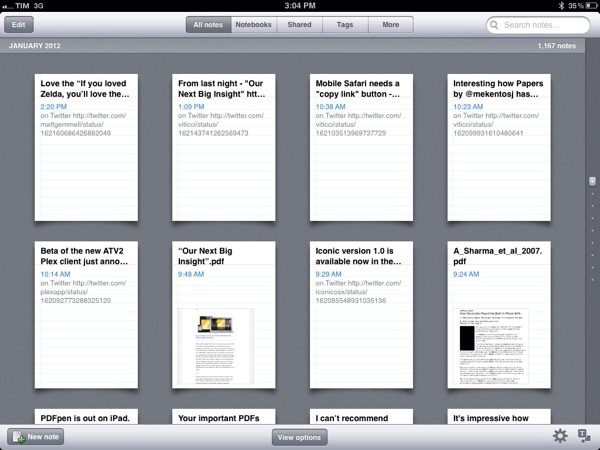
Evernote Working On Todo List App Following Egretlist Acquisition

During the past year, note taking/memory management service Evernote set out to build a platform around its services, which span the web, iOS devices, OS X and Windows through a set of cross-platform tools and native applications. The company launched Trunk, a unified showcase of third-party applications that integrate with the Evernote API, and updated its iOS and Mac offerings with richer user interfaces and new functionalities. Furthermore, Evernote acquired image annotating service Skitch and released an iPad version of it; they also launched four standalone Evernote-based apps: Food and Hello, for remembering meals and people, respectively; Clearly, to read web articles in an elegant format; Peek, to help students learn more through Evernote’s visual presentation.

Whilst it sounds fairly obvious for Evernote to be considering new platforms and opportunities to expand upon the concept of preserving human memory – a subject that offers itself to a broad range of implementations – Alexia Tsotsis over at TechCrunch shares some juicy details behind Evernote’s various acquisitions that led to the dedicated Evernote apps we see today.

As it turns out, Evernote CEO Phil Libin has confirmed the company purchased four startups in the past year alone: among those, Readable became Evernote Clearly, Notable Meals became Evernote Food and an another one, called Minds Momentum, was acquired in order to get the assets for an upcoming Evernote todo list application. TechCrunch doesn’t share any more details, however a quick Google search confirms that Minds Momentum was the company behind Egretlist, an iPhone app to manage todos based off Evernote that we reviewed here.

We wrote:

This isn’t an application meant to replace Evernote with a prettier interface, but rather complement it. Egretlist is strictly focused on managing to-do lists with your various notebooks. On the surface, that might pretty tame. But when you combine to-do lists with Evernote, suddenly the functionality becomes stellar. As you read in the real-estate example, being able to just sync not only with yourself, but others using Evernote’s service, makes for an always online, always updateable task-list not dissimilar to Basecamp to-dos and milestones.

Basically, Egretlist provided an effortless way to create todos and format them in a native interface that would, however, sync back to Evernote’s main client to make those todos readable, and possibly editable as well, from your desktop computers. Interestingly, Minds Momentum also developed another paid Evernote-based app, Egretlinks, which ran universally on the iPhone and iPad and allowed users to manage web clippings from their Evernote notebooks. Both Egretlist and Egretlinks haven’t been updated in months, the developers’ Twitter account is silent, and the website is still showing iPhone 3GS screenshots for the apps.

Evernote isn’t new to this kind of acquisitions. iOS text editor Essay, for instance, was bought by Evernote to power their iOS rich text editor and few people knew about it until the developer published a blog post.

From my perspective, it only makes sense for Evernote to look forward to revamping the todo management aspect of the service. Note taking and memory management often overlap with todo creation and completion these days, and Evernote’s built-in checklist/todo support is stripped down to minimal functionality without really offering a compelling way to add tasks and reminders. I’m first to admit I’ve used Evernote to remember things to do more than a couple of times in the past.

Minds Momentum’s acquisition, I believe, also plays well with Evernote’s plan in the long term. Rather than supercharging the main client with hundreds of features, Evernote has taken the ecosystem approach in choosing to offer a centralized service with a main general purpose client and several different standalone apps for more specific purposes. The Evernote app itself isn’t the proverbial Swiss army knife: the whole service is. Honestly, I don’t want the Evernote app to incorporate a text editor and a task management tool and food diaries, and it appears that the company seems to be thinking the same thing – nurturing an ecosystem can be much more profitable and rewarding (both for the company and its users) than feature creep.

I look forward to Evernote’s “upcoming” todo list application, just as I can’t wait to get my hands on a public version of the latest Mac beta (which adds some sweet improvements in the text editing UI) and refreshed iOS clients. Expect more Evernote news soon.
Adam Lashinsky’s Inside Apple Is Now Available For Purchase On The iBookstore

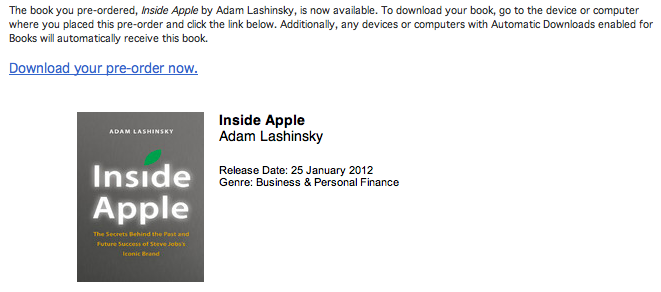
Adam Lashinsky’s new book Inside Apple is now available for purchase on the iBookstore and those who pre-ordered it can now download it. The book goes inside the secretive company, revealing a number of tactics, strategies and systems that has allowed Apple to “churn out hit after hit”.

Based on numerous interviews, the book offers exclusive new information about how Apple innovates, deals with its suppliers and is handling the transition into the Post Jobs Era. Lashinsky, a Senior Editor at Large for Fortune, knows the subject cold: In a 2008 cover story for the magazine entitled The Genius Behind Steve: Could Operations Whiz Tim Cook Run The Company Someday he predicted that Tim Cook, then an unknown, would eventually succeed Steve Jobs as CEO.

Inside Apple is available on the iBookstore for $12.99 and is also available on Amazon. We’ll be publishing a full review of Inside Apple sometime in the coming week, so stay tuned for that. A full description of the book is available below the break.

Read more


All The Statistics And Insights That Apple Revealed In Their Earnings Call

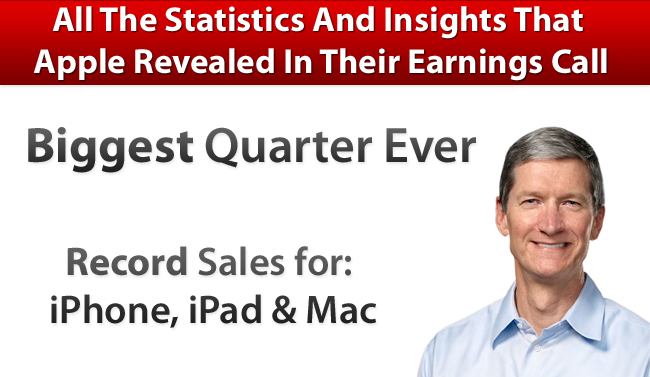
A few hours ago Apple released its Q1 2012 financial results and it saw Apple post its biggest quarter ever with revenue of $46.33 billion and see record sales of its Mac, iPhone and iPad product lines. We covered all the results in our Q1 2012 Results article earlier today so be sure to head over there if you haven’t already - it also includes a number of graphs that demonstrates Apple’s performance over the past 12 quarters and it paints a fascinating picture.

However, the earnings call itself is an interesting one hour, with Tim Cook (CEO) and Peter Oppenheimer (CFO) also answering a number of questions from select investors and analysts. In this Q&A section, a number of details are revealed - including additional statistics. We’ve re-listened to the call and have compiled the following post that highlights the more interesting aspects of this Q&A section and it is all below the break.

Further Reading:

MacStories: Apple Q1 2012 Results

MacStories: “Our Next Big Insight”

MacStories: More iPhones Than Babies Born Every Day

Apple’s Q1 FY12 Earnings Press Release

Audio Webcast of the Earnings Call

SeekingAlpha: Transcript of the Earnings Call

ReadWriteWeb: Apple’s Growth Rate Is Simply Incredible… And It’s Accelerating

Macworld: This is Tim: Apple’s CEO in his own words

Read more


More iPhones Than Babies Born Every Day

More iPhones Than Babies Born Every Day

Matthew Panzarino for The Next Web:

The 37.04M iPhone figure divided out over the period of 98 days in the quarter gives us a slightly lower number at 377.9K sold every day, but it’s still higher than the world’s average birth rate which clocks in at 371K per day.

If those numbers are correct, and we believe that they are, Apple is now making iPhones at a rate that exceeds the amount of babies that humans produce on earth every day. This number is likely to be transient as the birth rate isn’t static and Apple’s first quarter normally gets a bump in sales from the Christmas shopping season which subsides in the second.

The iPhone’s sales numbers in Q1 2012 are absolutely amazing – imagine what will happen with the “redesigned” iPhone later this year when iPhone 4 customers will be looking for an upgrade.

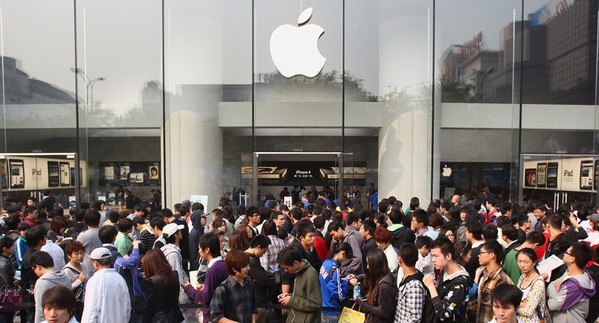
Also: Wembley Stadium has a reported capacity of 90,000 people. To reach the 37 million units sold by Apple, each person in Wembley Stadium would have to carry 411 iPhones in his pocket. That’s how many iPhones Apple sold last quarter. [image via]

Permalink

“Our Next Big Insight”

From my iCloud overview in October, titled iCloud: The Future of Apple’s Ecosystem:

The problem Apple had to face in the past four years is that for millions of people iPhones and iPads have become substitutes to the PC. Over a third of iTunes Store content is now purchased on iOS devices, Apple’s Eddy Cue said at the Let’s talk iPhone media event last week. What started and was celebrated as the hub of the digital revolution became a burden for Apple as millions of customers began using iOS devices as their main devices. Apple was once again faced with a challenge: if people no longer want to use the hub and accept the trade-offs required to manage our digital lifestyle, where’s the new hub? And how will content be distributed in the ecosystem if there’s no visible hub to start with?

[…]

iCloud changes the way we interact with our devices. Ten years after the digital hub revolution led by the Mac and iPod, Apple’s ecosystem has evolved and turned into a variegate selection of notebooks, desktop computers, iPhones, iPods and iPads. iCloud goes beyond the simple function of a new digital hub: iCloud, built into iOS 5 and Lion, is the new soul of Apple’s hardware that unifies music, videos, photos, apps, books and documents. iCloud is a huge change for Apple’s ecosystem not just because of its new technology — it’s a new software paradigm that will deeply affect Apple’s devices and how we work with them in the next years. Ten years from now, when it’ll likely be time for another digital revolution, we’ll look back at 2011 and iCloud’s launch.

During today’s earnings call – in case you missed it, Apple today reported its biggest quarter to date – CEO Tim Cook seemed to agree with this vision. He said that ”iCloud is more than a product, it’s a strategy for the next decade.”

What strikes me as remarkable about this statement isn’t the simplicity of the message alone, it’s how well it plays with Steve Jobs’ original Digital Hub strategy in retrospect. The way I see it, today’s comments from Cook about iCloud declared the historic Digital Hub officially dead, yet sounded amusingly familiar at the same time. That Apple is a product company that also happens to do business with services isn’t new – but listening to Tim Cook and Peter Oppenheimer discussing the results, the future projections, the customer feedback and overall strategy in a single conference call is enlightening in a way it provides insight into Apple’s core values. Products matter, but what customers expect to find around a product is equally important – the ecosystem matters. Every recent move from Apple can be seen as part of the iCloud big picture: the 4S with an amazing camera that shoots photos that are backed up online; iTunes Match and its cloud-based music library; content deals for Apple TV; iBookstore and Textbooks that are backed up to your iCloud account. And when you think about it with today’s numbers in mind, it all starts to make sense not just from a conceptual standpoint, but from a business perspective as well.

Apple customers are willing to pay for a superior user experience through a solid ecosystem. And Apple is betting on that.

The “strategy for the next decade” that we’re covering today is what, I believe, the majority of users will see as the operating system in 10 years. And if you need a quick recap as to why Apple moved on from the Digital Hub, let Steve remind you.

“We’ve got a great solution for this problem. And we think this solution is our next big insight. Which is we’re going to demote the PC and the Mac to just be a device. Just like an iPhone, an iPad, or an iPod touch. And we’re going to move the Digital Hub – the center of your digital life – into the cloud.”


Apple Q1 2012 Results: $46.33 Billion Revenue, 37.04 Million iPhones, 15.43 Million iPads Sold

Apple has just posted their Q1 2012 financial results. The company posted record-breaking revenue of $46.33 billion, with 15.43 million iPads, 37.04 million iPhones and 5.2 million Macs sold. Apple sold 15.4 million iPods, a 21 percent unit decline from the year-ago quarter. The company posted quarterly net profit of $13.06 billion, or $13.87 per diluted share. iPhone represented a 128 percent unit growth over the year-ago quarter, while iPad reported a 111 percent unit increase over the year-ago quarter.

We’re thrilled with our outstanding results and record-breaking sales of iPhones, iPads and Macs,” said Tim Cook, Apple’s CEO. “Apple’s momentum is incredibly strong, and we have some amazing new products in the pipeline.”

“We are very happy to have generated over $17.5 billion in cash flow from operations during the December quarter,” said Peter Oppenheimer, Apple’s CFO. “Looking ahead to the second fiscal quarter of 2012, which will span 13 weeks, we expect revenue of about $32.5 billion and we expect diluted earnings per share of about $8.50.

This is Apple’s best quarter ever. Until today, Apple’s most profitable quarter had been Q3 2011 with $28.57 billion revenue.

Estimates and Previous Quarters

Wall Street consensus’ estimate was earnings of $10.08 per share and revenue of $38.85 billion; six institutional/independent analysts polled by Fortune expected earnings per share of $11.57 and $41.87 billion revenue. In Q4 2011, Apple said they expected revenue of about $37 billion and diluted earnings per share of around $9.30 in the first fiscal quarter of 2012.

In Q4 2011, Apple posted revenue of $28.27 billion, with 11.12 million iPads, 17.07 million iPhones and 4.89 million Macs sold. The company posted quarterly net profit of $6.62 billion, or $7.05 per diluted share. iPhone represented a 21 percent unit growth over the year-ago quarter; iPod sales were down 27 percent from the year-ago quarter, and Apple reported the best iPad quarter to date with over 11 million units sold and a 166% increase over the year-ago quarter. In the year-go quarter, Apple posted revenue of $26.74 billion with 7.33 million iPads, 16.24 million iPhones and 4.13 million Macs sold.

Apple will provide a live audio feed of its Q1 2012 conference call at 2:00 PM Pacific, and we’ll update this story with the conference highlights. You can find the full press release and a graphical visualization of Apple’s Q1 2012 after the break. A recap of estimates and product releases happened during the quarter is available here. Read more


Fantastical 1.2 Adds International Languages To Event Parsing Engine

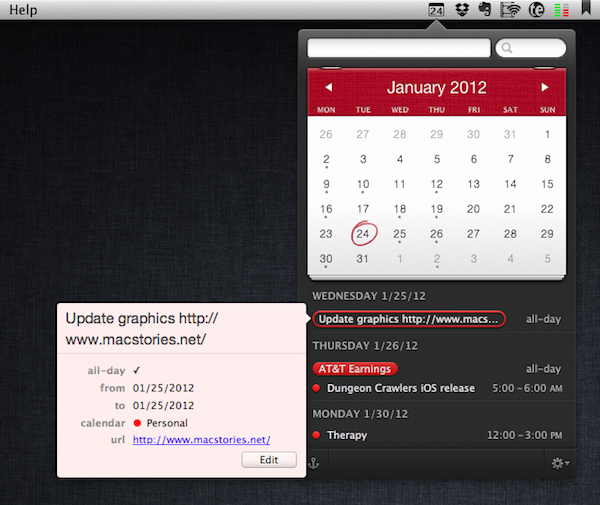
Flexibits’ calendar companion app for Mac OS X, Fantastical, has been updated today to version 1.2 adding support for various languages that will allow international users to quickly write down new events in Italian, German, Spanish, and French.

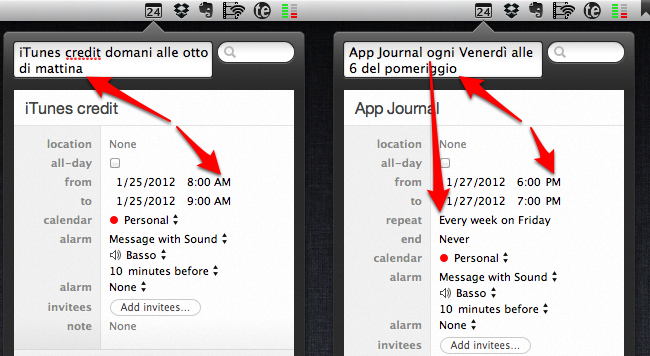
I have been able to test Fantastical’s natural language recognition (my original review) both in English and Italian, and the results are surprisingly well done. Whereas most apps that claim to feature “natural language input” fail miserably at parsing content from syntaxes other than plain English, Fantastical’s support for Italian has, indeed, turned out to be pretty fantastic. An event called “App Journal ogni Venerdì alle 6 del pomeriggio” (App Journal every Friday at 6 PM) was correctly recognized, processed and synced back to iCloud directly within the app thanks to Fantastical’s own calDAV engine. Without going into detail too much, I can say that Fantastical is able to recognize different variations of the same kind of input (such as “di mattina” and “di pomeriggio” for AM/PM switches) and definitely doesn’t stop at standard expressions for entering events but tries to understand common, real-life ways of telling an app to do something at a certain point in time. I can’t speak for French, German and Spanish support, but I assume it’s equally well done.

Version 1.2 comes with other bug fixes, performance and parsing improvements that make the app more stable and smoother in transitioning from text entry to event creation; the app can now automatically update subscribed calendars, and automatically hide calendars disabled in iCal. More importantly, Fantastical 1.2 brings better support for recurring events – such as my example above – and dims timed events that have already passed in “today” view. Those who often add URLs to events will appreciate the fact that Fantastical now correctly recognizes links and makes them clickable in event view.

Fantastical remains an amazingly lightweight yet powerful calendar companion that’s gradually getting more functionalities without becoming cluttered and confusing. You can get the app at $19.99 on the Mac App Store.


“Chrome Sync” for iOS Syncs Chrome Tabs, Bookmarks and History

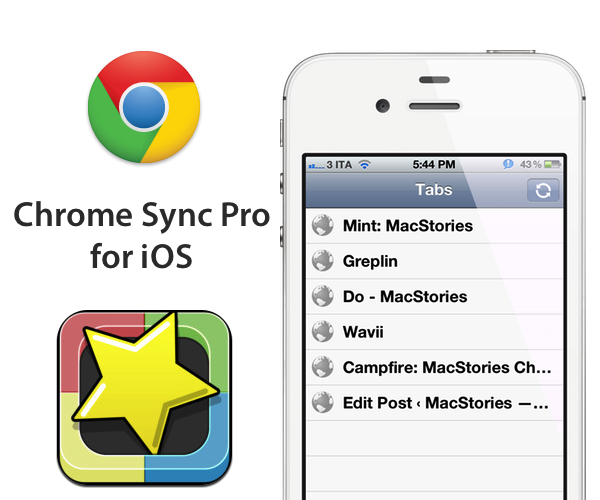
After using Google Chrome for more than two years, I still find it rather amusing that Google hasn’t released an iOS companion app to access your browser history, tabs and bookmarks on the go. Mozilla does this, third-parties have figured out a way to do this, yet Google doesn’t seem to think an iOS version of Google Chrome with, perhaps, a minimal set of functionalities would be necessary. Fortunately, a developer in the App Store has figured out a way to sync your Chrome session (that is, history, tabs and bookmarks) from the desktop to an app, aptly named Chrome Sync Pro.

Priced at $0.99, Chrome Sync Pro runs as a universal app on the iPhone and iPad (the latter doesn’t support landscape mode for some reason), and has three sections at the bottom to switch between your bookmarks, open tabs and history. When I first heard about Chrome Sync Pro my first concern was security – it turns out, the app gets your Chrome information through an extension that doesn’t communicate with third-party servers, but copies your browser’s data into a Google doc in your account. The data in Google Docs is encrypted in some sort of way, I believe, so that only Chrome Sync Pro for iOS can read it and display properly on your device. I’d like the developers to explain this process better, for sure, but I’m not deeply concerned about security and privacy as long as my Chrome data is passed along through OAuth to Google Docs.

On iOS, the app is very simple and functional. When you open it, it’ll refresh with the latest data from your Chrome browser and allow you to tap on links. Chrome Sync Pro supports different third-party iOS browsers instead of just Safari, although some personal favorites of mine like Grazing and iCab aren’t supported yet. There is a refresh button to update the sync results from your desktop computer, but I’ve found the extension to be stable and fast at syncing back tabs and history to Google Docs.

Chrome Sync Pro is a simple utility that could use a prettier interface and more third-party browser integration; for now, it gets the job done. If you’re looking for a way to make your Google Chrome data portable, Chrome Sync Pro is only $0.99 on the App Store.


QuickCal 3.1 Released with Improved Recognition Engine, iCloud Reminders, Autocomplete Feature

I love the start of a new year because it is a great time to revamp your productivity workflow. You can re-evaluate what tools you use and even buy new apps completely free of guilt. It is no secret that the cornerstone of any good system is the calendar but it can be difficult to force yourself to create calendar events on a regular basis. Well, the folks behind QuickCal have just released a great update to get you back in the routine of managing your calendar.

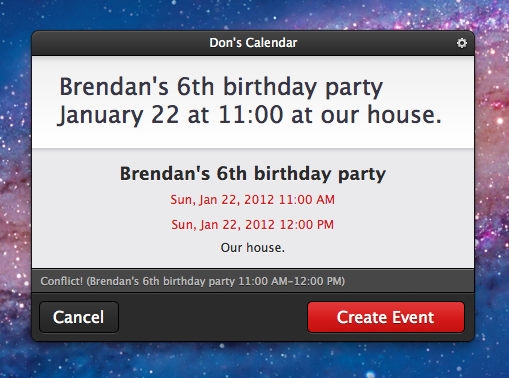
One major improvement in QuickCal 3.1 is the re-written recognition engine that the app uses to understand natural language input. QuickCal has no structured syntax for adding events and reminders which actually makes adding items extremely flexible. When typing in the event you no longer have to start with the event title, you actually have the option of starting with a time, duration, location, or title and QuickCal will almost always get it right. I have also noticed a dramatic improvement in QuickCal’s ability to correctly parse out event locations which is something I have had trouble with in previous versions. Regardless of the order in which you type out the information, QuickCal does an excellent job figuring out the details for you. Adding events to your calendar without worrying about correct syntax is incredibly powerful. The only way QuickCal could get any faster at creating calendar events is if it actually finished sentences for you.

oh, wait…

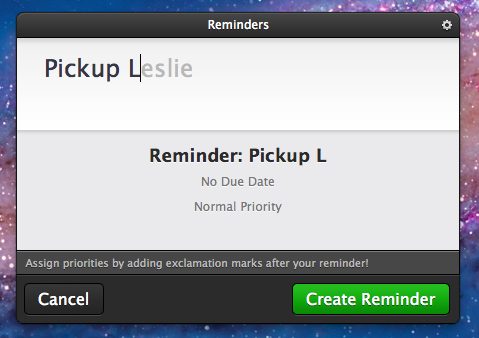
Have I mentioned their new autocomplete feature? Autocomplete does exactly what you expect it to do. As you are typing common words, QuickCal gives you suggestions of words it thinks you might be typing. To accept the autocompletion you can just hit the tab key and continue on typing. It will even pickup on your most frequently used words and auto-suggest them in the future. After only 3 or 4 reminders relating to my wife Leslie, QuickCal was finishing her name for me. It is awesome. In fact, I am finding it so useful that I am not sure how I had ever used QuickCal without this feature.

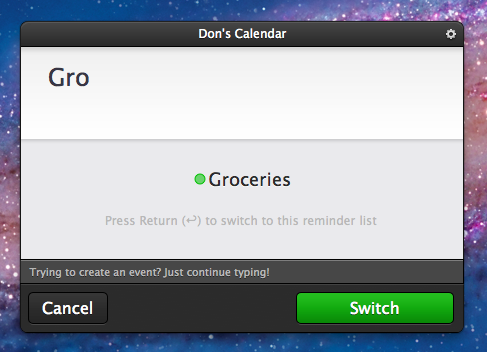
Perhaps the greatest improvement to QuickCal is its integration with iCloud Reminders. A reminder is now added to your default Reminders list and shows up in the iOS 5 Reminders app. If the reminder has a date or time then an alarm is also created. This alone is a neat feature but it wasn’t enough to pry me away from the Alfred extension I had created to quickly add simple iOS 5 Reminders. Although as I continued to use the new version of QuickCal, I realized that I could also add items to other lists by simply typing the name of the list. For example, my wife and I share a Groceries list. If I just start typing Gro… it suggests switching to my Groceries list so I can add an item to it. In true QuickCal fashion it does so very intuitively and without effort. It is a great feature that truly increases my dependency on QuickCal. The only drawback is still having to open iCal to trigger an iCloud sync. When CalDAV is supported and I no longer need that extra step, QuickCal will be my ideal iCal replacement.

Check out QuickCal 3.1 and all of its new features on the Mac App Store.