This Week's Sponsor:

Dropzone 5

Improve your Drag-and-Drop Workflow


Posts in news

Family Sharing of In-App Purchases and Subscriptions Is Now Available

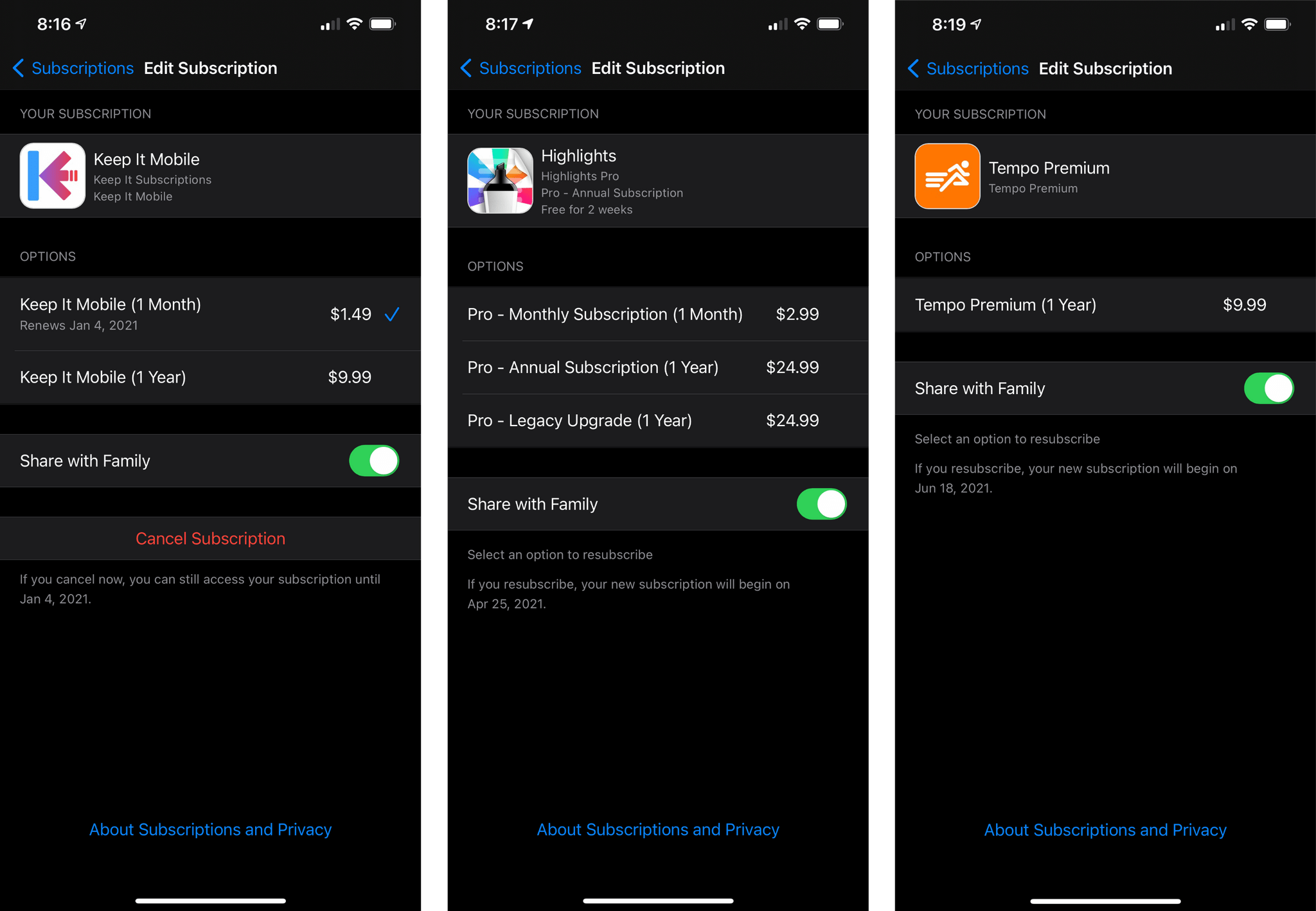
Yesterday, thanks to the excellent information storage and management app Keep It, Federico discovered that Apple had activated Family Sharing of In-App Purchases, including subscriptions.

First announced at WWDC in June, the new feature expands what’s included as part of Family Sharing. Previously, In-App Purchases, including subscriptions, were excluded. Now, however, there’s a toggle in Settings → iCloud → Subscriptions that permits sharing of new subscriptions automatically with family members. Family sharing of subscriptions can be turned on and off on a per-subscription basis, too, by tapping the individual subscriptions in Settings, where you’ll find a Family Sharing toggle for that particular app. Sharing of existing subscriptions is turned off by default and must be enabled manually one app at a time.

Family Sharing of In-App Purchases and subscriptions is optional for developers who must turn it on in the App Store Connect as Keep It developer Steve Harris explains in this Twitter thread:

https://twitter.com/steveharris/status/1334615046090076162?s=21

I’m glad to see Apple has activated In-App Purchase and subscription sharing among families. With the increasing popularity of subscriptions, Family Sharing was quickly becoming less valuable to users who wanted their entire family to have access to an app. Although the feature requires developers to opt-in, three of my subscriptions have adopted Family Sharing, so I’m optimistic others will follow suit.


Year-End Music Insights From Apple’s Replay 2020 and Top 100 Playlists, Plus MacStories’ Apple Music Wrapped Shortcut

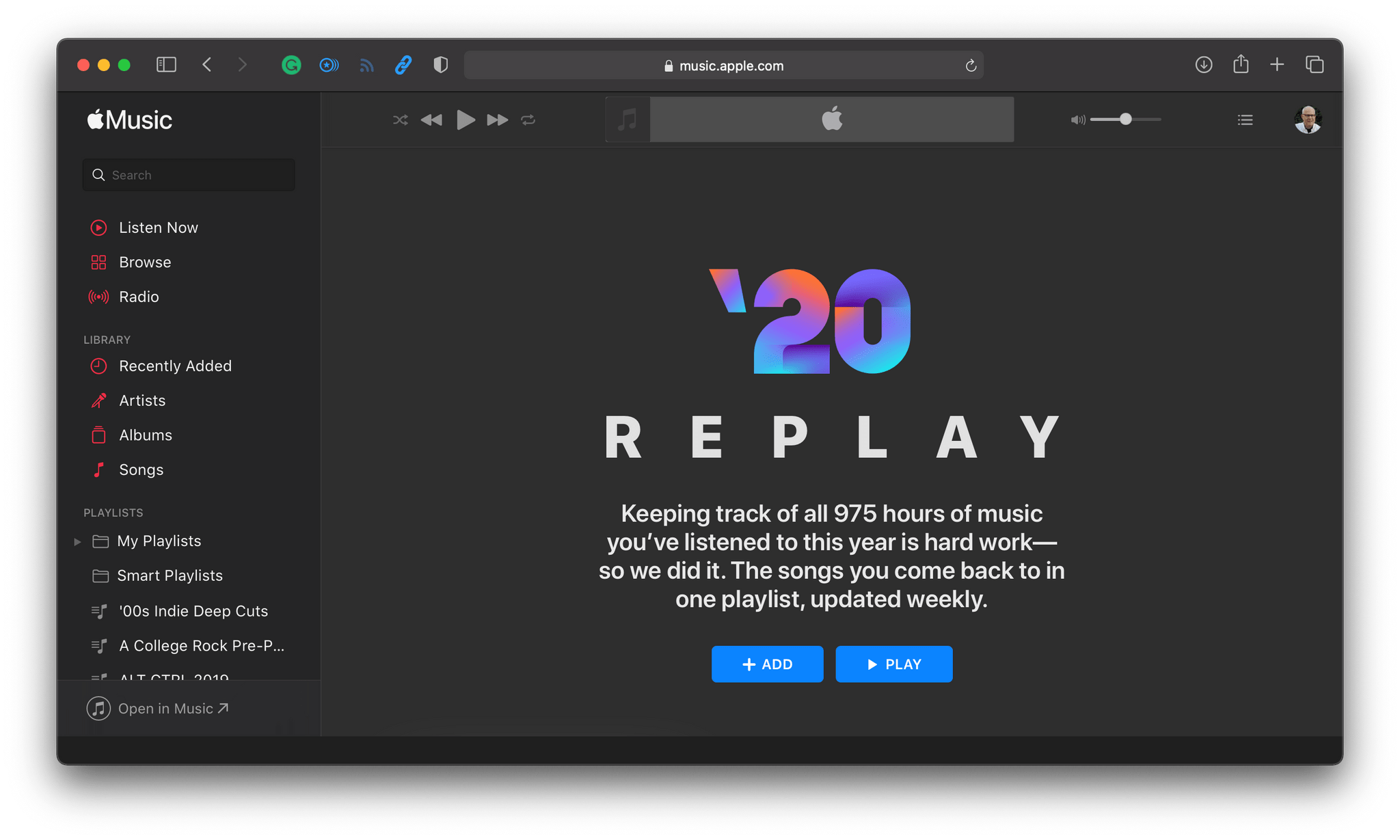
Apple’s annual Replay playlists are available and updated throughout most of the year by visiting replay.music.apple.com. However, as of this week, if you visit the site, you will see your year-end statistics too, which provide insights about your listening habits in 2020.

When you click or tap the ‘Get Your Replay Mix’ button, a webpage is generated with:

  • The total number of hours you’ve listened to Apple Music in the past year
  • Your 2020 Replay playlist of top-played tracks, including the number of times you played each song
  • The number of artists you’ve listened to this year and a list of the ones you’ve listened to the most, including the hours you spent listening to each
  • The number of albums you listened to along with a personal top 10 that shows how many times you listened to each album
  • Links to past annual Replay playlists

I find these statistics fascinating and wish that they didn’t require you to visit a special website. I understand there is a privacy angle here, which undoubtedly is why Apple doesn’t generate these statistics for you automatically. However, the Replay playlists are still a feature that should be built into the company’s apps.

Spotify does a much better job with the year-end Wrapped playlist and related statistics it creates for users. In addition to the playlist, Spotify breaks down the year in music, reporting on trends on its ‘For the Record’ podcast and the company’s blog. For anyone interested in where the global music scene is heading, these Spotify features and articles are a terrific resource.

The report created by the Apple Music Wrapped shortcut. It's true, I really like [Kyoto](https://music.apple.com/us/album/kyoto/1504699857?i=1504699860).

The report created by the Apple Music Wrapped shortcut. It’s true, I really like Kyoto.

If you’re looking for a way to approximate Spotify’s Wrapped playlist for Apple Music and extend Apple’s Replay report, check out the Apple Music Wrapped shortcut that Federico created a couple of years ago and has updated for 2020. The shortcut, which is part of the MacStories Shortcuts Archive, generates a report on your music listening for the past year that can be viewed in Safari, creates a PDF you can save to Files or Dropbox, and can build a Top 25 playlist that it saves to the Music app. You can read more about Apple Music Wrapped’s features here.

Apple Music Wrapped

Create a detailed report for the music you’ve listened to in the past year. The shortcut can optionally create a Top 25 playlist for your most played songs and generate a PDF report. The shortcut is primarily designed for Apple Music subscribers.
To calculate number of plays, the shortcut looks at songs that have been played in full without skipping and added to your library in any given year.

Get the shortcut here.

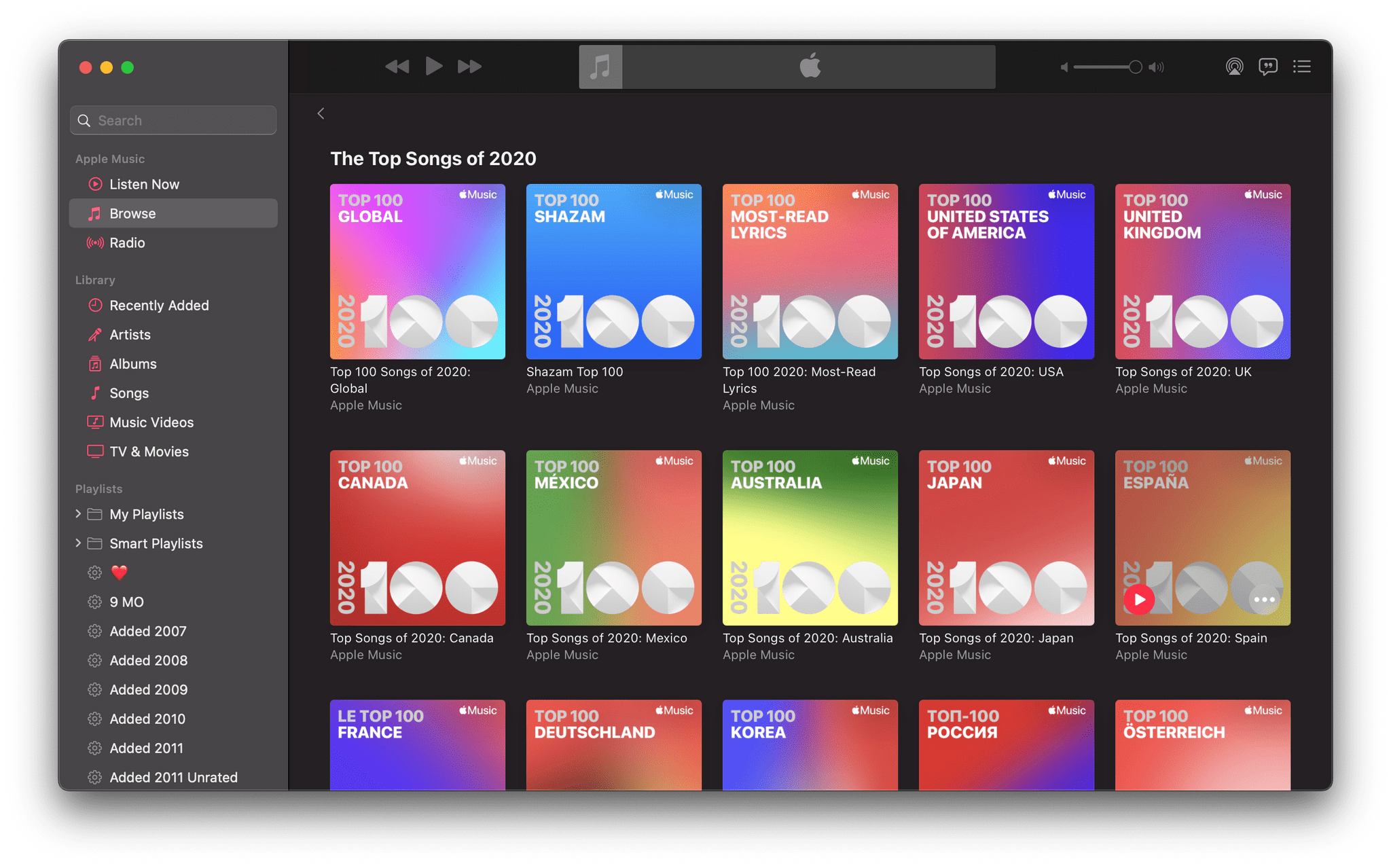
Apple's many Top 100 playlists.

Apple’s many Top 100 playlists.

Apple has also debuted a series of Top 100 year-end playlists. There are global, Shazam, most-read lyrics, and country-specific Top 100 lists for a total of 51 playlists available to US Apple Music subscribers. The Top 100 I find most interesting is the Shazam list, which is generated from 9.2 billion songs identified by the app. The top song, Dance Monkey by Tones And I was identified by Shazam a whopping 24.6 million times in 2020.

I’ve enjoyed looking through my Replay statistics for 2020 and checking out a few of the Top 100 lists, but there’s so much more Apple can do to extend its year-end lists for individual users and in aggregate. The issue is part of a broader Apple Music discovery problem that extends from the inability to track Apple Music 1 radio shows to the almost non-existent promotion of Apple Music TV. Although the situation has improved, Apple Music still needs better discovery and personalization tools to compete effectively with Spotify.


Apple Names App of the Year Winners

Every year, Apple chooses a handful of standout apps and games from among the millions available on the App Store, naming them the Apps of the Year. In recent years, the company has also picked trends its editorial team has spotted on the App Store.

For 2020, Apple has honored fifteen apps and games as the App of the Year winners from a wide variety of categories. According to Apple’s press release:

“This year, more than ever before, some of our most creative and connected moments happened in apps. This was thanks to the amazing work of developers who introduced fresh, helpful app experiences throughout the year,” said Phil Schiller, Apple Fellow. “Around the world, we saw remarkable efforts from so many developers, and these Best of 2020 winners are 15 outstanding examples of that innovation. From helping us stay fit and mindful, to keeping our children’s education on track, to helping fight hunger, their impact was meaningful to so many of us.”

This year’s app winners are:

Apple also recognized games on each of its platforms, plus its Arcade service:

The App Store editorial team sees a lot of apps every year, and the trend it saw emerge in 2020 was ‘Helpfulness,’ a theme embodied in the following apps that also received an award:

In addition to naming this year’s winners, Apple called out each of the developers of the apps and games on a special page that lists the developers of each of the award-winning apps and published its top free and paid apps of 2020.

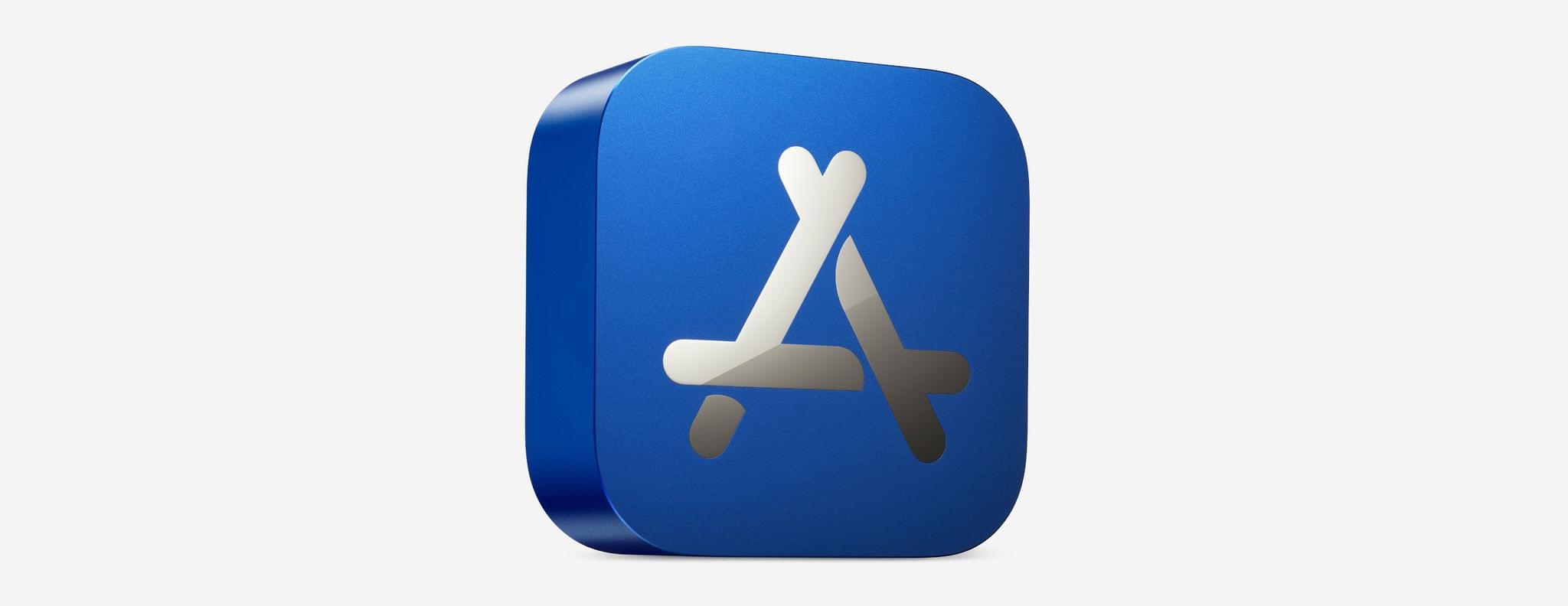
To commemorate this year’s App of the Year winners, Apple’s designers created physical awards for the first time. The blue awards resemble the App Store’s icon and are made from 100% recycled aluminum with the winner’s name engraved on the back.

It’s nice to see Apple provide a physical token of its awards this year, an opinion that I’m sure surprises no one. Congratulations to this year’s Apple App of the Year award winners. It’s always great to see developers’ hard work and contributions to Apple’s platforms recognized.


Apple Recognizes Best Books, Audiobooks, and Podcasts of 2020

Today Apple updated its Books and Podcasts apps with recognition of the most popular, and Apple’s selection of the best books, audiobooks, and podcasts of the year. There are ten different groups of selections, some just being the most popular items based on Apple’s metrics, and others being Apple’s own subjective favorites. Here’s a subset of Apple’s choices, but be sure to check out the full lists of picks in the Books or Podcasts apps on your Mac, iPhone, or iPad:

Books

Best Books of the Year:

Most Popular Fiction Books:

Read more


Apple Announces Partnership with (RED) to Combat HIV/AIDS and COVID-19 and Highlights Its PPE Donations in Zambia

Apple announced today that it is expanding its partnership with (RED), a relationship that spans fourteen years and has raised nearly $250 million to fund HIV and AIDS programs around the world, offering prevention, testing, and counseling services.

The COVID-19 pandemic has disrupted HIV/AIDS programs around the world, so earlier this year, Apple’s (RED) contributions were redirected to the Global Fund’s COVID-19 Response to mitigate the impact of COVID-19 on HIV/AIDS programs.

According to Apple’s press release:

These funds have allowed for additional contact tracing in South Africa, helped secure critical personal protective equipment (PPE) for health workers and emergency medical equipment in Ghana, and enabled the purchase of motorbikes to deliver HIV treatment to local communities that have been unable to seek in-person health services due to COVID-19. Apple also donated millions of PPE units to the Ministry of Health in Zambia, including both surgical masks sourced from its supply chain and face shields designed and produced by Apple.

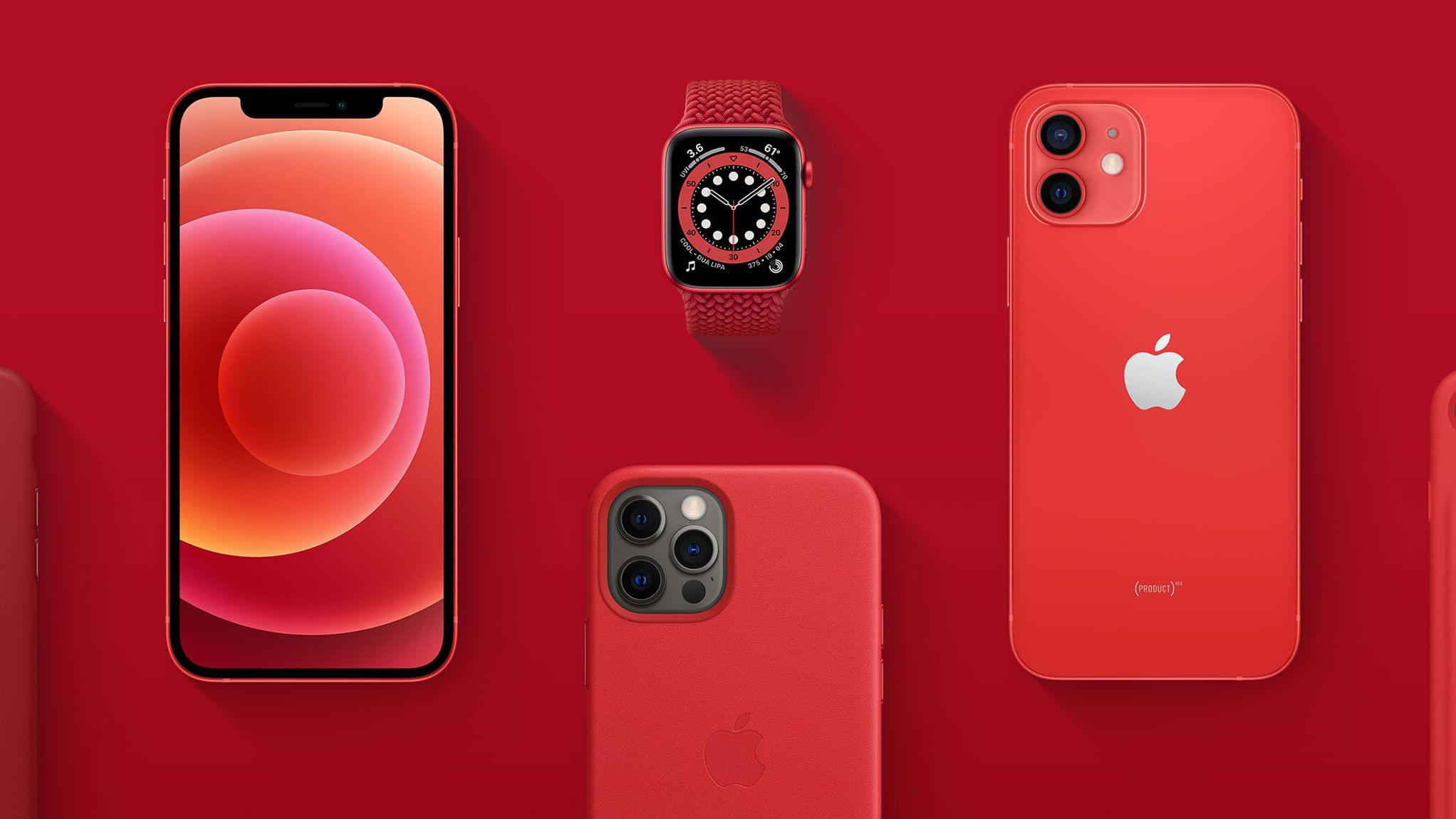
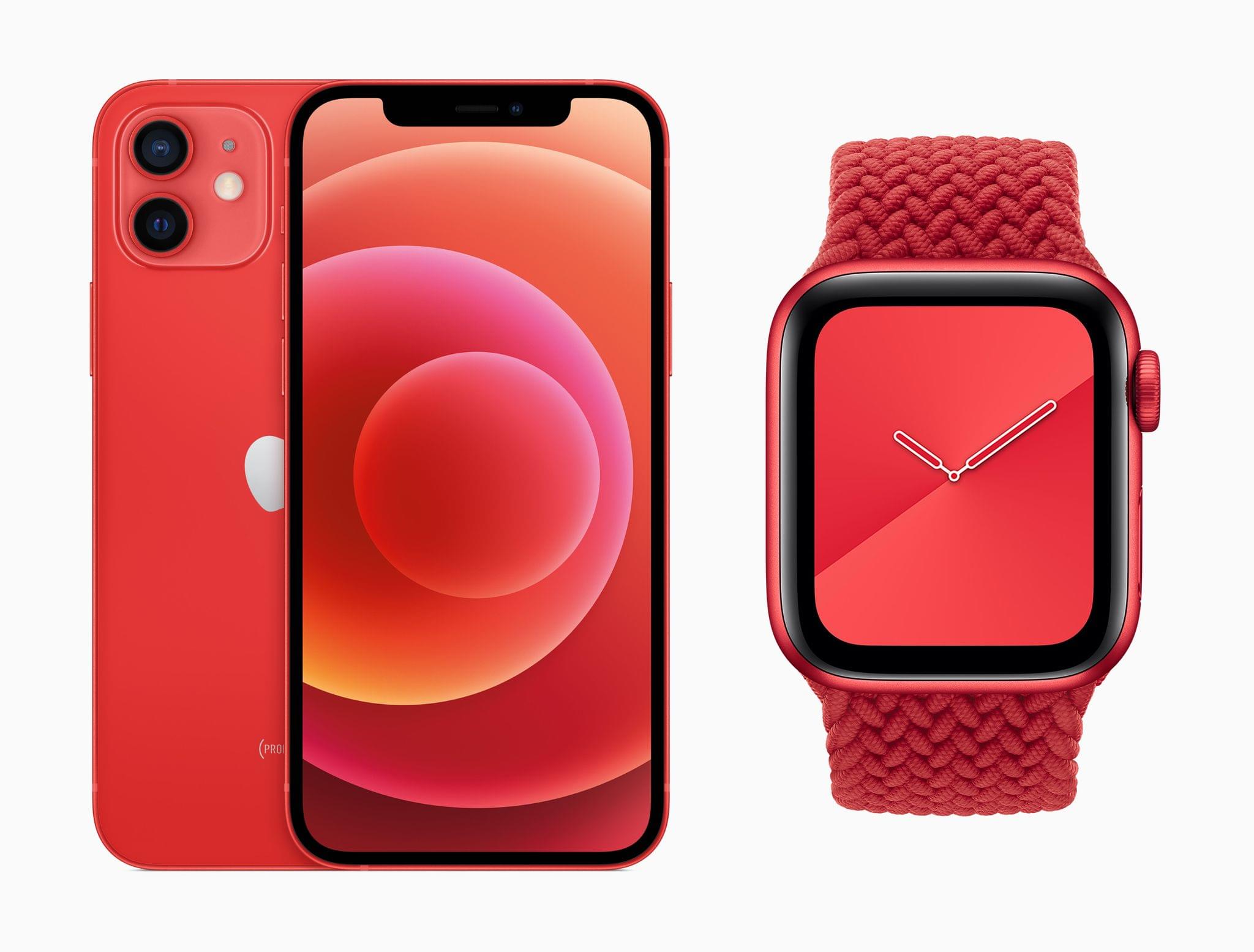
The PRODUCT(RED) iPhone 12 and Apple Watch Series 6.

The PRODUCT(RED) iPhone 12 and Apple Watch Series 6.

Apple’s support of (RED) continues this year with donations of 100% of all eligible proceeds from PRODUCT(RED) devices to the Global Fund’s COVID-19 Response through June 30, 2021. The company will also donate $1 of every purchase made using Apple Pay on apple.com, or in the Apple Store app or an Apple retail store through December 7, 2020.

Apple is working to raise awareness of World AIDS Day too with red logos and window displays in retail stores, features on the App Store, tie-ins with Apple Music and The Ebro Show on Apple Music 1, and a special Watch Now collection in the Apple TV app.

A Zambian healthcare worker wearing an Apple-produced face shield.

A Zambian healthcare worker wearing an Apple-produced face shield.

Separately, Apple issued a press release about its donation of PPE to healthcare workers in Zambia to help them combat COVID-19 and HIV. Working with Zambia’s Ministry of Health, Apple donated:

millions of units of personal protective equipment (PPE) to the Ministry of Health in Zambia. That includes both surgical face masks Apple sourced from its supply chain as well as face shields designed and produced by Apple.

As the press release explains, the donations have protected front-line healthcare professionals and provided patients with the confidence to continue their treatments for HIV.


MacStories Unwind: Big Sur Widgets, Our Big Icon Sale, a MacStories Weekly Milestone, Plus Bonus Unwind Picks

AppStories+ Deeper into the world of apps
0:00
33:17

AppStories+ Deeper into the world of apps


Sponsored by: Permute: Quick Image, Audio, and Video Conversion

This week on MacStories Unwind:

MacStories

Club MacStories

  • MacStories Weekly
    • John’s Holiday Gift Guide
    • Reading DRM-Free EPUBs in MarginNote for iPad
    • Tips for Remote Tech Support
    • Mac Dictation and Big Sur beta tips
  • MacStories Unplugged: The Year in Music, 2020 Edition
    • Federico and John share their Apple Music playlists, collecting their favorite songs of 2020, pick their albums of the year, second-guess the Grammy nominations, and each chooses five bands that define their tastes in music.

AppStories

Unwind


MacStories Shortcuts Icons and Perspective Icons: 40% Off from Black Friday to Cyber Monday

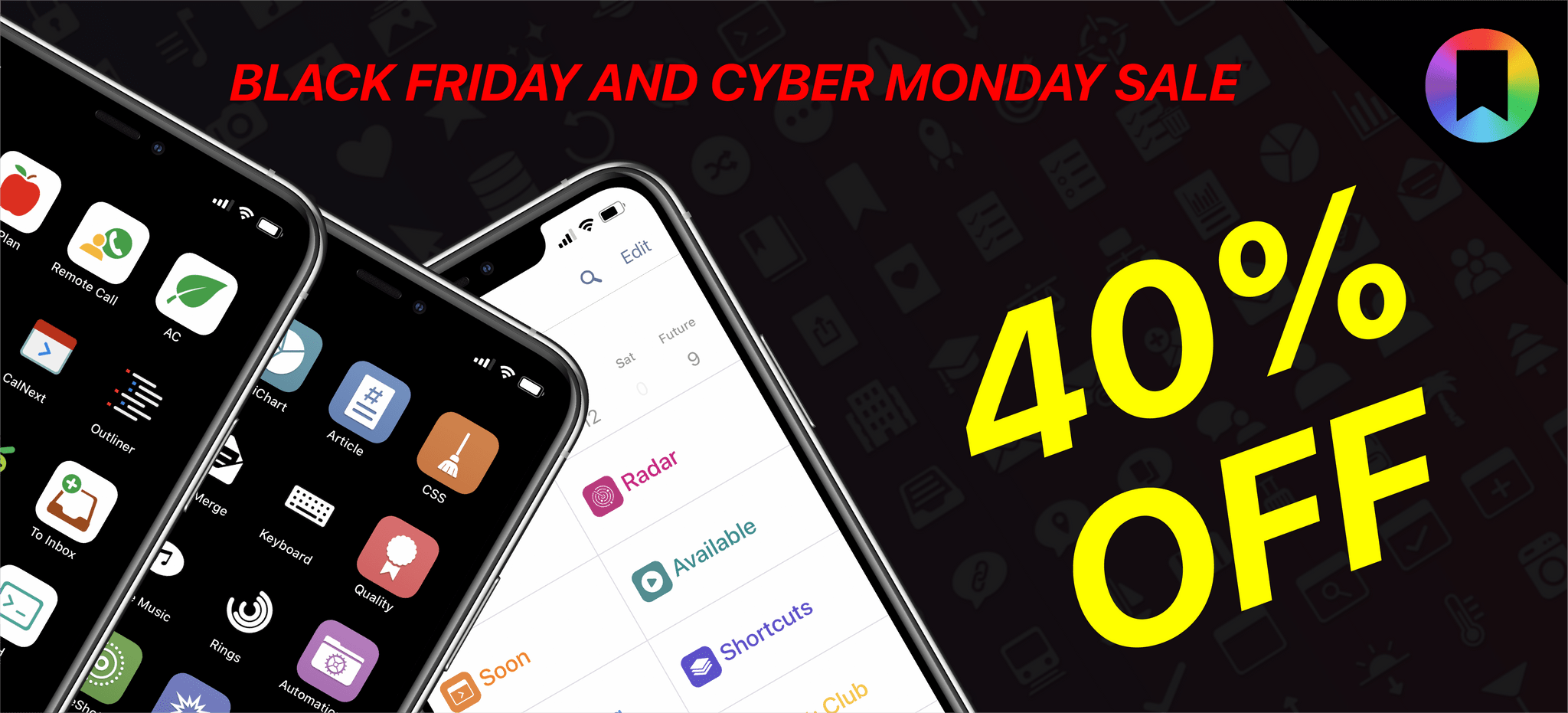
MacStories Shortcuts Icons and Perspective Icons are 40% off for Black Friday and Cyber Monday.

MacStories Shortcuts Icons and Perspective Icons are 40% off for Black Friday and Cyber Monday.

Black Friday and Cyber Monday are upon us, and we’ve prepared something truly special to celebrate the occasion at MacStories: starting today through Monday, November 30, MacStories Shortcuts Icons and Perspective Icons are available at 40% off their regular price.

To purchase MacStories Shortcuts Icons at $17.99 rather than the usual $29.99, click the ‘Buy’ button below:

Similarly, to purchase our Perspective Icons at $14.99 rather than the usual $24.99, click the ‘Buy’ button below:

All sales are final. You can read our license and terms of use here and here.

Read more


MacStories Unwind: The App Store Small Business Program, M1 Macs, Music Awards, Photography, and Home Screen Shortcuts

AppStories+ Deeper into the world of apps
0:00
35:41

AppStories+ Deeper into the world of apps


Sponsored by Downie – Easily Download Videos From YouTube and Thousands of Different Sites

This week on MacStories Unwind:

MacStories

Club MacStories

  • MacStories Weekly
    • Crossy Road
    • Today ReScheduler shortcut updated to take advantage of ‘native’ edit reminder action
    • Big Sur widget tips (John)
    • What the M1 means to the native vs. web app debate

AppStories

Unwind


Pixelmator Pro 2.0 Released with M1 Mac Support, An Updated Design, and New Effects and Presets

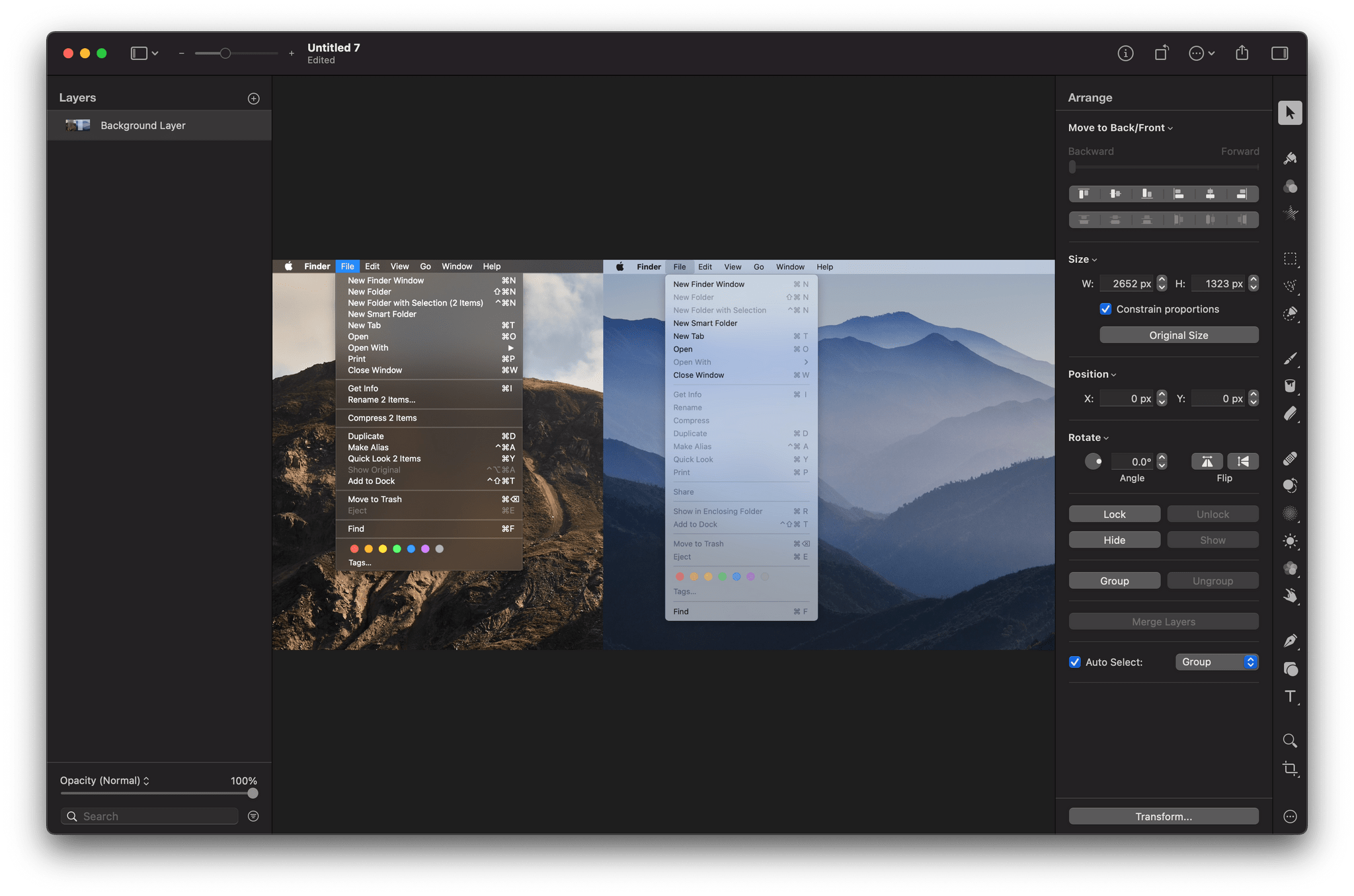
The Pixelmator team has released an extensive update to its image editing app, Pixelmator Pro. Version 2.0 is a Universal Mac app that supports both Intel and M1-based Macs. In addition to the under-the-hood support for Apple’s new SoC architecture, the update has an all-new Big Sur-style design and a host of new features like redesigned effects and presets browsers, the ability to customize the app’s layout, and a new app icon.

Pixelmator Pro’s new design is terrific, right down to its new Big Sur-style app icon. The app already featured a design with minimal chrome that stayed out of the way, focusing attention on the content, which is also a hallmark of Big Sur’s design. As a result, the update will look familiar to existing users but also fits right in with other apps designed for the latest version of macOS.

Changes big and small have been made throughout Pixelmator Pro’s UI. For example, like the Finder and Apple’s other system apps, button outlines are highlighted only when the pointer hovers over the icons in the app’s toolbar. The name of the document you’re working on has been left-justified too. Pixelmator Pro has also added a new zoom control to the toolbar for fast access to zooming in and out of an image using the pointer instead of a trackpad gesture or keyboard shortcut.

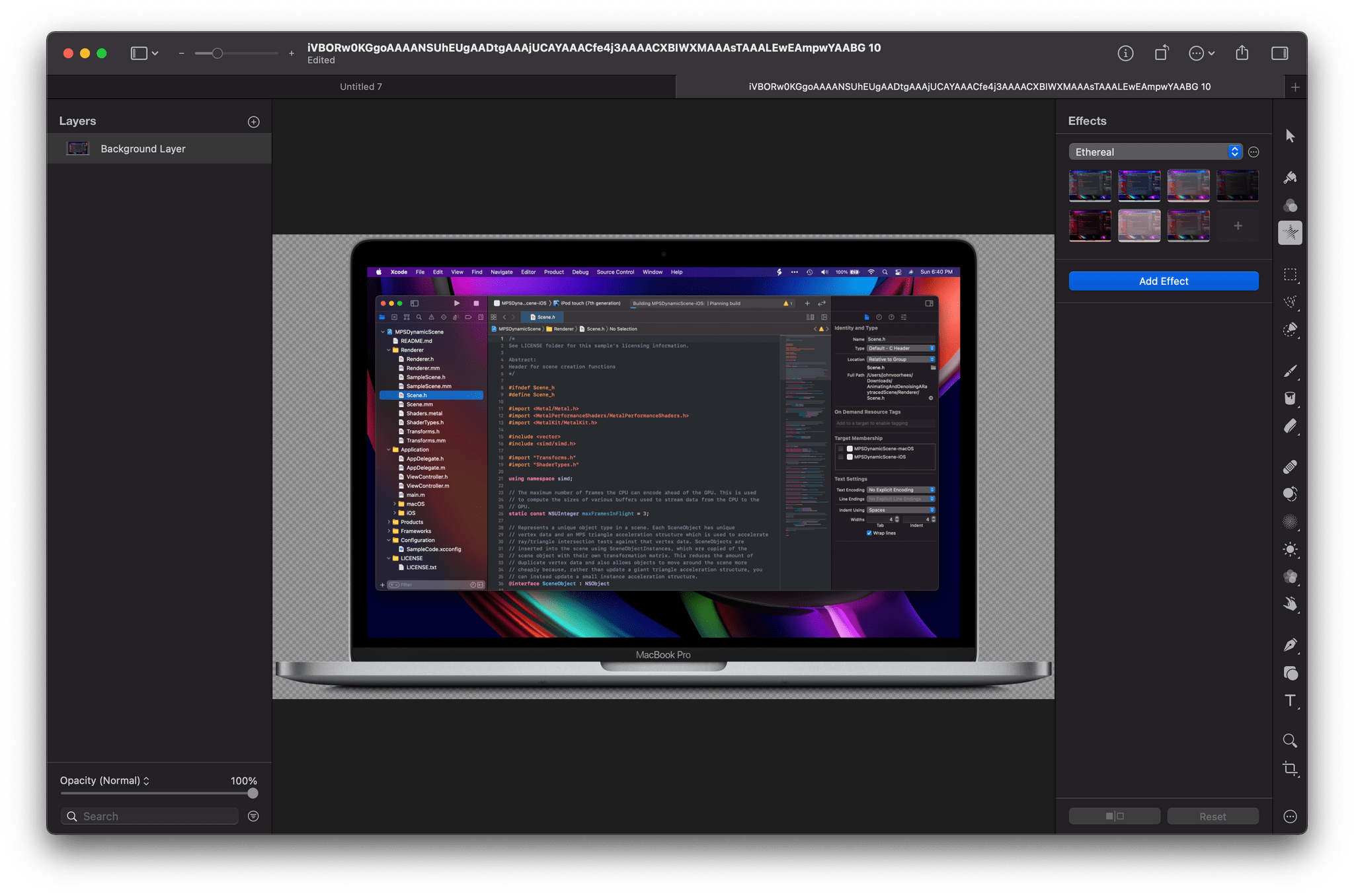
Pixelmator Pro's new effects UI.

Pixelmator Pro’s new effects UI.

Although the order of the tools along the right edge of Pixelmator Pro is customizable, the default position of the effects tool has been moved near the top of the window. When active, the effects tool opens a panel that is divided into six default categories of image effects, which can be modified by the user. The design is more compact than before and provides a live thumbnail preview of what the effect will look like if applied, making it easier to find the look you’re after. With the addition of even more effects, the new UI is a much more efficient way to browse through them.

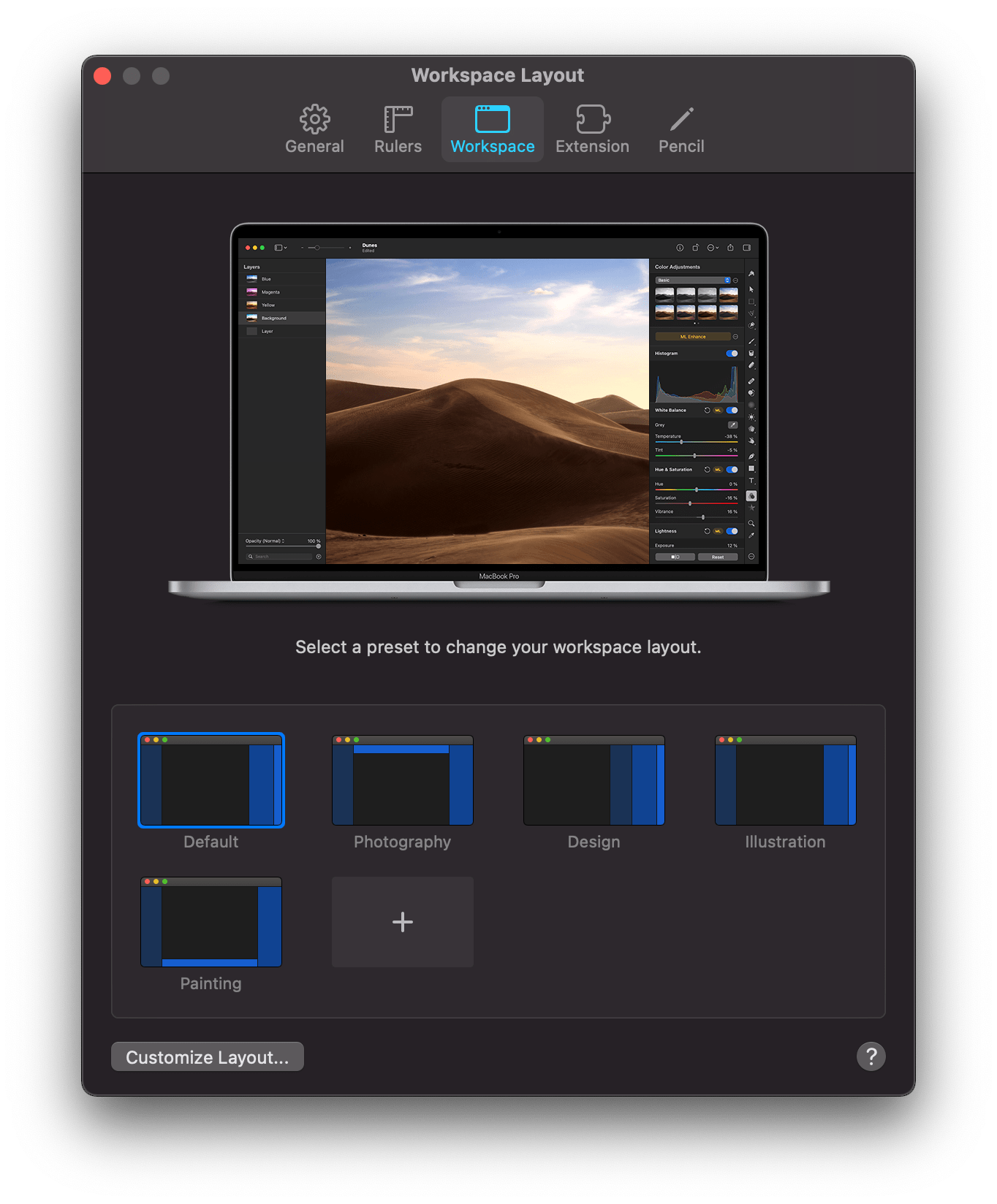
Pixelmator Pro features preset workspaces.

Pixelmator Pro features preset workspaces.

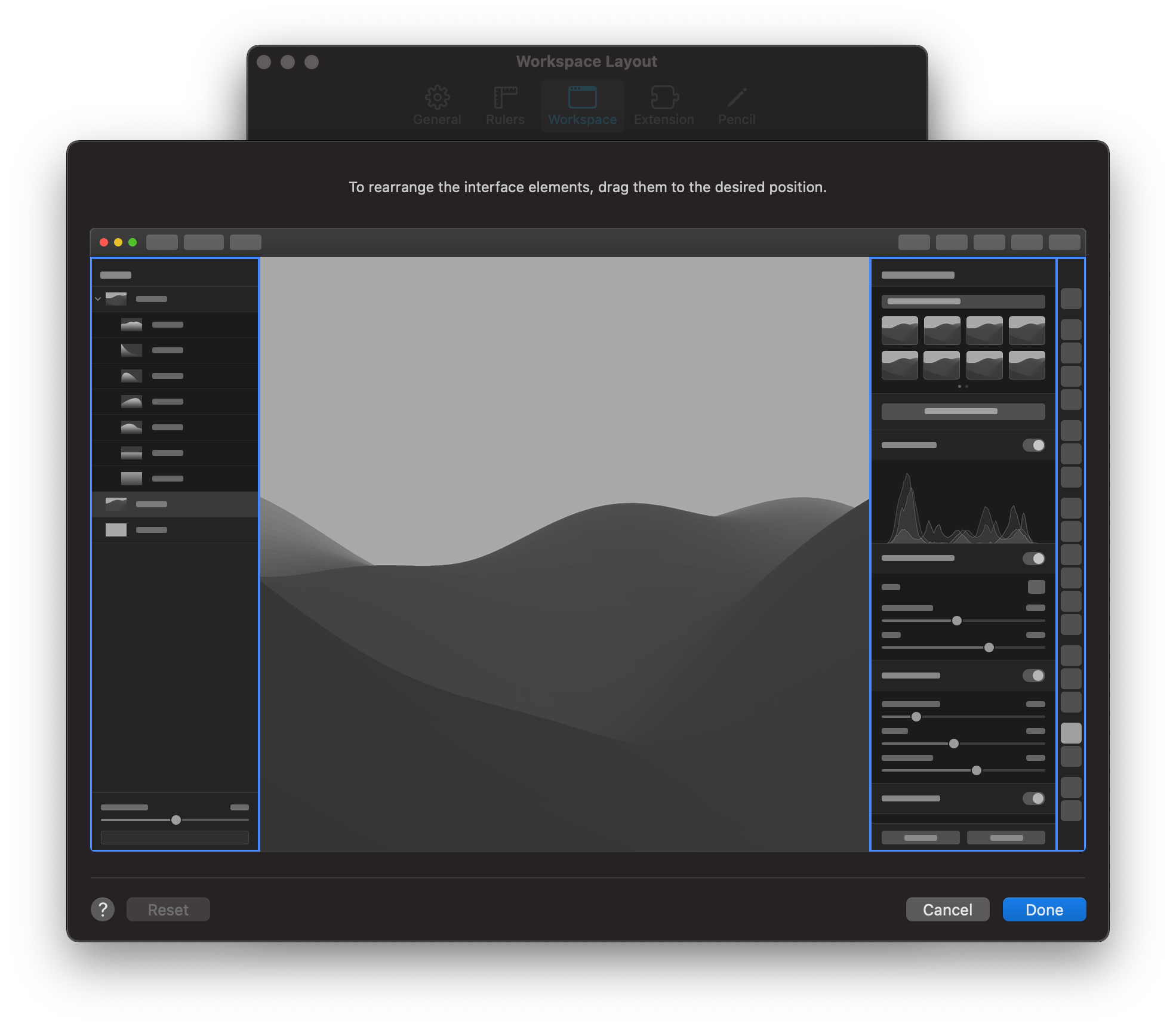
The update also features four preset workspaces in addition to the app’s default configuration, which each move the toolbar and panels to different positions in the app’s window to accommodate photography, design, illustration, and painting workflows. You can also design and save your own setup dragging the app’s two panels and toolbar into positions that suit you.

You can define your own workspaces.

You can define your own workspaces.

Presets have been greatly expanded and enjoy the same sort of compact UI as effects too. The Pixelmator team says it has added over 200 new presets for photography, design, and illustration use cases, which allow users to work more efficiently. The app also has more than 50 new vector shapes in five categories from which to choose.

On the new M1 Macs, Pixelmator Pro benefits from its use of Apple’s Metal frameworks. The M1 Macs are designed to take advantage of Metal, which accelerates tasks in Pixelmator Pro like upscaling images using the app’s ML Super Resolution feature. The Pixelmator team says ML Super Resolution can be accomplished up to 15 times faster on an M1 Mac than was possible before.

I’ve said many times before that Pixelmator Pro is the image editor I use most often for my work at MacStories. The app is powerful but easy to use, dispensing with the steep learning curves of many other pro-level image editors. With version 2.0, the Pixelmator team continues to push the app forward with a design and underlying technologies that are perfectly aligned with where the Mac is heading, which is a reassuring indication that the app will continue to be one of the premier Mac image editors for a long time to come.

Pixelmator Pro 2.0 is available on the Mac App Store to existing users as a free update and new customers for $39.99.