Federico Viticci

10876 posts on MacStories since April 2009

Federico is the founder and Editor-in-Chief of MacStories, where he writes about Apple with a focus on apps, developers, iPad, and iOS productivity. He founded MacStories in April 2009 and has been writing about Apple since. Federico is also the co-host of AppStories, a weekly podcast exploring the world of apps, Unwind, a fun exploration of media and more, and NPC: Next Portable Console, a show about portable gaming and the handheld revolution.

This Week's Sponsor:

Inoreader

Build your own newsfeed and cut through the noise


Why Do Movie Trailers Debut on Apple.com?

Why Do Movie Trailers Debut on Apple.com?

If you’ve ever wondered why so many movie trailers become available on Apple’s website and not anywhere else, the answer is provided on Quora by a former Apple employee. It’s got Star Wars in it:

It started as a showcase for QuickTime, at the time of first launch we only had a handful of trailers and one or two studios. It was really the Phantom Menace trailer that put apple.com/trailers into the spotlight. Lucasfilm had posted a rather crappy trailer on their site, the team at Apple was appalled. Through DNS records, the web team at Apple managed to contact the Star Wars web team and set up a meeting. That single trailer showcased QuickTime’s quality over RealVideo by leaps and bounds, and quickly surpassed over 1 million downloads to become the most popular web video of the internet in that time.

He also mentions the Akamai distribution technology (a little startup at the time) made the difference when talking to movie executives and showing them the speed and reliability of Apple’s network. Plus, the webpage design is also pretty sweet these days. [via]

Permalink

Flipboard 1.2 Is Out: Instagram Integration, Faster, Search

A major new version of Flipboard, the social iPad magazine, was released a few minutes ago, and it’s a rather big update since the “iPad app of the year” was first released last summer. Flipboard 1.2, now available in the App Store, comes with ful Instagram integration to let users browse Instagram pictures as if they were flipping through a full-size photo album. It looks great on the iPad, photos are much bigger than the native iPhone Instagram app, and all of this has been achieved thanks to the Instagram API we covered a few times in the past.

Thanks to a new feature called “social search”, users can also browse for specific words and hashtags inside Flipboard. This was a much requested functionality that adds a lot of value to the app, which now can not only display content from your favorite online sources, but also search for relevant fresh one.

Flipboard 1.2 is faster thanks to a new backend engine, features a refresh button to check for new articles at any time without closing and restarting the app, has a Featured section at the top to browser editors’ picks. Again, another way to find great content you might like and read in Flipboard.

Flipboard 1.2 is available in the App Store here. In case you missed them, check out our previous reviews of the app here and here. Read more


Should You Buy a 3G iPad or Use Personal Hotspot?

Should You Buy a 3G iPad or Use Personal Hotspot?

Jeff Carlson at Tidbits has a great piece about many iPhone and iPad owners’ recent question: should your next iPad be a 3G one, or can you just use Personal Hotspot through your iPhone? In short: it depends on how much data you use and how many devices you could be able to connect to the Personal Hotspot. But overall, the hotspot functionality of iOS 4.3 sounds like a great plan if you already have an iPhone and know you’ll be doing a lot of iPad 3G surfing.

So, in the end, the Personal Hotspot approach will be cheaper for AT&T users who use lots of data, and more expensive for those who can stay within the lowest limits. And it’s exactly the reverse for Verizon Wireless users, for whom the Personal Hotspot approach is slightly better for lower bandwidth users, but more expensive once you go beyond 2 GB of data.

Personally, I’ve grown accustomed to having an Internet-connected iPad whenever I need it, whether that’s on a familiar Wi-Fi network or taking advantage of near-ubiquitous 3G coverage (in Seattle, where AT&T’s coverage is generally good). As for ease of use, the fact that the iPad remembers the iPhone’s network password, and that the iPhone switches into Personal Hotspot mode easily, leads me to think that adding the extra step of enabling the hotspot wouldn’t be onerous.

From my experience with 3 Italia’s network, I can say my next iPad is going to be a WiFi-only one. The setup is easy and the iPad remembers the Personal Hotspot password, plus you can leave the hotspot set to “on” even when you’re not using so you won’t have to re-enable every single time. The iPhone won’t consume battery and everything will be left as it is. Personal Hotspot is just too good for me to ever want a 3G iPad.

Permalink

Angry Birds Seasons: St. Patrick’s Day Edition Now Available

Angry Birds Seasons: St. Patrick’s Day Edition Now Available

As previously reported, Rovio has finally released a new update for Angry Birds Seasons, which now comes themed for Ireland’s St. Patrick’s Day. The update features “green levels” (green is Ireland’s national color), 15 new levels, new achievements and more.

Have the Luck of the Irish and Go Green with this episode of Angry Birds Seasons: The St. Patrick’s Day Edition! After the love fest of Valentines, Angry Birds Seasons is back with the greenest update to date. May Irish eyes shine upon you and as usual Angry Birds gives the most generous updates of any app!

Oh, you can also send St. Patrick’s Day cards to your friends. Go grab the update here.

Permalink

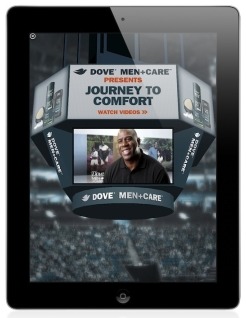
Apple Releases iAd Producer 1.1, Updated for iOS 4.3

Together with the release of Xcode 4, now also available for non-registered iOS and Mac developers in the Mac App Store, Apple also pushed an update for iAd Producer, its iAd design and development software for OS X.

Version 1.1 (weighs in at 91 MB) brings iOS 4.3 compatibility and the possibility to create ads with multiple banners. As promised last year, the iPad is fully targeted in this release with fullscreen banners as well.

Full changelog:

  • Improved compatibility with version management systems
  • Creation of ads with multiple banners
  • Support for full-screen banners on iOS 4.3 devices
  • Importing and editing of custom JavaScript and CSS extensions
  • Improved stability and performance

iAd Producer is available in the iOS Dev Center.


Readability Launches Mobile Webapp with Full iOS Support, Offline Reading

Web service Readability announced a few minutes ago that, with an iOS native application still waiting for Apple’s second review, they are rolling out today a full-featured, mobile optimized web version of their reading tool. To use the new Readability on your cellphone or tablet, just head over Readability.com with your browser and save the website to your homescreen. Readability’s new mobile app is indeed an HTML5-based application that runs on iOS, Android handsets & tablets and a plethora of other devices available in the market.

Underneath the hood is…the web. Readability for mobile is a web application specially fitted for mobile and tablet devices. It’s a great example of what can be achieved by building apps on the latest web technology.

A final thought regarding our iOS submission: our overarching goal is to deliver the best possible experience to users of Readability. We re-submitted the Readability app to Apple along with an appeal approximately two weeks ago. We haven’t heard back yet.

Readability made the rounds of the Internet a few weeks ago when they announced a completely revamped service (based on a revenue split model with publishers of content consumed through Readability) and went public with an open letter to Apple about the rejection of their official iOS client for iPhone and iPad, heavily based on Marco Arment’s Instapaper (Arment is also an advisor to the company). According to Readability, Apple rejected the app because of the lack of implementation of app subscriptions – the ones where Apple takes a 30% fee off every subscription processed inside an iOS application. The company didn’t understand the rejection as, in their own vision, Readability isn’t a publishing app but a web service that aggregates articles produced by others on the Internet.

Readability’s move to HTML5 is interesting because they’re proving they can have a reading platform that works on a variety of OSes without being forced to go through Apple’s approval process and subscription policies. They’re relying on the power of modern open web technologies to deploy a beautiful application that works anywhere, anytime thanks to offline reading support. An app that also lets you quickly paste URLs to read articles in an uncluttered, elegant view meant for mobile devices. The Readability webapp also senses your device’s orientation and changes the on-screen graphics accordingly for an optimized reading experience. We can’t wait to try it out tonight.

As the team stresses on the company’s blog, this app was put together in two weeks. While it’s still unclear whether the native iOS client will go through the App Store’s gate or not, cheers to Readability for delivering what the service’s users were waiting for. Read more


iOS 4.3 for iPad 2 Suggests iPhone 5 Will Get Apple A5

Code references found in the iOS 4.3 firmware for iPad 2 released (in three versions) earlier today suggest the upcoming iPhone 5 will use the same Apple A5 dual-core processor of the iPad 2. Several developers have, in fact, spotted references to a N94AP device in the code, and they’re assuming that’s the internal model number for the next-generation iPhone. The Verizon iPhone, for example, was labelled N92 internally.

Digging into the included N94AP kernel, developers have found out that it’s associated with S5L8940 – another codename, this time for the A5 chip. For this reason, speculation has mounted leading many to believe that the iPhone 5 will feature the same CPU we’re going to see in the iPad 2 later this week.

At this point it seems very likely that the new iPhone (to be released this summer) will carry a dual-core CPU for faster processing times and improved performances. Code references in iOS firmwares are usually a good and reliable indication of things to come, so we’re very confident the iPhone 5 will indeed get the A5. [via 9to5mac, iLounge, @chronic]


iPad 2 Video Tutorials Posted on Apple.com

As noted by 9to5mac, Apple has tweaked the “apps for iPad” webpage to include guided tours of the new iMovie for iPad, GarageBand and iBooks. iBooks isn’t exactly new, but everything has been re-recorded with shiny new white iPads. The voice over is also pretty good and clear, the tutorials make movie editing, music making and recording look simple and fun. Some details that weren’t demoed at Apple’s keynote are also featured: GarageBand has a dual keyboard mode, there’s a selection of Apple-designed amps to choose from and iMovie picks up songs from the iPod library or its built-in sounds seamlessly.

Videos are available here. The iPad 2 comes out on Friday, and we’re going to get ours as soon as we can. Look for lots of iPad 2 coverage on March 11 here on MacStories.

Update: Apple has posted more tutorials for every built-in iPad app. Check them out here.


iPhone Configuration Utility 3.3 Released

Today is “Apple updates everything” day. A new version of the iPhone Configuration Utility was released a few minutes ago – 3.3 for OS X and Windows machines. The iPhone Configuration Utility lets you create and manage configuration profiles for iOS for things like WiFi networks, VPN settings, authorized applications, Exchange accounts. Configuration profiles are especially used in enterprise and schools to tweak the settings of iOS devices deployed for employees / students.

There’s no changelog for this new version, so we guess it’s just been updated to work with iOS 4.3. Mac download here, Windows counterpart available here.