Posts tagged with "featured"

Ivory for Mastodon Review: Tapbots Reborn

Ivory for Mastodon.

Ivory for Mastodon.

There’s an intangible, permeating quality about Tapbots apps that transcends features and specs: craftsmanship. With Ivory, launching today on the App Store for iPhone and iPad, you can instantly appreciate that level of care and refinement that the Texas-based duo is well known for after more than a decade on the App Store. But there’s something else, too: for the first time in a few years, it feels like Mark and Paul are having fun again.

Ivory is a Mastodon client, and it’s tricky to evaluate it right now because its version 1.0 is launching under extraordinary circumstances.

As we’ve documented on MacStories, Twitter’s idiotic new “leadership” recently decided to unceremoniously and crassly put an end to third-party clients such as Tweetbot with no warning, which forced Tapbots to scramble and figure out a solution on how to discontinue Tweetbot while dealing with subscription renewals while also accelerating the timeline for the launch of Ivory, which they’d been working on for months. I’ve been following the development of Ivory very closely (I’ve been using the app as my main Mastodon client since its first alpha in late November), and I know that the Ivory 1.0 launching today isn’t the debut version Mark and Paul were envisioning. By Tapbots’ own admission, there’s still a lot of work to do on Ivory, but given how the Twitter situation evolved, they had to ship something. There is already a roadmap on Tapbots’ website for Ivory, if you’re curious to know what the developers are planning for the foreseeable future.

As I was saying above, however, there’s something else about Ivory that, in many ways, makes today’s release an important milestone in our community worth documenting and celebrating. Ever since we at MacStories decided to abandon Twitter, we’ve gone all-in on Mastodon and, broadly speaking, we want to embrace the idea of decentralized and federated social media. Over the past few weeks, I’ve seen hundreds of other people I used to follow on Twitter do the same. I believe we’re witnessing the beginning of a new social networking era, and even though Mastodon has been around for a few years, many of us (myself included) are only realizing now that we should have paid attention to this kind of technology years ago.

For the second time since I started MacStories in 2009, I can observe developers imagining what interfaces for reading and posting status updates on the web should look like. New conventions are being created as we speak, and we are, once again, witnessing the rise of a vibrant ecosystem of third-party apps designed for different needs, platforms, and people. Only, this time, there is no single company that controls the fate of all this.

So that’s the something that makes the release of Ivory a special one in the Apple community. More than a reactionary “what if Tweetbot, but for Mastodon” move, Ivory marks a new beginning for Tapbots in a way that Netbot never was. (If you know, you know.) We’re living in new and exciting times for indie apps, and I think that you can feel it when the creator of an app feels the same way. Ivory exudes enthusiasm. Even though it’s not the most feature-rich client I’m testing right now, it’s the one I’m constantly drawn towards. Ivory is going to establish a baseline for quality and polish on iOS and iPadOS; it’s the app future Mastodon clients for iPhone and iPad (and, hopefully soon, Mac) will have to measure up against.

Ivory is the start of a new chapter for one of the most beloved indie studios in our community. So let’s take a look.

Read more


Twitter Intentionally Ends Third-Party App Developer Access to Its APIs

Late yesterday, The Information reported that it had seen internal Twitter Slack communications confirming that the company had intentionally cut off third-party Twitter app access to its APIs. The shut-down, which happened Thursday night US time, hasn’t affected all apps and services that use the API but instead appears targeted at the most popular third-party Twitter clients, including Tweetbot by Tapbots and Twitterrific by The Iconfactory. More than two days later, there’s still no official explanation from Twitter about why it chose to cut off access to its APIs with no warning whatsoever.

To say that Twitter’s actions are disgraceful is an understatement. Whether or not they comply with Twitter’s API terms of service, the lack of any advanced notice or explanation to developers is unprofessional and an unrecoverable breach of trust between it and its developers and users.

Twitter’s actions also show a total lack of respect for the role that third-party apps have played in the development and success of the service from its earliest days. Twitter was founded in 2006, but it wasn’t until the iPhone launched about a year later that it really took off, thanks to the developers who built the first mobile apps for the service.

Read more


MacStories Selects 2022: Recognizing the Best Apps of the Year

Introduction

John: It’s time for the MacStories Selects awards, our annual celebration of the apps we love and the people who make them. Every year since 2018, we’ve paused at the end of a busy year to reflect on the hundreds of apps we’ve tried and recognize the best.

It’s been another big year for apps, driven by the ingenuity and creativity of the developers who make them combined with new technologies introduced by Apple. Note-taking apps were big again, and just as we get ready to put 2022 in the rear-view mirror, the read-later app space has begun heating up like it’s 2010 all over again.

Last year, we kicked off the MacStories Selects Awards with a new Lifetime Achievement Award, which we gave to PCalc by James Thomson whose app will celebrate its 30th anniversary in a couple of days. This year, we’ve got another app that has stood the test of time and had an outsized impact on the world of apps, which you can read about in a special story written by our Alex Guyot, whose history with the winning app makes him the perfect choice to present the award.

It’s also time to pause and honor the best apps of the year in the following seven categories:

  • Best New App
  • Best App Update
  • Best New Feature
  • Best Watch App
  • Best Mac App
  • Best Design
  • App of the Year

which were picked by the MacStories team, plus the winner of the Readers’ Choice Award, which was picked by Club MacStories members, for a total of nine awards, plus six runners-up, all of which are covered below.

We also recorded a special episode of AppStories covering all the winners and runners-up. It’s a terrific way to learn more about this year’s apps and includes an interview with our Lifetime Achievement Award winner.

You can listen to the episode below.

AppStories+ Deeper into the world of apps
0:00
01:06:13

AppStories+ Deeper into the world of apps

So, without further ado, it’s my pleasure to introduce the 2022 MacStories Selects Awards to the MacStories community.

Read more


The MacStories Selects 2022 Lifetime Achievement Award

Drafts

When we chose the second annual lifetime achievement award winner, there was no doubt in my mind that it should be Drafts. Developed and maintained by Greg Pierce of Agile Tortoise, Drafts has been the place where text starts on iOS for nearly a decade now. Times have certainly changed, but Drafts remains. Through the years, it has evolved into so much more than the simple text utility it once was.

While it has evolved, the most beautiful thing about Drafts has been the fervent dedication to its original mission statement. If you are about to type some text – any text — on your iPhone or iPad (and even, in modern times, your Mac), you should open Drafts. The app is so focused on text capture that it defaults to opening a new blank “draft” every time you open the app.

Writing text is only as useful as what you do with it, so the second pillar of the Drafts mission is its action menu; an infinitely customizable list of actions that allow you manipulate and send text from the app to essentially anywhere else you can think of. From random web services to other native apps on your devices, Drafts can almost certainly deliver your text. As your words get delivered throughout your entire digital life, you can take comfort in knowing that you can always search for and find anything you’ve written simply by looking up its record in Drafts.

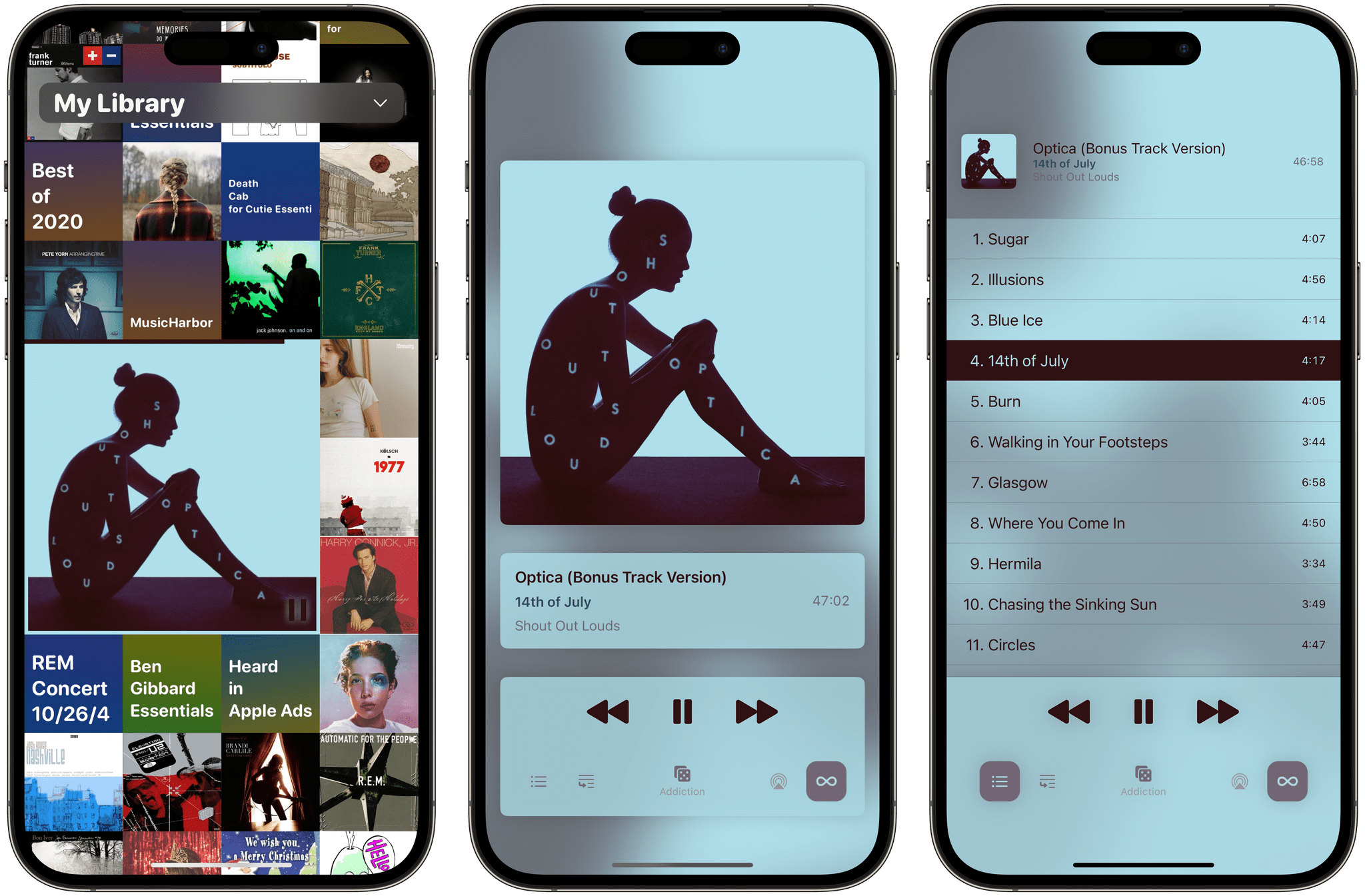
Drafts in 2022. From left: the editing view, the action menu, and the filtering view.

Drafts in 2022. From left: the editing view, the action menu, and the filtering view.

It amazes me that after hearing that pitch (and even personally writing about it) again and again for over a decade, I still find it to be an alluring idea. Drafts’ longevity is a testament to the prescience of Pierce’s original vision. It pleases me immensely to see this app carrying on for so long, and it’s an honor to award it MacStories’ Lifetime Achievement award.

Read more


MacStories Is on Mastodon with Its Own Server

As of today, MacStories is officially on Mastodon with its own server for each of its properties and team members. You can find us here:

The new MacStories Mastodon account.

The new MacStories Mastodon account.

We’re not closing down our Twitter accounts (yet), but as you may have noticed, they haven’t been active lately and won’t be going forward. That’s because we’ve grown increasingly uncomfortable with the direction the company is heading. If you’ve been keeping up with the news, you know what I mean. If you haven’t, I highly recommend Casey Newton’s recent piece on Platformer. Casey’s perspective and reasons for winding down his personal and business presence on Twitter are very close to our own.

Although I’ll miss what Twitter was at its best and always remember what it’s meant to me professionally, I’m excited to be moving on too. I don’t know if Mastodon will be the next big thing, but it doesn’t have to be. It gives us a place to experiment and expand the places we connect with the MacStories audience, which we’re eager to do.

Read more


Freeform Leverages the Freedom and Flexibility of a Blank Canvas

Freeform is a brand new iPhone, iPad, and Mac app from Apple that lets users create multimedia boards on an infinite canvas that include text, images, drawings, links, files, and more. It’s an ambitious entry into a crowded category of apps that take overlapping approaches, emphasizing everything from note-taking to collaborative design to whiteboarding.

As is so often the case with Apple’s system apps, Freeform falls squarely in the middle of the landscape of existing apps. Freeform isn’t going to replace apps that are deeply focused on a narrow segment of apps in the blank canvas category. Instead, Freeform is targeted at a broader audience, many of whom have probably never even considered using this sort of app. For them, and for anyone who has felt constrained by more linear, text-based ways of exploring ideas, Freeform is a perfect solution.

At first blush, Freeform’s spare interface may give the impression that it’s a bare-bones 1.0 release, but that’s not the case. The app is easy to use and impressively feature-rich for a new release. So, let’s dig into the details to see what it can do.

Read more


iPadOS 16.2 and Stage Manager for External Displays: Work in Progress, But Worth the Wait

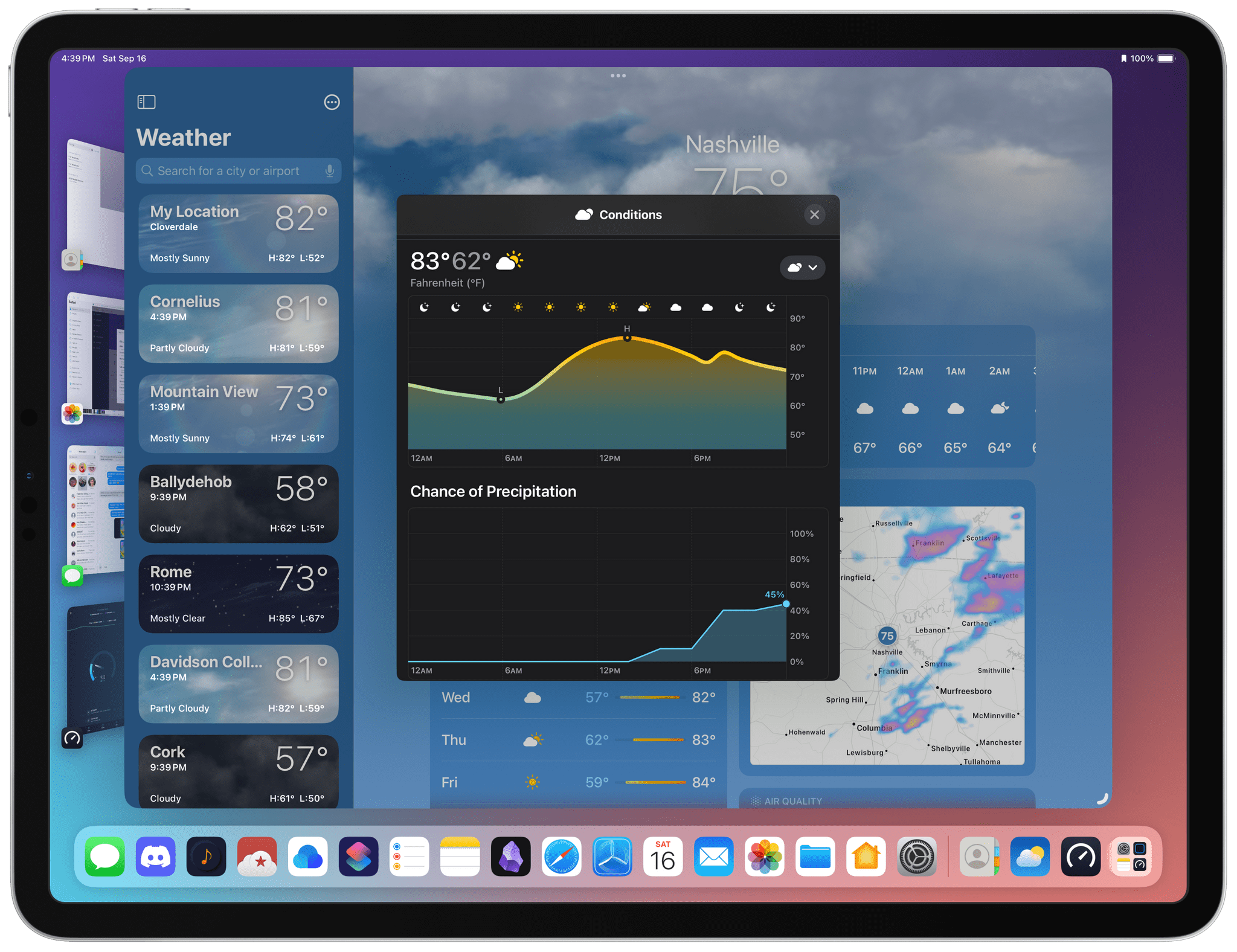
Stage Manager in iPadOS 16.2.

Stage Manager in iPadOS 16.2.

Ever since I last wrote about iPadOS 16, I have continued using Stage Manager on my iPad Pro. As I wrote in October, I like the idea behind Stage Manager more than its implementation. Despite the flawed design of its multitasking concepts and bugs I still encounter on a daily basis, it’s undeniable that Stage Manager lets me get more things done on my iPad by virtue of its concurrent app windows.

With today’s release of iPadOS 16.2, the idea behind Stage Manager achieves the full vision first presented in June, while its design and technical implementation remain stuck in an unpolished, half-baked state. Which is to say: conceptually, I love that Stage Manager in iPadOS 16.2 allows me to extend my iPad to an external display and put four additional windows on it; I’ve waited years for this feature, and it’s finally here. Technically speaking, however, the performance of this mode leaves a lot to be desired, with frequent crashes on my iPad Pro and an oft-confusing design that, I will reiterate, needs a rethinking.

Over the past couple of months, I’ve learned to live with Stage Manager, accept its quirks, and use what’s good about it to my advantage. As I recently wrote for Club MacStories members, I’ve put my money where my mouth is: I’ve gone all-in with Stage Manager on my iPad Pro and completely rebuilt my work setup around the M2 iPad Pro and Apple Studio Display, using Universal Control to seamlessly control iPadOS from a nearby Mac mini. (You can read the full story here.) After all, no other device in Apple’s ecosystem can effortlessly turn from a tablet into a laptop and into a desktop workstation like the iPad Pro can.

I’ve been working toward this vision for iPad modularity and contextual computing for the past several years. So now that Stage Manager has unlocked the final piece of the puzzle with external display integration, how good is it in practice?

And more importantly: was it worth the wait?

Read more


Masto-Redirect, a Mastodon Shortcut to Redirect Profiles and Posts to Your Own Instance

Using Masto-Redirect in Safari.

Using Masto-Redirect in Safari.

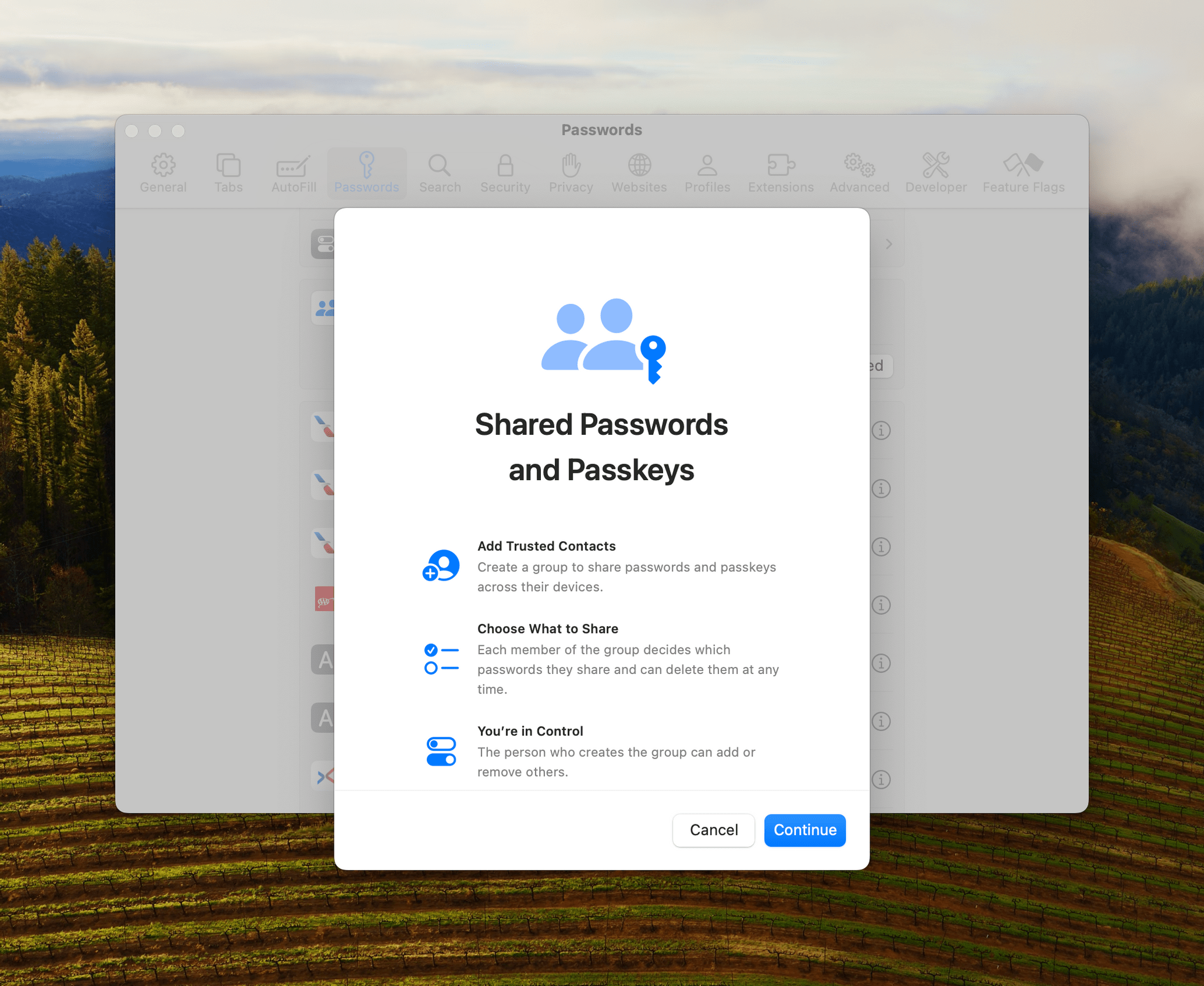
Like many others over the past month, I’ve been thinking deeply about my experience with Twitter and whether I want to align my social media usage with the kind of platform Twitter is rapidly becoming. It’s a complex discussion (if my readers are still on Twitter, am I doing them a disservice by not using Twitter?), but in the meantime, I’ve decided to learn more about Mastodon. And in doing so, I came across an aspect of the service that I wanted to improve with a shortcut.

I created an account on Mastodon.social all the way back in 2018, and you can find me as @viticci there as well. I don’t want to turn this post into a guide to Mastodon (you can find an excellent one here), but, long story short, Mastodon is a decentralized service that is based on a federated network of instances. Essentially, there isn’t a single “Mastodon website” like, say, twitter.com; instead, there can be multiple Mastodon instances across different domains (hence why it’s “decentralized”) but, thanks to an underlying API, you can follow and be followed by people regardless of the instance they’re on. I can be on Mastodon.social, and you can be on Journa.host or Mastodon.online (different instances of Mastodon), but we can still communicate with one another via the protocol Mastodon uses. It’s like living in different countries but speaking the same language. You can read more about this here.

Read more


Apple Frames 3.0: Completely Rewritten, Support for iPhone 14 Pro and Dynamic Island, New Devices, Multiple Display Resolutions, and More

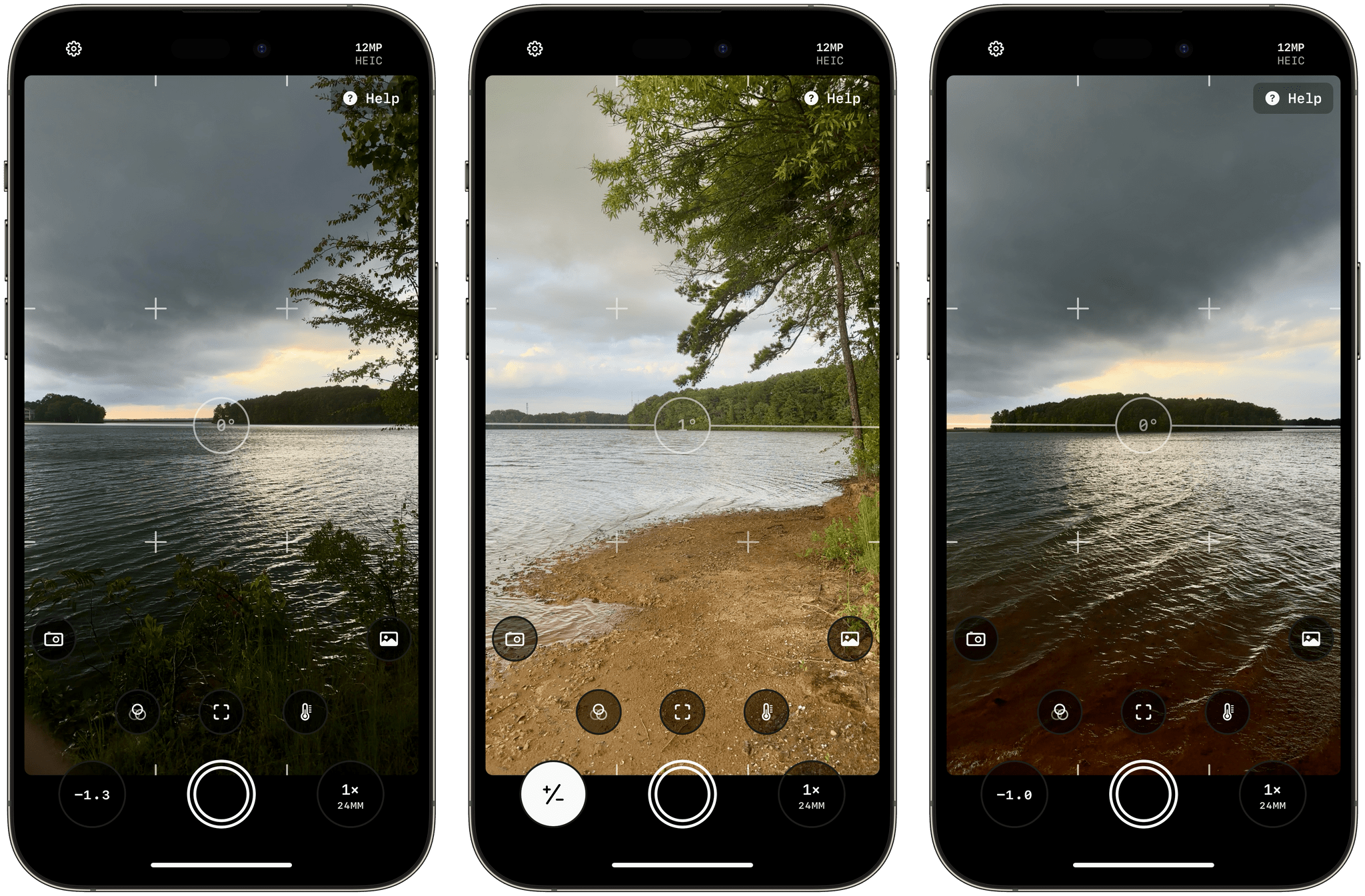
Apple Frames 3.0.

Apple Frames 3.0.

Today, I’m pleased to announce the release of version 3.0 of Apple Frames, my shortcut to put screenshots taken on various Apple devices inside physical frames for iPhone, iPad, Mac, and Apple Watch.

Apple Frames 3.0 is a major update that involved a complete re-architecture of the shortcut to improve its performance and reliability on all Apple platforms. For Apple Frames 3.0, I entirely rebuilt its underlying file structure to move away from base64 and embrace Files/Finder to store assets. As a result, Apple Frames 3.0 is faster, easier to debug, and – hopefully – easier to maintain going forward.

But Apple Frames 3.0 goes beyond a new technical foundation. This update to the shortcut introduces full compatibility with the iPhone 14 Pro and 14 Pro Max with Dynamic Island, Apple Watch Ultra, and the M2 MacBook Air. And that’s not all: Apple Frames 3.0 also brings full support for resolution scaling on all iPad models that offer the ‘More Space’ display mode in iPadOS 16. And in the process, I also added support for ‘Default’ and ‘More Space’ options on the Apple Silicon-based MacBook Airs, MacBook Pros, and iMac. All of this, as always, in a native shortcut designed for high performance that uses Apple’s official device images and requires no manual configuration whatsoever.

Apple Frames 3.0 is the biggest, most versatile version of Apple Frames to date, and I’m proud of the results. Let’s dive in.

Read more