This Week's Sponsor:

Copilot Money

Copilot Money, The Best Money Tracker, Launches on the Web – Limited-Time: Get 26% Off + 2 Months Free


How Email to 2Do Has Improved My Daily Email Workflow

In my review of 2Do in December, I dedicated one of the last sections to Email to 2Do, the then beta plugin to capture incoming email messages as tasks in the app.

Here’s how I described Email to 2Do:

With Email to 2Do, Gilani has built an invisible email client into 2Do to directly access your email inbox and turn messages into tasks. Without having to rely on a web app that looks into the contents of your email to read text from messages, 2Do locally and securely connects to common email providers (including IMAP servers) without exposing information to third-parties – just like Apple Mail. Then, 2Do periodically checks for new messages that match a specific syntax, and, if it finds one, it turns it into a task in your inbox.

With this implementation, you don’t see any of the client part; you don’t configure mailboxes or even see individual messages into 2Do. You just configure your account (if you use Gmail, all it’s done over OAuth), choose how you want messages to trigger 2Do, and you’re set.

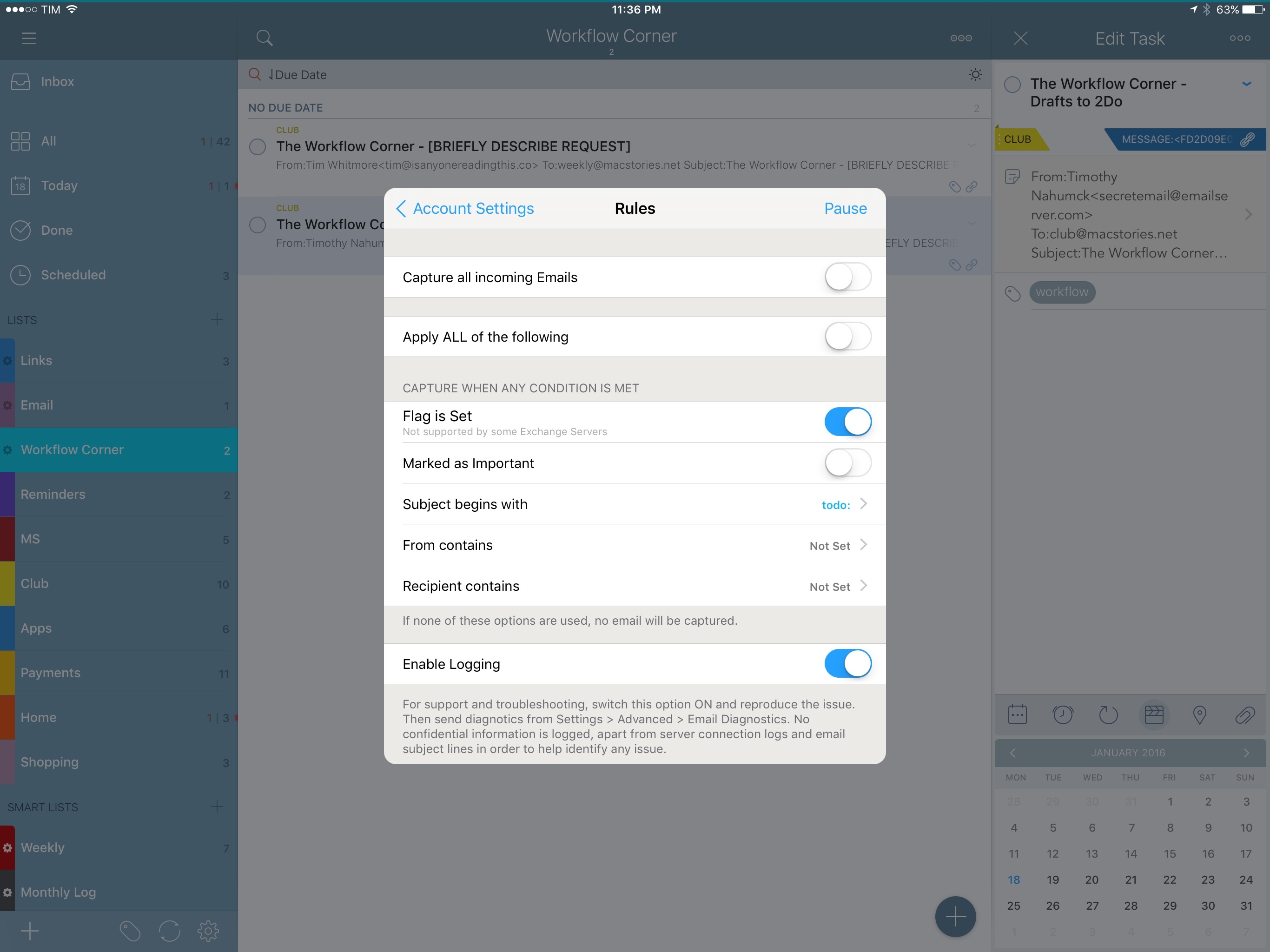
The gist of the idea hasn’t changed in the past two months: Email to 2Do is an email client built into 2Do that doesn’t display an email-like interface to the user. Its sole job is to connect to your email inbox and monitor new messages as they arrive. If they match rules assigned by you in the Settings, they will be saved as tasks in the inbox or another designated list.

For anyone who’s been trying dozens of task managers since the opening of the App Store in 20081, it’s easy to see how Email to 2Do is such a genius, deceptively simple idea. For years, developers have tried to come up with extensions and custom integrations to circumvent the lack of communication between email clients and todo apps – often with laudable results. 2Do’s Fahad Gilani has instead gone in a parallel direction: what would a task manager do if it was capable of reading emails natively? Instead of bringing task management to the email client, could email itself become a feature of the task manager?

With Email to 2Do now publicly available as part of the app’s 3.8 update, it’s time to revisit its functionality and elaborate on how it’s been working out for me so far, as well as how it could be extended in the future.
Read more


Igloo: An Intranet You’ll Actually Like [Sponsor]

We all struggle with productivity. We are constantly pressured to accomplish more, and to do it quicker. There is no one definitive way to accomplish that, and we have all devised our own little method to make things work.

At Igloo, they think your way is the best way, they just want to support you, and make your way better.

Work has evolved and your tools should too. Never email yourself a file again. Bring your company into the 21st century - send your IT guy to try Igloo Software for free.

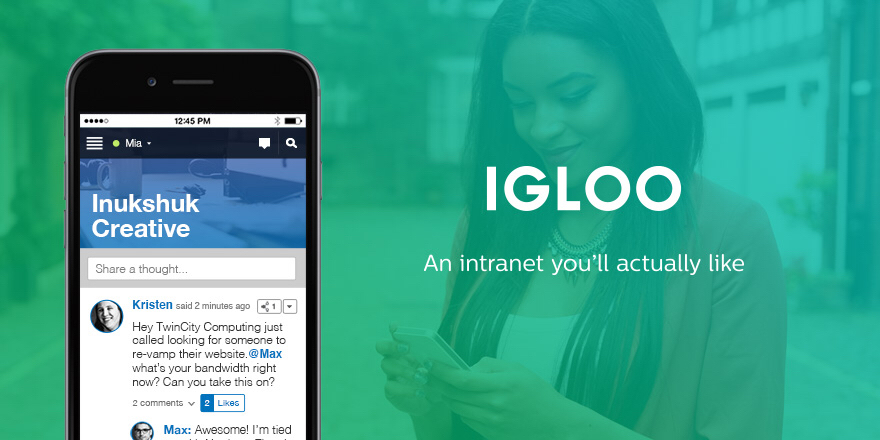
Igloo is an intranet you’ll actually like.

Our thanks to Igloo for sponsoring MacStories this week.


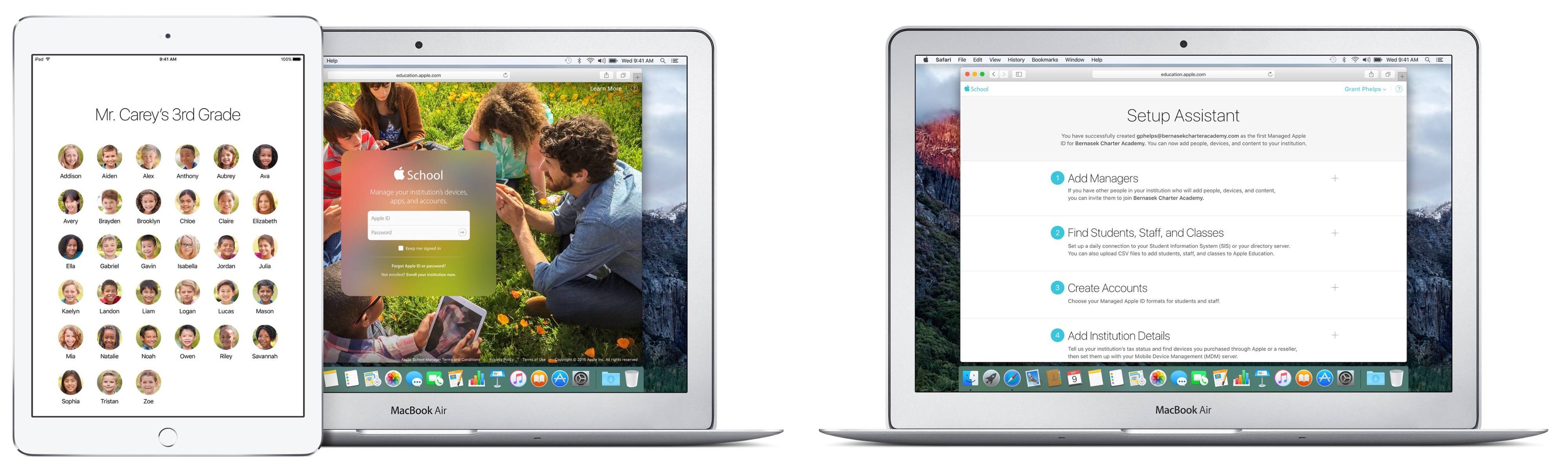
iOS 9.3 and Education

The off-cycle release of major new features in iOS 9.3 is quite a departure for Apple. The usual cycle until now has been for major releases to debut at WWDC in the summer and ship in September/October. For the education market, however, this schedule has been extremely difficult to deal with. School usually starts in August or September - in the northern hemisphere at least - and having a major platform upgrade happen right after school starts is hard to cope with.

That has all been turned on its head. On January 11th, Apple announced the developer beta release of iOS 9.3. Unusually for a developer beta, Apple also produced the kind of iOS preview webpages that are normally seen in the time between the WWDC announcement of a new major iOS version and its eventual release.

Read more


Facebook’s WhatsApp Is Now Free

WhatsApp announced earlier today that it would be removing its annual subscription fee (US$0.99 per year, after the first year). From Re/code’s report of the announcement:

“It really doesn’t work that well,” Koum [WhatsApp founder] said Monday, speaking at the DLD conference in Munich. He noted that while a buck a year might not sound like much, access to credit cards is not ubiquitous. “We just don’t want people to think at some point their communication to the world will be cut off.”

Until now, WhatsApp has been free for the first year and 99 cents for additional years. It will stop charging subscription fees immediately but it will likely be a few weeks before the payments infrastructure is completely out of all versions of the app. And, in case you were wondering, you won’t be able to get back your buck if you have already paid for this year.

WhatsApp will stay ad-free, and instead the company will begin testing new tools that will enable WhatsApp users to communicate with businesses and organizations. The WhatsApp blog post about this announcement gives the example of being able to communicate with your bank about whether a recent transaction was fraudulent. Which, as Re/code’s report points out, is a familiar strategy:

It’s the same idea behind Facebook Messenger, the company’s other standalone messaging service. With Messenger, Facebook already offers users the chance to chat with businesses, and it’s building out other features, like payments or the ability to hail a ride through Uber.

Permalink

Focus: Productivity Through Tasks and Time

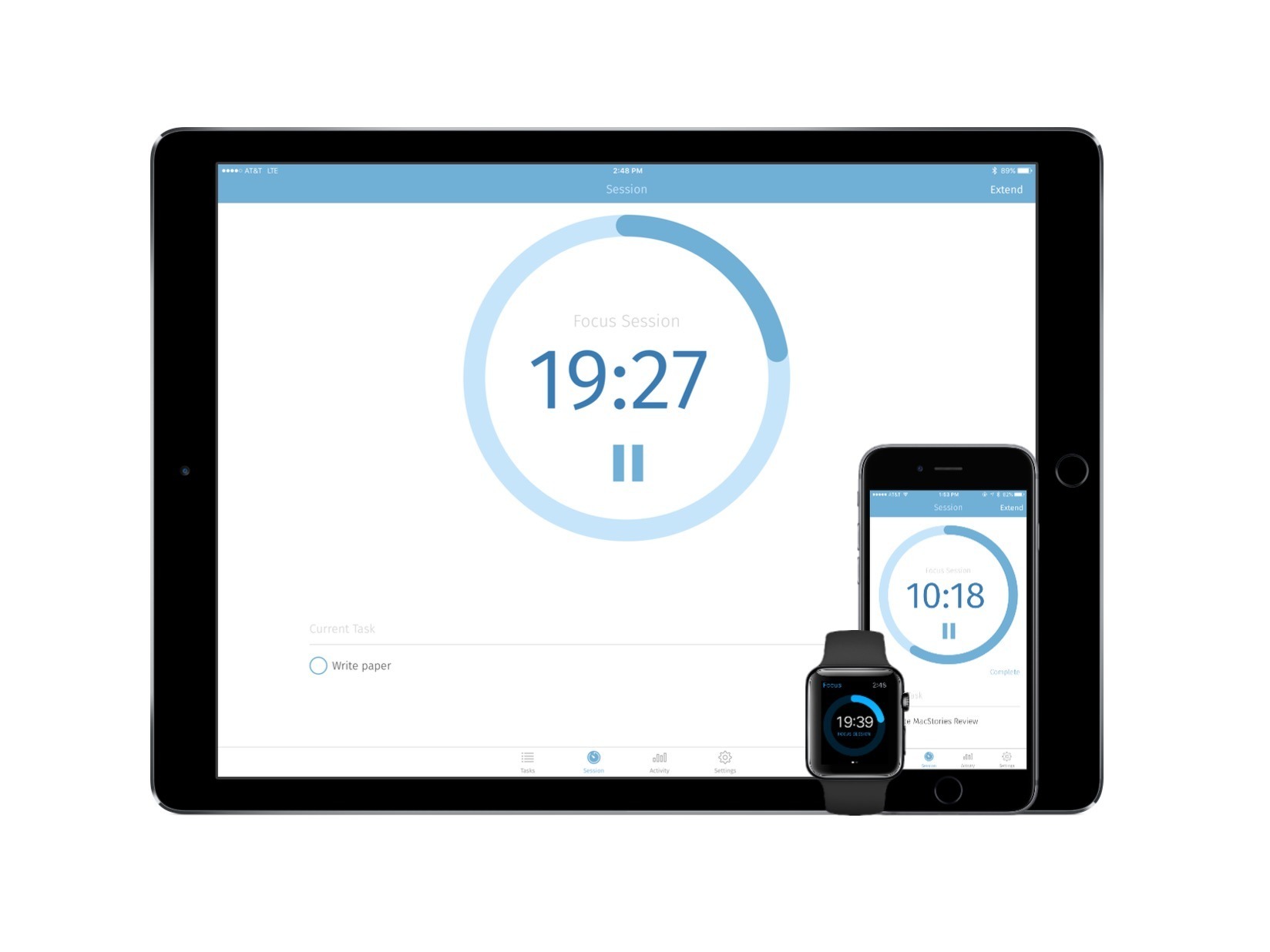
When examining apps such as Wunderlist or even 2Do, you’ll see software that takes in tasks and inserts them into collections – ones that can span projects, weeks, and interests. Undoubtedly, entering in your todos is an important part of getting things done; however, working through these tasks in a productive way can prove difficult.

Enter Focus, a task manager fused with a work timer. By setting a timer for you to take on certain tasks, developer Laser Focused aims to make you just that – laser focused. And, in an interesting way, it succeeds.

Read more


Apple Discontinuing iAd App Network

Apple:

The iAd App Network will be discontinued as of June 30, 2016. Although we are no longer accepting new apps into the network, advertising campaigns may continue to run and you can still earn advertising revenue until June 30. If you’d like to continue promoting your apps through iAd until then, you can create a campaign using iAd Workbench.

This, however, doesn’t mean that Apple is discontinuing iAd completely. Benjamin Mayo explains:

The announcement is confusingly worded, but it does not mean that all of iAd is being discontinued. Developers will still be able to show iAd banners in their application; it’s just that the inventory for App Store apps to advertise will no longer exist. This is a blessing and a curse — it won’t help iAd improve its fill-rates but the CPM on these type of ads was significantly lower as the buy-in from the publisher side was also lower.

Permalink

iTunes Radio Becoming Part of Apple Music Membership

BuzzFeed’s Brendan Klinkenberg, reporting a statement from Apple on iTunes Radio ceasing to exist as standalone ad-supported service:

“We are making Beats 1 the premier free broadcast from Apple and phasing out the ad-supported stations at the end of January,” an Apple spokesperson told BuzzFeed News. “Additionally, with an Apple Music membership, listeners can access dozens of radio stations curated by our team of music experts, covering a range of genres, commercial-free with unlimited skips. The free three-month trial of Apple Music includes radio.”

BuzzFeed argues that the exit from ad-supported stations is related to Apple phasing out its iAd network. From a customer’s perspective, iTunes Radio was limited to the US and Australia; folding stations – both those curated by Apple and created by users – into Apple Music will reach a wider audience and offer unlimited skips and no ads between songs.

Permalink

PipTube Brings Picture in Picture for Any YouTube Video on iOS 9

When iOS 9 launched in September, it was easy to understand the potential of Picture in Picture: for the first time, iPad users could continue watching a video in the background through a floating media player capable of coexisting with other apps – it could even stay on screen during Split View.

As I cautioned in my review, however, it was also obvious to see how big media companies wouldn’t like Picture in Picture: by stripping them of control over player customization, Picture in Picture would provide a universal way to watch videos across iOS with the system video player, which comes with specific restrictions and media limitations. This is the reason why the likes of YouTube and Netflix haven’t implemented Picture in Picture yet: relying on Apple’s Picture in Picture player would force them to relinquish control of custom player buttons, ads, or other content overlaid on top of videos that can’t be shown in the Picture in Picture box.

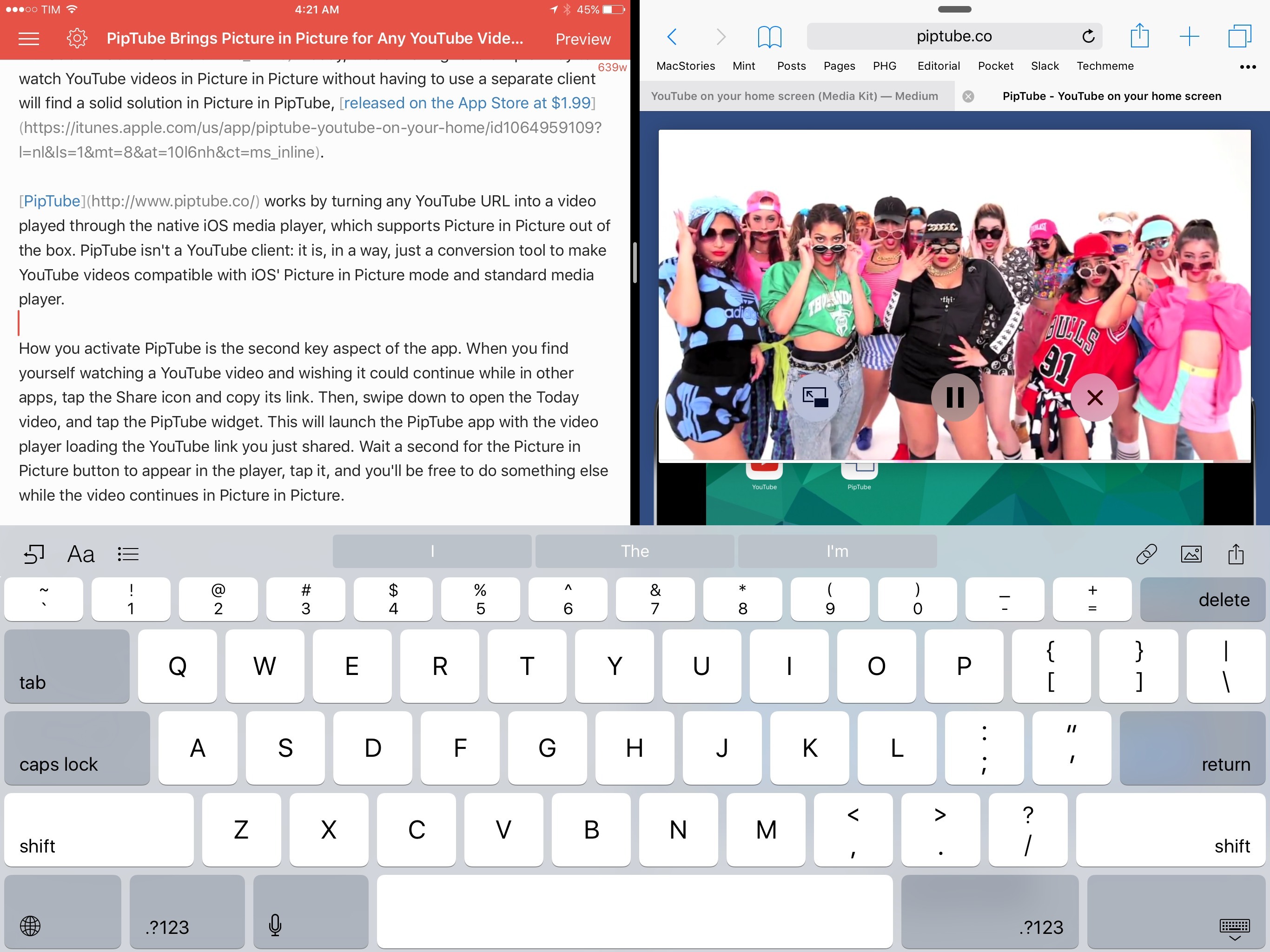
Four months later, the lack of iPad Pro and Picture in Picture support in the official YouTube app is a daily annoyance that has only been partly remedied by third-party YouTube clients like YouPlayer or ProTube. Today, those wishing for a simpler way to watch YouTube videos in Picture in Picture without having to use a separate client will find a solid solution in PipTube, released on the App Store at $1.99.

Read more