MusicSmart Puts the Spotlight on Music Credits

MusicSmart's extension inside Apple Music.

MusicSmart’s extension inside Apple Music.

For as long as I can remember being interested in music as more than a mere source of background audio, but as an art form, I’ve been interested in the people who make music – the artists and their craft. Back when I used to buy CDs at my favorite record store in Viterbo, my hometown, I would peruse each album’s liner notes to not only read official lyrics and check out the artwork and/or exclusive photographs contained inside the booklet, but also to read the credits so I could know more about who arranged or mixed a particular track. Beyond the feeling of owning a tangible piece of music, there was something about reading through an album’s credits that served as a simple, yet effective reminder: that people – engineers, instrumentalists, vocalists, producers – created the art I enjoyed.

In today’s world of endless, a la carte streaming catalogs, we’ve reduced all of this to a cold technological term: metadata. Our music listening behaviors have shifted and evolved with time; when we browse Apple Music or Spotify, we’re inclined to simply search for a song or an album and hit play before we return to another app or game on our phones. A streaming service isn’t necessarily a place where we want to spend time learning more about music: it’s just a convenient, neatly designed delivery mechanism. The intentionality of sitting down to enjoy an artist’s creation has been lost to the allure of content and effortless consumption. Don’t get me wrong: I love the comfort of music streaming services, and I’m a happy Apple Music subscriber; but this is also why, for well over a year now, I’ve been rebuilding a personal music collection I can enjoy with a completely offline high-res music player.

Whether by design or as a byproduct of our new habits, metadata and credits don’t play a big role in modern music streaming services. We’re frustrated when a service gets the title of a song wrong or reports the incorrect track sequence in an album, but we don’t consider the fact that there’s a world of context and additional information hidden behind the songs and albums we listen to every day. That context is entirely invisible to us because it’s not mass-market enough for a music streaming service. There have been small updates on this front lately1, but by and large, credits and additional track information are still very much ignored by the streaming industry. And if you ask me, that’s a shame.

This is why I instantly fell in love with MusicSmart, the latest utility by Marcos Antonio Tanaka, developer of MusicHarbor (another favorite music app of mine). MusicSmart, which is a $1.99 paid upfront utility, revolves around a single feature: showing you credits and additional details for albums and songs available in your local music library or Apple Music’s online catalog.

Read more


Apple Releases New Pride Edition Watch Bands Ahead of Pride Month, New Watch Faces Coming Soon

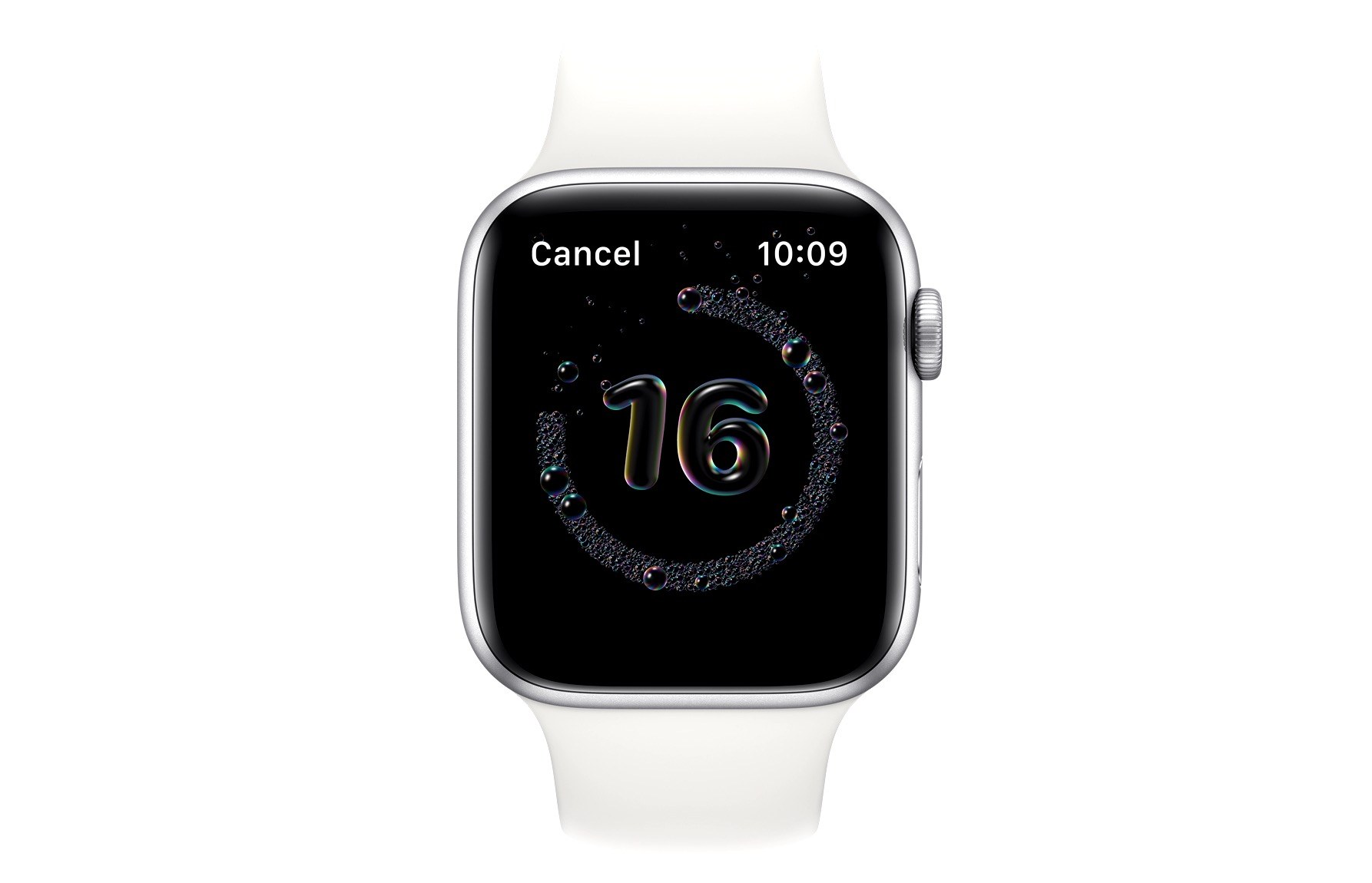
In anticipation of Pride month in June, Apple today has announced the release of two new Pride Edition bands for the Apple Watch, and new Pride watch faces that will be available soon as part of the watchOS 6.2.5 release.

It’s become an annual tradition for Apple to debut a new Pride band for Apple Watch and an accompanying watch face, but this is the first time there have been two new options launching. The Pride Edition Sport Band features the traditional rainbow pattern similar to last year’s offering, though that previous band was a Sport Loop, rather than the first-time Sport Band option available this year. The Nike Pride Edition Sport Band follows the unique design style of Nike’s other bands, but with its rainbow colors adorning the white band’s holes. The Nike Pride face arriving in the next watchOS update is unique as well, with colored dots representing the face’s hour markings.

The new Watch bands will be available today from the Apple Store, and watchOS 6.2.5 is anticipated to release some time in the next month leading up to WWDC.


MacStadium: Mac Private Clouds Built on Genuine Apple Hardware [Sponsor]

Mac and iOS apps can only be compiled and tested on macOS running on genuine Apple Mac hardware. That means developers need access to a large pool of Macs to run their CI-driven development pipelines. MacStadium’s solution is Orka, a virtualization platform specifically designed for Apple hardware but based on standard cloud orchestration tools like Docker and Kubernetes. With Orka, developers can harness the power of MacStadium’s Mac infrastructure in a high-performance, scalable, secure, and reliable way.

MacStadium developed Orka to provide Mac and iOS developers with the ability to use container technology features the same way they can on other platforms. On Orka, though, clouds can be built on Mac Pros or on the latest T2 Mac minis and take advantage of plugins for your favorite CI tools including Jenkins, GitHub, GitLab, Buildkite, and TeamCity.

Since Orka launched last year, package manager Homebrew is just one of many Orka success stories. With Orka, Homebrew has allocated resources across nodes allowing for highly CPU-intensive builds, which is critical to the sort of intensive demand that Homebrew faces. “Everyone who has to deal with macOS automation would love a Google Cloud or AWS for macOS,” says Homebrew’s Mike McQuaid. “I feel like Orka is the closest thing that you can get to that. You’re able to, spin up, spin down VMs using an easy-to-use CLI or API.”

Try Orka today with a free two-hour demo playground environment at tryorka.com. It’s a fantastic way to see what Orka can do to streamline your development pipeline.

Of course, MacStadium is also the premier Mac hosting company that provides dedicated Mac hardware and private cloud services, and it has a special deal just for MacStories users. Just use the coupon code MACSTORIES at checkout to get two months for the price of one on a new Mac mini subscription.

Our thanks to MacStadium for sponsoring MacStories this week.


David Smith’s watchOS 7 Wishlist

David Smith, developer of Watchsmith and a host of other Apple Watch apps, shared his watchOS 7 wishlist today. With his pedigree, there’s no one I trust more to make a thoughtful, realistic, well-informed list of requests for watchOS than Smith. For example, here’s an excerpt of his introduction:

I am fully aware of the constraints of the Apple Watch. I’ve spent the last 6 months pushing the limits of what is possible for it and have seen all the corners of its use, where it completely falls apart.

Nearly every one of these ideas or features involves a tradeoff. Either between battery life and capability or between complexity and intuitiveness. I suspect Apple’s own internal list of ideas and possibilities far outstrips my own. The reason they haven’t built a feature yet isn’t because they haven’t thought about it.

Instead it is quite the opposite. They have chosen explicitly to not do it yet. This is the tricky calculus involved in evolving a platform. If they push too fast, too soon on the capability side then they may end up destroying the battery life of the device. Or if they add too many features then they might end up with a jumbled mess that users can’t understand.

I don’t envy the leadership that has to sit down and make the hard calls of what to do, when.

Some of the features he mentions that are at the top of my own list include rest days for activity tracking, true independence, and multiple complications. The full list is well worth exploring, and offers valuable insight into what we might see revealed next month.

Permalink

MacStories Unwind – Noto, iA Writer, and a New Maintenance Task Manager

AppStories+ Deeper into the world of apps
0:00
34:00

AppStories+ Deeper into the world of apps


This week on MacStories Unwind:

MacStories

Club MacStories

  • MacStories Weekly
    • DaisyDisk
      • A tip from John on an easy way to create good-looking, text-searchable PDFs of webpages on iPadOS and iOS
      • Loads of Shortcuts requests answered by Federico
        • OmniChart and TimeChart using Charty
        • PDFs from URLs
        • Mail Merge
        • Safari Reader Article to PDF
        • Reminders to OmniFocus
      • Interview with Zac Cohan, developer of Soulver
      • A story about a News+ audio rumor by Ryan
  • MacStories Unplugged
    • Federico and John continue to refine their research strategies for this year’s review season, John shares a PDF tip with Federico, and then they compare notes on baking pizza and bread during the lockdown.

AppStories

Unwind


Noto 2.0 Review: iPad Pointer Support, Easy Note Importing, CloudKit Syncing, and More

Noto, the modern notes app for iPhone, iPad, and Mac that I reviewed back in February, recently launched a 2.0 update that introduces brand new features and key fixes and enhancements. On the iPad, mouse and trackpad are now natively supported, and you can use drag and drop to easily import notes from another app into Noto. Additionally, the app’s syncing engine has switched from iCloud Drive to CloudKit, making it faster and more reliable than before. Finally, several of the issues I noted in my initial review have been resolved in this latest update.

Read more


iA Writer 5.5

iA Writer, my favorite text editor for all Apple platforms (which I still use as the central piece of my Markdown collaboration workflow via GitHub), has been updated today to version 5.5 both on Mac and iOS/iPadOS. I’ve been testing this version for quite some time (it’s the update I originally mentioned in my Modular Computer story back in April), and there are some fantastic details worth pointing out.

On iPad, the app can now be fully controlled with the trackpad. Besides obvious support for clicking toolbar buttons and other elements in the app’s UI, trackpad support includes the ability to swipe horizontally with two fingers to show/dismiss the Library sidebar (which I do all the time now) and – my favorite touch – support for clicking a document’s name in the title bar to rename it. I’m so used to these two new pointer features in iA Writer 5.5, I wish more iPad apps adopted them.

Version 5.5 also brings support for highlighting text inside a document by surrounding it with two equal signs – e.g. ==like this==. Highlighted text will turn yellow, and it’s impossible to miss. When I used Scrivener to write one of my iOS reviews years ago, the ability to highlight text in the editor was one of my favorite options to mark specific passages for review; with iA Writer 5.5, I can now highlight text and have a clear visual indication without giving up on the Markdown syntax. Even better: there’s a new ⌘⌥= keyboard shortcut to toggle highlighted text.

Among a variety of other updates (you can read more about them on the developers’ blog), iA Writer 5.5 also comes with a powerful PDF preview (which supports custom templates, so I can export my drafts as PDFs that look like the MacStories website) and the ability to show multiple stats in the editor at once. Thanks to the latter option, I can now see my word and open task count at once while I’m editing a story.

I’ve been using iA Writer as my only text editor for two years now, and I’m continuously impressed by the thoughtfulness and attention to modern iOS/iPadOS technologies that goes into the app. You can get iA Writer 5.5 on the App Store and read more about my writing setup based on iA Writer, Markdown, and file bookmarks here.

Permalink

Directive: A Terrific Way to Manage Recurring Maintenance Tasks

When I look back at the apps I’ve used over the last several years, there is an unmistakable ebb and flow between generalized apps that try to do and be everything and those that don’t. The former type has the benefit of reducing the overhead of having to track data in multiple apps by centralizing it. However, the focus of the latter often allows them to fulfill a particular need better than a general-purpose app ever could. Directive, a new app released today by LittleFin on the iPhone, iPad, and Mac, is a perfect example of a thoughtfully-designed, focused utility for managing recurring maintenance tasks.

Read more