This week, Federico surprises John with two new and unexpected tech purchases.

Unlock Your iPhone Camera
This week, Federico surprises John with two new and unexpected tech purchases.
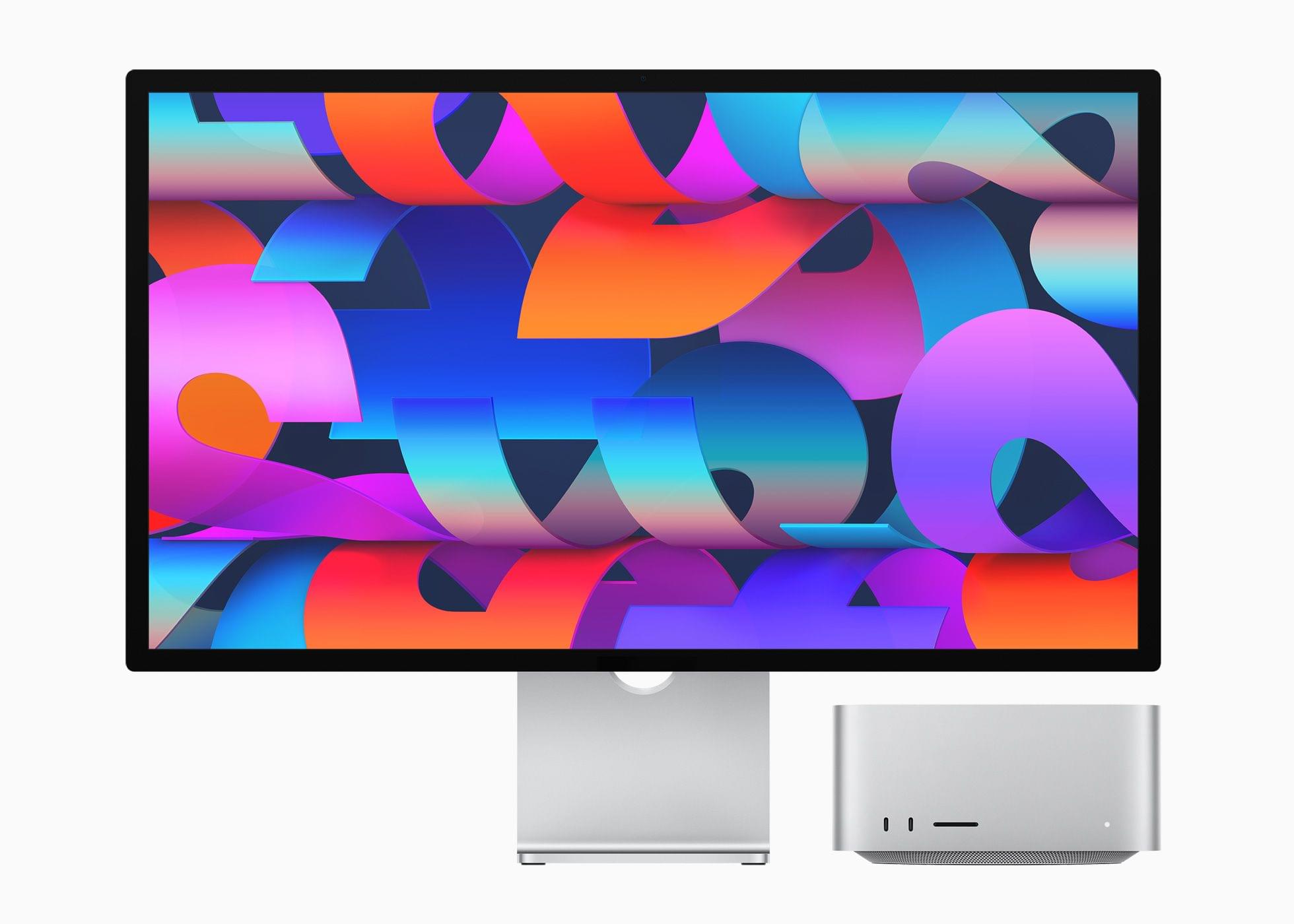
The reviews are out for the Mac Studio and Studio Display and a lot has been written about both. I’ve pulled some of the most interesting tidbits from the reviews, but if you’re considering buying a Mac Studio or Studio Display, be sure to read all of these reviews because they offer a wide range of perspectives on the kind of uses for which Apple’s new hardware is best.
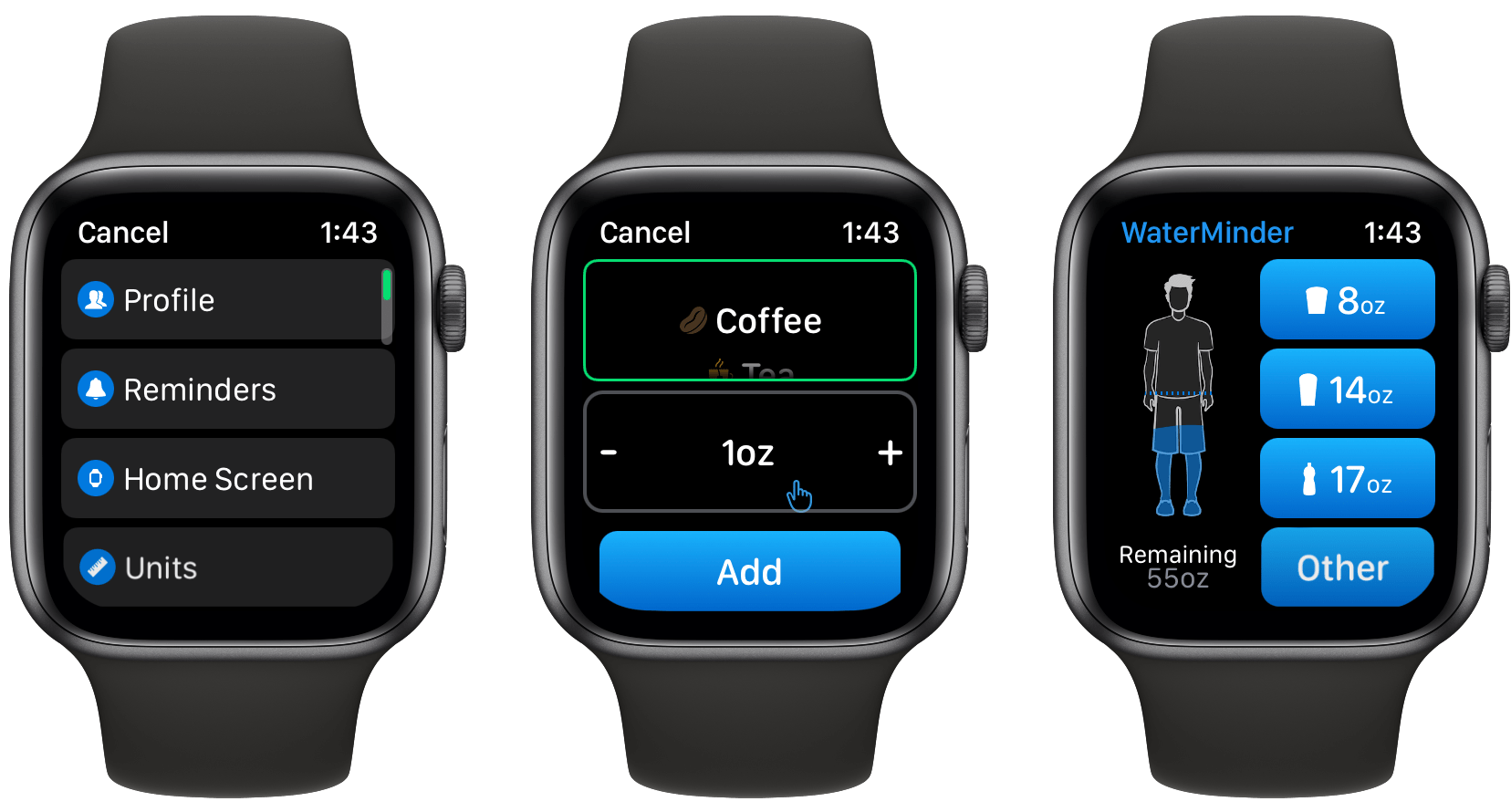
Today, there are a lot of apps that track hydration, but for me, the standard-bearer for the category has always been and remains WaterMinder by Funn Media. The app has evolved a lot since we first covered it in 2016, but what hasn’t changed is its emphasis on fast data entry, a clear, easy-to-use interface, and the adoption of the latest Apple technologies. With version 5.1, the WaterMinder watchOS app has been rebuilt from the ground up using SwiftUI. A handful of other nice additions have found their way into the iPhone and iPad apps too.
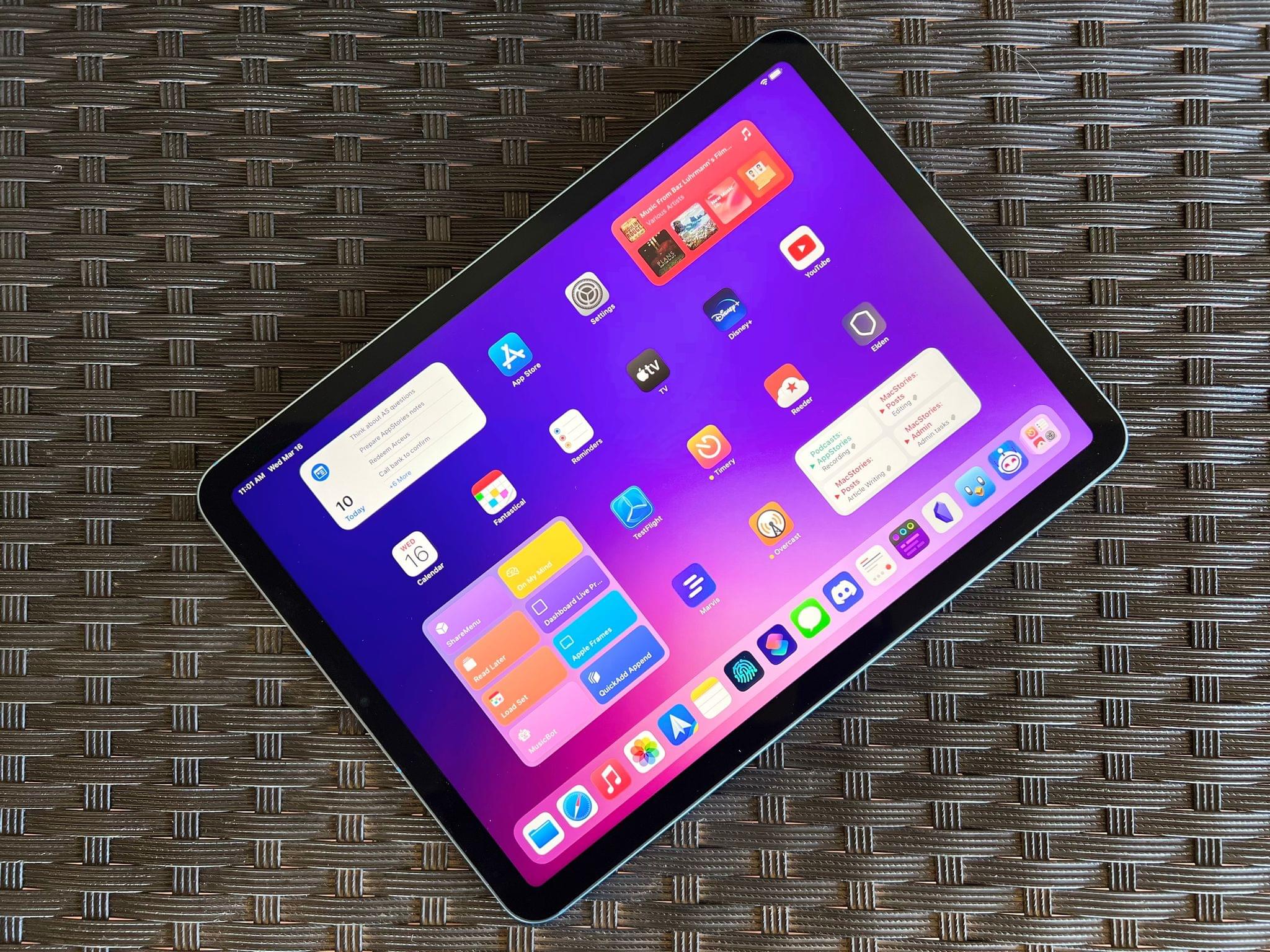
The last time I wrote about the iPad Air in October 2020, I explained how its fourth-generation model intrigued me again. A year and a half later, here I am, once again fascinated by the iPad Air, captivated by its hybrid nature caught between a base model iPad and the aspirations of an iPad Pro.
Here’s why: while the new iPad Air, which goes on sale this Friday starting at $599, doesn’t break any ground for the Air line, I believe it has reached its most balanced state yet.
The new iPad Air catches up with the iPad Pro and iPad mini in supporting 5G networking; it’s the final iPad in the lineup to get Center Stage; like the iPad Pro, it now comes with an M1 chip and the same 8 GB of RAM. The 2022 iPad Air refines what Apple started with the relaunch of this model in 2020 and achieves a balance of features, size, and price that makes it the ideal iPad for most people.
The iPad Air and the features it adds compared to its previous-gen model are, at this point, known quantities. The design, 10.9” display, and implementation of Touch ID are unchanged from the 2020 version; I covered Center Stage (we even built a custom app for it), the M1, and 5G in my 2021 iPad Pro review; the Magic Keyboard, Apple Pencil, and Smart Folio covers are the same ones we’ve been using for years.
The same is true regarding how I see Apple’s pitch for the iPad Air as a product: it’s a distillation of the most essential traits of the Pro line, made accessible to more customers at a lower price point. I wrote this in 2020, and it still applies to the new iPad Air:
While the 10.9” Air won’t replace the 12.9” iPad Pro as my primary machine, I’ve been impressed by this iPad for a different reason: the iPad Air democratizes the notion of “pro iPad”, bringing key features of iPad Pro to more customers, while at the same time looking ahead toward the future of iPad with hardware not seen on the current iPad Pro lineup. The iPad Air sits at the intersection of old iPad Pro features trickling down to the rest of the iPad line and new ones appearing on this model first.
If the “new” features of the iPad Air aren’t new at all and if the strategy behind this product hasn’t changed since 2020, I could reasonably wrap up this story here, right?
Well, not quite. Something happened recently that allowed me to evaluate the new iPad Air from a fresh perspective: Silvia started using my iPad mini and fell in love with it. So when I received a review unit of the new iPad Air from Apple last week, I asked myself: could I use the iPad Air as my secondary iPad, replacing the iPad mini for reading, chatting on Twitter and Discord, and watching YouTube videos, plus doing the occasional note-taking and having a small extra monitor for Universal Control?
I had been feeling like the iPad mini was a bit too small for my hands anyway (hence why I was okay with Silvia taking it); perhaps the new iPad Air could be a good opportunity to reassess its capabilities as a general-purpose tablet for people who want just one iPad in their lives as well as folks who, like me, work on a 12.9” iPad Pro but also want to complement it with a smaller, more focused iPad.
So that’s the experiment I’ve been running for the past six days. Let’s see how it went.
This week on AppStories, we cover our first impressions of the iPad Air, Mac Studio, and Studio Display, including Federico’s thoughts on where the Air fits into the iPad lineup and John’s take on what to keep in mind when customizing a Mac Studio.
On AppStories+, a little behind-the-scenes look to planning event coverage, a thank you and mini Chipolo One review from John, and Federico on the three Indiegogo campaign perks he’s waiting to receive.
We deliver AppStories+ to subscribers with bonus content, ad-free, and at a high bitrate early every week.
To learn more about the benefits included with an AppStories+ subscription, visit our Plans page, or read the AppStories+ FAQ.
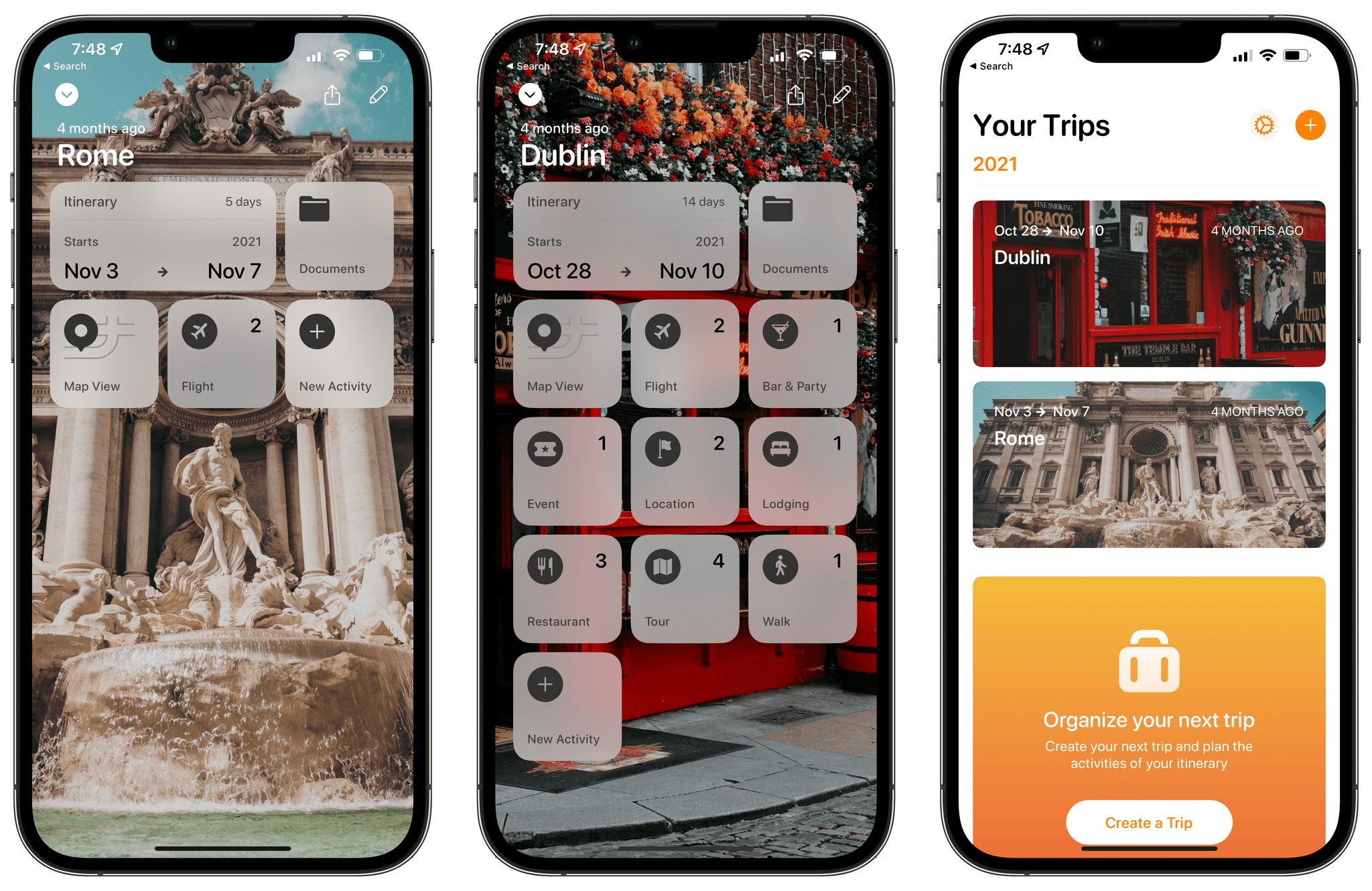
Tripsy is my favorite travel app because it’s not just about getting from Point A to Point B. To me, the app defines the difference between trips and travel. Lots of apps can track travel information about your flights or show you where your hotel is on a map. Tripsy can do those things too, and it’s good at them. However, where Tripsy shines brightest and sets itself apart from other apps is by going beyond those nuts and bolts essentials and focusing the things you want to do and see on your trip.
We’ve covered Tripsy before, so if you’re brand new to the app, be sure to check out that review, which covered the app’s 2.0 release. That update featured a beautiful modern card-style design, loads of trip inspiration and planning tools to organize travel, lodging, activities, dining, and more in one neatly organized app that works on the iPhone, iPad, Apple Watch, and more recently, the Mac.
Unfortunately, that update was also released in the fall of 2019, so I only got a chance to use it once before COVID ended my travel plans for a while. However, the travel outlook is brighter in many corners of the world today, and pent-up demand has people revisiting deferred trips, me included. If you’re in a similar situation and have a trip in your future, I encourage you to give today’s Tripsy update a look because, with version 2.10, Tripsy makes it easier to organize a trip than ever before.
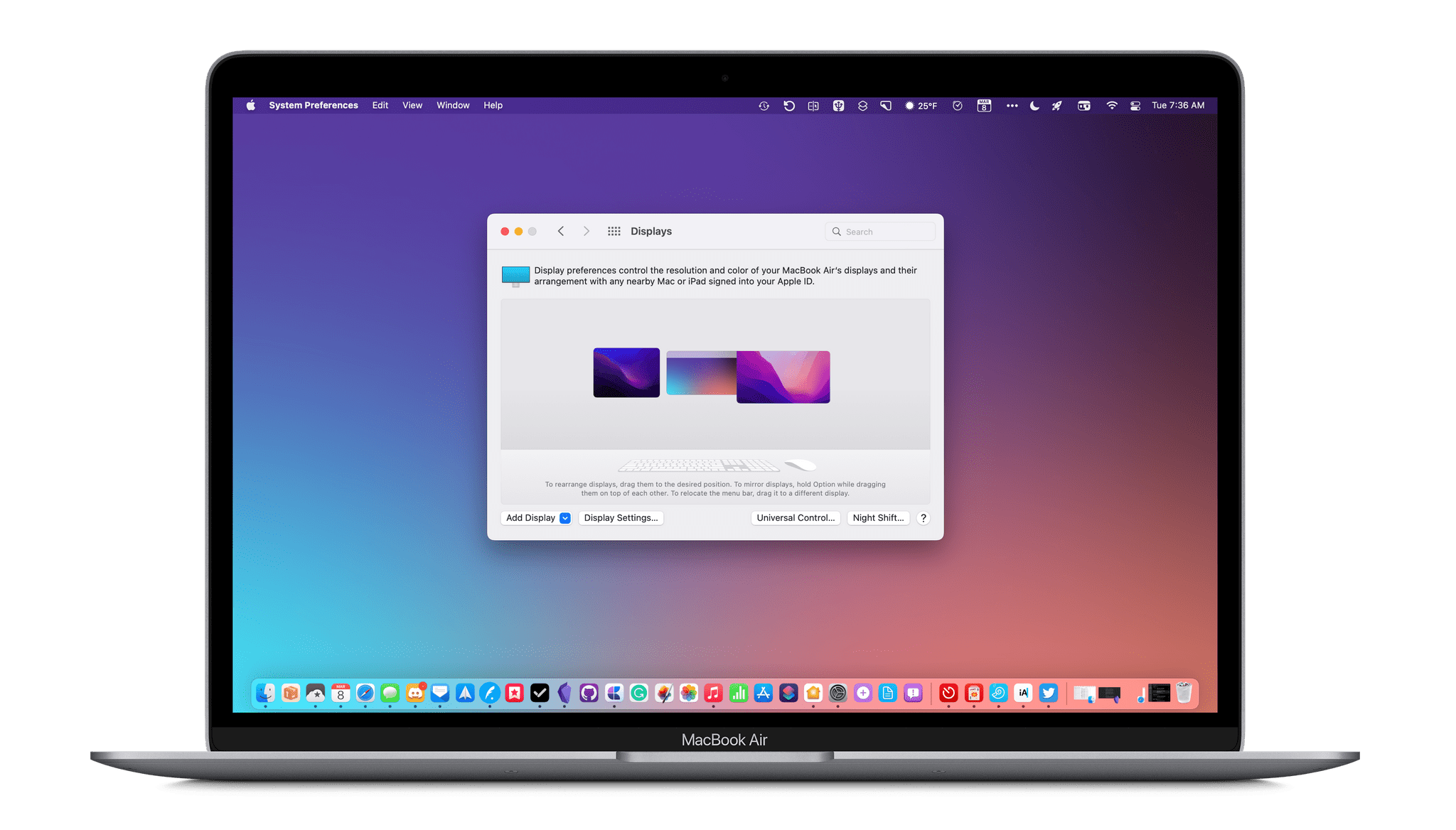
macOS 12.3 Monterey has arrived, delivering Universal Control, the long-awaited feature that allows users to transition between Macs and iPads with a single set of input devices. Federico is covering the feature from the perspective of iPadOS 15.4, so I’ll focus on the Mac. In addition to Universal Control, macOS 12.3 includes other smaller features, which I’ll cover at the end of this story.
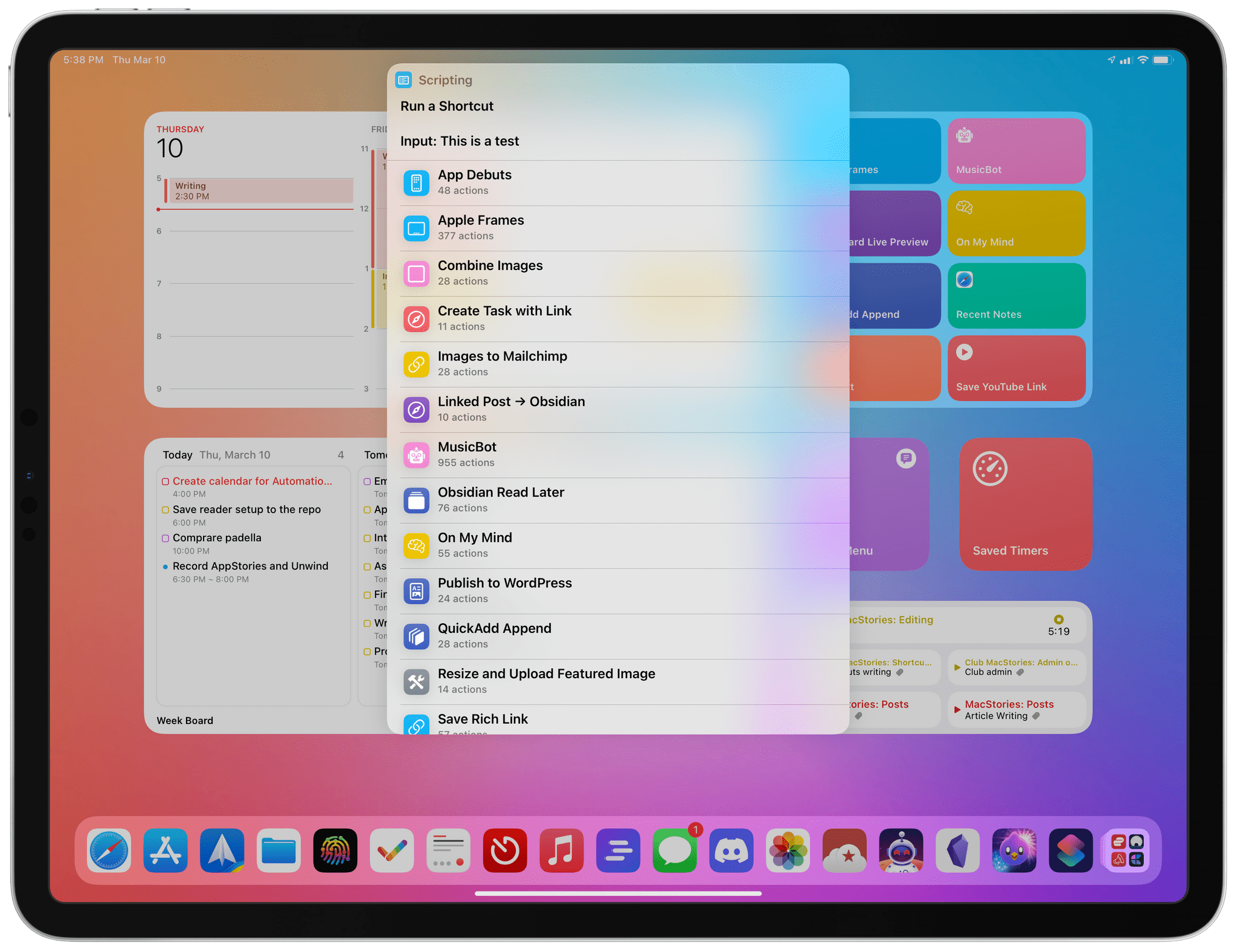
I’ve been using macOS 12.3 as my daily OS throughout the current beta cycle for a couple of reasons. First, Shortcuts has been steadily improving ever since Monterey’s fall introduction, so I wanted to stay on top of those improvements in real-time. Second, I’ve been fascinated by the possibilities created by Universal Control since it was announced at WWDC last year. I’m pleased to report that the feature hasn’t disappointed me and has quickly found a place as part of my core computing setup.
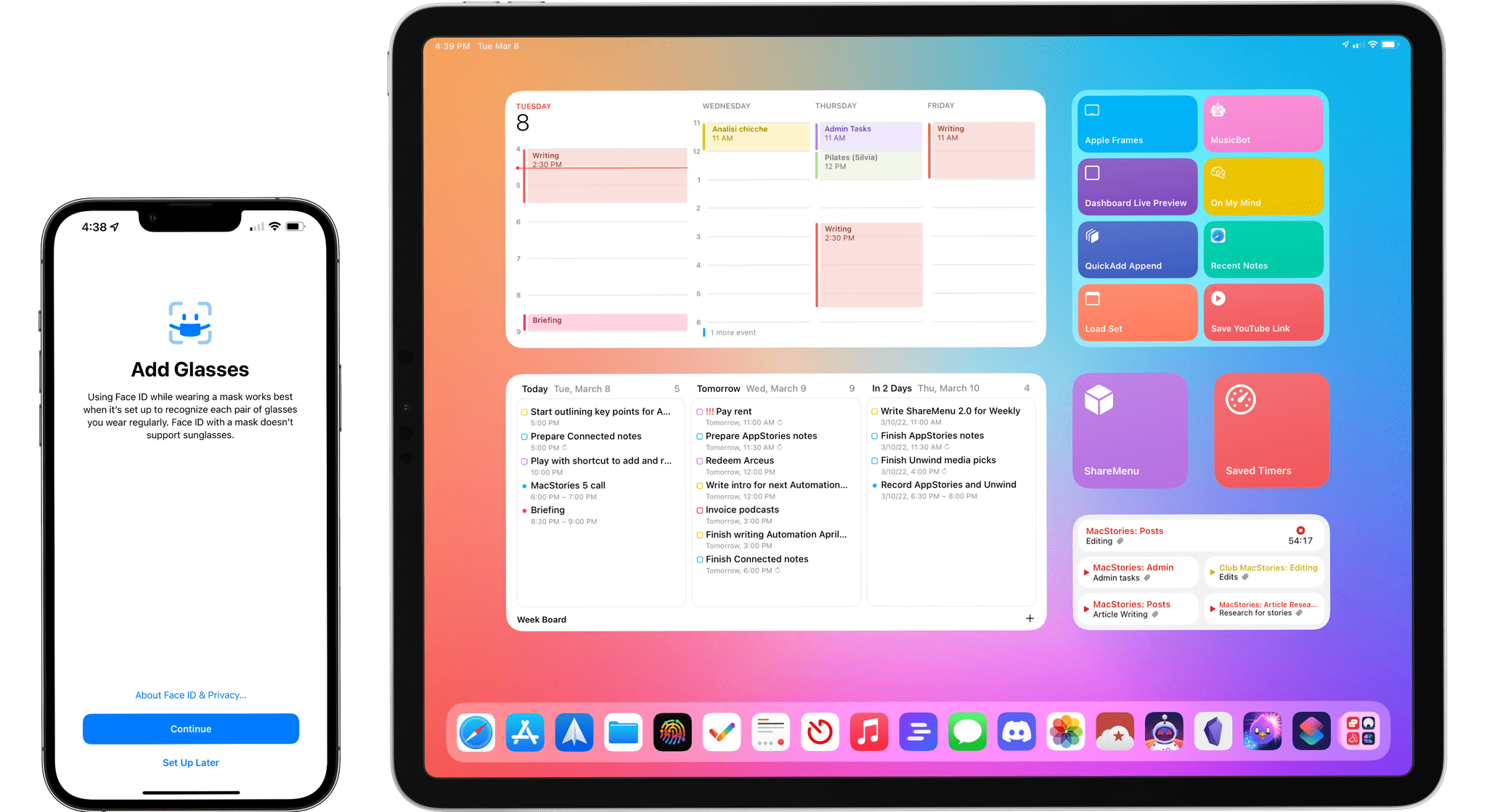
Today, Apple released iOS and iPadOS 15.4. The fourth major updates to iOS and iPadOS 15, originally released in September 2021, offer a long list of miscellaneous improvements and feature tweaks (which I will detail later in the story) as well as two major additions for iPad and iPhone users: the long-awaited Universal Control and the ability to use Face ID while wearing a mask, respectively.
I’ve been testing both iOS and iPadOS 15.4 since the first beta in late January, and I was able to spend some quality time with both of these features and everything else that is new and improved in these releases. Let’s take a look.
Because Club MacStories now encompasses more than just newsletters, we’ve created guide to the past week’s happenings along with a look at what’s coming up next:
Visit plus.club to learn more about Club MacStories.
](https://cdn.macstories.net/banneras-1629219199428.png)