iPad 2 Head Tracking + Glasses-free 3D App Now Available

Back in April, you might remember we posted a video showing a software experiment by Jeremie Francone and Laurence Nigay from the Laboratory of Informatics of Grenoble at the EHCI Research Group aimed at bringing glasses-free 3D to the iPad’s screen. The demo, largely based on Johnny Lee’ 2007 work with the Nintendo Wii, used the iPad 2’s front-facing camera to track the movements of a user’s head and simulate various 3D animations on screen without the need of glasses, by simply modifying a 2D environment in order to give the illusion of “looking at a small window.” Francone wrote in April:

I use the front facing camera to detect and track the 3D position of the face of the user in real time. Then I use this data for dynamically adapting the perspective of the 3D scene. This Head-Coupled Perspective system gives the user the illusion that he looks at a small window. Objects can be displayed in front of the screen surface, or behind the screen surface. Such technique has a number of great properties, especially on mobile devices.

The experiment, viewed 1.5 million times on YouTube, has become an app and it’s now available for free in the App Store. It packs all the demoes seen on the video, it also runs on the iPhone 4 and, after a few tests, I can say it works pretty well although maybe it’s not just as fluid as the original video (might have been because of my room’s light conditions though). However, the Head-Coupled Perspective technology for iOS definitely does its job in displaying monocular 3D that does not use the devices’ accelerometers or gyroscopes.

The face tracking system does not detect and track the face in every lighting condition. Read the instructions in the app to get a good tracking.

Head-Coupled Perspective does not create a stereoscopic display! It provides a kind of monocular 3D display: the same picture is seen by both eyes. In the future, it might be combined with a stereoscopic display for a better 3D effect.

i3D for iPhone and iPad is available here for free. In case you missed it, check out the original video below.
Read more


Reports Of A Grand Central Apple Store Resurface

The Wall Street Journal has today revived suggestions that Apple is looking to open an Apple Store in the New York Grand Central Terminal. Back in early February there had been reports from the New York Observer that Apple was planning to open their largest store at the terminal. Those rumors were then squashed in early March after reports surfaced that negotiations had fallen through.

Todays report from the WSJ claims that the Metropolitan Transportation Authority (MTA) is looking for new tenants and that Apple has expressed interest in establishing a retail presence within Grand Central. The space on offer is large, but not large enough to be the world’s largest Apple Store – which is currently the Regent Street (London) store which is 25,000 square feet.

The agency is looking for a single renter for two adjacent balconies on the north and east sides of the terminal. It will issue a request for proposals Monday.

A spokesman for the MTA told the WSJ that the agency dealing with the space has spoken to Apple and is hopeful that they bid on the space. Their report also suggests that the MTA may even be working specifically to find space for Apple, offering two adjacent spaces for rent, even though one is still occupied by a tenant. That tenant, who operates the Metrazur restaurant, would likely receive a hefty buyout from whoever purchases the space.

If Apple is interested in renting the space they will have to do so publicly – with all retail space within Grand Central awarded through an open bidding process. Jump the break for a plan of the retail space on offer – highlighted in red on the right hand side, labelled “East Balcony”.

Read more


iPhone 5 To Feature Curved Glass Screen?

According to DigiTimes, the latest rumor going around the Taiwan supply chain is that the next iPhone (whether it be the 4S or 5) will feature a curved cover glass for the display. It would see the next iPhone resemble aspects of Google’s Nexus S phone which had the glass curved into a concave, or perhaps like the older model iPod Nano which had convex glass.

In the past, manufacturers of the glass for smartphone displays had been reluctant to commit to the investment in appropriate glass cutting equipment because of the high capital costs associated with producing them. However, Apple is said to have purchased between 200 and 300 glass-cutting machines for the glass manufacturers according to DigiTimes’ sources.

Prior reports put the production of the next iPhone as beginning in August this year, but today’s DigiTimes report notes that there is no firm timetable yet for the beginning of production. Apple is supposedly still involved in working with suppliers for cover glass, glass cutting, lamination and touch sensors to improve yield rates before production begins.

[Via DigiTimes]


Explosion Tragedy at Foxconn Plant Claims Third Life

Today some more details have emerged over the explosion and subsequent fire that occurred at a Foxconn manufacturing plant in the city of Chengdu, China. The sad news is that a third life has since been lost and 9 people (of the 15 that were injured in the incident) remain in hospital as a result of various injuries.

The Chinese paper, Commercial Times is reporting that the explosion took place around the location of a building that houses coating lines and other various chemical materials. An investigation is currently ongoing, but early signs point to “an explosion of combustible dust in a duct” within one of the polishing workshops. On a related note, the SACOM watchdog group had published a report two weeks ago that criticized several aspects of the Chengdu plant, including insufficient venting of the polishing department, where it was said that there was large amounts of (highly explosive) aluminium dust.

Foxconn rejected the report when it was released, and although early signs do point to a dust explosion, it must be noted that the investigation is still in the very early stages to say with certainty that this was the cause. Meanwhile it has been reported in the Commercial Times and China Times that Foxconn, in efforts to quell investor concerns, will be increasing production of the iPad 2 at their Shenzen plant (which already produces most iPad 2s) to offset any loss in output at their Chengdu plant whilst it is being repaired and investigated.

[Via Engadget and DigiTimes]


Apple Updates Apple Store App with Custom Configure Options, New In-Store Features


As widely expected, Apple has just updated the official Apple Store app to version 1.3 including custom configure options for Macs and the ability to get support quickly inside an Apple retail store. Contrarily to previous speculation, the app seems to be US-exclusive and doesn’t include an iPad universal version for now. With the new configure options, users are now able to build and order the Mac they want by selecting different RAM configurations, hard drives, displays and more – just like on the Apple Online Store. As for in-store support, the screenshot below shows you can access Mac OS X Tips and Tricks and workshop schedules, see how many customers are in line in front of you, and check out the next opening at the Genius Bar.


From the changelog:

  • Enhanced in-store mode lets you get help and support quickly when you’re at an Apple Retail Store.
  • The ability to custom-configure a new Mac with the options you want.

The app is available now in the App Store here.

Update: the app is actually becoming available internationally this time. Here’s the link to get it from the Italian store. The Apple Store app is now slowly propagating across Europe, as it’s out in France, Germany, UK, and Spain.


Retail iPad Displays Can Return to Home Screen, Run Custom Web App

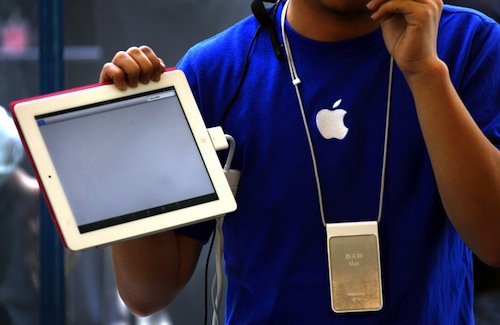
A few more interesting tidbits about the iPad displays Apple has put up in their retail stores to showcase specs and prices and offer product comparisons have surfaced today. As we already knew, the iPads default to a device or computer they’re paired with to display additional information, making it impossible for customers to return to the iOS home screen by pressing the Home button. As reported by 9to5mac however, it is possible for store managers to “unlock” the devices with a custom gesture combination and use the regular iOS.

An Apple Store Manager relayed to us that the new iPad 2 displays are able to turn into “normal iPads” with a few swipes in secret combination. To find out if true, I went to the Soho store and tried it out. Yep, it works.

Additionally, MacRumors points out that an iPad was found unlocked in an Apple Store, with the iOS home screen displaying and “Enroll iPad” app icon. The app is not a native one but, as many suspected, a webclip that launches an AppleConnect interface in Mobile Safari to log in and associate the iPad to a Mac, iOS device or iPod inside the store. It’s likely that the custom retail software is getting all the data from Apple’s servers, meaning that all changes to iPad stores displays (prices, tech specs, artworks) can be performed remotely by Apple without local modifications by employees or store managers.

The interesting bit was the app that was on the dock which says Enroll iPad. It isnt actually an app but instead a Safari bookmark. Clicking on the app takes you to Safari shown in the last image. I tried to go back to the homescreen but I couldn’t seen the Home Button does not do anything.

Of all the rumors we’ve heard in the past weeks about the “Apple Store 2.0 experience”, there was one that claimed employees were instructed to download a folder containing GBs of data from Apple’s corporate servers – some suggested that private folder could be a retail-specific disk image for OS X Lion. We’re just speculating here, but it could be possible that employees were simply told to download the app data from the servers to test the retail software hours before launch, and the rumors posted were incorrect. Private folder or not, the new Apple Store experience has launched today, and now we’re waiting for the updated Apple Store app to go live in the Store.


First Impressions and More Details On Apple’s Updated Retail Stores

After last night’s photos of Apple’s changes to the retail experience (dubbed “Apple Store 2.0” in recent rumors and speculation), a MacTalk forum member has posted (via MacRumors) his first impressions of the new retail space and in-store tables featuring interactive iPad displays to offer more product information, compare tech specs, and call a Specialist for further assistance. As previously reported, the iPads being used by Apple next to each device and computer are special units glued to a mounting block that’s also glued to the main table, running a custom app that’s impossible to hide by locking the device or clicking the Home button. Forum poster jack112006 says he’s tried different combinations for pressing the Home button, but none of them worked as the iPads are likely impossible to hack in-store to visualize the underlying OS. Furthermore, as we saw from the pictures, the units are connected to a single cable that, once inside the mounting block, is divided into two separate cables: one for security and anti-theft measures, one (a very thin 30-pin dock connector) for charging purposes.

The second cable is quite special. It is an ultra-thin 30 pin ribbon cable. It is tight against the iPads body in the acrylic block, and is used for charging, and I would imagine periodic device re-imaging for a new product, etc. The software on all the iPads is very special, and is set up so that the Home button is inactive.

Read more


Apple Store 2.0 Goes Live: Interactive iPads and More [Updated]

Following the wild speculation and rumors from the last week as to whether Apple was planning a special event to celebrate the 10th anniversary of Retail, the so-called Apple Store 2.0 experience has launched in Australia (it’s already Sunday morning there and Apple Stores are open), featuring what was previously reported: iPads are used to display product information and prices, compare features between different products and ask for a specialist’s help. As you can see from the photo above, it appears the new store-specific application (we don’t know yet if it’s a native app, a web app, or something else) is used to lists features, compare, call for support and introduce new users to the Mac platform.

Website Mac Prices Australia has posted photos from the updated Apple retail experience:

Retail stores around Australia have launched ‘Retail 2.0′ to mark the 10th anniversary of Apple Retail stores. We knew this was coming but what exactly has happened?

iPads display product prices & information for products.

iPads display product features, prices and lets you compare between models.

Use the iPad to ask a specialist to to come to you.

Apple store staff appear to be wearing party hats.

We’ll update this post with more information as they become available. If you live in Australia and have photos to send, our [email protected] inbox is waiting for your pictures.

Update: more photos from the Sydney Apple Store below.

Read more


Zootool for iPhone Collects Your Visual Bookmarks

Zootool, a visual bookmarking platform I had the chance to review when it first came out almost two years ago, has launched an official app a few weeks ago in the App Store, taking the full Zootool experience to the iPhone. If you’re already a Zootool user, you know what to expect from the service: Zootool allows you to collect anything from the web anytime and anywhere thanks to a series of bookmarklets that are capable of grabbing images and videos, as well as entire webpages to save as bookmarks in your account; accounts can be either public and private, with the former option allowing you to share your web discoveries with other Zootool users, a vibrant community that collects cool inspirational resources and links from around the web. Items in your “zoo” can be tagged and collected in packs, plus the service, unlike other bookmarking tools like Pinboard and Delicious, adds a whole visual layer to saved websites and files thanks to inline previews for everything. Zootool is highly visual, and the iPhone app is the perfect replacement for the web browser while you’re on the go.

The main screen gives you access to your bookmarks, the public timeline of people you follow, your profile and active / popular / featured users. Users can be followed in-app, you can check out their recent “lasso catches”, and all entries and links to other web profiles (like Twitter). Entries from others can be copied and opened in Safari, viewed inline or added to your collection; Zootool for iPhone provides the same editing interface of the web app to modify tags, descriptions and links, but the developers also went as far as adding a new bookmarklet built specifically for Mobile Safari that will help you save images and pages from the browser. In the “Your Zoo” view, the app allows you to view all your entries, items organized by packs and tags. Youtube videos can’t be viewed inline as in the web app, but everything else performs exactly as you would expect from Zootool, only it’s been ported to a native app. One cool thing I’ve noticed: if a URL is in your clipboard, Zootool will automatically detect it and ask you to add it to your Zoo.

Zootool for iPhone is a great example of how a full-featured web app should be brought to a smaller screen. The app is elegant, fast, gorgeous to look at and retains all the functionalities seen on the web. You can download Zootool for iPhone at $1.99 from the App Store.