AirPort and Time Capsule Stock Running Low, Refresh Imminent?

Both TUAW and MacRumors report tonight several Apple retail store locations in the United States are running / have run out of stock for AirPort Express and AirPort Extreme stations, as well as Time Capsule units. Both reports indicate how some stores have completely run out of Time Capsule and AirPort Express / Extreme without getting any new shipments, with other locations lacking only AirPort Express stations. TUAW also hints at a store getting a notice to send all available units back.

A reader let us know that all of the Apple Stores in his area are out of AirPort Express models, and one of our sources confirmed the Apple Store in his area is out of stock on not just the Express, but the AirPort Extreme and Time Capsule as well. Another source says supplies at one store are not constrained and never have been, but the store “may have” received a notice to send its AirPort device inventory back.

Supply constraints ahead of the WWDC may hint at upcoming refreshes to the various lines being announced next week, though several reports claimed the Developers Conference would be software focused with no hardware announcements. As the Apple online store still reports 24 hours shipments for AirPort devices and the family was last updated almost two years ago, Apple might as well simply take the store down sometime next week and release the new product without an on-stage announcement. Some are already speculating Apple could deploy its own home-based networking solution to interact with iCloud much like devices like the Pogoplug already allow you to access locally stored media from a remote device, though the solution sounds unlikely as it appears Apple is shooting for an all-remote, cloud-based service with streaming and storage on the company’s servers. However, the AirPort Extreme station could use an update to bring an additional USB port or more integration with iOS devices – these are some features AirPort Extreme users (including me) have been asking and wondering about a lot lately.


Thunderbolt Shows its Speedy Side at Computex 2011 With Products from Promise and LaCie

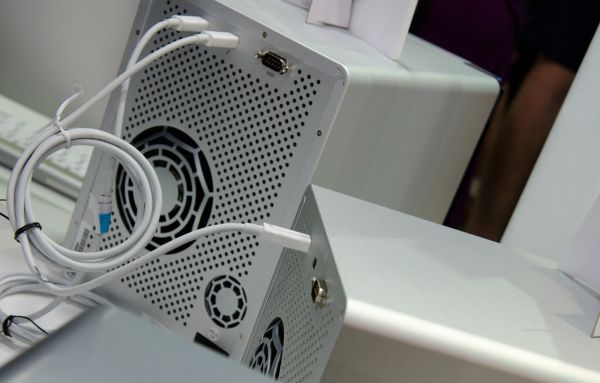
Apple is trying to convince many that Thunderbolt is the next big thing when it comes to input/output technology, yet Thunderbolt-ready devices aren’t yet available to consumers who wish to utilize their new Mac’s Thunderbolt interface. Manufacturers have already announced a few Thunderbolt powered devices as seen on the NAB show floor, and at this year’s Computex, LaCie and Promise are demonstrating just how fast Thunderbolt enabled storage can be.

Promise demoed two storage systems branded as the Pegasus R4 and Pegasus R6 in four and six bay configurations respectively. These storage arrays have two Thunderbolt ports so they can be daisy chained to the same interface (up to six devices), although video output requires that the last connection be via DisplayPort. The arrays support RAID 0/1/5/6 and RAID 10, and support both 3.5” and 2.5” drives. While 6 Gbps drives are supported, only a transfer rate of 850 MB/s was noted in RAID 0 by AnandTech. With performing transfer rates at 633 MB/s in reading and 734 MB/s in writing, the Pegasus storage arrays aren’t too shabby when it comes to moving storage from your Mac to your hard drives, and speed and data-redundancy geeks can look for a late June release. Past the break, we have a quick video on Promise’s hardware demo and more on LaCie’s competitive alternative.

Read more


BlackBerry Desktop Beta for Mac Adds PlayBook Sync

BlackBerry PlayBook owners who also happen to have a Mac have been waiting for a BlackBerry Desktop release with support for tablet sync, which since launch has been exclusive to Windows PCs with RIM promising a Mac release (alongside many other features like a proper email client) this summer. Electronista reports users of Beta Zone (RIM’s beta distribution channel for various programs and enterprise tools) have now access to the 2.1 beta version of BlackBerry Desktop for Mac that adds media sync for photos and videos, but excludes standard functionalities like backups.

It’s not clear whether the new beta version also comes with music sync, contacts and calendar sync with iCal and Entourage, or the switch wizard to migrate data from a BlackBerry smartphone to the PlayBook. The new desktop app can be downloaded by participating in BlackBerry’s Beta Zone here.


GarageBand for iPad Gets AirPlay and Copy & Paste, iMovie Updated with Various Fixes

A few minutes ago Apple released updates to GarageBand for iPad and iMovie for iOS, bringing the apps to versions 1.0.1 and 1.2.1, respectively. The most notable update in GarageBand is the inclusion of AirPlay audio output which now allows to send tracks to external speakers wirelessly. GarageBand also got Bluetooth compatibility and HDMI output with Apple’s Digital AV Adapter. Alongside bug fixes, stability improvements and possibility to import AIFF, WAV, CAF audio files and Apple Loops at 16 bit /44.1 kHz, the new GarageBand for iPad can receive audio files from the system clipboard via copy & paste. A support document details the new functionality:

You can paste an audio file from an app that supports copying audio to the clipboard. GarageBand for iPad supports uncompressed audio files with a sample rate of 44.1 kHz and 16-bit depth (the standard for audio CDs).

Audio files copied from another app can be pasted to Audio Recorder or Guitar amp tracks.

iMovie for iPhone and iPad received an update as well with the following changes:

  • Audio plays from your HDTV when using the Apple Digital AV Adapter.
  • Video plays full screen from Marquee to your HDTV when using the Apple Digital AV Adapter.
  • Resolves some cases of missing media in projects.
  • Provides more accurate clip grouping by date in Video browser.
  • Fixes an issue where a project’s background music would not fade in or out.
  • Additional performance and reliability improvements.

Both the GarageBand for iPad and iMovie updates are available now in the App Store.


“iPhone Hooks” Now Allow Apps To Send Photos to Instagram

After the launch of an official API a few months back that allowed developers to read content posted on Instagram and display photos in external iOS, Mac and web apps, the service saw a huge growth in popularity, registered users, and connected applications capable of visualizing Instagram’s streams outside of the (only) official iPhone app. We have seen a plethora of iOS and Mac apps coming out in the past weeks, giving users the possibility to browse Instagram through a “client” different from the app, providing new interactions and interface schemes otherwise impossible without the use of an API. What the API lacks though, is read access to let 3rd-party apps upload to Instagram.

As MG Siegler at TechCrunch reports, Instagram founder Kevin Systrom has no plans on opening a full-read API to let other control the social stream and upload photos not generated with Instagram’s filters and requirements, but they do have a plan to allow developers to easily send files to the Instagram app. This feature is called “iPhone Hooks” and it sounds a lot like iOS’ default “Open In” menu combined with clever URI schemes: provided an application can snap photos and save them to jpeg or png, Instagram can let this app hook into the posting process to transfer the file from app x to Instagram. Just like in the 100 Cameras in 1 iPhone app, users can snap a picture and “send it to Instagram” to apply filters and upload. With iPhone Hooks, any photo app in the future could be updated to support sending a photo to the filter interface, or simply open a specific user stream, tag and location feed. The possibility to pass along photos is of course the most intriguing option, as apps like Photogene, Camera+ or Camera Genius could take advantage of that to shoot photos, let users apply filters and edits, then send to Instagram. iPhone Hooks apparently don’t let developers apply any sort of watermark or ID to the photo (example: “shot with Camera+”) as the file is still processed by Instagram; however, users could still leave a comment to specify what app they used, and overall it’s a good thing for a 3rd-party dev to have an app that works with Instagram.

Co-founder Kevin Systrom compares this functionality to the copy and paste functionality baked into iOS. But again, this is for images, not text. “We wanted to make it easier for other iPhone apps (and iPhone web-apps) to hook into Instagram to open a particular item or post a photo through our app,” co-founder Mike Krieger says. Yes, you read that correctly, this can work with web-based apps too.

Currently, only 100 Cameras in 1 is using this functionality, but Instagram says they’re discussing implementation with other partners.

More details from the Instagram Developer page:

When triggered, Instagram will immediately present the user with our filter screen. The image is preloaded and sized appropriately for Instagram. Other than using the appropriate image format, described above, our only requirement is that the image is at least 612px tall and/or wide. For best results, Instagram prefers opening a JPEG that is 612px by 612px square. If the image is larger, it will be resized dynamically.

An important note: If either dimension of the image is less than 612 pixels, Instagram will present an alert to the user saying we were unable to open the file.

The new feature can be tested in the 100 Cameras in 1 iPhone app, and it’s likely more developers will support it in the next weeks. With iOS 5 rumored to get direct Twitter integration for photos, sharing pictures on our iPhones and iPads could soon become a very different process.


Apple Doesn’t Change Stance on Pay-Per-Install Apps

GigaOM has posted an interview with Tapjoy CEO Mihir Shah, detailing how Apple is still not accepting new and updated applications that rely on pay-per-install networks like, indeed, Tapjoy. Back in April we reported Apple, after altering its App Store algorithm to better promote apps based on active usage and quality rather than download numbers, started rejecting apps powered by “pay-per-install” systems and offer-walls – basically in-app links and buttons that allow users to gain free virtual currencies and other goods by downloading another app from the App Store. Developers get paid, users get free goods only by downloading an app they can decide to never open and, on the other side of the spectrum, Tapjoy and other companies manage the entire system by giving developers the tools to implement these functionalities.

As Apple started tweaking the algorithm, it was reported the company didn’t like offer-walls and pay-per-install networks anymore as they saw them like a way to cheat the App Store charts and make some apps rank higher because of the downloads and promotions. Tapjoy then started capping downloads through it networks to comply with Apple’s new rules, but CEO Mihir Shah says he’s “confused” as that’s proven to not be enough for Apple, with the App Store team also saying they had no time to discuss the proposed solutions.

Tapjoy, whose app promotion campaigns have been halted by Apple in new and updated iOS apps, has come up with a new solution that it hopes can help it avoid Apple’s recent ban. The company has proposed a simple fix that allows Apple to identify app referrals from Tapjoy’s ad network so it can prevent those downloads from being counted by the App Store ranking algorithm.

Tapjoy CEO Mihir Shah said he reached out to Apple three weeks ago and offered to include a referral URL for the App Store when a user chooses to download an app in exchange for virtual goods. That would allow Apple to identify that the download came from Tapjoy and not count it in the App Store ranking algorithm. Shah said Apple wrote back a couple days later saying it had no time to discuss the issue.

Tapjoy is seeing an obvious decline in revenue and traffic on iOS devices, though they’re making up with growth on the Android platform. Many suggest Apple does no longer accept this kind of offer-walls because they want to promote iAd for developers among advertisers; however, Apple’s review guidelines for App Store apps explicitly mention that ”developers who attempt to manipulate or cheat the user reviews or chart ranking in the App Store with fake or paid reviews, or any other inappropriate methods will be removed from the iOS Developer Program.”


Keep your iMac Warm with this Italian Slipper

Unless you happen to be that Starbucks guy, your iMac doesn’t get the loving attention it needs. Unlike you warm blooded humans, those aluminum iMacs can get pretty chilly thanks to its bare aluminum flesh, and it’d be a shame for your work horse to catch a chill. Why not accent those cold metallic toes with the iMac Slipper? Made from vegetable tanned leather (that will darken overtime in sunlight) and 100% premium wool, the iMac Slipper by Hard Graft is designed to accent the iMac as both a fashionable desktop companion and conversation piece for the iMac stand. The iMac slips gently into the leather footrest, providing a soft cushion for it to stand on while you pound out those complicated code thingies and process those processor numbing Photoshop jobs. That’s the least you can do for your beautiful 27” right? No matter your constitution on the necessity of such an accessory, at least the Hard Graft fellows are honest in their product description.

OK, maybe you don’t really need one but isn’t it a really cool and unique way to customize your iMac or Cinema Display and show that you really care about the details?

Well played smart crafters of fine leather products. Well played. Surely this will bring some personality and color to your most well worn machines, and what better way to stand apart from your coworkers than by wrapping your iMac in a warm leather hide? For €29.00, the iMac Slipper can be yours.


New Mac Defender Variant Bypasses Apple’s Security Update

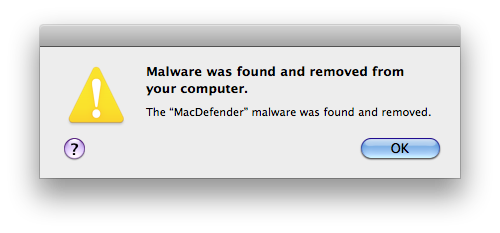
Last night, we reported Apple issued a Security Update for Snow Leopard users to update the OS X malware definitions, enhance File Quarantine’s functionalities and, more importantly, automatically find and remove known variants of the Mac Defender malware that’s been spreading among Mac users in the past month. By enabling OS X to update definitions daily in the background with a new daemon, Apple is taking the necessary measures to make sure new versions of Mac Defender and, overall, malware targeting Mac machines in the future can be removed safely and quickly a few hours / days after they’re discovered. As reported by Ed Bott at ZDNet, a new variant of Mac Defender coming with a new installer package has already been released, and it’s capable of circumventing Apple’s new security update and work exactly like Mac Defender and Mac Guard used to until yesterday.

The bad guys have wasted no time. Hours after Apple released this update and the initial set of definitions, a new variation of Mac Defender is in the wild. This one has a new name, Mdinstall.pkg, and it has been specifically formulated to skate past Apple’s malware-blocking code.

The file has a date and time stamp from last night at 9:24PM Pacific time. That’s less than 8 hours after Apple’s security update was released. On a test system using Safari with default settings, it behaved exactly as before, beginning the installation process with no password required.

Bott suggests this “cat and mouse” game is just the beginning, and Apple will have to begin addressing new variants that are discovered every day. The system put in place by Apple to provide updated definitions for easy removal of malware should allow users to prevent computer infections by automatically finding suspicious packages downloaded from the Internet. [via MacRumors]