“Automatic Downloads” Lets You Push Purchases Over The Air

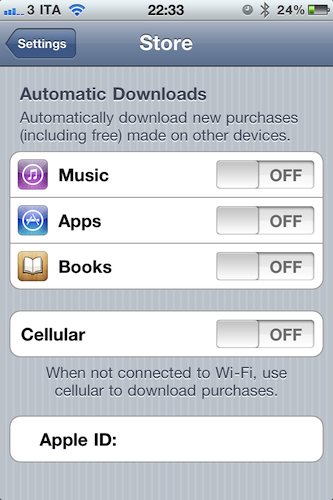
Revealed last week with a leaked screenshot from iTunes and officially announced earlier today at the WWDC keynote, the “Automatic Downloads” feature for iOS device is now live and accessible from the Store menu inside the Settings app on an iPhone, iPod touch or iPad running iOS 4.3. Here’s how it works: once enabled in the Store menu, the new functionality will allow you to beam apps, books and songs across devices – Macs, iPhones and iPads. For a first test, I enabled the menu on my iPhone, and started downloading a free app on my Mac. Within the seconds, the download started on my iPhone, which wasn’t connected via USB – it was an OTA download based on the fact that I hit “download” on my MacBook Pro.

The iPad, which was not enabled to have Automatic Downloads, alerted me to say I had to activate the feature if I wanted to see purchases becoming available on it.
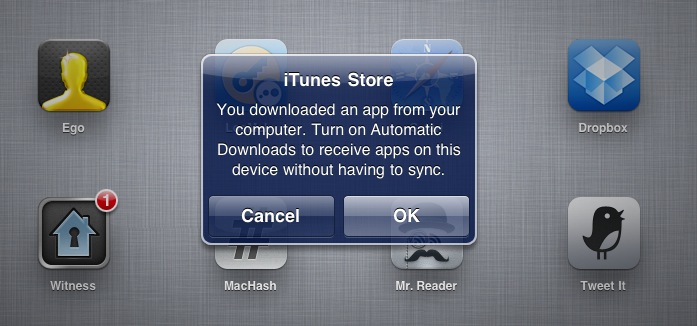
Once activated on the iPad too, I downloaded an app on my iPhone and it started downloading both on the iPhone and iPad, automatically. But what about updates, not new purchases or free downloads? The system seems to be a bit unstable now: I had three app updates on my Mac, and I downloaded them. Those updates were showing up on the iPad App Store app with a red badge, but the download didn’t start automatically as with a new purchase / download. However, as soon as I opened the App Store on my iPad, those updates were gone – as if the device downloaded them in the background without me seeing a loading indicator. Maybe Apple simply needs a better UI for app updates (again, not new purchases) or better integration with iTunes 10.2.2 on the desktop (the announced iTunes 10.3 is not available yet).

To test the new Automatic Downloads for iOS and Macs, go to the Store menu on your iPhone and iPad and turn the switches to “on”. You can also decide to use cellular data when not on WiFi.

Find My iPhone 1.2 Released, Supports Notifications for Offline Devices

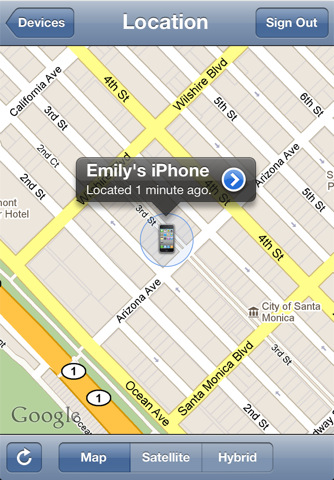
A new version of Find My iPhone was released a few minutes ago in the App Store. The new app, reaching version 1.2, adds the ability to remove offline devices from the list of iPhones and iPads you configured, or be notified with an email when an offline device comes online and is located again.

  • When you are unable to locate a device because it is is offline, you will receive an email if the device comes online and is located.
  • Ability to remove an offline device from the list using the app.

It’s unclear how the new Find My iPhone takes advantage of iCloud, but we’re pretty sure Apple has already moved everything to the new system from MobileMe. You can find the updated app here.


App Store Now Lets You Download Not-Available Apps, Like Tweetie 1

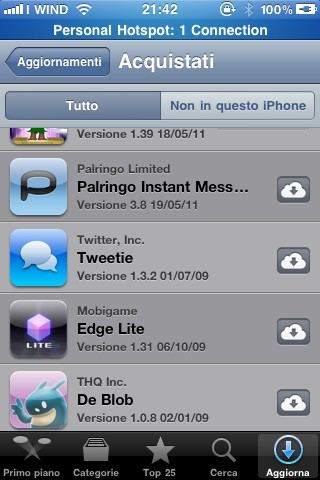
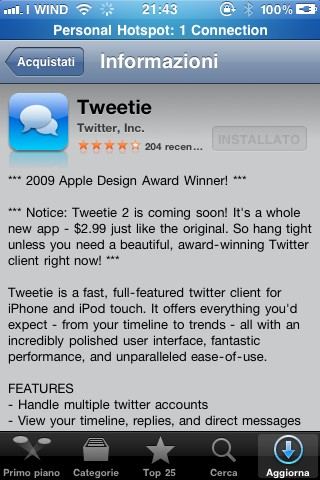
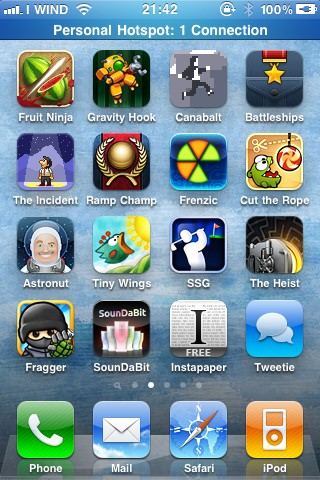
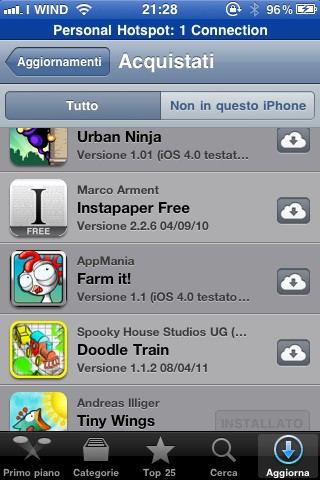
Great news coming from the updated App Store application featuring the new Purchased tab: as noticed by our reader Nicola, you can download, install and run apps no longer available in the App Store, like the original Tweetie 1 or Instapaper Free. The apps appear in your purchase history alongside the usual description and screenshots page.

Unfortunately, due to Twitter’s changes, Tweetie 1 doesn’t work anymore – still this looks like a great option to fill your app library with software developers removed from sale. It might also be a temporary glitch on Apple’s end – we’re not sure. But for now, you can download apps that don’t appear in the App Store listings.


Lion Server to be $49.99 From the Mac App Store

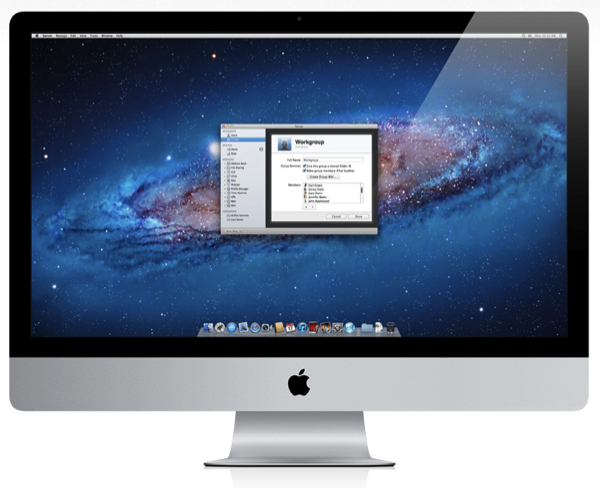
What was thought of as an extension to OS X Lion will be a full blown upgrade for $49.99 from the Mac App Store: Apple has just launched a brand new Lion Server page detailing all of the management features you can expect from the Server App to Xsan support.

Let’s start with the basics: you get to manage AirPort wireless base stations and Time Capsules, monitor traffic and bandwidth, all while controlling who gets access to the server with simple account management options. The server supports VPN for encrypted access to your network, an internal wiki, private iChat services, Time Machine for company backups, calendaring, file sharing, email support, and contact sharing all in one place.

For iPad file sharing, there’s webDAV file sharing (which doesn’t sound as tasty as the features iCloud promises), but there are push notifications so Lion Server can notify users of important email or assigned meetings. Time Machine backs up on the server can be conducted for WiFi, ensuring everyone’s company essential goods are backed up in a safe place.

iCal Server 3 and Mail Server 3 are updated to take advantage of push notifications in Lion Server. While iCal Server 3 gives anyone the power to update a schedule or a meeting (which is subsequently updated on everyone else’s devices), Mail Server 3 allows you to search attachments on the server, and also includes a webmail component so you can check those corporate messages outside of the office in a secure environment.

Wiki Server 3 is another big feature in Lion Server that’s a cross between your standard wiki and 37 Signal’s Backpack, giving users the ability to upload files to a page and download them when needed. Wikis can contain information about people, podcasts, specific company pages, and more that can be easily navigated from the navigation bar. A special People Browser gives you web browser and computer independence for looking up contact information that can be browsed anywhere.

Lion Server also includes a profile manager that allows you to remotely manage iPhones and iPads from a central location. If you’re away from the office, the profile manager is available from a web browser so you can manage devices from anywhere.

Look for Lion Server to be released with Lion this July.

[via Apple]


MobileMe No Longer Accepting Subscribers, Runs Until June 30, 2012

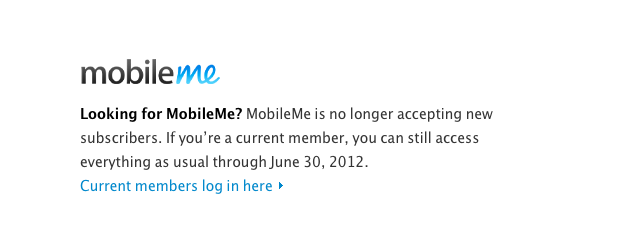
Following the massive iCloud announcements at WWDC, Apple just updated the official MobileMe page to inform users that new subscribers are no longer accepted as Apple moves everything to iCloud, but existing apps will be usable until June 30, 2012. Furthermore, Apple has posted more details on a new support document available here. All accounts have been extended to June 30, 2012, free of charge and all data from MobileMe (including email addresses and contacts) will be automatically transitioned to iCloud when you sign up.

Can I create a new MobileMe account?

You can no longer create a new 60-day trial account or start a new subscription using a code contained in a MobileMe box. However, if you have a Family Pack subscription, you can still create new family member accounts.

Can I upgrade to a Family Pack or purchase additional storage?

Effective June 6, 2011, you can no longer upgrade your Individual account to a Family Pack or purchase additional storage for your MobileMe account.

I purchased a MobileMe box and have not used the activation code inside. Can I get refund for it?

Yes. If you have an unused activation code from a MobileMe box, you can submit a refund request.

For more info about iCloud, check out our coverage here.


iTunes In the Cloud: Free, Or Scan Your Library and Match Songs at $24.99 Per Year

Once again, the rumors were real – Apple has just introduced iTunes In The Cloud at its WWDC keynote. The new system will allow you to get access to all your previously purchased songs on device from a new Purchased tab in the iTunes Store (similar to Purchased apps in the new App Store) and download items at any time. More importantly, the new cloud will allow you to push a single purchase to multiple devices at once – a first in the music industry, Steve Jobs said.

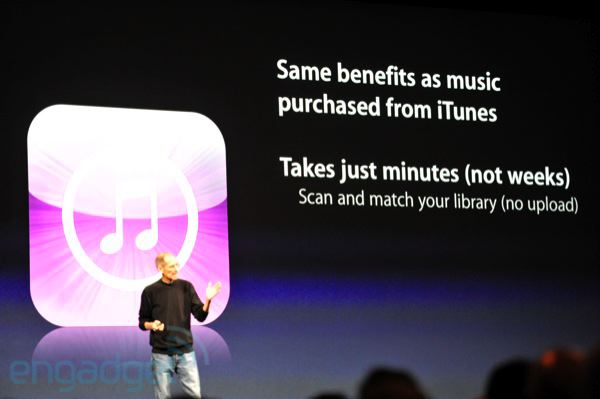
But the real new feature was unveiled on stage as a “one more thing” by Apple CEO. As previous rumors and speculation suggested, iTunes in the cloud would be more than simple pushing and updating of songs from the iTunes Store. Besides the usual sync (and the new WiFi one?) and iTunes Store, Apple will offer a new iTunes Match service that scans your music library, and matches it with Apple’s catalogue of 18 million songs in the cloud. iTunes Match comes at a price: $24.99 per year.

In additions, iTunes Match will upgrade the songs to 256k AAC DRM free. And it costs just $24.99 per year. So if you’ve got a bunch of music that you didn’t get from iTunes, you can get it in the cloud. Now if you look at some competitors, you’ll be surprised. We scan and match, the other guys you have to upload the whole collection. The other guys only have web apps. For 5000 songs, Amazon is $50. Even up to 20,000 songs, we’re one flat price.

The new iTunes in the cloud will be available as developer beta today.

Update: it looks like “some music features” of iCloud will be available in the US only while in beta. We assume the new iTunes Match service will be US-only during this period. From Apple’s official iCloud page:

Features are subject to change. Access to some services is limited to 10 devices. See www.apple.com/legal/itunes/ww/ for more information. Some features of iCloud require iOS 5 on iPhone 3GS, iPhone 4, iPod touch (3rd and 4th generation), iPad, or iPad 2, or a Mac computer with OS X Lion or a PC with Windows Vista or Windows 7 (Outlook 2007 or 2010 recommended). Some music features of iCloud are available in beta now in the U.S. only and require iOS 4.3.1 on iPhone 3GS, iPhone 4 (GSM model), iPod touch (3rd and 4th generation), iPad, or iPad 2, or a Mac or PC with iTunes 10.3.

Read more


iCloud: iWork Apps, Document Storage, Developer API

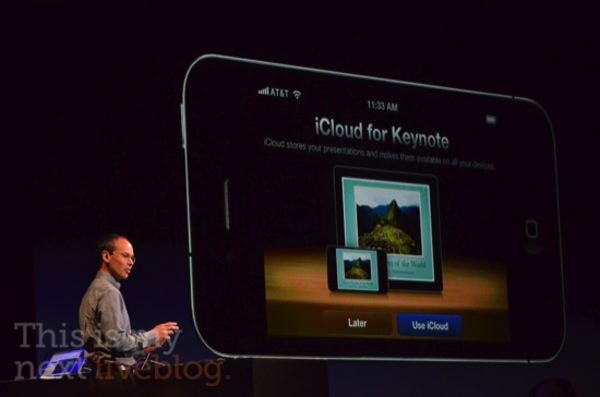
iCloud is currently being demoed at the WWDC keynote in San Francisco, and besides being a full replacement for MobileMe that does a lot of things (including App Store downloads and backups) for free, new features have been demoed as well. For instance, iWork integration: the iWork apps on the iPhone and iPad will get the possibility t0 push documents to iCloud and download them – it runs on all devices, iCloud will update the documents you’ve been working on and push them to all your other devices. The functionality has already been implemented in the iWork for iOS update from last week.

Then, iCloud features document storage and an API for developers so all apps can store documents in the cloud, push them around to devices, and automatically update those documents as changes happen on a user’s end. It works on Macs and PCs as well, and we’re expecting several developers to take advantage of this API (which is said to be very easy to implement) within the next few weeks through the iOS 5 betas.

Photos courtesy of This is my Next.


iCloud: Photo Stream

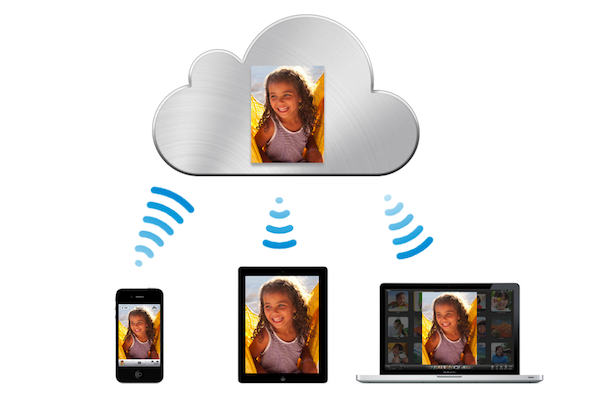
Another cornerstone feature of iCloud that was just unveiled was ‘Photo Stream’ which will bring all your photos to the cloud. It works so that as soon as you take a photo with your iPhone, that photo will instantly be whisked away to the cloud and then pushed back to all of your other devices - whether it be a Mac, iPhone, iPad, Apple TV or even a Windows PC!

How many times have we taken photos on our iPhone and wanted to share them on the iPad. Wouldn’t it be great if they were already there?

Photo Stream is built right into the iOS Photos app so there is “nothing new to learn” and on the Mac it is built right into iPhoto whilst on a PC it integrates with the ‘Pictures’ folder. The Apple TV won’t miss out either, Photo Stream is integrated straight into it.

Each photo will survive on iCloud for 30 days, at which point old photos will no longer be pushed to devices. iOS devices will be able to keep the last 1,000 photos but Macs and PCs will keep all photos.