This Week's Sponsor:

HomeSnap

A Private, Read-Only Window Into Your HomeKit Home


Quick Review: Reflection

I was reminded by this TUAW article last night that a simple solution to enable AirPlay Mirroring from iOS to OS X didn’t exist – this is something I’ve been fantasizing about since the original iOS 5 came out and the iPhone 4S further cemented my belief that AirPlay Mirroring is an amazing solution to project apps and games on a bigger screen. Fortunately, in the same article TUAW’s Erica Sadun pointed to Reflection, a new app by developer David Stanfill (the same guy behind AirParrot), which enables just that: it turns your Mac into an AirPlay receiver for Mirroring, not just audio and video playback as other tools (like AirServer) do.

I bought Reflection right away because, like I said, this is something I’ve been looking forward to, and whilst I don’t think this method can replace higher quality HDMI connections just yet, it sure provides a handy way of getting an iOS device’s screen onto your Mac. Sort of the opposite of apps like Skala Preview, only working natively with iOS 5 and a desktop app that handles the incoming video stream.

Speaking of which, quality of WiFi and video can obviously become a major deal-breaker for many – especially developers or bloggers who are looking at Reflection as a way to record iOS screencasts and demoes with the comfort of a Mac and the tools it makes available for video recording and editing. Now, I’m no video expert, but I’m fairly certain some sort of lossy compression is applied when mirroring an iOS device to the Mac through Reflection – but I’ve only spotted this loss in quality (example) a few times. Once installed, Reflection allows you to set some default settings for all incoming connections: you can set a receiver’s name, force full-screen mode (Lion’s native one) on all new Mirroring sessions, and optimize the app for different device types. These include standard iPhone resolution (320x480), Retina iPhone (640x960), iPad (1024x768), Hi-Res (1920x1080) and Any Device (1280x720). Similarly, devices can be mirrored inside a “frame”, and you’re also given the option to force orientations with keyboard shortcuts – unfortunately, the frames provided in Reflection don’t look nearly as great as ScreenTaker’s, so here’s to hoping for better graphics in a future update.

As I mentioned above, performances haven’t really been an issue with Reflection and my iPhone 4S/iPad 2 on the two local networks I tested the app with (powered by an AirPort Extreme and AirPort Express), but I have some points to make in regards to usage and why you should try or avoid Reflection.

  • If you’re looking for pixel-perfect reproductions of your iOS display on your Mac, consider something else. Reflection may experience the occasional drop in quality (or simply crash – it happened to me only twice though), and you don’t want to record your screencasts and promo videos over and over.
  • If you just need a quick way to demo iOS apps on your Mac, buy Reflection.
  • If you create your presentations on an iPad and have always looked for a way to easily mirror them on the Mac with no cables, get Reflection.
  • I have been using Reflection to play Temple Run and Whale Trail (iPhone versions, because I like the controls better) on the Mac’s screen, and performances have been pretty great. Games are playable, there are some minor slowdowns here and there but nothing that truly impacts the experience. Reflection crashed once while mirroring Temple Run.
  • Generally speaking, iPhone games at Retina size to a Mac in full-screen mode can be a good alternative to buying Mac versions of the same games again. I’d recommend playing puzzle/adventure or more relaxed games this way, avoiding more frenetic games (action, sports) due to the possibility of slowdowns and crashes. But: I can confirm GTA III for iOS mirrored to the Mac seems like the future.
  • I have also tested the Plex app (for iPad) mirrored to the Mac with content from a Mac mini in the US with basically zero lag. Keep in mind Reflection supports the full AirPlay Mirroring experience, which includes audio.
  • Reflection is a great way to keep often-used or dashboard-like apps for iOS on the Mac’s screen – but you’ll want to click on them, so remember this is AirPlay Mirroring, not VNC.

As you can tell, I’m impressed by Reflection. It is already a very stable and responsive “hack” to get AirPlay Mirroring on the Mac, and I’m sure the few bugs I’ve encountered will be addressed soon with an update (as well as performances in general). Reflection won’t give you 100% reliable color reproduction and pixel state-of-the-art, but if you’ve been looking for a way to “just get” Mirroring on OS X, I can’t think of a single reason why you shouldn’t (at least) try Reflection.


February 2012 In Review

February sure went by quickly, but that certainly doesn’t mean there was a shortage of news, reviews and editorials - in fact it was quite the opposite. After a pretty big January with their education announcement and financial earnings, Apple didn’t slow down in February. They released new ads, previewed Mountain Lion, continued the PR battle over supplier responsibility and confirmed the (presumed iPad keynote) media event for March 7th. February was also a big month for Apps with an updated Tweetbot for iPhone and new Tweetbot for iPad, Clear, Photoshop, Vimeo 2.0 and VLC amongst others. Whilst we continued to focus on providing you, our readers, with great editorial content we discussed topics such as the iPad as a PC, supplier responsibility, greed and iOS 6 wishes amongst others.

Jump the break to view the full review of February 2012. You can also view January 2012 in Review here.

Read more


Readability for iOS Review

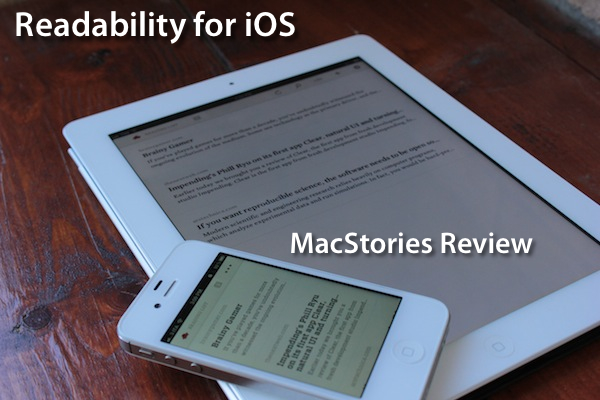
The official Readability app for iOS, available today on the App Store, had a complicated history with Apple and its approval process. Since Readability relaunched last year with an ambitious focus on publishers and “read anywhere”, the service struggled to get its native app for iPhone and iPad approved by Apple due to an initial controversy with iTunes app subscriptions, which were seemingly reserved to “publishing apps” only, and weren’t meant to be accessed by any third-party developer. With the app stuck in a limbo, Readability went back to the drawing board and developed a full-featured HTML5 web app for mobile devices, whilst releasing additional tools for the web and Kindle at the same time. Months passed, and Readability – which in the meantime put together a quite impressive list of advisors and supporting developers – announced an updated strategy with free access for everyone, and a paid option for users willing to actively and directly contribute to the sites they are reading the most in Readability. With the new free plan, Readability also announced they had submitted a new version of their iOS app to Apple. Three months later, the app is now live on the App Store.

I have been able to test the app – a collaboration between Readability and development and design studio Teehan + Lax – for the past week, and I’m fairly impressed by this first version. But let’s go back to the main point: what’s Readability? And how does the native iOS app complement the ecosystem the developers have built in the past 12 months?

Much like Instapaper, Read It Later, or recent entrants in this scene like Evernote Clearly, Readability’s goal is to declutter webpages to offer an elegant, comfortable reading view on any device. Meant for web articles, Readability can fetch a webpage’s text and images, strip out unnecessary elements like ads, and reformat everything with a focus on beautiful typography, a clean layout, and the possibility of syncing this reformatted content to mobile devices like an iPhone, iPad, or Android handset. Like the services mentioned above, Readability works in any web browser thanks to a bookmarklet or extension, as well as compatible third-party apps that have been updated to include a “mobilizer” functionality or a “send to” action to forward URLs directly to a Readability account. As you can see from Readability’s website, the list of apps supporting the service includes excellent names like Tweetbot (our review) and The Early Edition 2.

With the proliferation of read-later tools and apps we’ve witnessed throughout 2011, why would anyone switch from, say, Instapaper or Read It Later to Readability, which is a rather new player in the field? Well, for one, Readability isn’t exactly new to this market, as the company behind it, arc90, licensed the original codebase for its reading technology to Apple for the Safari Reader feature seen on the Mac and iOS. Second, to differentiate its product from the plethora of available read-later browser companions and mobile apps, Readability spiced up its offering with a unique “support the publishers” spin that, as we detailed, allows users to pay for Readability and give 70% of their subscriptions back to the websites they read.

Readability explains:

Here’s how it works: Every time you use Readability to read an article, a portion of your monthly contribution is earmarked for that publisher or writer. For example, if half of the stories you read in a given month come from The New York Review of Books, half of your earmarked funds will be allocated to The New York Review of Books.

With these differences in mind, I was excited to try the finally-approved Readability iOS app, and see how it would compare to Instapaper, which is my go-to app and service when it comes to saving articles for later, as I wrote in my review of version 4.0. From an Instapaper lover’s perspective, let me get this out of the way right now: if you’re used to all the features Instapaper offers – especially on the iPhone and iPad – you’ll be disappointed to find in Readability for iOS a “simple” app to read the articles you’ve saved from a browser. There is no discovery, no Friends integration, no support for forwarding liked items to Pinboard or Evernote. On the other hand, Readability’s simplicity and focused approach might just be what you’ve been looking for, so let’s dive in. Read more


Flipboard 1.8 Brings Cover Stories to iPad

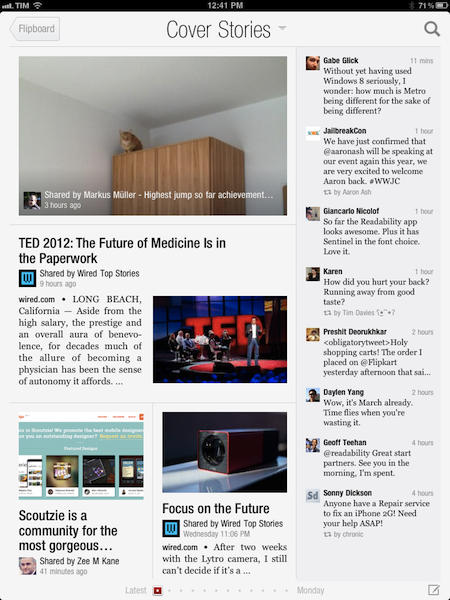
When Flipboard introduced its long awaited iPhone version back in December, the company rolled out a new functionality called “Cover Stories” that allowed iPhone owners to quickly catch up on the most interesting news, photos, and status updates shared by their friends and people they followed with a brand new, easy to use interface that took advantage of the iPhone’s smaller display and unique design of Flipboard. In the past months, Flipboard’s Cover Stories have become a fantastic way to get a quick overview of what’s happening online, with “curated results” that take into account a link’s popularity based on the number of retweets, comments, and social engagement. Cover Stories weren’t enabled on the iPad version of Flipboard – admittedly still superior to the iPhone app as a lean-back experience for relaxed reading and discovery – but this is changing today with version 1.8 of the app, which brings Cover Stories to the iPad, alongside a number of other improvements and new international content guides.

The new Cover Stories tile in the Flipboard start page doesn’t need an introduction – it’s really just a bigger version of the iPhone’s counterpart, beautifully laid out on the iPad’s screen. Whilst it’s unclear what kind of algorithm and process Flipboard uses to aggregate and build this personalized feed, the section undoubtedly works in fetching interesting stories based on the content that is being shared with you. The iPad edition of Cover Stories collects both articles and status updates, which are neatly organized in a column on the right.

With new typography, and improved photo layout and a third page of tiles, Flipboard for iPad now allows for more content, displayed in a more elegant way. The new International Content Guides are becoming to the go-to place to get started with Flipboard and great content, but I’d recommend adding sources like Instagram and 500px first to get an overview of the new photo layout – this will surely contribute to enhancing the “visual” aspect of Flipboard, which was already pretty remarkable.

For the past months, I’ve been using Zite to let “news come to me” thanks to the service’s fantastic discovery-based functionalities and system that learns from my reading habits and tastes over time. Flipboard’s Cover Stories seem like a great opportunity for the company to strengthen their offerings in smart news discovery and in surfacing relevant content for their users, and I’ll make sure to give the feature a try on a daily basis now that it’s available on the iPad.

You can get Flipboard 1.8 on the App Store. Read more


OmniOutliner 1.2 for iPad Sets the Stage for iCloud Sync

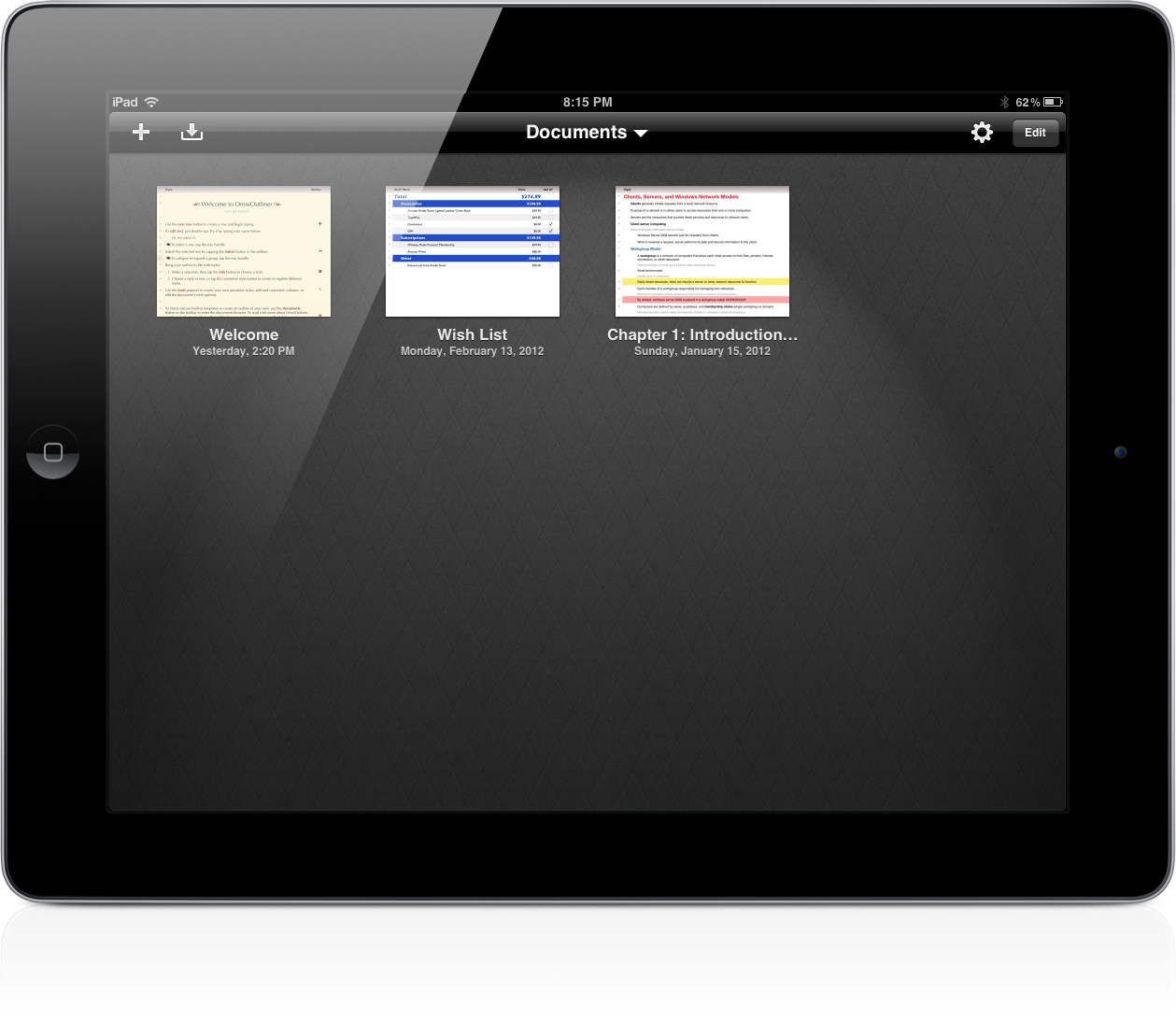
OmniOutliner 1.2 Document Browser

OmniOutliner 1.2 Document Browser

The Omni Group have removed the carousel in OmniOutliner 1.2 for a new document browser that closely resembles Pages’. Giving a broader overview of your outlines, the new file browser makes it much easier to scroll through dozens of documents without having to individually file past each one. The new file browser doesn’t let you create folders or sync to the cloud, but the original WebDAV and iDisk implementations are still available for online storage.

Read more


Apple Confirms: Media Event on March 7

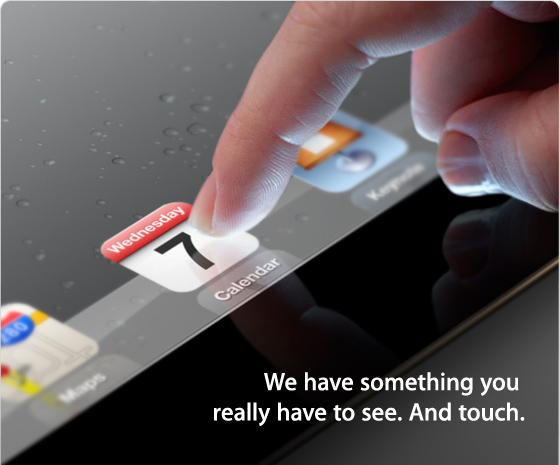
According to The Loop, Apple has just sent out invitations for a media event in San Francisco on Wednesday, March 7th. The event will be held at the Yerba Buena Center for the Arts in San Francisco, starting at 10 AM PDT (1 PM EST).

Earlier this month, it was reported Apple would hold an event in the first week of March to formally introduce the next-generation iPad, so far unofficially dubbed iPad 3, to a selected press audience in San Francisco. The new iPad, reportedly set to launch later this month, has been rumored to carry a high-resolution Retina Display; MacRumors even posted photos of what they claimed to be a production unit of the display, showing an increased number of pixels when put under a microscope. The device has also been widely rumored to share the same design aesthetics of the iPad 2, with tapered edges and a flat aluminum back. Back in January, Bloomberg reported the iPad 3 would come with a faster processor, presumably quad-core, and LTE connectivity, which was also confirmed in a separate article by The Wall Street Journal. Similarly, Rene Ritchie at iMore claimed Apple would hold an event on March 7th to announce an A6-powered, LTE-enabled iPad 3.

We have collected a series of iPad 3 rumors and theories here.

We’ll cover Apple’s media event on March 7th on MacStories’ homepage.