Posts in news

Gmail for iOS Is Back In The App Store

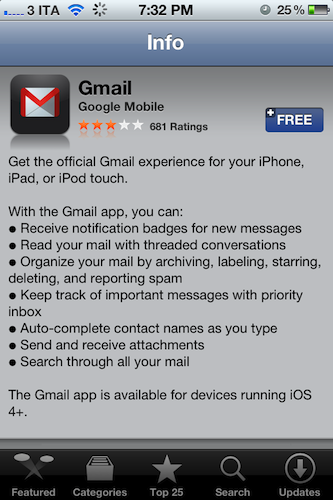
Following an unsuccessful launch on November 2, Google has re-released its official Gmail app for iOS in the App Store, which was pulled due to a bug that affected push notifications. In spite of the criticism received by the app, it appears Google didn’t make any substantial changes, as reported by this version’s changelog:

If you already have the Gmail app 1.0.1 released on 2 Nov, you will need to uninstall or log out of the old app prior to installing the new app.

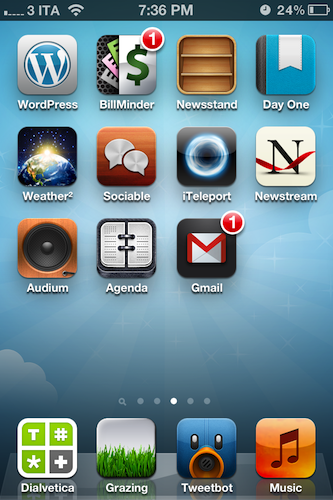
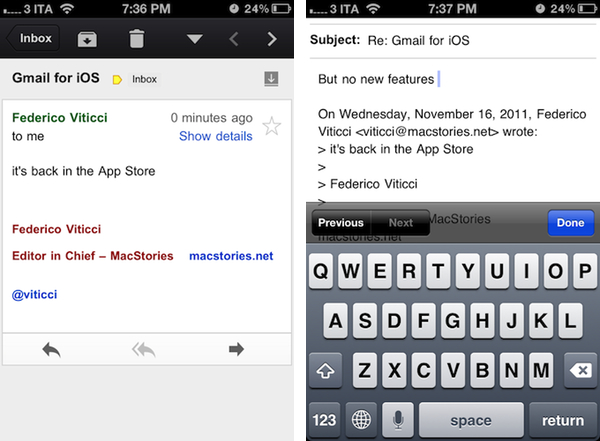
We’re currently re-testing the Gmail app for iOS and we’ll update this post with more details if necessary. Update: push notifications are now working in this version (as you can see I have a badge on my Home screen), but there are no new features. The app is still web-based as in the first version, with no support for multiple accounts and poor scrolling performances, among other issues.

Download Gmail for iOS here.


Evernote Introduces “Clearly” Chrome Extension for Easier Web Reading and Clipping

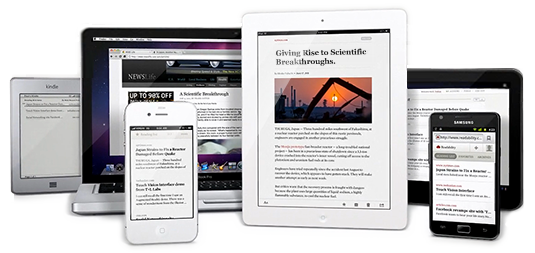
Earlier today Evernote, note-taking/clipping/memory service that comes with a variety of web, desktop and mobile apps, has announced a new standalone product after Peek: Clearly. Available as a Chrome extension for now, but coming soon to other browsers, Clearly allows users to enjoy a distraction-free reading environment on the web so that articles, like this one, will be displayed as just text and images without other graphical elements, ads, or page breaks. Conceptually similar to Instapaper, Readability and other tools that aim at making reading on the web more elegant and clutter-free, Clearly is integrated with Evernote’s existing platform in that, once activated, a sidebar on the left will appear containing a button to forward an article directly to your Evernote inbox. The article will appear in Evernote as it looks in Clearly: just text and images.

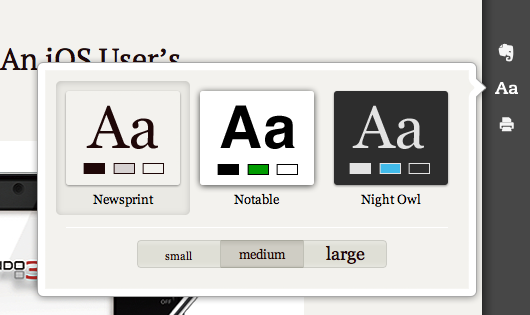
Clearly is nothing new if you’re used to Instapaper or Read It Later, but it makes sense from Evernote’s perspective as it’s integrated in the browser and it makes clipping, ultimately one of Evernote’s main features, easier and nicer. Clearly even comes with three different font options and sizes, capability of turning multi-page articles into single-page ones, a Print button and settings to customize its themes and appearance. The overlay opened by the extension can be closed at any time (even with a keyboard shortcut) and the animations are fairly smooth in the latest Chrome stable build.

With Clearly, you now have two Evernote buttons for your browser bar. Our Web Clipper will help you capture anything you see online and Clearly will give you a clean reading experience. We hope you like it. We plan on bringing Clearly to more platforms and more languages soon. Let us know what you think.

In the past months, Evernote has been revamping its set of tools and apps, giving a completely new interface to its Mac and iOS clients, more features to the web app, and enhancing the Android client with Skitch functionalities after the acquisition of the service, which will soon be integrated in Evernote for iOS as well. You can download Clearly from the Chrome Web Store here. Read more


Official Minecraft: Pocket Edition for iOS Coming Today

Mojang’s Minecraft, a popular sandbox building game that gathered quite a following in the past year since its “beta” release, is coming to iOS as a universal app later today, GamePro reports. Minecraft: Pocket Edition is already available in the New Zealand App Store and, as usual with timezone releases in iTunes, it should become available in the United States later today at 11 PM. The game is currently propagating in the various international App Stores.

In the past year, several unofficial clones of Minecraft surfaced on iOS. Ever since developer Notch and his company, Mojang, announced an official mobile version – the aforementioned Pocket Edition – buzz started building around the game as fans of desktop Minecraft were anticipating a way to enjoy Minecraft’s game mechanics (an open world where you can build virtually anything using “blocks”) on mobile devices. Minecraft: Pocket Edition was initially released on the Xperia Play and, with Minecraft hitting 1.0 version this week and MineCon underway, is now coming to the iPhone and iPad.

Early feedback on TouchArcade seems to suggest Pocket Edition isn’t nearly as complex as regular Minecraft, lacking several features such as enemies, animals and online multiplayer. Pocket Edition comes with local WiFi multiplayer, 36 different kinds of blocks, and randomized worlds.

Minecraft: Pocket Edition is available now at this link, and is expected to go live worldwide today.


Readability Goes Free, Submits New iOS App To Apple

Earlier this year, web reading service and platform Readability found itself in the middle of a debate regarding Apple’s newly launched subscriptions for apps and in-app purchasing rules, which forced the developers of Readability – a web-based tool to organize and read articles found online – to either follow Apple’s guidelines and give a 30% of their revenue to the company, or give up on the idea of having a native iOS client for iPhone and iPad. Because Readability’s unique twist was that, with a monthly fee, 70% of the revenue would go to the publishers of articles consumed through Readability, the developers decided to change direction and create a full-featured HTML5 app with offline access and most of the features they originally planned for the native Readability app. Readability’s revamped service was promising, but its developers didn’t expect subscriptions and in-app purchase rules to apply to them. And so they chose HTML5.

Today, however, Readability is announcing major changes to the platform, which include a new price point: free. Users that still want to support publishers will be able to create a Premium subscription that will also give them “additional features”; Readability says that going free will allow more people to enjoy the service, and solidify Readability as a platform for web reading.

With this release, Readability is available at no cost. Sign-up and you’ll have your own profile and reading list in no time. Both Readability accounts and our companion apps will always be completely free, but we also offer a premium experience for users who want additional features and an easy way to support their favorite writers and publishers.

Another big change for Readability is that, by going free, this time they have a chance of being approved by Apple. In fact, the developers explain in a blog post that a new iOS app – built in collaboration with Teehan+Lax – has already been submitted to Apple, and is awaiting approval. Considering the aforementioned Premium option for users, we assume it’ll be built directly into the app as well as in-app purchase (as only publishing apps with recurring subscriptions are accepted into Apple’s Newsstand).

Alongside the new iOS app, work continues on Readability’s HTML5 website and the entire Readability feature set, which is now open to developers and publishers willing to ”enrich their own services and apps with Readability.”

Since its re-launch earlier this year, Readability has always looked like a viable alternative to more popular “read later” solutions like Instapaper and Read It Later, both available on the web as well as iOS devices. Currently, Readability comes with an array of browser-based tools such as bookmarklets and a Chrome extension, whilst the website has a landing page for the iOS app “coming soon” for free.
Read more


Apple Begins Testing OS X 10.7.3 With Developers

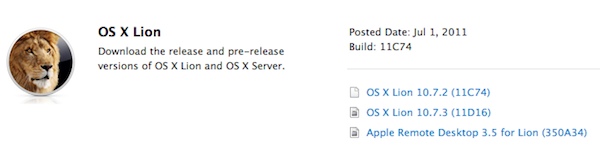
As noted by AppleInsider, earlier today Apple seeded the first version of Lion’s next update – 10.7.3 – to registered Mac developers. The build, labelled 11D16, is available both for Lion and Lion Server configurations.

According to developers familiar with the release, the focus areas for 10.7.3 testing are iCloud document storage, Address Book, iCal and Mail. Apple warns developers that by installing the 10.7.3 seed, they will be unable to revert back to older versions.

The latest version of OS X Lion, 10.7.2, was released on October 12th and delivered support for iCloud on the desktop, alongside other new features, fixes and optimizations. As with 10.7.1 before, 10.7.2 was released both through Software Update and the Mac App Store. If Apple’s testing period for 10.7.2 (the OS was first seeded in late July) and 10.7.1 release are of any indication, 10.7.3 testing should require at least one month before it goes public.


Apple Names Arthur D. Levinson Chairman of the Board

With a press release, Apple has announced that Arthur D. Levinson is the company’s new non-executive Chairman of the Board. Levinson has been a co-lead director since 2005; Apple also announced Bob Iger, President and CEO of Walt Disney, is joining the board.

Levinson is Genentech’s current Chairman and has served as CEO from 1995 to 2009. Named by BusinessWeek “one of the best managers” in 2004 and 2005, Levinson was a close friend to Steve Jobs and also served as a director of Google until he resigned from the board in 2009. Changes in Apple’s board have already appeared on the company’s Leadership page. Levinson fills the role of Apple’s late co-founder Steve Jobs, who resigned as CEO in late August, was named Chairman of the Board, and passed away in early October.

As for Iger, Disney’s corporate profile reports:

As President and CEO, Mr. Iger is the steward of the world’s largest media company and some of the most respected and beloved brands around the globe. His strategic vision for The Walt Disney Company focuses on three fundamental aspects: generating the best creative content possible; fostering innovation and utilizing the latest technology; and expanding into new markets around the world. Mr. Iger has built on Disney’s rich history of unforgettable storytelling, with the acquisition of Pixar (2006) and Marvel (2009), two of the entertainment industry’s greatest storytellers. Always one to embrace new technology, Mr. Iger has made Disney an industry leader at the forefront of offering its creative content across new and multiple platforms.

Readers of the official Steve Jobs biography by Walter Isaacson may be already familiar with Bob Iger, who is often quoted in Steve Jobs’ negotiations between Pixar and Disney.

Press release after the break. [image via] Read more


Apple Confirms iTunes Connect Holiday Shutdown December 22-29

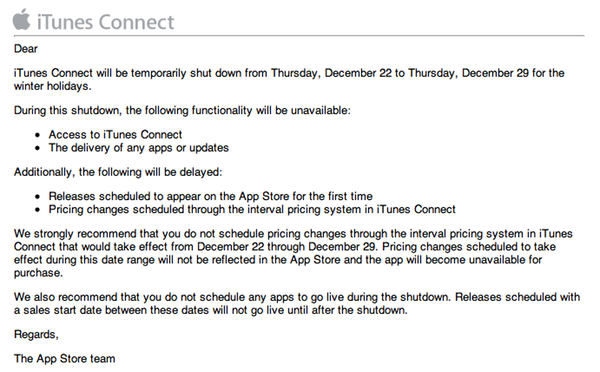
In an email sent to developers earlier today, Apple has confirmed that iTunes Connect – the developer portal to manage applications to sell in the App Store – will be closed from December 22 to December 29.

We strongly recommend that you do not schedule pricing changes through the interval pricing system in iTunes Connect that would take effect from December 22 through December 29. Pricing changes scheduled to take effect during this date range will not be reflected in the App Store and the app will become unavailable for purchase.

We also recommend that you do not schedule any apps to go live during the shutdown. Releases scheduled with a sales start date between these dates will not go live until after the shutdown.

As with last year’s shutdown, for the end user this means App Store apps won’t receive updates or price changes for a week, quite possibly the most profitable for iOS developers alongside the Thanksgiving festivities in the US. Access to iTunes Connect, delivery of app updates and scheduled releases as well as price changes will be disabled or delayed between December 22 and December 29. If you’re a developer, plan your Christmas app releases accordingly.


IconSettings Offers Quick Home Screen Access To iOS Settings

Just two weeks ago we covered iPhone URL schemes, those native URLs specific to iOS applications like Facebook or Twitter that can be used to launch an app’s section (Facebook’s Messages view, Twitter’s Mentions tab) with a single tap. As it turns out, however, URL schemes aren’t exclusive to third-party apps that have implemented them, as Apple is using the same system to assign a unique URL to specific sections in the iOS Settings app. Which means that, in theory, you should be able to easily launch Bluetooth settings or iCloud’s control panel by tapping on a link.

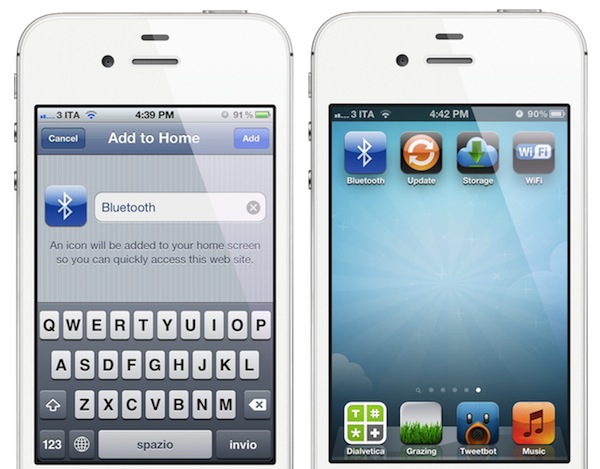
Of all the solutions that have surfaced in the past weeks to create Home screen shortcuts for Settings without jailbreaking a device, I’d say IconSettings is the most clever, nicest and easiest to use. As noted by Engadget, you just visit this webpage, decide which settings panels to turn into Home screen icons, and manually add a webpage to the Home screen using Safari. That webpage will turn into an icon, which will launch the settings panel you chose from the list. Quite simple.

There’s a catch: whilst jailbreak apps like SBSettings really put iOS Settings’ in another location (in SBSettings’ case, a dropdown menu), IconSettings simply creates visual bookmarks for URLs that redirect to the Settings app. And by “redirect” I mean that you’ll briefly notice Safari launching before you’re brought to the selected settings panel you need. This should be no big deal as the animation is very short, but this method will still leave an open tab in your Mobile Safari (remember, you’re still launching a URL). So yes, IconSettings is a pretty cool web-based trick to create Home screen shortcuts for commonly accessed Settings, but keep in mind that Safari will keep track of these URLs.

If you don’t have a jailbroken device and you’re willing to compromise to have Settings shortcuts on your Home screen, check out IconSettings here. Its icons are fairly good-looking, too.


Apple Launches iTunes Match

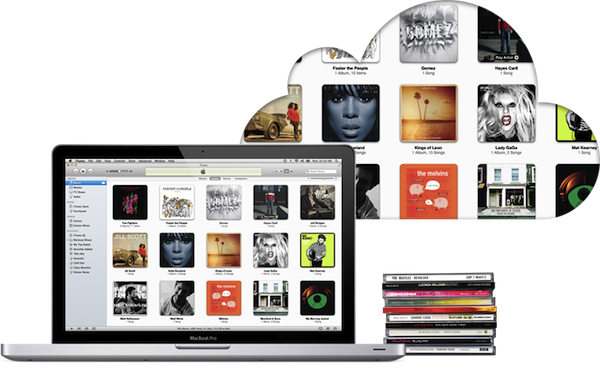
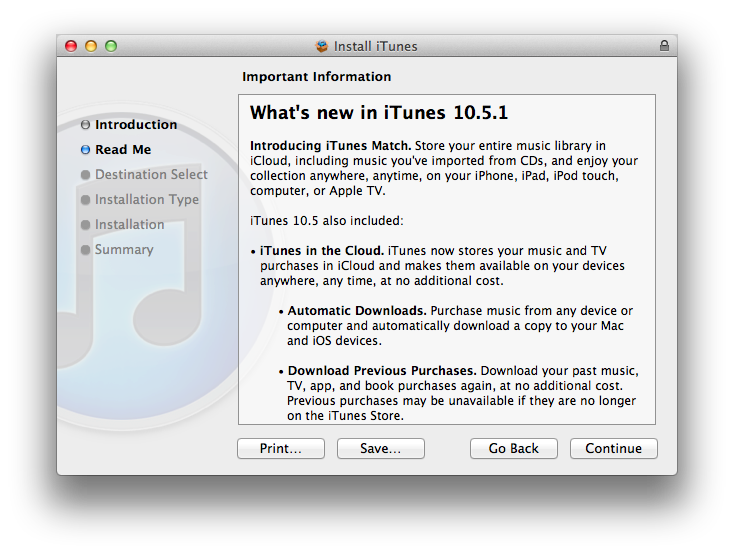
Apple today released iTunes 10.5.1, a software update that enables iTunes Match, a new music service integrated with iTunes in the Cloud that allows customers to “scan & match” their local music libraries, and store their songs and albums in Apple’s cloud. iTunes Match is currently available to U.S. customers only, and it costs $24.99 per year via iTunes subscription; iOS 5.0.1 and iTunes 10.5.1 are required to use iTunes Match.

Unlike other cloud music services, iTunes Match uses a scan technology that enables Apple to match songs in a user’s library with the ones the company already has on the iTunes Store, whilst the ones that aren’t recognized in the scanning process are directly uploaded to Apple’s servers. Because the iTunes Store offers more than 20 million songs, Apple believes most user libraries will be matched in seconds with the catalogue Apple already has, thus avoiding uploading an entire music library, which could take weeks on an average Internet connection. Furthermore, while the songs that aren’t matched with Apple’s iTunes Store are uploaded “as they are” (the exact file that a user has on a computer), matched songs are automatically upgraded to 256-Kbps AAC DRM-free quality, even if the original copy was of lower quality.

iTunes Match isn’t a streaming service like Spotify and Rdio in that it requires users to go through a “scan & match” process before they can start using the service. It is, however, deeply integrated with OS X and iOS 5: on the desktop, iTunes can download and play songs from iTunes Match, and the native Music app on iOS device is capable of downloading any song or album stored in your iCloud account, provided you’ve enabled iTunes Match in the Settings. iTunes Match doesn’t come with a huge catalogue of artists and genres available for streaming right away, but it allows users to scan & match their libraries, and download their songs (matched or not) at any time, on any device, with deep system integration.

At the moment of writing this, iTunes 10.5.1 includes iTunes Match but the service is still mentioned as “beta” within iTunes:

We will have a complete overview of iTunes Match later today on MacStories. iTunes 10.5.1 is available now on Apple’s website or through Software Update.