Posts in news

Adam Lashinsky’s Inside Apple Is Now Available For Purchase On The iBookstore

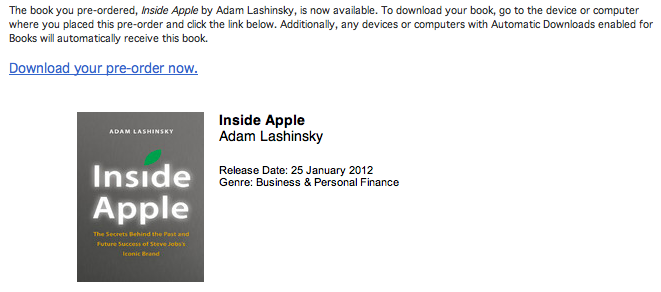
Adam Lashinsky’s new book Inside Apple is now available for purchase on the iBookstore and those who pre-ordered it can now download it. The book goes inside the secretive company, revealing a number of tactics, strategies and systems that has allowed Apple to “churn out hit after hit”.

Based on numerous interviews, the book offers exclusive new information about how Apple innovates, deals with its suppliers and is handling the transition into the Post Jobs Era. Lashinsky, a Senior Editor at Large for Fortune, knows the subject cold: In a 2008 cover story for the magazine entitled The Genius Behind Steve: Could Operations Whiz Tim Cook Run The Company Someday he predicted that Tim Cook, then an unknown, would eventually succeed Steve Jobs as CEO.

Inside Apple is available on the iBookstore for $12.99 and is also available on Amazon. We’ll be publishing a full review of Inside Apple sometime in the coming week, so stay tuned for that. A full description of the book is available below the break.

Read more


All The Statistics And Insights That Apple Revealed In Their Earnings Call

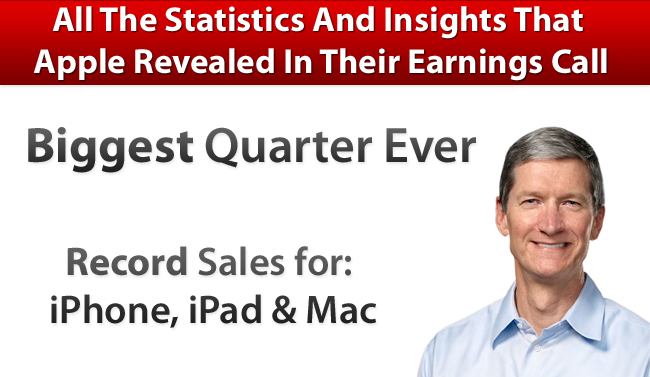
A few hours ago Apple released its Q1 2012 financial results and it saw Apple post its biggest quarter ever with revenue of $46.33 billion and see record sales of its Mac, iPhone and iPad product lines. We covered all the results in our Q1 2012 Results article earlier today so be sure to head over there if you haven’t already - it also includes a number of graphs that demonstrates Apple’s performance over the past 12 quarters and it paints a fascinating picture.

However, the earnings call itself is an interesting one hour, with Tim Cook (CEO) and Peter Oppenheimer (CFO) also answering a number of questions from select investors and analysts. In this Q&A section, a number of details are revealed - including additional statistics. We’ve re-listened to the call and have compiled the following post that highlights the more interesting aspects of this Q&A section and it is all below the break.

Further Reading:

MacStories: Apple Q1 2012 Results

MacStories: “Our Next Big Insight”

MacStories: More iPhones Than Babies Born Every Day

Apple’s Q1 FY12 Earnings Press Release

Audio Webcast of the Earnings Call

SeekingAlpha: Transcript of the Earnings Call

ReadWriteWeb: Apple’s Growth Rate Is Simply Incredible… And It’s Accelerating

Macworld: This is Tim: Apple’s CEO in his own words

Read more


Apple Q1 2012 Results: $46.33 Billion Revenue, 37.04 Million iPhones, 15.43 Million iPads Sold

Apple has just posted their Q1 2012 financial results. The company posted record-breaking revenue of $46.33 billion, with 15.43 million iPads, 37.04 million iPhones and 5.2 million Macs sold. Apple sold 15.4 million iPods, a 21 percent unit decline from the year-ago quarter. The company posted quarterly net profit of $13.06 billion, or $13.87 per diluted share. iPhone represented a 128 percent unit growth over the year-ago quarter, while iPad reported a 111 percent unit increase over the year-ago quarter.

We’re thrilled with our outstanding results and record-breaking sales of iPhones, iPads and Macs,” said Tim Cook, Apple’s CEO. “Apple’s momentum is incredibly strong, and we have some amazing new products in the pipeline.”

“We are very happy to have generated over $17.5 billion in cash flow from operations during the December quarter,” said Peter Oppenheimer, Apple’s CFO. “Looking ahead to the second fiscal quarter of 2012, which will span 13 weeks, we expect revenue of about $32.5 billion and we expect diluted earnings per share of about $8.50.

This is Apple’s best quarter ever. Until today, Apple’s most profitable quarter had been Q3 2011 with $28.57 billion revenue.

Estimates and Previous Quarters

Wall Street consensus’ estimate was earnings of $10.08 per share and revenue of $38.85 billion; six institutional/independent analysts polled by Fortune expected earnings per share of $11.57 and $41.87 billion revenue. In Q4 2011, Apple said they expected revenue of about $37 billion and diluted earnings per share of around $9.30 in the first fiscal quarter of 2012.

In Q4 2011, Apple posted revenue of $28.27 billion, with 11.12 million iPads, 17.07 million iPhones and 4.89 million Macs sold. The company posted quarterly net profit of $6.62 billion, or $7.05 per diluted share. iPhone represented a 21 percent unit growth over the year-ago quarter; iPod sales were down 27 percent from the year-ago quarter, and Apple reported the best iPad quarter to date with over 11 million units sold and a 166% increase over the year-ago quarter. In the year-go quarter, Apple posted revenue of $26.74 billion with 7.33 million iPads, 16.24 million iPhones and 4.13 million Macs sold.

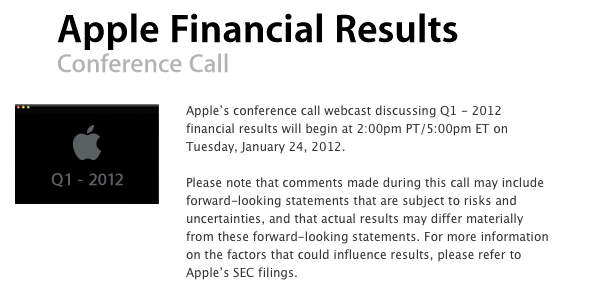
Apple will provide a live audio feed of its Q1 2012 conference call at 2:00 PM Pacific, and we’ll update this story with the conference highlights. You can find the full press release and a graphical visualization of Apple’s Q1 2012 after the break. A recap of estimates and product releases happened during the quarter is available here. Read more


Fantastical 1.2 Adds International Languages To Event Parsing Engine

Flexibits’ calendar companion app for Mac OS X, Fantastical, has been updated today to version 1.2 adding support for various languages that will allow international users to quickly write down new events in Italian, German, Spanish, and French.

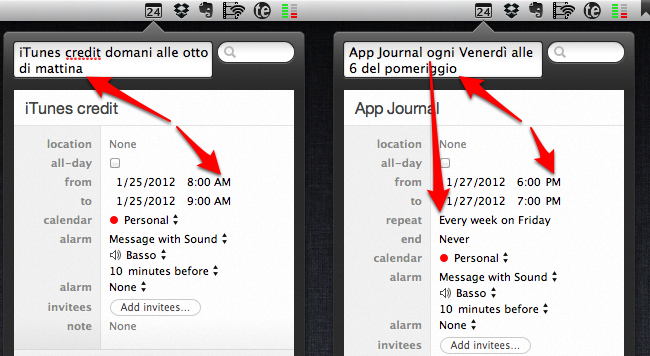
I have been able to test Fantastical’s natural language recognition (my original review) both in English and Italian, and the results are surprisingly well done. Whereas most apps that claim to feature “natural language input” fail miserably at parsing content from syntaxes other than plain English, Fantastical’s support for Italian has, indeed, turned out to be pretty fantastic. An event called “App Journal ogni Venerdì alle 6 del pomeriggio” (App Journal every Friday at 6 PM) was correctly recognized, processed and synced back to iCloud directly within the app thanks to Fantastical’s own calDAV engine. Without going into detail too much, I can say that Fantastical is able to recognize different variations of the same kind of input (such as “di mattina” and “di pomeriggio” for AM/PM switches) and definitely doesn’t stop at standard expressions for entering events but tries to understand common, real-life ways of telling an app to do something at a certain point in time. I can’t speak for French, German and Spanish support, but I assume it’s equally well done.

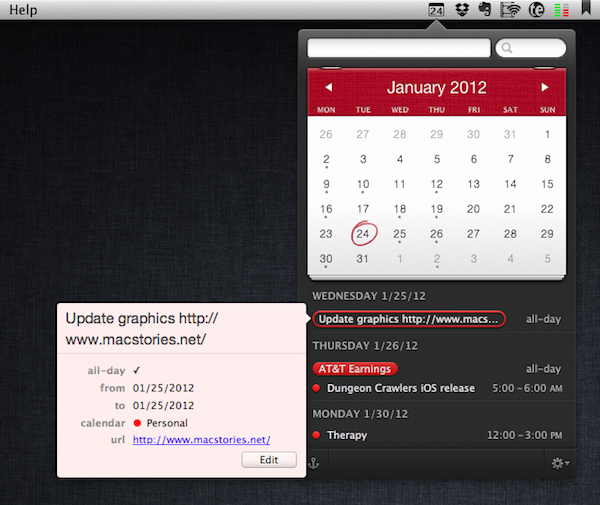
Version 1.2 comes with other bug fixes, performance and parsing improvements that make the app more stable and smoother in transitioning from text entry to event creation; the app can now automatically update subscribed calendars, and automatically hide calendars disabled in iCal. More importantly, Fantastical 1.2 brings better support for recurring events – such as my example above – and dims timed events that have already passed in “today” view. Those who often add URLs to events will appreciate the fact that Fantastical now correctly recognizes links and makes them clickable in event view.

Fantastical remains an amazingly lightweight yet powerful calendar companion that’s gradually getting more functionalities without becoming cluttered and confusing. You can get the app at $19.99 on the Mac App Store.


PDF Expert 3.2 Brings Full PDF Searching And Better Support For Bluetooth Keyboards

PDF Expert for iPad was updated last night to version 3.2, adding some nice new features to further improve the capabilities of the excellent PDF manager, viewer and annotation iPad app. The big new addition is full text search, allowing you to search through all your PDFs, rather than just their file names. I gave this new feature a quick try and whilst the initial indexing took a few minutes, I did have 535 files saved in PDF Expert. Furthermore, once it was indexed, subsequent searches worked virtually instantly.

A new sorting panel is also present in PDF Expert 3.2, now allowing you to reorder your files by name, date or modified date. If you use a Bluetooth keyboard with your iPad you can now use those “Tab” and arrow keys for faster data entry, particularly for PDF forms.

Readdle has also improved the Handwriting and Wrist Protection features in PDF Expert so they work better with less accidental annotation because you have rested your wrist on the iPad’s screen. Included in this is a new eraser tool for your handwriting, so if you do make a mistake it is now easy to erase just what you want. Finally, yesterday’s update included the use of data protection APIs, so all your PDFs are now stored securely inside the app.

PDF Expert for iPad is available for $9.99 on the App Store.


Virgin America Names Jet “Stay Hungry, Stay Foolish” After Steve Jobs

The saying that Steve Jobs made popular with his 2005 Stanford commencement address, “Stay Foolish, Stay Hungry” has now (literally) made its way onto a Virgin America plane.

An Airbus A320 plane (tail number N845VA) that Virgin America owns and runs, has been named “Stay Hungry, Stay Foolish”, with the quote emblazoned on the front of the plane, as seen above. A Virgin America spokesperson explained to MacRumors that the name was chosen after an internal naming competition.

The quote originated from the 1970’s magazine The Whole Earth Catalogue as Steve Jobs noted in his commencement address:

On the back cover of their final issue was a photograph of an early morning country road, the kind you might find yourself hitchhiking on if you were so adventurous. Beneath it were the words: “Stay Hungry. Stay Foolish.” It was their farewell message as they signed off. Stay Hungry. Stay Foolish. And I have always wished that for myself. And now, as you graduate to begin anew, I wish that for you.

[Via MacRumors]


A5 Jailbreak Reaches One Million Downloads in 24 Hours [Updated]

According to developer and hacker Joshua Hill, the latest jailbreak for devices running Apple’s A5 processor has been downloaded more than one million times in one day, Cult of Mac reports. The new jailbreak – dubbed Absinthe – was released for Mac OS X on Friday after months of speculation as to whether it was possible to hack into Apple’s new CPU architecture. The Absinthe jailbreak supports the latest version of iOS, iOS 5.0.1; iOS 5 was released in October, and users of iPhone 4S and iPad 2 have been waiting for a fully untethered jailbreak solution compatible with their devices since then.

According to Cult of Mac, one million downloads were achieved on Mac OS X alone as a Windows version of the jailbreak was released after the initial 24 hours. As Alex Heath notes, this figure is noteworthy as it seems to confirm that interest in jailbreaking devices hasn’t died down after the release of iOS 5; the operating system introduced more than 200 new features for iPhone and iPad as we detailed back in October. If anything, it was iOS 5 itself that led developers to create new apps and tweaks that are taking advantage of the latest features offered by Apple such as Notification Center and Twitter integration.

To put the A5 jailbreak’s numbers into context: one million downloads were reached in 24 hours by JailbreakMe 3.0 as well when it came out for iOS 4 devices last summer. Currently, the Absinthe jailbreak is available for OS X and Windows machines over at Greenpois0n.com.

Update: With a tweet, MuscleNerd says that 205,000 new Cydia accounts were created by Sunday morning, suggesting that a large percentage of Absinthe early adopters were users who had jailbroken their devices in the past, thus likely already having a Cydia account. See update below.

Update #2: Whilst we assumed “new Cydia installs” referred to the amount of new accounts created last weekend, MuscleNerd has clarified the figure indicates how many times Cydia was launched on a unique A5 device.

Update #3: Cydia creator Saurik chimes in with more numbers, clarifying that 205,000 were the iPhone 4S units with Cydia until Sunday morning.

Update #4: And last, the Dev-Team has published a blog post with the official numbers since Friday morning:

  • 491,325 new iPhone 4,1 devices (4S)
  • 308,967 new iPad 2 devices
  • 152,940 previously jailbroken (at 4.x) iPad 2 devices

For a total of 953,232 new A5 jailbreaks in over three days. At this point, if the previous 1 million/24 hours figure is to be believed, it’s possible 1 million downloads actually happened in 24 hours, but many users couldn’t immediately run Absinthe due to the server problems that affected Greenpois0n.com.


Preview: Analog 1.1 Launches Tomorrow With New Photo Options, Filters

When I reviewed Realmac’s Analog, a lightweight photo sharing app, back in September, I was impressed by the execution of a simple concept – applying filters to your photos to share them online – that was made popular on iOS by apps like Instagram and Camera+. From my review:

Analog offers 20 filters, which have been carefully researched by Realmac over the past months to make sure each one of them has its own personality (something we know that matters in this kind of apps) and will make your photos look great. Now I’m no photography expert, but I can recognize a nice filter when I see it. Analog’s filters range from washed out (Hefga, Golden Hour) to black & white (Noir, Dark Knight, Bromide — three B&W variations with different grey scales and contrast) to contrasty (Memory, XProcess) and other interesting options that I can’t quite classify (Kyoto, Hawkeye). Analog’s filters look good, and I definitely like the choice of 20 different filters offered by Realmac. You might argue some of them look similar to each other, but the developers have also implemented a system that ensures scratches, noise and other effects are always randomized on each processing session.

I had a chance to try out a pre-release version of Analog 1.1, which is coming out tomorrow, and it looks like those who liked the workflow and polished design of version 1.0 might have to hit the Mac App Store’s Update section as soon as the app goes live. Analog 1.1 improves on several aspects of the first version: performances and memory management have been improved, making the app snappier and more responsive when adding filters and switching between edited and non-edited versions of a photo.

The update will bring three new filters (I tested them, they look good), two new borders, and, more importantly, a new slider to adjust the intensity of your chosen filter. In my tests, this has turned out to be quite handy to manually refine the amount of modifications I wanted to make to an image. Obviously, Analog 1.1 retains the filter randomization capabilities of the previous version (so that scratches, noise and other effects are randomized on each processing session) and all the other features that made Analog 1.0 intuitive and fun to use.

Analog 1.0 is currently available on the Mac App Store at $6.99. Analog 1.1 will be available tomorrow (January 24th) as a free update for existing Analog customers.


An Experiment with Comics, iBooks 2.0 and iBooks Author

Last week, Apple unveiled its iBooks Textbooks initiative alongside a new desktop application for OS X, iBooks Author, aimed at offering a single solution for authors willing to edit and design iBooks for the iBookstore or manual distribution through exporting options. Some limitations of iBooks Author have sparked a debate that we’ve covered extensively on MacStories last week, also through articles in our Reading List.

Proprietary file format controversies aside, it was already clear that iBooks Author would undoubtedly facilitate the creation of textbooks and eBooks heavily relying on graphics with its easy-to-use align tools and familiar interface.

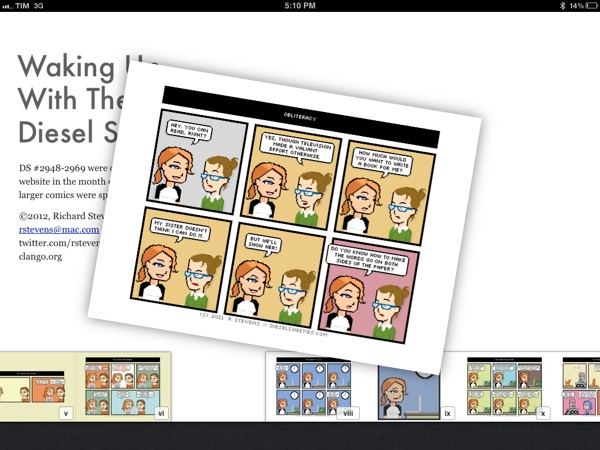
Today, cartoon and t-shirt designer Richard Stevens has published an iBooks adaptation of its popular webcomic series that’s been entirely converted and tweaked using iBooks Author as an initial experiment.

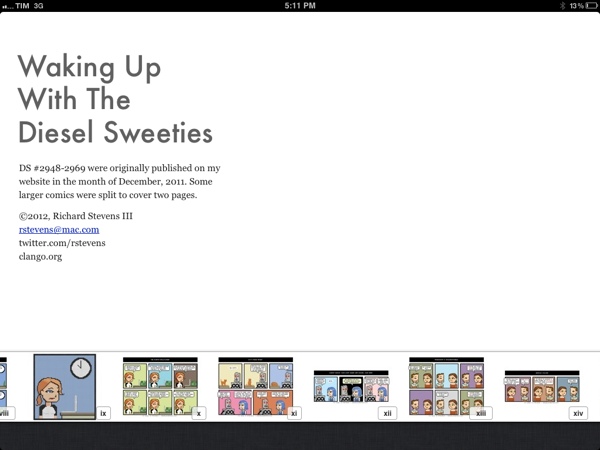
Waking Up With the Diesel Sweeties is a tiny little free ebook for the iPad. It contains all my comics from last month with a few tweaks, formatted in iBooks Author. This version only works on the iPad. It’s not in the iBookstore, so you’ll need to download the file and sync it to your iPad.

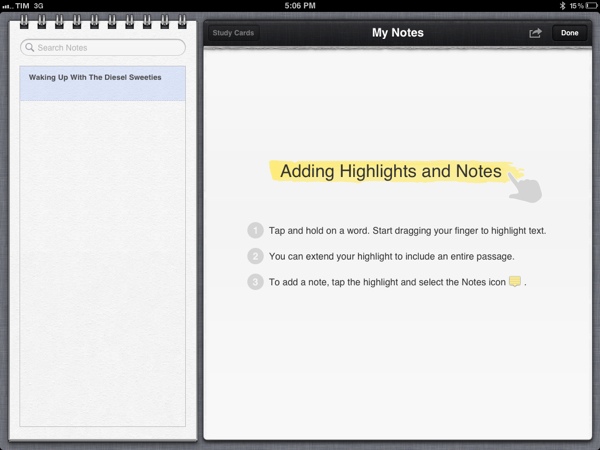
The eBook is available for download through Dropbox, and it can be installed on an iPad running iBooks 2. You can manually sync the file from iTunes to your iPad, or use an app like GoodReader to download it directly on your device and open it in iBooks. Whilst Stevens’ first iBook is an experiment, it shows the possibilities opened by iBooks 2 and iBooks Author: the book fully supports iBooks’ new annotations, highlights and study cards, and you can pinch on pages to access iBooks’ new navigation with thumbnails displayed at the bottom of the screen.

I wrote last week that I wouldn’t be surprised to see iBooks Author-based eBooks be used for something else other than regular books – for instance, I’ve heard more than one developer say that they’d be interested in using the software to create interactive manuals and help tools for their apps, among other things. iBooks Author may have been criticized and there’s still a lot of features Apple has to clarify and implement (especially for independent authors and publishers), but the interactivity and WebKit-based functionalities offered by the format look more promising every day.