Posts in news

Apple Posts WWDC 2013 Keynote, iOS 7, “Designed by Apple” Videos

For those who didn’t follow a liveblog or the news as it unfolded on Twitter, Apple has now posted the keynote video of its WWDC 2013 keynote held earlier today in San Francisco.  The video can be streamed here, and a higher quality version should be made available in a few hours through iTunes (on the Apple Keynotes podcast). To avoid streaming errors, Safari is recommended for the best viewing experience.

Alongside the keynote, Apple has also posted promotional videos for iOS 7 (announced today) and “Designed by Apple”, a new campaign that the company will start running today as a TV ad. The iOS 7 video, featuring an introduction by Apple’s Jony Ive, is available here.

“Designed by Apple” has received its own webpage, where Apple has posted two videos. The first one was first shown today in San Francisco, before the keynote started; the second one is a TV ad that was aired at the end of the presentation. The first video features a series of animations with the following text:

If everyone is busy making everything, how can anyone perfect anything?

We start to confuse convenience with joy, abundance with choice. Designing something requires focus.

The first thing we ask is: what do we want people to feel? Delight. Surprise. Love. Connection. Then we begin to craft around our intention. It takes time…

There are a thousand no’s for every yes. We simplify. We perfect. We start over.

Until everything we touch enhances each life it touches.

Only then do we sign our work.

The new videos can be watched here.

For more coverage, check out our WWDC 2013 news hub and follow @macstoriesnet on Twitter.

The Numbers From Apple’s WWDC 2013 Keynote

As usual with keynotes in recent years, Apple’s CEO Tim Cook walked on stage today and offered an overview of the company’s state of the business and other noteworthy statistics. These numbers, which Apple typically shares during the year in separate press releases or product announcements, are always interesting as they provide a complete picture of Apple’s sales, installed base, and more.

  • 24th WWDC, longest developer conference with attendees from 60 countries
  • 6 million registered developers, 1.5 million since WWDC 2012
  • WWDC 2013 was sold out in 71 seconds
  • Over 1 million people per day visited Apple retail stores last year
  • 407 stores around the world in 14 countries
  • There are 900,000 apps on the App Store
  • There are 375,000 iPad apps
  • 575 million accounts on the Store
  • $10 billion paid to developers, $5 billion paid in the last year alone
  • 72 million installed Macs
  • 28 million Mountain Lion copies since announcement, best release yet
  • 35% of users adopted Mountain Lion it in first six months
  • 1.8 million iBooks available on the Store
  • 300 million iCloud accounts
  • 35 billion redownloads of iTunes content
  • Game Center has over 240 million users
  • 800 billion iMessages have been sent to date
  • 7.4 trillion push notifications sent to date
  • Over 600 million iOS devices sold

For more coverage, check out our WWDC 2013 news hub and follow @macstoriesnet on Twitter.

Sponsor: Smile

Our thanks goes out to Smile this week for sponsoring MacStories with PDFpen 6.

PDFpen offers an affordable alternative for marking up, editing, and adding images to PDF documents. Available across Mac and iOS, PDFpen goes anywhere you do, giving you the capability to correct typos, add your signatures, and re-order pages on the fly. Because PDFpen uses OCR (optical character recognition) on PDFs and scanned documents, text is digitized so you can edit text and search the entire document for a particular keyword or phrase.

PDFpen 6 for the Mac supports Retina displays, and comes equipped with a powerful toolbar for getting things done faster than before. And for use in the office, you can export documents to a Microsoft Word document. Best of all, PDFpen 6 will auto save as you annotate or edit your PDFs, meaning you’ll never lose your progress if you have leave for a quick meeting.

PDFpen 6 is only $59.95 on the Smile Store and the Mac App Store. You can learn more and download a free trial here.


Apple To Live Stream Today’s WWDC Keynote

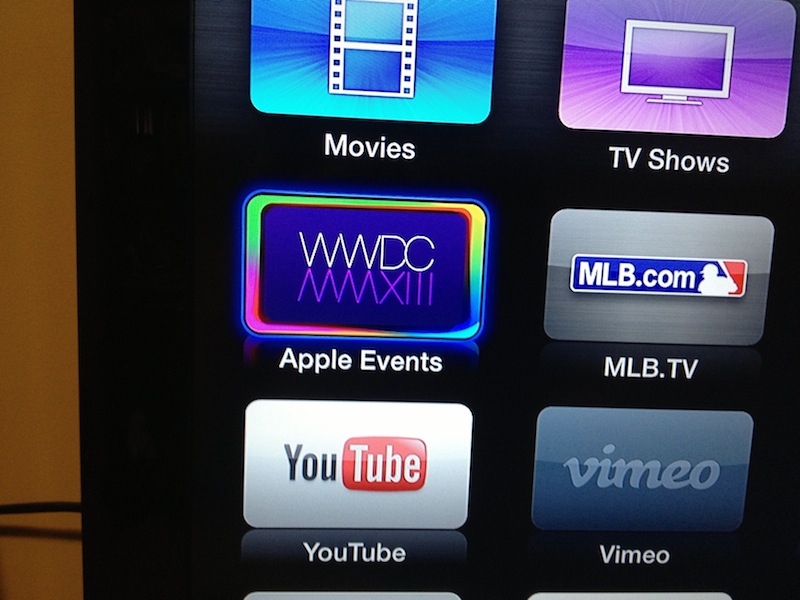
As noted by MacRumors, Apple will once again provide a live video stream of today’s WWDC 2013 keynote in San Francisco. With an update pushed overnight to Apple TV owners, Apple has added a live feed for WWDC 2013 to its existing Apple Events channel.

The last time Apple used the special Apple TV channel was on October 23, 2012, when they unveiled, among other announcements, the iPad mini. Before October 2012, Apple had offered a live stream for its “Back to the Mac” event in 2010, when the company introduced OS X Lion and a new line of MacBook Airs.

Apple hasn’t yet confirmed whether the event will also be streamed on its website to desktop and mobile browsers, but it’s likely that a link will be put up shortly on Apple’s Events webpage.

Update: As expected, Apple just confirmed that the keynote will also be streamed on its website.

Apple’s WWDC 2013 keynote kicks off at 10 AM PDT; you can check your own timezone here.

07:00 — Honolulu, Hawaii
10:00 — San Francisco, California
13:00 — New York, New York
14:00 — São Paulo, Brazil
18:00 — London, England
19:00 — Rome, Italy
20:00 — Riyadh, Saudi Arabia
21:00 — Moscow, Russia
22:30 — New Delhi, India
01:00 — Shanghai, China (June 11)
02:00 — Tokyo, Japan (June 11)
03:00 — Sydney, Australia (June 11)

We’ll be offering a liveblog of today’s keynote here.


Liveblog: WWDC 2013 Edition

We aren’t coming back haunted, but we are coming back with @SteveStreza, who will once again be our eyes and ears at this year’s opening Keynote on June 10th. Just like last year, we’ll be bringing you live commentary, photos from the event, and all day coverage of Apple’s latest product announcements in the form of comprehensive blog posts and a good ol’ fashioned roundup for any of the smaller things that happen to show up on stage. And as always, we’ll take some time before the event starts (30 minutes) to chit chat with our readers as developers are let into Moscone West.

This year we also have something cool to remind you of the event on your iPhone. By downloading our Passbook pass, you’ll get a push notification letting you know when our liveblog is kicking off, and you’ll also have the chance to grab a promocode or two from some of our favorite developers.

Passbook

You can install our WWDC 2013 Liveblog pass here.

Apple WWDC 2013 Keynote Time Zones

You can check your own timezone here.

07:00 — Honolulu, Hawaii
10:00 — San Francisco, California
13:00 — New York, New York
14:00 — São Paulo, Brazil
18:00 — London, England
19:00 — Rome, Italy
20:00 — Riyadh, Saudi Arabia
21:00 — Moscow, Russia
22:30 — New Delhi, India
01:00 — Shanghai, China (June 11)
02:00 — Tokyo, Japan (June 11)
03:00 — Sydney, Australia (June 11)

WWDC 2013 Banners at Moscone West

Note: We’ll provide all day coverage of WWDC announcements on MacStories’ homepage and through our WWDC 2013 hub. We’ll have a liveblog in this post 30 minutes before the keynote kicks off, tweet text updates as @MacStoriesLive, and announce new articles and updates as @MacStoriesNet.

Read more


iOS 7 Confirmed: New Banners Up at Moscone West [Update: OS X Too]

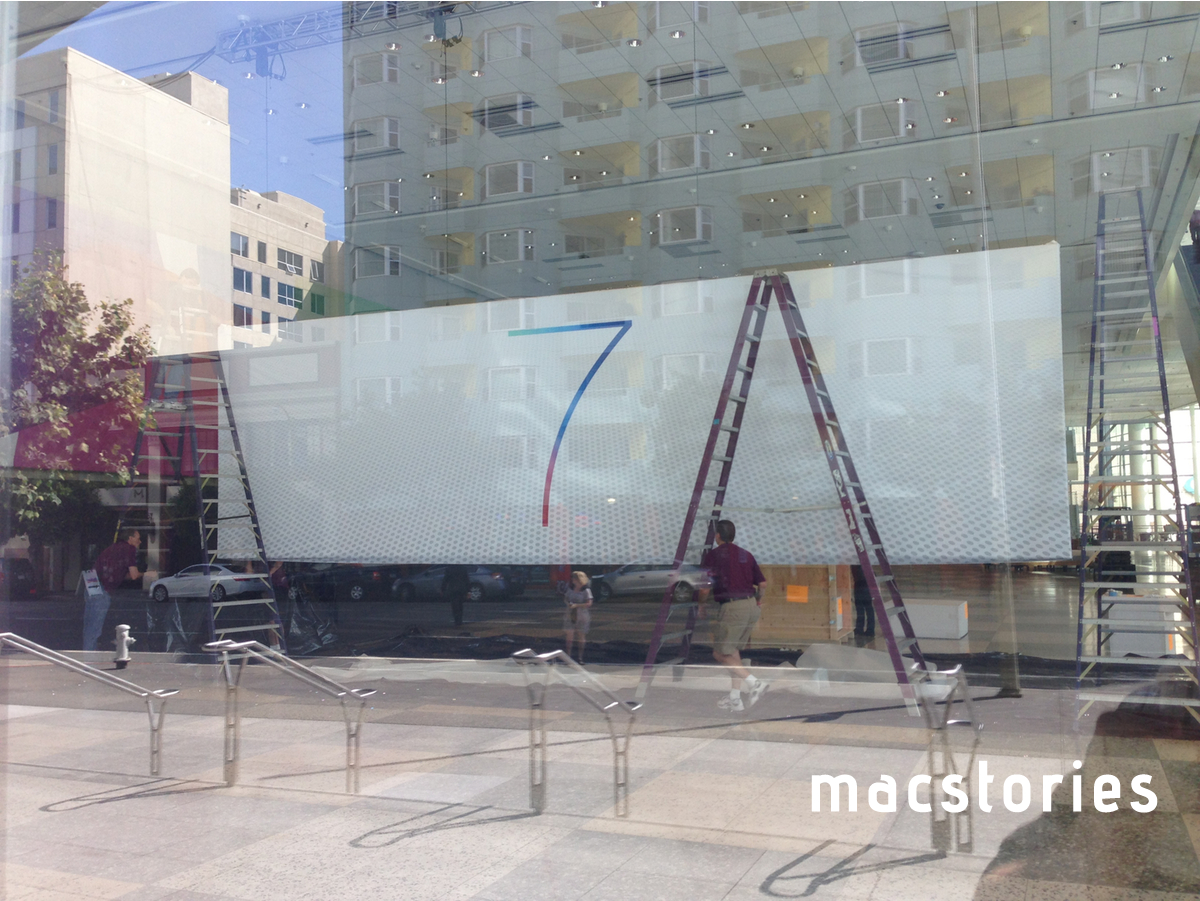
It’s been three days since Apple started decorating Moscone West with WWDC 2013 banners, and today the company has started publicly showing off new signage hinting at the next iteration of iOS, iOS 7. In a press release published in April, Apple said developers attending WWDC would learn about the future of iOS and OS X.

Using a very simple layout compared to last year, Apple is simply saying “7” on the banner that’s being put up at Moscone West right now. According to speculation from the past few months, iOS 7 will be a departure from previous versions of the operating system in terms of user interface design. After last year’s reorganization of the executive team, Tim Cook himself confirmed at D11 that Jony Ive, now head of the Human Interface Group at Apple, has been working on a new “look and feel” for iOS.

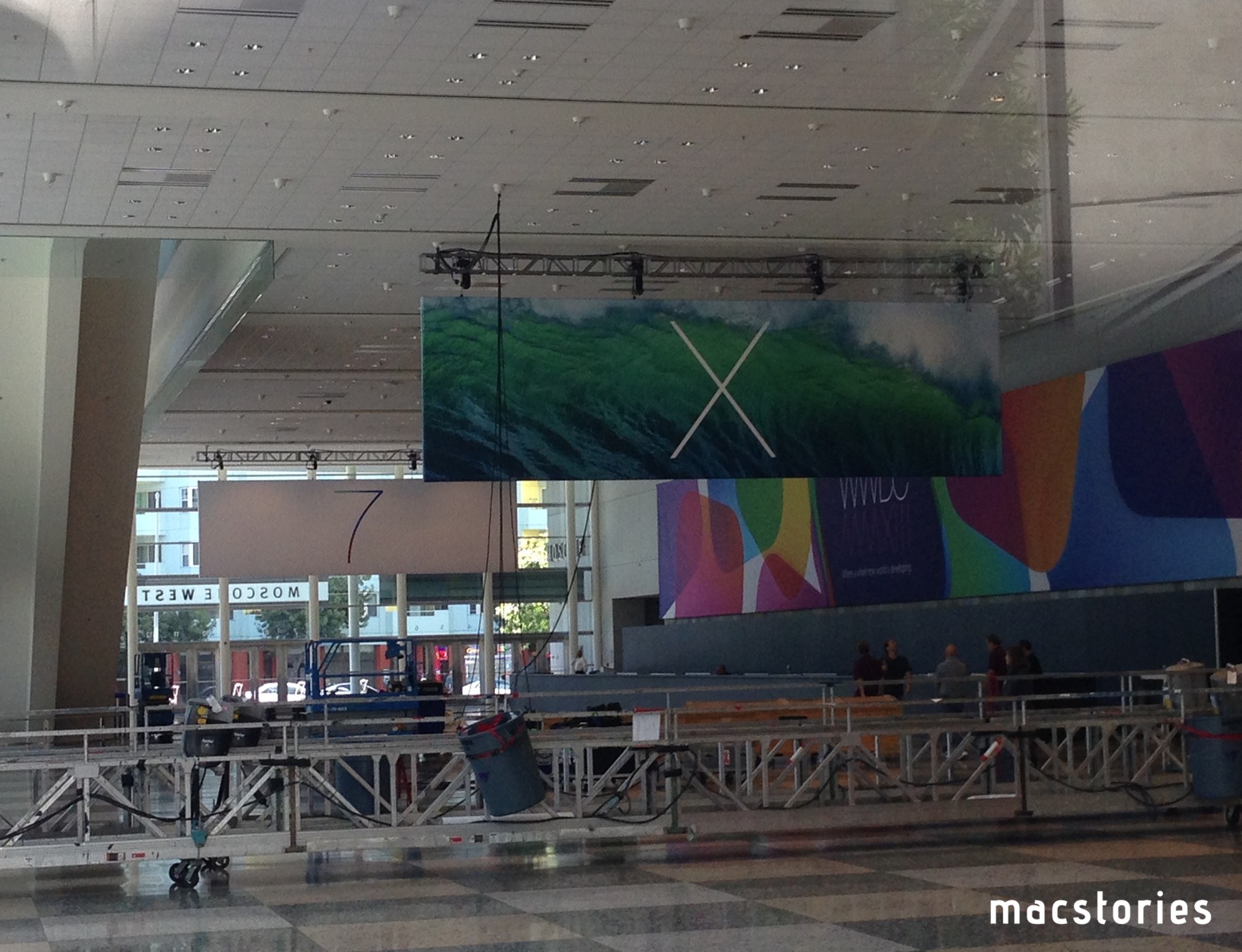
Update: Apple has also just started assembling banners hinting at OS X, which, similarly to the “7” banner, simply say “X”. The background of the banner seems to depict an ocean wave.

Read more


Get Hype for WWDC 2013 With These Colorful Wallpapers

MacStories WWDC 2013 Wallpaper Banner

MacStories WWDC 2013 Wallpaper Banner

Designed by my friend Silvia Gatta of Icons & Coffee, MacStories’ WWDC 2013 wallpapers are simple, colorful, and delightful. Made to capture the spirit of this year’s upcoming event, these wallpapers have been tailored to look great on any of your devices. Below, you’ll find the perfect match for your iPhone, iPad, or Mac. And if you want the whole set, you can download it all in a simple bundle.

MacStories’ WWDC 2013 Wallpapers:

Please be sure to thank @aylys on Twitter if you enjoy her wallpapers.


Kick Off WWDC 2013 With MacStories’ Passbook Pass

As soon as I saw what Second Gear’s Justin Williams had done with PitPass.io, I knew that the system would be a great fit for our WWDC 2013 liveblog. I asked Justin if we could set up reader passes before WWDC, and he was kind enough to work with us. So while we’re putting the finishing touches on this year’s liveblog, you can now install a MacStories pass using this link.

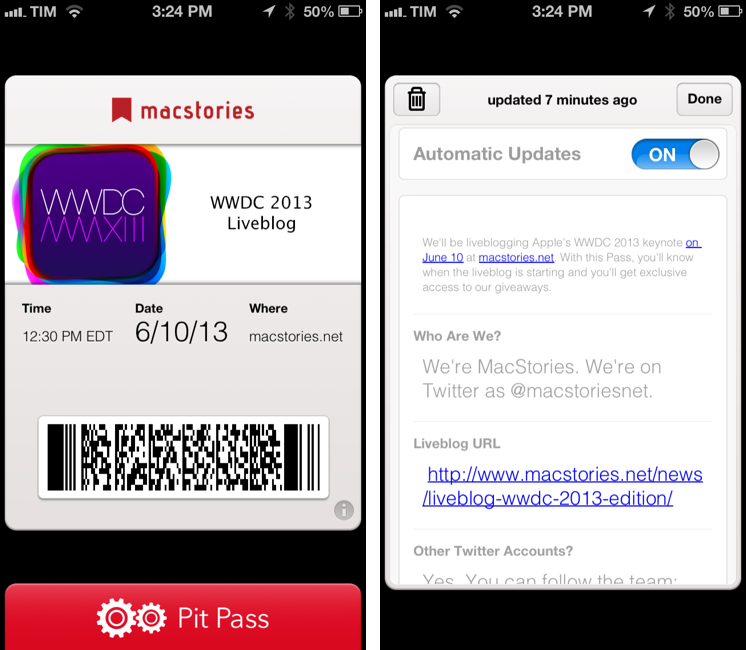
The pass will do a couple of interesting things. Firstly, you can install it directly from an iPhone or iPod touch, or, if you’re on a Mac, using Safari, which will let you add the pass on your iOS devices through iCloud. The pass itself will show you a date and time for our liveblog (12:30 PM EDT, 9:30 AM PDT) on the front, and you can tap the “i” button in the bottom right corner to access more information. On the back of the pass, you’ll find a direct link to our liveblog, links to our Twitter accounts, and a “Giveaway” section.

Passbook supports push notifications, and we’ll use them to reward readers who install our pass on their devices. We will send two push notifications between today and June 10: one with promo codes to redeem apps we like; the last one with a reminder just before the liveblog will start.

I want to personally thank Justin Williams for his support and work on the WWDC liveblog pass. Make sure to check out his apps at Second Gear and upcoming Passbook service, PitPass.io.

You can install the MacStories WWDC 2013 Liveblog pass here.


Dropbox for Mac Beta Brings Automatic Screenshot Sharing, iPhoto Import, New “Move” Menu

Dropbox public betas – known on the company’s forums as “experimental builds” – serve as a field test for new features that are being taken in consideration for the app’s desktop clients. And while they don’t always see the light of day in the public release channel, they do help Dropbox collect feedback for future updates and revisions.

Today, Dropbox has released a new public beta for Mac that contains some noteworthy new functionalities to speed up the process of adding files to your Dropbox account through the Finder, and particularly images.

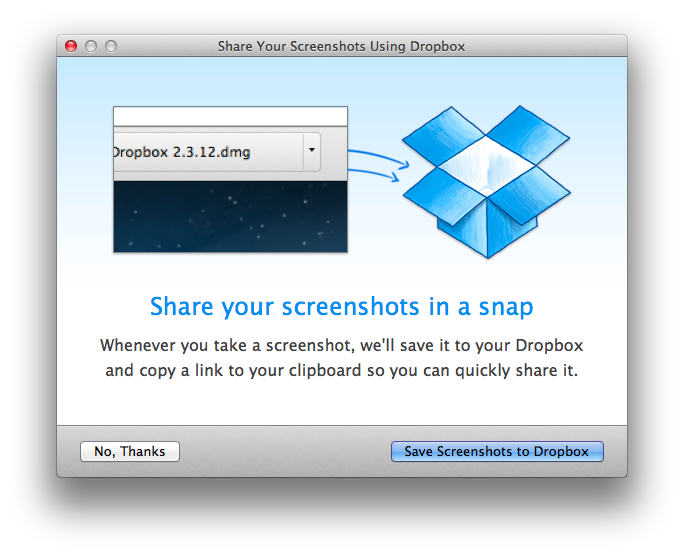
The first one, an automatic screenshot sharing feature, is somewhat reminiscent of tools like Droplr and CloudApp: once enabled in the Preferences, it will allow Dropbox to redirect every screenshot taken on OS X to a /Screenshots folder in your Dropbox, sharing that file and putting a public link in your system clipboard. While not as full-featured as the aforementioned third-party tools, automatic screenshot sharing could indeed make for a nice solution to quickly share screenshots on Twitter and IM – retaining control over files that are simply located in the Finder.

In line with Dropbox’s renewed focus on photos, an iPhoto import feature should let the app turn iPhoto albums and events into Dropbox albums also viewable on the web. In practice, I haven’t been able to test the import feature in spite of my MacBook meeting the requirements mentioned on the forums (iPhoto 7.0 or higher). Based on the description, it does seem like Dropbox wants to replicate the Everpix experience with an automatic desktop importer taking care of fetching files from iPhoto and organizing them in Dropbox albums.

The last new feature of the beta is a “Move to Dropbox” contextual menu that will show up “for most files or folders outside of your Dropbox”. Essentially, this allows you to right-click on any file or folder and quickly send it to your main /Dropbox folder, but without automatic sharing. In my tests, the menu worked as advertised.

Dropbox experimental builds should be taken for what they are: public betas from a company seeking feedback from its users. Features introduced in these builds are sometimes kept, often tweaked, occasionally removed and re-engineered for a future implementation. You can download today’s new experimental build here.