Posts in news

Introducing The Prompt Podcast


A few months ago, my friend Myke Hurley asked me if I wanted to launch a new podcast. There are many tech podcasts these days – maybe too many – and, back then, I didn’t know what I wanted to do. I have thought about this very deeply, and I’ve come to this conclusion: the great thing about the Internet is that everyone is free to produce their own content, because the readers will eventually decide what they like and what they don’t. Or, in our case, the listeners: today, Myke, Stephen, and I are announcing The Prompt.

From Stephen’s blog post:

Each week, we’ll be looking at not only the news, but the ecosystem and culture around Apple and its products.

The real twist is what we do with guests. Instead of the three of us running around trying to cover everything, we’re building an army of correspondents.

I am extremely grateful for the opportunity, and I look forward to beginning this new adventure with Myke and Stephen. I realize that there are several podcasts about Apple and technology nowadays; my hope is that, like MacStories, 512 Pixels, and 70Decibels, The Prompt will distinguish itself because of quality, not trends. Our listeners will decide.

We haven’t recorded the first episode of The Prompt yet, but, when we’ll do after WWDC, you’ll find it on the 5by5 network. Here’s something cool: if you subscribe to the 512 Podcast today, you’ll be automatically migrated over to The Prompt feed when it launches. And, to kick off things properly, you can listen to the just-posted penultimate episode of the 512 Podcast, where I was invited to announce The Prompt and discuss iOS 7 and WWDC predictions.

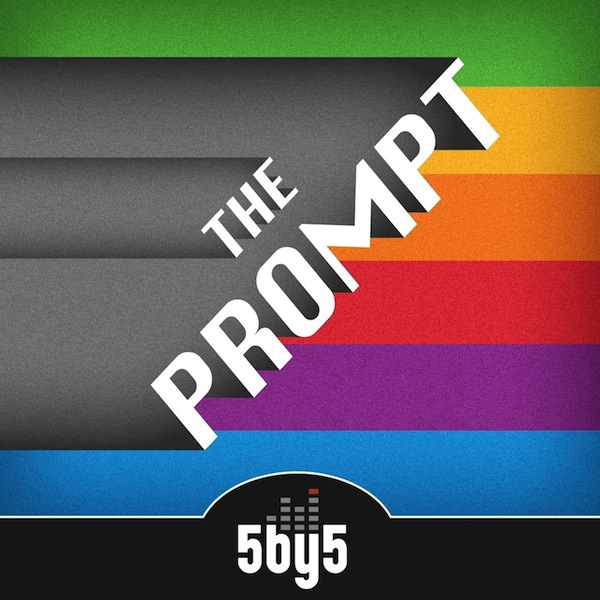
I have big expectations for The Prompt, and I hope that you’ll pardon my accent. You can follow @_theprompt on Twitter, and check out the beautiful artwork by Jory Raphael above.

Apple Starts Decorating Moscone West with WWDC 2013 Banners

With WWDC 2013 kicking off in San Francisco on Monday, Apple has today started decorating Moscone West for its five-day event. Last year, with WWDC starting on June 11, Apple began Moscone preparations on June 5, showing off colorful banners with app icons and, in the process, confirming iOS 6’s official new icon ahead of the conference.

So far, banners put up by Apple at Moscone West are showing the same colorful graphics of the official WWDC 2013 logo that Apple unveiled in late April. While much has been said about whether the WWDC logo may hint at a visual refresh in the next versions of iOS and OS X, the shape used by Apple is simply reminiscent of iOS app icons – something that Apple has often used for WWDC banners.

This year, Apple is using the “Where a whole new world is developing” tagline for the initial set of banners.

We’re receiving the first photos from Moscone West, and we’re including them after the break. We will update this post with more photos as we receive them throughout the week. Read more


Apple Releases OS X 10.8.4

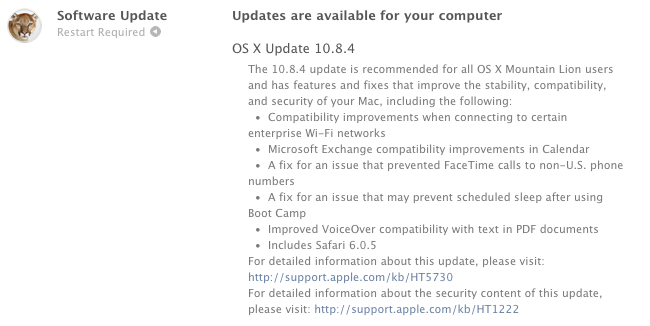
Apple today released version 10.8.4 of OS X Mountain Lion. The update, which is available now through Software Update on the Mac App Store, brings bug fixes and improvements. Notably, 10.8.4 includes Safari 6.0.5, a fix for connecting to enterprise WiFi networks, improved FaceTime calls to non-US phone numbers, and Exchange improvements in Calendar.

On a dedicated webpage, Apple mentions that a popular issue of iMessage and the Messages app has been fixed with today’s update: “A fix for an issue that may cause iMessages to display out of order in Messages”.

Apple has posted direct links for the 10.8.4 update – as usual, both in standard and Combo versions. You can get them through the links below.


Gmail for iOS Gets New Inbox, Improved Notification Settings

Announced last week, Google has today released an update to its official Gmail app for iOS that adds support to the new inbox and brings finer controls for push notifications.

The new inbox, configurable from Gmail’s desktop website, allows you to enable different categories for “primary” emails and other messages such as promotions, social updates, or notifications from online forums. As we described the feature last week, “categories and tabs are basically pre-defined filters and labels with training wheels”. Messages can be moved from a tab to another to train Gmail’s algorithm in better automatic organization; currently, Gmail will try its best to automatically sort an incoming message into the appropriate category, but there isn’t an option to create new custom categories from scratch.

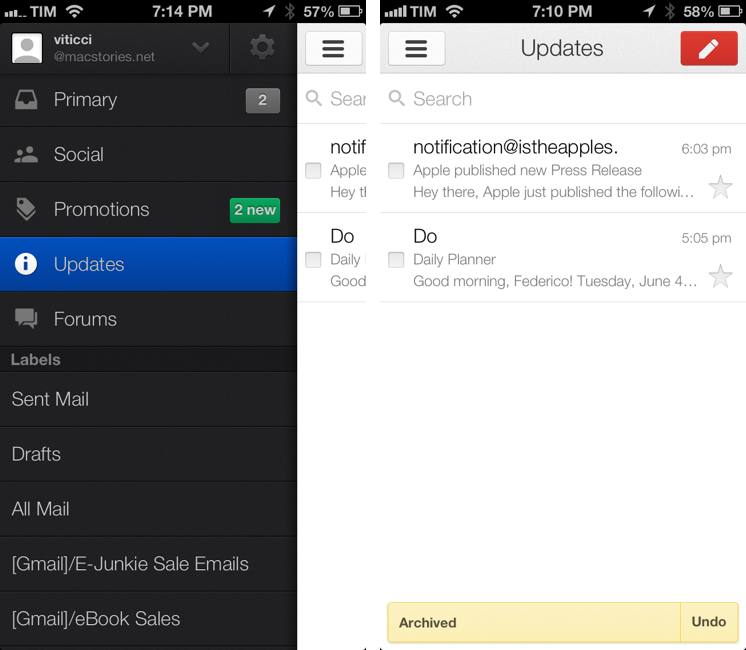
The Gmail app now shows Inbox categories in the account sidebar, where they’re listed with custom icons and colored badges for unread emails in each category. Like the desktop website, you can move messages across categories, but you can’t configure the Inbox directly on iOS (the app will remind you to open Gmail “on a computer” to do that).

Gmail’s notifications have been updated to reflect the change. With today’s update, you can set notifications for all new mail, none, or only messages that are marked as “primary”. Notification settings are available inside each account, where you can also activate your mobile signature and vacation responder.

Gmail for iOS is available on the App Store. For a refresher on the new Inbox, here’s Google’s blog post from last week.


Reeder To Add Support For Feedly and Feed Wrangler

Soon after Google announced they would shut down their RSS platform Reader this July, Feedly confirmed they would build an API clone – codenamed Normandy – to ease the transition from Reader to Feedly for users and third-party developers. Essentially, this meant Feedly had been working on its own RSS syncing service with support for third-party clients to complement its own set of native apps.

In a blog post published today, Feedly has announced that they have been working with developer partners over the past two months to ensure the feedly API, based on the Normandy project, could launch with an ecosystem of native third-party apps. And among the apps that will support Feedly before July 1 (when Google will shut down Reader) there’s Silvio Rizzi’s Reeder, one of my favorite RSS apps for the iPhone and iPad.

We are also hearing from users that saving their feeds is not enough: One of the key features of Google Reader was that they had an ecosystem of apps – apps that people love and depend upon.

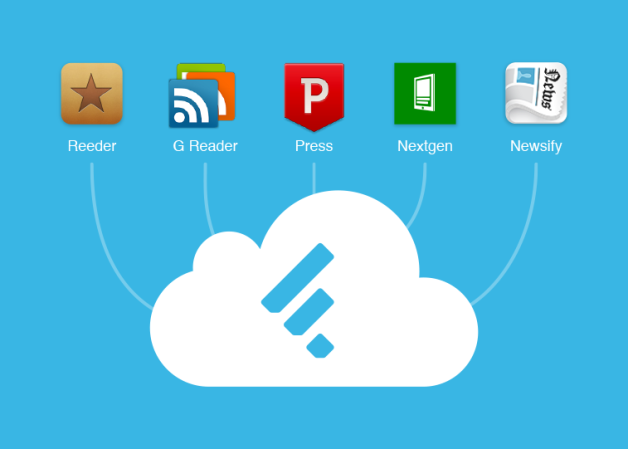
We have been working behind the curtains with the developers of Reeder,Press, Nextgen Reader, Newsify and gReader as design partners for our Normandy project. Today we are excited to announce that you will be able to access your feedly from all these apps before Google Reader retires and that the access to feedly API will be free. More details soon.

I have reached out to Rizzi, who confirmed Feedly support will indeed be added to the next versions of Reeder. His client, which was updated last April on the iPhone to support Feedbin sync and local RSS feeds, will also be updated for Feedly integration. While a precise release timeframe isn’t clear yet, it’s safe to assume Feedly integration will first come to the iPhone and then to Reeder for Mac and iPad (Rizzi made Reeder for iPad and Mac free while he’s working on a major 2.0 update).

Rizzi also told me that Reeder will support Feed Wrangler, David Smith’s RSS service that launched in late April. In my review of Feed Wrangler, I noted:

In the next “few weeks”, an official API will be released to let third-party developers create Feed Wrangler clients, and I think that will be a key aspect for scaling the service’s adoption rate to accommodate different kinds of users and applications. While the platform is solid and reliable, it lacks the beautiful interface polish of Google Reader apps like Reeder, or the power-user functionality of Mr. Reader’s services menu. The official website and apps should serve as an example of what Feed Wrangler can do, but it’ll be up to third-party clients to prove Feed Wrangler’s flexibility.

Again, as with Feedly integration, Rizzi can’t provide a specific release date today. Feed Wrangler, which has become my favorite Google Reader replacement, comes with a series of unique implementations of the decade-old concept of syncing and reading feeds, and it’ll be interesting to see how Reeder will take advantage of it in its custom interface.

Today, another popular RSS app for iPad – Mr. Reader – confirmed that it will add support for Feed Wrangler (alongside Feedbin and Fever) in a future 2.0 update.


Google Chrome for iOS Updates With Improved Voice Search

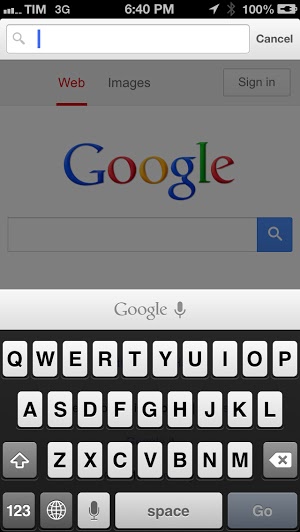
Pending an official announcement from Google, Google Chrome for iOS now contains the previously announced voice improvements that lets you search the web without typing out a single letter. Covering the extra row of keys that used to present themselves as you typed, a floating bar replaces the previous voice button from the omnibox. Tapping it brings up a microphone where you can speak your query, and depending on the question, Google will read the answer back to you (for example, ask it what time it is in Italy). Just like Google Search, Chrome will read back the text to you as you speak, and the results feel nearly instant.

You can download Chrome for iOS from the App Store.


WWDC 2013 App Now Available on the App Store

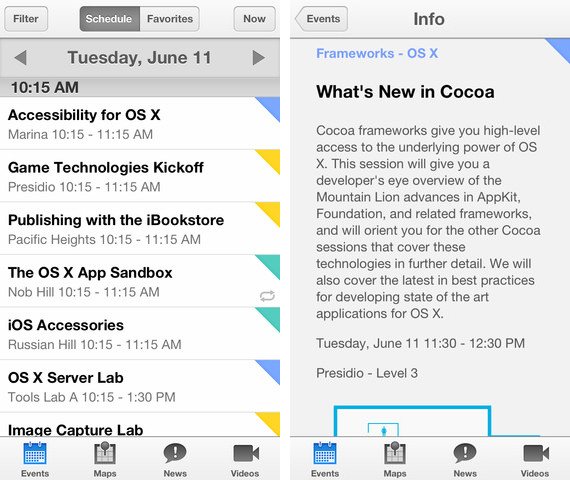
Apple’s WWDC app is now available on the App Store, providing attendees with pertinent information on sessions while giving developers who are not attending a way to browse session videos. This year, Apple will be publishing videos for developers who can’t attend during the conference, instead of afterwards. Thanks to iCloud, developers can start watching a session on one device and pick it up on another. The app provides tools for scheduling session attendance, directions for finding your way around Moscone West, and the ability to leave feedback for sessions attended. Lastly, attendees can add their information to Passbook for faster on-site registration.

Download the WWDC app here.

WWDC takes place next Monday on June 10th.


Kickstarter: Pocket Tripod Slips Into Your Wallet

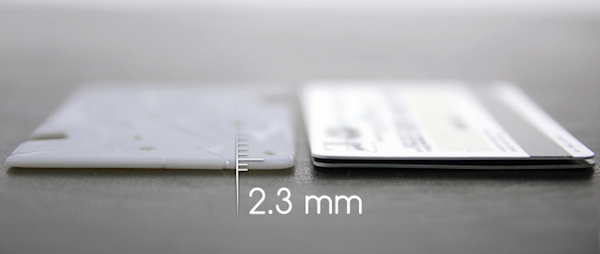
Pocket Tripod, an iPhone stand that’s no bigger than a couple credit cards, provides a steady platform for propping your iPhone up on a table, nightstand, or kitchen counter. Only 2.3mm thin, Pocket Tripod was designed to be practical, available for any given moment to fill a variety of needs. Pocket Tripod unfurls to become a angled stand on an airline tray or an immediate tripod for capturing a family portrait. Because of the iPhone’s uniform edges and design, the stand is able to accommodate the iPhone in a variety of positions in portrait or landscape, seating it vertically or tilted back at any angle.

The card sized stand was designed to meet manufacturing goals and to withstand abuse. As the stand packs flat and unfurls or disassembles to prop up the iPhone, ensuring the stand doesn’t wear out is a concern. Geometrical Inc., the company behind Pocket Tripod, claims that its design is up to the challenge of everyday use.

Kickstarter pledges start at $20 for a black or white model, which are currently all sold out. For $25, backers can expected an expedited copy of the Pocket Tripod off of the assembly line if the project is successful. Pocket Tripod has a goal of $45,000 with 29 days to go. Pocket Tripod is expected to retail for $30 when it’s available.

Learn more and back Pocket Tripod on Kickstarter here.