Posts in news

Apple Announces Q4 2013 Conference Call for October 28

Apple’s fourth quarter earnings report and conference call will take place on October 28th, 2013, according to an Investor Relations update on Apple’s website. At the time of the event, Apple will broadcast the call online.

Apple plans to conduct a conference call to discuss financial results of its fourth fiscal quarter on Monday, October 28, 2013 at 2:00 p.m. PT / 5:00 p.m. ET.

For the third quarter, ending on June 29th, Apple earned $35.3 billion in revenue, resulting in a net profit of $6.9 billion. Earnings for the 3rd quarter were $7.47 per diluted share. For the fourth fiscal quarter, Apple predicts earning between $34 billion and $37 billion in revenue (which Apple later clarified would be towards the high end following opening sales of the iPhone 5c and iPhone 5s). Last year, Apple earned $36 billion in revenue, pocketing $6.9 billion in profit, at $8.67 per diluted share.

This year, Apple launched two new iPhones: the colorful iPhone 5c, and the flagship iPhone 5s. During the opening weekend, Apple sold over 9 million new iPhones, compared to iPhone 5 in 2012 which sold over 5 million during its opening weekend. Launch countries included: Australia, Canada, China, France, Germany, Hong Kong, Japan, Puerto Rico, Singapore, the UK, and the US. In their press release, Apple stated that demand for the iPhone 5s exceeded initial supply and that many online orders would be shipped in coming weeks.

In addition to new iPhones, Apple introduced iOS 7, a complete rethinking of Apple’s mobile operating system. Through a simple software update, millions of customers had their iOS devices updated with brand new features such as Control Center, an all-in-one hub for managing common settings and playback controls, visual multitasking, and automatic updates that ensure apps are always current and up-to-date. You can read our thoughts on iOS 7 here.

Apple also added iTunes Radio to their content ecosystem, which features: first plays of upcoming albums, collaborations with artists, customized radio stations based on songs, and an ad-free listen for iTunes Match subscribers. iTunes Radio helps listeners discover a variety of new music based on their musical interests, favorite artists, and listening habits.

While Apple has not made any announcements, the company is expected to reveal new iPads and iPad minis later this month, launching the products in Q1 for 2014 to kick off the new fiscal year. If and how the company will update the iPod lineup remains to be seen, but my guess is that things will stay the same this year, since the iPod lineup received a Space Gray color option shortly after the iPhone 5s and iPhone 5c were announced. As for Mac updates, I could see Apple revealing a launch date for its Mac Pro at the iPad event, but I expect silent spec bumps for everything else.

We will provide live updates from the conference call on our site’s homepage on October 28th starting at 2 PM PT.
Calendars 5.1 Improves Sync, Reminders Integration, URL Scheme

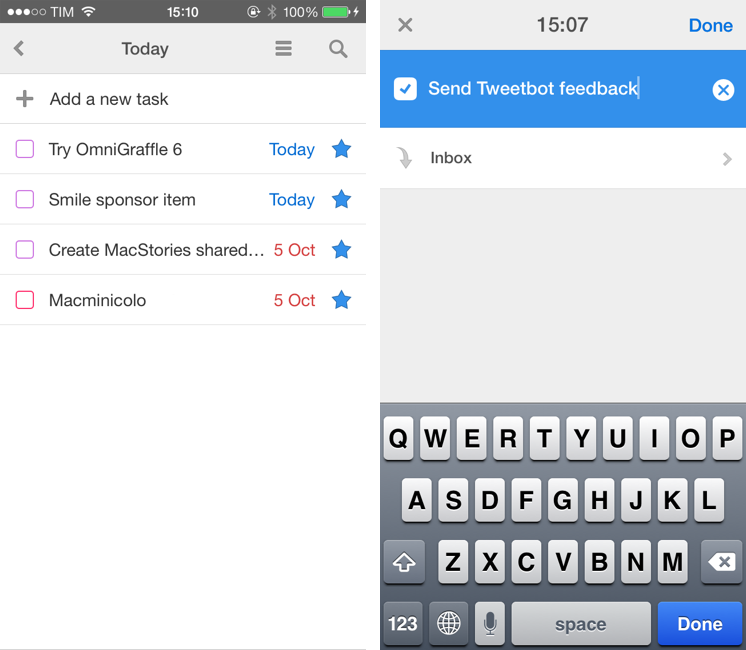
Last month, I reviewed Readdle’s Calendars 5 and noted how, in spite of getting many things right with event presentation and Reminders integration, the app had been released with some dubious choices for Reminders management, date settings, and task creation. In particular, I noted how the way Readdle supposedly “enhanced” Reminders with a Today list led to more confusion than actual benefits. I concluded that Calendars 5 was a great calendar and reminders client with dozens of nice features and a good set of views, but that needed a more streamlined implementation of Reminders and reliable sync. Read more


Alien Blue Updates for iOS 7

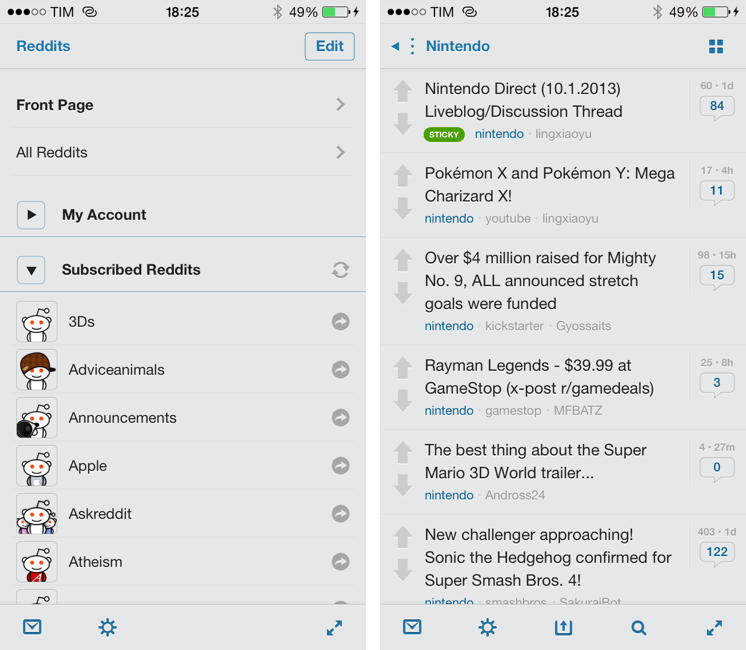
Alien Blue, developed by Jason Morrissey, is the only Reddit client that I keep on my iPhone and iPad. The app has been constantly and thoughtfully updated throughout the years, with Jason adding support for new iOS and Reddit features while also maintaining a clear identity for his app.

For iOS 7, Alien Blue has been updated with some subtle design changes and improvements, but, overall, the app’s interface was already minimal enough to fit with iOS 7’s general aesthetic (unless set to the Forstallian wooden theme). Alien Blue doesn’t integrate with iOS 7’s Dynamic Type setting, so you’ll still have to adjust font size in the app’s Settings under Appearance.

In terms of features, the iPad app received some minor additions like a new gesture to toggle the iOS status bar, whereas the iPhone version, which is free with a $1.99 In-App Purchase, has been improved in several areas. Notably, there are now inbox notifications on iOS 7, GIFs and videos are supported in the Canvas view, and the Optimal browser view has been enhanced to work with more sites, large GIFs, and to completely declutter YouTube videos. Some previously Pro-only features like comment link previews and Retina thumbnails have been ported to the free version, and, overall, the Canvas view has become a fantastic replacement for the standard list view.

Alien Blue has been on my Home screen for years and it keeps getting better. There are some aspects that I’d still like to see improved (the sharing menu, for instance, it a bit archaic) and I don’t like the alternative themes, but Alien Blue remains my favorite Reddit client. The iPhone app is free with an In-App Purchase, and the iPad version is $3.99 on the App Store.


Apple Releases iOS 7.0.2

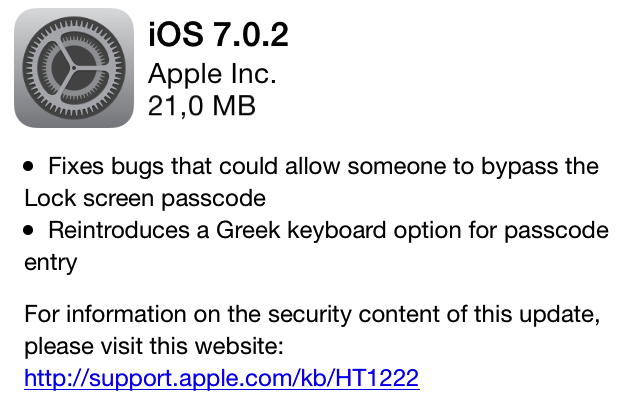
With an OTA update, Apple has just released iOS 7.0.2. The update, which comes 8 days after the public release of iOS 7, fixes bugs that could have allowed users to bypass the Lock screen passcode and reintroduces a Greek keyboard option in the passcode entry screen. On September 19th, Apple confirmed to AllThingsD that they were working on a fix for a Lock screen security flaw first reported by Forbes.

No other improvements or fixes are mentioned in Apple’s changelog. The update can be downloaded now by checking for software updates on an iOS device.


With iOS 7, Byword Brings Markdown Syntax Highlighting and Simplified Keyboard

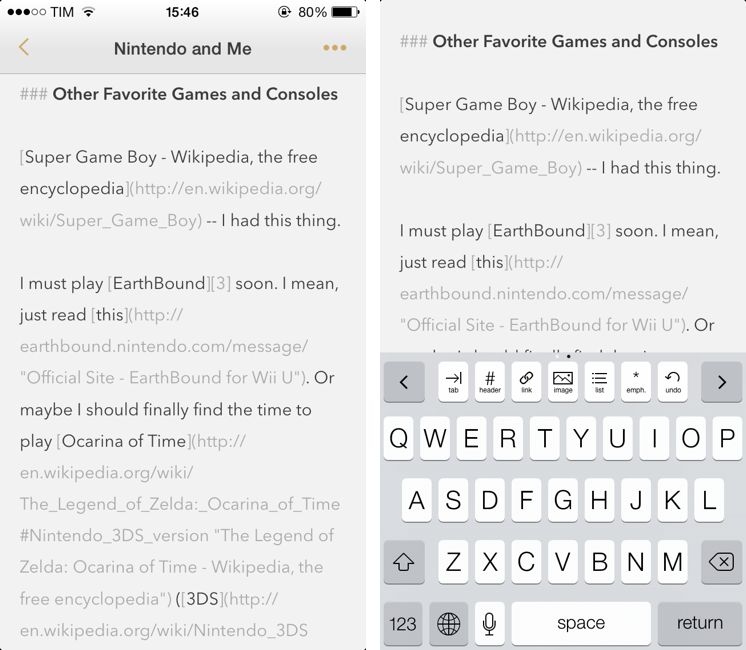
Byword is my text editor of choice on the iPhone, and the one I recommend to anyone who’s not willing to play with Editorial and its advanced automation features on the iPad. While not as customizable as Zorn’s app, Byword is, in my opinion, the most powerful Markdown and Dropbox-compatible text editor for people who want to take notes, export to HTML, and perhaps publish posts to services like WordPress or Evernote. I have already covered the solid feature set of Byword and the reason why I prefer it to other text editors for iOS in my review of version 2.0. Read more


Bartender 1.2 Brings Full Mavericks Support, Drag & Drop Improvements

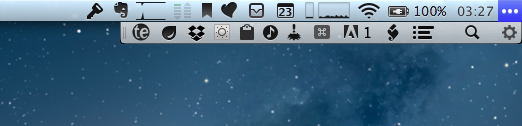
One of my must-have Mac apps, Bartender is a fantastic utility that helps you reduce clutter in the OS X menubar by grouping menubar icons into a single Bartender icon that can be viewed and closed at any time. From my previous coverage:

Providing its own custom bar to collect other icons from third-party apps, Bartender lets you organize your menubar apps while retaining the functionalities they come with. The app automatically finds third-party apps running in the menubar; it allows you to completely hide them, or show them in the Bartender bar. If you choose the latter option, your menubar apps will stil remain fully working with popover windows and keyboard shortcuts.

I rely on Bartender to keep a clean menubar that doesn’t show dozens of icons at once but that, at the same time, has running applications hidden out of view. There are some apps that I don’t need to be constantly looking at – such as Dropbox or Hazel – and with Bartender I can leave them running, but in an optional menubar that it’s there only when I need it. In this way, I can keep utilities that I use all the time (such as Evernote’s quick entry popup or Fantastical) in the main OS X menubar.

Bartender 1.2, released this week, adds full OS X Mavericks support and a number of minor improvements that, however, are welcome additions for daily Bartender users. For the upcoming Mavericks – set to be released this Fall – Surtees Studios added support for multiple displays and menubars, as well as reduced power usage to take advantage of Mavericks’ new power-saving technologies. I haven’t been able to test Bartender on Mavericks yet, but the app has never been a problem, in terms of performance and usage, on my mid-2011 MacBook Air running Mountain Lion, so I’m looking forward to seeing if differences will be notable on OS X 10.9.

Alongside bug fixes and improvements to the list of apps supported by Bartender, a feature that stood out to me is the possibility to correctly drag & drop files onto icons hidden by Bartender. In version 1.2, keeping apps like Droplr or CloudApp in the Bartender bar and dragging files from the Finder onto the Bartender icon will automatically reveal the hidden menubar, allowing you to keep dragging files onto the app you want. I have tested this with Droplr, and it works reliably.

I recommend Bartender to anyone who uses menubar apps and utilities on a daily basis. Keeping a clean menubar isn’t a beauty contest – I think it’s simply best to have the primary tools you’ll always need readily available, keeping those that are only seldom used out of sight, but still managed by a smart app. Bartender is smart, reliable, and on sale at $10 until September 30th. A free trial is also available from the developers’ website.


Apple: iPhone 5s and 5c Sales Top 9 Million Over Opening Weekend, 200 Million Devices Updated To iOS 7

This morning, Apple issued a press release announcing that the iPhone 5s and iPhone 5c have sold more than 9 million units in their first three days of sales after launching on Friday in the US, Australia, Canada, China, France, Germany, Hong Kong, Japan, Puerto Rico, Singapore and the UK. Apple has also announced that iOS 7, released last Wednesday, has already been installed on over 200 million iOS devices (of the over 700 million that, according to Apple, have been sold to date).

This is our best iPhone launch yet―more than nine million new iPhones sold―a new record for first weekend sales,” said Tim Cook, Apple’s CEO. “The demand for the new iPhones has been incredible, and while we’ve sold out of our initial supply of iPhone 5s, stores continue to receive new iPhone shipments regularly. We appreciate everyone’s patience and are working hard to build enough new iPhones for everyone.

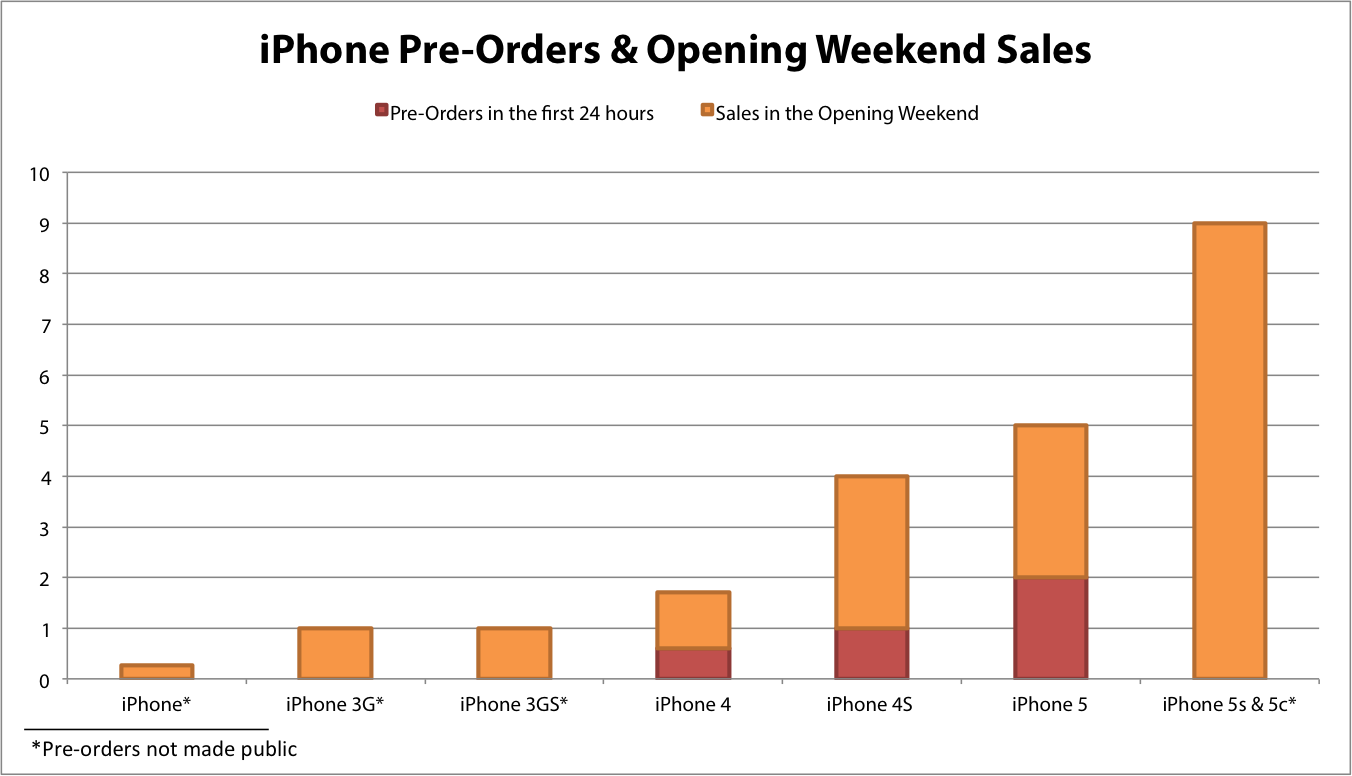
9 million units sold over the opening weekend is a new record for the company. Last year, Apple announced that the iPhone 5 topped 5 million sales over the opening weekend, with 100 million devices updated to iOS 6. In 2011, Apple sold 4 million iPhone 4S units in the first weekend, and, in 2010, they sold 1.7 million iPhone 4 units.

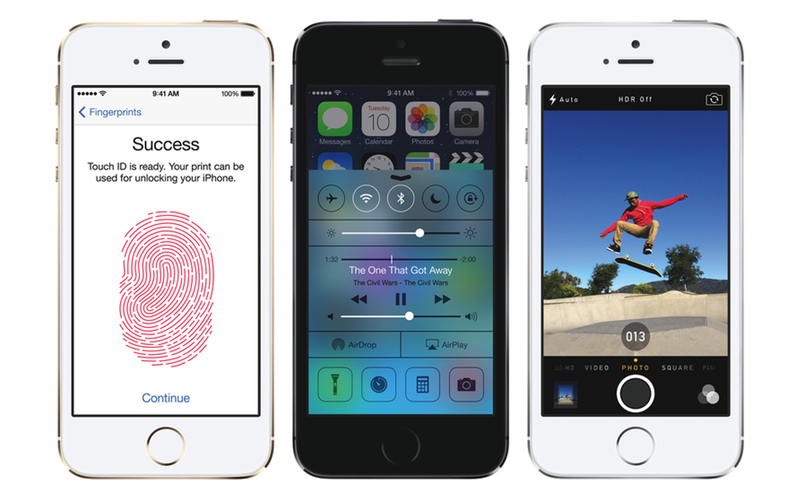
The iPhone 5s, iPhone 5c, and iOS 7 launched to positive reviews that mentioned the solid hardware construction and Touch ID feature on the new iPhones, and the modern design and new functionalities such as Control Center and improved multitasking for iOS 7. Both the iPhone 5s and 5c generated long lines at Apple retail stores around the globe, partially thanks to the lack of pre-orders for the iPhone 5s (for the iPhone 5c, there were online pre-orders, but Apple didn’t release official numbers).

Also of note in this year’s launch is the addition of China to the first round of countries, as well as the fact that, in today’s press release, there is no mention of a second round of countries. Apple also announced that ”over 11 million unique listeners have already tuned in to iTunes Radio since launch” with the most listened to song being “Hold On, We’re Going Home” by Drake.


iOS 7 Updates: Twitter, Facebook, Yahoo Weather, and Google Chrome

Yesterday saw the release of thousands of apps optimized, enhanced, or, in some cases, completely redesigned for iOS 7. At MacStories, we highlighted several apps that were ready for the OS’ rollout such as Pocket, OmniFocus 2, or Instacast 4, and then we fired up iTunes – or simply waited for automatic updates to do their magic on iOS 7 – and checked out all the other apps that were also released yesterday. In this post, I thought I could offer a quick overview of iOS 7 updates from four big-name companies: Twitter, Facebook, Yahoo, and Google. Read more


Apple Launches “Kids” App Store Category

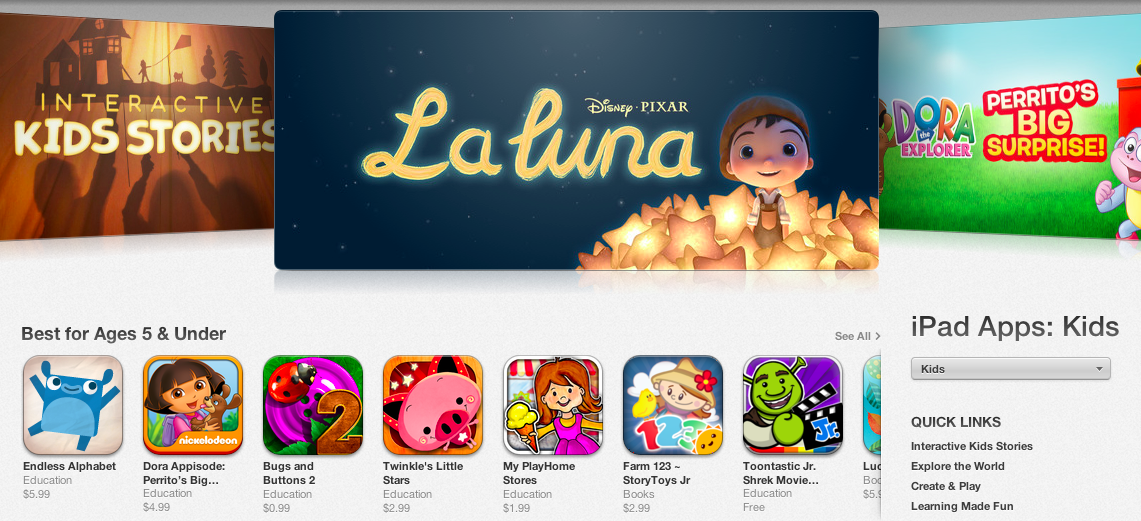
Following iOS 7’s public launch yesterday, Apple today officially opened a new “Kids” App Store category that parents and teachers can use to “quickly find apps that are perfect for children”. The category is available now by browsing the App Store on an iOS device or computer running iTunes.

First announced at WWDC in June alongside iOS 7’s developer debut, the Kids category is aimed at facilitating the process of finding apps and games based on age ratings. The category is curated by Apple editors, who, according to the company, “search the App Store for the best apps in each age group — up to 11 years old”.

The Kids category is, unlike other App Store categories, divided in age ratings: at the top, there’s Apple’s typical carousel of featured apps and sections, with shortcuts to “Best for Ages 5 & Under”, “Best for Ages 6-8”, and “Best for Ages 9-11” areas listed below. According to developers we contacted earlier this month, Apple started requesting additional artwork for promotional materials for the Kids category in the summer, and there is, indeed, a rich selection of games and apps already available in the category today.

Besides featured apps and age ratings, Apple has also created Kids-specific sections to group related apps and games, such as “Create & Play”, “Shapes & Colors”, and “First Words & Numbers”. Each section comes with custom graphics and a selection of apps curated by Apple editors.

Apple’s focus on making iOS devices more accessible for younger generations, teachers, and parents isn’t new, and the Kids category is the culmination of Apple’s efforts to curate App Store software suitable for children.