Posts in news

Apple Releases OS X 10.9.1

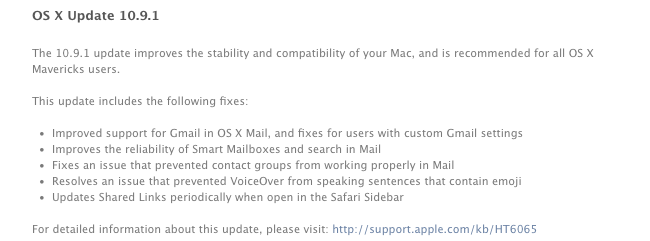
Today, Apple released the first update to OS X Mavericks, OS X 10.9.1. The new version, available for download on the Mac App Store through Software Update, brings improvements for Mail and Gmail compatibility and makes Smart Mailboxes and message search more reliable. Version 10.9.1 is the first public update to Mavericks, originally launched on October 22.

The built-in Mail app was heavily criticized after the launch of the free Mavericks update as changes made by Apple under the hood impacted the performance of the app when used with Gmail or with large mailboxes containing thousands of messages. In November, Apple released an initial standalone Mail update to improve the “general compatibility” with Gmail.

OS X 10.9.1 contains other improvements that Apple will detail in a document available here.

Twitter 3.0 Lands on the Mac App Store

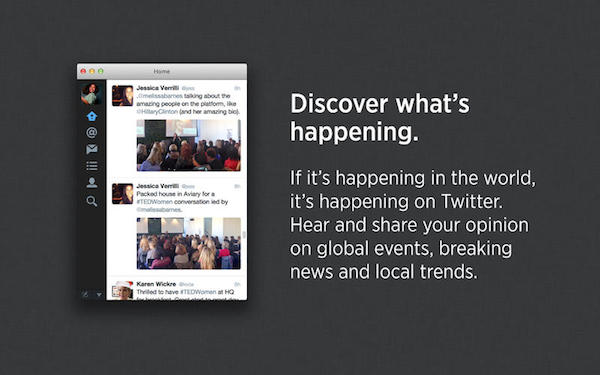
Twitter 3.0 for the Mac sort of brings the Mac app up to date with its iOS counterpart, adding inline images, inline tweet convos and stats in the details view, profile photos, and a refreshed look and feel all around. The app lacks sending and viewing photos in direct messages (which was just announced), but I’m guessing that will come in a future update. I was hoping the Mac app would get a complete redesign since the current design is past its prime, but all things considered it’s the iOS for iPad equivalent of Twitter’s experience on the desktop. … Also, is it just me, or does scrolling the timeline feel off?

Download Twitter 3.0 on the Mac App Store.

[Twitter via @sandofsky]


Spotify Brings Free Music to Tablets and Mobile Devices, Adds Led Zeppelin to Music Library

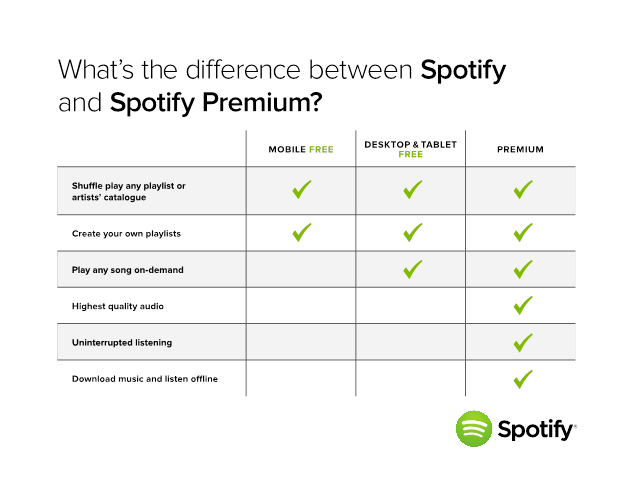
Spotify’s opening up their entire music library to tablet and mobile devices today, with a twist. Free subscribers listening on tablets running Android or iOS will gain on-demand access to playlists, artists, and albums, mirroring the desktop experience. On smartphones, Spotify is adding shuffle play to their previous Spotify Radio offering, which lets free subscribers stream music from any artist or playlist. As always, free subscribers will have to listen to an occasional ad between songs. Check the table below for a quick comparison of Spotify’s current offerings:

Spotify’s online music streaming service is rolling out in 22 more countries today as well, making Spotify available in a total of 55 markets.

Lastly, Spotify is announcing that Led Zeppelin’s entire catalog of music will soon be exclusively available to stream, with the company doling out two albums every day until the Zeppelin’s entire discography is available. It’s equivalent to Apple gaining rights to sell The Beatles’ music on iTunes.

Be sure to visit the Spotify Blog for the latest news.


Apple Releases 12 Days of Gifts App, Available In The U.S. Too

As in previous years, Apple has released a free “12 Days of Gifts” app for iPhone and iPad owners that will give them access to exclusive offers for free content on the iTunes Store. This year, the app is available for US customers as well, although Apple notes that not all content will be available in all countries; the promotion will run from December 26 to January 6, 2014.

From 26 December – 6 January, you can download a gift each day—songs, apps, books, movies, and more—with the 12 Days of Gifts app. Each day’s gift will only be available for 24 hours, so download the free app to make sure you don’t miss out.

Right now, the app comes with a countdown that shows how many days are left until the first free item becomes available; upon first launch, you’ll be asked to accept push notifications (to be notified when offers are released) and to confirm the country for your iTunes Store’s Apple ID.

The app has an animated background reminiscent of iOS 7’s dynamic wallpapers, and there is a built-in FAQ to learn more about downloads. Apple has also included an “Add To Calendar” button in the share sheet: tapping this button will create a recurring all-day event in your default calendar to remember to download the daily gift for every day of the promotion.

You can download the app here.


Plex Gets iOS 7 Update

Plex for iOS, a native client for the company’s media manager, has been updated today with support for iOS 7. Version 3.3, available on the App Store, introduces a tweaked look to match Apple’s new OS, as well as bug fixes and changes to the media player.

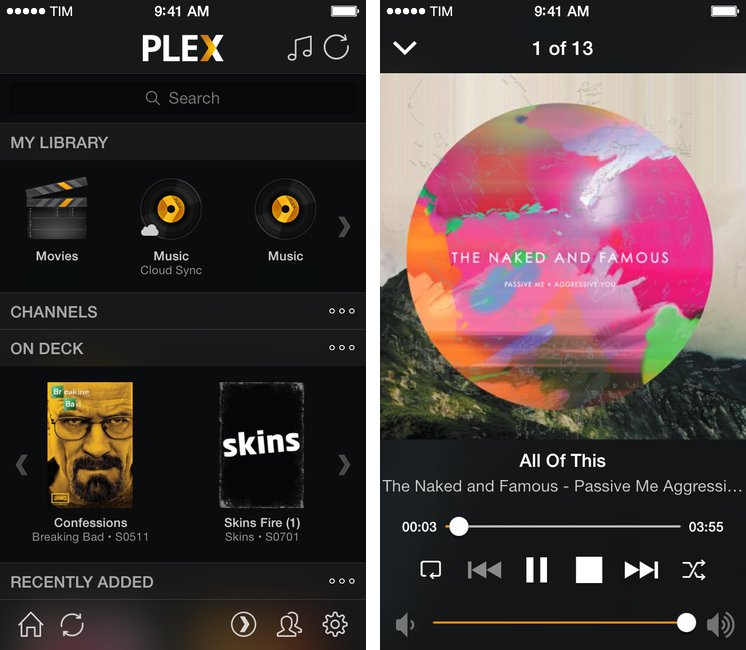
The app hasn’t been revolutionized in its transition to iOS 7: the main screen has stayed the same, with sections to access your library, channels, and media that is either on deck or has been recently added to your Plex. There are no new options in the Settings, which still allow you to log into your myPlex account and configure playback preferences for synced and remote media.

There’s been, however, a general clean-up of the UI: gone are iOS 6 toolbars and buttons, leaving room for translucencies, redesigned icons, and simplified navigation bars. Translucencies are especially fitting as they make colorful media artwork show through the interface, but it still feels like Plex could use a major redesign (particularly on the iPad) as it has remained largely unchanged since 2011. According to the developers, “lots more user interface improvements” are coming.

The media player (pictured above) has been updated, and the app is now capable of recognizing URLs in the clipboard upon launch, so that you’ll have a shortcut to quickly put content from the web in your Plex queue.

You can get Plex 3.3 on the App Store. Last week, the company released (after a long beta period) version 1.0 of Plex Home Theater, a Mac app to access your Plex content without having to use Plex/Web.


Realmac Releases Free Ember App for iOS

Ember

Ember

In July, Realmac Software released Ember, the successor to LittleSnapper that allows you to organize images in a digital scrapbook for OS X. From our review:

Ember is a very polished app with a fantastic UI, slick animations, full-screen mode and it’s simply a fun app to use and organize images with. If you’re a digital creative person and want to organize your screenshots, inspirational images and reference files, Ember could be what you need.

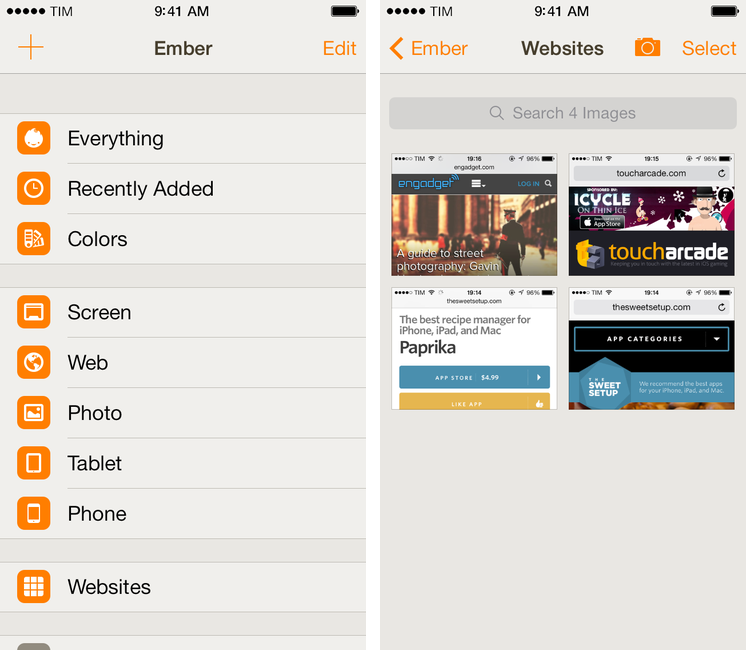
Today, Realmac is back with Ember for iOS, a free companion app for the iPhone and iPad that lets you manage and organize your library but that doesn’t come with editing features yet. Realmac decided to start with a free app as a foundation for all Ember customers; annotations will be added in a future update with In-App Purchases – a trend that’s making several indepedent developers and small software shops, such as Realmac, experiment with different business models than the traditional paid app approach. Read more


#MacStoriesDeals – Cyber Monday 2013

MacStories Deals

MacStories Deals

#MacStoriesDeals is the best place to find great deals for Mac and iOS apps and games, Apple hardware deals, and some great book and audio specials. We’ve collected the best app deals for Cyber Monday, so get them before they’re gone!

There are thousands of software and hardware deals online. We carefully pick the best ones and collect them in a single post with links to buy or share discounted products. You don’t need to be overwhelmed by online deals because we take care of finding the best stuff for you.

You can find us as @MacStoriesDeals on Twitter.
Read more


Reeder 2.1 Released with Themes, Reading List Support, Fixes

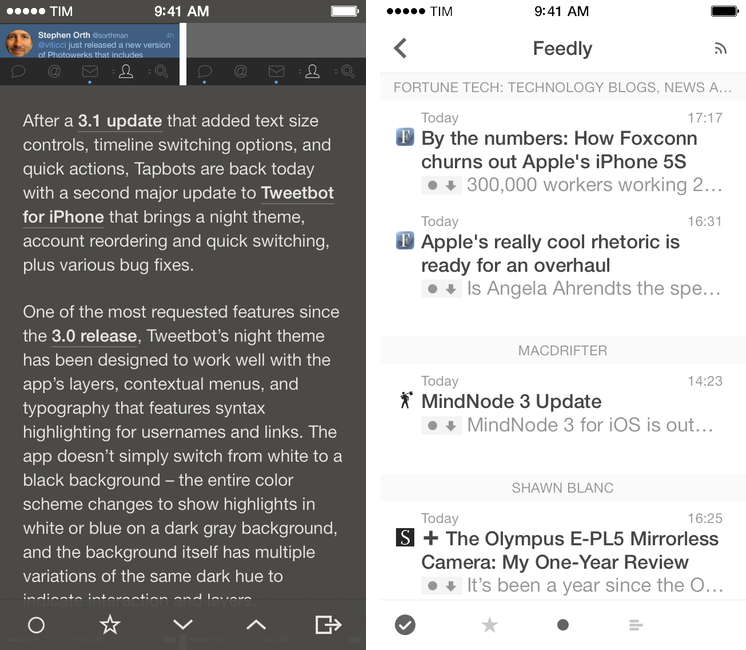
On the same day that Tapbots launched Tweetbot 3.2 with a dark theme, developer Silvio Rizzi released Reeder 2.1, which brings several fixes and changes to the app introduced in September, plus themes – including two dark ones.

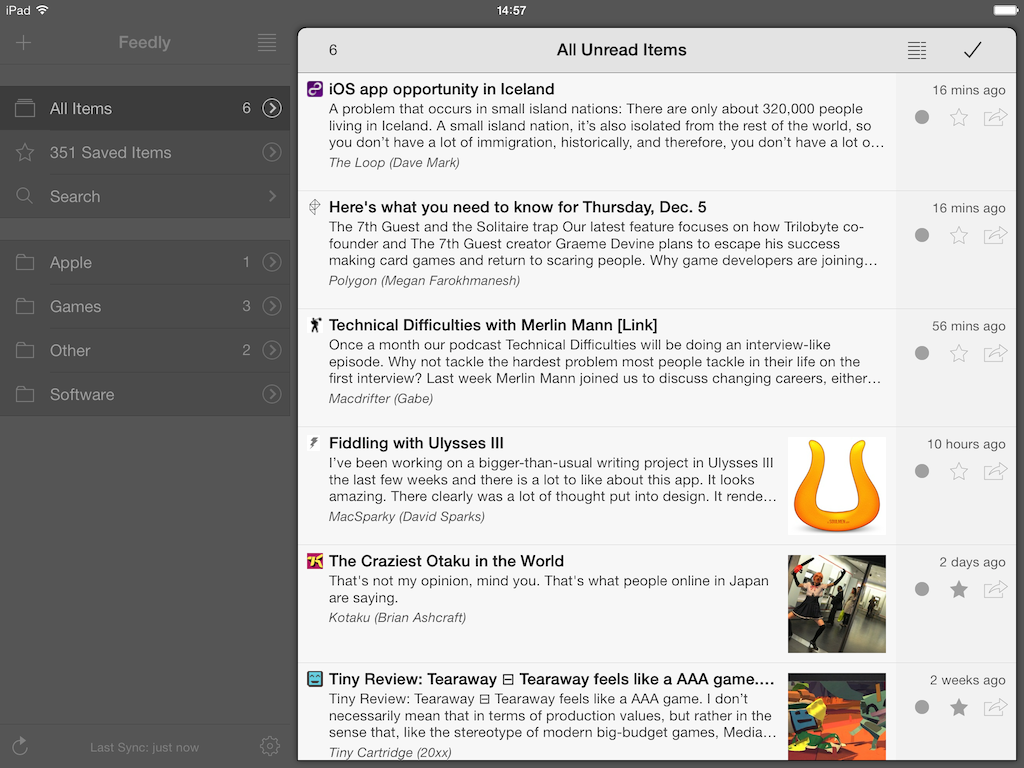
The new theme switcher in Reeder 2.1, located in the style menu of the article viewer, allows you to switch between four themes: White, Light (the original one), Dark, and Gray. Choosing a theme is a manual operation, and the dark ones should help users who have been asking for a background easier on the eye while reading at night. I’m especially a fan of the Dark theme, as it’s not completely black – it’s a darker version of the original Reeder sepia hue. Read more