Posts in news

Apple Q1 2020 Results - $91.8 Billion Revenue

Apple has just published its financial results for Q1 2020. The company posted revenue of $91.8 billion. Apple CEO Tim Cook said:

“We are thrilled to report Apple’s highest quarterly revenue ever, fueled by strong demand for our iPhone 11 and iPhone 11 Pro models, and all-time records for Services and Wearables,” said Tim Cook, Apple’s CEO. “During the holiday quarter our active installed base of devices grew in each of our geographic segments and has now reached over 1.5 billion. We see this as a powerful testament to the satisfaction, engagement and loyalty of our customers — and a great driver of our growth across the board.”

Estimates and Expectations for Q1 2020 and the Year-Ago Quarter (Q1 2019)

Apple’s revenue guidance for Q1 2020 fell between $85.5 billion and $89.5 billion, with gross margin estimated to be between 37.5% and 38.5%.

Going into today’s earnings call, CNBC said:

Analysts are expecting earnings per share of $4.55, up from $4.18 per share from a year ago, according to Refinitiv. Revenue is expected to be $88.5 billion, up year-over-year from $84.3 billion.

In the year-ago quarter (Q4 2018), Apple earned $84.3 billion in revenue.

After the break, we’ve compiled a graphical visualization of Apple’s Q1 2020 financial results.

Read more


Introducing MacStories Shortcuts Icons Color Edition, Featuring 350 Multi-Color Icons

The Color set is a brand new version of MacStories Shortcuts Icons.

The Color set is a brand new version of MacStories Shortcuts Icons.

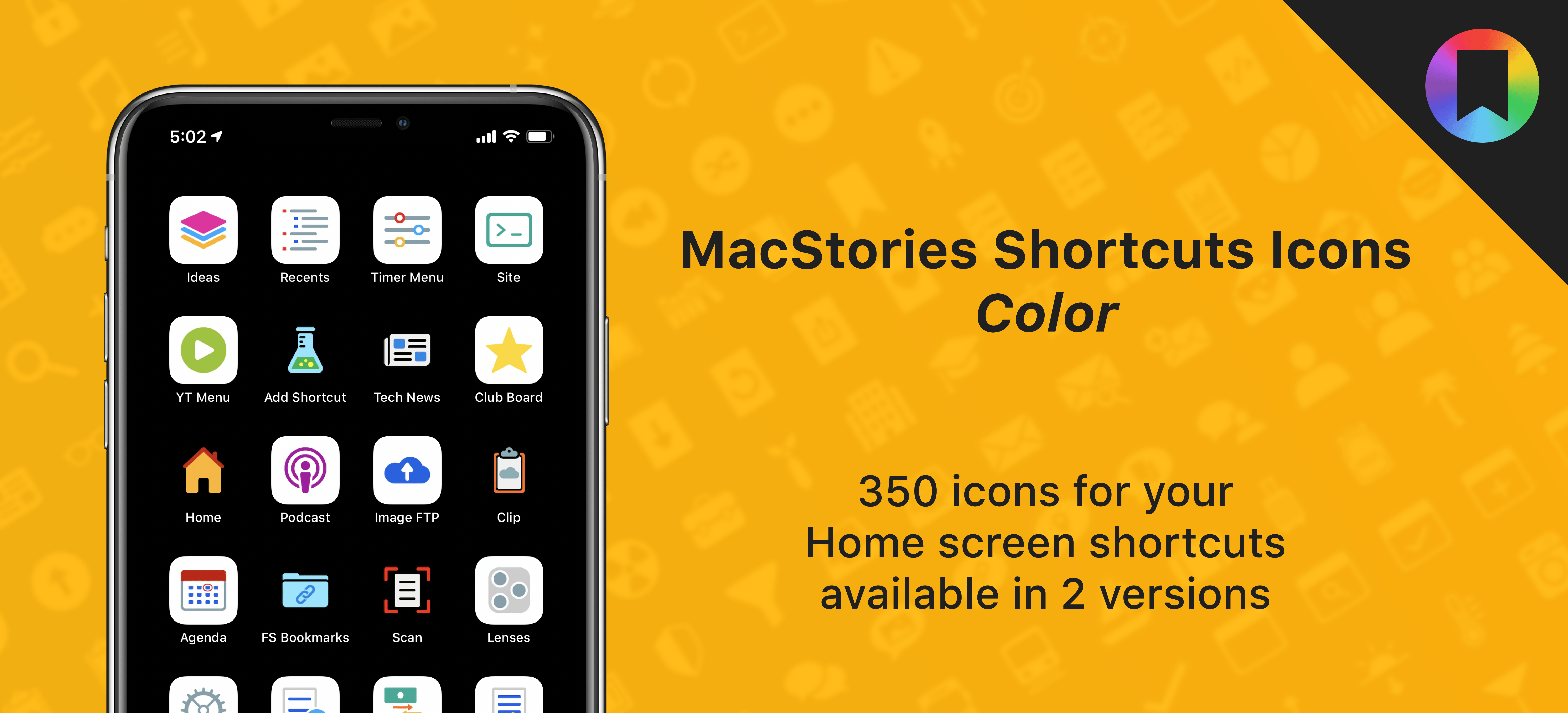
After working on this for months, I’m thrilled to announce the second product released under the MacStories Pixel brand: today we’re launching MacStories Shortcuts Icons (Color), a different version of our icon set that features multi-color glyphs and two background options.

Here’s the gist of today’s launch: MacStories Shortcuts Icons (Color) are a new, separate set available for $14.99 here. What makes the Color set different: while the Classic set comes with monochrome glyphs, the Color version features multi-color glyphs with white or pure black backgrounds.

You can read more details about MacStories Shortcuts Icons (Color) here and buy the new set here.

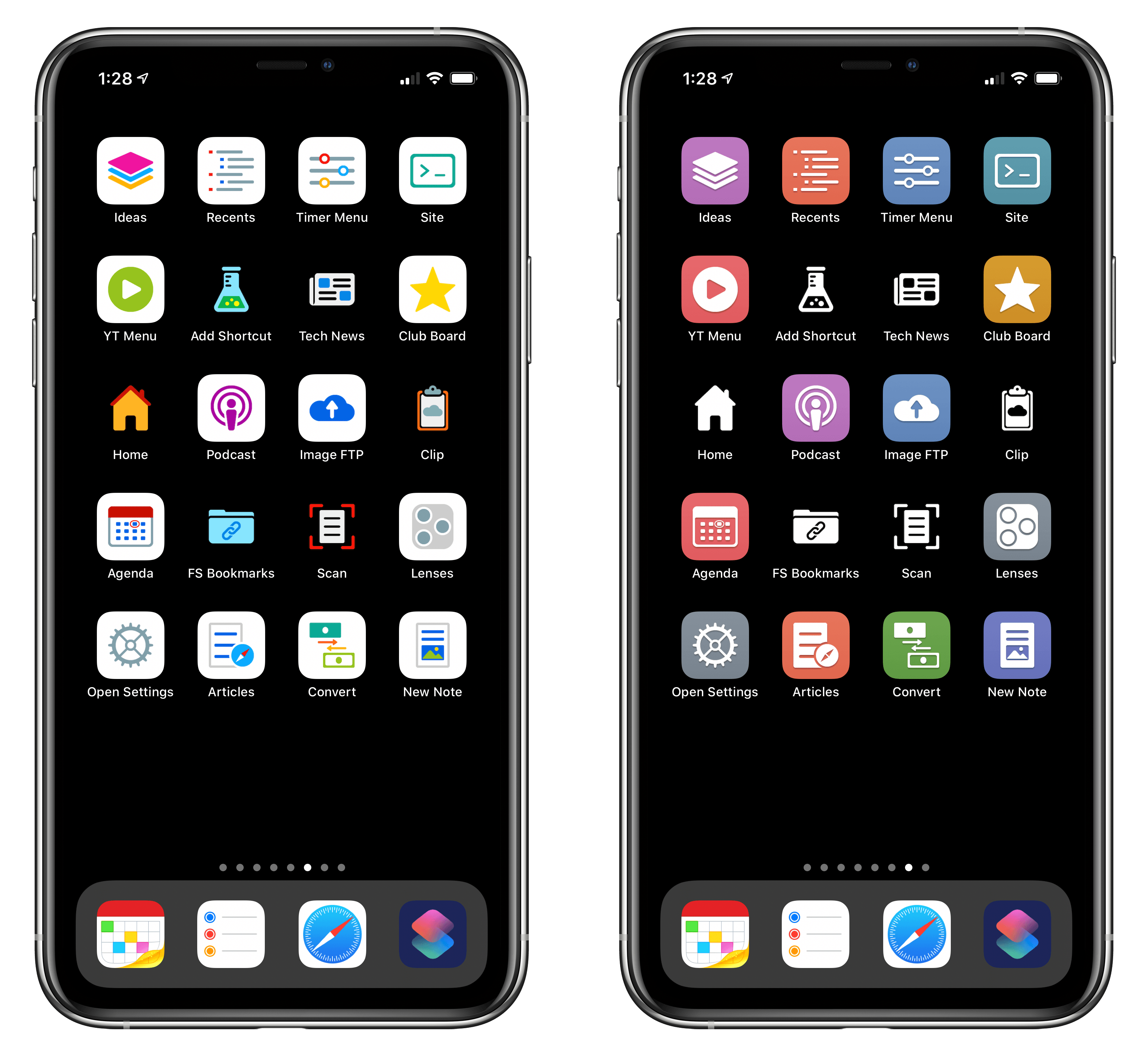
And here’s a look at the difference between the two sets in practice:

The new Color set (left) features stunning multi-color glyphs. The Classic set (right) now includes black and white icons too.

The new Color set (left) features stunning multi-color glyphs. The Classic set (right) now includes black and white icons too.

As part of today’s launch, we’ve also redesigned the MacStories Pixel homepage to accomodate our new suite of products.

Read more


Apple Reveals Upcoming TV+ Lineup, including Amazing Stories, Central Park, Defending Jacob, and More

Steven Spielberg's Amazing Stories arrives March 6.

Steven Spielberg’s Amazing Stories arrives March 6.

Over the weekend, Apple debuted its TV+ content lineup for the first half of 2020 at the Television Critics Association Winter Press Tour. This Press Tour is a tradition of the TV industry, where traditional networks and streaming services alike share about the new content they’ll be releasing soon. Apple got to join the festivities this year for the first time, detailing its TV+ lineup through early summer, including release dates for highly anticipated series we already knew about, plus the debuts of new shows that hadn’t been previously announced.

Read more


Sam Henri Gold Launches The Unofficial Apple Archive

Source: The Unofficial Apple Archive

Source: The Unofficial Apple Archive

Last summer, Sam Henri Gold uploaded hundreds of images, videos, and other historical Apple material to Google Drive from the company’s earliest days to present. The collection didn’t last long. The flood of people trying to download its contents slowed the archive to a crawl, and ultimately Gold took it down.

The archive is back now at applearchive.org as an ad-free website organized by decade. The collection, which Gold has dubbed The (Unofficial) Apple Archive, includes a wide range of materials from press photos and keynotes to TV ads and Mac wallpapers. There is even a healthy collection of unreleased materials, like this unreleased social media ad for AirPower.

The site includes search functionality that makes it easier to find something specific among the hundreds of items or browse an entire product category. Images can be downloaded from the archive, but to deter downloading of videos, Gold is using a restrictive embedded Vimeo player. The desire to stop downloads is understandable, but it also means that the videos cannot be embedded by others writing about them elsewhere, which is a shame.

Between a Vimeo Pro account and Squarespace, Gold says the Apple Archive costs him about $456/year. Because the site is ad-free, Gold is accepting donations to help defray the costs here. To learn more about the Apple Archive project and the story behind it, check out Michael Steeber’s interview with Gold on 9to5Mac.


CES: A Tour of the Most Interesting (and Strange) Tech Announcements

CES has been going strong all week with announcements of new gadgets: home automation gear, TVs, computers, and lots more. Many mobile phone makers and some big industry players sit out CES, but there is still plenty of news from companies big and small with new products and technologies to show off.

A lot of what gets hyped at CES is prototypes and concept devices that will never ship or will get delayed. Still, every year I find that CES is fascinating to study for the industry trends it reveals and the handful of gadgets I discover that I’d like to try.

After combing through hundreds of headlines and press releases, I’ve compiled a roundup of some of this week’s most compelling announcements. Feel free to skip around to the categories that you find most interesting using the table of contents below.

Read more


Apple Announces Night Mode Photography Contest

About this time last year, Apple announced its first-ever ‘Shot on iPhone’ photography challenge judged by a panel of professional photographers and Apple employees. Apple is back with a new contest app this year asking users to submit their Night mode photos.

Through January 29th, Apple is taking submissions on Instagram, Twitter, and Weibo. To qualify, post your photos on Instagram or Twitter with the hashtag #ShotoniPhone and #NightmodeChallenge and Weibo using #ShotoniPhone# and #NightmodeChallenge#.

Five winners will be picked by a panel of judges that include:

plus the following Apple executives and employees:

  • Phil Schiller
  • Kaiann Drance
  • Brooks Kraft
  • Jon McCormack
  • Are Duplessis

The five winning photos will be announced on March 4th on the Apple Newsroom. Apple says the images may also be used in digital campaigns, at stores, on billboards, and in photo exhibitions.

Night mode photography was a big part of Federico’s story on iPhone 11 Pro photography called Eternal City, Modern Photography: The iPhone 11 Pro in Rome. Here’s an outtake from that story that Federico submitted for the challenge:

For more on the contest and tips on shooting Night mode photos, check out Apple’s press release.


Apple Details 2019 App Store Stats and Recaps Other Services

Source: Apple.

Source: Apple.

In a press release today, Apple shared App Store revenue numbers for the 2019 holiday season, which set an all-time record for single day sales on New Year’s Day:

Since the App Store launched in 2008, developers have earned over $155 billion, with a quarter of those earnings coming from the past year alone. As a measure of the excitement going into 2020, App Store customers spent a record $1.42 billion between Christmas Eve and New Year’s Eve, a 16 percent increase over last year, and $386 million on New Year’s Day 2020 alone, a 20 percent increase over last year and a new single-day record.

In addition to apps, Apple recapped its other services:

  • Apple Music, which added a time-synced lyrics feature that more than 50% of iOS 13 users have tried
  • TV+, which is available in over 100 countries
  • The TV app, which is available on Apple TV hardware, third-party TVs, and features over 30 channels
  • Apple Arcade
  • Apple News, which the company says has over 100 million monthly active users
  • Podcasts
  • Apple Card
  • Apple Pay
  • iCloud

More than 10 years later, the growth of the App Store is a story that is often overlooked. It’s remarkable to think that holiday sales are still setting records this long after the introduction of the App Store and after the pace of new device sales has slowed.


Brydge Announces Pro+ Keyboard with Trackpad for the iPad Pro and a Standalone Trackpad

(Source: Brydge)

(Source: Brydge)

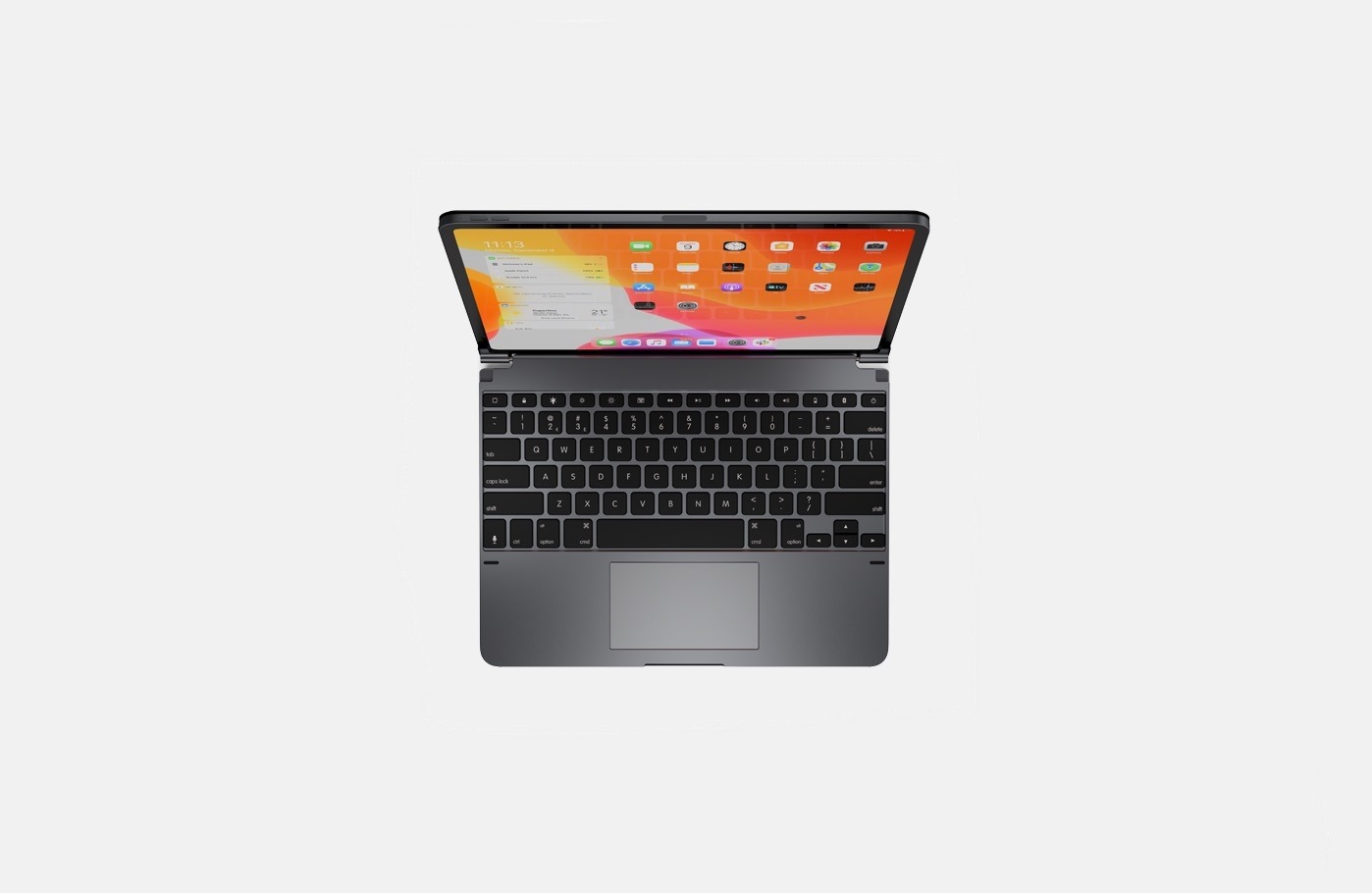
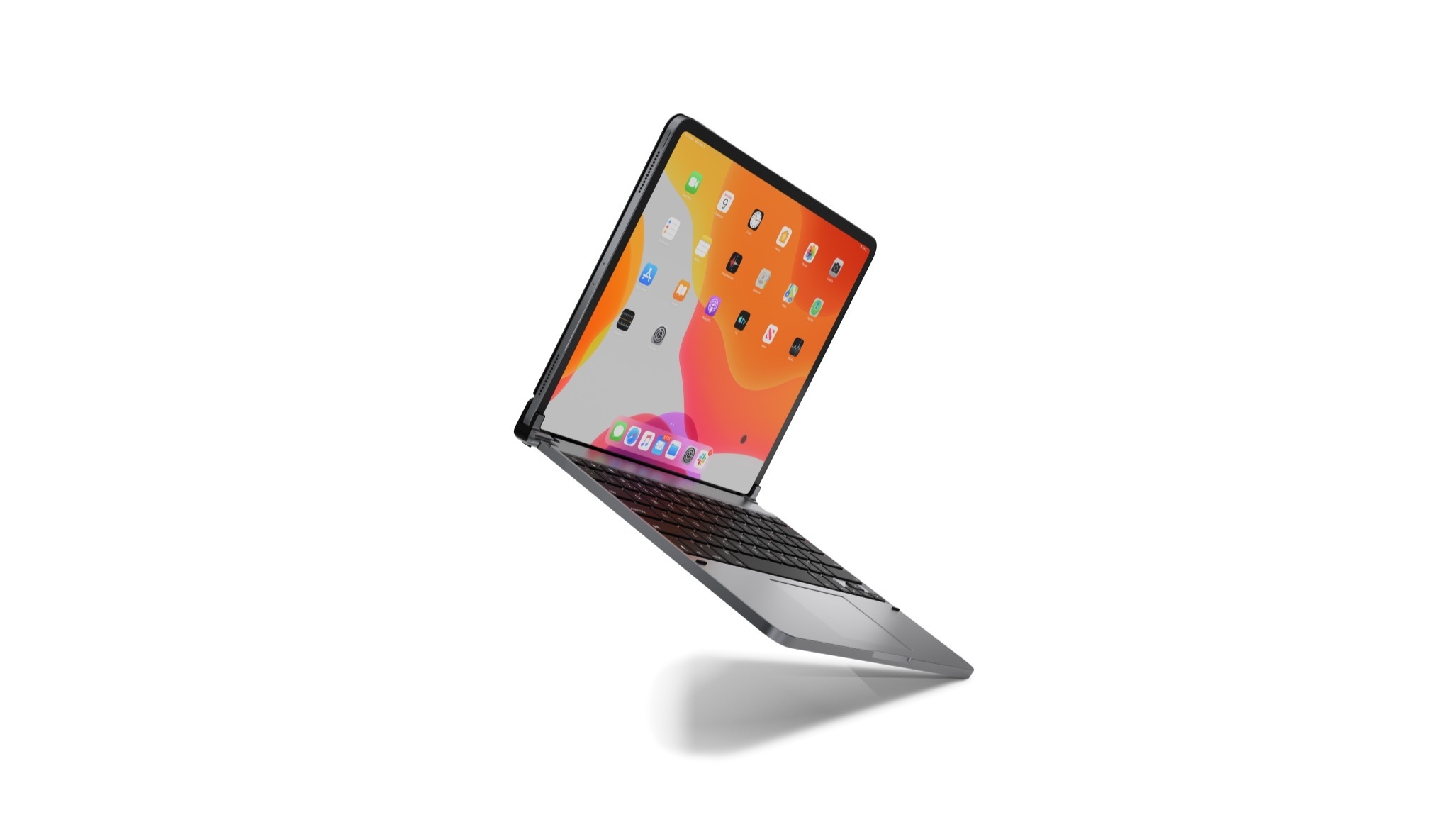
Today Brydge announced the Pro+ keyboard for the iPad Pro, which incorporates a trackpad. The keyboard was first revealed in connection with a lawsuit filed by Brydge against another keyboard maker that Brydge says violated a patent on the company’s keyboard hinge. Although Brydge’s official announcement doesn’t disclose when it will begin taking pre-orders, the company says it will be soon. Brydge also says that the first 500 pre-orders will be shipped in late February, with the remaining pre-orders shipping in late March.

With iPadOS 13, Apple added accessibility support for pointing devices like mice and trackpads. Pointing devices can be connected via USB or Bluetooth using iPadOS’s Assistive Touch Accessibility feature, which permits navigation of the OS’s UI. Although the experience of using a pointing device with an iPad Pro partly resembles using one with a Mac, it’s also different and more limited. As Federico explained in his iOS and iPadOS 13 review:

The first and most important difference between iPadOS and macOS is that UIKit is still designed and optimized for touch input. When you enable mouse support in iPadOS, you’ll notice that the system won’t react to the hover state of the pointer: if you hover over a button in a toolbar, you won’t see a tooltip; if you wait with the cursor over the edge of a document, you won’t see a scroll bar; in Safari, hovering over drop down menus of a webpage will not automatically expand and collapse them.

I’ve used iPadOS 13 with a Logitech MX Master Mouse 3S and agree with Federico’s assessment that if you go into mouse or trackpad use on iPadOS expecting precisely the same sort of experience as a Mac, you’re likely to be disappointed. Still, the feature opens up exciting possibilities beyond the accessibility needs it addresses, such as the ability to assign shortcuts to button presses.

(Source: Brydge)

(Source: Brydge)

Brydge’s new keyboard closely resembles past models but adds a trackpad to the center of the wrist rest. The keyboard comes in two sizes to accommodate the 11-inch and 12.9-inch iPad Pro models, connects via Bluetooth 4.1, has three levels of backlighting, 3-month battery life, and is space gray. With the trackpad, Brydge says users will also be able to open the dock with a two-finger tap on the trackpad and trigger App Exposé with a three-finger tap. Users will also be able to tap the bottom left or right-hand corners of their iPad Pro’s screen to return to the Home screen.

The 11-inch model of the Pro+ will cost $199.99, and the 12.9-inch version will be $229.99. If you are interested in ordering the Pro+, Brydge encourages registering on its website to receive an alert by email when pre-orders begin.

The Brydge trackpad. (Source: Brydge)

The Brydge trackpad. (Source: Brydge)

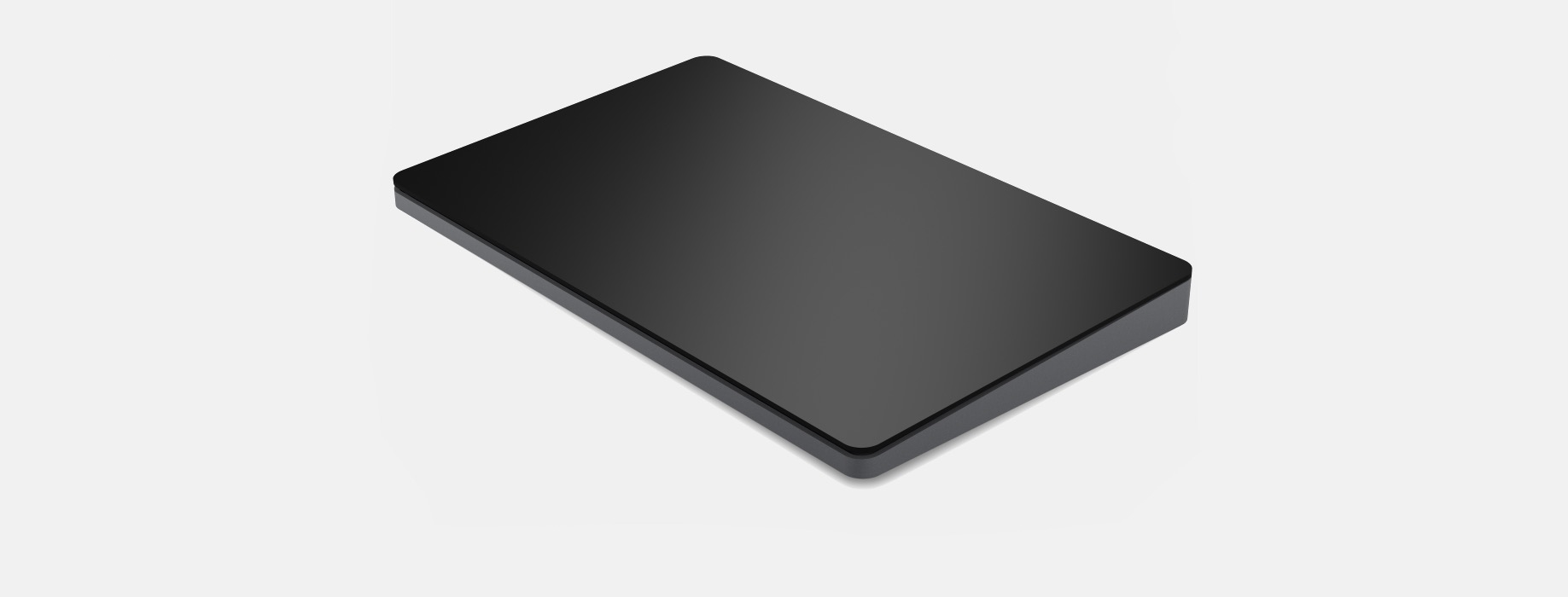
Separately, Brydge announced a standalone trackpad, which should appeal to existing Brydge keyboard owners who want to add a complementary trackpad without purchasing the Pro+. Brydge hasn’t disclosed much about the standalone version of its trackpad, although the company says it is coming soon, will be glass with a ‘Multi-Touch Engine,’ connect using Bluetooth 4.1, and will have a 3-month per charge battery life.

It will be interesting to see how Brydge’s Pro+ keyboard and standalone trackpad do with users. Off-the-shelf pointing device support was an important addition to iPadOS 13 for people who need the feature for accessibility reasons. I’ve experimented with the feature on several occasions, but until it’s more refined, I have a hard time seeing myself using a pointing device with my iPad Pro regularly. As a result, I’m not that interested in the Brydge Pro+, but I’ll withhold my final judgment on that score until I’ve seen reviews by people who have used production models of the device and tried one myself. I also wouldn’t be surprised if iPadOS 14 strengthens mouse and trackpad support, making the Pro+ an even more attractive option later this year.



Satechi Debuts Cleverly-Designed USB-C Apple Watch Charger

Source: Satechi

Source: Satechi

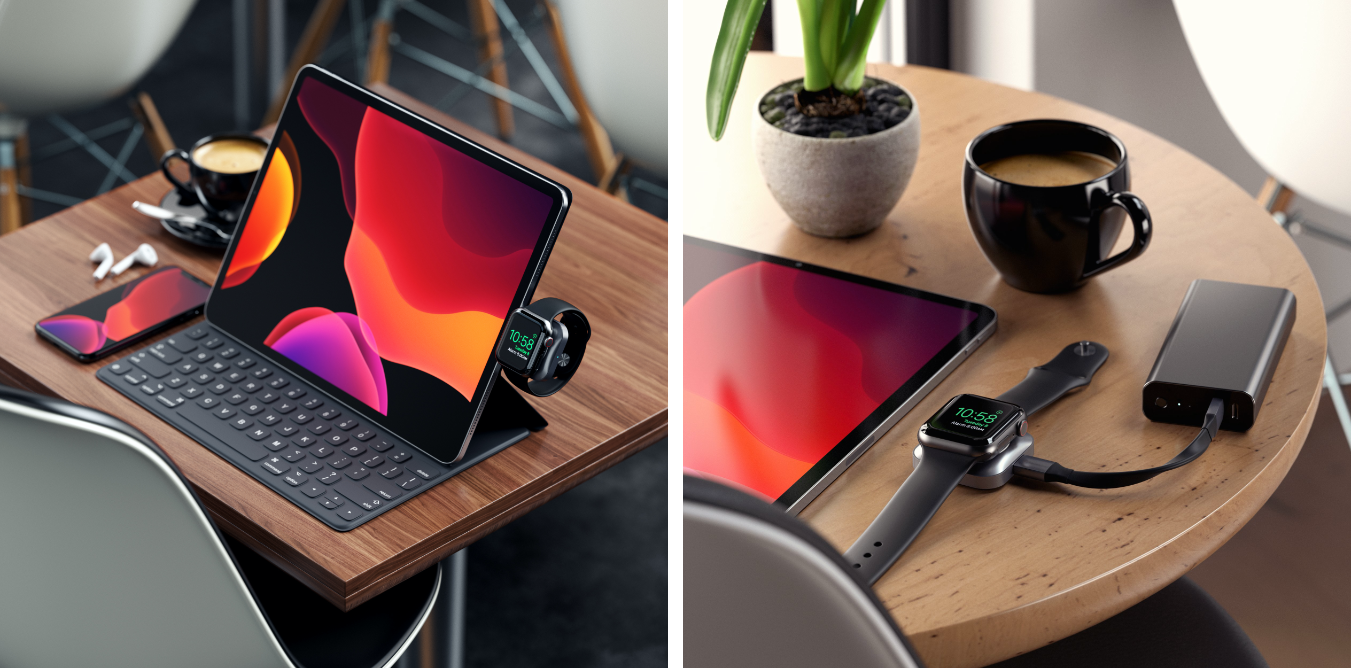
Satechi began selling a new MFi-certified Apple Watch charger today with a clever design that looks perfect for iPad Pro users.

The charger, which is made of space gray aluminum and retails for $44.99 in the US, has a USB-C connector that plugs directly into devices with USB-C ports. Attached to an iPad Pro while using a Smart Keyboard Folio, you can charge your Watch and conveniently see the time thanks to the Watch’s Nightstand Mode. Satechi includes a short USB-C male to female cable in the box for situations where you don’t want the charger connected directly to a device, such as a MacBook Pro where it would block other USB-C ports.

I haven’t had a chance to try it yet, but this charger looks like it would have been perfect when I was traveling last week, so I ordered one immediately. During that trip, I worked on my iPad Pro on and off throughout the day, and Satechi’s charger would have been an excellent way to charge my Watch and had a minimal impact on the iPad Pro’s large battery.

For a limited time you can use the coupon code GIFTSATECHI to get Satechi’s USB-C Magnetic Charging Dock for Apple Watch for 20% off.