Posts in Featured

Free and Integrated

Impressive milestone reached by WhatsApp, a free cross-platform messaging solution for iOS, Android, BlackBerry and Nokia phones: [via Ben Brooks]

Coinciding with our planet crossing the 7 billion population mark this week, last week WhatsApp crossed its own milestone for the first time by sending just over 1 billion messages in a single day. Similar to the awe we feel that our planet will now hold over 7 billion people, all of us at WhatsApp are extremely humbled and excited about the future.

I’ve been using WhatsApp for quite some time to communicate for free – even though I have a pretty good text messaging plan with my carrier – with my girlfriend and some close, non-tech savvy friends (who, however, are tech savvy enough to buy apps). WhatsApp sends free messages, but it’s a $0.99 app on the App Store. Ever since the release of iOS 5, I’ve deleted WhatsApp from my iPhone because my girlfriend and those friends have upgraded their iPhones to iOS 5, thus getting the benefits of iMessage.

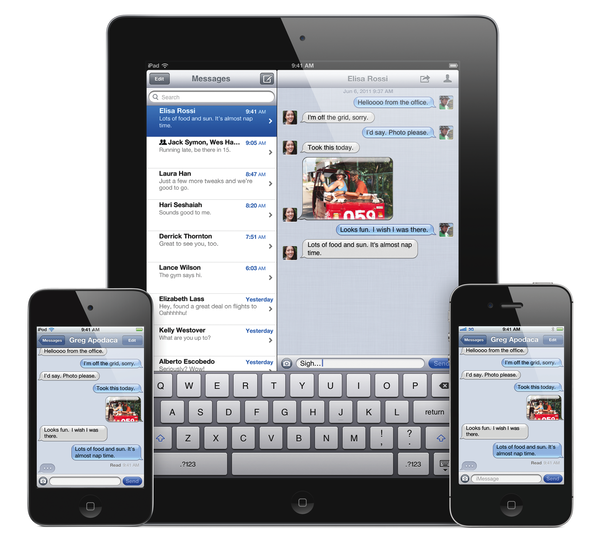
I have many friends who don’t use and don’t even like iPhones. But going through my Address Book today – trying to figure out how many people are using iMessage – it’s amazing to see how every iPhone user I know has upgraded to iOS 5, and how other people I didn’t know had iPhones (or iPads, or iPods) are now “turning blue” when creating a new message. Put simply: there’s a lot of iMessage going on in my Address Book.

I’m sure WhatsApp will continue to prosper, add features and bet on its cross-platform nature. Keep in mind that BlackBerry users already have BBM, iOS users have iMessage, and Google-loving Android folks are probably using the native Google+ app for some occasional free messaging. Tools like WhatsApp – and WhatsApp is admittedly the most popular “third-party free messaging app” out there – clearly still have a market when it comes to cross-platform. They’re great if you message with a lot of friends using different phones.

But I’m thinking about people who know their friends are using iPhones, and engage in conversations with them on a daily basis. Free, native and integrated beats “free and third-party” any time for the majority of users when it comes to iOS-to-iOS communication. And it’s not like iOS-to-iOS messaging is a rare scenario nowadays, with over 250 million iOS devices out there and quite possibly a large percentage of them being iOS 5-enabled (iOS 5 runs on the older iPhone 3GS, iPod touch 3rd and 4th generation). iMessage works on the iPhone, iPad and iPod touch. It’s free and supports text and media. Apple has got a few minor issues to iron out, but there’s no doubt the system has been working well for most users since its release two weeks ago. This should explain my friends’ excitement in upgrading to iOS 5, and my surprise in discovering several new iMessage users in my Address Book.

There’s difference between “free and third-party” and “free and integrated”: whereas free services may have a big initial bang but often fail to make real money in the long term, Apple can leverage free iMessages – integrated in the native messaging experience – to sell more devices. iMessage is just one of the features that will make people think “Maybe I should get an iPhone” – but it’s a powerful one. “Free messages between iPhone users” is something even my mom immediately understood.

Frictionless integration. Let’s check back on third-party messaging apps in six months.

Access Extra Content and Perks

Founded in 2015, Club MacStories has delivered exclusive content every week for nearly a decade.

What started with weekly and monthly email newsletters has blossomed into a family of memberships designed for every MacStories fan.

Learn more here and from our Club FAQs.

Club MacStories: Weekly and monthly newsletters via email and the web that are brimming with apps, tips, automation workflows, longform writing, early access to the MacStories Unwind podcast, periodic giveaways, and more;

Club MacStories+: Everything that Club MacStories offers, plus an active Discord community, advanced search and custom RSS features for exploring the Club’s entire back catalog, bonus columns, and dozens of app discounts;

Club Premier: All of the above and AppStories+, an extended version of our flagship podcast that’s delivered early, ad-free, and in high-bitrate audio.

Learn more here and from our Club FAQs.


Adobe Carousel Review: Sync & Edit Photos Anywhere

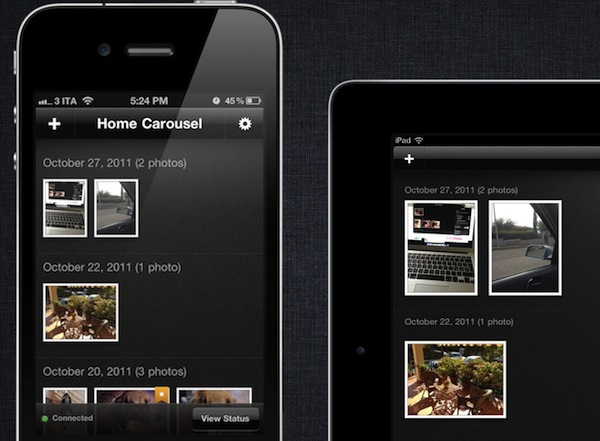
With the introduction of iOS 5 and iCloud, Apple enhanced the standard photo management experience on iOS devices and Macs with Photo Stream, a new cloud service that makes all your photos available anywhere at any time through iCloud. As I detailed in my iCloud overview, Photo Stream is a new “invisible” part to iCloud that lives inside the iOS’ Photos.app or iPhoto on the Mac, allowing the operating system to instantly push photos – whether they’re actual photos or screenshots taken on iOS – up to the cloud, and back to all your devices configured with Apple’s service. So when you’re taking a new photo on your iPhone, Photo Stream ensures the photo is also pushed to your iPad and Mac, so you won’t have to sync or manually transfer files when you’re home.

Photo Stream is a convenient solution because it’s easy to use and doesn’t require any configuration, but this very lack of options and adjustments has generated quite a debate in the past few weeks among users who would like to be able to control their Photo Stream to exclude certain kinds of images, or at least manually delete the ones that aren’t worth the cloud storage. Because Photo Stream has been built to be invisible and extremely simple, it doesn’t come with any preference to, say, diversify screenshots from regular photos, or delete photos you mistakenly took from your online stream. Photo Stream is simply an on/off switch for all or nothing, and whilst it has turned out to be an indispensable tool in my workflow for photos and iOS screenshots, others would like to have some kind of control over how photos are chosen and pushed to their devices. Read more

Access Extra Content and Perks

Founded in 2015, Club MacStories has delivered exclusive content every week for nearly a decade.

What started with weekly and monthly email newsletters has blossomed into a family of memberships designed for every MacStories fan.

Learn more here and from our Club FAQs.

Club MacStories: Weekly and monthly newsletters via email and the web that are brimming with apps, tips, automation workflows, longform writing, early access to the MacStories Unwind podcast, periodic giveaways, and more;

Club MacStories+: Everything that Club MacStories offers, plus an active Discord community, advanced search and custom RSS features for exploring the Club’s entire back catalog, bonus columns, and dozens of app discounts;

Club Premier: All of the above and AppStories+, an extended version of our flagship podcast that’s delivered early, ad-free, and in high-bitrate audio.

Learn more here and from our Club FAQs.


Pixelmator 2.0 Now Available On The Mac App Store, Our First Impressions

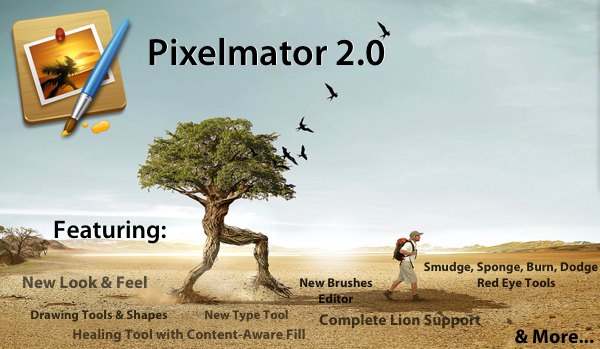
Pixelmator 2.0, a big new version of the popular image editing application for the Mac, just hit the Mac App Store and is available for just $29.99 (as an introductory price) and is a free upgrade for those who have previously purchased a copy of Pixelmator from the Mac App Store. Pixelmator 2.0 is a significant update, with significant improvements, completely new features, a new look and full support for OS X Lion.

With tons of exciting new features and support for OS X Lion, this new version of Pixelmator is the easiest, most enjoyable way to experience the best of image editing. Pixelmator 2.0 gives everyone the tools they need to unlock their creativity and boost their productivity, all for just $29.99. - Saulius Dailide of the Pixelmator Team

The big new features in Pixelmator 2.0 make it a truly powerful image editor and for most people it should be more than sufficient for all their needs - likely making something like Photoshop overkill for what their requirements are. A big drawcard for many will be Pixelmator’s new drawing tools that make it easy to create, combine and edit vector shapes easily. A new ‘Shape Settings’ palette also makes it simple to adjust the shadow, stroke and fill of a vector shape. A new healing tool in Pixelmator 2.0 features content-aware fill technology so that it is easy to remove ‘objects’ from a photograph and make it appear as though it was never even there.

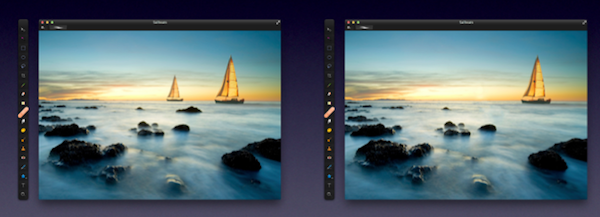
By choosing either the new Healing Tool or the selection tools, a user can select wrinkles, blemishes, image damage or any other details present in images, and with just one click let Pixelmator seamlessly fill the selected area with similar nearby image content.

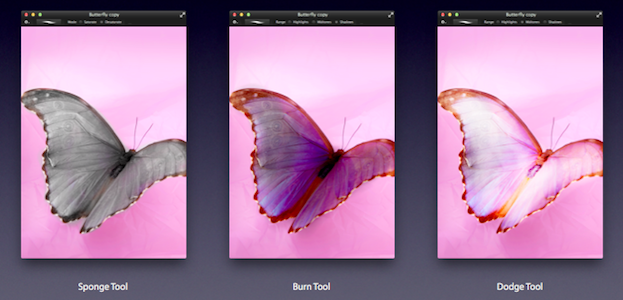
Then there are the new retouching tools of smudge, sponge (desaturate), burn (darken), dodge (brighten) and red-eye. These tools are great for retouching and work as one would expect. Finally, there is an improved type tool that not only makes it easier to format your text, but now also features more advanced typography tools for those that want complete control over how their type looks.

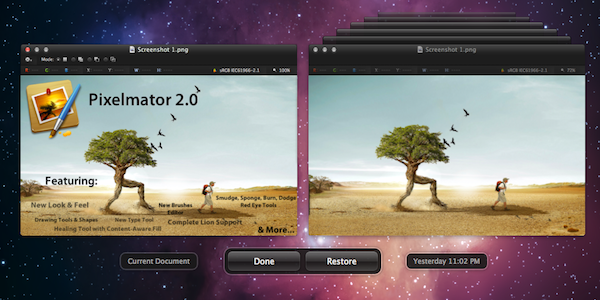
Taking advantage of the new features that Apple added to OS X Lion, Pixelmator now supports the native Auto Save and Versioning available in Lion, allowing you to easily save multiple versions of a document you are working on, and compare those versions easily. Lion’s Full Screen feature is also built into Pixelmator so you can easily focus on your work without distraction and also take full advantage of your Mac’s screen real estate. The last thing to note is that Pixelmator 2.0 also follows Lion’s lead and supports a number of gestures, buttons, menus and the new ‘invisible’ scroll bars.

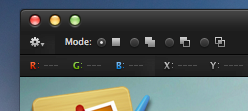
The look of Pixelmator has also been refined in 2.0, with a new ‘Tool Options’ bar and an ‘Info’ bar. Both sit discretely at the top of the window and both bars are contextual, changing depending on what tool you choose, giving you the appropriate information and settings depending on what tool you are using - so you never see useless information. The Tools palette is also more customisable now, allowing you to add, remove and even group any tools you want - letting you create a Tools palette that matches what your workflow requires.

There are a number of other new features, improvements and tweaks that are too numerous to go into. But speaking as an occasional user of Photoshop, Pixelmator 2.0 seems to have almost all the features I require for my image editing and it gives them to me at a fraction of the cost. If you’re like me, you might find Pixelmator a little jarring at first, with various tools and options located in different locations, but this soon disappears when you realise its an incredibly capable piece of software - that from my experience is actually a little more nimble at accomplishing various tasks (particularly when dealing with text).

Pixelmator 2.0 is available on the Mac App Store at an introductory price of $29.99 so be sure to grab a copy of it - at that price it’s an absolute steal. If you have previously purchased Pixelmator from the Mac App Store, its a free upgrade.

Access Extra Content and Perks

Founded in 2015, Club MacStories has delivered exclusive content every week for nearly a decade.

What started with weekly and monthly email newsletters has blossomed into a family of memberships designed for every MacStories fan.

Learn more here and from our Club FAQs.

Club MacStories: Weekly and monthly newsletters via email and the web that are brimming with apps, tips, automation workflows, longform writing, early access to the MacStories Unwind podcast, periodic giveaways, and more;

Club MacStories+: Everything that Club MacStories offers, plus an active Discord community, advanced search and custom RSS features for exploring the Club’s entire back catalog, bonus columns, and dozens of app discounts;

Club Premier: All of the above and AppStories+, an extended version of our flagship podcast that’s delivered early, ad-free, and in high-bitrate audio.

Learn more here and from our Club FAQs.


Fantastical 1.1 Giveaway

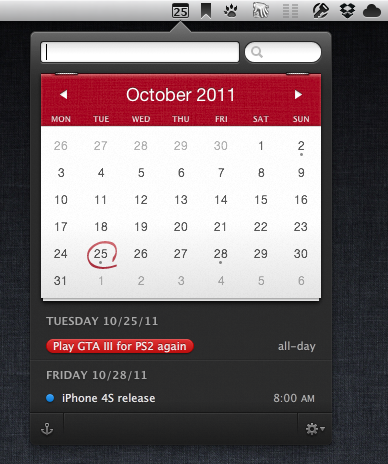
Fantastical takes what we know about calendar apps and makes it quicker and easier to create and edit events without having to open iCal, Entourage or Outlook. Fantastical is intelligent and innovative by using natural language for entering events. It is easy and fun to use, resides in your menubar, uses a system-wide hot key, and has CalDAV sync support. The UI is one of the best for OS X, it has a natural look and feel to it and it really is fun to use. From our coverage of Fantastical 1.1, released on the Mac App Store last week:

Fantastical was already a great app, and now that it’s gained editing, deleting and notes it really can be used as a calendar replacement, which thanks to natural language input will also act as your personal calendar assistant.

What more is there to love about Fantastical? How about a giveaway?

Read more

Access Extra Content and Perks

Founded in 2015, Club MacStories has delivered exclusive content every week for nearly a decade.

What started with weekly and monthly email newsletters has blossomed into a family of memberships designed for every MacStories fan.

Learn more here and from our Club FAQs.

Club MacStories: Weekly and monthly newsletters via email and the web that are brimming with apps, tips, automation workflows, longform writing, early access to the MacStories Unwind podcast, periodic giveaways, and more;

Club MacStories+: Everything that Club MacStories offers, plus an active Discord community, advanced search and custom RSS features for exploring the Club’s entire back catalog, bonus columns, and dozens of app discounts;

Club Premier: All of the above and AppStories+, an extended version of our flagship podcast that’s delivered early, ad-free, and in high-bitrate audio.

Learn more here and from our Club FAQs.


Apple Announces iOS 5 Tech Talk World Tour 2011

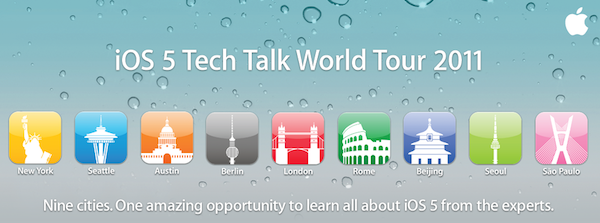
Earlier this year, Apple was rumored to be considering a new edition of the Tech Talk World Tour, a series of developer-focused events in different cities to provide developers with additional sessions, trainings and answers to common questions outside of the typical WWDC environment. Apple has just announced the new iOS 5 Tech Talk World Tour, which will take place in nine cities this year:

We’re taking iOS 5 on a world tour and we want you to come along for the ride. Learn from Apple experts as you take your apps to the next level with the exciting new technologies in iOS. Space is limited, so register today.

The Tech Talk World Tour will start in November, and run through the end of January. The nine cities that will host the event are:

  • Berlin - November 2
  • London - November 7
  • Rome - November 9
  • Beijing - December 5
  • Seoul - December 8
  • Sao Paolo - January 9
  • New York City - January 13
  • Seattle - January 18
  • Austin - January 23

As Apple notes, all iOS Developer Program members are eligible to attend, however priority will be given to developers with at least an app available on the App Store. Tech Talk World Tour sessions are “highly technical”, Apple explains, as a team of expert will travel around the world covering advanced coding and design techniques that developers can implement in their apps.

Tech Talk is free and developers can register with their existing Dev account, however they can’t bring guests as registration is limited to those who got a confirmation email from Apple. Each Tech Talk will share the same agenda and sessions listed on Apple’s website, and developers can’t register for more than one city as Apple wants “to give as many developers as possible the opportunity to attend a Tech Talk”. Apple also states that pre-release software may be covered at Tech Talk, so developers will have to follow the iOS Developer Program License Agreement and Registered Apple Developer Agreement to not share confidential information.

Topics that will be covered in each Tech Talk session include iPhone and iPad User Interface Design, AirPlay, UIKit, Turn-Based Gaming with Game Center, AV Foundation, Core Image and Newsstand apps. Developers can register for Tech Talk World Tour 2011 on Apple’s official page for the event.

Access Extra Content and Perks

Founded in 2015, Club MacStories has delivered exclusive content every week for nearly a decade.

What started with weekly and monthly email newsletters has blossomed into a family of memberships designed for every MacStories fan.

Learn more here and from our Club FAQs.

Club MacStories: Weekly and monthly newsletters via email and the web that are brimming with apps, tips, automation workflows, longform writing, early access to the MacStories Unwind podcast, periodic giveaways, and more;

Club MacStories+: Everything that Club MacStories offers, plus an active Discord community, advanced search and custom RSS features for exploring the Club’s entire back catalog, bonus columns, and dozens of app discounts;

Club Premier: All of the above and AppStories+, an extended version of our flagship podcast that’s delivered early, ad-free, and in high-bitrate audio.

Learn more here and from our Club FAQs.


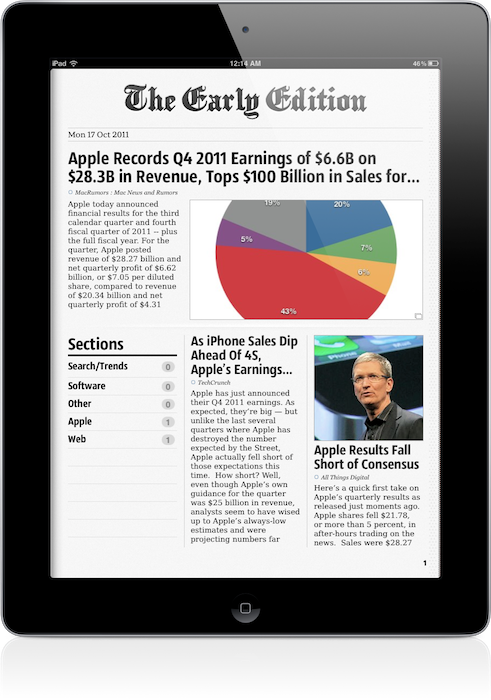
The Early Edition 2 Review

When the original iPad came out last year, it was immediately clear the device would be great for reading. As I outlined in my Instapaper 4.0 review, those who followed the launch of the device in April 2010 may recall that there was little doubt the iPad was going to change our reading habits: from the comfort of a couch or during a daily commute, the iPad’s bigger screen would provide a better alternative to web articles, RSS  feeds and eBooks than the iPhone’s 3.5-inch display. How reading was meant to be changed and enhanced, exactly, wasn’t really clear from the start.

The following months saw the rise of “social magazines” like Flipboard and Zite, a plethora of RSS apps – most of them abandoned now – and variations on the theme of “visual news” that would see developers building apps with a unique, at least initially, spin on the classic visualization of headlines. Among the pioneers of “iPad reading” was Glasshouse Apps, makers of some fine software for iOS devices like Barista and Gift Plan. Last year, Glasshouse Apps released The Early Edition, possibly the first popular app to take on the concept of RSS feeds rendered as a newspaper on the iPad’s screen. Whilst many would later try to copy Flipboard and come up with similar ways to build “social magazines” off your Twitter and Facebook streams, I remember The Early Edition was among the first apps to deliver a fresh RSS experience that turned RSS items into visually-appealing headlines with page layouts, subtitles, bold headlines and summaries. The Early Edition was capable of importing feeds from your Google Reader account and manually managing them inside the app, but it couldn’t sync with Google’s RSS service. The fact that, without any major feature or UI updates, The Early Edition is still in the Top Paid iPad News chart as of this morning is telling of the app’s quality. Overall, The Early Edition was a nice way to read RSS feeds in a different format; perhaps it was overshadowed by Flipboard (which also gained Google Reader capabilities later on), but it’s still a fine piece of software.

The Early Edition 2, released today as a separate app, improves on every aspect of the original application. The interface has been redesigned, the sharing menu completely rebuilt; the app can now sync back to Google Reader (while still offering you an option to manually manage feeds out of Google’s system) and it’s incredibly fun to use, as before.

One of the big advantages of TEE 1 over its many competitors, in fact, was that it was fun. As the iPad as a platform, TEE relied heavily on swipes and taps to let you navigate between articles and sites, with beautifully crafted graphical elements and page turning animations to help convey the feeling of a “real” newspaper on your iPad. The Early Edition 2 builds on the skeuomorphic guidance of the previous version: the sharing menu is a yellow envelope you send out to the world; a wooden background adorns the newspaper’s pages and columns and becomes your coffee table as the newspaper rolls back, revealing its sections. Pages turn faster, and the new Featured Feeds section resembles a newsstand you’d pick your favorite newspaper from while holding your morning coffee on the way to work. Even the Clippings section – the one that holds your “favorite” (starred) items – has been designed as an inbox that sits on your desk, right below your personal newspaper.

Some might say that The Early Edition 2 is over-designed and that it’s blindly following Apple’s trend towards real-life interfaces with textures and materials and physical metaphors – but I like it. Unlike, say, Lion’s iCal or Address Book, I think The Early Edition’s design is functional to what the app does and, ultimately, it’s got personality.

An obvious feature of digital newspapers is that, unlike physical ones, you can customize them. In The Early Edition 2, you can browse All feeds, Unread ones and Today’s only, and note that if Google Reader sync is active, unread items will change their status on all your connected Reader clients, such as Reeder for Mac or Mr. Reader for iPad. In this regard, The Early Edition has proved to have reliable sync: as soon as I scrolled past an article, that was marked as read and changes were synced back to the cloud. Sync is relatively fast, but the app will need a few extra seconds to “assemble your newspaper”, which includes deciding to preload pictures, finding Trending Words in article, and picking a position for Favorite items (which you can choose to display in the newspaper’s Front Page). Search and Trending words in particular provide a nice way to quickly skim through a freshly built newspaper, see what’s most talked about in your sections, or simply find something specific you’re looking for (you can save searches for future usage as well). Another way to customize the newspaper is to browse recent items from single sources: from the Feeds sidebar, the app will let you tap on a website to read its latest entries, but this screen won’t share the same interface design of the “regular” newspaper. It is, however, a nice option to have. You can filter feeds or browse by section, too.

Article reading view has been redesigned from version 1.0. Typographic choices look better on the eye, and the overall page design feels cleaner and more elegant. The app will fetch article information such as publishing date, author and website’s name when refreshing feeds, and as you read an article the page “disappears” underneath the main header – it’s a very nice effect. Along the top of the page, there are buttons to open an article’s web view, share it, increase font size, and email the link or open it in Safari. The reading view is extremely simple, and you can swipe between pages without going back to the main newspaper view.

The Early Edition 2 has also been enhanced with gestures to simplify navigation and provide quick access to often-used sections. Besides swiping to turn pages and navigating image galleries, you can swipe with two fingers to reveal the Browse sidebar, or swipe with three fingers horizontally to skip a section you don’t want to read. A rotate gesture with two fingers gives you access to the Featured Feeds at any time, whilst the Clippings can be accessed with a swipe up from the main view. The app offers a quick recap of available gestures through the Help menu in the toolbar (which you can reveal by swiping down), and I believe that if you’re going to spend a lot of time reading in TEE, gestures will make you save a lot taps (and thus, precious seconds).

Other miscellaneous notes about The Early Edition 2:

  • You can subscribe to feeds, manage your subscriptions, reorder items, and move them around between Google Reader folders
  • Font size controls
  • Hardware brightness controls
  • Double-tap images to enter gallery view (perfect for photography and design blogs)
  • You can “star” items and mark them as unread on Google Reader
  • You can customize Google Reader sync and how items are marked as read
  • OPML import

Overall, The Early Edition 2 is a good app – but the question is, why would you use this over your regular RSS reader or Flipboard? I think there are a few aspects to consider before dismissing The Early Edition or quickly hitting the Buy button. First, unlike Flipboard, The Early Edition bets heavily on the concept of “digital newspaper delivered to you every morning”, whilst Flipboard is more of a social-media powerhouse with support for Twitter, Facebook, Instagram and Google Reader items all displayed through a “magazine view”. Whereas Flipboard is deeply social both in the way it gets content and allows you to share it, The Early Edition feels to me more like an app you’d use once a day to read what’s new and relevant in the feeds you curate. Flipboard, too, enables you to subscribe to sections and feeds, but clearly its focus is on items shared by your friends, displayed through a better view than a web browser. And this is where the difference between The Early Edition and a regular Google Reader client kicks in: assuming that you’re an RSS “geek” with at least 50 subscriptions and hundreds of unread items per day, The Early Edition 2 positions itself as a nice way to read, and not skim, articles from your sources. I don’t know about you, but I use my main Google Reader clients to see what’s up, and other apps to read the good stuff that I missed while I was skimming through. With dynamic page layouts, The Early Edition 2 is also smarter than a normal RSS client, as it’s got an algorithm that decides which stories are more important than others and how they should be displayed. So here’s a first difference between the digital newspaper and a list of unread items. But the opposite is also true: what if you only subscribe to a few feeds, and you get your news via Twitter all day? In that case, you’re likely to use a Twitter client or, again, Flipboard. But when it’s time to read those few feeds, why use a client (which I believe is normally meant for heavy RSS users) when you can have a beautiful app like The Early Edition deliver them for you? It’s an interesting scenario that once again proves how the selection of iPad apps for reading web articles is changing our reading habits and empowering us to choose how we read. There’s one more possible usage scenario: assuming you use your “social magazine” for your “social news” and you don’t have a Google Reader account or even know what RSS is, The Early Edition’s standalone mode (no sync, no Google Reader integration) offers another way to manage the websites you like, not the ones recommended by your friends.

I believe RSS clients and apps like Flipboard and The Early Edition can coexist, but it depends on how you choose to read your news and feeds you care about. The Early Edition 2 is a beautifully designed app, which takes advantage of iOS 5 and nicely integrates with Google Reader.

The Early Edition 2 is propagating in the App Store right now. You will find the app here. Check out a gallery of screenshots and a promo video after the break. Read more

Access Extra Content and Perks

Founded in 2015, Club MacStories has delivered exclusive content every week for nearly a decade.

What started with weekly and monthly email newsletters has blossomed into a family of memberships designed for every MacStories fan.

Learn more here and from our Club FAQs.

Club MacStories: Weekly and monthly newsletters via email and the web that are brimming with apps, tips, automation workflows, longform writing, early access to the MacStories Unwind podcast, periodic giveaways, and more;

Club MacStories+: Everything that Club MacStories offers, plus an active Discord community, advanced search and custom RSS features for exploring the Club’s entire back catalog, bonus columns, and dozens of app discounts;

Club Premier: All of the above and AppStories+, an extended version of our flagship podcast that’s delivered early, ad-free, and in high-bitrate audio.

Learn more here and from our Club FAQs.


iPhone 4S Review

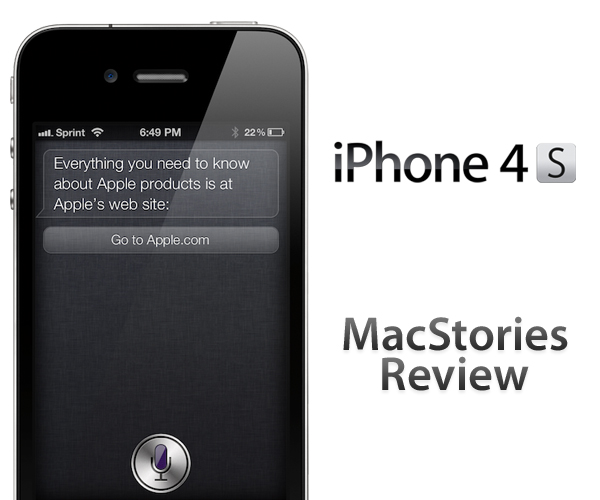
iPhone 4S: MacStories Review

iPhone 4S: MacStories Review

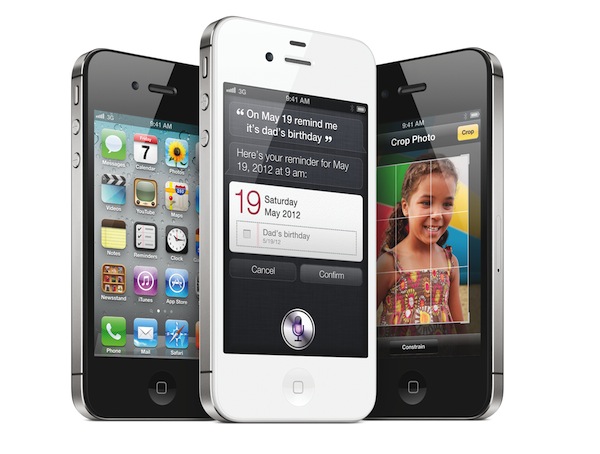
It’s been over a year since Apple launched the iPhone 4, and in the meantime Apple has been busy preparing iOS 5, iCloud, getting deals for iTunes Match, and integrating voice technology into their next generation smartphone. iOS 5 has already captured 25 million users in less than a week as iPhone, iPad, and iPod touch owners update their devices to take advantage of free syncing technologies and a revamped notification system. Apple’s iCloud recently went live, syncing data, contacts, and other information between Macs, iOS devices, and Apple’s servers. Hardware remained in Apple’s sights as well — the iPhone 4S launched with brand new guts and was available in white from day one. It’s been a very busy year for Apple, but you’re all here for one reason:

What’s the iPhone 4S like?

Read more

Access Extra Content and Perks

Founded in 2015, Club MacStories has delivered exclusive content every week for nearly a decade.

What started with weekly and monthly email newsletters has blossomed into a family of memberships designed for every MacStories fan.

Learn more here and from our Club FAQs.

Club MacStories: Weekly and monthly newsletters via email and the web that are brimming with apps, tips, automation workflows, longform writing, early access to the MacStories Unwind podcast, periodic giveaways, and more;

Club MacStories+: Everything that Club MacStories offers, plus an active Discord community, advanced search and custom RSS features for exploring the Club’s entire back catalog, bonus columns, and dozens of app discounts;

Club Premier: All of the above and AppStories+, an extended version of our flagship podcast that’s delivered early, ad-free, and in high-bitrate audio.

Learn more here and from our Club FAQs.


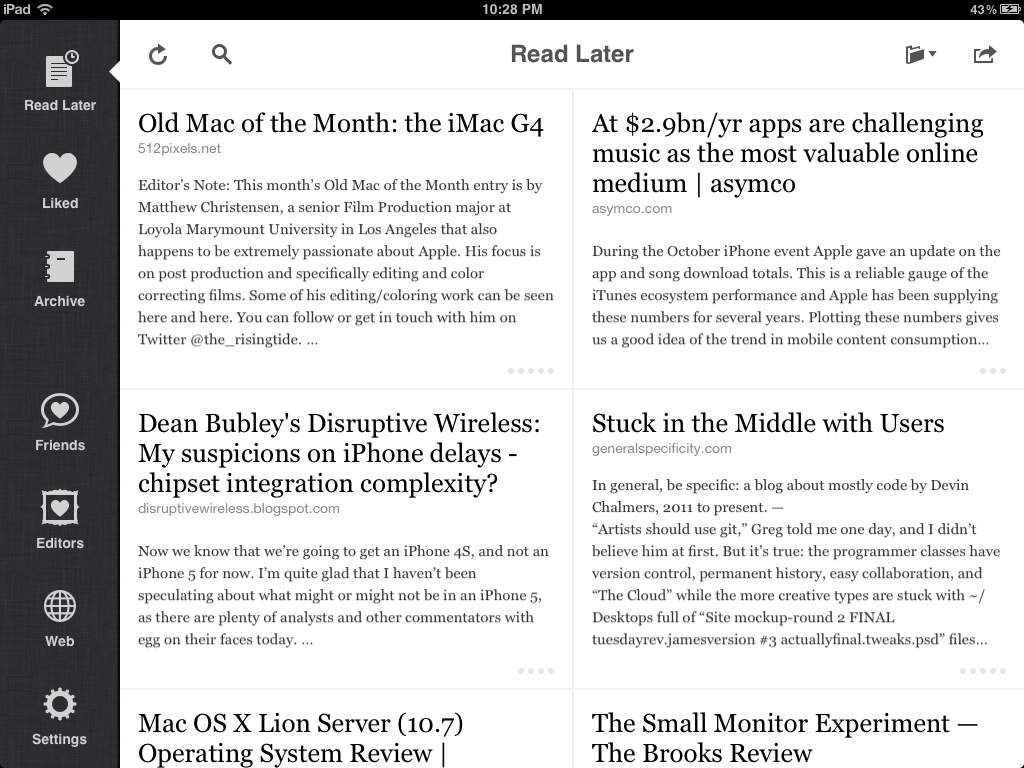
Instapaper 4.0 Available: Completely Redesigned iPad UI, New Features, Search Subscription

Since I started using Instapaper in 2008, this app has changed the way I read. Instapaper 4.0, released today on the App Store, will change my reading habits, again.

For those who are not familiar with the concept of Instapaper, it’s a web service that allows you to save web articles for later. But unlike the number of similar solutions that have surfaced since Apple featured the app multiple times (or simply its merits, which have been recognized by millions of average users alike), Instapaper isn’t simply a website with an account, a bunch of text stripped off websites, and a bookmarklet to grab articles. Over the years, Instapaper’s Marco Arment, founder and creator of the service, has managed to build an ecosystem around Instapaper, which is based upon but doesn’t stop at apps connected to the service via an API. Apps that support Instapaper play a big role in the service’s success and Arment even showcases this kind of integration in the new 4.0 version, but what really made Instapaper great is its simplicity coupled with publishers’ support, user adoption, multi-platform nature, and interconnectedness of tools that has allowed Instapaper – once a small indie project churning out a couple of thousand articles per day – to become the most popular way to never miss a good read.

Instapaper works on the web, on the Amazon Kindle with automatic wireless delivery, and on Apple’s iPhone and iPad. The foundation upon which Instapaper works and prospers is the Read Later bookmarklet, a button you can install in your browser’s toolbar to send any webpage off to your Instapaper account. Instapaper, however, works best with articles, as its main goal is to provide users with an elegant way to read the words of an author without seeing ads, graphical elements, or readers’ comments. Just text. In this regard, Instapaper works like magic: you hit a button, and any web article is transformed into an elegant, readable, easy on the eye page that you can customize to your liking with different fonts, pagination and brightness settings, or “dark mode” if you prefer white text on black while reading at night.

And I have been reading with Instapaper at night. Since the original iPad came out last year, pretty much everybody had a feeling the device could turn out to be ideal for reading, but no one really stopped to think about the implications of a device for Instapaper before the iPad’s release. When Apple did release the iPad and a native version of Instapaper was available on day one, it was clear Apple’s form factor and Arment’s UI decisions would play well together in the long term.

I’m not the only one to think Instapaper nears perfection on the iPad. In fact, I’m not even the only one to think the iPad edition of Instapaper has redefined portable web reading since its introduction in April 2010. Amidst the proliferation of social magazines, RSS readers, social news readers and more or less any other variation of the terms “social” and “reading”, Instapaper for iPad provides a unique solution to a seemingly unfixable problem: to create your own collection of web articles, ready to take wherever you want. A collection – or, if you will, a constantly updating combination of inbox and archive – that’s also connected with the articles your friends like and the pieces written by people you trust.

On the App Store, Instapaper started as an iPhone app. The app, featured in a great promotional video with Adam Lisagor, introduced iPhone users to the concept of “saving articles for later” – if you, too, have had too many interesting articles in your web browser and have wished there was a way to take them with you all the time, here’s the app for you. The video made it extremely clear that all you needed was a bookmarklet to hit, and an article would appear later on the web, or even better, on your iPhone. Instapaper for iPhone is a fantastic app; it updates fast, it’s elegant, it focuses on articles as it should be, and it gained a number of cool functionalities over time such as pagination, Twitter sharing, and Evernote integration. Yet, as this 4.0 update suggests, it’s clear Instapaper for iPad has somehow overshadowed its iPhone counterpart, making it the version to use when you can’t access your computer or iPad. Read more

Access Extra Content and Perks

Founded in 2015, Club MacStories has delivered exclusive content every week for nearly a decade.

What started with weekly and monthly email newsletters has blossomed into a family of memberships designed for every MacStories fan.

Learn more here and from our Club FAQs.

Club MacStories: Weekly and monthly newsletters via email and the web that are brimming with apps, tips, automation workflows, longform writing, early access to the MacStories Unwind podcast, periodic giveaways, and more;

Club MacStories+: Everything that Club MacStories offers, plus an active Discord community, advanced search and custom RSS features for exploring the Club’s entire back catalog, bonus columns, and dozens of app discounts;

Club Premier: All of the above and AppStories+, an extended version of our flagship podcast that’s delivered early, ad-free, and in high-bitrate audio.

Learn more here and from our Club FAQs.


Apple: 4 Million iPhone 4S Units Sold In First Weekend

With a press release, Apple has just announced that iPhone 4S sales have already topped 4 million since its debut on October 14th in seven countries. Apple also reported 25 million users are already using iOS 5, and 20 million have signed up for iCloud. According to Apple’s Phil Schiller, quoted in the press release, this is the most successful launch ever for a mobile phone, doubling the number of units sold by the iPhone 4 in three days last year. In June 2010, Apple sold 1.7 million iPhone 4s in just three days.

That Apple was on track to deliver an impressive launch weekend with the iPhone 4S was clear since the company announced that over 1 million units had been pre-ordered in the first 24 hours of online availability. Following Apple’s announcement, US carriers AT&T and Sprint reported 200,000 pre-orders in the first 12 hours and a “very pleased” reaction to the iPhone 4S, respectively.

Apple today announced it has sold over four million of its new iPhone® 4S, just three days after its launch on October 14. In addition, more than 25 million customers are already using iOS 5, the world’s most advanced mobile operating system, in the first five days of its release, and more than 20 million customers have signed up for iCloud®, a breakthrough set of free cloud services that automatically and wirelessly store your content in iCloud and push it to all your devices. iPhone 4S is available today in the US, Australia, Canada, France, Germany, Japan and the UK, and will be available in 22 more countries on October 28 and more than 70 countries by the end of the year.

“iPhone 4S is off to a great start with more than four million sold in its first weekend—the most ever for a phone and more than double the iPhone 4 launch during its first three days,” said Philip Schiller, Apple’s senior vice president of Worldwide Product Marketing. “iPhone 4S is a hit with customers around the world, and together with iOS 5 and iCloud, is the best iPhone ever.”

Since its launch, the iPhone 4S has collected largely positive reviews that focused on speed, camera improvements, and better 3G signal of the device. With iOS 5 and iCloud (our launch coverage here), the iPhone 4S is providing a combination of hardware and software (some iOS features are exclusive to the iPhone 4S, such as Siri) that has managed to capture the customers’ attention, as proved by the long lines around the world for the device’s launch.

Apple’s next iPhone 4S rollout is on October 28th, when the device will be launch in Austria, Belgium, Czech Republic, Denmark, Estonia, Finland, Hungary, Ireland, Italy, Latvia, Liechtenstein, Lithuania, Luxembourg, Mexico, Netherlands, Norway, Singapore, Slovakia, Slovenia, Spain, Sweden and Switzerland.

Access Extra Content and Perks

Founded in 2015, Club MacStories has delivered exclusive content every week for nearly a decade.

What started with weekly and monthly email newsletters has blossomed into a family of memberships designed for every MacStories fan.

Learn more here and from our Club FAQs.

Club MacStories: Weekly and monthly newsletters via email and the web that are brimming with apps, tips, automation workflows, longform writing, early access to the MacStories Unwind podcast, periodic giveaways, and more;

Club MacStories+: Everything that Club MacStories offers, plus an active Discord community, advanced search and custom RSS features for exploring the Club’s entire back catalog, bonus columns, and dozens of app discounts;

Club Premier: All of the above and AppStories+, an extended version of our flagship podcast that’s delivered early, ad-free, and in high-bitrate audio.

Learn more here and from our Club FAQs.