Federico Viticci

10876 posts on MacStories since April 2009

Federico is the founder and Editor-in-Chief of MacStories, where he writes about Apple with a focus on apps, developers, iPad, and iOS productivity. He founded MacStories in April 2009 and has been writing about Apple since. Federico is also the co-host of AppStories, a weekly podcast exploring the world of apps, Unwind, a fun exploration of media and more, and NPC: Next Portable Console, a show about portable gaming and the handheld revolution.

This Week's Sponsor:

Inoreader

Build your own newsfeed and cut through the noise


iPhone Location Tracking A Bug To Be Fixed In Next iOS Update?

Following yesterday’s debate on a file discovered by two security researchers that keeps track of your entire location history in the form of cellular triangulation data stored unencrypted in the iPhone’s backup, Daring Fireball’s John Gruber weighed in to suggest this might be a simple bug or “an oversight” on Apple’s part. He claims that a “little-birdie” told him the consolidated.db file acts as a cache for your location, and it’s not meant in any way to be used by Apple to track your location history and moves; the file is never sent to Apple’s servers, but is kept locally on your 3G device and on your computer – if you decided to back up an iPhone or iPad using iTunes. Moreover, the location data doesn’t rely on accurate GPS information – instead, it uses antennas’ triangulation, meaning that in most cases data can be miles off your actual location on a specific day.

The big question of course, is why Apple is storing this information. I don’t have a definitive answer, but my little-birdie-informed understanding is that consolidated.db acts as a cache for location data, and that historical data should be getting culled but isn’t, either due to a bug or, more likely, an oversight. I.e. someone wrote the code to cache location data but never wrote code to cull non-recent entries from the cache, so that a database that’s meant to serve as a cache of your recent location data is instead a persistent log of your location history. I’d wager this gets fixed in the next iOS update.

iOS 4.3.2 was released last week, and Apple might push a 4.3.3 software update relatively soon to “improve overall stability” and introduce “bug fixes” – as they usually write in their changelogs for this kind of updates. Apple PR hasn’t issued a statement about the discovery of this location tracking system for iPhones and iPads 3G, but the story has quickly made the rounds of the Internet and ended up on mainstream media as well. If it’s really a bug, or an oversight, a software update should be the easiest solution to the problem.


Sleipnir Browser Comes To The iPad With Gestures, Bookmark Sync

When I originally reviewed Sleipnir, an alternative browser for the iPhone, back in December, I was impressed by how the app managed to innovate in a market – the one of alternatives to Apple’s MobileSafari – that was saturated and full of apps that were just trying to offer the same set of functionalities over and over again – that is, tabs and Dropbox integration and, overall, some UI schemes that were aimed at porting the classic browsing desktop experience to the iPhone. Like Portal, Sleipnir was one of the very few apps that truly wanted to innovate on the platform. Rather than just copying the desktop and trying to squeeze a Mac-like experience into the iPhone’s screen, Sleipnir provided a series of features like touch-based tab management, tab groups and fullscreen mode that showed everyone how it was indeed possible to innovate with a mobile browser. And now Sleipnir wants to do the same on the iPad.

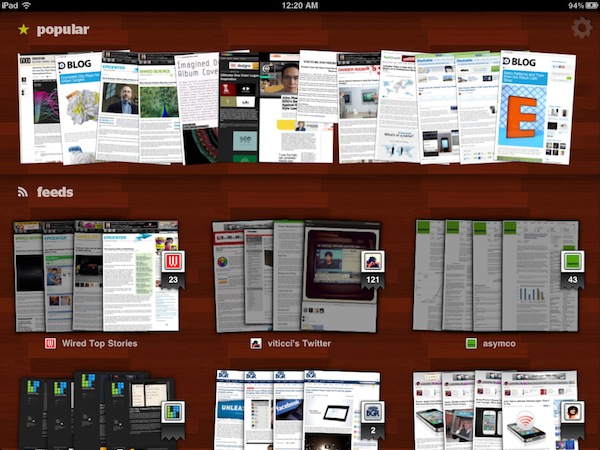
Released last night in the App Store, Sleipnir for iPad looks a lot like the iPhone version but it makes much greater use of multitouch gestures and tabs to offer a unique browsing experience like no other on the tablet. Instead of placing tabs as “panels” under the top app toolbar, Sleipnir for iPad follows the path traced by its iPhone counterpart and visualizes open pages as thumbnail previews at the bottom. The larger screen of the iPad allowed developers to further play around with this concept and implement a larger bar that shows more open websites at once. The refined cache management in version 1.2 also makes it possible to keep more pages open at once without losing your scrolling position and being forced to reload a page – although I’ve noticed after a dozens of tabs running in the background Sleipnir will refresh a page anyway. However, it works as well as Safari on the iPad 2, if not better: I rarely stumbled upon the page reload issue, and when I did Sleipnir refreshed the page in a way that my exact position was maintained. But there’s more: this new version introduces “TouchPaging”, a new feature that allows you to navigate between tabs with a horizontal swipe (think of the iOS 4.3 multitasking gestures, or the “back” animation in Lion’s Safari) and close a single tab by tracing a “L” on screen. I love these gestures, as they make browsing on the iPad so much natural it’s incredible to think Apple didn’t come out with a similar idea on Safari.

Just like on the iPhone, tabs can be organized in “groups” with drag&drop support, and you can close a tab with a vertical swipe on its preview. You can also drag a tab to the trash, and move as many tabs as you want inside a group. Again, the iPad’s bigger screen allows for a more convenient tab management that truly shines on Sleipnir for iPad. Last, bookmark sync: I still don’t like how Sleipnir handles the creation of bookmarks and the assignment of labels, but with a free Sleipnir Pass account the app lets you keep bookmarks in sync across the iPad and iPhone. The lack of bookmark importing features is annoying, but OTA sync across devices is just great.

Sleipnir is available for free on the App Store, and it’s one of the most innovative browsers ever released on iOS. Give it a try. Read more


News.me iPad App Launches To Take On Social Magazines

News.me, a new social reading experience for the iPad developed by technology incubator Betaworks and The New York Times, launched on the App Store a few minutes ago after much anticipation and speculation on whether or not the service could take on well-established “social magazines” like Flipboard and Zite. There’s no doubt the iPad has created a new market for this kind of applications: rather than presenting a series of links pulled from the top Google News or Techmeme, apps like Flipboard aim at showcasing content being shared by your friends on Twitter and Facebook. But while Flipboard simply collects all content shared in your timelines without applying any sort of filter for relevance and popularity, News.me wants to change the rules of tablet-based social reading experiences by offering a “smart” system that, thanks to data provided by popular URL shortener bit.ly, can filter out the most relevant items appearing in your Twitter timeline – and in someone else’s as well.

That’s the key point of News.me, the feature that will need to be tested in the long term to see if the experiment has a chance to survive in this crowded digital and social newsstand. Not only does News.me enable you to see what your friends are sharing (through tweets), it also lets you see what they are reading. And from this standpoint, logging into Twitter within News.me gives the app a whole new meaning when it comes to “Twitter integration.” It’s a huge bet for Betaworks and The New York Times: can the bit.ly-backed algorithm provide an efficient way to distribute personalized news to iPad users? More importantly, is it enough to convince people to pay $0.99 a week, or $34.99 a year? Read more


Verizon: 2.2 Million iPhones Activated In Two Months

Following yesterday’s official AT&T iPhone activations for the first quarter of 2011 (3.6 million units) and Apple’s Q2 financial results (18.65 million iPhones sold), Verizon reported its Q1 2011 earnings results this morning, confirming that the company activated more than 2 million iPhones 4s since February.

As noted by Peter Kafka at MediaMemo, Verizon’s earnings results public PDF document indicates the company activated 2.2 million iPhones in two months – the device went on sale on February 10th, thus granting Verizon only two months of availability during the quarter. Apple didn’t officially disclose Verizon iPhone sales numbers at its earnings call yesterday, however they did say that adding the iPhone to Verizon’s line-up meant begin offering the device to an enormous customer base.

The CDMA iPhone is expected to be released in more countries on different carriers in the next months, but Apple hasn’t confirmed any of these plans yet. Initial speculation on Verizon iPhone sales claimed numbers were “low” and “under Apple’s expectations”, but 2.2 million units activated in 2 months seems to suggest the device has been selling strongly in the quarter.


Why A New iPhone In September Makes Sense

I’ve been thinking about this for a while now, but after seeing Apple’s terrific financial results for the second 2011 quarter it became clear to me: a new iPhone in September makes perfect sense, in spite of all the reports claiming it would be a bad choice for the company to “delay” the release of the next-generation to the Fall skipping the usual June / July timeframe. Of course Apple hasn’t confirmed any of this speculation, but if rumors and reports from well-sourced Apple journalists like Jim Dalrymple are of any indication, it really looks like we’re going to see a new iPhone in September, not this summer. And here’s why I think it’s a good plan. Read more


Apple Q2 2011 Financial Results: $24.67 Billion Revenue, 4.69 Million iPads, 18.65 Million iPhones Sold

Apple has just posted their Q2 2011 financial results. The company posted revenue of $24.67 billion, with 4.69 million iPads sold, 18.65 million iPhones and 3.76 million Macs. Wall Street consensus estimate was EPS of $5.36 and revenue of $23.34B. Mac sales saw a 28% increase over the year-ago quarter, while with 9.02 million iPods sold Apple saw a 17% unit decline. Overall, the company posted quarterly revenue growth of 83% and profit growth of 95%. International sales were 59% for the quarter, with Asia and Pacific regions featuring a 182% increase year over year. The reported iPhone sales were stronger than expected by most analysts, with a 113% increase year over year. iPhone revenues, however, grew faster than sales with a 126% increase [source]. Overall, this was the biggest non-holiday quarter in Apple’s history.

With quarterly revenue growth of 83 percent and profit growth of 95 percent, we’re firing on all cylinders,” said Steve Jobs, Apple’s CEO. “We will continue to innovate on all fronts throughout the remainder of the year.

In Q1 2011, the company posted a record revenue of $26.74 billion with 7.33 million iPads sold, 16.24 million iPhones and 4.13 million Macs. In the year-ago quarter, Apple posted revenue of $13.50 billion and net quarterly profit of $3.07 billion. The company sold 2.94 million Macs, 8.75 million iPhones and 10.89 million iPods during the quarter.

Apple will provide a live streaming audio feed of its Q2 2011 financial results conference call at 2:00 PM Pacific, and we’ll update this story with the conference highlights. Read more


RemoteTunes Brings iTunes Home Sharing to Back to My Mac

When I reviewed Hamachi for Mac a few weeks ago and called it a great, free alternative to Apple’s Back to My Mac, I noted how Hamachi – among other things – managed to successfully enable remote iTunes Home Sharing between two Macs. The iTunes Home Sharing functionality, introduced on iOS 4.3 for iOS devices and Macs on the same local network (and a long-time favorite of iTunes desktop users), allows you to share your entire iTunes library locally, wirelessly, between computers and iPhones or iPads. But wouldn’t it be great to have the same feature available on Macs connected remotely to each other? Hamachi does that out of the box, but Back to My Mac doesn’t. RemoteTunes, a $5 utility, fixes this.

Once installed, RemoteTunes will find Macs that are sharing the same Back to My Mac credentials on your network. If Back to My Mac is correctly configured, you should see a machine pop up under the Shared tab in your OS X Finder. RemoteTunes will find the remote shared library (makes sure to activate iTunes Home Sharing on the remote machine), and let you stream music between Macs using MobileMe as the communication tool. It all works in the background, and it’s basically a graphical user interface for complex SSH and DNS commands most users don’t want to mess with. I’ve tried this on a friend’s iMac (I’m no longer a MobileMe user), and I was pleased to see connections happening through RemoteTunes were stable, and reliable.

If you’re a MobileMe subscriber, at $5 RemoteTunes is a no-brainer. It won’t work with iOS devices, but it will stream music between Macs just fine.


Seamless: Transition Playing Music From Your Mac To Your iPhone

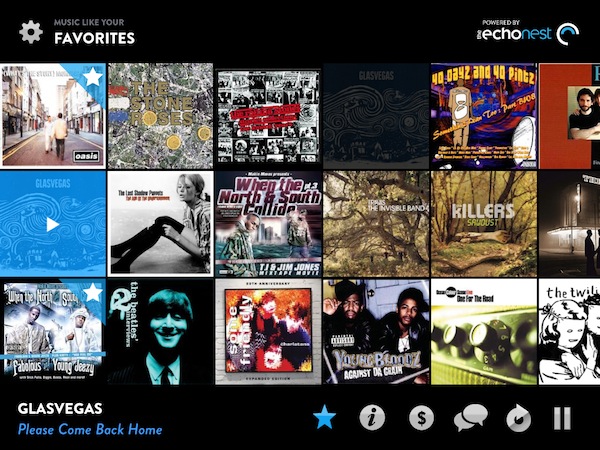
I’ve been there before: I’m working, I’m listening to some Oasis or Death Cab for Cutie on iTunes on my Mac, and iCal reminds me I have to go out. I take my iPhone, I quit iTunes, and I realize I was really liking the song I was listening to. So I’m forced to fire up the iPod app on my iPhone, find the song again, and start listening from the beginning of the track. I could manually move the on-screen cursor to the exact position the song was on iTunes, but it’s quicker this way, plus I really have to go out. Seamless, a new iPhone app by Five Details, provides the simplest solution to this problem: a button.

Once installed on the Mac (for free) and on your iPhone ($0.99 in the App Store) Seamless will communicate with your Mac to see what song is playing. If the song is found on your device’s iPod library and you’re ready to leave your computer, tap “Transition Music” and the song will quickly fade on your Mac, and magically start playing on the iPhone. Same position, same song, one button. You can do the opposite, too: you’ve just got home, with a song playing on your iPhone. Tap the button, and music will start playing on your Mac . This happens in less than a second, provided that both devices are on the same local WiFi network.

While Seamless is intriguing, clever and almost magical in its concept, there are some execution issues to iron out. For instance, I couldn’t get the app to work last night (it kept saying the “song was not present” on my iPhone, but it was) and the developer told me it’s because of a bug that won’t find songs on a synced device unless you’re playing from a playlist – not just the Music library. So I created a playlist, synced it to my iPhone, and now the app works just fine. This bug will be fixed soon with an update, I was told. And of course, the app won’t work at all if you don’t sync music – don’t expect Seamless to be able to transition music you haven’t synced on your iPhone.

As long as you keep in mind that this version might require syncing a playlist and that you can’t just transition music you don’t have on your iPhone, Seamless is a great idea. It’s simple, and it’s only $0.99 in the App Store. Check out the promo video featuring the omnipresent Adam Lisagor below.
Read more


Apple Investing In Toshiba’s New Plant for iPhone Displays

According to a report by Japanese newspaper Nikkan Kogyo Shimbun, Apple is planning to invest in Toshiba’s new LCD plant in the Ishikawa Prefecture, central Japan, for the manufacturing of iPhone displays. The report, relayed by MarketWatch, claims that Apple has picked Toshiba as the sole Japanese supplier for iPhone LCDs, effectively ceasing talks with Sharp over an investment in their facility.

The report said that Sharp was no longer a candidate for Apple’s investment. Sharp said in a statement released Wednesday that the Nikkan Kogyo Shimbun report “contradicts the facts.”

A spokesman for Toshiba’s LCD display unit declined to comment.

After Apple’s Q1 earnings call in January, Apple COO Tim Cook told the press and analysts that the company had entered a $3.9 billion component supply deal in a key area that was “an absolutely fantastic use of Apple’s cash”. Many speculated that, after flash storage supply deals and agreements, Apple identified high-resolution LCD displays as a key factor to iOS’ devices manufacturing process. Back then, speculation and Tim Cook’s own words suggested that Apple had entered a deal with three manufacturers, including Toshiba and Sharp. A month before the the Q1 financial results, Apple was indeed rumored to be discussing with Toshiba an investment in a new $1.19 billion factory – the same that Nikkan Kogyo Shimbun is mentioning today. But at the same time, several reports suggested that Apple was also considering a second investment in a $1.2 billion facility from Sharp – with over $60 billion in cash, a double investment in LCD manufacturing wouldn’t have surprised anyone. But today’s report seems to confirm that the deal with Sharp hasn’t gone through, implying that Toshiba has been chosen as the only Japanese manufacturer of iPhone LCD screens.

Apple’s Q2 earnings call is scheduled later today at 5PM ET.