Federico Viticci

10767 posts on MacStories since April 2009

Federico is the founder and Editor-in-Chief of MacStories, where he writes about Apple with a focus on apps, developers, iPad, and iOS productivity. He founded MacStories in April 2009 and has been writing about Apple since. Federico is also the co-host of AppStories, a weekly podcast exploring the world of apps, Unwind, a fun exploration of media and more, and NPC: Next Portable Console, a show about portable gaming and the handheld revolution.

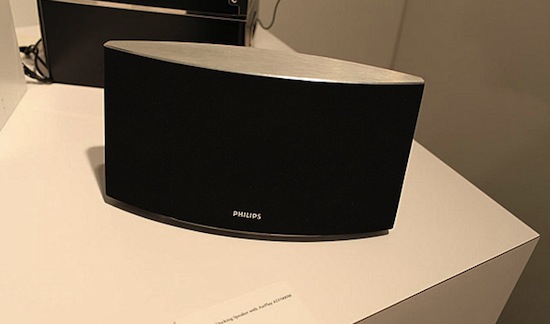
Philips Introduces New AirPlay Products at CE Week 2011

At the CE Week 2011 event in New York City, Philips has unveiled new AirPlay-compatible speakers that will allow Mac and iOS users to beam audio from their devices to the external speakers instantly, without the need of an AirPort Express station. These speakers, in fact, come with AirPlay integration built-in thanks to a wireless chip that uses the licensed AirPlay technology to allow users to stream audio from mobile devices.

Following the Fidelio SoundSphere speaker unveiled back in March, Philips has outed four new products of the Fidelio line, all compatible with AirPlay, as reported by iLounge: the Fidelio SoundSphere DS6800W, the Fidelio DS8800W, the circular Fidelio DS3881W, and the Fidelio AD7000W. With the exception of the DS8800W shipping this July at $400, Philips’ new speakers will be available this holiday season with prices ranging from $229 to $500.

Engadget has also posted a hands-on with Philips’ new AirPlay speakers, you can check out the embedded video after the break and read the original report and with photo gallery here.
Read more


OS X Lion Concept: iMessage App

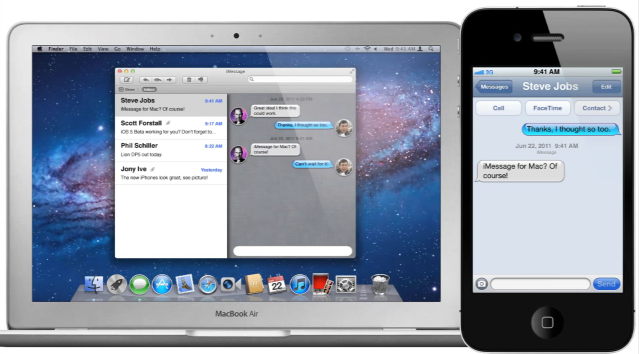
Ever since Apple unveiled iMessage for iOS 5, its new universal messaging protocol to send free text messages, videos and pictures to other iOS users, many have wondered whether the new app would be integrated with the Mac as well, perhaps in a new version of iChat. iMessage for iOS brings some new functionalities like delivery and read receipts in real-time, as well as sync and Messages.app integration, but it resembles the desktop iChat in the way it visualizes new messages, or lets you see when a person is typing. With the upcoming iCloud integration in OS X Lion, launching this Fall and available right now to developers for testing as a beta add-on, there is the possibility Apple will release a standalone iMessage app for Mac in the Mac App Store once iCloud is available for all. Just like they did with FaceTime, the app could be sold for $0.99 in the Store, and pre-installed by default on new systems.

Based on this kind of speculation, designer Jan-Michael Cart, creator of other iOS 5 concepts we posted ahead of WWDC, has come up with an interesting idea for iMessage on OS X Lion. The messaging protocol could have its own desktop app powered by real-time notifications, bounce on the Dock upon receiving new messages, and have a Mail-like toolbar for composing new messages and search among existing ones. We imagine having a desktop iMessage app could mean users would be able to rely on system-wide integration with Services to send any text to iMessage, as well as start a new FaceTime session from a contact in iMessage or the Address Book.

The concept video is interesting and we have embedded it after the break. iMessages are currently enabled in the iOS 5 betas for iPhone, iPod touch and iPad, but some code strings found in the latest Lion developer preview suggest Apple might be working on a desktop counterpart to launch later this year.
Read more


HP Extends AirPrint Support to 8 More Printers

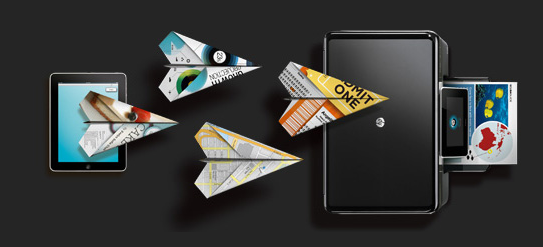
As noted by TUAW, HP’s support for Apple’s AirPrint technology has been extended to eight more LaserJet printers that are now capable of wirelessly receiving documents from iOS devices, and print them. AirPrint, originally introduced with iOS 4.2 back in November 2010, is a feature that allows iOS devices such as the iPhone and iPad running 4.2 or later to print any document, webpage, photo or email using the system-wide AirPrint action from the default sharing menu. AirPrint was introduced as a breakthrough driverless printing system that would allow users to send any file to officially compatible printers from HP, as well as any shared printer already configured on an OS X machine; support for shared printers through AirPrint was later removed in the public version of Mac OS X 10.6.6, leaving many users unsatisfied because of the lack of the promised universal support for any kind of printer. In an alleged email to a customer, Steve Jobs said Apple was taking a giant leap to driverless printing.

The new HP printers compatible with AirPrint are:

  • HP LaserJet P1102w Printer
  • HP LaserJet P1606dn Printer
  • HP LaserJet Pro CP1025nw Color Printer
  • HP LaserJet Pro M1212nf MFP
  • HP LaserJet Pro M1213nf MFP
  • HP LaserJet Pro M1214nfh MFP
  • HP LaserJet Pro M1216nfh MFP
  • HP LaserJet Pro M1217nfw MFP

These printers follow previously reported additions such as other LaserJet Pro and Officejet printers:

  • LaserJet Pro M1536dnf Multifunction Printer
  • LaserJet Pro CM1415fn Color Multifunction Printer
  • LaserJet Pro CM1415fnw Color Multifunction Printer
  • LaserJet Pro CP1525n Color Printer
  • LaserJet Pro CP1525nw Color Printer
  • Officejet 6500A e-AiO5
  • Officejet 6500A Plus e-AiO5
  • Officejet 7500A Wide Format e-AiO5
  • Officejet Pro 8500A e-AiO5
  • Officejet Pro 8500A Plus e-AiO5
  • Officejet Pro 8500A Premium e-AiO5

The full list of AirPrint-enabled printers can be viewed on Apple’s website. This support document last updated on June 20 also contains a list of printers, as well as frequently asked questions about AirPrint. More information about HP and AirPrint can be found here, whilst the firmware update for the new printers can be downloaded from HP’s Support website.


Twitter for iPhone Is A Data-Hungry App, Onavo Study Claims

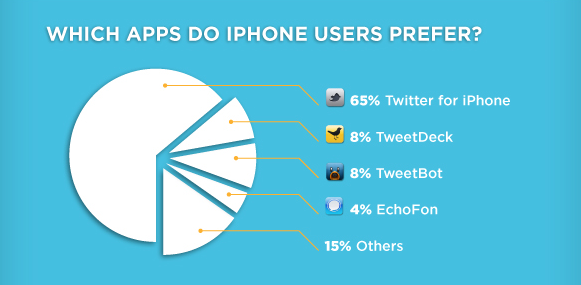
According to a new report by mobile data monitoring tool Onavo, Twitter’s official client for iPhone is the most data consuming app when compared to unofficial solutions like Echofon, Tweetbot, or the recently acquired TweetDeck. By taking in consideration data from mobile devices using Onavo’s data compression and monitoring services in different countries, with different Twitter clients, the company has found out that in average situations (which they call a “simple scenario”) like loading a timeline or a trending topic, Twitter for iPhone generally ranks higher in the list of apps that consume more data, presumably over 3G. According to the study’s results, Twitter for iPhone averages on 193 KB data usage for a simple scenario, whist Echofon’s app ranks #2 with 163 KB. Tapbots’ popular Twitter client Tweetbot is seen needing 112 KB on average to load a timeline or trend, and TweetDeck’s iPhone app is considered the most lightweight of all four clients with only 86 KB consumed. In the same report, Onavo also claims their software can help users save 65% of TweetDeck’s data usage as well.

Other interesting data points from the study:

  • 34% of users in Spain have a Twitter app; 22% in the United States.
  • China’s Twitter app usage is 7% according to Onavo’s stats.
  • Of all Onavo users, 65% of them use the official Twitter app. TweetDeck, Tweetbot and Echofon are the most popular unofficial clients with share floating between 6% and 8%.

Obviously, Onavo’s study isn’t based on universal iPhone usage – rather, it only accounts for those users who have modified their device’s network settings to route data through Onavo’s proxy, which then communicates with an iPhone app to display data usage over time, and also claims to reduce data consumption by compressing requests coming through their network. It would also be interesting to know why the official Twitter app consumes more data than others – could be because it loads more tweets by default, or uses a different set of APIs. Check out the complete infographic here.


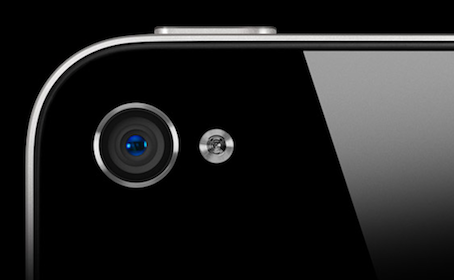
iPhone 5 To Feature Dual-LED Flash?

According to a new report from Digitimes, the iPhone 5 set for a September launch might come with a dual-LED flash system. The publication bases its speculation on “recent market rumors”, citing Taiwan-based Everlight Electronics, Edison Opto and Lite-On Technology as potential suppliers for the new Flash sensors.

Everlight and Lite-On have strengthened their deployments in the smartphone market for a while, with their products already being shipped to the supply chains of brand-name handset vendors, said industry sources.

Edison, which is specialized in the production of high-power LEDs, has begun shipping its LED flash products to branded handset vendors and therefore has a high chance of winning dual-LED flash orders from Apple, the sources noted.

A series of reports in the past months suggested the iPhone 5 could feature a relocated camera Flash because of some allegedly leaked case designs and parts that showed a different placement for the Flash unit on the back of the device. A dual-LED flash mode was rumored before among Apple bloggers and tech pundits, but was never taken in consideration as much as in today’s report from Digitimes. The iPhone 5 is also set to deliver an overall improved camera experience with an 8-megapixel sensor as opposed t the current 5-megapixel one, though recent debates failed to indicated with 100% accuracy whether OmniVision, Sony or Largan Precision would be the suppliers of camera image sensors for the iPhone 5.

Dual-LED flash systems are said to offer wider and brighter light coverage, which could be an important advantage when taking photos in completely dark areas or low-light situations. Mobility Digest posted in 2010 a series of photos shot with the HTC HD2’s dual-LED flash camera, taken in total darkness.

FYI all the photos are treated the same way. The background is blurred except for a bag of Animal Crackers which I zoomed into and set in detail so you can see the actual photo size relative to the inset.

For a little bag blown up that large from 20 feet away it’s very impressive. The light levels are pretty close to those at 10 feet. I was expecting a lot more of a dropoff. Remember, this is total darkness and you can see the amount of light that’s generated by two LEDs.


Stratus: Finally, A Beautiful CloudApp Client for iPhone and iPad

CloudApp, the service I use on a daily basis to share links with my Twitter friends and files with my co-workers, never had a unified experience for the iPhone and iPad. Launched as a Mac-only desktop utility with an online interface to browse and manage your uploads, CloudApp later gained much needed functionalities like real-time streams for uploads and view counts, as well as custom domains for Pro users, and a redesigned web app with more options for downloads, inline viewing, and file sharing. Overall, I think CloudApp is the easiest and most powerful way to share items on the web, and manage what you’ve shared from a great-looking web counterpart. The Mac app has also been updated recently to include a flexible plugin architecture, more keyboard shortcuts, and live updating results in the menubar. But as far as iOS goes, and especially the iPad, CloudApp has never seen a huge adoption from developers.

On the iPhone, however, there was a nice surprise called Cloud2go that impressed me since its first release for the solid feature set, elegant interface, and overall nice implementation of CloudApp’s basic functionalities like clipboard integration and uploads. The app was updated a few months ago to include the aforementioned live streams, as well as a slew of other improvements that have undoubtedly turned Cloud2go into the CloudApp client to have on the iPhone. But it didn’t have an iPad version.

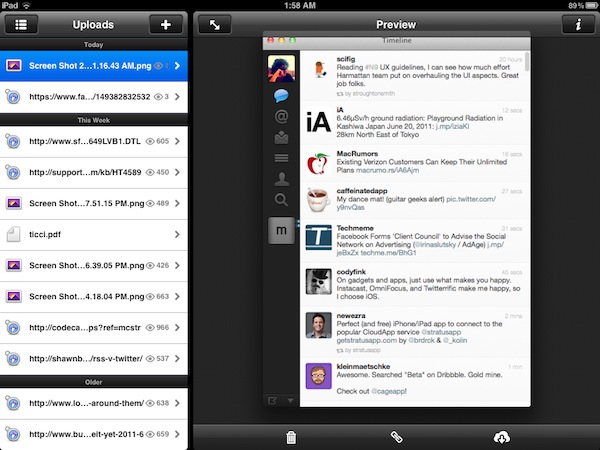
Today, developers Jeff Broderick and Kolin Krewinkel have released Stratus, a free CloudApp client for iPhone and iPad that I’ve been testing over the past months and it’s become my go-to app when it comes to uploading and sharing links with CloudApp, as well as managing what’s already in my account. Read more


My 10 Favorite Apps To Share Content Between iOS and OS X

Let’s face it, if you’re a Mac user who also happens to have an iPhone, iPad, or both, chances are you’ve been there before: with two devices in hand and a computer on your desk, how do you share stuff between them? What are the apps that enable you to share content across different devices, simultaneously and perhaps over the Internet as well?

In this post I’ve collected 10 iOS apps that are making my workflow more streamlined and connected on a daily basis, but before I delve deeper into the list I think I should define the “content” from this page’s title and the kind of “stuff” I want (and need) to share. With Lion approaching its final release in July and iCloud set to deliver a state-of-the-art OTA experience for users and developers alike, it seems like Apple has taken the necessary steps to free iOS devices from the need of a cable, building new features aimed at easing the process of sharing content between different machines and devices. Take Lion as an example: AirDrop, a new menu baked into the Finder, will allow Mac users to easily share files and documents with computers (and thus friends) nearby, over a WiFi network. Or, perhaps more importantly, the new iCloud APIs with instant push and cross-platform sync will enable developers to build better applications that take advantage of the cloud to keep their data synced and always up to date with the most recent changes. Whilst services and apps have been syncing content through their own backends for years, it’s the promise of a free iCloud infrastructure from Apple that’s convincing developers to ditch third-party solutions like Dropbox to rewrite their software with iCloud in mind. We’ll see the first result in September.

So what’s the content to share? What’s the stuff I find myself needing to share across devices every day? Links, photos, screenshots, PDFs, notes – you name it: as OS X and iOS become more intertwined on each software update, data needs to easily get out from one app to another. And in spite of an iCloud on the horizon, there hasn’t been a universal solution to share anything between a Mac and an iPhone.

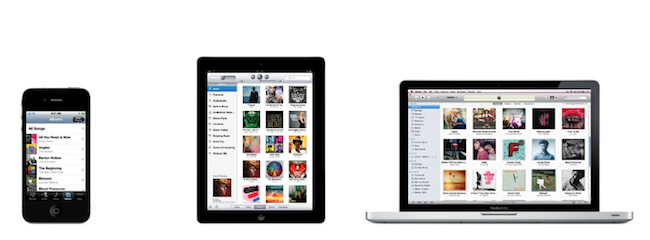
In this article, I take a look at 10 iOS apps and services with some sort of Mac counterparts that have helped me over the past months in getting data out of my iPad and iPhone, and onto my MacBook Pro, iMac, and the cloud in general. Read more


Agenda: An Elegant Calendar App Powered By Gestures

If all developers were to follow Apple’s recent paradigms when it comes to designing applications for the average iOS and OS X user, we’d end up having tons of different apps using the same faux leather / paper / linen / notebook interface elements. Take a look at the Address Book and Calendar apps on Lion, or the recent introduction of Reminders on iOS 5: as Apple’s OSes move forward, the trend in UI design seems to be that of creating software that resembles old, real-life counterparts people are accustomed to. And while you can argue this started back in 2007 with the Notes and Calculator apps for iPhone OS, there’s no doubt the launch of the iPad last year and the upcoming Lion added fuel to the fire with their skeuomorphic interfaces.

Agenda, a new app by Ken Yarmosh of Savvy Apps, looks like your old paper calendar but, luckily for us, adds modern interaction schemes and ideas that help revitalizing the old concept of month sheets, notes, and calendars in general. Rather than mimicking a calendar but resorting to the usual menus and navigation buttons to get around monthly views, days, and events, Agenda enables you to swipe horizontally on screen to go back (and open) any view. For example, the app starts in a beautiful and elegant view that lets you see an entire year worth of events; with a swipe to the left, the app slides to the current month. With another swipe, the monthly view becomes a weekly one, with a list of your upcoming events; another swipe, and you can open the current day of the week. Swipe again, and you’re brought to a single-event view of what you have to do at a specific time of the day. Obviously, all these actions can be activated with regular taps, too: tap on a specific month, and Agenda will open it with its slide animation. Same applies for days in the monthly, or weekly views. However, it’s very clear the developer put the focus on the ease of use of gestures, rather than normal taps: swiping to move between views is intuitive and fun, whereas swiping vertically will allow you to navigate between months, and days of the week in the sections provided by Agenda. It almost feels like Windows Phone 7’s UI principles of swiping between views have been ported to a native iPhone application, without the Metro interface of course. Once again: you can get around Agenda’s interface by simply tapping on screen, but there’s no denying this app was built with gestures in mind and the possibility of swiping to get to the view you need.

As far as adding new events goes, Agenda relies on the standard iOS calendar functionalities to lay out the event creation menu and integration with calendars already configured on your iPhone. Agenda can access any MobileMe (even iCloud for iOS 5 users), Exchange or Google calendar set up on your device, and adding new events uses Apple’s default window to assign a title, location, time, invitees, and so forth.

Overall, Agenda is a nice complement to Apple’s default calendar solution for iPhone in the way it keeps things minimal, letting you focus on seeing what you have to do and what’s upcoming, rather than supercharging calendars with additional functionalities most users won’t ever need. Agenda is clean, easy to use, and powered by a great gesturing system that makes using the app incredibly simple and intuitive. Get it here at $2.99.


Rovio Teases “Summer Pignic” Angry Birds Seasons Update

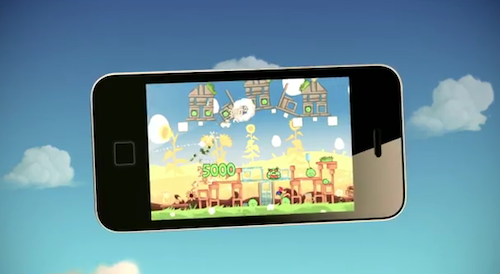
With a new video posted on their official YouTube channel, Rovio has announced an upcoming update for Angry Birds Seasons for iOS, Android, Mac and PC dubbed “Summer Pignic”. In what it appears to be an update that will add new levels to the existing game, Rovio says the new version will be released “soon”, this Summer. Which means any day from now until September – following Rovio’s tradition of teasing updates with a few days in advance, we wouldn’t be surprised to see Summer Pignic dropping as early as next week.

You can find Angry Birds Seasons with free versions on the App Store [iPhone, iPad] or paid apps for both iOS devices [iPhone, HD version]. As far as summer releases go, Rovio had already announced it would finally flip the switch on the Angry Birds Sync platform to keep game data and progress synchronized between devices and platforms (though it’s likely they’re now considering iCloud for that) and “new Angry Birds games”. Check out the video below.

Update 06/22: The “Summer Pignic” update for Angry Birds Seasons is now available on the App Store. Download the new version here: iPhoneiPad
Read more