

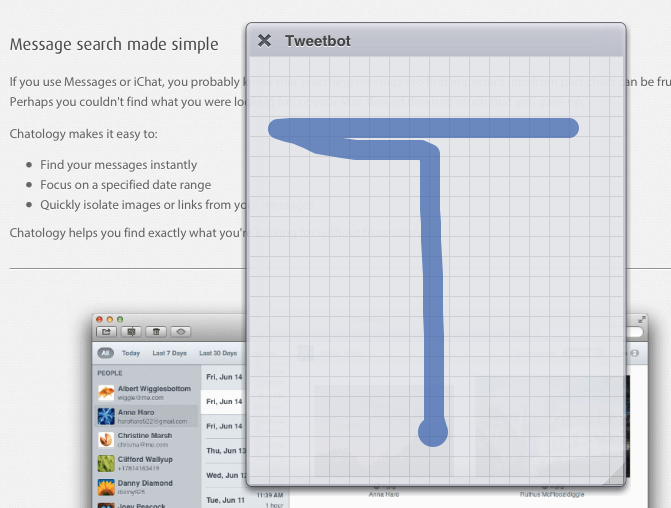
iCab Mobile is one of the oldest third-party browsers for iOS, and, even though Chrome is my go-to browser on the iPhone and iPad, I was intrigued by a feature introduced in the latest iCab update, version 7.1. In short, iCab now lets you launch other apps using URL schemes and multitouch gestures. I had to play around with it. Read more
The Menu Bar, Episode 015→
The peerless Federico Viticci visits the bar to chat naming your band/blog, the allure of Apple, Microsoft’s thick cake of middle-managers, the lovechild of Automator & Sublime Text, and making things that don’t suck.
I was invited on one of my favorite podcasts and we had a great discussion about Apple’s culture, the topics we pick for MacStories, and more. We also talked about my favorite upcoming app, Editorial.
Listen to the episode here.
Apple Announces 1 Billion Podcast Subscriptions→
Apple has today announced that they reached 1 billion podcast subscriptions in iTunes:
From comedy to hard news to sports to innovative educational content and so much more, podcasting has transformed the global media landscape. Podcasts on iTunes launched in the summer of 2005 and since then, we’ve seen countless episodes downloaded and streamed. But the heart of podcasting is finding your favorite voices in this exciting field and subscribing to the best ones. To celebrate 1 billion podcast subscriptions, we’re highlighting some of the most popular podcasts of all times, as well as a collection of captivating new shows.
Apple is celebrating the milestone with a custom iTunes page that features podcasts under Classics, What’s Hot, and New & Noteworthy. The Classics include This Week in Tech, This American Life, and Stuff You Should Know, among others.
Apple also gave additional numbers to Macworld, providing more insight into available episodes and podcast subscriptions.
Bugshot 1.1→
In my review of Bugshot 1.0, I mentioned the app’s poor scrolling on iOS 6 devices and lack of Open In menu to send annotated images to other apps.
Version 1.1 is out today on the App Store, and it brings performance improvements, Open In support, and a Blur tool to pixelate sensitive information. I didn’t think about a Blur tool when I first covered the app, but it is indeed a great addition to Bugshot (with a cool implementation).
Bugshot is $0.99 on the App Store.
Evernote for iOS Gets Shortcuts, Recent Notes, and Skitch Integration
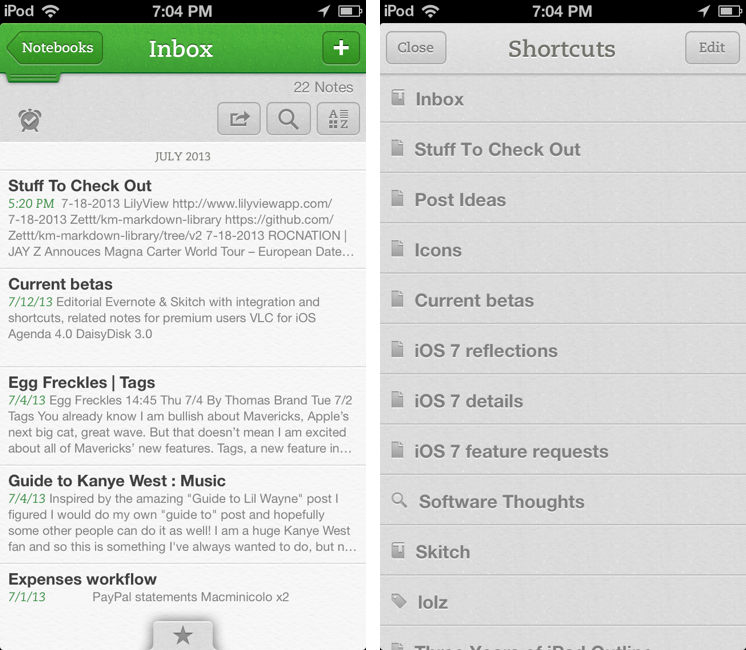
Following an update to the Mac version released two weeks ago, Evernote updated its iOS app last night to include direct Skitch integration, support for shortcuts, access to recent notes for improved multitasking, and new premium features. Read more
QuickRadar for Apple Radar
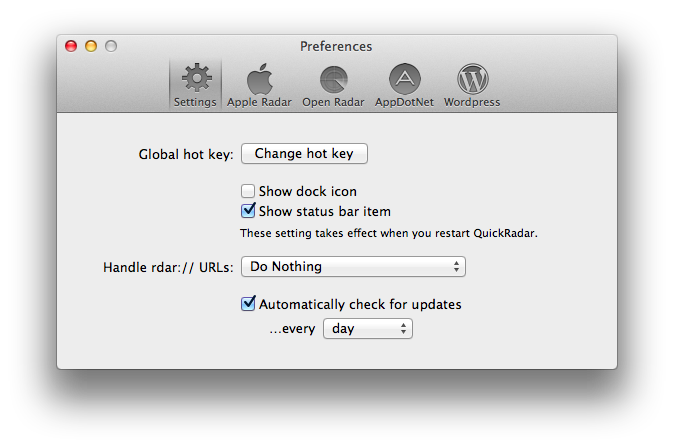
Since iOS 7’s release, I have been submitting entries to Apple’s Radar, the company’s bug tracking system. The problem with Radar is that, for some reason, it comes with an outdated and slow interface that’s prone to errors and random logouts, making the process of filing radars tedious and unpleasant. A number of apps to “fix” Radar have surfaced over the years, but lately I’ve been trying an enjoying QuickRadar. I remembered it deserved a mention here thanks to Clark’s link two days ago.
QuickRadar is a menubar app for the Mac that signs you into Apple’s Radar and that can be activated with a keyboard shortcut. Instead of redirecting you to Radar’s web UI, it lets you write your bug report in a window on your Mac, and when you click “Submit” it’ll take care of uploading the report for you without launching the website. The app can also file duplicates, handle rdar:// URLs to launch them in OpenRadar or filing them as duplicates, and it comes with sharing options for WordPress and App.net if you want to share your radar’s number with the world. Like Tokens (another app made out of frustration with an Apple-made web UI), QuickRadar uses web scraping to communicate with Apple’s bug reporter.
QuickRadar is still in the alpha stages and has some rough edges. For instance, it doesn’t support file uploads for attachments, although the developer says they’re on the roadmap. Version 0.7 was released earlier this week with improved Preferences and support for Mountain Lion’s Notification Center.
You can download QuickRadar here.
iOS 7 and New Apps→
Gedeon Maheux:
I’m sure many users are expecting developers of popular applications to simply update interface elements, compile some code and easily drop a brand spanking new version of their app onto the App Store for free. There’s little doubt that the majority of iOS 7 updates to existing apps will be free (which will please Apple), but I suspect there will be a surprising number of developers who will use the launch of the new operating system to completely re-boot their app, and why not? The visual and interactive paradigms iOS 7 mark a natural breaking off point and a perfect opportunity to re-coup costs. Some existing paid apps might even adopt an iOS 7 only strategy which means they’ll have no choice but to charge again.
This makes sense. One more reason why Apple will need to clearly and strongly highlight iOS 7 apps on the App Store.
Human Authenticity→
Great points by David Barnard:
There is nothing inherently authentic about anything created digitally. There’s nothing genuine about 0’s and 1’s and any particular sequence that describes pixels on a screen. Humans created the hardware and software that sequence those bits, and unless we’re talking about some sort of futuristic research project, everything created digitally is created for some ultimate form of human consumption.
Software doesn’t have to use realistic textures to be “physically authentic”.
VLC for iOS Returns To The App Store
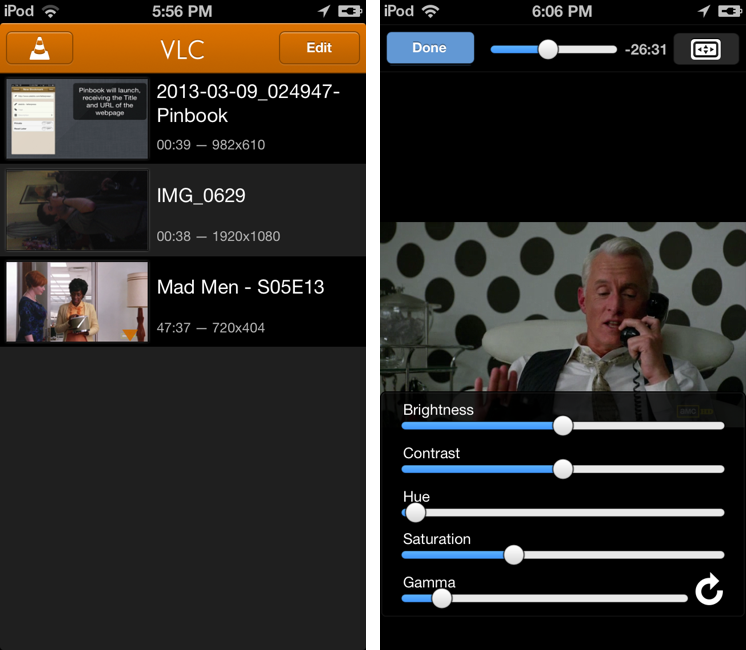
After a two-year absence, popular video player VLC is returning to the App Store with a new app for the iPhone and iPad. The new VLC for iOS will be available later today (it will start propagating at midnight in the various international App Stores) as a free download.
I’ve been able to test the new VLC for iOS for the past few weeks, and, in terms of visual appearances, the app isn’t too dissimilar from the old version that was available on the App Store in 2010. A main screen lists all your media with thumbnail previews, and you can tap on an item to start playback in a full-screen media player. However, in spite of a UI reminiscent of the old version, VLC has been completely rewritten to use modern audio and video output modules, multi-core decoding, and support for any file type supported by VLC on the desktop. In my tests, the app was able to quickly start playing any video file that I threw at it, such as .mp4 and .mkv files. Read more