John
John
AppStories Episode 98 - Mixed iOS/Mac Automation
0:00
42:00
42:00
This week, Federico and John dive into Federico’s experiments in mixed iOS and Mac automation for controlling his Mac mini, iTunes, and podcasting setup.

 Mixed iOS/Mac Automation
  Viewing GoodTask Smart Lists as Siri Shortcuts
 One of my favorite aspects of GoodTask – my favorite Reminders-based task manager and 2018 App of the Year – is the ability to turn any Reminders list into a visual Siri shortcut that can be viewed in Siri and the Shortcuts app. To do this, open a Reminders list in GoodTask, tap the...
Stephen was right, Angela is gone, Myke has a theory and Federico is automating his TV.
In this week’s unjustly-titled episode of Connected, we share some thoughts on Apple retail stores and the changes coming to HomeKit in iOS 12.2. You can listen here.
Sponsored by:
iPad Diaries is a regular series about using the iPad as a primary computer. You can find more installments here and subscribe to the dedicated RSS feed.
After several years without updates to a product that, somewhat oddly, “remained in Apple’s lineup”, the Mac mini was revived by the company last November with a major redesign geared toward pro users and designed for flexibility. As listeners of Connected know, one of the show’s long-running jokes was that I would buy my last Mac ever as soon as Apple released a new Mac mini1; when it happened, I took the opportunity to completely rethink my home office with a new desk, well-specced Mac mini, and 4K display that supported both modern Macs and iPad Pros via USB-C.
Effectively, I had never owned a desktop Mac until2 this Mac mini arrived. I always preferred portable Macs to workstations, and over the years I moved from a late 2008 MacBook Pro to a 2011 MacBook Air and, in 2015, back to the (now Retina) MacBook Pro again. Over the past couple of years, however, and particularly since the introduction of iOS 11, my penchant for Mac laptops started clashing with the realization that the iPad Pro had become my de-facto laptop. I was using a MacBook Pro because I thought I needed a portable Mac machine just like when I started MacStories in 2009; in reality, the iPad had been chipping away at the MacBook’s core tasks for a while. Eventually, I saw how my MacBook Pro had become a computer I’d open twice a week to record podcasts, and nothing more.
With the iPad Pro as my primary computer, the Mac’s role in my life evolved into a fixed environment that was necessary for multi-track audio recording and Plex Media Server. And as I shared on Connected on several occasions, I realized that my workflow in 2018 wasn’t the same as 2009 anymore: it no longer made sense for me to have a Mac laptop when what I really needed was a small, but powerful and extensible Mac desktop. That’s why I started waiting for a new Mac mini, and my wishes were granted with the 2018 relaunch of the mighty desktop machine.
For the past three months, I’ve been busy setting up the Mac mini and optimizing it for the tasks that inspired its purchase. I bought external SSD drives (these two) to use for Plex and Time Machine backups; I set up a homebridge server to add unsupported accessories to HomeKit (such as our 2017 LG TV) and turn iTunes playlists into HomeKit scenes; I rethought my podcasting setup (I now have a Zoom H6 recorder and a taller microphone stand) and arranged my desk to make it easier to use the same UltraFine 4K display with the Mac mini and iPad Pro (I just need to plug in a different USB-C cable). Because this Mac mini is fast enough to handle 4K transcoding for Plex without breaking a sweat, I started using youtube-dl to enjoy 4K YouTube videos on iOS devices with the Infuse or Plex apps. I’m trying to take advantage of a powerful, always-on Mac server in any way I can, and I’m having lots of fun doing it.
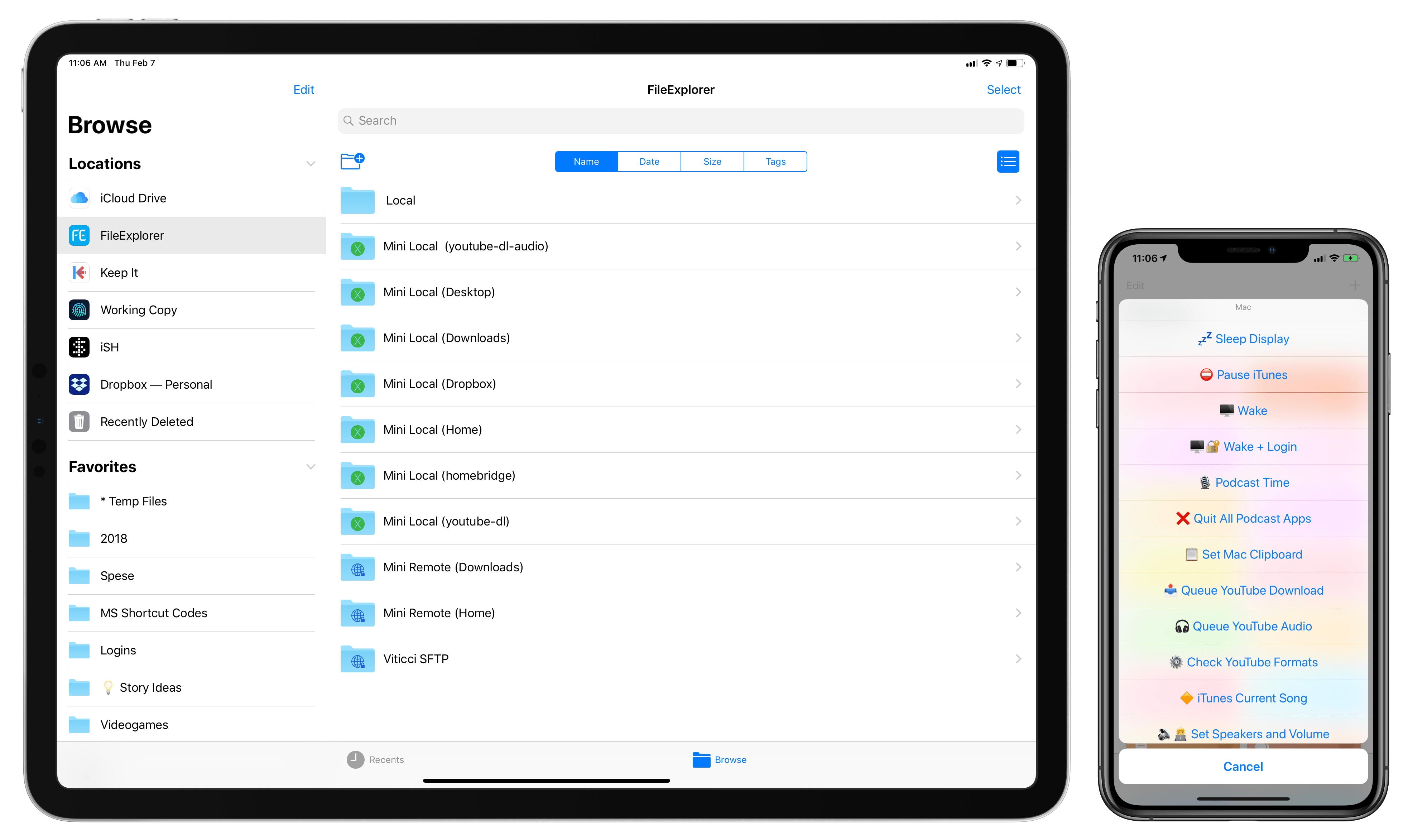
This doesn’t change the fact that the iPad Pro is my main computer, and that I want to interact with macOS as little as possible. Aside from recording podcasts using Mac apps, I rely on the Mac mini as a server that performs tasks or provides media in the background. Any server requires a front-end interface to access and manage it; in my case, that meant finding apps, creating shortcuts, and setting up workflows on my iPad Pro to access, manage, and use the Mac mini from iOS without having to physically sit down in front of it.
In this multi-part series, I’m going to cover how I’m using the 2018 iPad Pro to access my Mac mini both locally and remotely, the apps I employ for file management, the custom shortcuts I set up to execute macOS commands from iOS and the HomePod, various automations I created via AppleScript and Keyboard Maestro, and more. Let’s dive in.
Utility App Grab Bag
Converting Between Time Zones with TimeZoneDB In last week’s installments of Workflow Essentials, I shared a shortcut to get the time for any location around the world using the free TimeZoneDB API. The shortcut could be manually configured to work for any city and time zone code, but it could only get the current time for a specific location. After...
Running Commands in New Terminal Windows with AppleScript I’m in the process of building various AppleScripts for HomeKit and iTunes playback (you’ll hear about them soon), and I realized I needed to find a way to run a shell command in the Terminal at startup by opening a new Terminal window. Homebridge, the third-party plugin I use to add HomeKit support to...
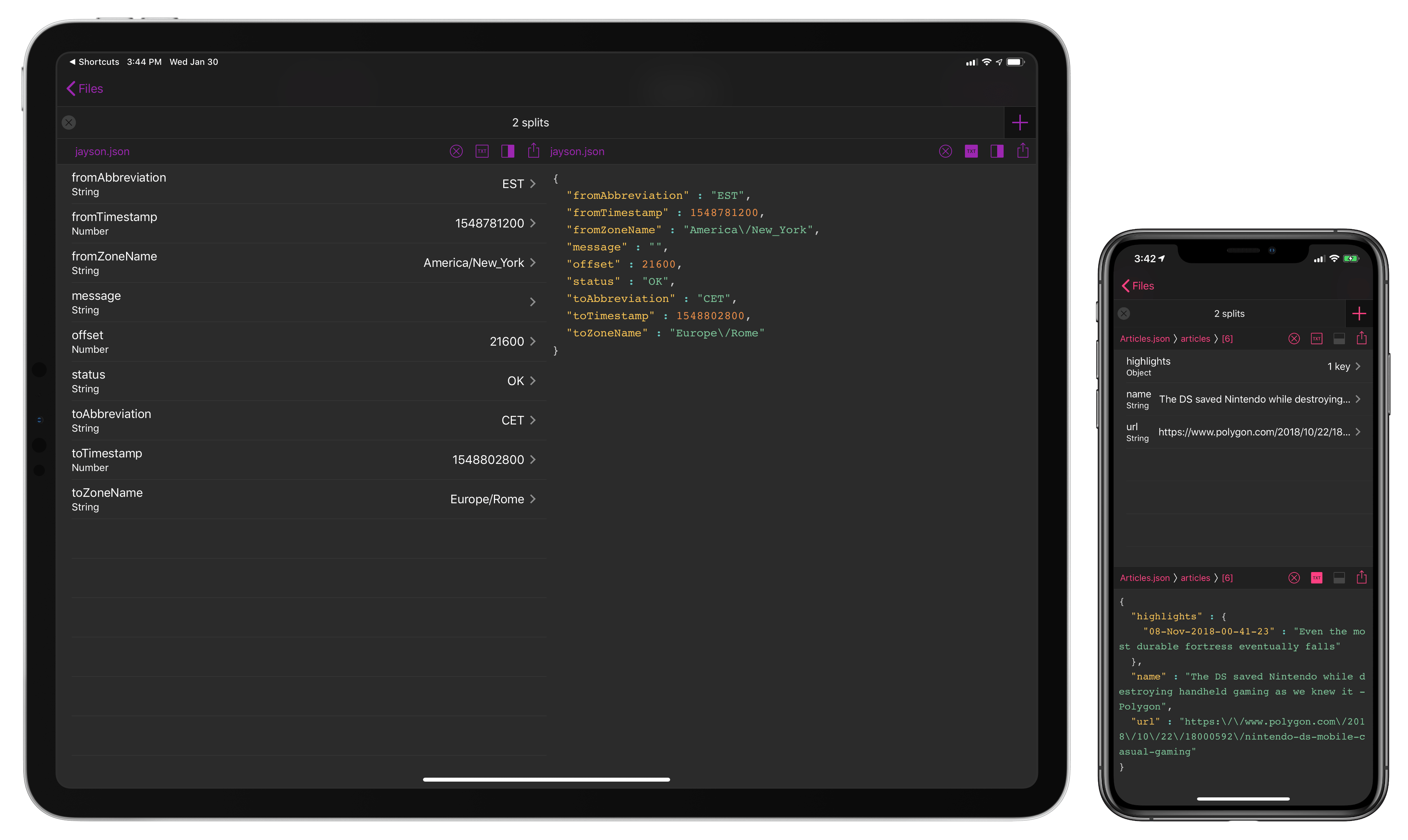
In writing about Workflow (then) and Shortcuts (now) for a living, at some point I realized that if I wanted to build more complex shortcuts to either deal with web APIs or store data in iCloud Drive, I had to learn the basics of parsing and writing valid JSON. The format is behind most of the web API-based Shortcuts I have shared here on MacStories1 and is one of the techniques I recently explained on Club MacStories when I built a shortcut to save highlights from Safari Reading List. The beauty of JSON is that, unlike XML, it’s cleaner and more readable – provided you have a dedicated viewer that supports syntax highlighting and/or options to navigate between objects and inspect values. There’s no shortage of such utilities on macOS, but this is the kind of niche that still hasn’t been fully explored on iOS by developers of pro apps. That changes today with the launch of Jayson, created by Simon Støvring.
Readers of MacStories may be familiar with Støvring’s name – he’s the developer behind one of the most powerful and innovative pro apps of 2018, the excellent Scriptable for iOS. For this reason, it shouldn’t come as a surprise that Jayson, a project that was born out of Støvring’s personal frustration with the lack of a modern JSON viewer for iOS, has that same spark of innovation and integration with native iOS functionalities that set Scriptable apart last year. If you do any kind of work with JSON on your iPhone or iPad, you need Jayson in your life, and here’s why.
Apple and Facebook try to outdo each other in who can have the more terrible week, and Stephen test drives the iPhone XR.
In this week’s episode of Connected, we discuss at length the latest Facebook privacy scandal and share our thoughts in the aftermath of Apple’s recently discovered FaceTime bug. You can listen here.
Sponsored by: