
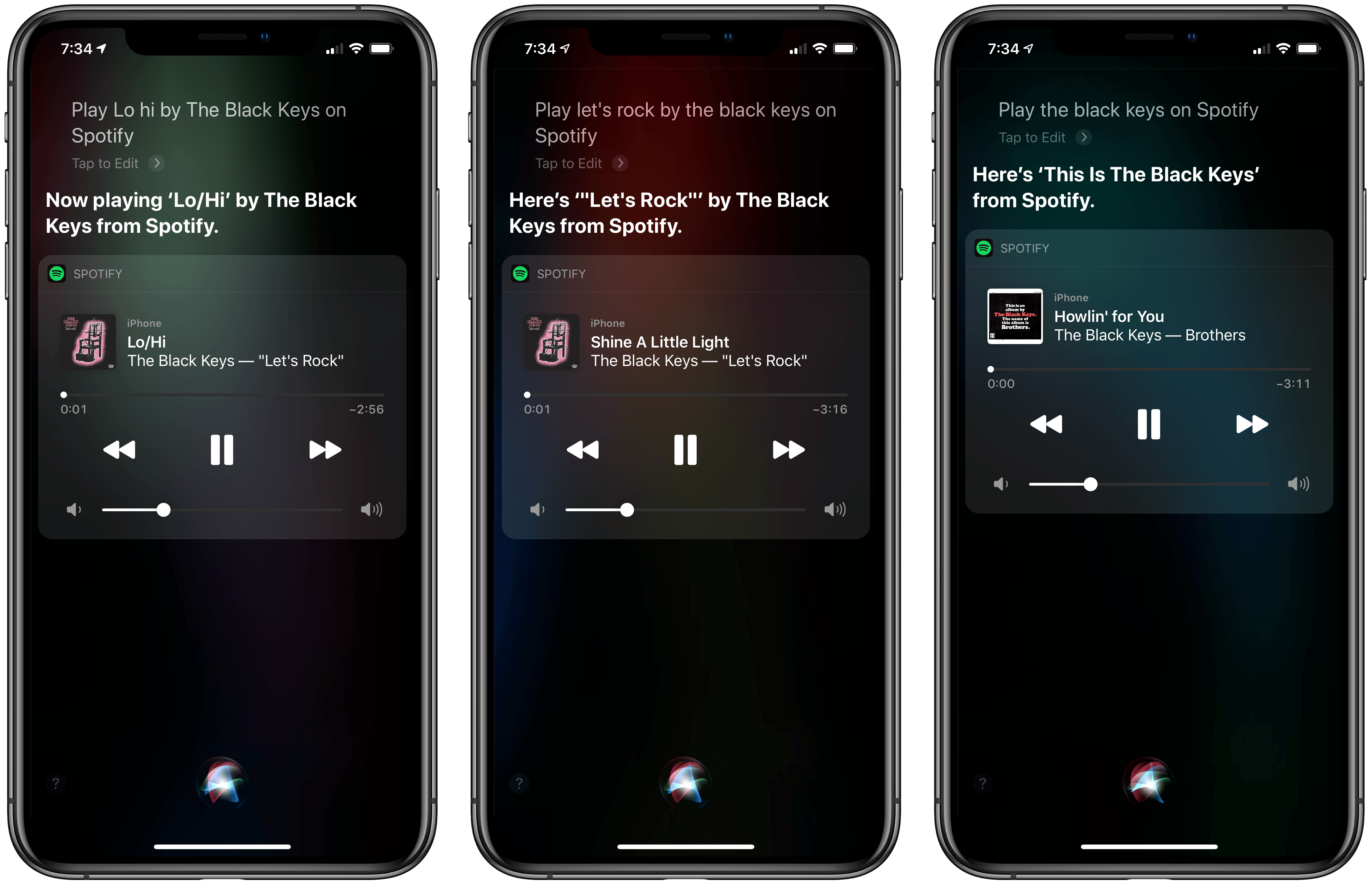
Spotify has updated its iOS and iPadOS app with Siri and Low Data Mode support, in addition to launching an all-new Apple TV app. I’ve spent some time with the update and overall it works as advertised, though it’s worth noting a few limitations.
AppStories, Episode 133 – Building an iOS Media Companion→
On this week’s episode of AppStories, Federico helps John set up an iPod touch as a media companion for watching TV and movies, enjoying music, and controlling HomeKit devices.
Sponsored by:
- MacStadium – Get 50% off your first two months of a Mac mini subscription now w/ code APPSTORIES, or get started with MacStadium’s new Orka private cloud.
- Linode – High-performance SSD Linux servers for all of your infrastructure needs. Get a $20 credit.
- Kolide – User focused security for teams that value productivity, transparency, and employee happiness. Try it free for 30 days.

AppStories Episode 133 - Building an iOS Media Companion
0:00
41:10
41:10






macOS Catalina: The MacStories Review
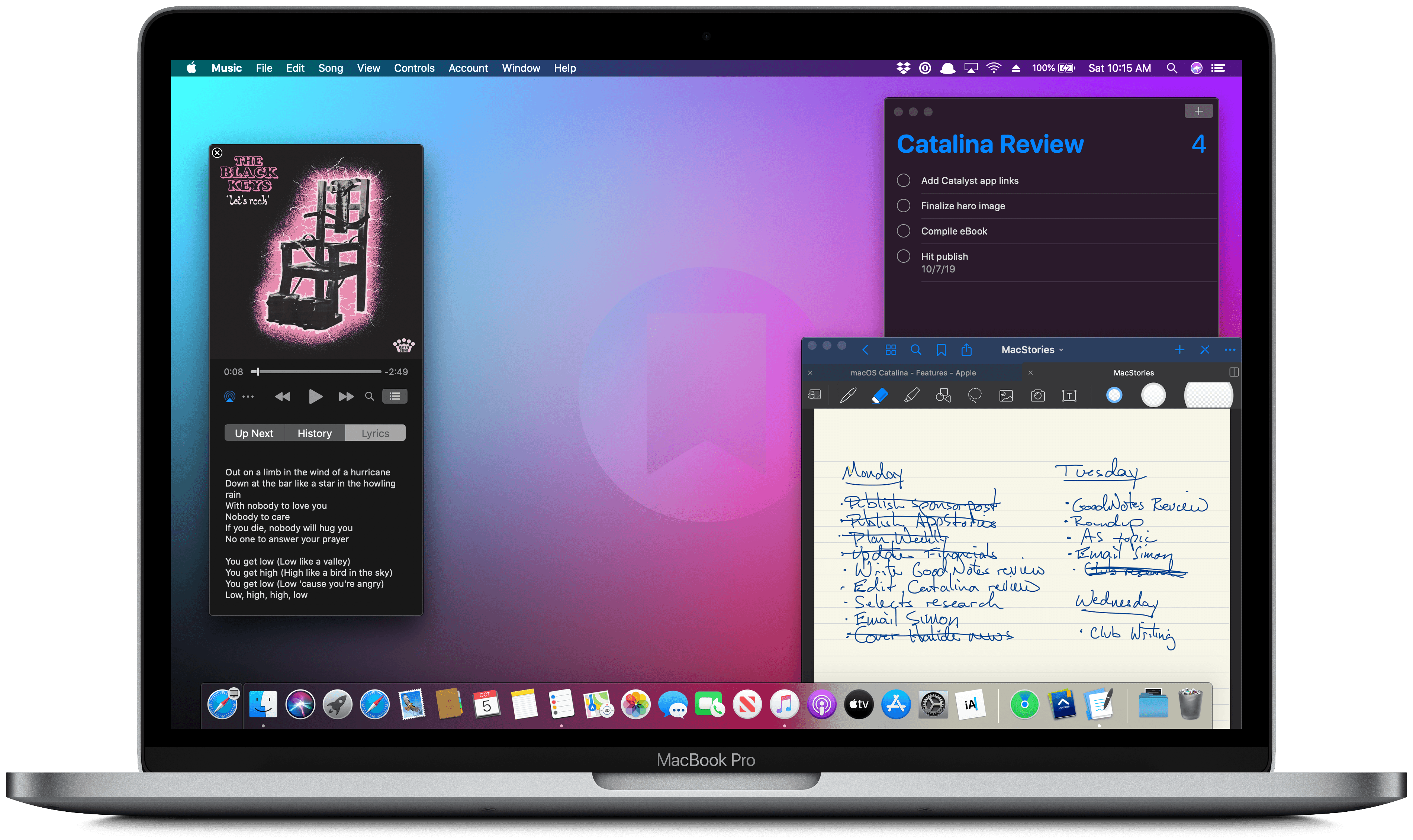
Ironically, Apple chose to name this year’s update to macOS after an island. Since the iPhone and iOS took off, macOS has sometimes felt like an island isolated from the rest of the company’s OSes, but the goal articulated by the company at WWDC this year was quite the opposite. Apple clearly telegraphed that change is coming to the Mac and it’s designed to bridge the user experiences between each of its platforms.
To developers, that message came in the form of Catalyst and SwiftUI. Catalyst, which was previewed as an unnamed ‘Sneak Peek’ in 2018, is meant to make it easier for iPadOS developers to bring their apps to the Mac. SwiftUI has a similar longer-term goal of unifying and streamlining how developers build the interfaces for their apps across a range of devices, for everything from the Apple Watch to the Mac.
The efforts to draw macOS in closer with Apple’s other operating systems run deeper than just developer tools though. macOS may have been the foundation on which iOS was built, but in the years that followed iOS’s introduction, the two OSes grew apart. Identically-named apps were developed on different schedules, which meant they rarely included the same features. Also, system-level functionality like System Preferences, which serves the same purpose as iOS’s Settings app, was unfamiliar, making Mac adoption unnecessarily hard for newcomers. Catalina is an attempt to address those kinds of inconsistent user experiences.
With Catalina, Apple has taken clear, though not always successful, steps to bridge the divide between the Mac and iOS. App functionality has been realigned, System Preferences has been rearranged, and new features have been added to make it easier to move from one platform to the other.
As with other transitional periods in the Mac’s history, this one isn’t going to be easy. However, because the change is driven by a fundamental change in computing, it’s also necessary. We live in a new climate where computing is now dominated by mobile devices. For many people, a smartphone is all the computing power they need day-to-day. That doesn’t mean there’s no longer a place for the Mac, but it’s clearly what’s driving the changes in Catalina.
Apple could have chosen to ignore the shift of the ground beneath its feet and merely maintained macOS, making the kind of small incremental changes we’ve become accustomed to in recent years. However, not adapting is as deliberate a choice as change is, and it carries just as much or more uncertainty for the Mac as a platform because it risks irrelevance.
The Mac isn’t in crisis, but it isn’t healthy either. Waiting until the Mac is on life support isn’t viable. Instead, Apple has opted to reimagine the Mac in the context of today’s computing landscape before its survival is threatened. The solution is to tie macOS more closely to iOS and iPadOS, making it an integrated point on the continuum of Apple’s devices that respects the hardware differences of the platform but isn’t different simply for the sake of difference.
Transitions are inherently messy, and so is Catalina in places. It’s a work in process that represents the first steps down a new path, not the destination itself. The destination isn’t clear yet, but Catalina’s purpose is: it’s a bridge, not an island.
 Building an iOS Media Companion
 Federico
 Q&A
Q&A
Question: When apps are updated, I like to read what’s new, fixed, or updated. So, I find it annoying when many use “joke” descriptions that aren’t funny and aren’t useful. Yelp is just one of many. What’s going on? (Jay)
You and me both Jay. I can’t stand jokey release notes, and ‘bug fixes...
The Long-Overdue Breakup of iTunes
I finished my macOS Catalina review earlier this week. I didn’t have much choice since Apple said the OS update is coming in ‘October,’ which could be any time now. As a result, I’ve been thinking a lot lately about the breakup of iTunes and why it was necessary. I’ve been mulling over these...
App Debuts
 Ryan
RyanWeather Line Weather Line 2 debuted this week as a noteworthy update that brought a variety of changes to the beloved weather app. The UI was revamped to a fresh but familiar look and feel, accompanied by support for iOS 13’s dark mode and an impressive roster of 17 different theme options to choose...
GoodNotes Adds Superior Multiwindowing, Dark Mode, and OCR Scanning
When Apple introduces a fundamental change to how apps interact with iOS (and now iPadOS), it’s always fascinating to see the different ways those changes are adopted by third-party developers. Although Apple sets a baseline for how new frameworks work, it has less control over how they are used, and it’s those implementation details that often have the greatest impact on users.
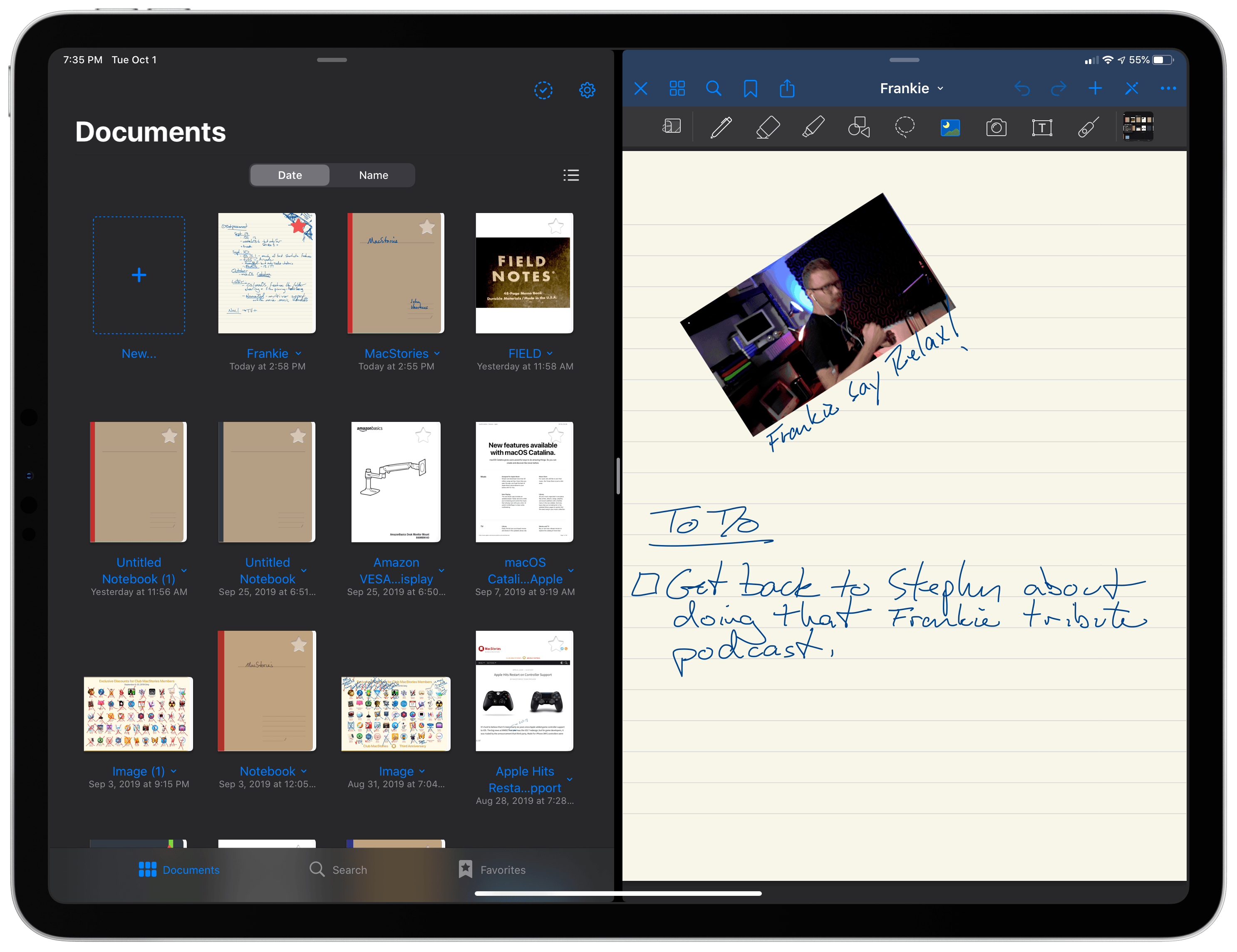
In the inaugural version of iPadOS, that’s been the case for multiwindowing. Many apps stick to the basic built-in ways to open multiple instances of the same app. However, the real power of multiwindowing is revealed by apps like GoodNotes, which goes the extra mile and provides an experience better than any other multiwindow app I’ve tried.
Dragging a PDF into a new window.Replay
What makes GoodNotes special is not just the sheer number of unique ways to open a second window for the app, though that’s impressive in itself, but the thoughtfulness of its execution. In every corner of the app where you might want to move a folder, document, page, or bit of data into a new window or document, you can. The result is a level of flexibility that even Apple’s own iWork suite doesn’t match, further cementing GoodNotes as my favorite app for taking handwritten notes.
Apple to Open Siri Up to Third-Party Messaging and Phone Apps→
Bloomberg reports that Apple will open up Siri to third-party messaging apps with a software update later this year. Third-party phone apps will be added later. According to Bloomberg’s Mark Gurman:
When the software refresh kicks in, Siri will default to the apps that people use frequently to communicate with their contacts. For example, if an iPhone user always messages another person via WhatsApp, Siri will automatically launch WhatsApp, rather than iMessage. It will decide which service to use based on interactions with specific contacts. Developers will need to enable the new Siri functionality in their apps. This will be expanded later to phone apps for calls as well.
As Gurman notes, the company’s change in approach comes as Apple is facing scrutiny over the competitive implications of its dual role as app maker and App Store gatekeeper in the US and elsewhere.
It’s interesting that the update is a Siri-only change. Users will still not be able to replace Messages with WhatsApp or Phone with Skype as their default messaging and phone apps for instance, but it strikes me as a step in the right direction and a change that I hope leads to broader customization options on iOS and iPadOS.