John Voorhees

5439 posts on MacStories since November 2015

John is MacStories' Managing Editor, has been writing about Apple and apps since joining the team in 2015, and today, runs the site alongside Federico. John also co-hosts four MacStories podcasts: AppStories, which covers the world of apps, MacStories Unwind, which explores the fun differences between American and Italian culture and recommends media to listeners, Ruminate, a show about the weird web and unusual snacks, and NPC: Next Portable Console, a show about the games we take with us.

Photo Editing and Management App Darkroom Adds Extensive Shortcuts Support

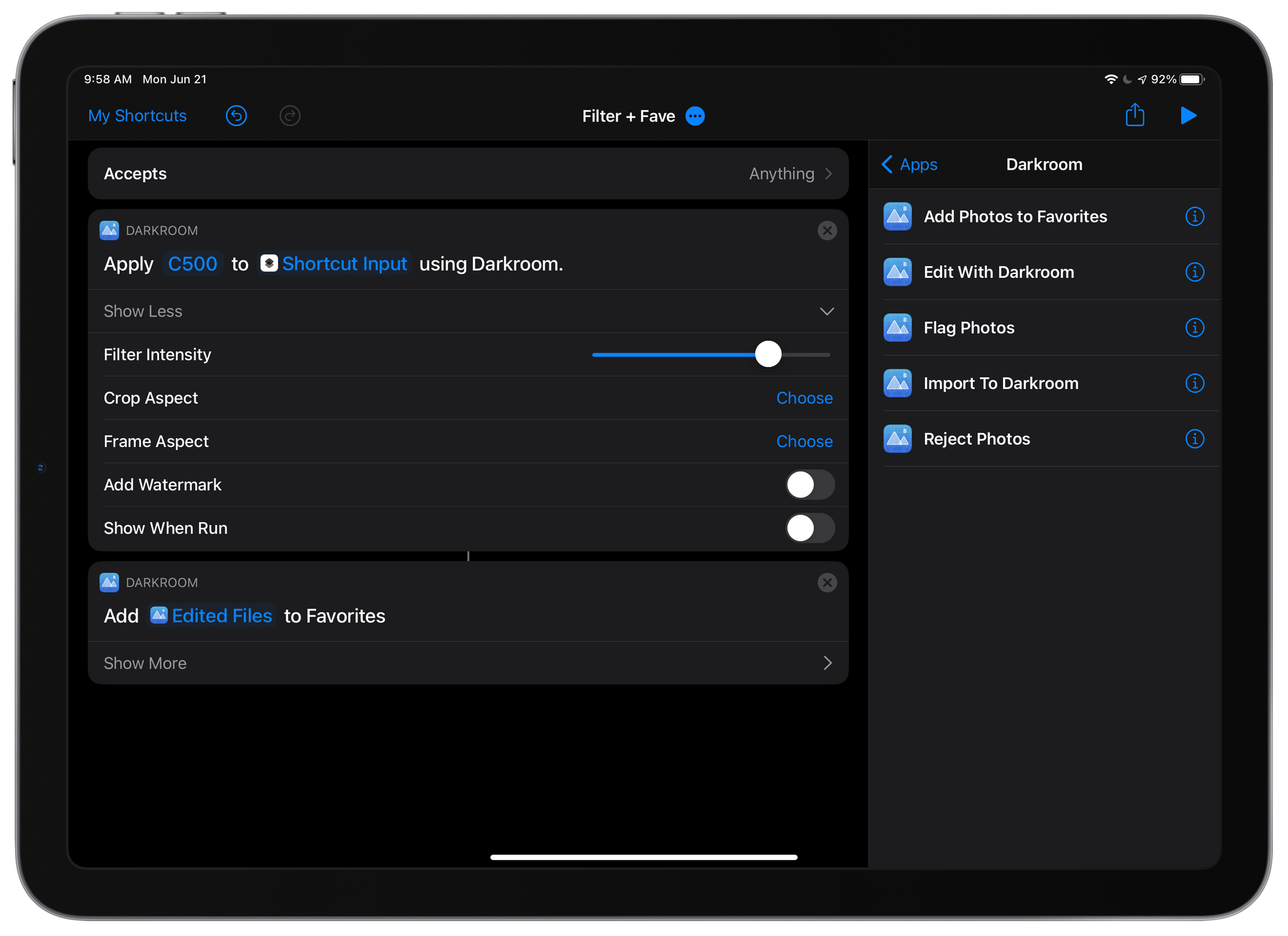
Photo editing and management app Darkroom, which added a new Clarity tool last month, has added substantial new Shortcuts actions to the app that allow users to automate a wide variety of its features for the first time. The update is notable because it allows Darkroom to work hand-in-hand with other apps, something which few photography apps do. For now, the shortcuts are available in Apple’s Shortcuts app on iPhones and iPads, but this fall, when macOS Monterey is released, the Darkroom team says that it plans to offer the same actions on the Mac.

The update features five Shortcuts actions:

  • Import to Darkroom
  • Flag Photos
  • Reject Photos
  • Add Photos to Favorites
  • Edit With Darkroom
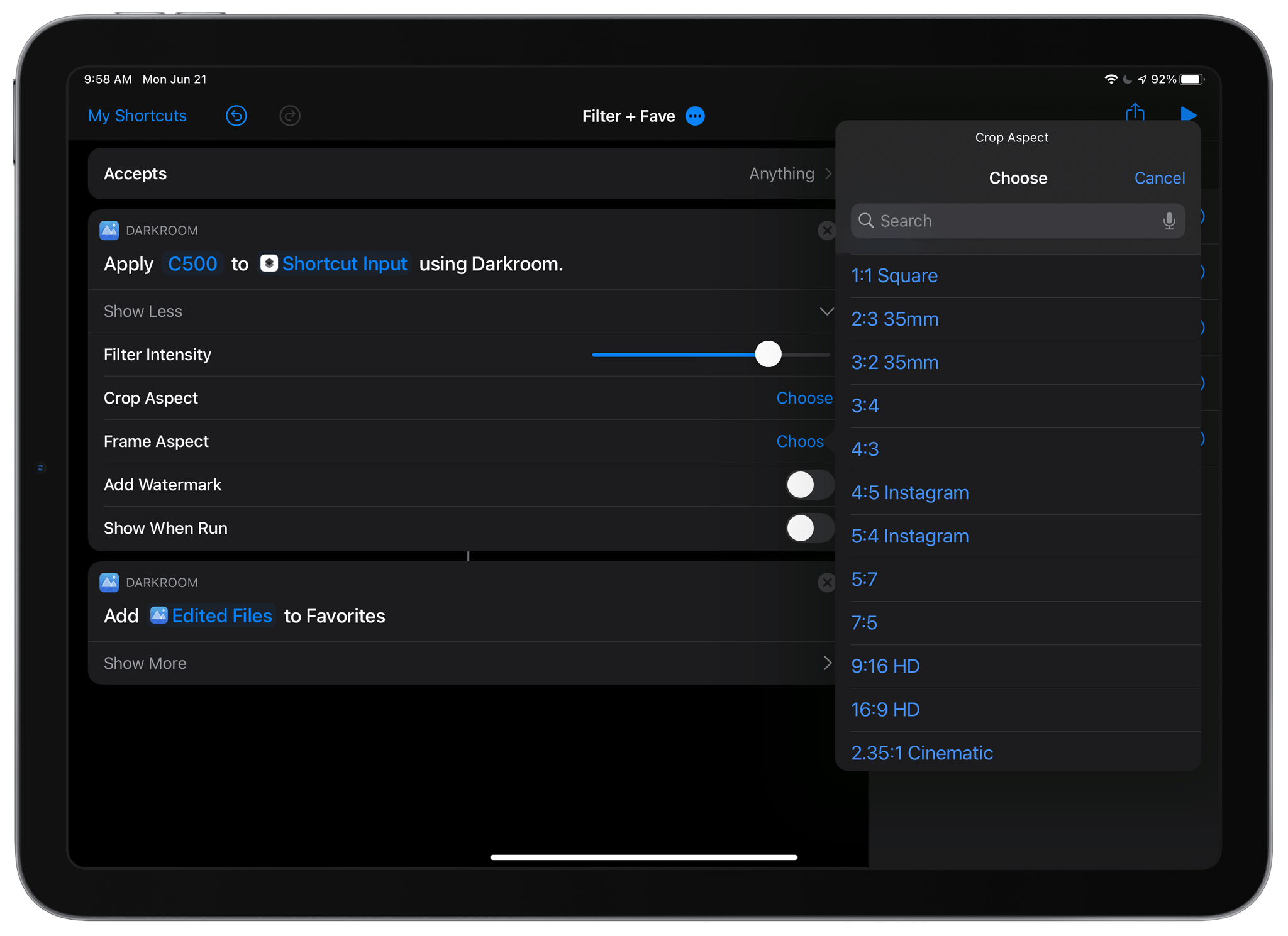
Darkroom can automate cropping to a long list of aspect ratios.

Darkroom can automate cropping to a long list of aspect ratios.

The Import to Darkroom action adds images to Darkroom and can simultaneously apply a filter with the intensity you choose, set a frame aspect ratio with an inset, and optionally prepare the processed image for export. The Edit With Darkroom action can also apply filters and apply a frame to an image and adds the ability to crop an image to any of a long list of preset aspect ratios and add a watermark to images, all without opening Darkroom. Cropping an image has also been added as an edit that can be pasted to multiple images inside the Darkroom app itself.

The Flag, Reject, and Favorite actions do as you’d expect, allowing you to mark images accordingly without doing so from inside Darkroom itself. Flagging and rejecting photos is a recent addition to Darkroom, which I previously covered on MacStories.

It’s fantastic to see Darkroom adding such deep support for Shortcuts. The app itself is one of my favorite photo editors. However, by freeing its core features from the app itself, Darkroom gains the advantage of becoming part of more complex photo-editing workflows, automatically processing images in multiple apps, without the images having to be opened sequentially in each app. I’ve just begun to scratch the surface of what Darkroom’s new Shortcuts actions can do, but the possibilities are intriguing.


Federico’s Research and Note-Taking Setup

AppStories+ Deeper into the world of apps

AppStories Episode 228 - Federico’s Research and Note-Taking Setup

0:00
41:11

AppStories+ Deeper into the world of apps

This week, Federico and John dig into the latest iteration of the research and note-taking setup that Federico is using to prepare his annual iOS and iPadOS review, which features Obsidian.


On AppStories+, Federico and John catch up on post-WWDC rest and project planning.

Read more


MacStories Unwind: An App Review Comic Book, Podcast Subscriptions, and Shazam Milestones

AppStories+ Deeper into the world of apps
0:00
18:09

AppStories+ Deeper into the world of apps


Sponsored by:
* MacStadium – The Developer Cloud for Mac.

This week on Unwind, John is joined by Alex Guyot to recap the week, including John’s story about the 5th anniversary of the App Store Review Guidelines comic book, milestones reached by Apple’s Shazam service, plus Apple Podcasts channels and subscriptions, developer reactions to WWDC, and TV and movie Unwind picks.

MacStories

Club MacStories

  • MacStories Weekly
    • Federico on his new iOS and iPadOS review Focus mode
    • John imagines his ideal research app
    • An interview with Apollo developer Christian Selig
    • A Pillow giveaway
    • A reader poll

AppStories

Unwind Picks


Shazam Passes 1 Billion Monthly Songs Recognized for a Lifetime Total of More Than 50 Billion

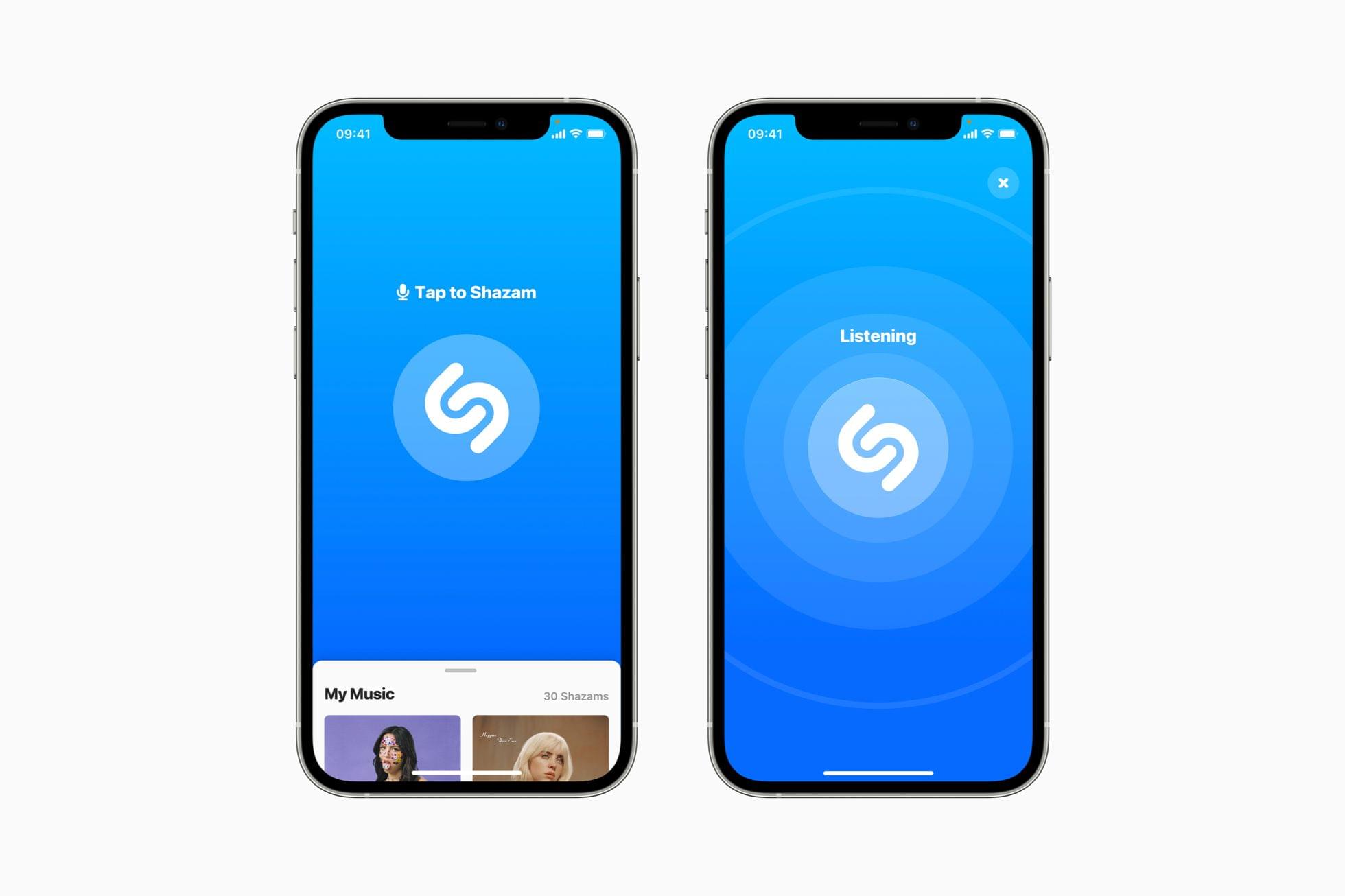
WWDC saw the introduction of ShazamKit, a new framework that will allow third-party developers to incorporate the song recognition service into their own apps. Less than a week later, Apple has said that the service has surpassed 1 billion songs recognized per month for a total of over 50 billion Shazams since the service launched.

“Shazam is synonymous with magic,” said Oliver Schusser, Apple’s vice president of Apple Music and Beats, “both for the fans getting a song recognition almost instantly, and for the artists being discovered. With 1 billion recognitions a month, Shazam is one of the most popular music apps in the world. Today’s milestones show not only people’s love for Shazam, but also the ever-growing appetite for music discovery around the world.”

To put the 1 billion per month figure into context, Shazam, which was founded as a text messaging service in 2002, took 10 years to reach its first billion songs recognized. The recognition rate has been steadily increasing since then for a lifetime total of over 50 billion songs matched.

This fall, when Apple’s updated OSes are released, the monthly rate of Shazam matches is poised to accelerate further as developers begin adding ShazamKit to their apps. The new song matching framework was announced last week at WWDC and will allow developers to add functionality to their apps to recognize songs and report information to users like the song’s name, the artist, genre, and other details.

I’ve used Shazam since it debuted when the App Store launched, and I’m intrigued to see what developers will do with it. For example, I could see it becoming a convenient way to add artists I’m following in Marcos Tanaka’s app MusicHarbor. With a wealth of third-party music apps already available on the App Store, I expect we’ll see many innovative uses of the new framework soon.


Everyday Robots Releases A Two-Part WWDC 2021 Developer Special

Everyday Robots, a podcast by Jonathan Ruiz, released a two-part episode today featuring developer reactions to WWDC. Ruiz’s guests include Becky Hansmeyer, Frank Foster, Marc Aupont, James Thomson, Zack Becker, Kim aka kaydacode, Ish Shabazz, Christian Selig, and Jeff Rames.

In a year without an in-person WWDC, it was fun to hear which of the announcements this year excited developers and what they felt was missing. I always enjoy Apple’s keynote, and there are a lot of additional details in the WWDC sessions, but there’s nothing like getting a sense of both the big announcements and practical everyday updates that developers are excited about to get a sense of where apps will be headed in the fall.

Both episodes are available on the Everyday Robots website and on Apple Podcasts:

Permalink

2021 Apple Design Award Winners: The AppStories Interviews

AppStories+ Deeper into the world of apps

AppStories Episode 227 - 2021 Apple Design Award Winners: The AppStories Interviews

0:00
01:07:43

AppStories+ Deeper into the world of apps

For today’s special bonus episode of AppStories, Federico and John interview the creators of four 2021 Apple Design Award winning apps and games: Winston Chen, creator of Voice Dream Reader; Esther Huybreghts, Mathijs Demaeght, and Melissa Cash from Pok Pok, creators of Pok Pok Playroom; Brian Mueller, creator of CARROT Weather; and Maria Sayans and David Fernandez Huerta from ustwo games, creators of Alba: A Wildlife Adventure.


On AppStories+, Federico and John consider what makes the apps that win ADAs special and Federico explains that he has restored his iPhone and is beta testing AudioOS 15 on the HomePod.

Read more


Apple Podcasts Channels and Subscriptions Launch

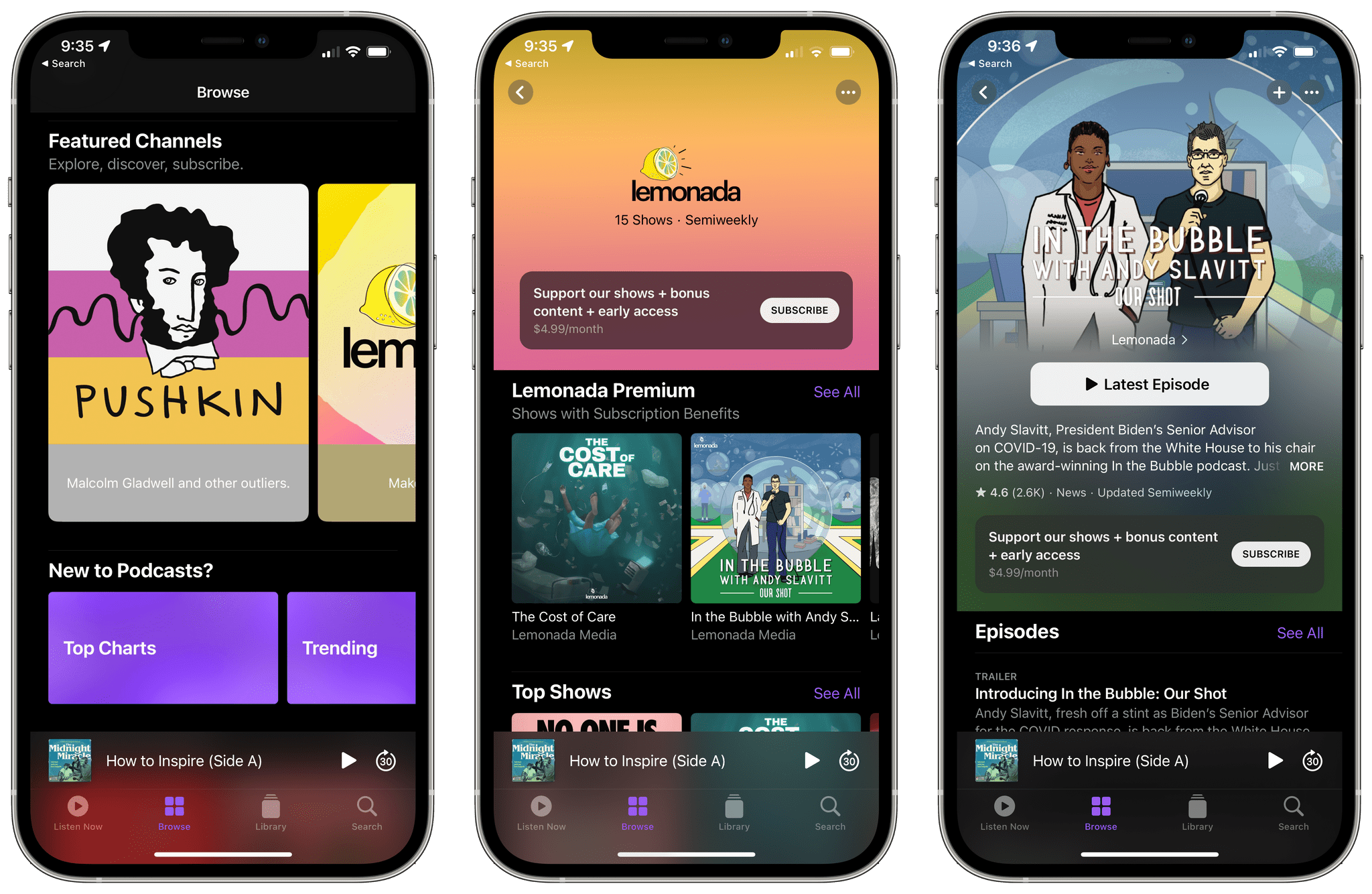
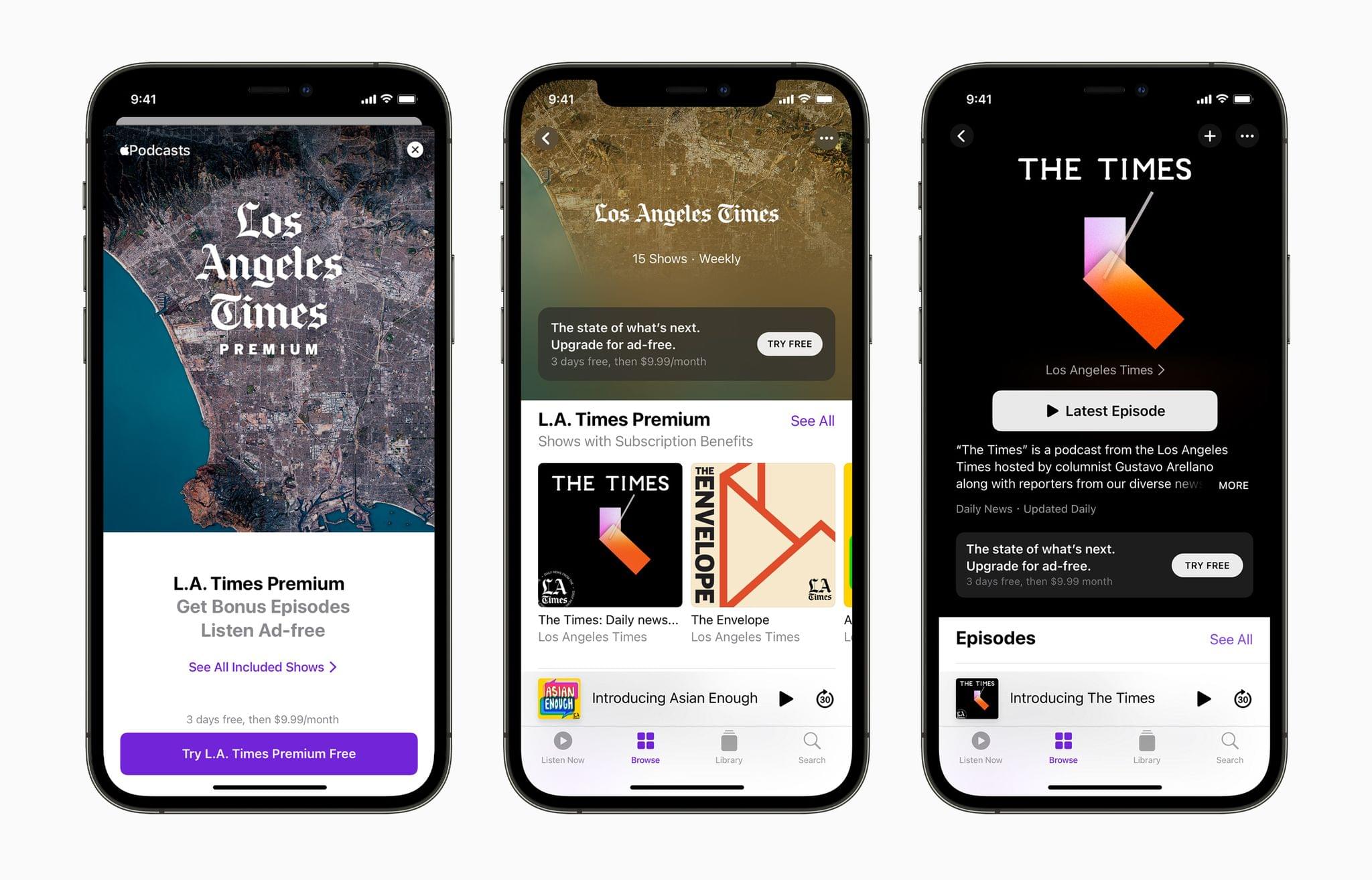
Podcast channels and subscriptions are now available as part of the new Apple Podcasts Subscriptions service first announced in April. As Apple explains in its press release:

…listeners in more than 170 countries and regions can purchase subscriptions for individual shows and groups of shows through channels, making it easy to support their favorite creators, enjoy new content, and unlock additional benefits such as ad-free listening and early access, directly on Apple Podcasts.

As we previously covered on MacStories, when a listener subscribes to a show, the page in the Apple Podcasts app is updated with subscriber content and a badge confirming for the listener that they’ve subscribed. Channels, which are collections of subscription-based and free podcasts, are incorporated into Apple Podcasts’ search, recommendation, and sharing functionality. After a listener has subscribed to two or more channels, a new row called ‘My Channels’ appears in the Listen Now tab to facilitate browsing them.

The company’s press release spotlights a long list of shows that are participating in Apple Podcasts Subscriptions. There’s a wide variety of podcasts represented, which makes the press release a good place to start if you’re looking for a channel or subscription to explore. Of course, channels and subscriptions are front-and-center in the Podcasts app too, and I’ve found it easy to find and understand what shows offer.