Posts tagged with "iPadOS"

FitnessView Teams: A Team-Based Fitness Tracker for Coaches and Trainers

Today, Funn Media released FitnessView Teams, a fitness-tracking app that allows coaches or personal trainers to track multiple team members or clients at once. I’m not a coach or a trainer, but I’ve been trying the app with demo data and like what I’ve seen a lot.
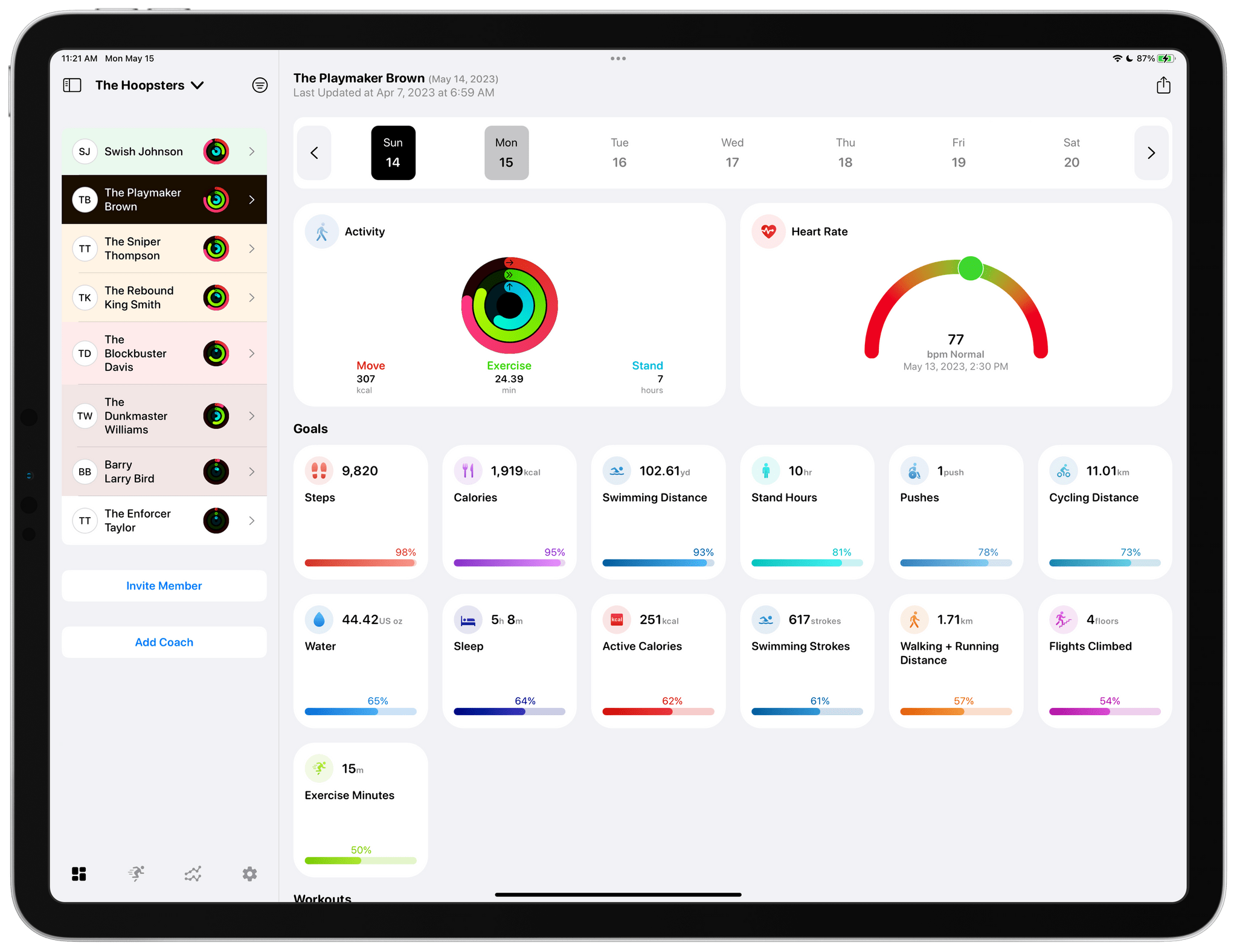
FitnessView Teams provides a home base for tracking the performance of multiple athletes.

FitnessView Teams provides a home base for tracking the performance of multiple athletes.

FitnessView Teams, which builds on Funn Media’s FitnessView app for individuals, works on the iPhone and iPad, but it’s best on the iPad where you can see more data at once. From the main view, you can switch among multiple teams, browse data by team member, invite new team members, and invite other coaches to your team. Coaches and team members can both be added via a QR code or an invitation link that allows FitnessView Teams to access the data collected by a team member’s Apple Watch. You can also browse team member data by date using a calendar strip along the top of the iPad’s screen.
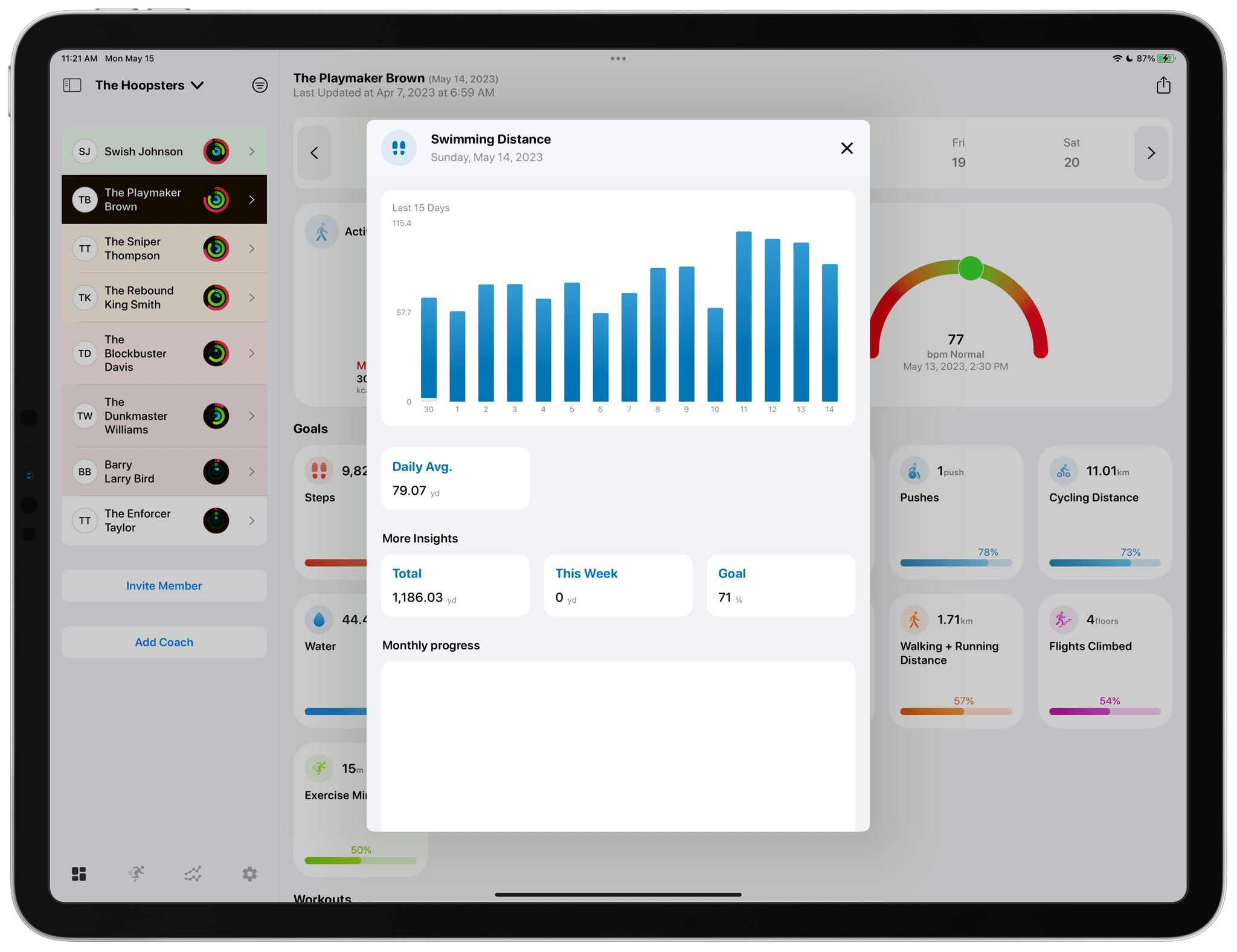
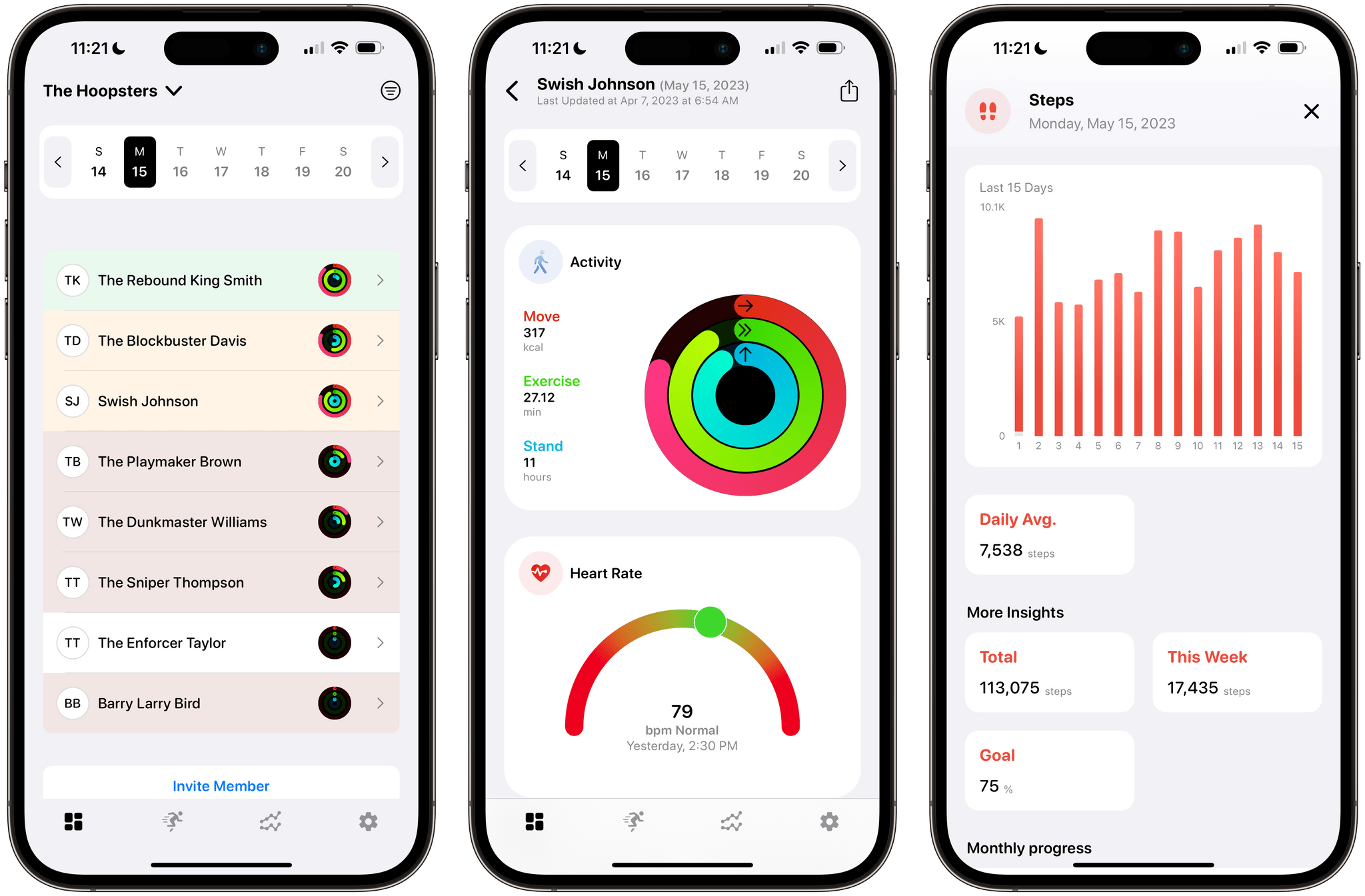
Tapping any of the home view's tiles drills deeper into the details of each.

Tapping any of the home view’s tiles drills deeper into the details of each.

Most of the app’s main view is dedicated to health metric tiles that are fully customizable in the app’s settings. Tapping on any health metric brings up additional details, including a graph for that data over time, as well as daily averages and monthly progress. Reports for each athlete can be exported as a customizable PDF-formatted report too.
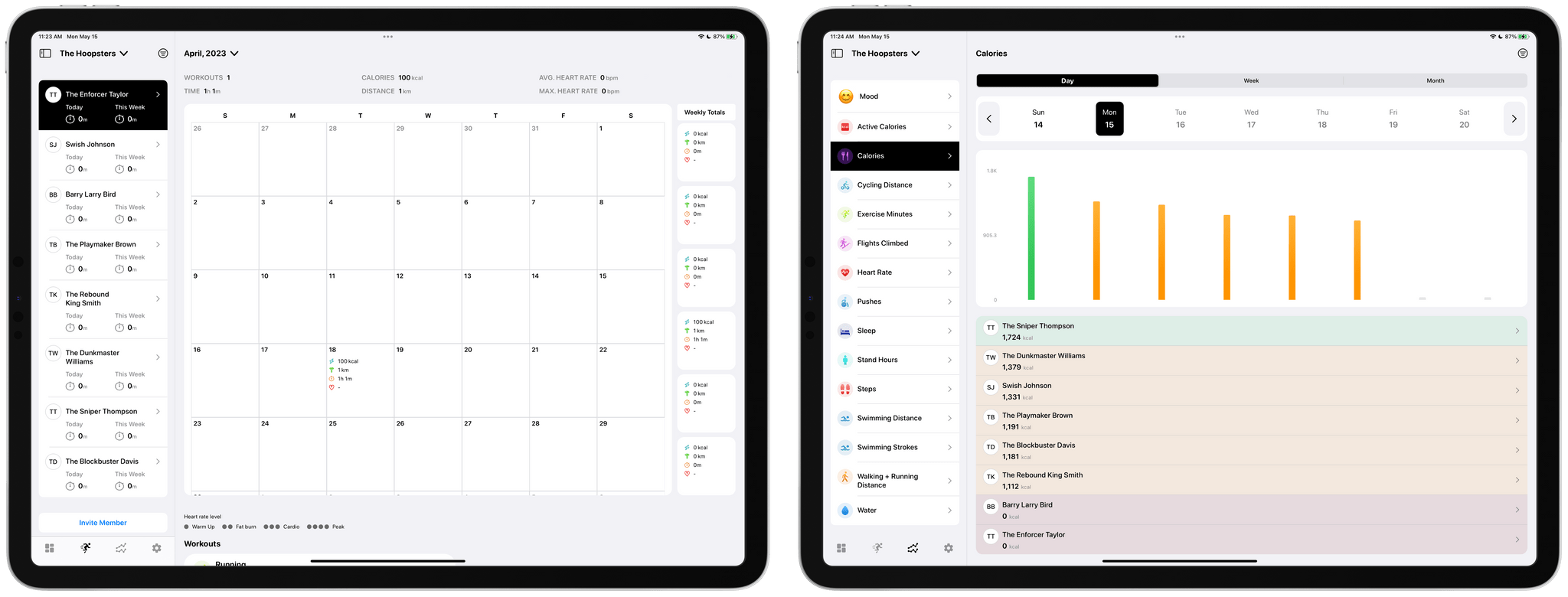
The app includes calendar and metric-based views of team data too.

The app includes calendar and metric-based views of team data too.

Other data visualizations include a tab dedicated to a full month overview per athlete. There’s also a tab that breaks down a team’s progress by fitness metric, which allows coaches to easily compare the stats of one athlete compared to another on a daily, weekly, or monthly basis. All of the same data is available on the iPhone, too, but the limited screen space requires more navigating between views and scrolling of data.

I’ve always been a fan of FitnessView for individuals. The app’s simple, clean design provides an excellent overview of core health metrics, with the ability to dive into each for more detail. FitnessView Teams takes the same approach and succeeds in organizing an even bigger set of health data for multiple people at once, which is an impressive accomplishment. If you’re a coach or trainer, FitnessView Teams is worth checking out.

FitnessView Teams is available to download for free. However, a subscription is required to add multiple team members or clients to the app, which starts at $59.99/month to track ten users.
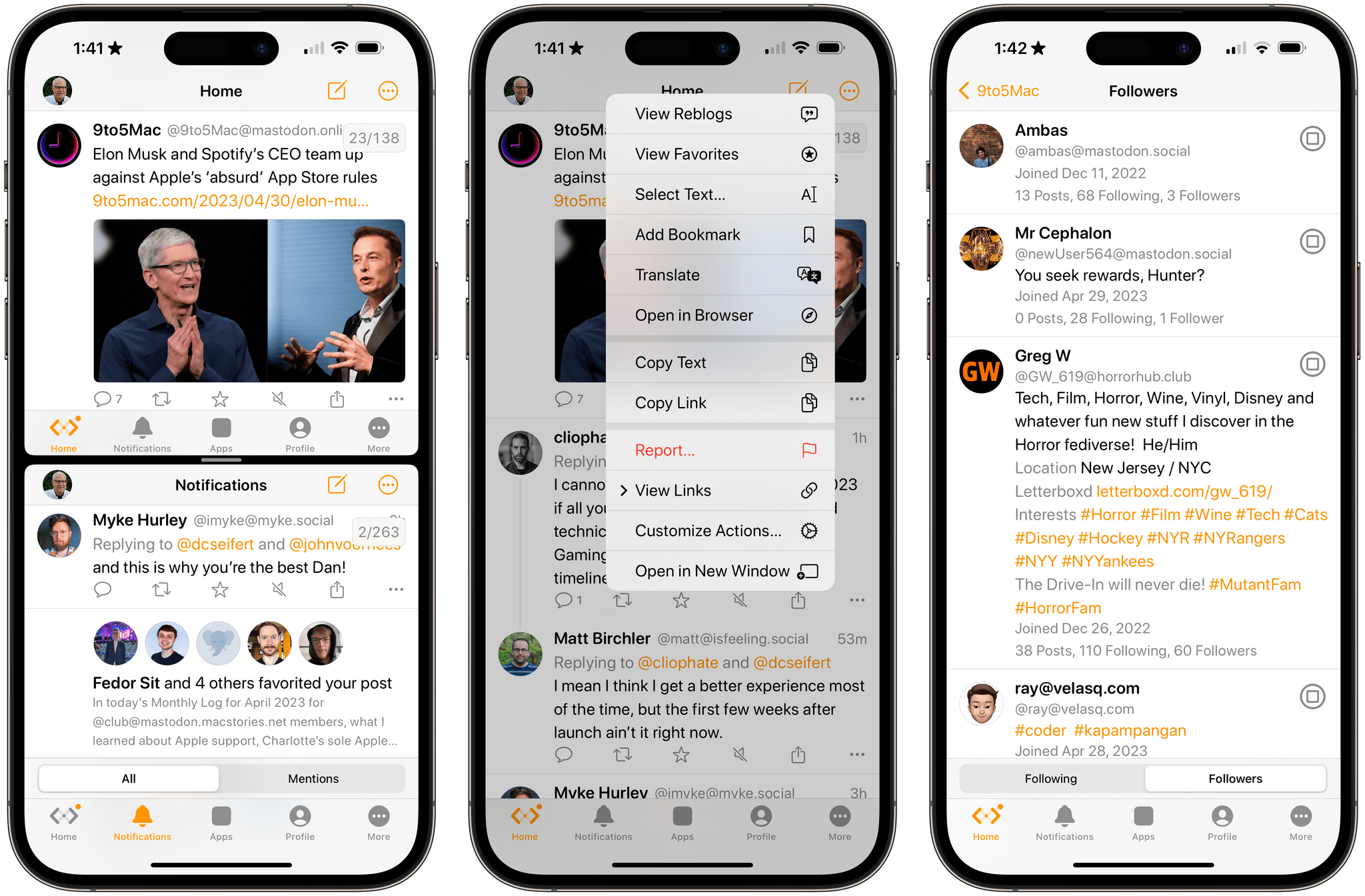
Mona: A Unique Mix of Customization Options and Features You Won’t Find in Any Other Mastodon App

Mona is a brand new, highly customizable Mastodon client from Junyu Kuang, the developer of Spring, which is one of the few remaining third-party Twitter clients that still works and pioneered many of the features found in Mona. Mona, which is available on the iPhone, iPad, and Mac, is a power-user app through and through. The app has a dizzying array of settings for customizing the entire Mastodon experience. If, like me, you enjoy the sort of tinkering that Mona enables, you’ll absolutely love this app.

Read more


Automation April: Hyperduck Leverages the Power of URL Schemes to Control Your Mac from an iPhone or iPad

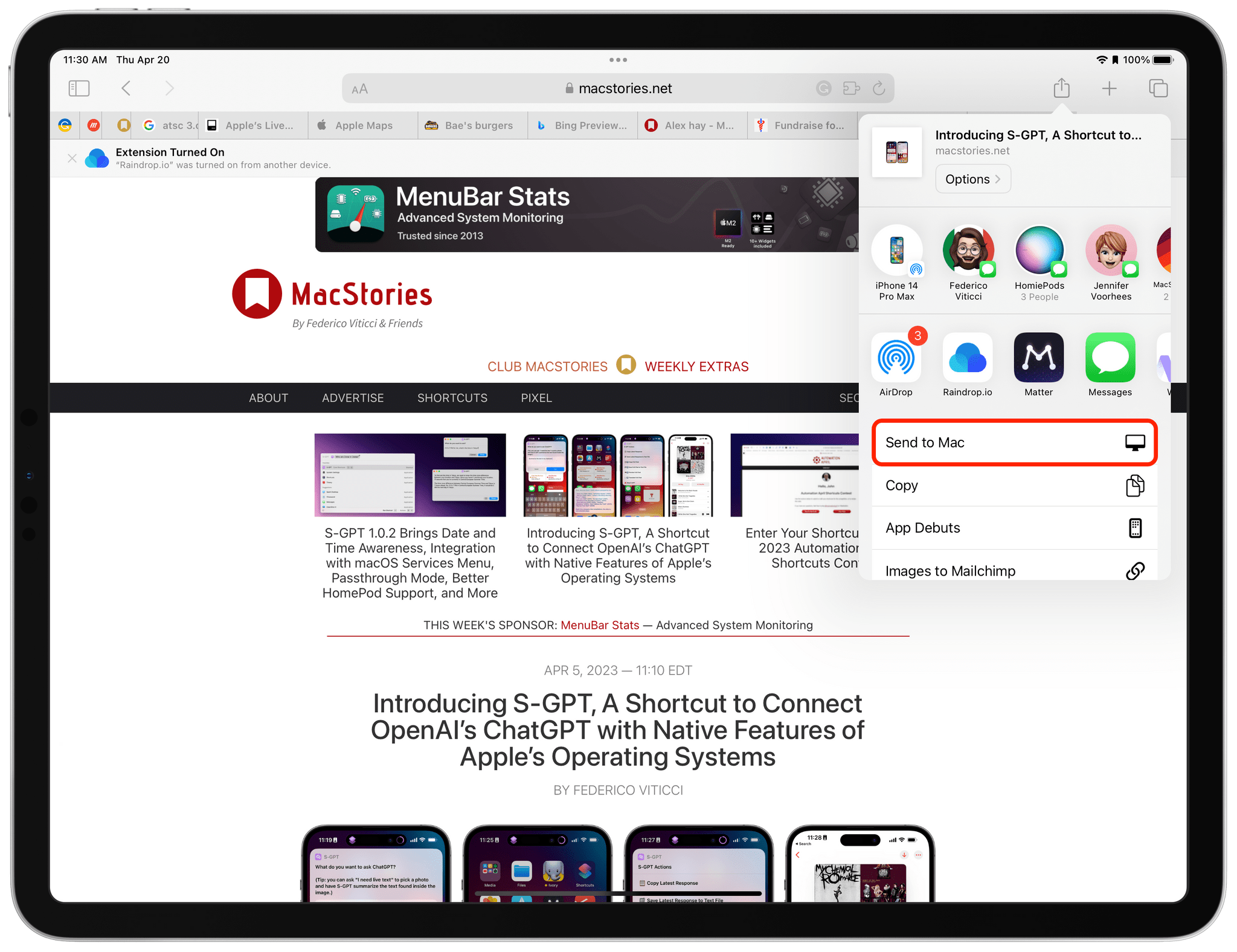
Hyperduck is a recent utility from Sindre Sorhus for sending URLs from an iPhone or iPad to your Mac that has some very interesting applications. Hyperduck hasn’t replaced my use of AirDrop, Handoff, and other Apple technologies that move data between devices, but it has extended those features in meaningful ways and has quickly worked its way into my everyday computing life.

Hyperduck does just one thing very well. It sends URLs from an iPhone or iPad to a Mac using iCloud. That’s different than how AirDrop works, which has some advantages.

Read more


Dark Noise 3.0 Has a New Business Model and A Few Other Updates

Today, Charlie Chapman released Dark Noise 3.0, his iOS, iPadOS, and macOS ambient noise app, with a new business model, some remastered sounds, and other updates.

The biggest change to Dark Noise 3.0 is its new business model. Historically, Dark Noise has been a paid-up-front app, but with 3.0, the app is now free with an optional subscription that unlocks certain features.

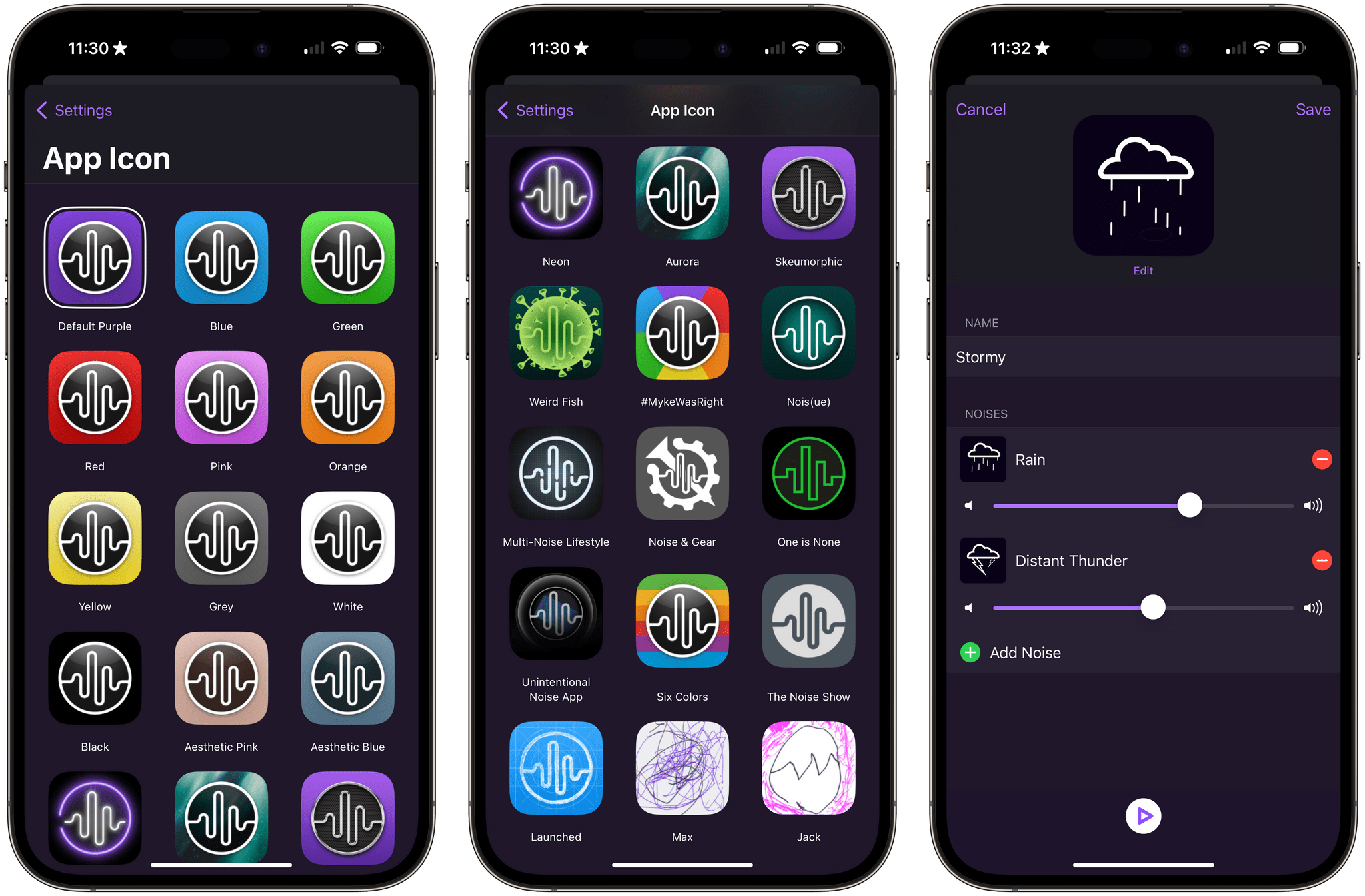
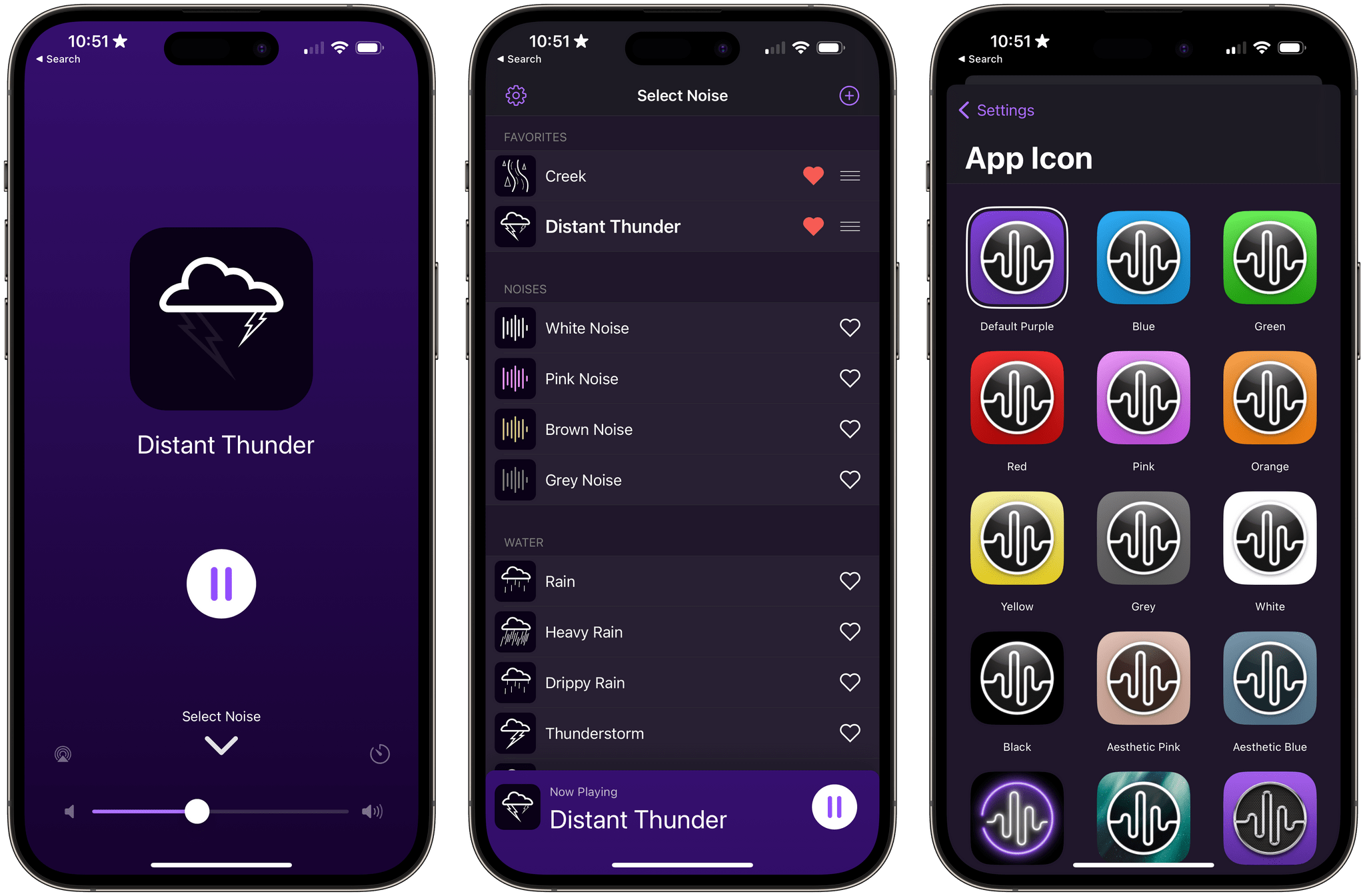
The free version of Dark Noise includes eight sounds, continuous sound looping, Shortcuts support, Siri integration, and a timer. The Pro subscription increases the number of sounds to over 50 and adds custom sound mixes, alternate app icons, themes, and Family Sharing. The Pro features are also available as a one-time purchase.

Alternative icons and sound mixing are two of the features available to Dark Noise Pro subscribers.

Alternative icons and sound mixing are two of the features available to Dark Noise Pro subscribers.

If you previously purchased Dark Noise, which included many of the features that are now part of a Pro subscription, you’re covered. Anyone who bought Dark Noise prior to the release of version 3.0 gets all of the features included in the Pro subscription. Pro subscribers may get new features in the future, but as of the release of version 3.0, existing users and subscribers have access to the same features, which I think is a fair way to transition to a subscription model.

I’m also glad to see that the core features of Dark Noise will be available for free for the first time. There are a lot of ambient sound apps on the App Store, but a lot aren’t very good. Dark Noise is excellent, and I expect having a free tier to show off what the app can do to new users will result in more paid users in the long run. I’m also a fan of the one-time payment option, which is a nice option for fans of the app who just don’t like paying subscriptions.

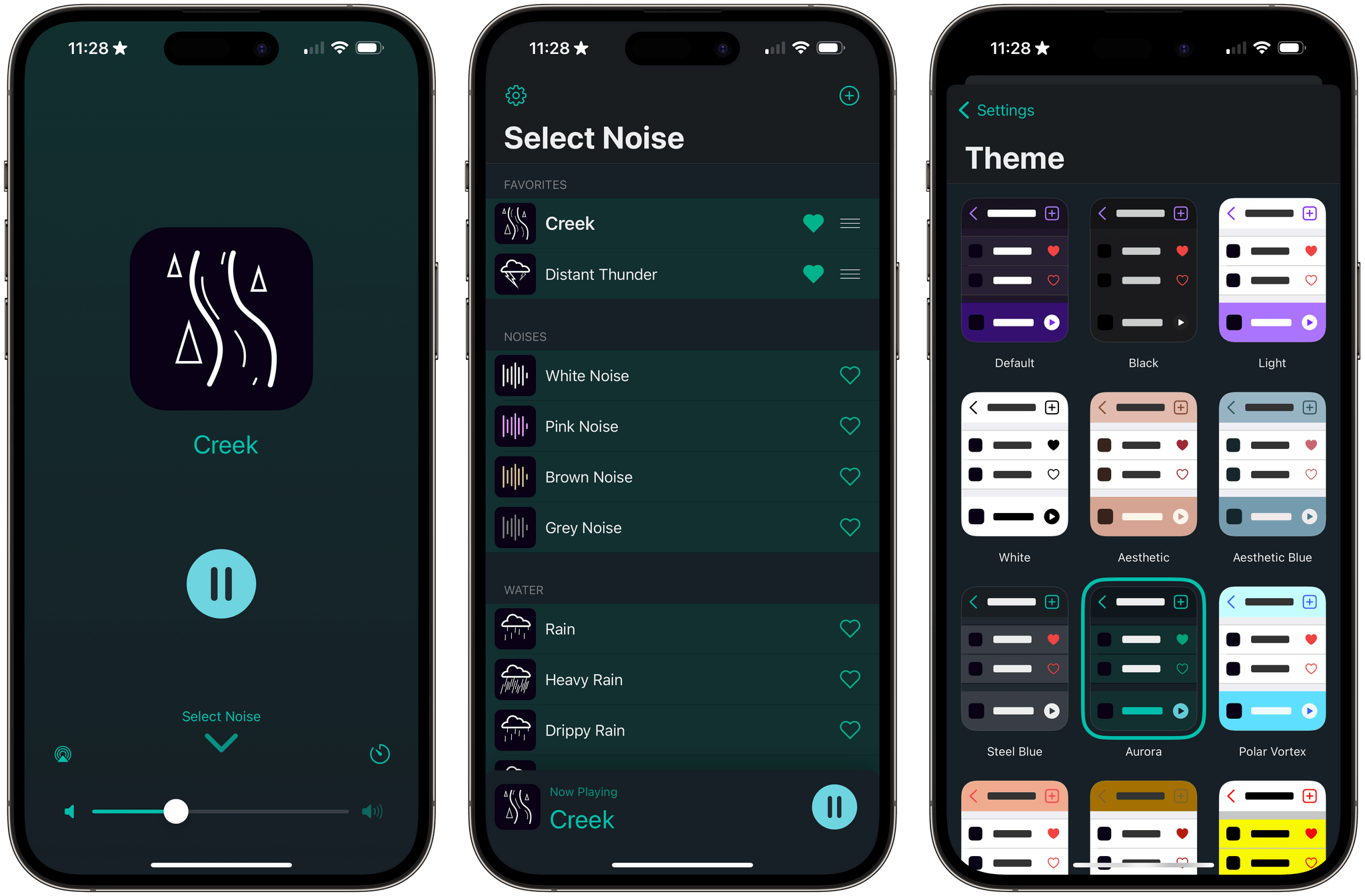
Dark Noise has a new green theme called Aurora.

Dark Noise has a new green theme called Aurora.

Version 3.0 also introduces remastered Rain, Beach, Airplane Interior, and Thunderstorm sounds that sound better when used with stereo speakers. The app’s icons have been tweaked a little, and there’s a new theme that uses shades of green called Aurora.

For more on everything Dark Noise can do, be sure to check out our reviews of version 1.0 and 2.0.

Dark Noise 3.0 is available as a free download on the App Store. The Pro subscription unlocks the features described above, for $2.99/month or $19.99/year with a three-day trial. Dark Noise 3.0 is also available as a one-time purchase for $49.99.


Sequel 2.0: An iPhone and iPad Media Tracker That Strikes an Elegant Balance Between Form and Function

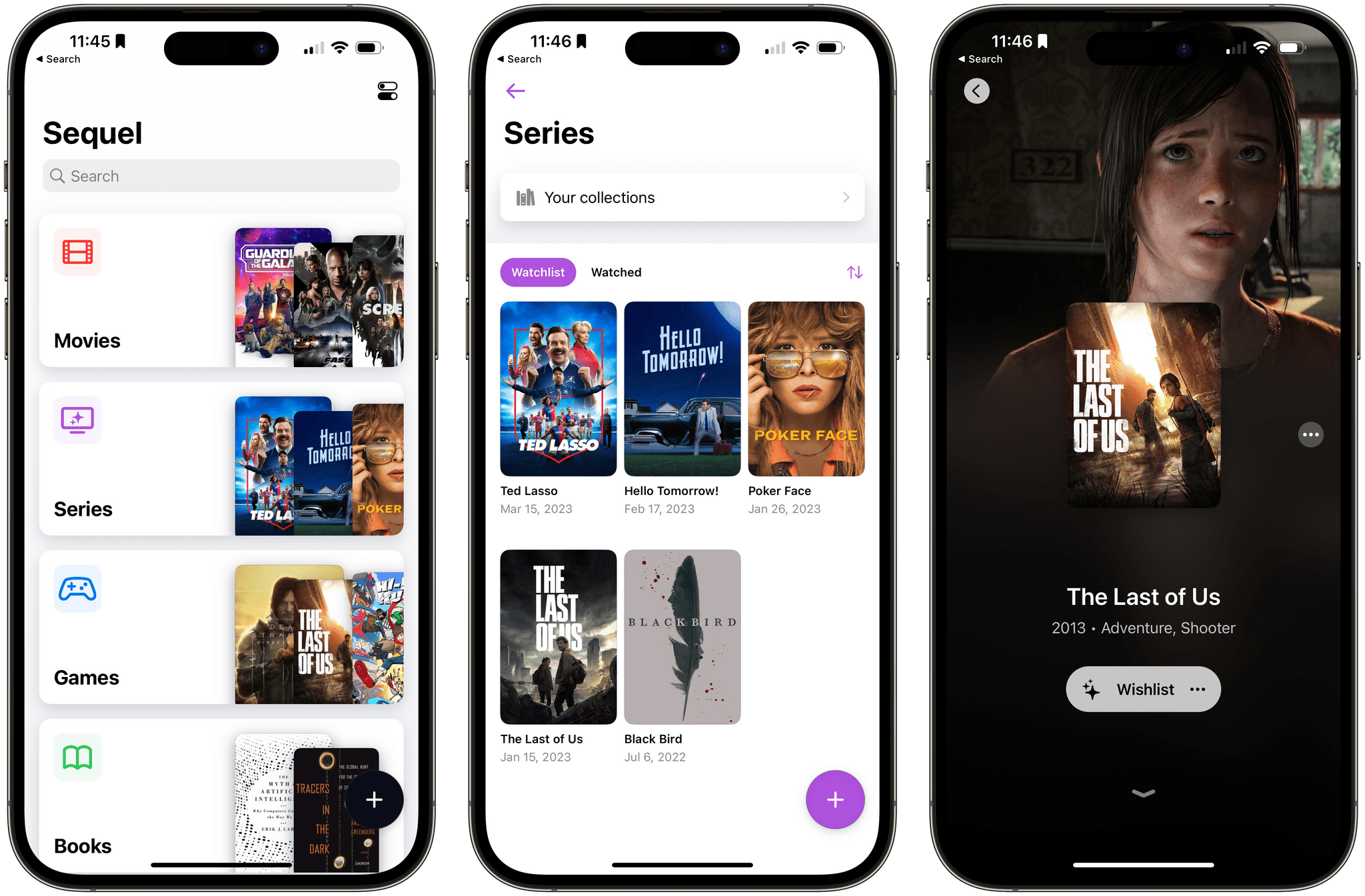
Too often, media tracking apps feel like work. There’s too much effort involved in adding and browsing items, which makes them feel more like task managers than an inviting place that helps you decide how you want to spend your precious free time.

Apps in this category seem to take one of a couple of different approaches. Some apps specialize in one type of media, which can be great if you’re a huge book or videogame fan, for instance. As much as I like the media-specific approach of some apps, I’ve found that lately, I just want an app that’s easy to use, so ‘past me’ can recommend ‘tired and lazy me’ something to watch, play, read, or listen to. And, for the past couple of months, the app that has fit my needs the best has been Sequel 2.0 by Romain Lefebvre.

Read more


Apple Releases iOS and iPadOS 16.4 with New Emoji, Notifications for Web Apps on the Home Screen, Voice Isolation for Cellular Calls, New Shortcuts Actions, and More

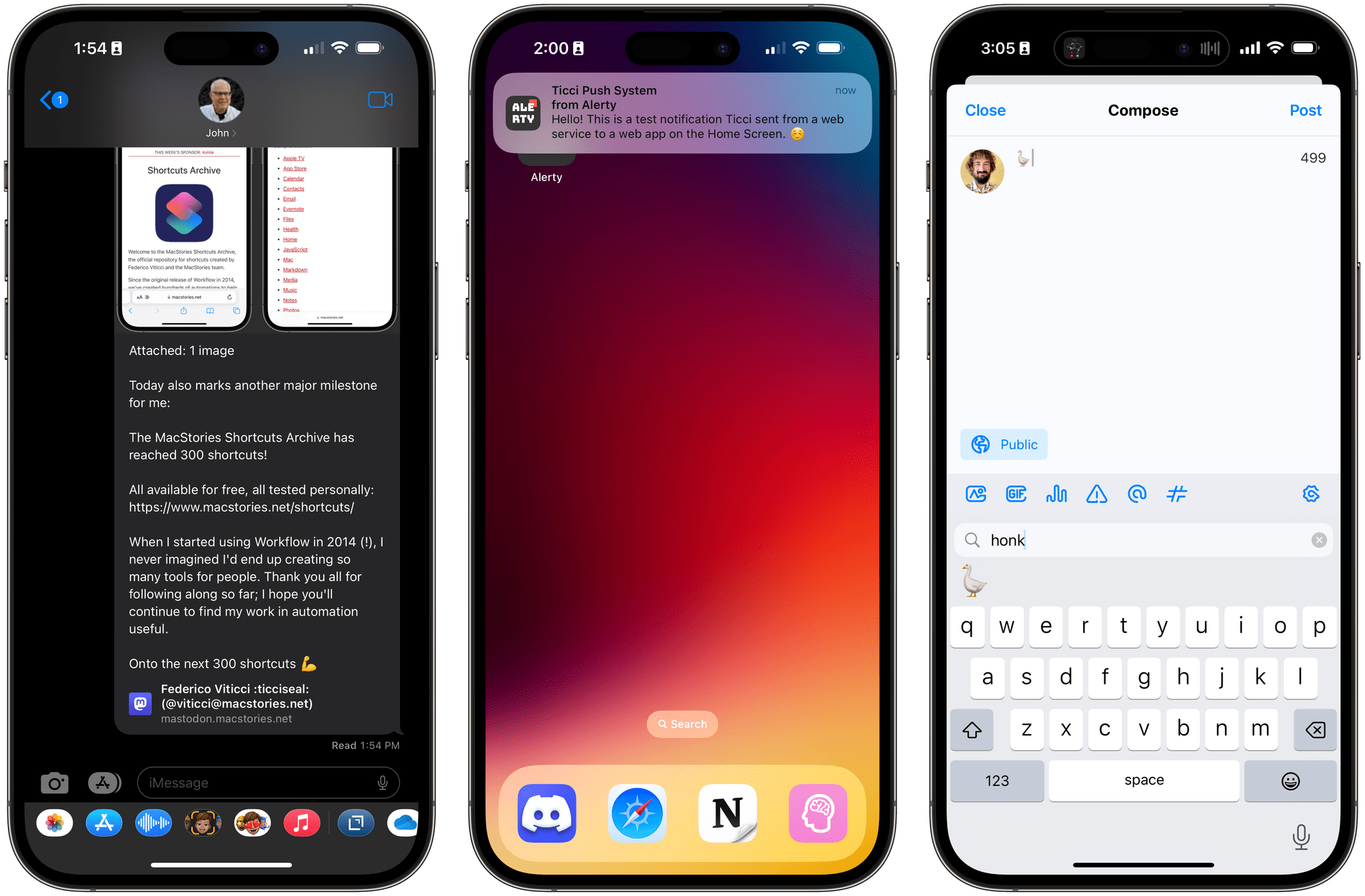
iOS 16.4 brings new emoji, push notifications for web apps on the Home Screen , Mastodon link previews, and more.

iOS 16.4 brings new emoji, push notifications for web apps on the Home Screen , Mastodon link previews, and more.

Today, Apple is releasing iOS and iPadOS 16.4, the fourth major updates to the OSes that introduced support for the customizable Lock Screen and Stage Manager last year, respectively.

Ahead of the debut of Apple Music Classical tomorrow and just a few months before a WWDC that’s rumored to be focused on the company’s upcoming headset and a relatively small iOS 17 update, 16.4 is comprised of two big additions to iOS and iPadOS (new emoji and push notifications for web apps on the Home Screen) alongside a variety of smaller, but notable improvements such as some new Shortcuts actions, Mastodon link previews in iMessage, some tweaks to Podcasts and Music, and more.

Let’s take a look.

Read more


Six 8BitDo Controllers Add Support for Apple Hardware

Source: 8BitDo

Source: 8BitDo

8BitDo, a popular maker of game controllers, announced today that six of its products now officially support Apple hardware:

  • 8BitDo Ultimate Controller 2.4g
  • 8BitDo Pro 2
  • 8BitDo SN30 Pro +
  • 8BitDo Pro
  • 8BitDo SN30 Pro for Android
  • 8Bitdo Lite SE

The controller firmware update, which can be applied using the company’s Upgrade Tool, will allow gamers to use 8BitDo’s supported controllers wirelessly with any iOS, iPadOS, macOS, or tvOS game that has adopted Apple’s game controller APIs. Playing wired is also supported on iPads and Macs with USB-C ports.

According to 8BitDo, up to four controllers can be connected at once for games with multiplayer support, but rumble and motion control are not supported “for the moment,” suggesting that a future update may support those features. Links to detailed directions and illustrations of how to connect 8BitDo’s controllers are available by hovering over the images of the controllers on the company’s dedicated Apple device webpage.

I have a bunch of the controllers for which Apple device support was announced, and I can’t wait to try them. A couple of the controllers I have already have some basic support for Apple devices, thanks to compatibility with Sony and Microsoft controllers. However, the firmware update should extend the functionality of the controllers to the full set of features that Apple now supports.


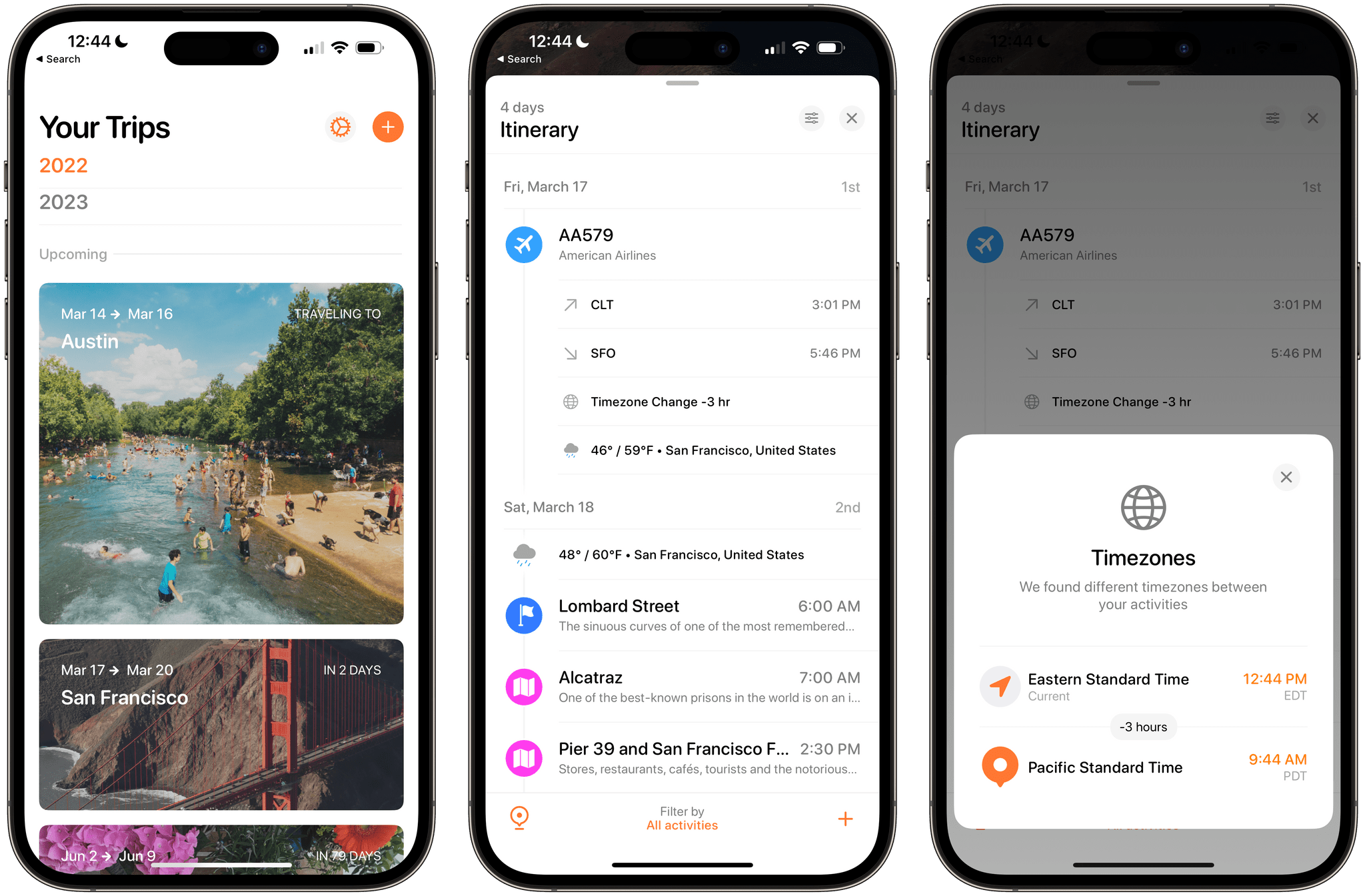
Tripsy 2.15 Adds Weather Forecasts, Time Zone Support, and Other Customization Options

Tripsy is more than just an app for storing details about your upcoming trips. It does that and does it well, but it’s also a great way to revisit old trips and get inspired about places you want to visit in the future. We’ve covered Tripsy before, so for more on what the app can do, I recommend checking out our reviews of version 2.10 and version 1.0. With version 2.15, which debuted this week, Tripsy is focused on trip itineraries, adding several ‘quality of life’ features along with better organization for multi-location trips, and improved customization.

Read more


Apple Frames 3.1: Extending Screenshot Automation with the New Apple Frames API

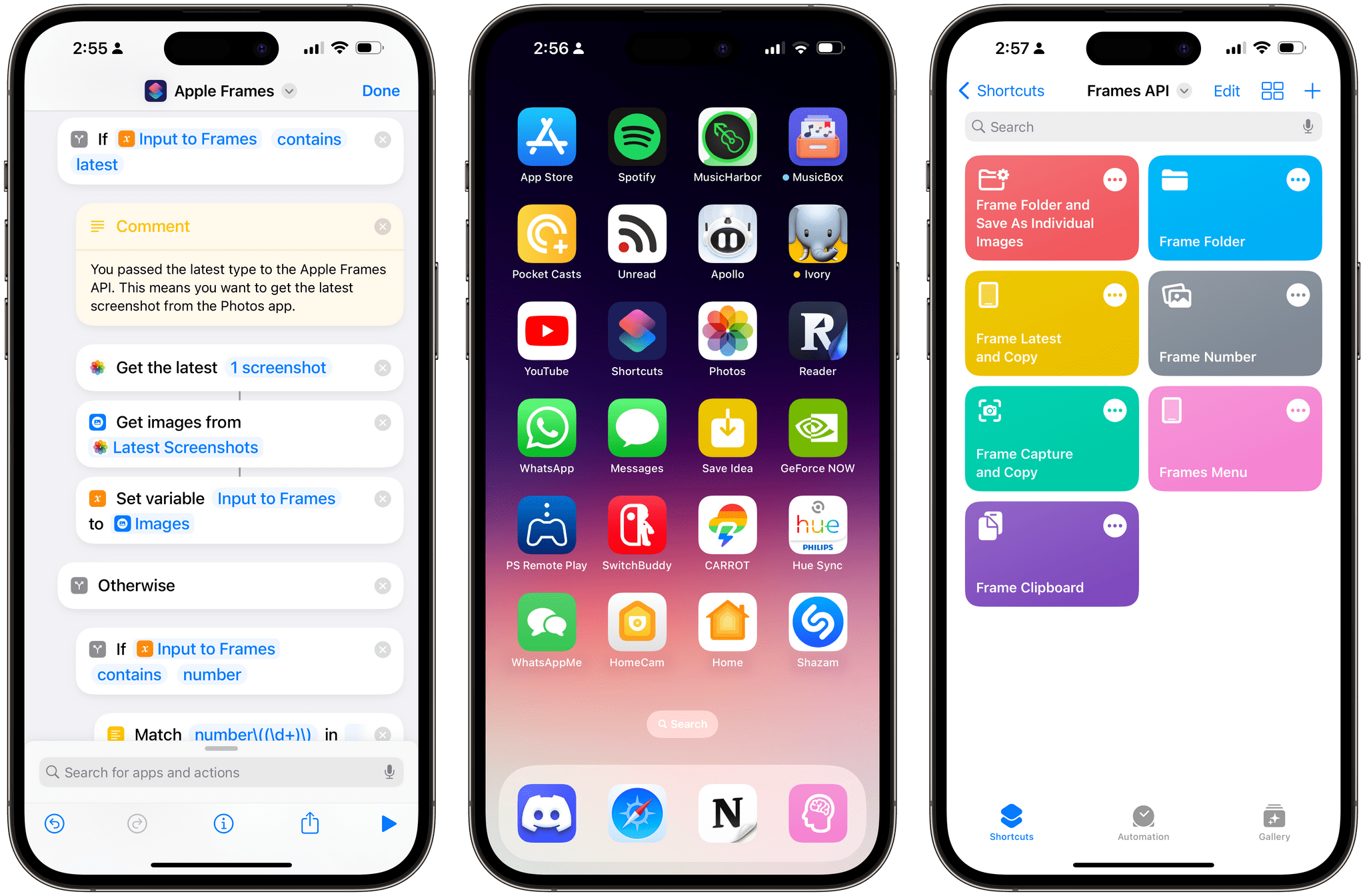
Apple Frames 3.1 comes with a lightweight Apple Frames API to extend its automation capabilities.

Apple Frames 3.1 comes with a lightweight Apple Frames API to extend its automation capabilities.

Update, March 3: Version 3.1.1 of Apple Frames has been released with support for a new passthrough output command. This post has been updated to reflect the changes. You can redownload the updated shortcut at the end of this post.


Today, I’m happy to introduce something I’ve been working on for the past couple of months: Apple Frames – my shortcut to put screenshots captured on Apple devices inside physical device frames – is getting a major upgrade to version 3.1 today. In addition to offering support for more devices that I missed in version 3.0 as well as some bug fixes, Apple Frames 3.1 brings a brand new API that lets you automate and extend the Apple Frames shortcut itself.

By making Apple Frames scriptable, I wanted to allow power users – such as designers and developers who rely on this shortcut to frame hundreds of images each week – to save valuable time without compromising the accessible nature of Apple Frames for other people. This is why all of the new advanced features of Apple Frames are optional and hidden until you go look for them specifically. Furthermore, even if you do want to use the Apple Frames API, you’ll see that I designed it in the spirit of Shortcuts: it does not require any code and it’s entirely powered by simple, visual ‘Text’ actions.

I’m incredibly excited about what Apple Frames can do in version 3.1, so let’s dive in.

Read more