This Week's Sponsor:

Finalist

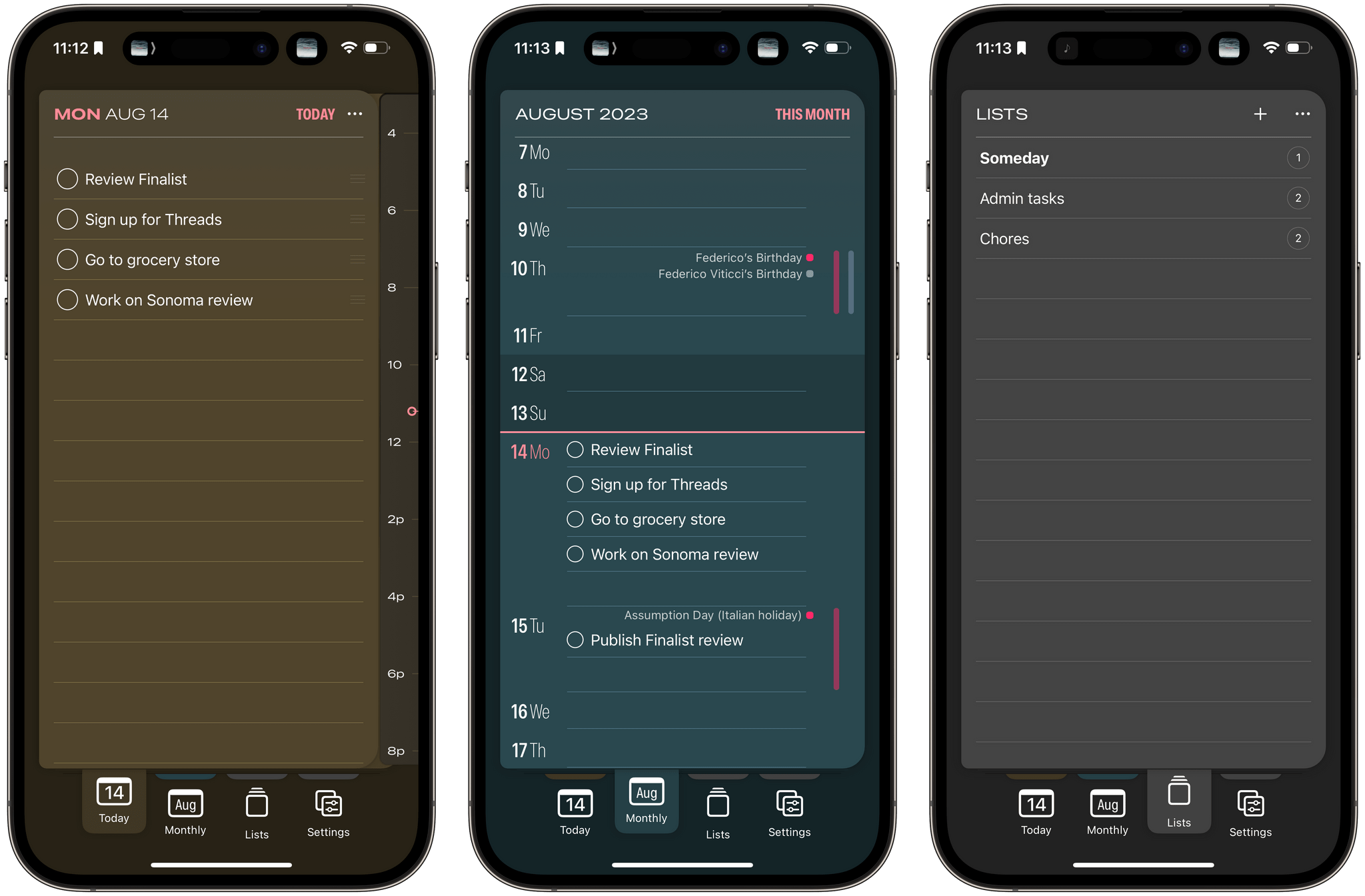
A paper-inspired daily planner with notes for iPhone, iPad, Mac, and now Apple Watch. A day you design your way.


Posts tagged with "iPadOS"

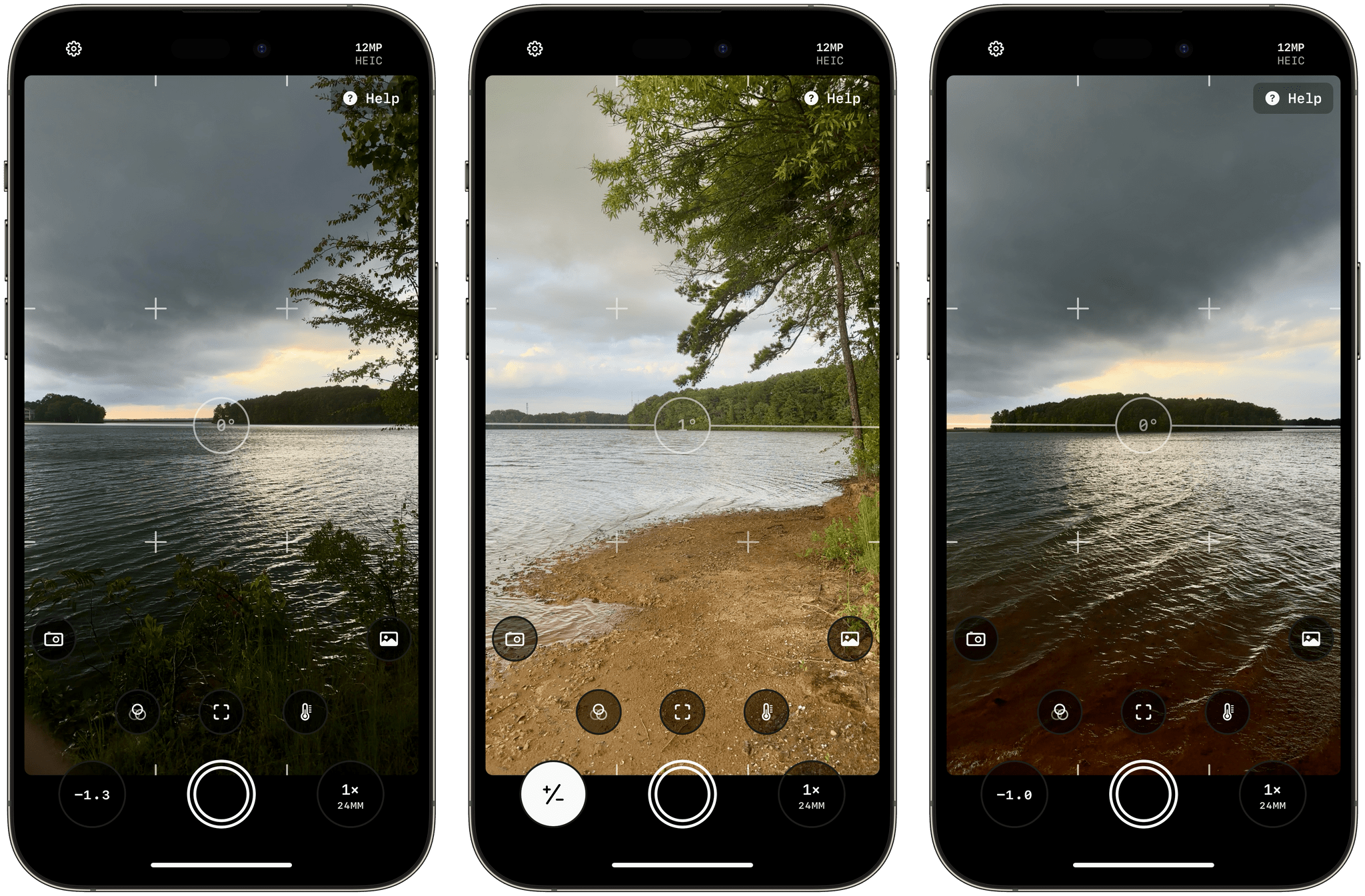
Obscura 4 Features A Refreshed Design, New Features, and A Different Business Model

Ben McCarthy’s career as a developer coincides almost exactly with mine as a writer. As a result, I’ve had the pleasure of watching Obscura evolve from little more than an idea to one of the best camera apps on the App Store. As with so many apps, what sets Obscura apart from others is Ben’s attention to detail, impeccable design taste, and deep knowledge of the app’s subject matter – photography.

Today, Obscura 4 is out, less than two years since I reviewed version 3 with a refreshed design and a handful of new features. The update includes a change in Obscura’s business model, too. In the past, the app was paid up front, with each major release being a new purchase. Going forward, Obscura is free to download, with certain advanced features, known as Obscura Ultra, requiring a subscription.

Read more


Mercury Weather 2.0 Adds Trip Forecasts

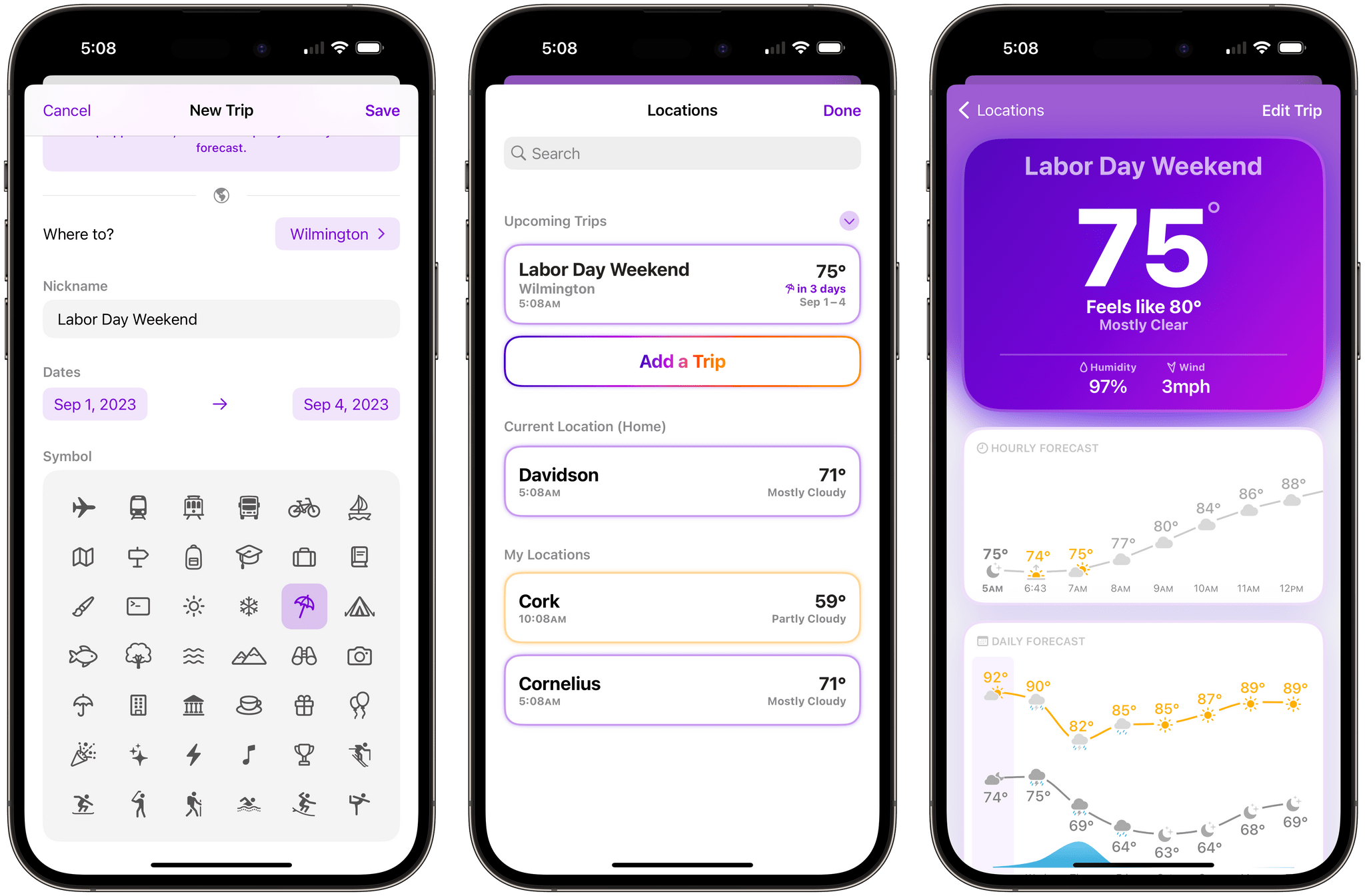
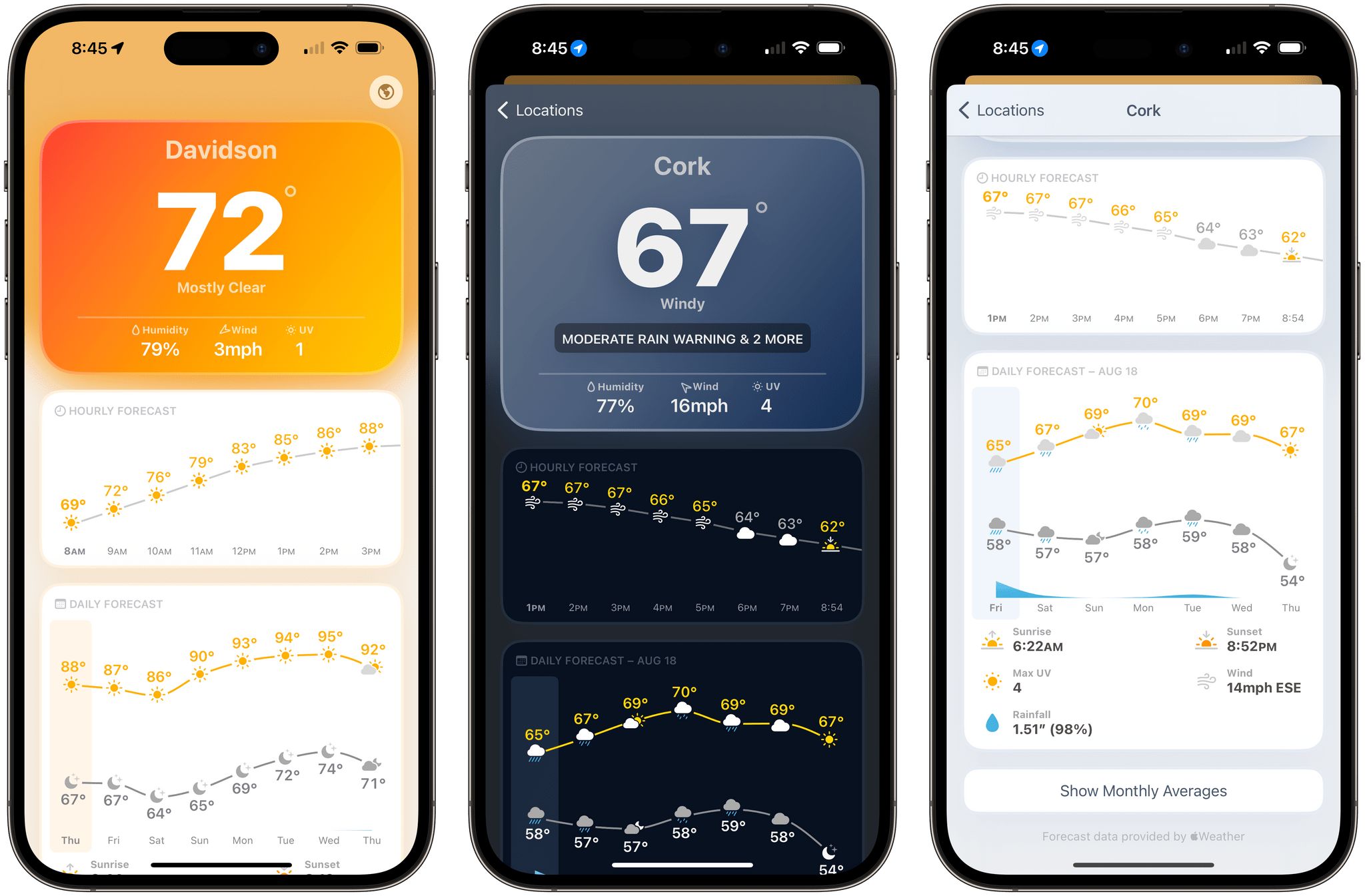
If you’ve ever found yourself repeatedly checking the weather of a trip destination in the days leading up to your travels, you’ll appreciate Mercury Weather 2.0, which was released today for iPhone, iPad, Mac, and Apple Watch. The update’s marquee feature is Trip Forecast, which lets you set up a trip once and keep tabs on your destination’s weather as your travel dates approach. I reviewed Mercury Weather a couple of weeks ago, so for more on the app’s other features, be sure to check out that review.

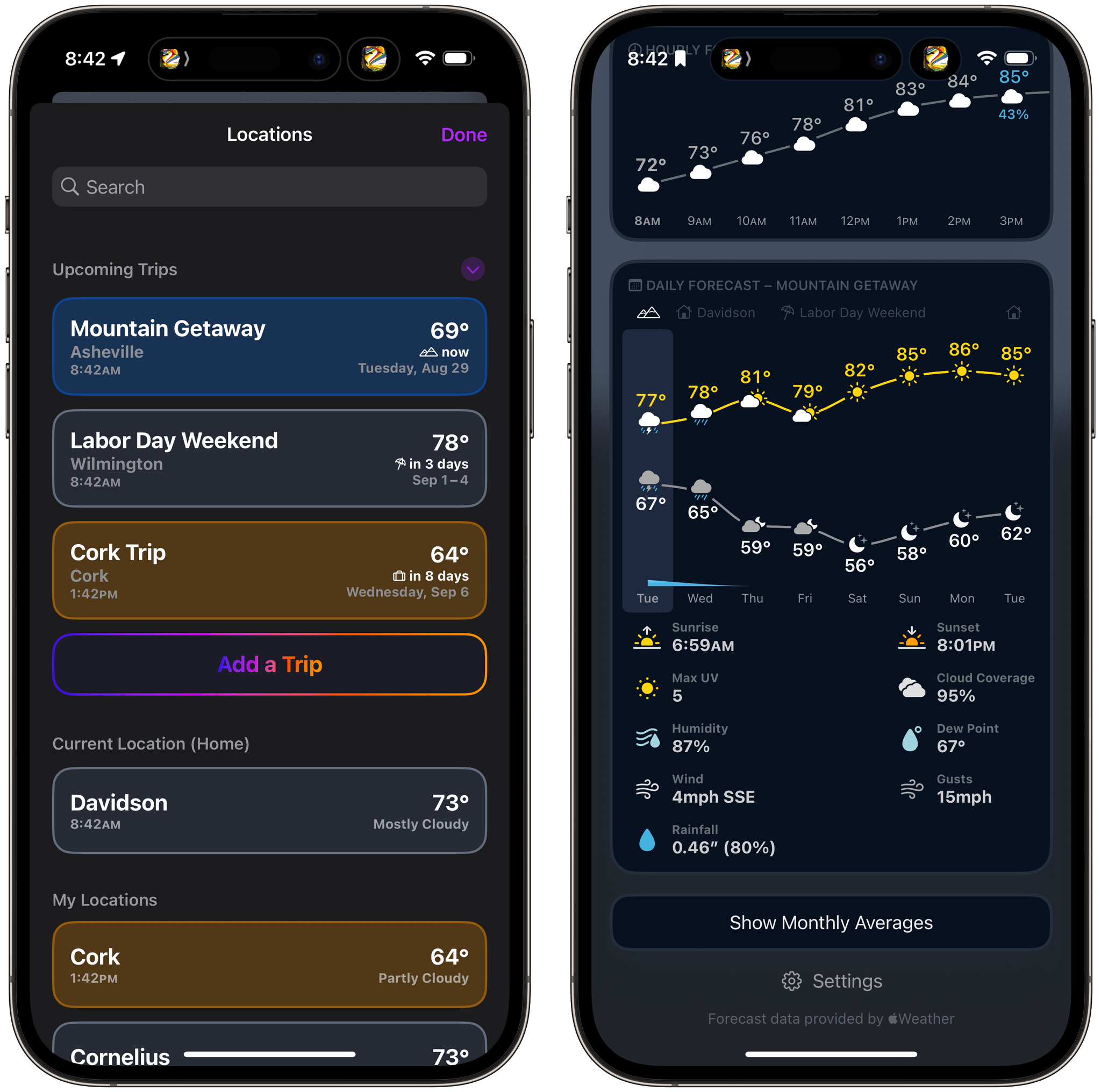
From Mercury Weather’s Locations view, there’s now an option to add upcoming trips. Just add your destination and the dates of your trip, and it will appear in a separate, collapsable ‘Upcoming Trips’ section, along with the current conditions and dates of the trip. You can also name your trip and add a custom icon.

You can switch between home and upcoming trips in the Daily Forecast section of Mercury Weather.

You can switch between home and upcoming trips in the Daily Forecast section of Mercury Weather.

As your departure date approaches, your destinations will appear along the top of the Daily Forecast graph. Tap a trip’s name to see that location’s weather forecast or the ‘Home’ button to return to your home location’s weather. Once your trip dates pass, the forecast for your destination just disappears from the app unlike destinations you might otherwise save in a weather app’s list of locations.

Trip Forecasts have been incorporated in Mercury Weather’s small and medium-sized ‘Daily Forecast (Customizable)’ widgets too. The widget includes a summary forecast for the next eight days, and if any of those days are part of your upcoming trip, it will show the forecast for that location instead of your current location.

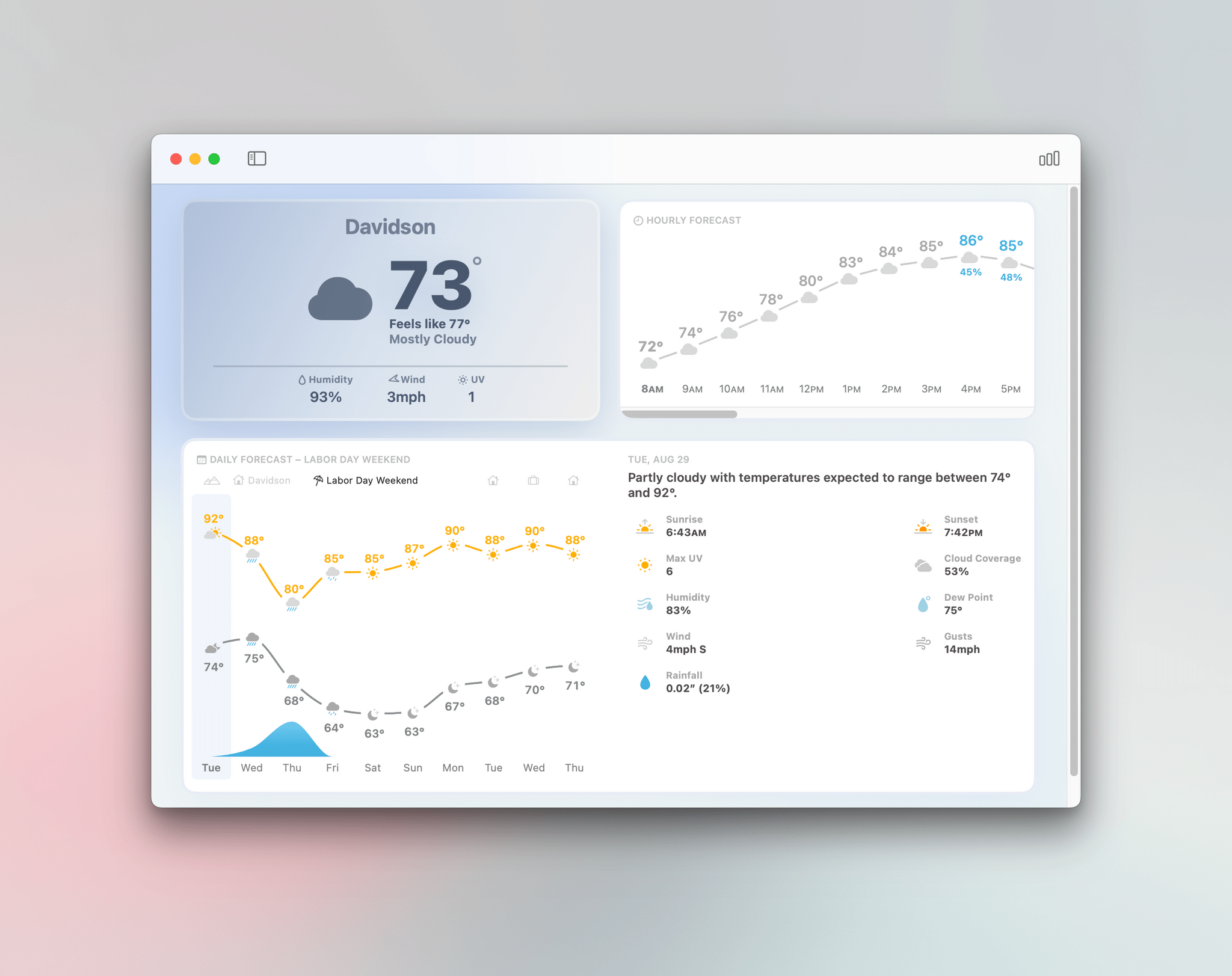
Mercury Weather on the Mac.

Mercury Weather on the Mac.

Trip Forecast is an excellent addition to Mercury Weather. I love that I can set up a trip once and forget about it, letting the app show me the upcoming forecast as my travel day approaches and staying out of the way until then. One thing I still miss from other weather apps is radar data, but aside from that, I’ve loved using Mercury Weather this summer.

Mercury Weather is free to download on the App Store, with Home and Lock Screen widgets, the Apple Watch app, historical data, and more than one saved location available to subscribers for $1.99/month or $9.99/year, with a $34.99 lifetime purchase option. A Family Sharing subscription is $3.49/month, $16.99/year, or $59.99 for a lifetime purchase.

TimeWave: Stacked Timers Delivered with a Clean, Spare Interface

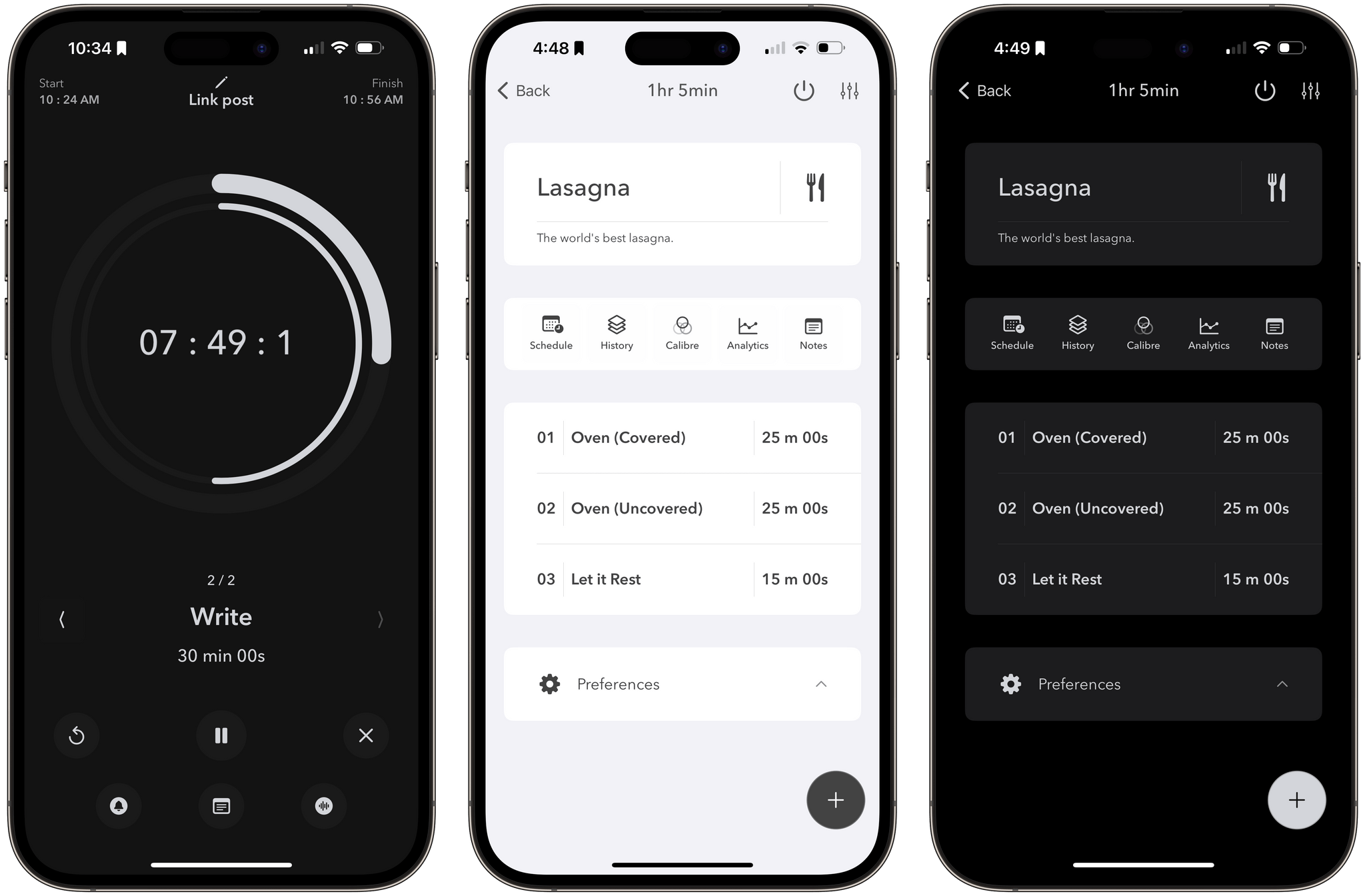
Timers are a staple of productivity systems, which is why there are so many of them on the App Store. My favorite timer apps are the ones that are the most flexible. A little structure goes a long way if you’re casting about for a system that works for you, but I prefer timer apps that can be adapted to multiple scenarios. That’s why I’ve enjoyed playing around with TimeWave so much.

The app, which works on the iPhone, iPad, and Apple Watch, plus Apple Silicon Macs in compatibility mode, isn’t new, but in a sea of timer apps, its focused black-and-white design and regular updates caught my eye. TimeWave is pitched as a focus timer that can be used with the Pomodoro time management system, which is a good use of it. However, what’s best is that TimeWave can also be used as a habit tracker, cooking timer, exercise routine timer, and more.

Read more


Mercury Weather: A Crystal Clear Design for Every Apple Device

There’s something for everyone in the weather app category. There are incredibly technical, complex apps, apps with a narrow focus, ones junked up with ads that don’t respect your privacy, and everything in between.

One of my favorite newer entrants in the category that I’ve been keeping an eye on for a while is Mercury Weather, a weather app that’s available as a universal purchase on all of Apple’s platforms. The app, by Triple Glazed Studios, is a pleasure to use, combining a clear, simple design with coverage on of all of Apple’s platforms.

In some ways, Mercury Weather is a spiritual successor to Weather Line, a graph-centric weather app that was sold to an unnamed purchaser a couple of years ago, which some suspect was Fox Weather based on the app’s 2023 redesign. The comparison is apt but sells Mercury Weather short because its design is superior to what Weather Line’s ever was. The app uses beautiful gradient backgrounds to convey the temperature and conditions, along with a modern layout and clear typography to make it fast and easy to check current conditions and the forecast.

Read more


Zenitizer: An Simple, Elegant Way to Practice and Track Meditation Sessions

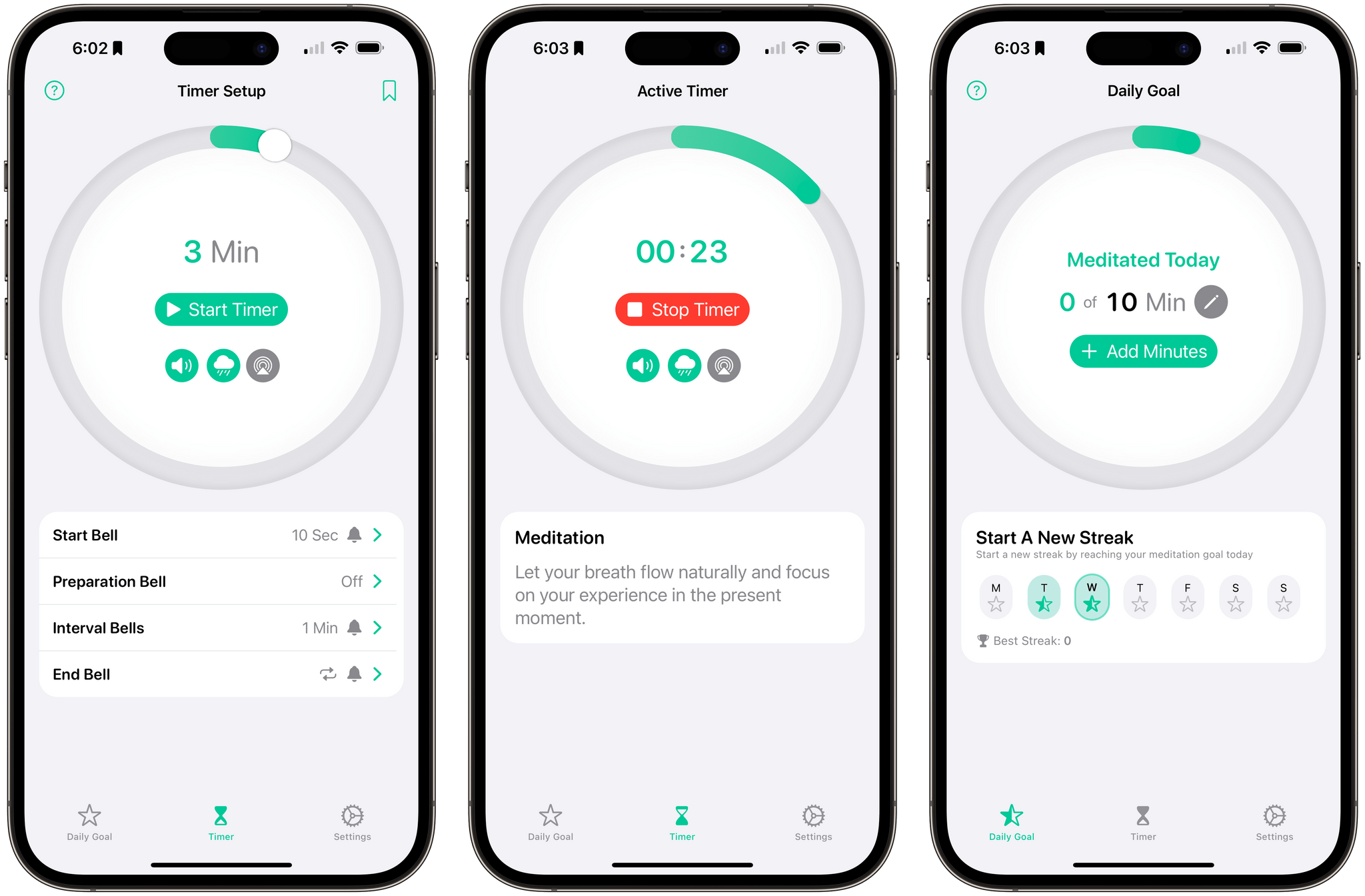
Zenitizer 1.2, an iOS, iPadOS, and watchOS meditation app by Manuel Kehl, was released yesterday, adding iCloud sync support. The update means that progress toward your meditation goals and routines you create on any version of the app will sync across all devices for the first time. I recommended Zenitizer to Club MacStories readers not long ago when version 1.0 was released, but it’s such a well-designed and thought-out app, I wanted to go a little deeper today on everything it has to offer.

Read more


Game On: Papers, Please Milestones, Netflix Eyes TV Gaming, Vampire Survivors and Rolando News, Plus an RPG for the Weekend

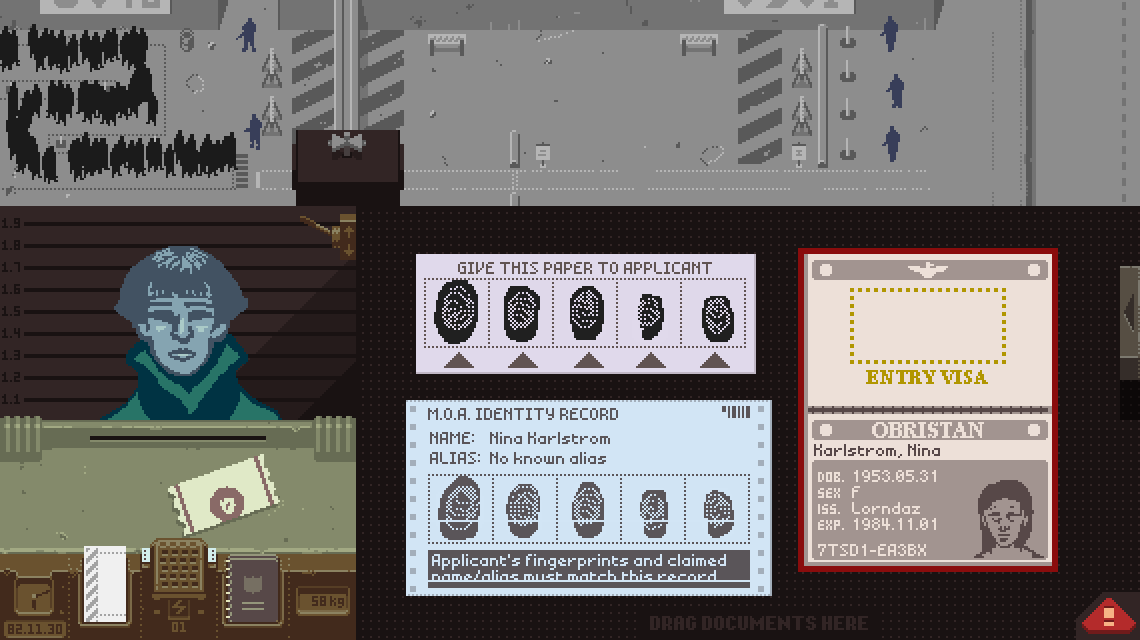
Lucas Pope’s critically acclaimed dystopian puzzle game Papers, Please celebrated a big milestone this week. As reported by Engadget, the game just passed its 10th anniversary and has sold 5 million copies, which is huge for an indie title. Of course, the game is on every platform imaginable these days, but if you still haven’t checked it out after all of these years, you can pick up Papers, Please for just $1.99 on the App Store for a limited time.

Netflix's Game Controller app.

Netflix’s Game Controller app.

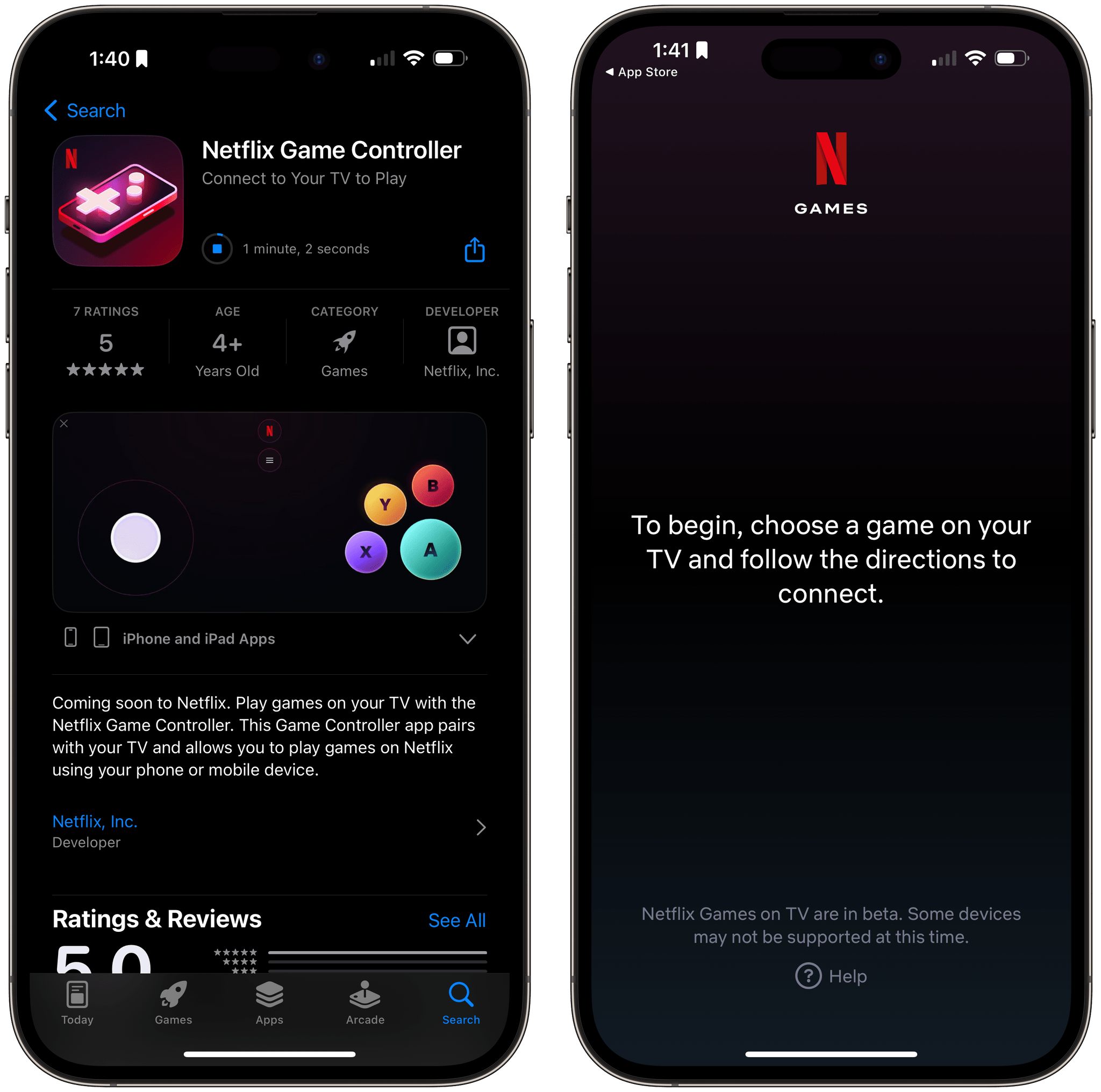
Netflix released an iOS app called Netflix Game Controller this week with a UI that consists of standard onscreen versions of game controller buttons and a message that the app can be connected with games on your TV. As TechCrunch’s article on the app points out, though, there are no Netflix games that connect to it yet. An in-app message notes that Netflix Games on TV are currently in beta, and the app’s description simply says the games are coming soon. Netflix declined to comment about the app to TechCrunch.

Vampire Survivors.

Vampire Survivors.

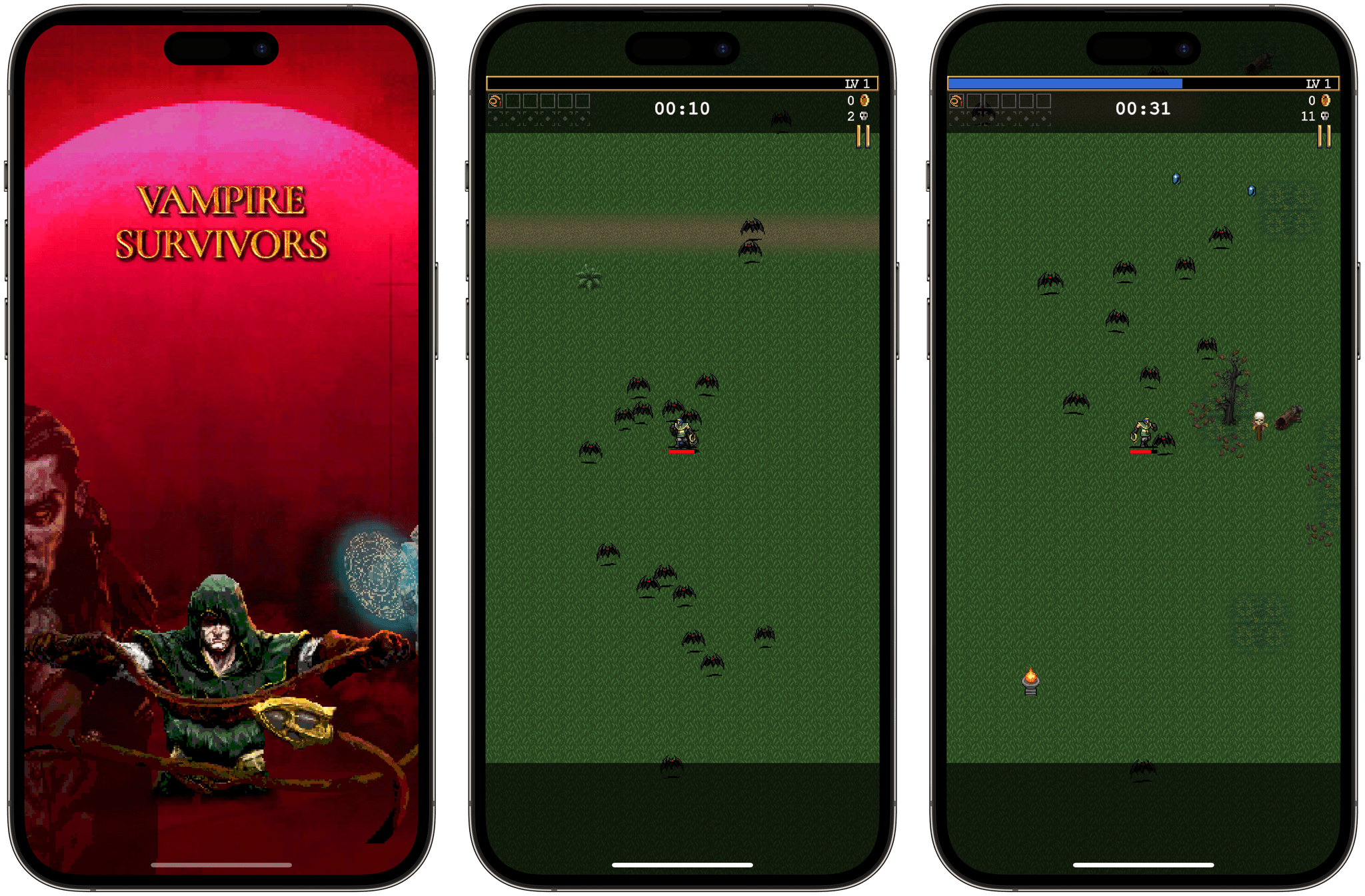
Next week, Vampire Survivors will introduce a co-op mode on all platforms, including iOS. The highly addictive 8-bit style monster shooter that beat Elden Ring, Cult of the Lamb, and God of War: Ragnarök for a BAFTA game of the year award has an extensive FAQ covering how co-op mode will work if you’re interested in learning more.

Also on the horizon, according to TouchArcade, is a Steam version of Rolando that will be compatible with the Steam Deck. Rolando was a sensation on the early iOS App Store, disappeared with the transition to 64-bit apps, but triumphantly returned in 2019 as Rolando: Royale Edition. If you’re interested in videogame history and preservation, Andrew Hayward has a fantastic article on Polygon about Rolando’s 2019 comeback.

Stone Story RPG.

Stone Story RPG.

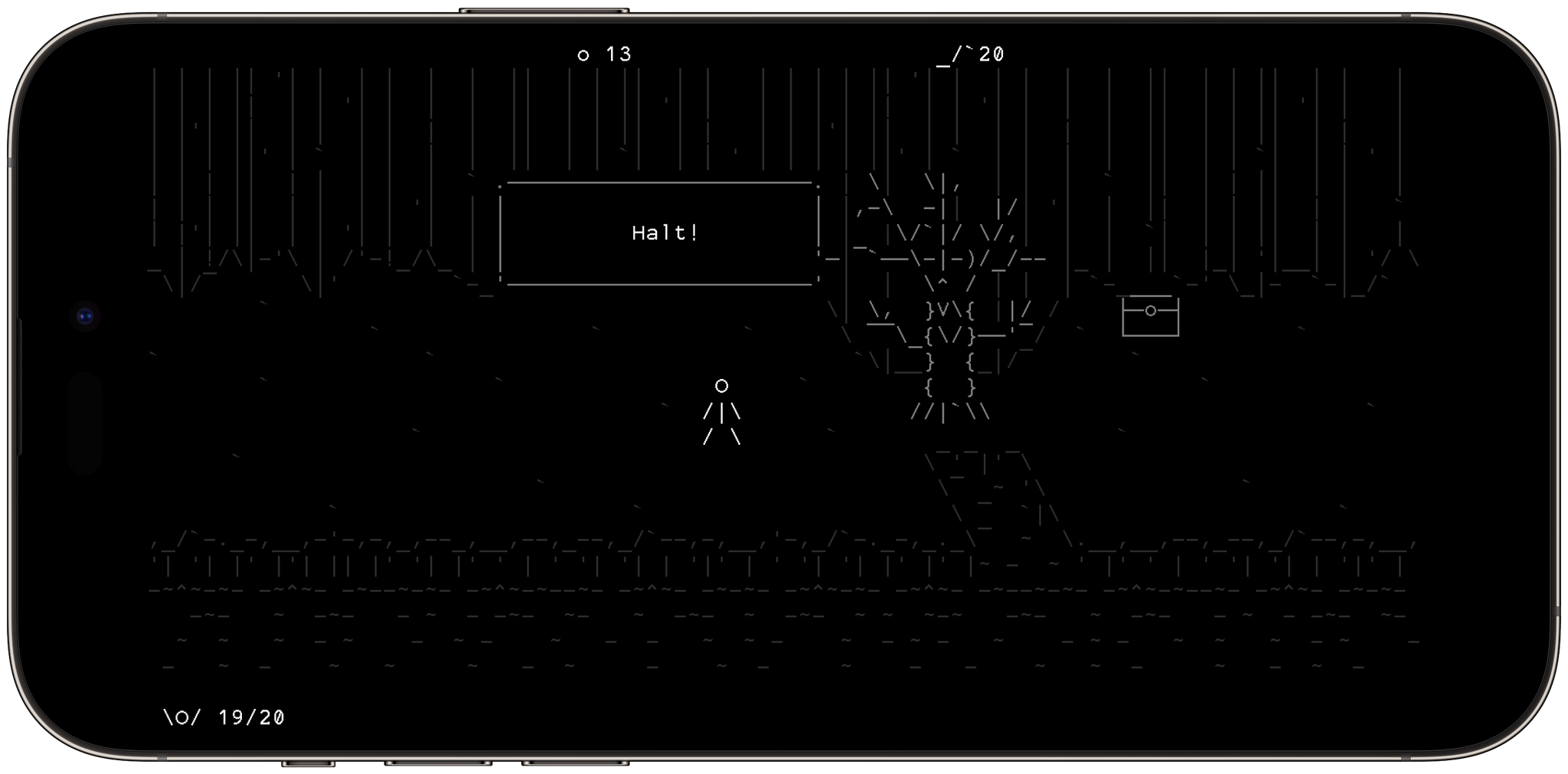
Finally, I want to leave you with a game recommendation for the weekend: Stone Story RPG. This isn’t a new game, but it was new to me, and I was so impressed with its all-ASCII artwork that I wanted to pass it along.

The game, which is available on iPhone, iPad, and other platforms, is a classic RPG with incredible art throughout, as well as an excellent soundtrack. An AI handles most of the action, leaving you to strategize your next move and craft items to help you on your quest. If you’re looking for something a little different to play on your iPhone this weekend, Stone Story RPG is a great option.


Game On is a periodic roundup highlighting the biggest news in gaming on Apple’s platforms. From the iPhone and iPad to the Mac and Vision Pro, we’ll cover the big-name games on Apple devices, along with notable industry and developer news.


Callsheet Provides Movie and TV Details with an Uncluttered Native Interface

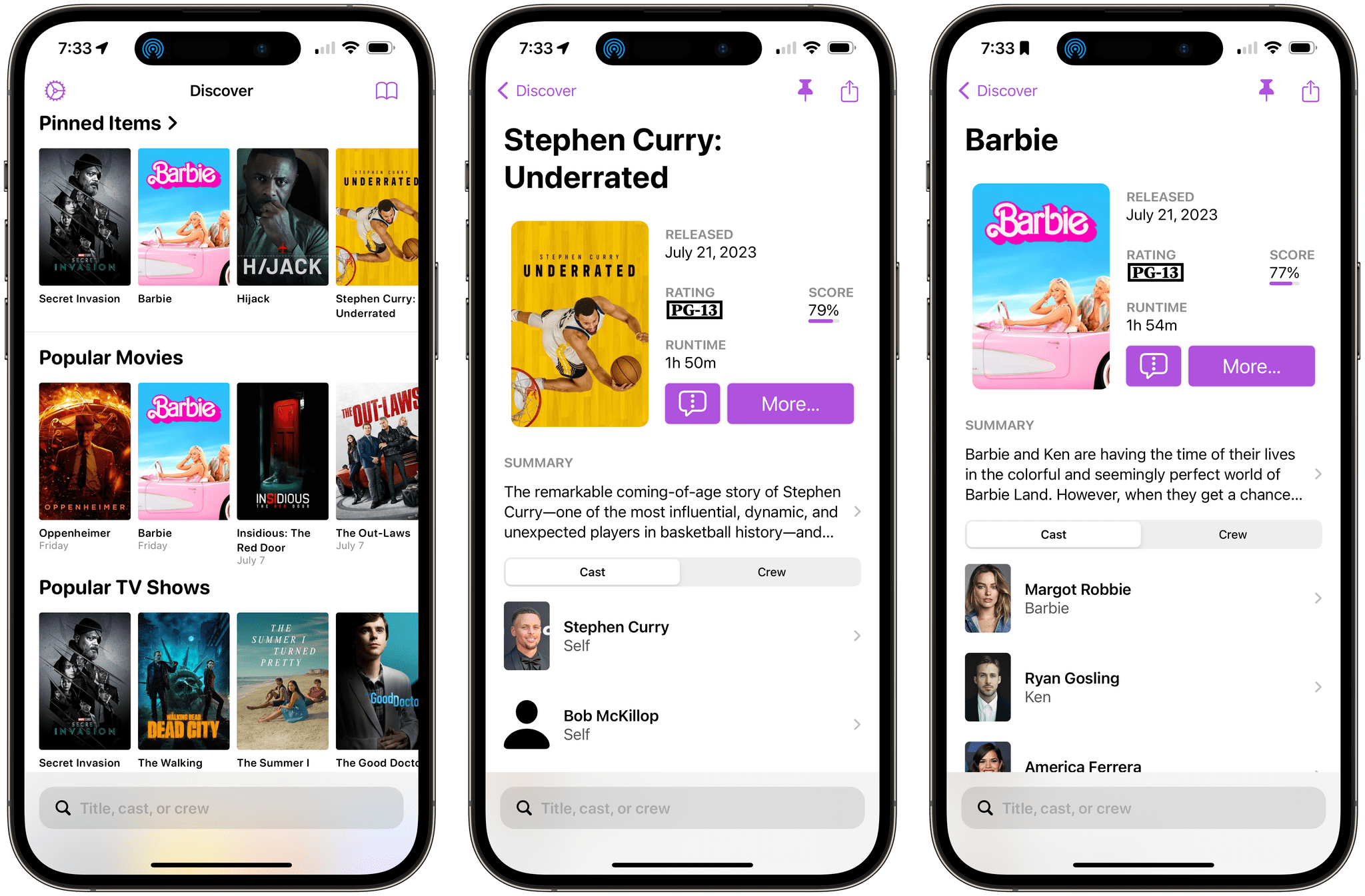
Today, Casey Liss released a brand new app called Callsheet for looking up cast and crew information about movies and TV shows. The app, which works on the iPhone and iPad, has a lot in common with movie and TV show tracking apps that I’ve covered, except for one very big difference. Callsheet isn’t a tracking app. Instead, it’s an app front end for The Movie DB, a website that offers a crowd-sourced movie and TV show database and an API for developers.

That’s an important distinction to understand. Callsheet is designed for those times that you want to know more about the people behind a movie or TV show but find the ads in apps and on websites, like IMDb, frustrating. If that resonates with you, and you’re not interested in tracking what you’ve watched, Callsheet offers a better experience for finding cast and crew information.

Read more


More on iPadOS 17’s Stage Manager

As I always do every summer, I read other journalists’ opinions about the new versions of iOS and iPadOS after I’ve published my preview story. This week, as I’m catching up on my reading queue (yes, I’m still using the Reading List/Notes setup I described here), I was pleased to see I’m not the only one who’s liking the new Stage Manager for iPadOS 17. Similarly, I’m not alone in thinking Apple should continue refining the iPad’s multitasking system and catching up with macOS.

Here’s Jason Snell, writing last week at Six Colors:

Unfortunately, one of my most hoped-for features for Stage Manager didn’t make it into iPadOS 17: you can’t run the iPad on an external display with its internal screen shut off, as you can when a MacBook runs in lid-closed mode. Not only can the second screen be distracting, but there’s stuff Apple insists on displaying on the iPad screen, and sometimes apps get thrown over to the iPad screen when you don’t want them there.

I’ve been working with the fake clamshell mode I detailed on MacStories for the past few weeks. It’s doable, but some of the inherent limitations of this workaround are incredibly annoying. For instance: there’s no way to show Control Center on an external display (seriously). I want to believe Apple is working on a real clamshell mode for iPadOS 18.

David Pierce, writing at The Verge, has also some ideas for features still missing from Stage Manager:

But now Apple needs to make Stage Manager an actual iPad feature. It needs to integrate it with the other iPadOS navigational tools and windowing systems in a way that makes sense. Let me have widgets and apps together in a space! And please, please let me save a collection of apps with a name and then bring it up with a Spotlight search, please. It needs to take advantage of the tablet’s outrageous processing power and actually let you use more than four apps at a time. It needs, in short, to make Stage Manager feel like part of the iPad instead of a wholly separate device that just happens to live inside the same screen.

The more I look at macOS Sonoma, the more I wish I could see widgets from my iPad’s Home Screen underneath Stage Manager’s windows. That’s the kind of feature that would make a lot of sense on a bigger iPad Pro.

Permalink