In a recent episode of Connected, we rounded up some of our favorite “iOS little wonders” and Myke was surprised by one of my picks: the ability to launch individual notes on iOS through shared links. The ensuing discussion inspired me to assemble a list of tips and tricks to improve how you can work on an iPad with iOS 11.
Even though I covered or mentioned some of these suggestions in my iOS 11 review or podcast segments before, I realized that it would useful to explain them in detail again for those who missed them. From keyboard recommendations and shortcuts to gestures and Siri, I’ve tried to remember all the little tricks I use to get work done on my iPad Pro on a daily basis.
After several years of being iPad-only for the majority of my work, I often take some of these features for granted. And admittedly, Apple doesn’t always do a great job at teaching users about these lesser known details, which have become especially important after the productivity-focused iPad update in iOS 11. I hope this collection can be useful for those who haven’t yet explored the fascinating world of iPad productivity.
Today’s Apple event was all about education, but several of the announcements had exciting consumer-facing benefits too. Among those was the introduction of an updated iWork suite, complete with Apple Pencil support. Pages also gained the addition of digital book creation tools, and several other goodies.
At their education event held in Chicago earlier today, Apple announced an update for the 9.7” iPad model that, while not adopting all the features from the more powerful iPad Pro line, brings support for the Apple Pencil and includes the A10 Fusion chip.
“iPad is our vision for the future of computing and hundreds of millions of people around the world use it every day at work, in school and for play. This new 9.7-inch iPad takes everything people love about our most popular iPad and makes it even better for inspiring creativity and learning,” said Greg Joswiak, Apple’s vice president of Product Marketing. “Our most popular and affordable iPad now includes support for Apple Pencil, bringing the advanced capabilities of one of our most creative tools to even more users. This iPad also has the power of the A10 Fusion chip, combined with the big, beautiful Retina display, advanced cameras and sensors that enable incredible AR experiences simply not possible on other devices.”
Education was the sole focus of today’s Apple event in Chicago, and a big part of that story was software: Apple introduced a brand new iPad app for teachers and students called Schoolwork, an upcoming Mac version of its existing iPad Classroom app, and it also launched a new ClassKit framework that enables third-party developers to integrate their educational apps with Apple’s own broader education system on iOS.
The new Schoolwork app, arriving in June, is meant to serve as a collaborative data-sharing environment for teachers and students. It enables teachers to make assignments in educational apps and track students’ progress on those assignments. In apps with collaboration features, teachers and students can work together on an assignment in real-time. Teachers can also use Schoolwork to send handouts to students. Because of its capabilities, Schoolwork is able to serve as a central schedule hub to keep students organized and on track.
The Mac version of Apple’s Classroom app will also launch in June, as a beta. It will serve the same functions as its existing iPad equivalent. Classroom differs from the new Schoolwork app in that it’s meant for instructors only, not students, and is used for general classroom management. The Classroom iPad app launched two years ago as a tool for school instructors to manage student devices and share files in bulk with the class, among other administrative functions, and it continues serving those purposes today.
With Schoolwork and Classroom, Apple now has a stronger student-teacher app ecosystem than before – but first-party apps weren’t the whole story Apple had to tell. To help further broaden the possibilities of Schoolwork and Classroom, third-party developers now have access to a new ClassKit framework, which will enable third-party educational apps to read and write information into the Schoolwork app, similar to how third-party health apps can use HealthKit to read and write data to Apple’s Health app. Apps can populate assignable content in the app, which teachers can then track the progress of. ClassKit is launching for developers as part of the forthcoming betas for Xcode 9.4 and iOS 11.4.
However, there’s a forest getting lost for the trees in all the talk about new hardware and apps. Sure, those will be part of the reveal, but Apple has already signaled that this event is different by telling the world it’s about education and holding it in Chicago. It’s part of a broader narrative that’s seen a shift in Apple’s education strategy that can be traced back to WWDC 2016. Consequently, to understand where Apple may be headed in the education market, it’s necessary to look to the past.
Every year soon after WWDC, I install the beta of the upcoming version of iOS on my devices and embark on an experiment: I try to use Apple’s stock apps and services as much as possible for three months, then evaluate which ones have to be replaced with third-party alternatives after September. My reasoning for going through these repetitive stages on an annual basis is simple: to me, it’s the only way to build the first-hand knowledge necessary for my iOS reviews.
I also spent the past couple of years testing and switching back and forth between non-Apple hardware and services. I think every Apple-focused writer should try to expose themselves to different tech products to avoid the perilous traps of preconceptions. Plus, besides the research-driven nature of my experiments, I often preferred third-party offerings to Apple’s as I felt like they provided me with something Apple was not delivering.
Since the end of last year, however, I’ve been witnessing a gradual shift that made me realize my relationship with Apple’s hardware and software has changed. I’ve progressively gotten deeper in the Apple ecosystem and I don’t feel like I’m being underserved by some aspects of it anymore.
Probably for the first time since I started MacStories nine years ago, I feel comfortable using Apple’s services and hardware extensively not because I’ve given up on searching for third-party products, but because I’ve tried them all. And ultimately, none of them made me happier with my tech habits. It took me years of experiments (and a lot of money spent on gadgets and subscriptions) to notice how, for a variety of reasons, I found a healthy tech balance by consciously deciding to embrace the Apple ecosystem.
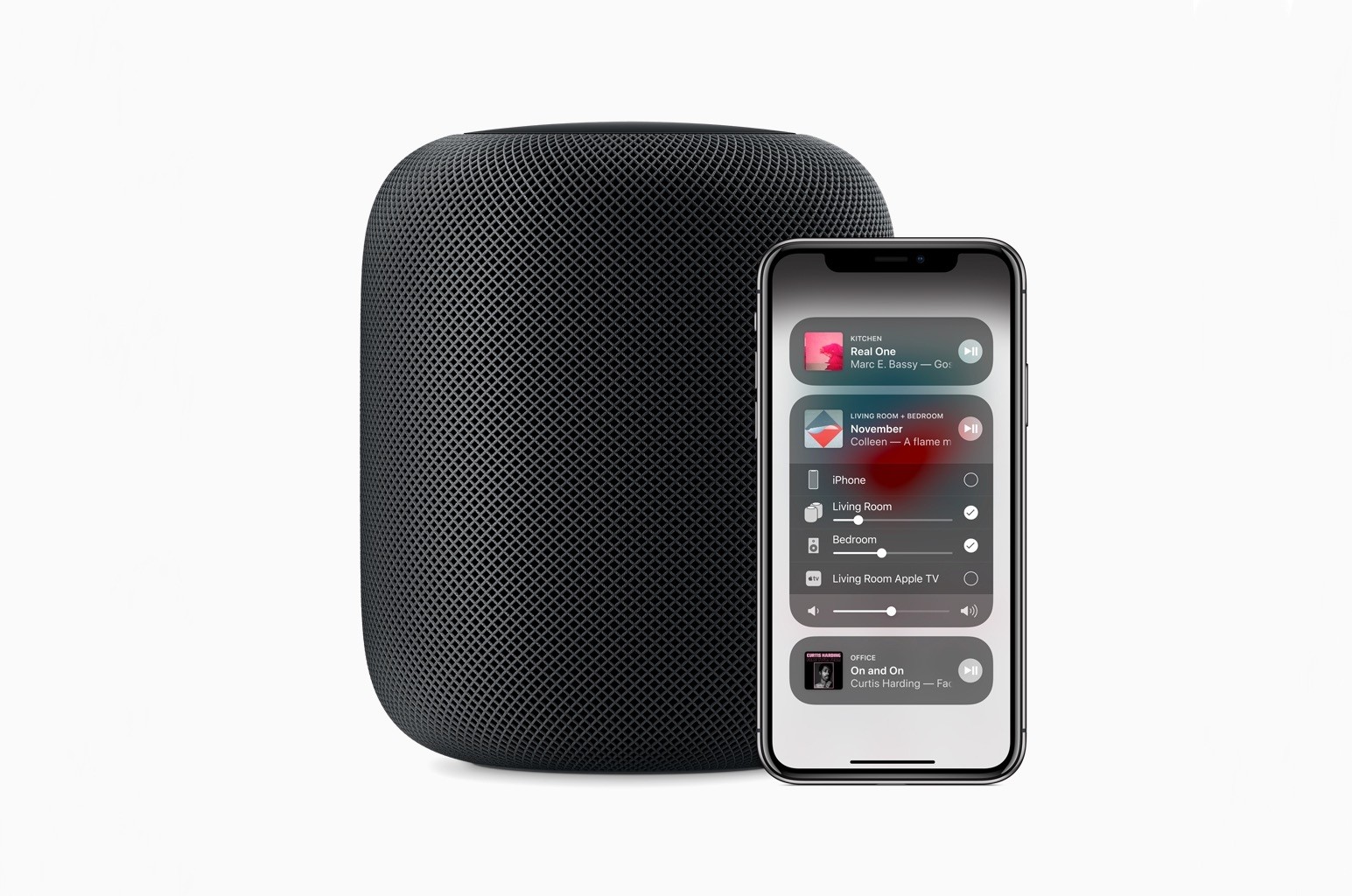
Today the HomePod is all about music, but it could be so much more.
From its debut last June at WWDC to launch day this February, HomePod’s primary purpose has been clear: it’s an Apple Music accessory. Music has been the sole focus of Apple’s marketing, including the recent Spike Jonze short film – yet it’s an angle many have trouble accepting.
In a pre-Amazon Echo world, HomePod being a great Apple Music speaker would have been enough. But in 2018 we expect more from smart speakers, and we expect more from Apple.
HomePod succeeds as a music speaker, but it’s not the device we expected – at least not yet. Due to its arrival date more than three years after the birth of Alexa, we expected a smarter, more capable product. We expected the kind of product the HomePod should be: a smart speaker that’s heavy on the smarts. Apple nailed certain aspects with its 1.0: the design, sound quality, and setup are all excellent. But that’s not enough.
HomePod isn’t a bad product today, but it could become a great one.
How?
By becoming a true hub for all our Apple-centric needs.
I’ve spent a lot of time experimenting with home automation gear since late last year: lightbulbs, light strips, electrical plugs, and door sensors, among other things. Most of the devices I’ve tested support Apple’s HomeKit APIs and those that don’t, I plan to integrate with Homebridge. That means I’ve also spent a lot of time in Apple’s Home app, and despite poking around in every corner of the app, I still find it frustrating and hard to use.
Last week, I tried to configure something new in my studio that illustrates several of the Home app’s problems. I have several Hue lights: there’s one over the steps leading to my workspace, four recessed ceiling lights, a floor lamp, and a desk lamp. It’s a lot of lights, but my studio is in the basement, and the lights help keep it from feeling like a cave.
I set the lights up as a group in Home and trigger them with a motion sensor. As soon as I open the door to the basement, the lights come on. I added a Hue switch on the wall as a shortcut for turning the lights on and off too.
I recently got an Elgato Eve door sensor for my back door. I figured it would be nice to know when my wife and son got home in the afternoon if I’m working away with the door closed, listening to music, and don’t hear the back door open. I can get alerts from the sensor on my Apple Watch and iPhone, but I thought it might be fun to also turn the Hue light on my desk red when the door opens as a visual cue. That turned out to be harder than I anticipated.
In the first update since November 2017, Apple today released version 1.7.8 of Workflow, the powerful iOS automation app they acquired last year. The latest version, which is now available on the App Store, introduces a brand new Mask Image action, adds support for Things’ automation features, and improves the ability to extract text from PDFs using the company’s PDFKit framework, launched in iOS 11. While the unassuming version number may suggest a relatively minor update, Workflow 1.7.8 actually comes with a variety of noteworthy changes for heavy users of the app.