
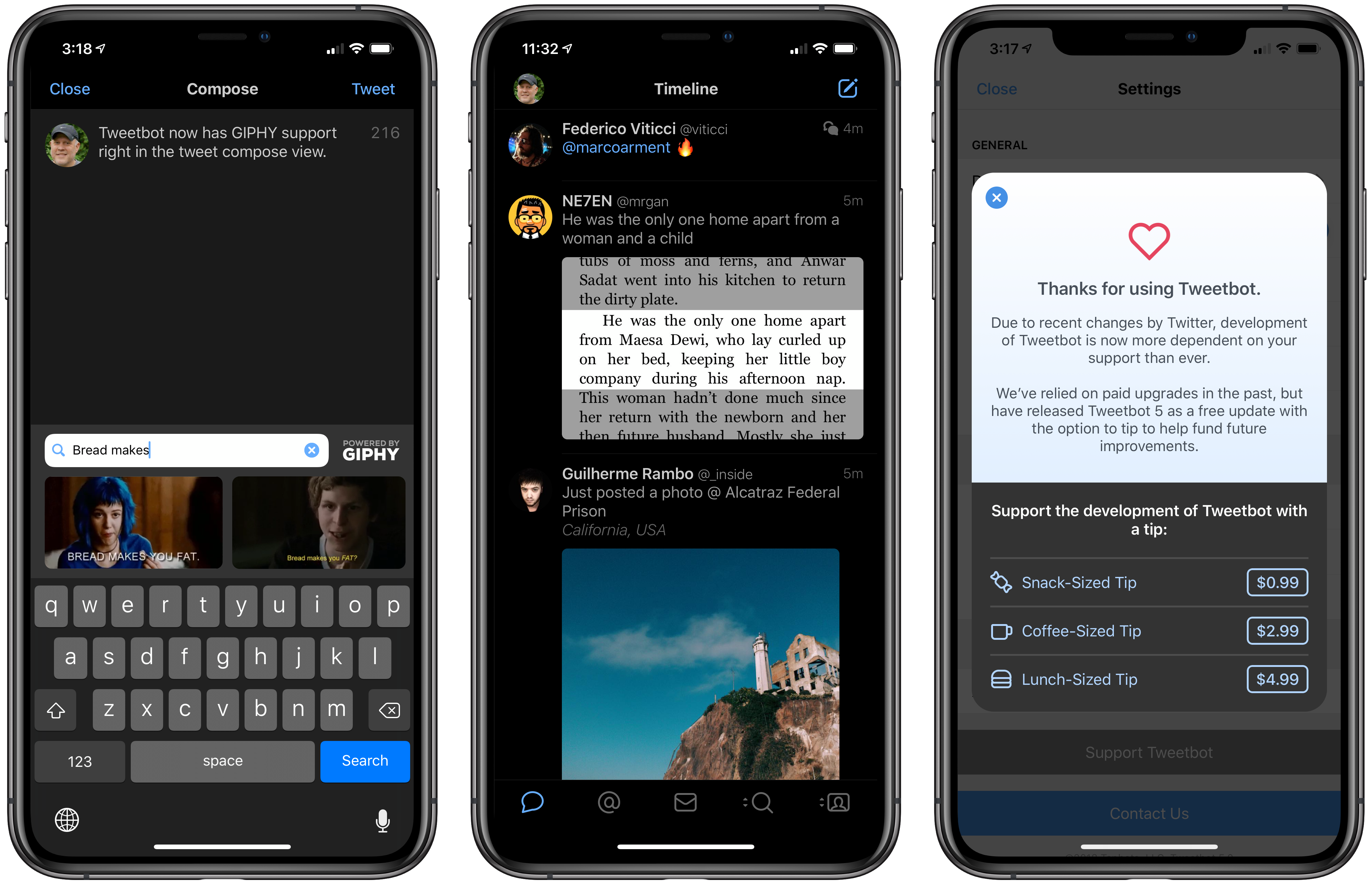
Tweetbot 5 for iOS is out with a new look that more closely resembles the latest Mac version, which was redesigned in May. Tapbots has also added a handful of additional features, some of which mirror additions to the Mac version and others of which are unique to iOS.
Posts tagged with "featured"
Tweetbot 5 for iOS Brings a Redesign, Dedicated GIPHY Support, and a New Dark Mode
Apple Announces October 30th Event
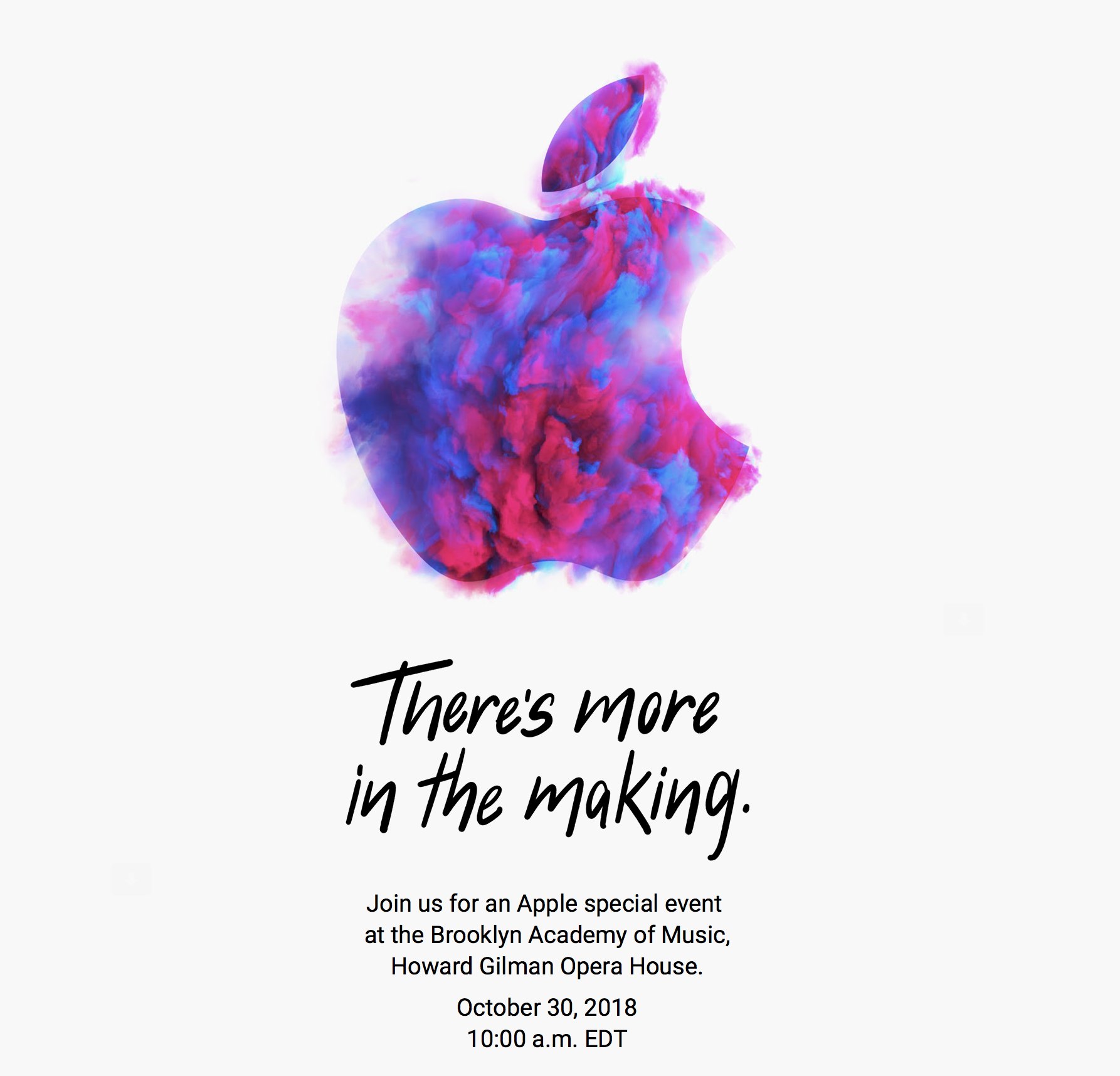
As first reported by Neil Cybart, Apple has announced a media event for October 30, 2018 at 10:00 am Eastern. The event will be held at the Brooklyn Academy of Music, Howard Gilman Opera House.
To announce the event, Apple sent invitations to members of the press with a wide variety of artistic renderings of the Apple logo. The designs are also used on Apple’s event website. Here’s a sampling collected by Sebasiaan de With on Twitter:
Based on rumors that have circulated for months, Apple is expected to introduce new iPad Pros with edge-to-edge screens and Face ID and external display support. There has also been speculation of a redesigned Apple Pencil that will pair with the new iPads using proximity sensing technology and a redesigned magnetic connector on the back of the iPad. It’s possible Apple might use the event to introduce the long-expected AirPower charging mat and new Mac hardware too.
Fantastical’s New Shortcuts, Complications, and Notification Actions
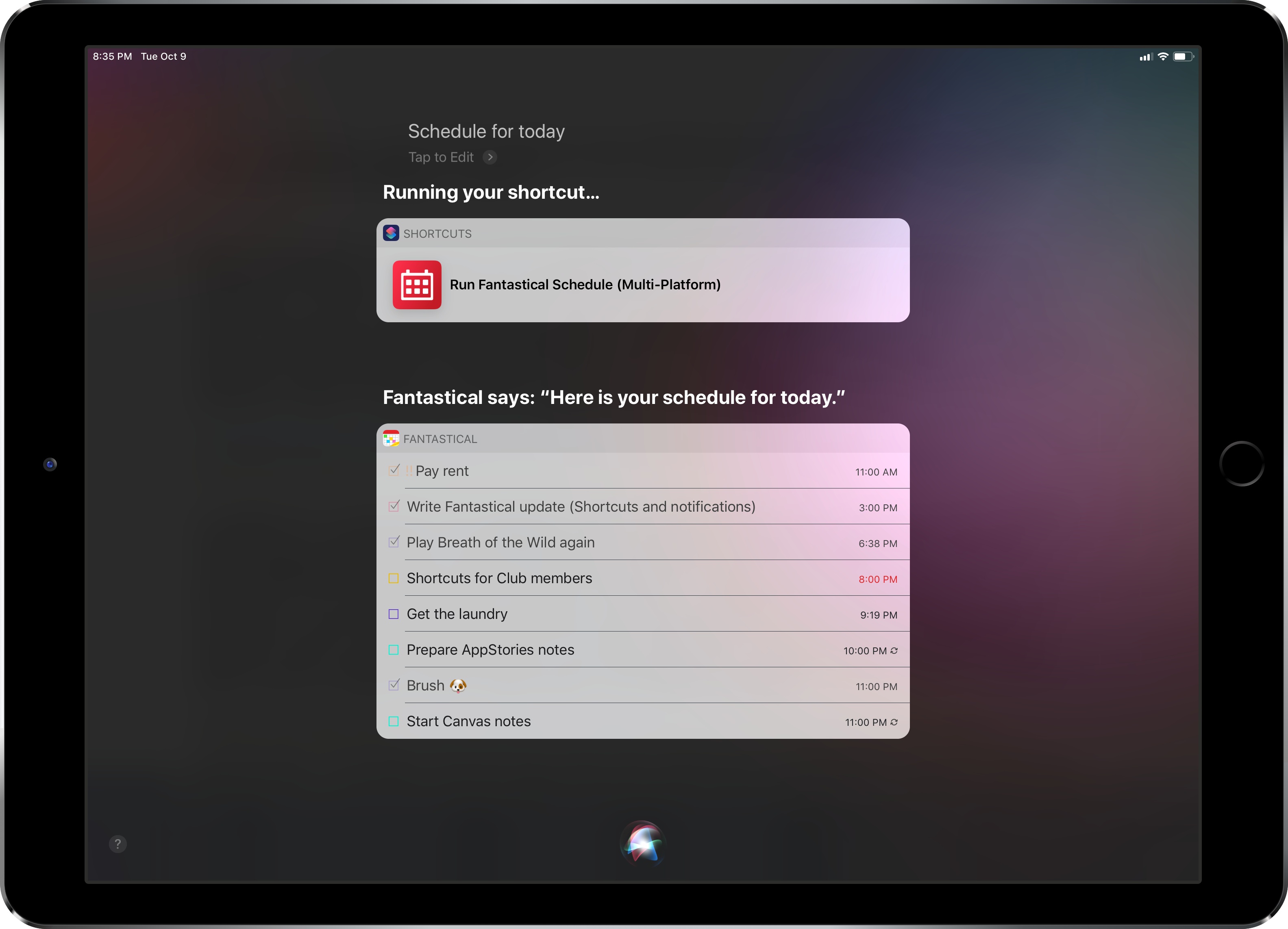
Fantastical was updated last week to version 2.10, which brought support for some of the key features of iOS 12 and watchOS 5 – namely Siri shortcuts and complications for the Infograph watch faces. I want to highlight some of the changes in this release and how they fit my usage of Reminders as my main task management system.
Review: Yoink Adds Support for Latest Mojave and iOS 12 Features
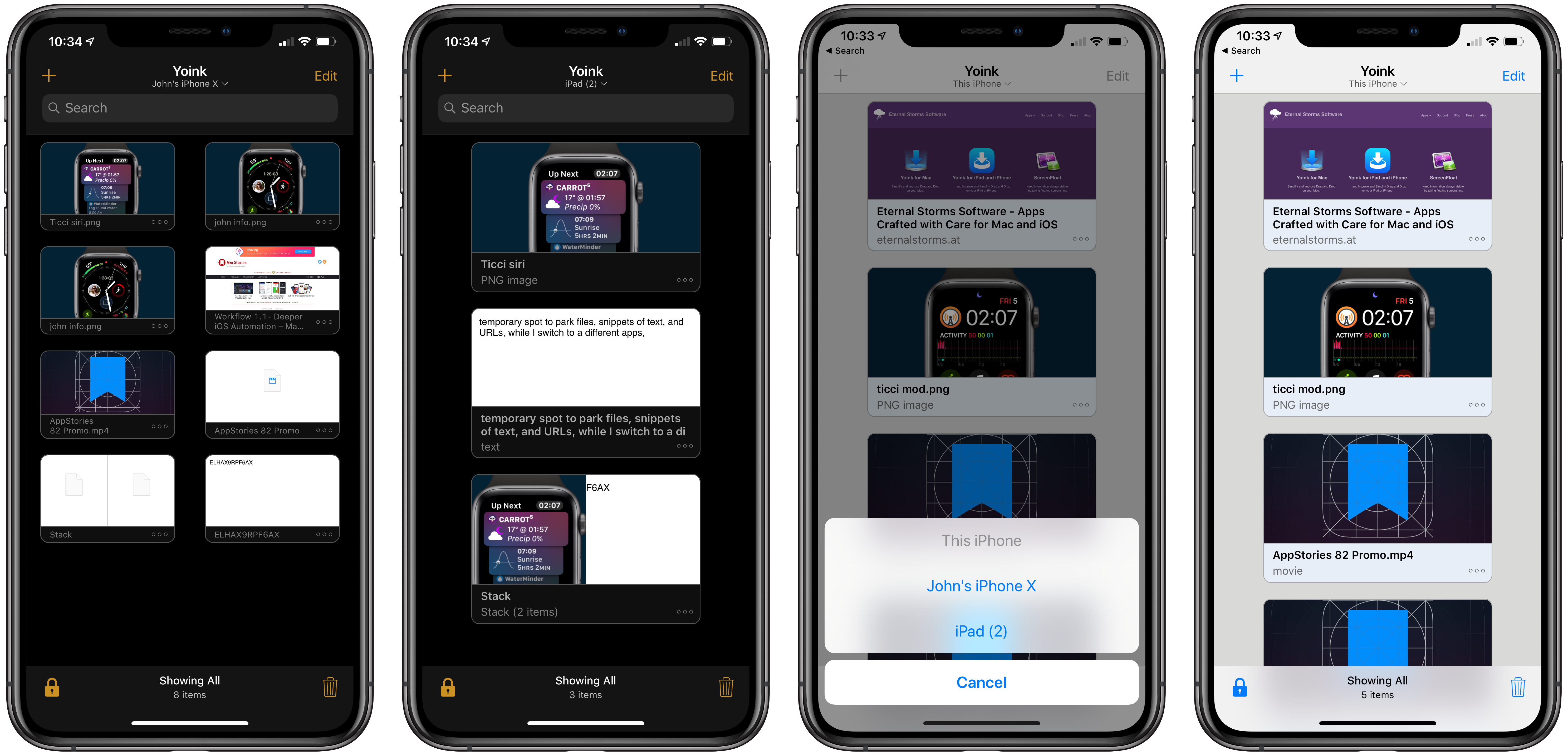
Yoink is the app I use on my Mac every day as a temporary spot to park files, snippets of text, images, and URLs. By itself, Yoink for Mac has been a fantastic time-saver. The latest updates to Yoink for iOS and the Mac, however, have been transformative. There’s more that can be done to support the cross-platform use of Yoink, but Handoff support, which makes it simple to move data between my Mac and iOS devices, and several other new features have already added a new dimension to the way I use the app and embedded it deeper into my day-to-day workflow than ever before.
Examining Dark Mode Implementations of Mac Productivity Apps
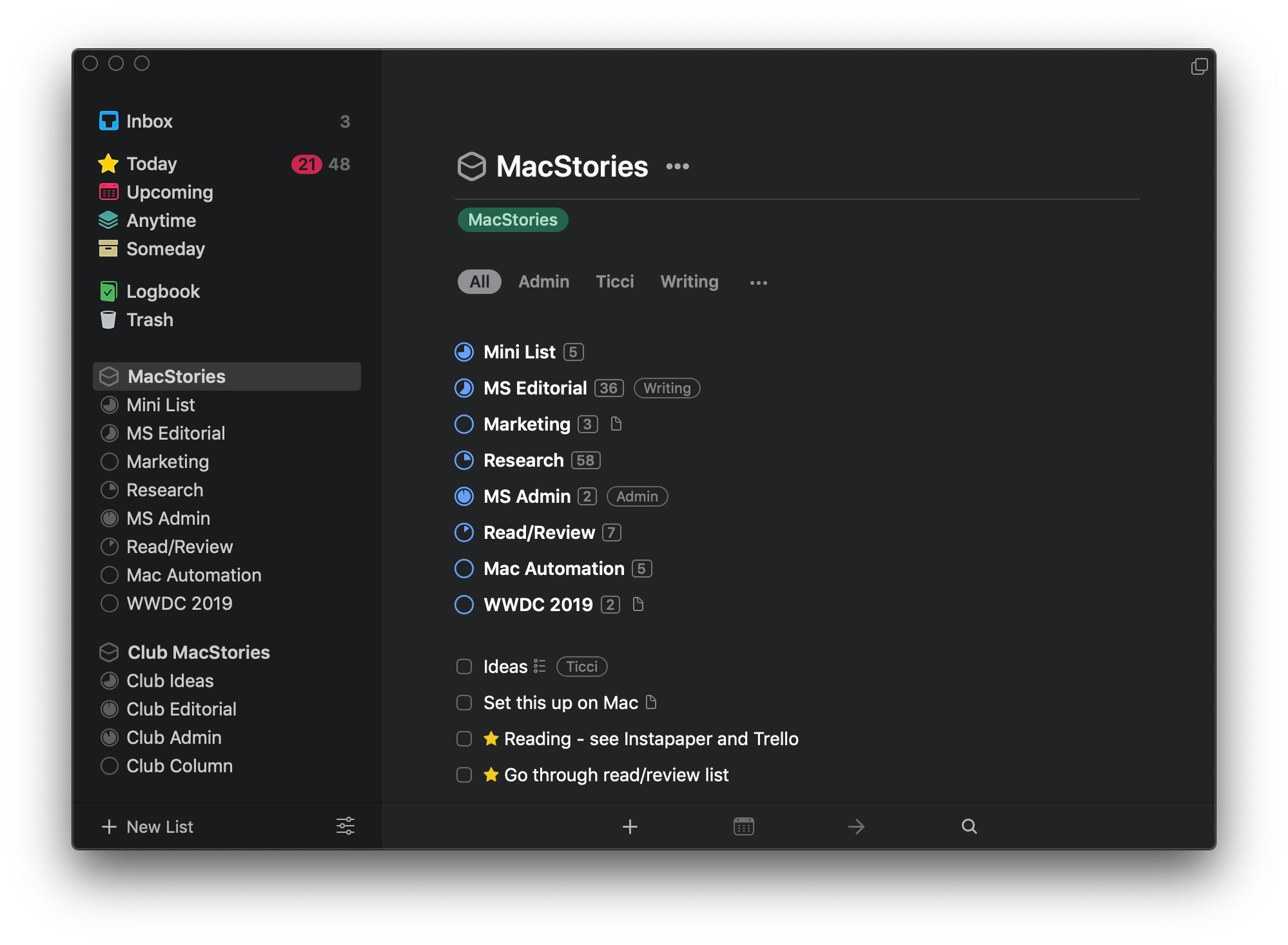
As I noted in my review of macOS Mojave, there’s a lot more going on with Dark Mode than dark gray window chrome. There were two sessions at WWDC dedicated to Dark Mode. Some apps are easier to adapt to Dark Mode than others from a technical standpoint, but beyond the coding, developers have to grapple with many design issues that affect apps differently.
As with many new features Apple introduces, there’s the way the company would like to see Dark Mode implemented and then there’s the way third-party developers use it in practice. Part of the variety you find is driven by the particular needs of each app. Other differences reflect compromises that are necessary to adapt existing designs to Dark Mode. Sometimes, however, developers intentionally ignore Apple’s recommendations, choosing to take a different path.
In my Mojave review, I collected some representative examples of apps that were ready with Dark Mode implementations when the OS update shipped. Since then, many other apps have been updated. I’ve spent time with many of them and have begun to see some design and implementation patterns among the early adopters that are interesting to compare to similar system apps by Apple. It’s also useful to consider how these variations will impact the experiences users have with these apps.
In the sea of dark gray floating before my eyes, I’ve identified a handful of app categories that illustrate some of the subtle differences between the apps I’ve tried. There are many other good examples, but email clients, task managers, text editors, and note-taking apps are categories that best illustrate how Dark Mode is being used by the first wave of developers to put the feature into practice.
macOS Mojave: The MacStories Review
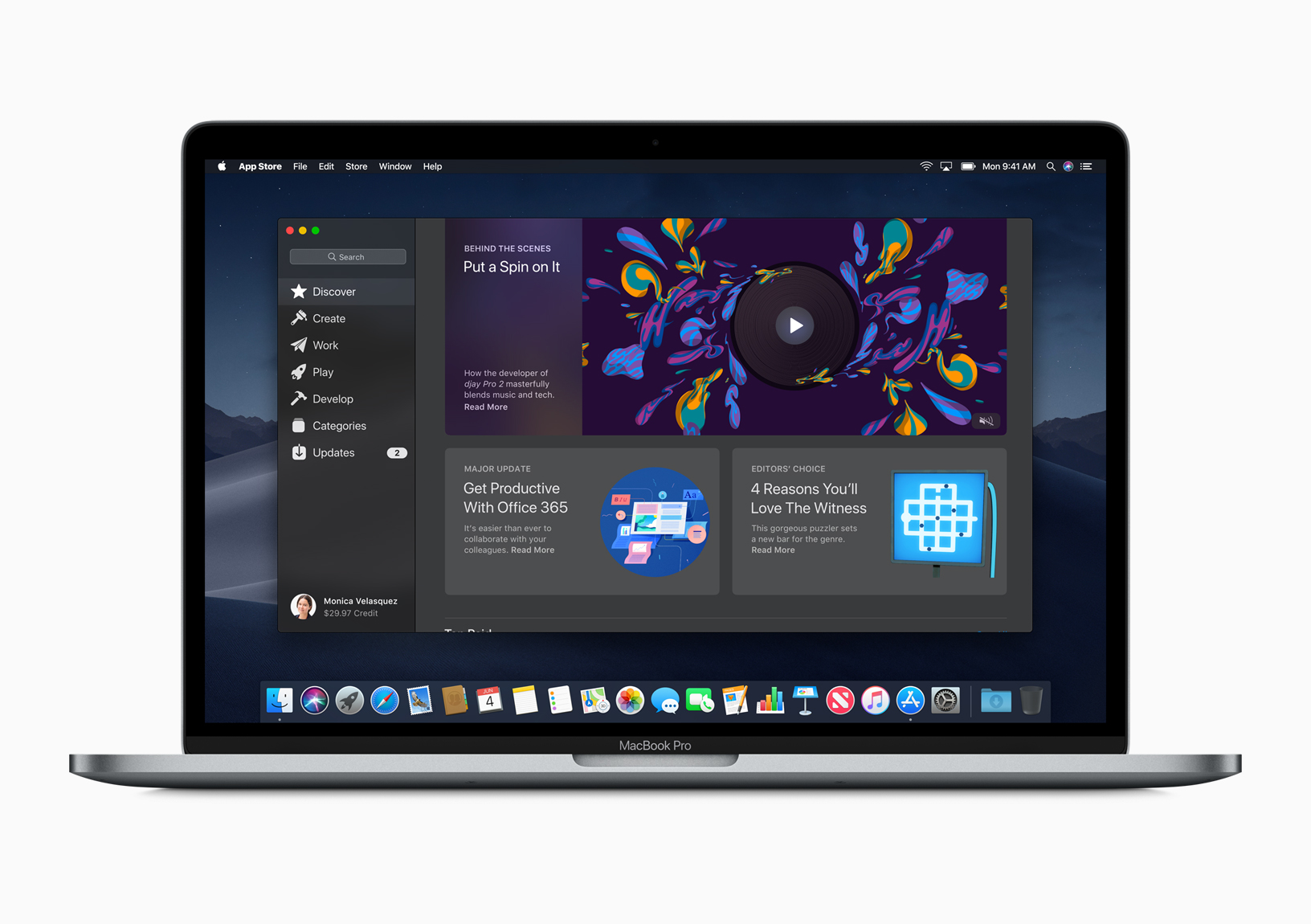
I went to San Jose this June not expecting much from macOS. After all, it’s a mature OS that already did what I need. My expectations were reinforced by rumors and leaks that Apple would introduce a Dark Mode and the fact that High Sierra introduced several significant foundational changes to macOS. I concluded that Mojave would focus primarily on a design refresh.
I was wrong. Dark Mode is the most visible and one of the most significant changes to macOS, but Mojave is much more than a UI refresh. Dark Mode and Mojave’s other system updates include productivity enhancements that have made meaningful improvements to the way I work on my Mac.
It took some time to acclimate to Dark Mode, but now I prefer it. As much as I like Dark Mode though, the most important changes to macOS have been those that surface existing functionality in new places making them more useful than in the past.
Mojave adds a collection of Desktop, Finder, and screenshot tools that are notable for the way they meet users where and how they work. It’s a functional approach to computing that has had a bigger impact on my day-to-day workflow than other recent updates to macOS, even where the Mojave updates provide new ways to do things I could already do before.
There’s a lot to cover in Mojave, so I’m going to dive right in and dispense with explaining how to set it up. Apple has a whole page devoted to the topic that you can explore if you’d like. Instead, let’s start by considering how Mojave’s Dark Mode.
A Roundup of Apps Updated for iOS 12 and watchOS 5
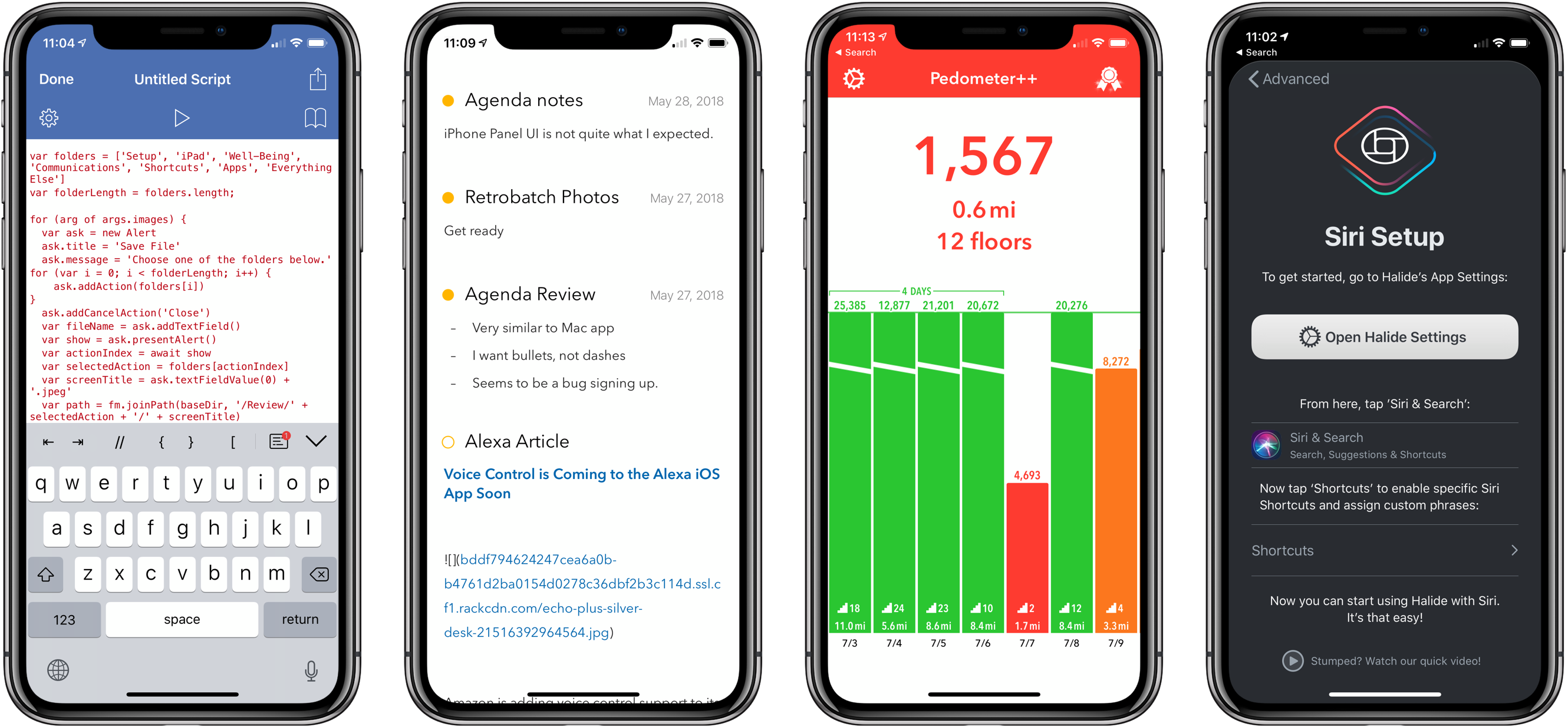
It’s been a busy week of app updates. We’ve already covered many of them, but there are always more good examples of apps that show off feature of iOS 12 like Siri shortcuts or watchOS 5’s new functionality. So, we’ve collected some additional favorite updates from this past week from Federico, John, and Ryan.
iOS 12: The MacStories Review
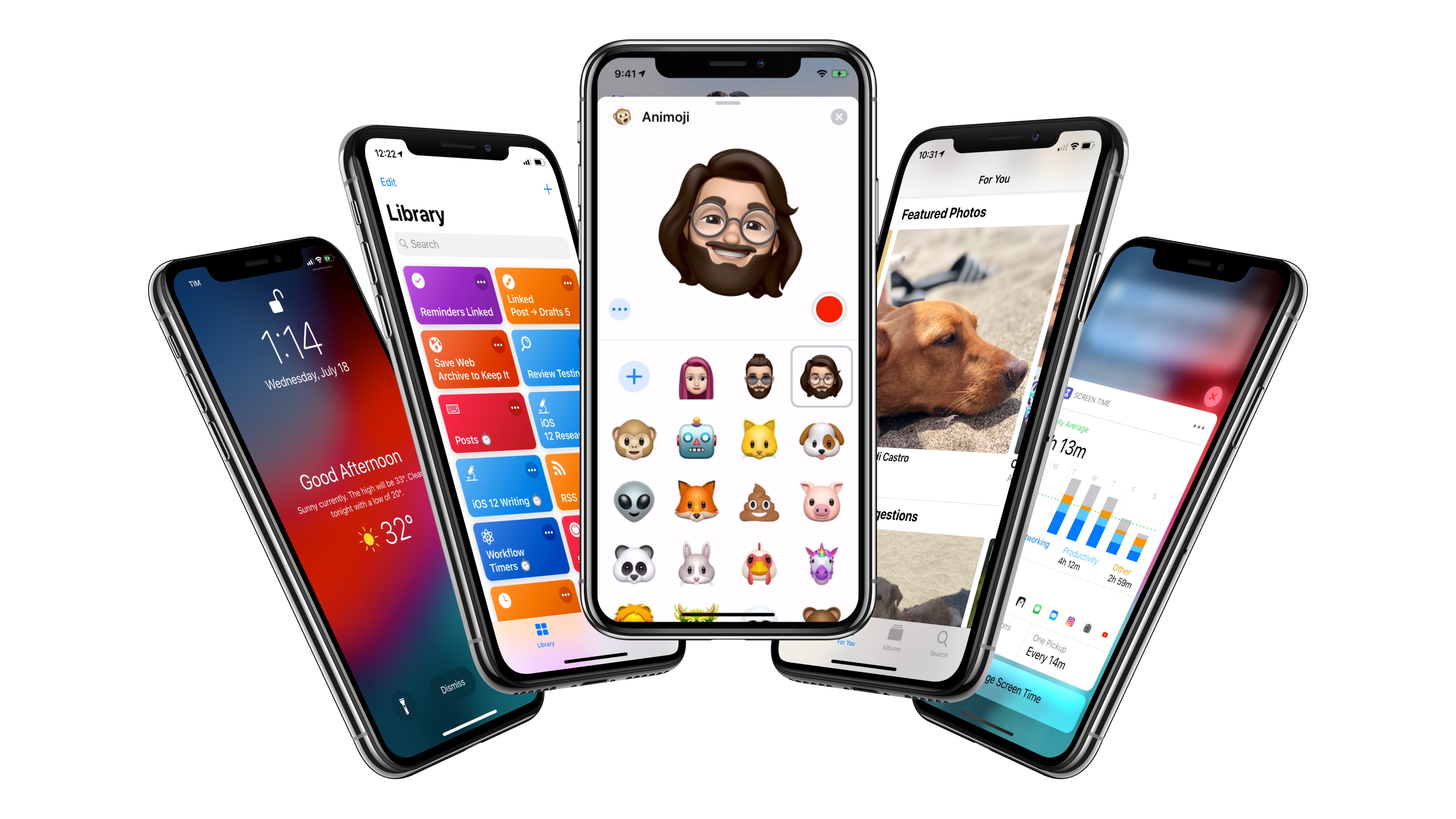
After years of unabated visual and functional changes, iOS 12 is Apple’s opportunity to regroup and reassess the foundation before the next big step – with one notable exception.
We left last year’s iOS 11 update with a palpable tension between two platforms.
On one hand, following a year of minor changes to the iPad and a hardware refresh that came in later than some expected, Apple once again devoted plenty of attention to reimagining the tablet’s role in the world of modern computing. iPad updates in iOS 11, despite having their fair share of critics, largely did not disappoint. On the other hand, the iPhone – by and large still Apple’s crown jewel – had to play second fiddle to a platform that was more in need of a strong, coherent message. And so despite blessing the iPhone with the same features of its larger multitouch cousin (at least most of them), Apple seemed content ceding the smartphone’s spotlight to the iPad. There was a healthy array of new functionalities for both, but iOS 11’s “Monumental leap for iPad” tagline pretty much told the whole story.
iOS 12, available today for the same range of devices that supported iOS 11, feels like a reaction to changes that have occurred around Apple and consumer technology over the past year.
While iOS 11 may go down in Apple software history as the touchstone of the iPad’s maturity, it will also be remembered as one of the company’s most taxing releases for its users. You don’t have to look far into the iOS 11 cycle for headlines lamenting its poor stability on older hardware, plethora of design inconsistencies (which were noted time and time again), and general sense of sluggishness – issues that may have contributed to a slower adoption rate than 2016’s iOS 10.
There were debacles in Apple’s PR and marketing approach as well: performance problems with battery and power management were handled poorly during a key time of the year, culminating with a year-long discounted battery replacement program and a somewhat rushed battery-related addition to iOS’ Settings. Then, of course, there was the much derided iPhone X ad clearly showing one of the many reported iOS bugs on TV, which had to be fixed with an updated commercial before the actual software was fixed. No matter how you slice it, it’s been a rough few months for Apple in the realm of public perception of its software.
At the same time, toward the beginning of 2018, technology observers witnessed the rise of Time Well Spent – an organization and, perhaps more broadly, a public movement demanding that tech companies prioritize enabling healthier relationships with mobile devices. The principles underlying Time Well Spent, from battling smartphone addiction and notification overload to including superior parental controls in mobile OSes, may have originated as a natural consequence of breakneck technological progress; as some argue, they may also be a byproduct of global socioeconomic and political events. Time Well Spent’s ideas found fertile soil in Silicon Valley: earlier this year, Facebook made key changes to its news feed to improve how users spend time on the social network; Apple made a rare commitment to better parental features in a future version of iOS; Google went all out and turned digital well-being into a suite of system features for Android.
It’s important to understand the context in which iOS 12 is launching today, for events of the past year may have directly shaped Apple’s vision for this update.
With iOS 12, Apple wants to rectify iOS’ performance woes, proving to their customers that iOS updates should never induce digital regret. Perhaps more notably though, iOS 12 doesn’t have a single consumer feature that encapsulates this release – like Messages might have been for iOS 10 or the iPad for iOS 11. Instead, iOS 12 is a constellation of enhancements revolving around the overarching theme of time. Apple in 2018 needs more time for whatever the next big step of iOS may be; they want iOS users to understand how much time they’re spending on their devices; and they want to help users spend less time managing certain system features. Also, funnily enough, saving time is at the core (and in the very name) of iOS 12’s most exciting new feature: Shortcuts.
iOS 12 isn’t Apple’s Snow Leopard release: its system changes and updated apps wouldn’t justify a “No New Features” slide. However, for the first time in years, it feels as if the company is happy to let its foot off the gas a little and listen to users more.
Will the plan work?
iPhone XR, XS, and XS Max: The MacStories Overview
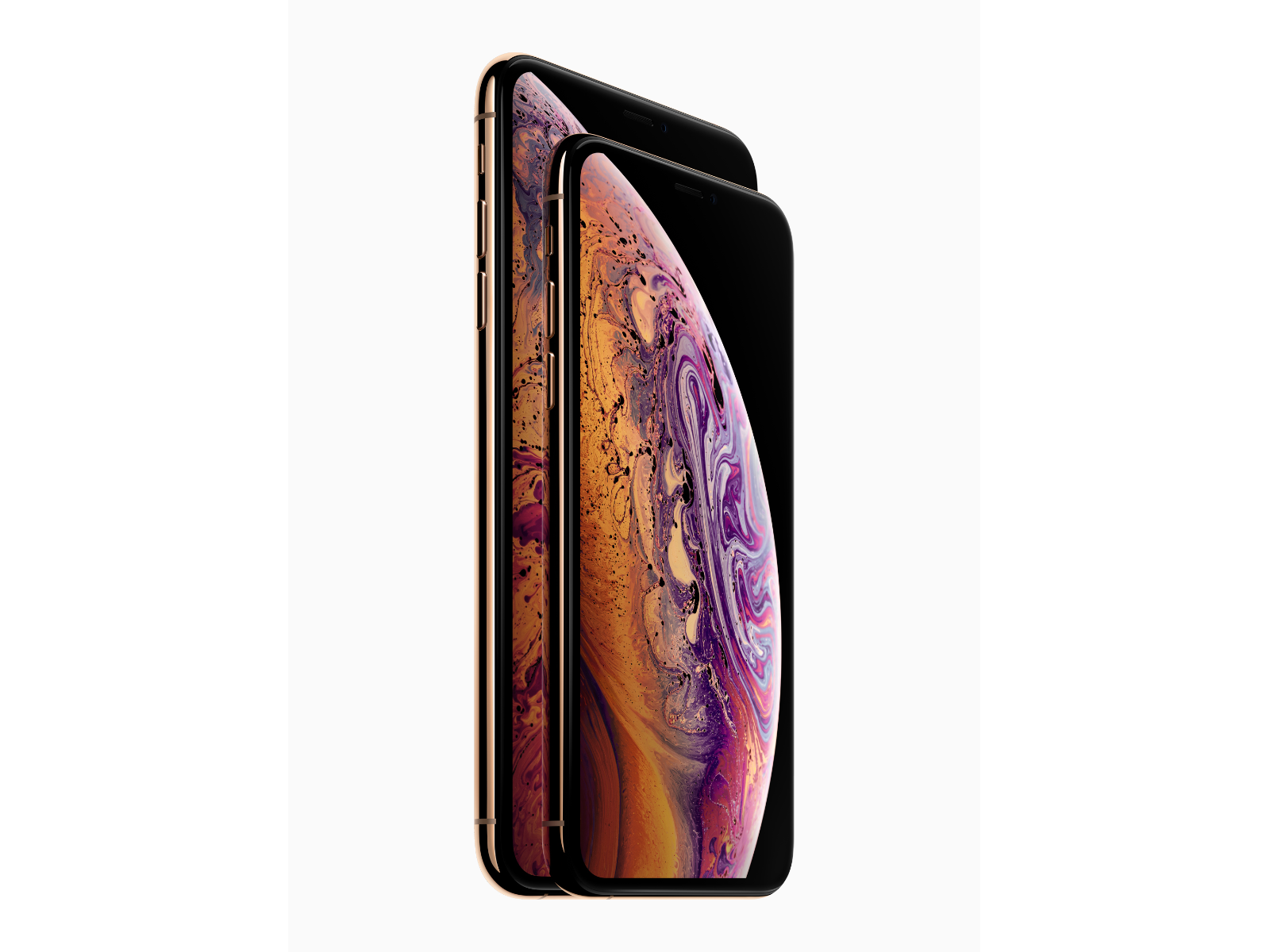
Earlier today, Tim Cook took the stage at Apple Park’s Steve Jobs Theater to announce Apple’s fall product lineup. As with past fall keynotes, Apple’s announcements included all-new iPhones. Some of the details of the new iPhone XR, XS, and XS Max leaked earlier this morning, but as usual, there were still surprises.
Design
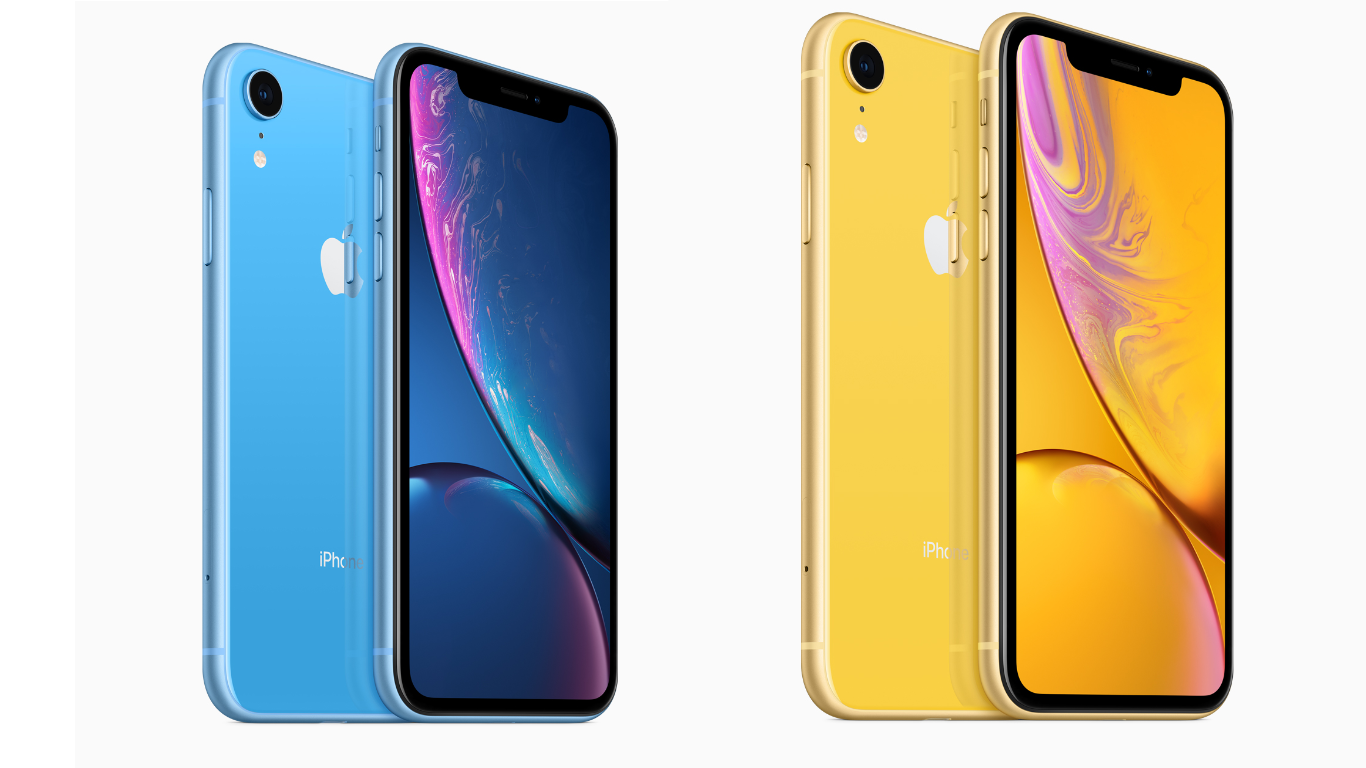
The iPhone XR marks the completion of Apple’s transition to the new form factor introduced last fall with the iPhone X. The iPhone XR will take some people by surprise. At 6.1 inches diagonally, the new XR has a bigger screen than the XS, but it’s also more affordable than the smaller 5.8-inch device. In contrast, the iPhone XS and XS Max are an evolution of the design of the iPhone X.
The iPhone XR is also differentiated visually from the XS and XS Max by its new color options. The new phone is available in six colors: black, white, red, yellow, coral, and blue. That’s one more color than the iPhone 5c, Apple’s last foray into a large selection of colors. When you account for the four carriers and three storage sizes, that means a whopping 72 variations in the US.
Like the XS, the back of the iPhone XR is glass, but instead of a stainless steel band around the edge of the device, Apple has used aluminum that’s colored to match the back of the device. The XR’s aluminum frame looks good but lacks the shine of the steel used on the XS and XS Max, which sets it apart visually from the more expensive models.
The other design difference between the XR and its new siblings is the camera. As discussed further below, the XR is a single-lens, 12 MP, wide-angle camera, and, like the iPhone 8 it succeeds, it has a flash that’s outside the camera assembly. Instead of being next to the camera’s lens as it was on the iPhone 8 and 8 Plus though, the flash on the XR is just below it.
In contrast, the design of the new iPhone XS is nearly identical to last year’s iPhone X, as is the iPhone XS Max, except for the fact that it is larger. The other visual differentiator between the new models and the iPhone X is the addition of a new color option. The XS and XS Max come in three colors: Space Gray, Silver, and a new Gold model.
Apple has also designed the iPhone XS and XS Max with the greatest water resistance yet. Both devices have an IP68 rating which means they can withstand submersion in water up to 2 meters deep for 30 minutes. The iPhone XR, in contrast, is rated IP67, which means it can withstand up to 1 meter of water for 30 minutes.