This Week's Sponsor:

Winterfest 2025

The Winter Festival Of Artisanal Software


Posts tagged with "developers"

App Marketing: My Extended Q&A for Paul Hudson’s Everything but the Code

Earlier this year, Paul Hudson asked me to answer a few questions about app marketing for a book he was writing called Everything But the Code.

The book is finished now, and it’s full of great advice from Paul and a long list of indie developers whose apps are some of MacStories’ favorites. Paul covers the entire process of making apps, from validating an idea to selling your app and beyond. The only thing he doesn’t cover, as the book’s title makes clear, is building apps, which is the subject of other books and courses he’s created.

Paul was kind enough to ask me to share some insights on marketing apps to the press. You’ll find my contributions in the Prelaunch and Publicity and Aftermath and Evolution chapters, and now that the book is final, I thought I’d share extended versions of my responses with readers. Although the focus is on apps, I expect there are a few lessons here for anyone pitching their creative work to the world. So, here you go.

Paul Hudson: What common mistakes do developers make when pitching their app to the press?

Me: Most developers do a great job thinking through what they’re pitching but don’t spend enough time thinking about who they’re pitching to. I’d love to be able to tell developers do these five things, and you’ll have a pitch you can send to anyone, but it doesn’t work that way. Developers need to think about things like who at a publication typically covers certain types of apps.

For example, if you know a publication has a musician on staff who has covered music apps before, that person should be at the top of your list if you’ve built a guitar tab app. However, that doesn’t mean you shouldn’t contact anyone else at the publication. People get busy, so don’t limit yourself. However, focus your efforts on the people who are most likely to be receptive to your app.

It also pays to make things easy for the person you’re pitching to. Keep your pitch short and to the point, link to a press kit, beta, and other materials, and follow up closer to launch.

A few other pitch pointers:

  • Don’t wait to send your pitches until the last minute. Personally, I prefer getting pitches at least a couple of weeks in advance of a launch, so I can make the time for testing and writing about them.
  • Don’t send pitches during WWDC, on Apple event days, or major holidays. Your pitch is much more likely to get lost in the shuffle on those days.
  • You don’t need to ask if it’s okay to send a TestFlight link. If the person you’re pitching to isn’t interested, they won’t use it.
  • It’s okay to copy multiple people at a publication if you’re unsure who to contact.
  • Try to understand where a writer likes to be contacted. Email is probably the safest bet, but social media DMs might be better for some people.
  • It’s okay to send follow-up reminders about your app launch. I personally appreciate them.
  • Don’t expect app feedback from most press contacts. I let developers know when I find the kind of bug I’d mention in a review, but unfortunately, I usually don’t have time for much more than that.
  • Don’t take it personally if you don’t get a response to a pitch. Remember, the people you contact are getting a lot of pitches.
  • Don’t close down your TestFlight beta immediately after you launch your app. If a publication can’t get a story out to coincide with your launch, closing down your beta immediately so it can no longer be downloaded makes it less likely they’ll cover it post-launch.
  • Don’t forget to include the name of your app in your pitch – yes, that happens.

Read more


MacStories Selects 2025: Recognizing the Best Apps of the Year

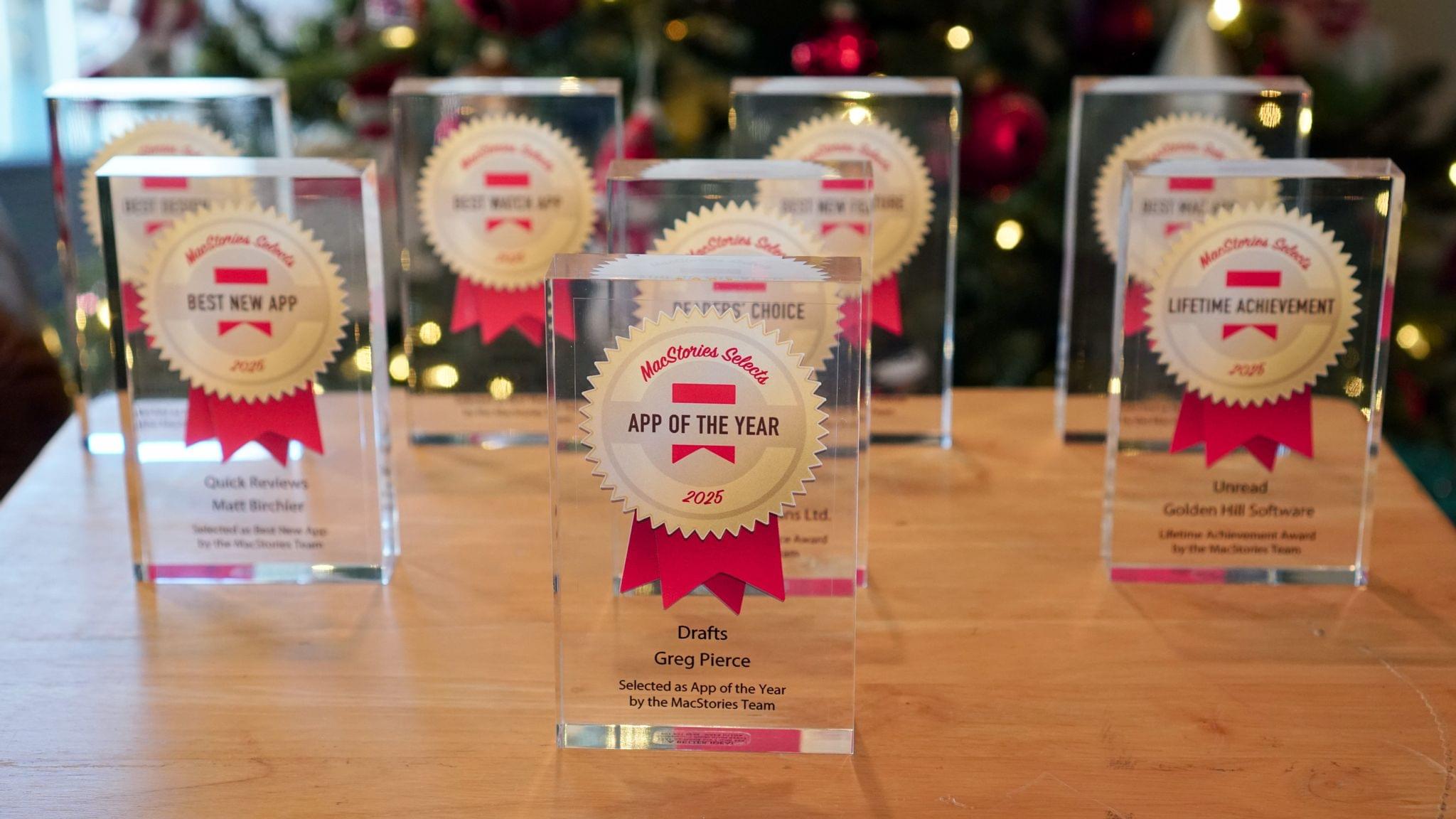
John: 2025 was a different sort of year for apps, which is reflected in this year’s MacStories Selects Awards winners. App innovation comes from many places. Sometimes it’s new Apple APIs or hardware, and other times it’s broader shifts in the tech world.

Last year was marked by a series of App Store changes in the EU, U.S., and elsewhere that have begun to reshape the app landscape. The updates have been slow to roll out and have been met with resistance from Apple, but we’re starting to see policy updates, like developers’ ability to offer web-based purchases, translate into new business models, expanding the kinds of apps that are available.

Political and regulatory pressures on Apple continued to affect the apps we use this year, too, but the lion’s share of the change we saw in 2025 came from more traditional sources. This year, it was great to see a surge in app innovation sparked by Apple Intelligence and other AI services, the Liquid Glass design language, and other new APIs and features from Apple. The result has been a broad-based acceleration of app innovation that we expect to continue into 2026 and beyond. But before looking ahead to what’s next, it’s time to pause as we do each year to reflect on the many apps we tried in 2025 and recognize the best among them.

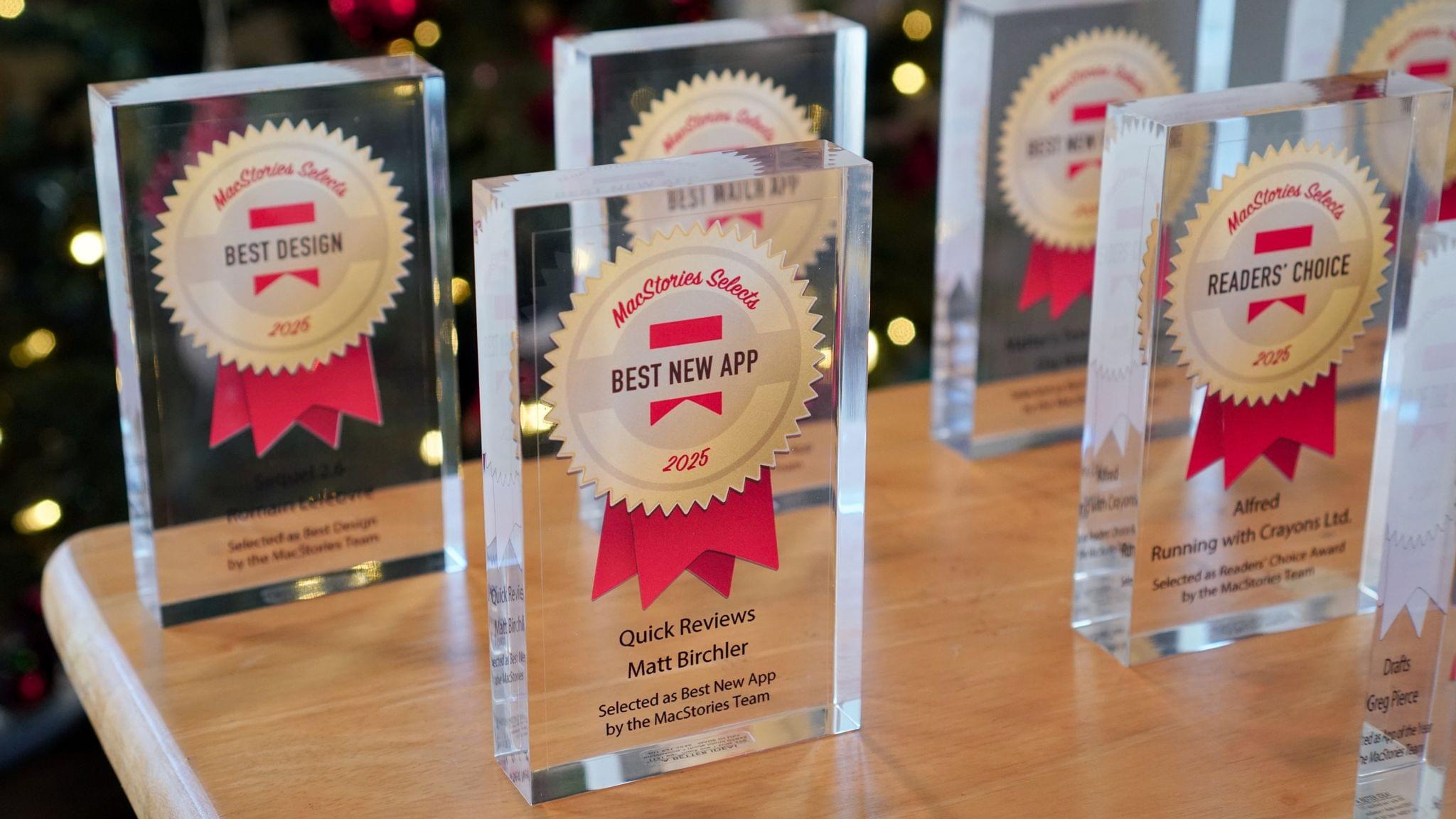
This year, the MacStories team picked the best apps in six categories:

  • Best New App
  • Best New Feature
  • Best Watch App
  • Best Mac App
  • Best Design
  • App of the Year

Club MacStories members were part of the selection process, too, picking the winner of the MacStories Selects Readers’ Choice Award. And as we’ve done in the past, we also named a Lifetime Achievement Award winner that has stood the test of time and had an outsized impact on the world of apps. This year’s winner, which joins past winners:

is the subject of a special story that Federico wrote for the occasion.

As usual, Federico and I also recorded a special episode of AppStories covering all the winners and runners-up. It’s a terrific way to learn even more about this year’s honorees.

You can also listen to the episode below.

And with that, it’s our pleasure to unveil the 2025 MacStories Selects Awards.

Read more


The MacStories Selects 2025 Lifetime Achievement Award

Unread

In the 16 years that I’ve been writing for MacStories, I’ve seen my fair share of new apps that have come and gone. Apps that promised to revolutionize a particular segment of the App Store were eventually acquired, discontinued, or simply abandoned. It’s been very unusual to witness an indie app survive in a highly competitive marketplace, let alone to find one that thrived after having been sold twice to different owners over the years. But such is the case of Unread, the RSS client now developed by John Brayton of Golden Hill Software and the recipient of this year’s MacStories Selects Lifetime Achievement Award.

Unread was originally created by indie developer Jared Sinclair in 2014, sold to Supertop (at the time, the makers of Castro), and then sold again to Golden Hill Software in 2017. When it first came out in 2014, Unread entered a crowded space: in the aftermath of Google Reader’s demise in 2013, third-party companies and developers rushed to offer comparable RSS syncing services and compatible apps to let users sync their RSS subscriptions and read articles across multiple devices.

In my original review from 2014, I noted how Unread set a new standard for elegant, gesture-driven interfaces optimized for phones that were getting progressively larger and harder to operate with one hand. With a fluid and minimal interface driven by “sloppy gestures” that didn’t require precision or specific buttons, Unread stood out because it followed Apple’s then-new “flat design” but imbued it with personality in the form of typographic choices, colors, share options (Sinclair created a custom share sheet before an official one even existed), and a novel interaction mechanism for an RSS reader.

After a three-year stint as a Supertop product, Unread was taken under the wing of John Brayton, who did something exceptionally rare: instead of following short-lived industry trends and fads, he doubled down on Unread’s essence while judiciously embracing modern technologies. Eleven years after its inception and eight years after its second sale to a different developer, Unread still stands out in the third-party indie app market because it’s managed to honor its lineage while adapting to the ever-changing nature of the Apple ecosystem.

Unread for iOS.

Unread for iOS.

Unread still is, at a fundamental level, an elegant and polished RSS client that syncs with multiple services and presents articles in a minimal, clutter-free UI that you can easily control with your thumb. Everything else around it, however, has evolved and expanded. Unread is now available on the iPad and Mac, where it supports features such as menu bar commands, windowing, and keyboard shortcuts. There is an Unread Cloud syncing service that is fully managed by its developer. Last year, Brayton shipped an incredibly powerful and custom Shortcuts integration that lets you trigger automations in the Shortcuts app from individual articles in Unread. This year, Brayton adapted to another new reality of the modern web: Unread can now securely store logins for paywalled websites – such as Club MacStories – so that all your articles that require a subscription to be read can be saved and accessed within the app. And in all of this, the modern Unread is both unmistakably the “same” app from 11 years ago, but also something far greater that has built upon Sinclair’s original idea thanks to the constant, relentless work of its current developer, John Brayton.

If you’ve been reading MacStories all these years, you know that this is no easy feat. Most app acquisitions don’t work out in the end, leaving users with the bittersweet nostalgia of something that used to be great and was eventually swallowed up by the greater scheme of economic factors, app rot, technical debt, and App Store changes.

Against all odds, Unread has successfully bucked that trend and evolved into a mature, powerful product that continues to stand alone in the sea of RSS clients as a beacon of hope for indie developers and our community as a whole. There is nothing else like it. For all these reasons, we couldn’t think of an app more worthy of the MacStories Selects Lifetime Achievement Award in 2025.

Learn more about Unread:


How Stu Maschwitz Vibe Coded His Way Into an App Rejection and What It Means for the Future of Apps

This week on AppStories, Federico and I talked about the personal productivity tools we’ve built for ourselves using Claude. They’re hyper-specific scripts and plugins that aren’t likely to be useful to anyone but us, which is fine because that’s all they’re intended to be.

Stu Maschwitz took a different approach. He’s had a complex shortcut called Drinking Buddy for years that tracks alcohol consumption and calculates your Blood Alcohol Level using an established formula. But because he was butting up against the limits of what Shortcuts can do, he vibe coded an iOS version of Drinking Buddy.

Two things struck me about Maschwitz’s experience. First, the app he used to create Drinking Buddy for iOS was Bitrig, which Federico and I mentioned briefly on AppStories. His experience struck a chord with me:

It’s a bit like building an app by talking to a polite and well-meaning tech support agent on the phone — only their computer is down and they can’t test the app themselves.

But power through it, and you have an app.

That’s exactly how scripting with Claude feels. It compliments you on how smart you are, gets you 90% of the way to the finish line quickly, and then tortures you with the last 10%. That, in a nutshell, is coding with AI, at least for anyone with limited development skills, like myself.

But the second and more interesting lesson from Maschwitz’s post is what it portends for apps in general. App Review rejected Drinking Buddy’s Blood Alcohol Level calculation on the basis of Section 1.4, the Physical Harm rule.

Maschwitz appealed and was rejected, even though other Blood Alcohol Level apps are available on the App Store. However, instead of pushing the rejection with App Review further, Maschwitz turned to Lovable, another AI app creation tool, which generates web apps. With screenshots from his rejected iOS app and a detailed spec in hand, Maschwitz turned Drinking Buddy into a progressive web app.

Maschwitz’s experience is a great example of what we covered on AppStories. App creation tools, whether they generate native apps or web apps, are evolving rapidly. And, while they can be frustrating to use at times, are limited in what they can produce, and don’t solve a myriad of problems like customer support that we detail on AppStories, they’re getting better at code quickly. Whether you’re building for yourself, like we are at MacStories, or to share your ideas with others, like Stu Maschwitz, change is coming to apps. Some AI-generated apps will be offered in galleries inside the tools that created them, others will be designed for the web to avoid App Review, and some will likely live as perpetual TestFlight betas or scripts sitting on just one person’s computer, but regardless of the medium, bringing your ideas to life with code has never been more possible.

Permalink

2025 App Store Award Winners Revealed

From a pool of 45 finalists, Apple has named 17 App Store Award winners comprised of apps and games across all of its platforms. This year’s App Store Award honors were presented to:

Apps

iPhone App of the YearTiimo from tiimo. 

iPad App of the YearDetail from Detail Technologies B.V. 

Mac App of the Year: Essayist from Essayist Software Inc. 

Apple Vision Pro App of the YearExplore POV by James Hustler.

Apple Watch App of the YearStrava from Strava, Inc. 

Apple TV App of the YearHBO Max from WarnerMedia Global Digital Services, LLC.

Games

iPhone Game of the YearPokémon TCG Pocket from The Pokemon Company. 

iPad Game of the YearDREDGE from Black Salt Games. 

Mac Game of the YearCyberpunk 2077: Ultimate Edition from CD PROJEKT S.A. 

Apple Vision Pro Game of the YearPorta Nubi by Michael Temper.

Apple Arcade Game of the YearWHAT THE CLASH? from Triband ApS.

Cultural Impact

Art of Fauna by Klemens Strasser

Chants of Sennaar from Playdigious

despelote from Panic, Inc.

Be My Eyes from Be My Eyes

Focus Friend by Hank Green from B-Tech Consulting Group LLC

StoryGraph from The StoryGraph

Tim Cook had this to say about the winners and their apps:

Every year, we’re inspired by the ways developers turn their best ideas into innovative experiences that enrich people’s lives. This year’s winners represent the creativity and excellence that define the App Store, and they demonstrate the meaningful impact that world-class apps and games have on people everywhere.

This year’s list of App Store winners is one of my favorites for a bunch of reasons. There are excellent games ranging from Art of Fauna by indie developer Klemens Strasser to Cyberpunk 2077 by CD PROJEKT S.A., as well as other great titles like despelote, which was published by our friends at Panic, Chants of Sennaar, and DREDGE, whose creators Federico and I interviewed at WWDC this year. There were other excellent apps, too, like Essayist, the academic-focused word processor.

Of course, my favorite app among the bunch is Detail, this year’s iPad App of the Year. Yes, I’m hopelessly biased because my son Finn is part of the team that built the app. But it’s also a great example of an app that lowers the barriers to creativity by leveraging Apple’s hardware in a unique way.

Congratulations to all of this year’s App Store Award winners. Of all the apps on the App Store, it’s quite an honor to be among the 17 apps recognized by Apple’s editorial team.

Finally, the year-end award season isn’t over. We’ll be presenting the 2025 MacStories Selects Awards later this month, so keep an eye out for more award-winning app coverage from us.


Wading Back Into the Liquid Glass Pool: The MacStories OS 26 App Roundup Continued

Last month, we featured 15 great examples of apps that have adopted Apple’s Liquid Glass design language and latest APIs. Today, the MacStories team is sharing nine more of our favorite updates that take advantage of Apple’s latest technologies.

We’ll have additional coverage in the weeks ahead, but for now, let’s dive into even more of the best OS 26 updates we’ve seen this fall.

Denim

John: I remember when Denim was first released. It was a great idea that filled a gap in Apple’s Music app, allowing users to create their own playlist covers. The designs you could make with that first version were nice, though fairly modest. But Denim is one of those indie developer stories that I love. Through relentless iteration, the app has evolved into something very special, being named an Apple Design Award finalist in the Delight and Fun category earlier this year.

With the OS 26 release cycle, Denim is all-in on Liquid Glass. We’ve covered a lot of great Liquid Glass implementations already, but Denim’s is extra special. The design is present in the app’s tab bar, where you’ll see the glass blob effect, but it’s also in the animations, like when you return from the cover picker to your playlists. Similar animations are on display when you tap the ‘+’ button to add a new cover or the ‘…’ button.

Denim’s Gallery interface is an excellent example of Liquid Glass used to display a collection of artwork. The view has a lot in common with apps like Music, but it does a better job of implementing the design without sacrificing legibility, thanks to its buttons’ frosted treatment.

Denim’s Liquid Glass update aside, if you haven’t tried the app in a while, it’s worth taking another look at. I get tired of the auto-generated playlist art in Music, and the alternative covers Apple added a couple of years ago are uninspired. In contrast, Denim offers a wide variety of styles with highly customizable artwork, fonts, and colors. The gallery is incredibly deep, allowing you to make some fantastic covers.

Denim, which is iPhone-only, is available on the App Store for $2.99/month, $9.99/year, or a one-time payment of $29.99.

Drafts

Federico: 2025 has been the year that I’ve fully embraced Drafts as my Markdown text editor/notepad of choice, and that’s all thanks to AI. Let me explain: thanks to the advancements in coding for models like GPT-5 and Sonnet 4.5, I’ve been able to turn Drafts into a highly personalized, extensible plain text editor that – unlike Obsidian – is natively integrated with Apple’s design language and latest platform features. That was never the case with Obsidian, which is an Electron app at its core and can’t match the pace of truly native apps for iOS and iPadOS. With Drafts, I get to have my cake and eat it too; I can “vibe-code” my own actions thanks to Claude, and I don’t have to give up on the nice perks that come with an application that is frequently updated for the latest Apple APIs.

Over the past two months, Drafts has received a series of notable updates for the 26 family of OSes. The app has been updated for Liquid Glass, which I think pairs well with Drafts’ UI, but more importantly, it’s also been optimized for iPadOS 26. That means full integration with the menu bar, multi-windowing, and keyboard shortcuts. Greg Pierce has done a solid job integrating with App Intents: Drafts actions can now be triggered from Control Center on the Mac and Apple Watch, and there’s a new ‘Show Capture’ action in Shortcuts that opens the app’s Capture window with the ability to pre-fill some text in it. Last but not least, Pierce also added support for the on-device Foundation model, which can be invoked from Drafts’ JavaScript-based scripting library to access tools that let you query drafts, create new ones, and more.

In a sea of so-called “opinionated” text editors that often use that adjective as an excuse for their lack of features, Drafts has managed to keep its simplicity while unlocking incredible potential for power users. If you haven’t played around with Drafts in a while, its latest updates for iOS, iPadOS, and macOS 26 are a great opportunity to test the app again.

Drafts is available as a free download for iPhone, iPad, and Apple Watch, with the full feature set available as part of Drafts Pro for $1.99/month or $19.99/year.

Read more


Apple Announces 45 App Store Awards Finalists for 2025

Source: Apple.

Source: Apple.

Today, Apple announced the finalists for the 2025 App Store Awards. The App Store Awards are Apple’s annual celebration of exceptional apps and games across 12 categories spanning the company’s platforms. It’s an excellent collection that includes solo developers, small indie teams, big companies, and many MacStories favorites.

Here’s the complete list of finalists.

iPhone App of the Year Finalists:

iPhone Game of the Year Finalists:

iPad App of the Year Finalists:

iPad Game of the Year Finalists:

Read more


Apple Beefed Up Its Rule Against Copycat Apps

Last week, I wrote about Apple’s new policies surrounding mini apps. However, that wasn’t the only change made to the App Review Guidelines last week. Apple also added a new subsection “c” to its rule against Copycat apps:

4.1(c) You cannot use another developer’s icon, brand, or product name in your app’s icon or name, without approval from the developer.

As I wrote earlier this year, this isn’t a new problem, especially for developers of popular games on other platforms. Copycat versions of Blue Prince, Palworld, Wordle, Cuphead, Balatro (before it was released on the App Store), and Unpacking have all appeared on the App Store in recent years.

The update to App Guideline 4.1 shows that Apple is aware of the problem, which is a step in the right direction. Hopefully, the awareness will lead to better enforcement, too.

Permalink

Apple Introduces a Mini App Partner Program Featuring a Reduced Commission

Today on its news site for developers, Apple announced a new Mini Apps Partner Program for the App Store. The announcement is brief but backed by a more detailed explanation about the eligibility requirements. Here’s how it works.

As Apple explains, mini apps are “self-contained experiences that are built using web technologies like HTML5 and JavaScript” that are hosted within a native app. That’s not something new. Companies like WeChat and Line have offered this sort of thing for a long time, and Apple has supported mini apps officially since 2017. What’s different is that now, developers who meet Apple’s eligibility requirements can offer those mini apps at a reduced commission. That means for any mini app not made by the developer of the native app that hosts them, the hosting developer will pay Apple a flat 15% commission.

To be eligible for the program, developers must ensure that the mini apps they host support certain APIs, including the Declared Age Range API and the Advanced Commerce API, the In-App Purchase system, and the Send Consumption Information endpoint that enables the processing of refunds. In other words, native app developers who do the work to ensure that mini apps meet the program requirements will pay Apple a reduced commission on mini app sales in return.

If you’re wondering what constitutes a mini app, Apple has provided some examples. Mini apps are “software packages, scripts, or game content that are added after app installation and executed on the device, provided such code is written in HTML5 or JavaScript, or another language approved by Apple”, such as mini games, streaming games, chatbots, plug-ins, and game emulators. As I mentioned above, it’s also important to keep in mind that mini apps are apps that are not controlled by the developer of the native app that hosts them.

Also, to participate in the Mini App Partner program, developers must apply – that link takes you to a form requesting information about the mini apps a developer wants to offer, so eligibility can be determined.

App Store users stand to benefit from the program, too. APIs like the Declared Age Rating API will help ensure that only age-appropriate mini apps are available to kids. Plus, by supporting the Advanced Commerce API, mini apps will include more metadata, providing users with a richer experience in places like their App Store purchase history.

Mini apps based on web technologies are a growing part of the App Store. The App Review Guidelines have accounted for mini apps since 2017 and the rules around them have continued to adapt to the market ever since. The Mini App Partner Program reflects the further evolution of the category, promoting privacy and transparency for users, while offering the carrot of lower commissions to developers.

What will be interesting to watch is the extent to which developers sign up for this new program. The program isn’t required (although compliance with App Review Guideline 4.7 still applies), so it will come down to whether the reduced commission provides sufficient incentive for developers to further police the mini apps they host.