This Week's Sponsor:

Copilot Money

The Apple Editor’s Choice App for Managing Your Money


Posts tagged with "app store"

The (Big) Numbers Of The App Store Platform

Today’s news that Paper, a sketching app for iPad, has been downloaded over 1.5 million times in two weeks made me think about the size of the App Store platform and ecosystem of devices. Launched in 2008, the App Store now extends across the iPhone, iPad, and Mac, and distributes over half a million apps to customers (588964 apps per AppShopper). Last month, Apple reached the impressive milestone of 25 billion apps downloaded from the App Store – an important number that tops a history of exponential growth and adoption.

Below, I have compiled a list of noteworthy milestones reached by App Store developers in order to put Paper’s numbers in better perspective. For more App Store-related numbers, check out Wikipedia’s milestones table and our Mac App Store: Year One overview.

On January 24th, 2012, Apple announced the company paid over $4 billion to developers since the App Store’s launch in 2008. Over 315 million iOS devices have been sold to date; with these numbers, an average of 79 apps has been downloaded for every iOS device.

App Downloads: A History of Numbers

2009

July: Dictionary.com reaches 2.3 million iPhone app downloads.

2010

March: Doodle Jump for iPhone sells 3 million copies since launch.

June: Skype announces 5 million iPhone app downloads in four days.

June: Angry Birds for iPhone has been downloaded over 5 million times since its launch on December 2009.

September: Gameloft announces 20 million paid app downloads of its iOS games since the App Store’s launch.

2011

January: Pixelmator grosses $1 million in under 20 days.

January: Autodesk announces Sketchbook Pro for the Mac App Store has sold twice as many copies as the regular app in a year.

February: Fruit Ninja for iPhone hits 6 million paid downloads in 10 months.

May: Talking Tom 2 hits 1 million downloads in a single day.

June: Game publisher Chillingo announces 140 million downloads for its iOS apps since the App Store’s launch in 2008.

June: Gameloft announces 200 million iOS app downloads in 3 years.

October: Autodesk announces 3 million downloads of AutoCAD WS for iOS and Android.

October: Discovr announces 1 million downloads.

December: Flipboard for iPhone gets 1 million downloads in its first week.

2012

January: World of Goo downloaded over 1 million times by App Store and Mac App Store customers in 13 months.

February: Scribblenaut Remix sells 1 million copies since its launch in October 2011.

March: Camera+ sells 7 million copies in 1.5 years on the App Store (previously: 6 million copies in January 2012; 3 million copies in June 2011)

March: Angry Birds Space reports 10 million downloads in 10 days (the app is available on multiple platforms and devices, including iPhone, iPad, and Mac).

March: iPhoto for iOS downloaded by over 1 million unique users in under 10 days.

April: Draw Something hits 50 million downloads in under 2 months.

April: Paper for iPad is downloaded 1.5 million times in two weeks.

April: MLB.com At Bat 12 reports 3 million downloads. The app was released at the end of February 2012 on multiple platforms (including Android) and its developers also reported over 800,000 live streams per day.


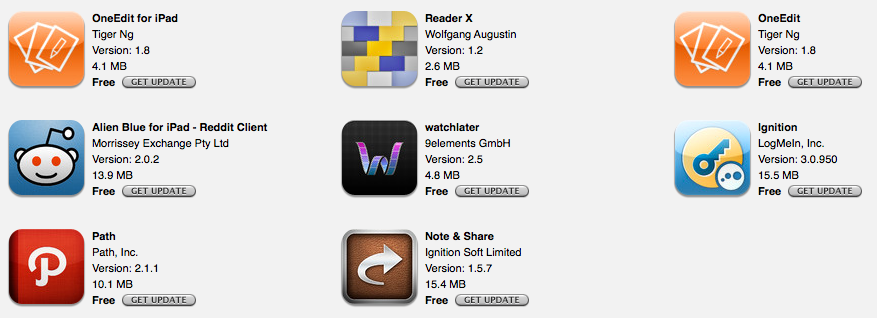
App Updates: PDF Expert, OneEdit, ReaderX, Watchlater

A number of iOS applications have been updated following the release of the new iPad. While most of the software updates quickly approved by Apple have focused on Retina graphics, others that have come out in the past few days have brought new important functionalities as well.

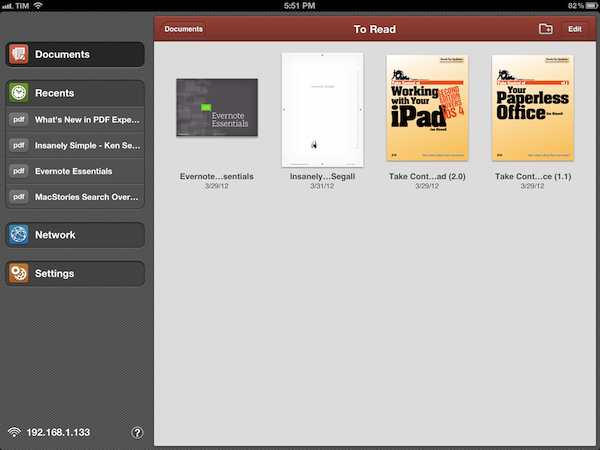
PDF Expert, our favorite app to read and manage PDFs on the iPad, adds Retina graphics and document thumbnails in its new 4.0 version. On the new iPad, graphics are shaper and more detailed, but more importantly text is crisper and more readable. The new thumbnail-based interface makes for a more visual presentation and intuitive file browsing, although support for drag & drop could be improved (I’d like to be able to create folders by dropping a file on top of another, like on the Home screen). PDF Expert 4.0 also supports PDF portfolios, attachments, and embedded media.

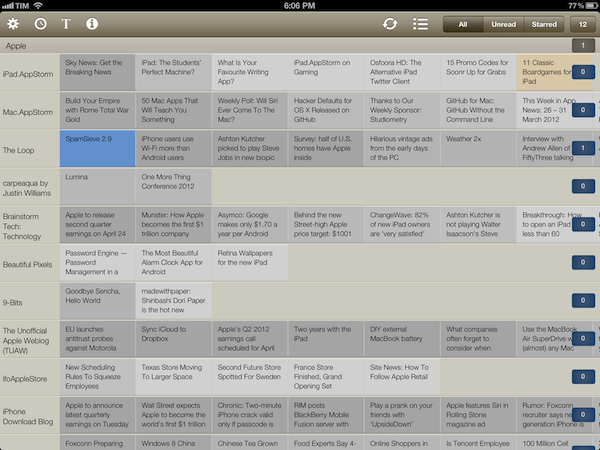
ReaderX has improved a lot since my original review. The app now comes with more fonts, more options, a revised preview popover, improved scrolling, and better sharing. The wallpaper concept makes a lot more sense on the iPad’s Retina display, as it makes it easy to set smaller fonts, while maintaining readability and detail. Give it a try again.

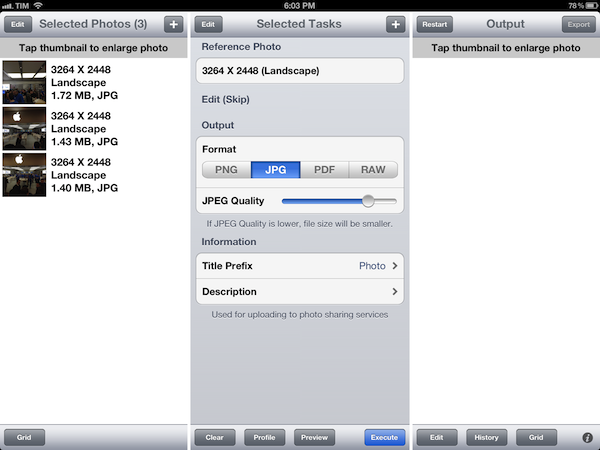
OneEdit is an app I use on my iPad to quickly resize multiple photos at once and save them back to the Camera Roll. The app doesn’t support Retina graphics yet on the new iPad, but the issue will likely go unnoticed (except for the icon) as the app uses a lot of native UI elements that Apple is already providing at Retina size. OneEdit 1.8 (the app is sold in separate versions for iPhone and iPad) enhances the batch-processing features of the app with support for individual photos from Dropbox, upload to WebDAV, and possibility to resize images based on scale. I particularly like OneEdit’s approach to image editing with separate sources/tasks/output processes that makes it easy and clear for me to select images, act on them, and save them somewhere else. OneEdit is also pretty powerful with tons of other options I don’t use, so make sure to check out the app’s full description on the App Store.

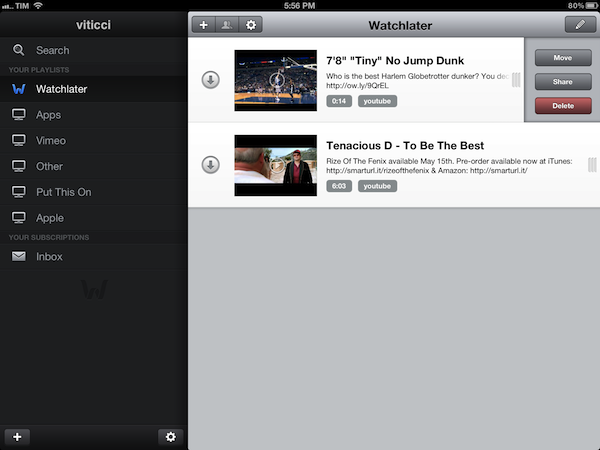
Watchlater keeps on being one of the best options to save videos from the web for later by adding a new design and more sharing options to version 2.5. Functionality-wise the app is mostly unchanged from my original review, but the UI is much better and collaborating with friends on playlists is a great idea.

Other minor updates have been released on the App Store as well: Note & Share added fixes and new iPad compatibility; LogMeIn Ignition added Retina graphics; Path started hashing user data with version 2.1.1; Alien Blue for iPad added a new gesture to load Reddit comments.

Make sure to check out the Great apps for the new iPad App Store section for a comprehensive list of software updates released in the past weeks.


Apple Creates New “Catalogs” App Store Category Ahead of iPad 3 Event

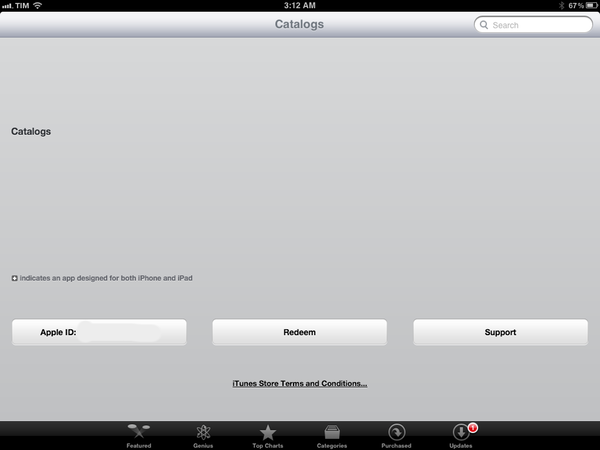
As noted by MacRumors, Apple has created a new Catalogs category on the App Store, moving a number of existing apps into it. The category looks interesting for a number of reasons: first off, Apple doesn’t just create new App Store categories, which are prominently featured on iTunes, leaving them empty as Catalogs looks when browsed from its direct URL right now. Second, whilst both iPhone and iPad apps have been moved into Catalogs, the empty App Store listing page reports “iPad Catalogs” – this might as well hint at catalogs, as in shopping guides, being part of an announcement on stage tomorrow, or perhaps some demo time.

Several existing apps have already been placed into the Catalogs category, including Catalog Spree (pictured above), SkyMall, MTG Merchant and more. These apps have long existed in the App Store and have now been recategorized to “Catalogs”. The apps had previously been listed under the Lifestyle and Utility sections of the App Store.

Interestingly enough, Google’s own Catalogs app for iOS has received the new category treatment, while IKEA’s app is still listed under Lifestyle. The new Catalogs category can be accessed here, albeit opening the link in a browser returns an empty itunes.com webpage.

Whilst a new category isn’t necessarily related to the next iPad, the fact that Catalogs went live ahead of the scheduled event and that it appears to not be completely developed seems to suggest that might be more coming soon. Tune in tomorrow at 9:30 AM PST for our Apple event liveblog.


Apple Reveals The 25 Billionth App Downloaded & Winner Of $10,000 iTunes Gift Card

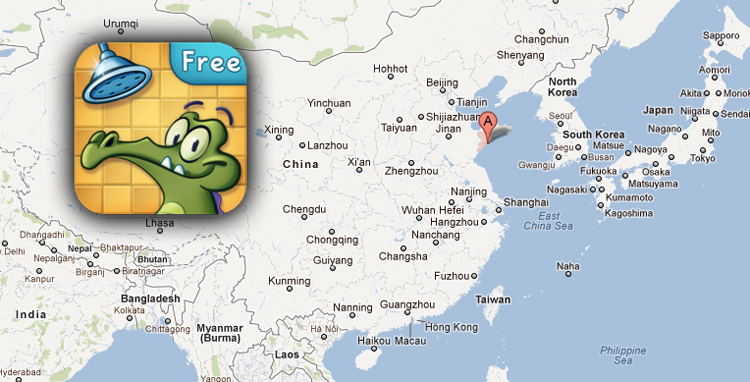
Apple has just issued a press release noting that the App Store hit 25 billion downloads (on Saturday) with the 25 billionth app downloaded being Where’s My Water? Free. The app was downloaded by Chunli Fu of Qingdao, China - that lucky person has won a $10,000 iTunes gift card for being the person who downloaded the 25 billionth app.

“We’d like to thank our customers and developers for helping us achieve this historic milestone of 25 billion apps downloaded,” said Eddy Cue, Apple’s senior vice president of Internet Software and Services. “When we launched the App Store less than four years ago, we never imagined that mobile apps would become the phenomenon they have, or that developers would create such an incredible selection of apps for iOS users.”

View the full press release here or below the break. Be sure to also read our run-down of the apps that Apple have featured in the new “all-time top” section and the trends they show.

Read more


Apple Reveals New “All-Time Top Apps” Following 25 Billion Downloads

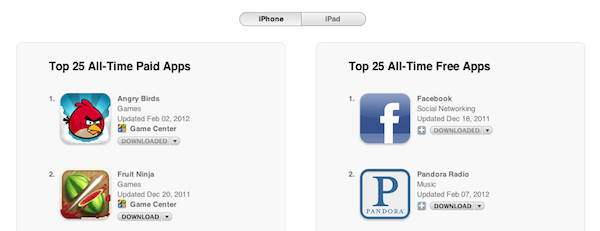
Last night, Apple reached the expected milestone of 25 billion apps downloaded from the App Store since the official opening in 2008. Whilst we’re waiting for the company to announce the winner of a $10,000 App Store gift card, Apple has updated its App Store page that lists the all-time top paid and free apps to reflect the changes occurred in the past 12 months. You may remember Apple posted a similar page in January of last year ahead of 10 billion downloads, and has been tweaking the entries ever since, keeping track of overall downloads in the App Store. We’ve compiled the charts (which include 25 apps each) below. Read more


Apple: 25 Billion Apps Have Been Downloaded From The App Store

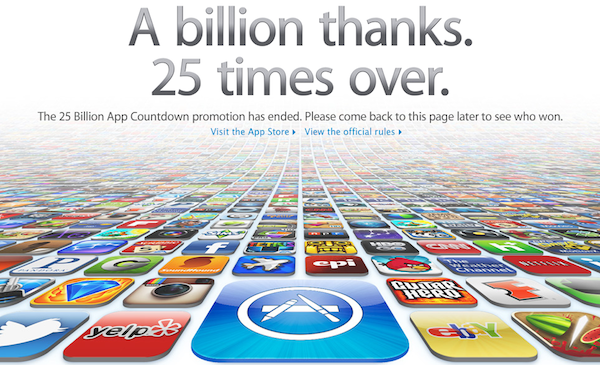
Apple announced a short time ago that 25 billions apps have been downloaded from the App Store since it launched in mid-2008. Apple has updated their homepage with the above graphic and slogan of  “A billion thanks. 25 times over” and the App Store Twitter and Facebook accounts have also publicised the milestone. Interestingly, the graphic used by Apple varies depending on whether you are viewing an international version of Apple.com (such as Japan) or whether you see the standard US website.

Apple will announce within a few days, who the lucky winner of a $10,000 iTunes voucher will be. Users could enter the competition by either simply downloading an app or filling out a form on Apple’s website - the winner will be the person who downloaded the 25th billion app or the person who first filled out the form after the 24,999,999th app had been downloaded but before the 25th billion app.

In Apple’s previous App Store and iTunes competitions, Eddy Cue (Senior Vice President, Internet and Software Services) has called the winner and congratulated them on winning. Shortly after this has happened Apple releases a press statement announcing the download milestone and who the winner was. When Apple ran the competition to mark 10 billion apps downloaded, the winner initially hung up on Cue, thinking it was a scam call.


Retina & Universal

Matthew Panzarino at The Next Web has a good overview of a possible issue with the rumored iPad 3’s Retina Display and universal apps: download sizes and 3G. He explains:

Apple’s iPad 3 is set to launch next week and all signs point to it having a Retina display running at 2048×1536 pixels. This should provide a clearer, sharper image to most users and will display many applications in a fantastic new light, as long as developers have prepared them properly.

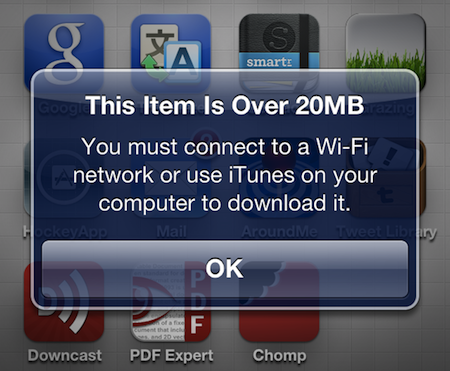
But the necessity to include these images may present a problem with the mandatory 20MB file size limit that Apple has imposed on 3G downloads.

The problem being: if the iPad really goes Retina, then developers of apps using custom graphics will have to use new images, which will likely be heavy and bump the download size of an app. For universal apps, already carrying Retina and non-Retina images (the latter both for iPhone and iPad), this can become a serious issue if we assume that most users who will see the “Over 20 MB” alert will be scared away or simply forget to buy an app. And developers (and Apple) want to make the process of buying apps as frictionless and immediate as possible.

I see two solutions. Either Apple gets the carriers to agree to larger download sizes, establishing a new “average” that should work for most apps (let’s say 60 MB as Panzarino suggests), or they rebuild the download mechanism completely by allowing devices to “ignore” resources they don’t need. The second solution would be a “cleaner” approach, in that it would address the root of this likely scenario – that is, devices downloading apps containing all kinds of images and resources for Retina and non-Retina displays.

By “localizing” images in a way languages are localized on the OS, Apple could find a way to know if an image is destined to an iPad or not. And if so, if it’s also destined to a Retina iPad, or old-generation iPad. Furthermore, in theory, this would also allow Apple to differentiate between images used by an iPhone and iPad which, right now, are always downloaded within the same, single .app package. Paul Haddad, who tweeted about the issue today, confirms my suspicion that this method would require a fundamental change to apps – I can only assume it would require different naming conventions or new APIs to let devices be “smarter” in understanding the resources they need to look for when downloading a new app. But the issue is real – always assuming the iPad 3 will feature a Retina Display, which seems like a pretty good bet at this point – and I think this is something Apple has surely considered.

The other way, of course, is to get carriers on board with larger downloads while on 3G – but the issue of universal apps bumping downloads (and thus 3G usage) would still remain for the users, and Apple would still need to somehow address the core of the issue, which is the existence of Retina and non-Retina devices downloading universal apps containing multiple custom graphics at the same time. I agree with Matthew, this issue will be an interesting one to watch.


OmniOutliner 1.2 for iPad Sets the Stage for iCloud Sync

OmniOutliner 1.2 Document Browser

OmniOutliner 1.2 Document Browser

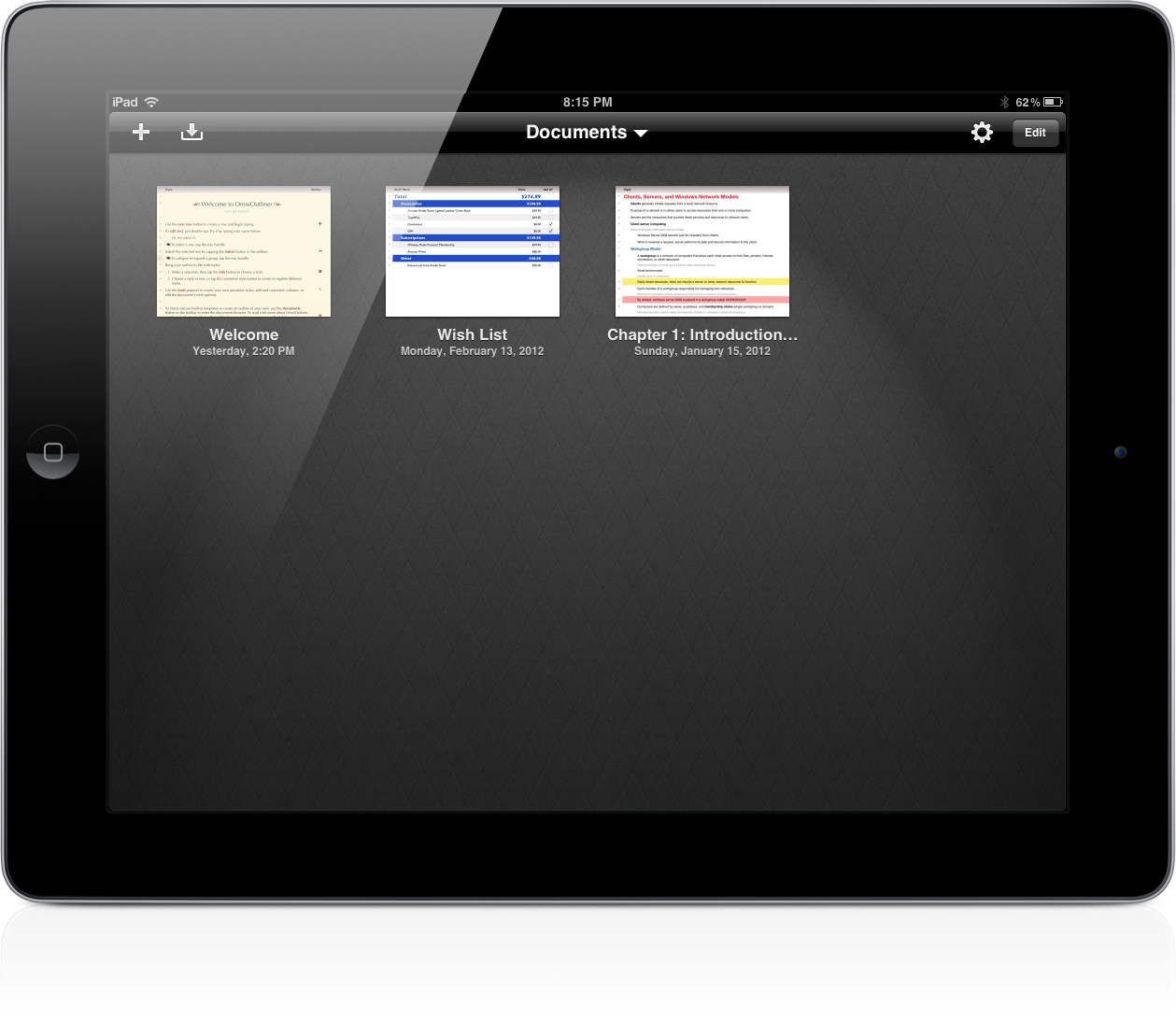
The Omni Group have removed the carousel in OmniOutliner 1.2 for a new document browser that closely resembles Pages’. Giving a broader overview of your outlines, the new file browser makes it much easier to scroll through dozens of documents without having to individually file past each one. The new file browser doesn’t let you create folders or sync to the cloud, but the original WebDAV and iDisk implementations are still available for online storage.

Read more


Apple Acquires “Search Engine for Apps” Chomp

According to MG Siegler at TechCrunch, Apple has acquired Chomp, app search and recommendation engine that has an iPhone app available in the App Store. Siegler reports that the Chomp team and product will be transitioned over to Apple, although details of the deal aren’t clear:

My understanding is that such deals will remain intact for now but are likely to end once the Chomp team and product transitions over to Apple. The same is likely true for Chomp’s stand-alone products.

I haven’t been able to learn the exact terms of the deal, but I hear that all the investors should be very pleased with the outcome. This is not a cheap “acqui-hire”, Apple has bought the Chomp team and technology and plans to use both to completely revamp App Store search and recommendations, I hear.

With Apple’s Tim Cook famously saying he’s not religious about holding or not holding the cash (nearly $100 billion) at Apple’s disposal, the acquisition of Chomp should be a clear sign of the company’s willingness to invest in talent and technologies from startups that have proved to care about quality of their products. Chomp in particular is an interesting choice for Apple, as it might signal important changes coming relatively soon to the App Store, especially on the side of discovery of apps with recommendations targeting a user’s tastes and behaviors. With over 700,000 apps available (per AppShopper) and thousands getting approved every day, the issue with discovery is a real one: most developers struggle to get their apps noticed and the best chance for popularity still remains Apple’s own feature in the App Store’s homepage with the “App of the week” and “New & Noteworthy” sections. Furthermore, the existing App Store infrastructure doesn’t have integrated sharing features for Twitter and Facebook, which Chomp has.

It’s obviously not clear what Apple has in store for Chomp yet, but here’s a couple of wild guesses based on the app’s existing functionalities:

Improve app discovery learning what an app does, rather than just its name. Currently, Apple seems to be basing its algorithm for discovery (part available in the Genius UI, part in iTunes under an app’s description) on categories and “what other customers also bought”. Chomp is capable of learning an app’s core functions, and find similar or complimentary apps.

Build sharing of apps for Twitter and Facebook right within the App Store. This would be a nice feature in iOS 6 – alongside a mobile wish list.

Improve search with suggestions, tags, and a cleaner layout similar to what Chomp already does.

Let App Store users create profiles and revamp the whole review system, as developers have been asking for years now. The profile option would be an interesting possibility, and it could easily work in conjunction with Ping, which has failed to gain traction. This has also been experimented by other apps that have tried to compete in the app recommendation space in the past years.

As with the recent Anobit acquisition, it’s likely Apple will confirm the acquisition of Chomp soon. It will be interesting to see if and how Chomp’s technologies will be integrated with a future version of the App Store, which keeps on growing at a tremendous pace but needs a better system to discover apps and filter out less important results.

Update: Apple has confirmed the acquisition to AllThingsD without providing further details on how the service will be integrated with the App Store.