

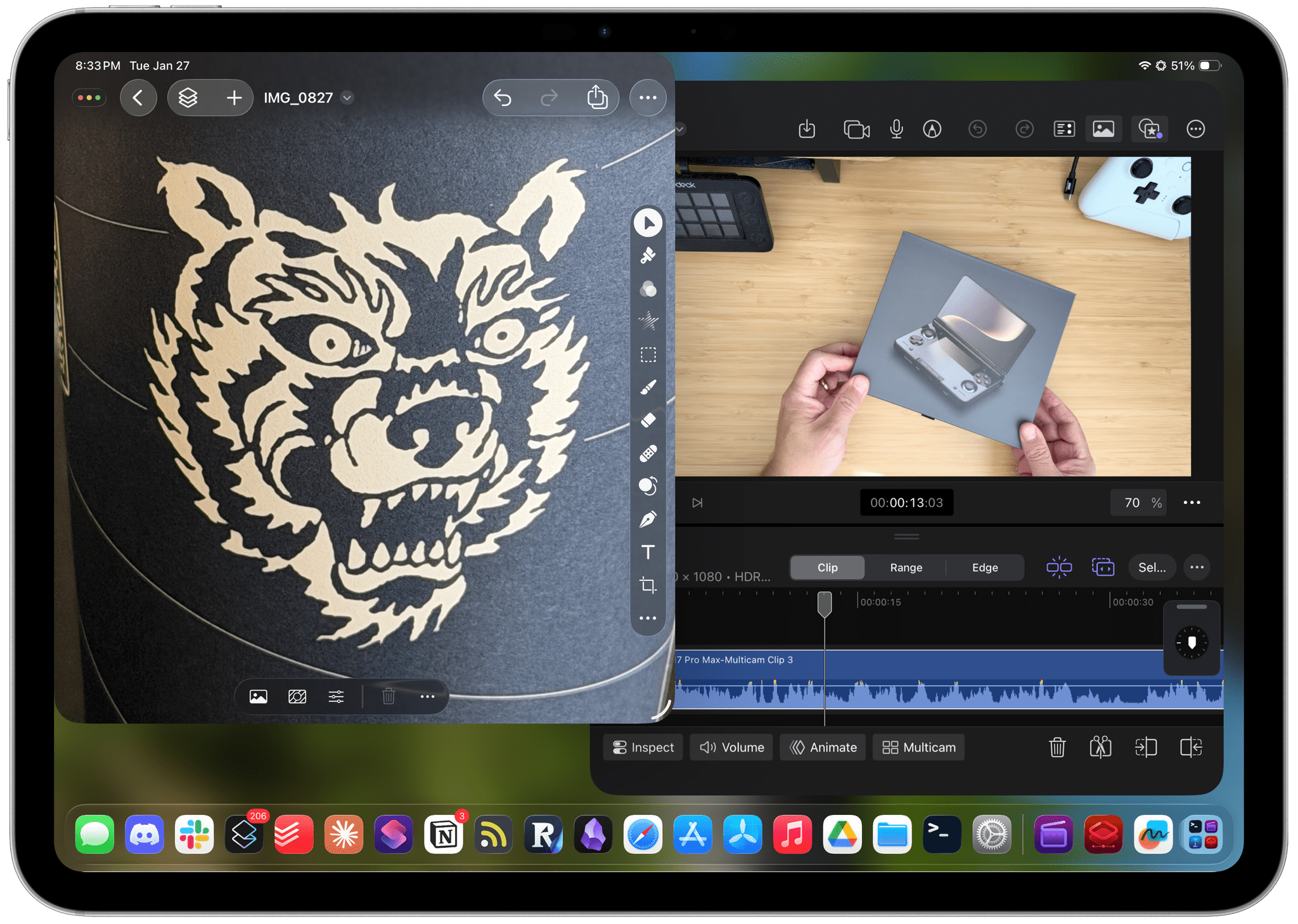
Starting today, Apple is offering a subscription bundle of its creative apps called Creator Studio. Some of what’s included is exclusive to the subscription package, while other parts of it remain available à la carte. It’s a lot to absorb, and I’ll get to all the details in due course.
However, what’s most exciting to me is the fact that Apple is clearly repositioning these apps to appeal to a broader cross-section of creatives. Apps like Final Cut Pro and Logic Pro are no longer just for Hollywood and music studios. By filling out the iPad lineup and adding Pixelmator Pro along with enhanced versions of their productivity apps, Apple has taken the first steps toward realigning its apps with what it means to be a creative professional in 2026.
This transition isn’t the sort of thing that happens overnight, which is why it’s easy to spot the gaps in Creator Studio’s offerings. I ran into a couple of bugs along the way, too. However, by and large, I think the bundle of apps hits the right notes and is heading in the right direction. Let’s take a closer look.
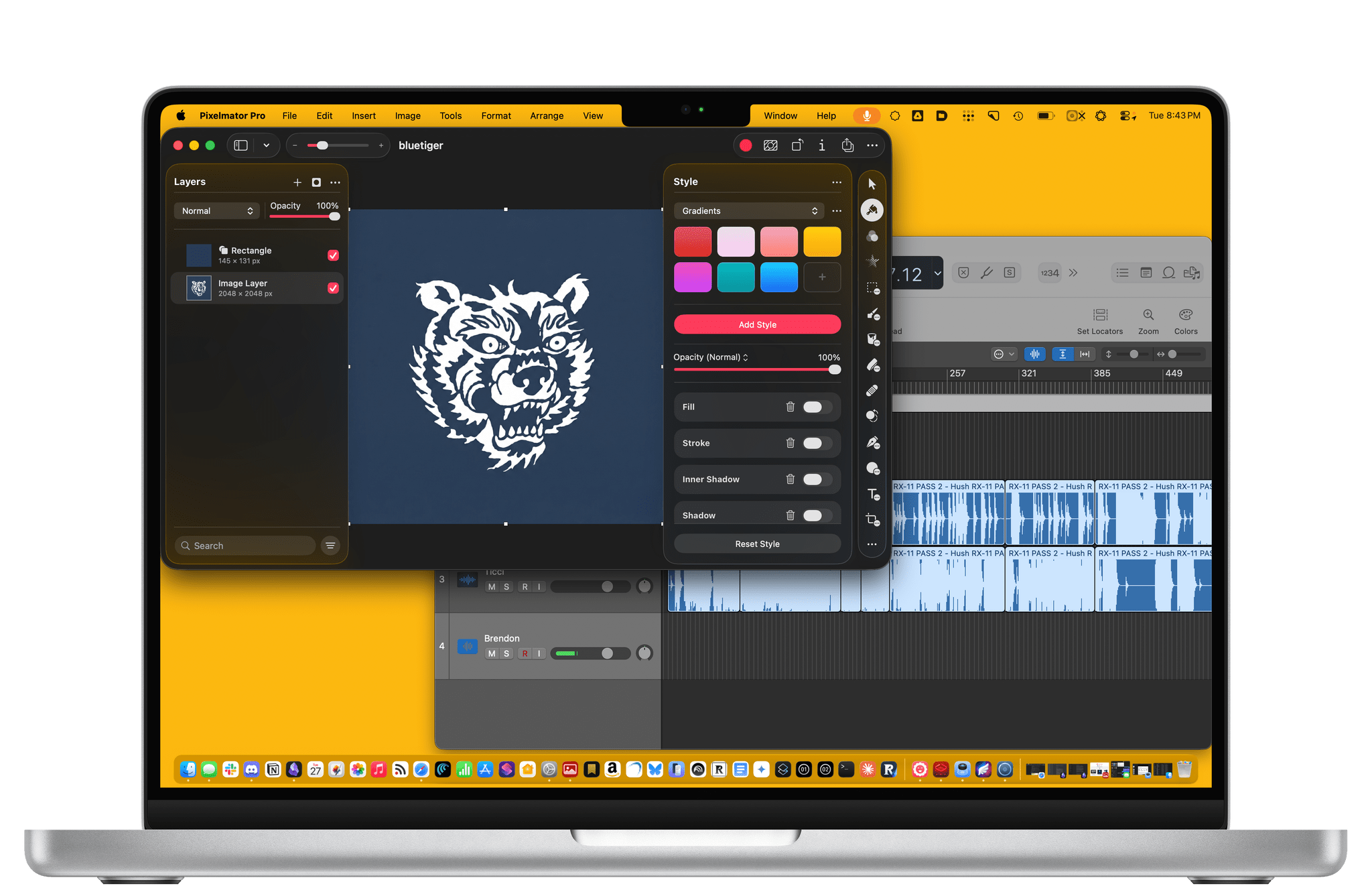
Creator Studio is a suite of 10 apps, most of which are available on both the Mac and iPad:
- Final Cut Pro (iPad and Mac)
- Logic Pro (iPad and Mac)
- Pixelmator Pro (iPad and Mac)
- Freeform (iPad and Mac)
- Pages (iPad and Mac)
- Numbers (iPad and Mac)
- Keynote (iPad and Mac)
- Motion (Mac only)
- Compressor (Mac only)
- MainStage (Mac only)
It encompasses apps for video, audio, and image editing, along with four productivity tools, as part of one subscription package. The subscription costs $12.99/month or $129/year, but users can take advantage of a one-month free trial, and a three-month free trial comes with Mac and iPad purchases. Students and educators pay just $2.99/month or $29.99/year. Plus, the subscription works with Family Sharing, so it can be shared with a total of six family members.
Prior to the introduction of Creator Studio:
- The video (Final Cut Pro, Compressor, and Motion), audio (Logic Pro and MainStage), and image (Pixelmator Pro) apps were available as one-time purchases on the Mac App Store;
- Final Cut Pro and Logic Pro were only available to iPad users as subscriptions;
- Pixelmator Pro wasn’t available on iPad at all; and
- The productivity apps (Pages, Numbers, Keynote, and FreeForm) were free on both the Mac and iPad.
Now, in addition to being available as part of a Creator Studio subscription:
- Users who previously bought the video, audio, and image editing apps on the Mac will continue to be able to use them, and the apps will receive updates with some caveats that I’ll get to;
- The video, audio, and image apps will remain available as standalone purchases on the Mac, also with caveats;
- The productivity apps will continue to be available for free and be updated, again with caveats;
- Motion, Compressor, and MainStage remain Mac-only; and
- The individual Final Cut Pro and Logic Pro for iPad subscriptions have been discontinued, and those apps – as well as Pixelmator Pro for iPad – are only available as part of Creator Studio.
The upshot is that apps that were previously available as standalone purchases on the Mac will continue to be available as standalone purchases, and the subscription-only iPad apps will still be subscription-only.
However, it’s important to understand what’s changed, too. First, none of Apple’s pro iPad apps are available as one-off purchases or subscriptions anymore. Your only choice is Creator Studio.
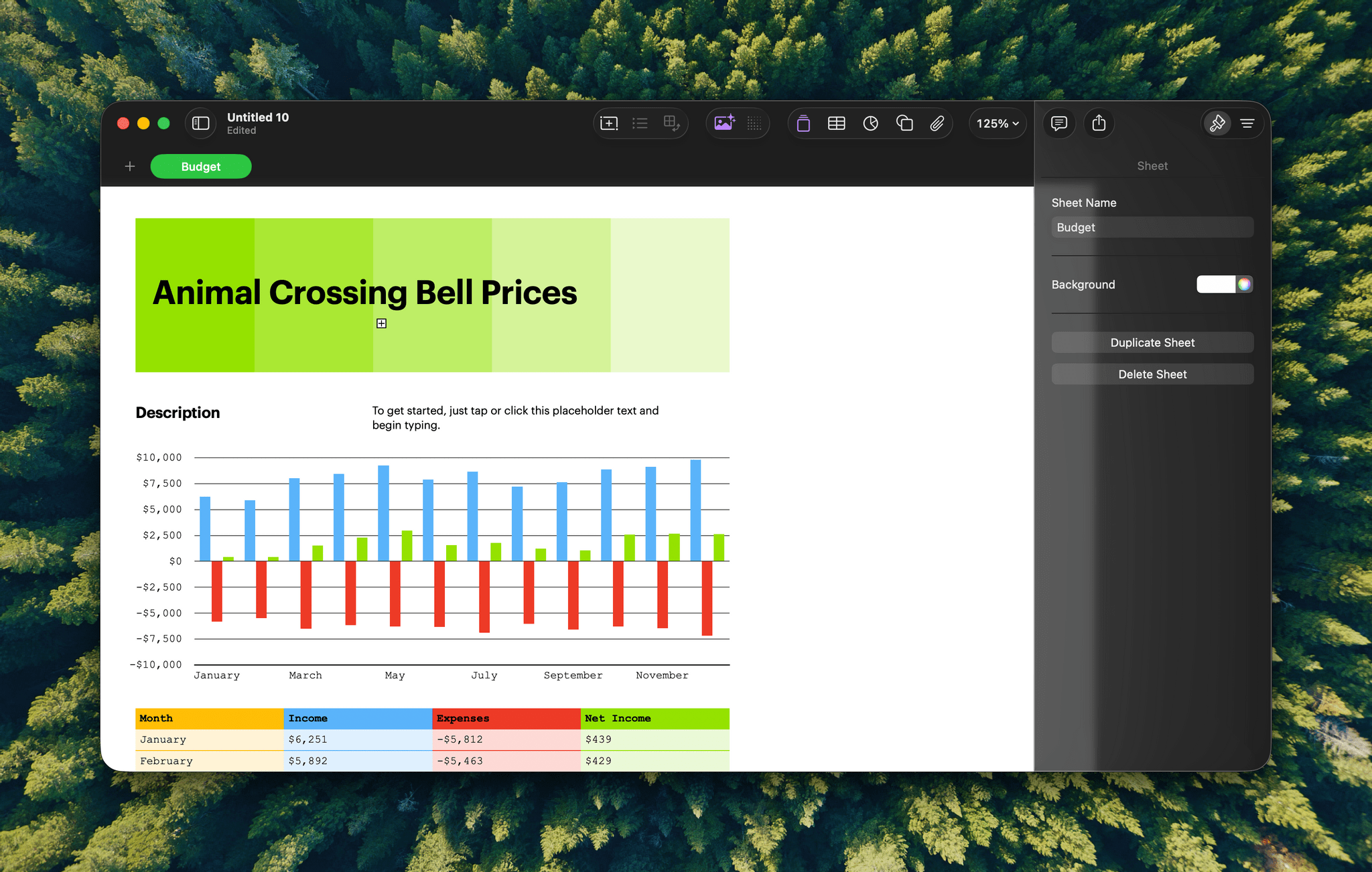
Second, there are differences between the apps that are part of Creator Studio and the versions that can be purchased as one-offs on the Mac App Store or, in the case of the productivity apps, downloaded for free. The differences include:
- A new Pixelmator Pro Warp tool for wrapping images across curved image surfaces,
- OpenAI-powered image generation in Pages, Numbers, Keynote, and, later this year, Freeform, which didn’t work for me in the betas of those apps on Mac or iPad,
- AI-generated slides and presenter notes and automated Slide Clean Up in Keynote, which are all beta features,
- Content Hub, a collection of royalty-free photography and illustrations that are part of Pages, Numbers, and Keynote (and later this year, Freeform),
- Premium Pages, Numbers, and Keynote templates,
- Super Resolution and Auto Crop (features that originated in Pixelmator Pro before Apple acquired it) in Pages, Numbers, Keynote, and Freeform, and
- Over 60 new titles and transitions, 14 graphic elements, and countdowns and timers in Final Cut Pro for Mac and iPad.
That’s a fairly extensive list of apps and features that you can only get with Creator Studio, which I’m sure is designed to add to the appeal of the subscription and will undoubtedly get longer over time. However, to really evaluate the merits of Creator Studio, you have to consider the other new features coming to its apps, too, so let’s take a look at the highlights.
Final Cut Pro
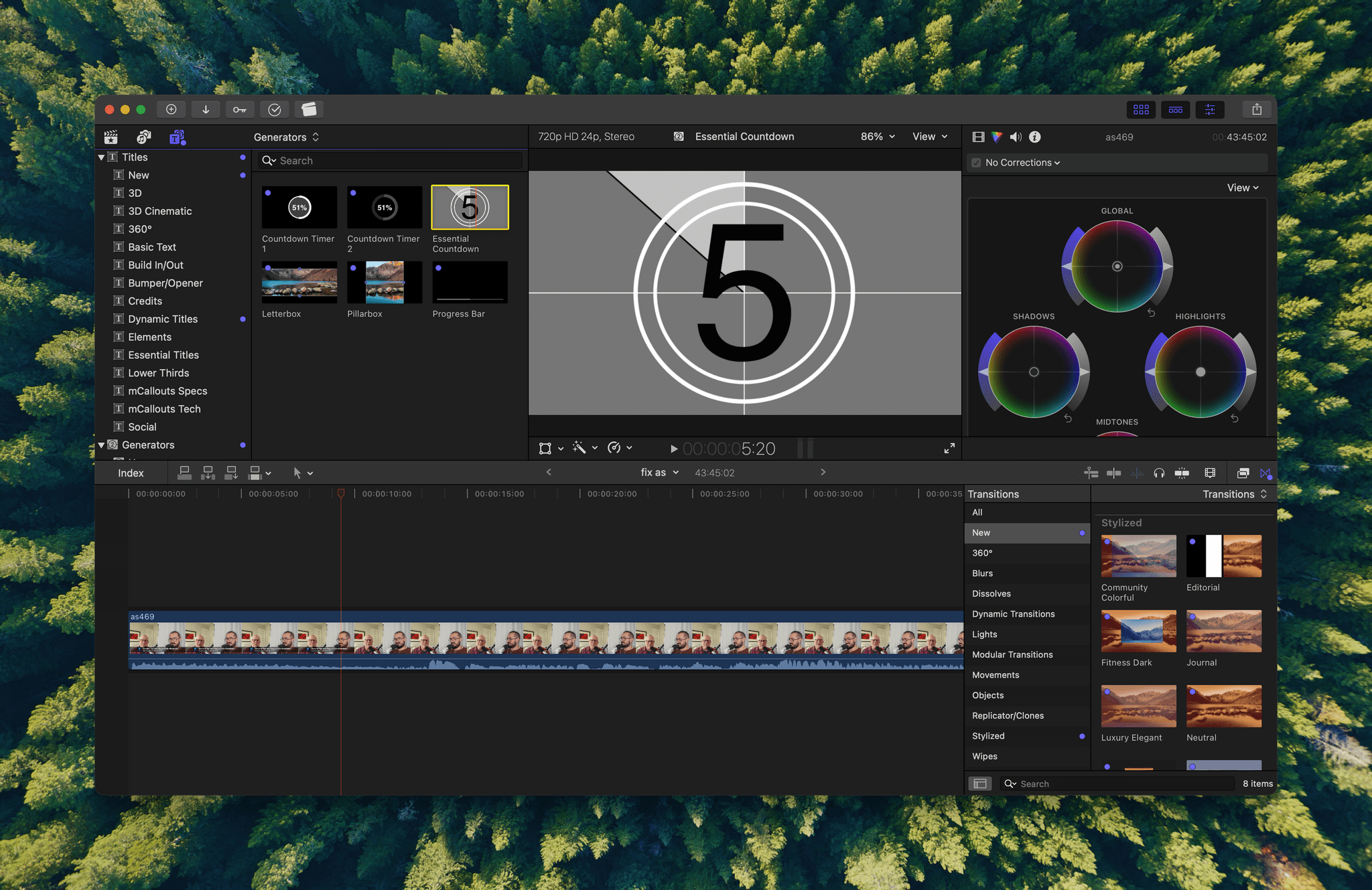
I’ve already covered the Final Cut Pro features that are exclusive to Creator Studio, but there are a few other new features, too. The first is Transcript Search, which uses AI to allow users to search video for snippets of dialogue – a feature I expect will be particularly valuable for anyone who shoots a lot of video out of sequence that then needs to be stitched together into a cohesive whole. The app is also gaining Visual Search, which uses AI to pick out people, objects, locations, and actions across a project’s footage. Plus, both Mac and iPad users will be able to align footage to the beat of a music track using a beat grid.
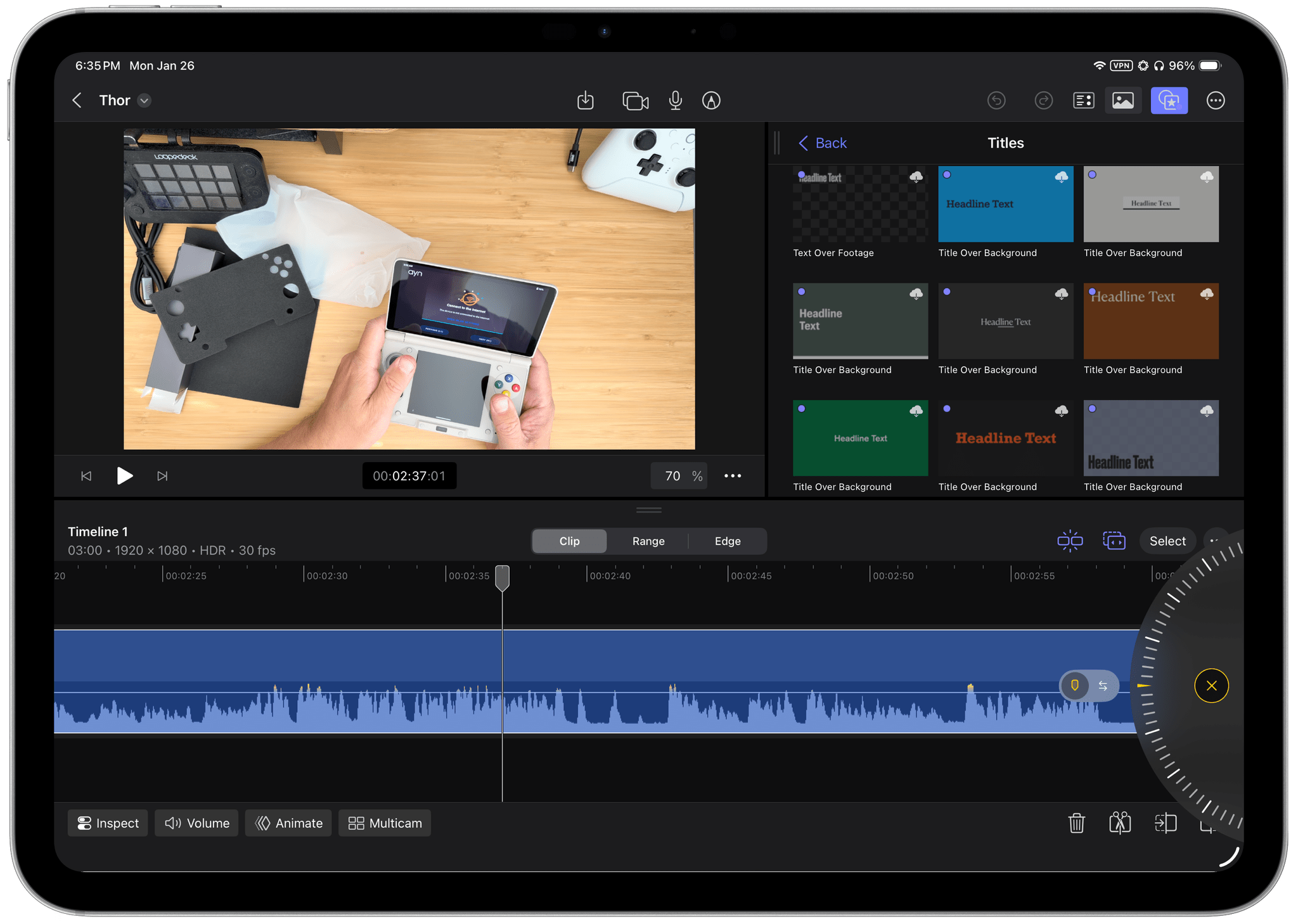
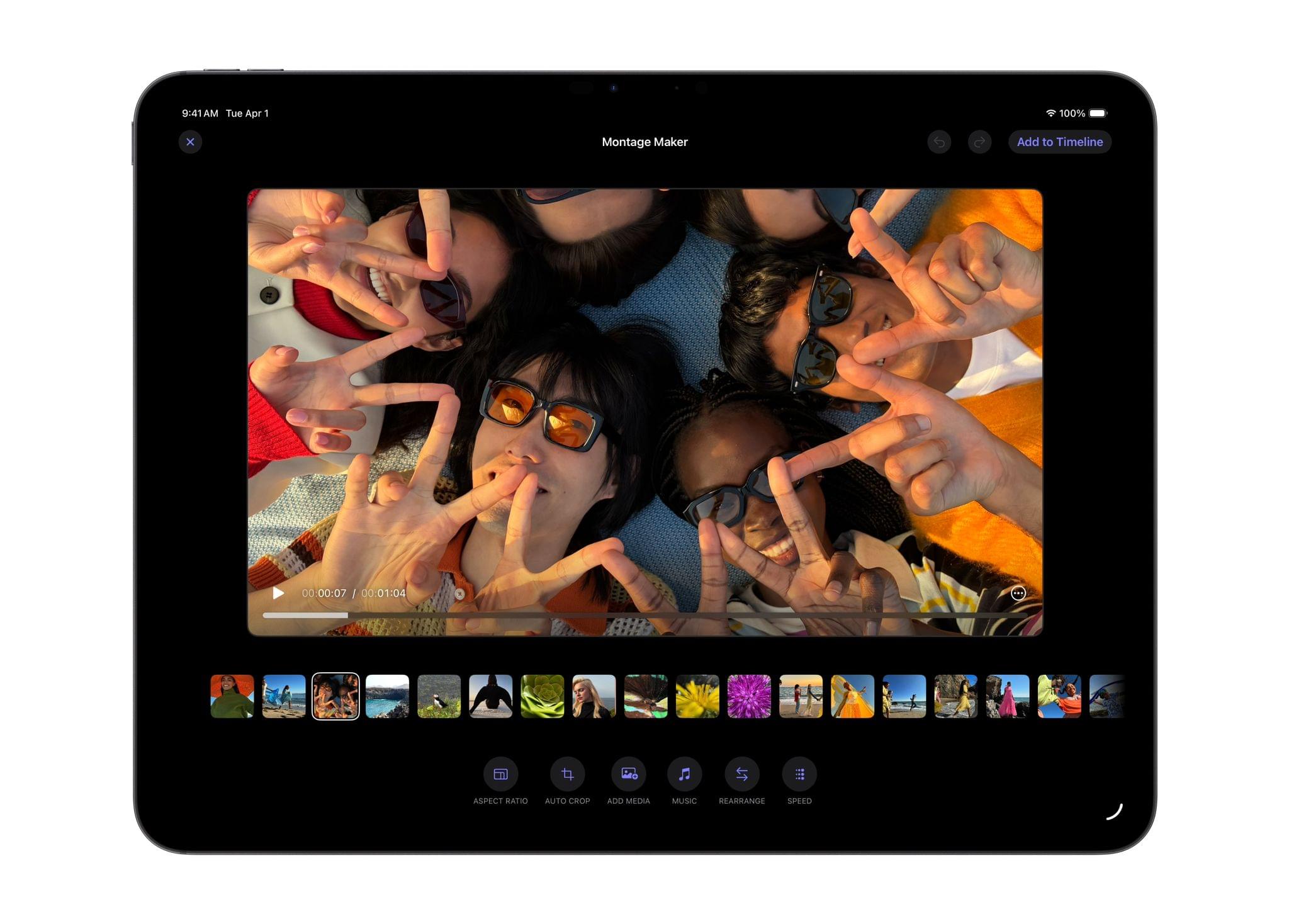
The iPad version of Final Cut Pro gets even more. There’s a Montage Maker that leverages AI to edit multiple clips in sync with a music track, which could be used for promotional shorts, social media, and other short-form video. Video can also be batch edited by selecting multiple segments of footage and applying the same adjustments to them simultaneously from the inspector. The iPad version of Final Cut Pro also gains improved external monitor support that fills your entire screen for playback or editing. Plus, the iPad app can finally export a project in the background, which is tracked by a Live Activity as you do other things on your device.
I’ve played around with the beta versions of Final Cut Pro for both Mac and iPad, and the new features work as advertised with the exception of Transcript and Visual Search, which I couldn’t get to work on the Mac. As is the case with a lot of the Creator Studio apps, my Final Cut Pro needs are pretty simple. Background export and full external monitor support on the iPad are the two features I find most compelling, but there’s a lot to be said for Transcript and Visual Search, both for editors on longer-form content and possibly for creating chapter markers for YouTube.
Logic Pro
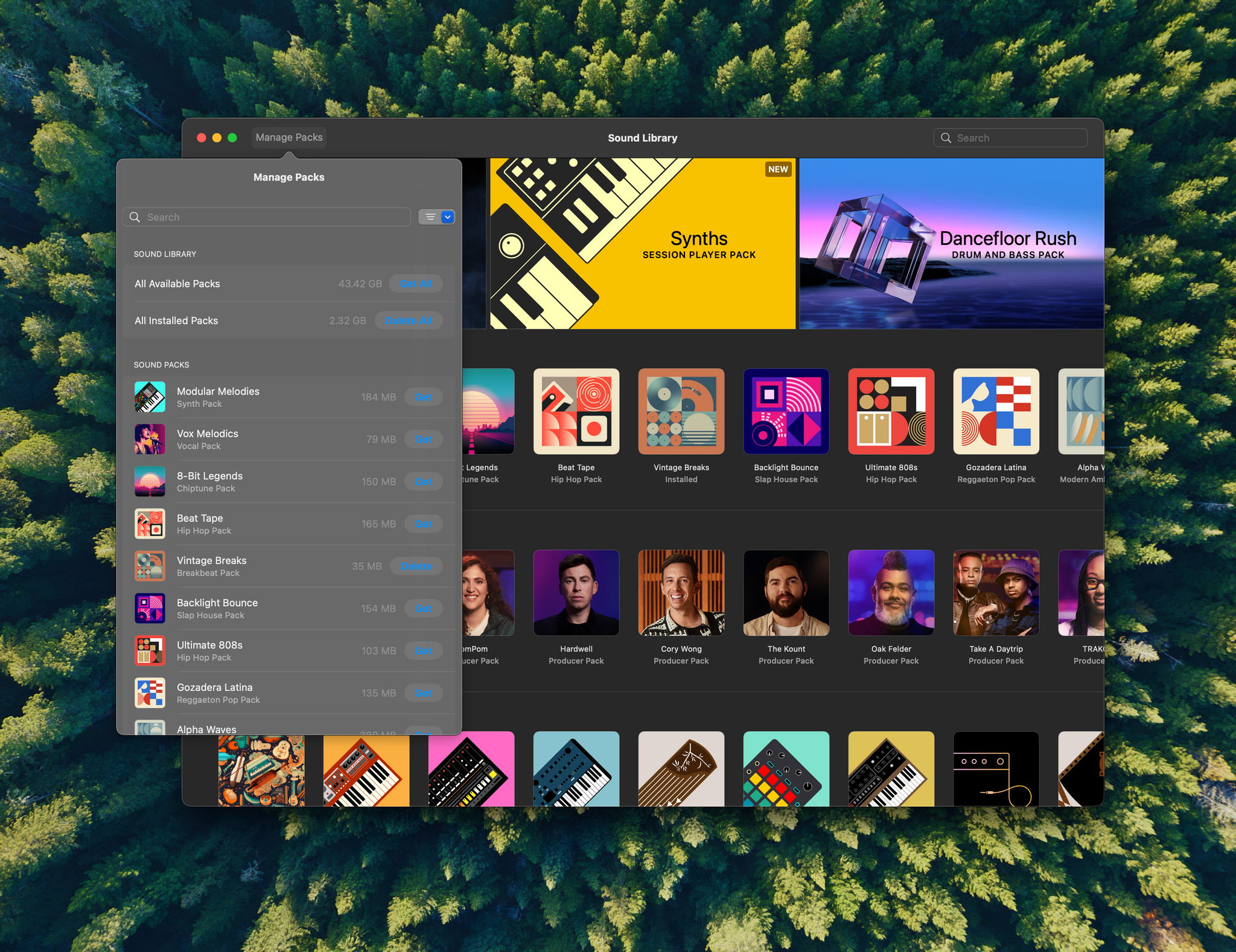
Logic Pro’s updates are all about making music and share several features across the Mac and iPad versions, including Synth Player, an AI-based Session Player that joins existing drummer, keyboard, and bass players. AI is also used to identify chords in a composition. Musicians were already able to do this manually, but with Chord ID, it can be done much more quickly, allowing recorded music to be integrated more easily with AI-generated Session Players. The Mac version of Logic Pro also adds the iPad’s extensive Sound Library, including loops, samples, instruments, and producer packs. In addition, the iPad gets Quick Swipe Comping, which allows for compositing multiple takes and has been optimized for touch and the Apple Pencil.
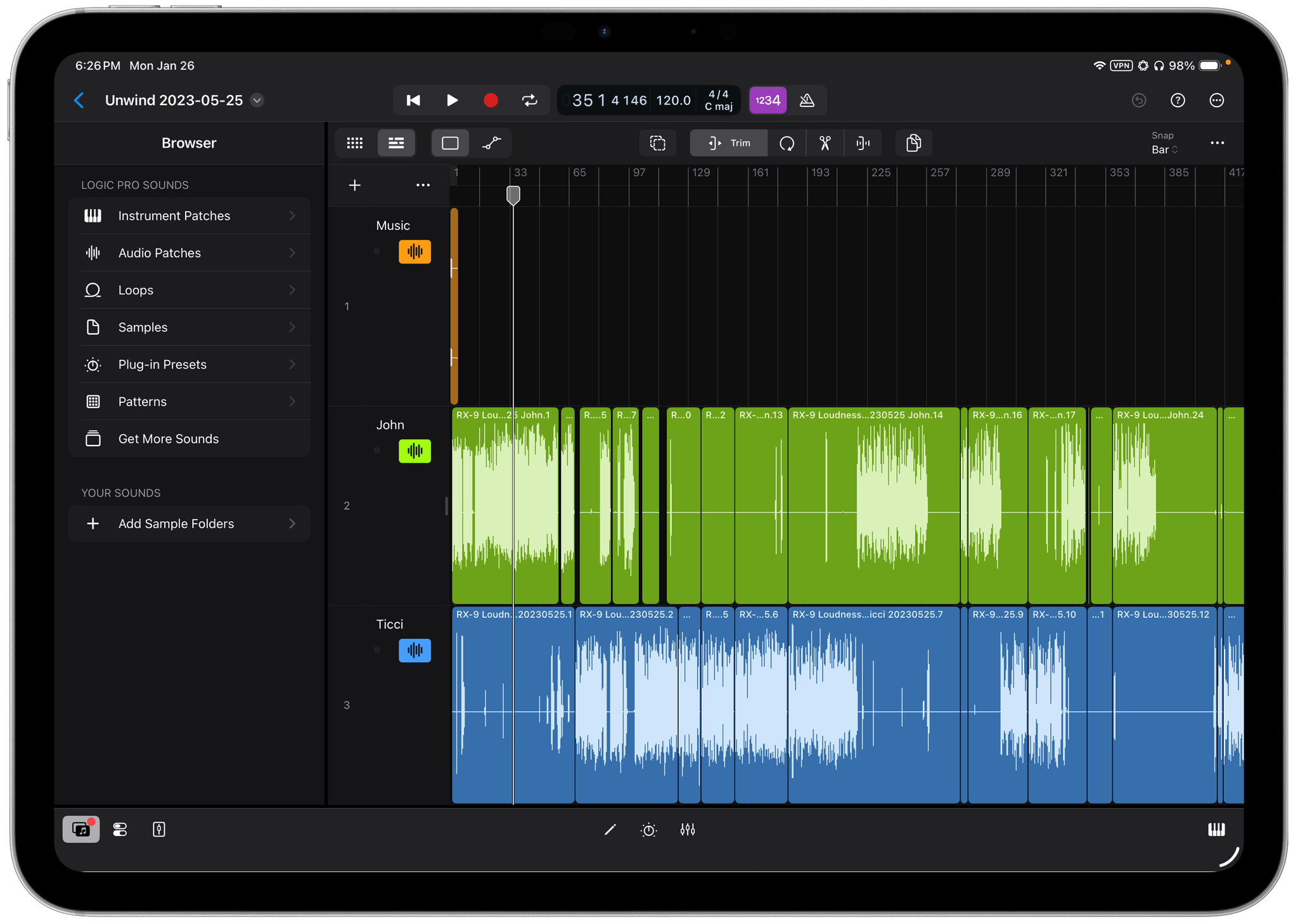
I’m glad to see the Mac and iPad versions of Logic Pro coming into closer alignment with these updates, but these aren’t features that I can fairly evaluate since my use of Logic Pro is limited to editing spoken audio for podcasts. I’ve played around with a demo project and poked around in the Sound Library on my Mac, but realistically, I won’t be using these features anytime soon.
The lack of a podcast editing app in Creator Studio feels like a gaping hole. Podcasting straddles the audio and video worlds in a way that can be handled by a combination of Logic Pro and Final Cut Pro, but practically, a simpler app that could handle standard audio and video podcast formats would be better and would serve a large segment of the audience Apple appears to be trying to reach with Creator Studio. The fact that such an app doesn’t exist yet, despite Apple’s prominence in podcasting, is surprising, but Creator Studio’s focus on a broader swath of the creative community makes me optimistic that we might see a podcasting solution someday.
Compressor, Motion, and MainStage
There’s not a lot to say about Compressor, for media encoding; Motion, for creating motion graphics; or MainStage, for live musical performances. They haven’t changed with today’s release of Creator Studio, but as apps that range from $29.99–$49.99 each, they are a nice bit of added value to the subscription for those who need them.
Pixelmator Pro
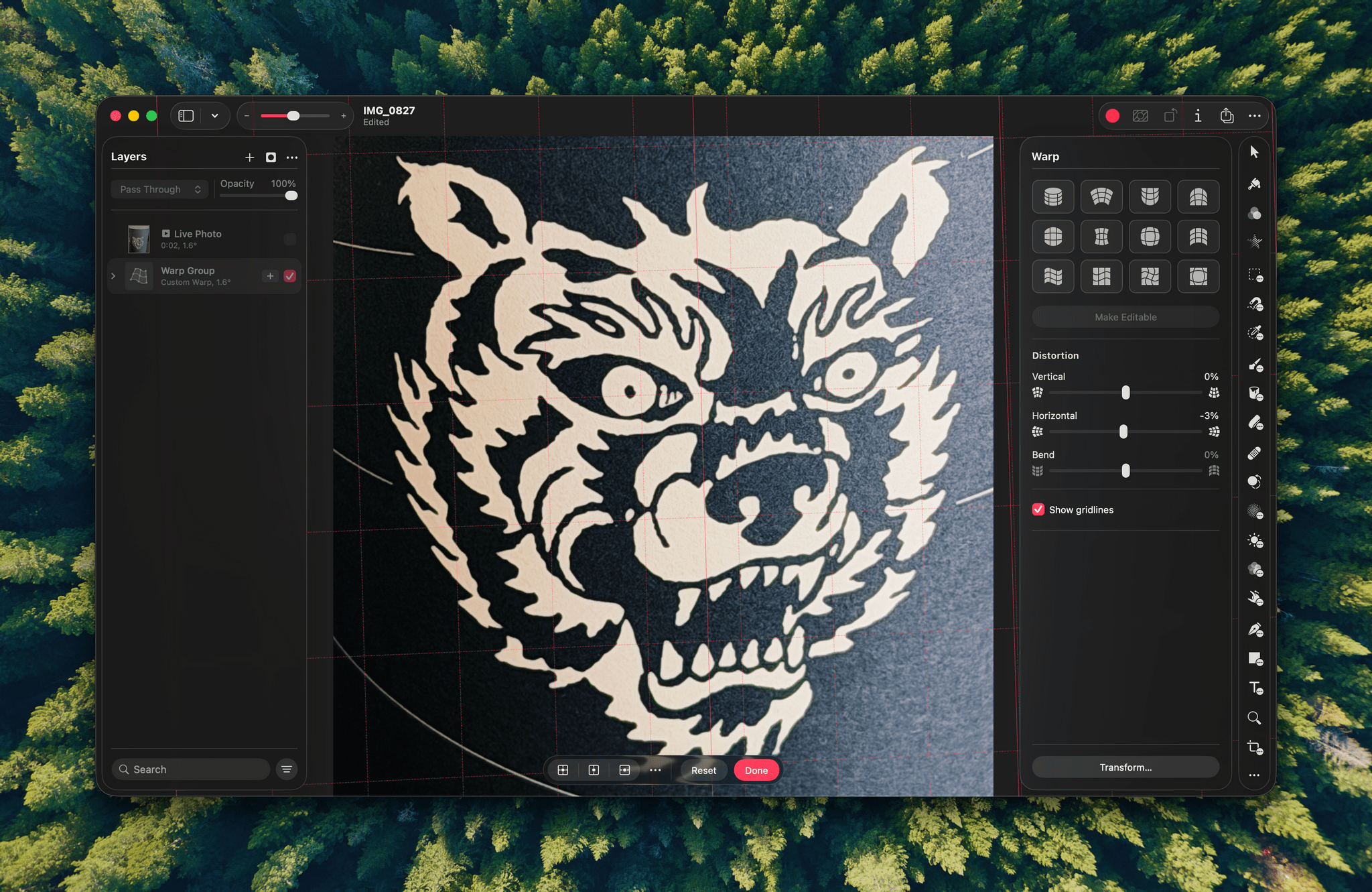
For the first time ever, Creator Studio brings Pixelmator Pro to the iPad, something I’ve wanted for years. I’ve long used the app on my Mac to composite screenshots, upscale small images with Super Resolution, and lay out screenshots in web-friendly aspect ratios. I could do that in many other apps, too, but I’ve always appreciated Pixelmator Pro’s intuitive layout and its more sophisticated tools for the times I need them.
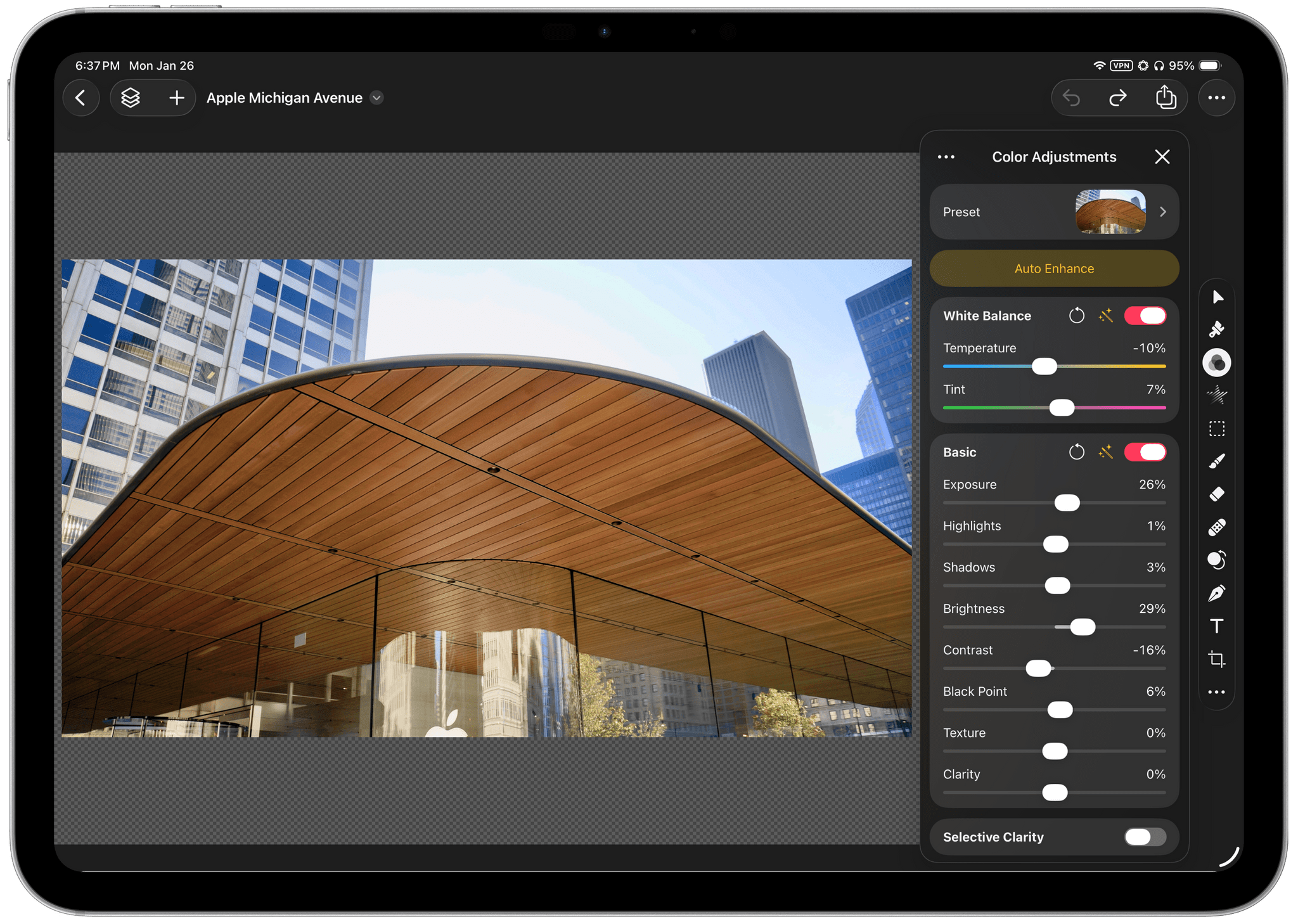
If you’ve used Pixelmator Pro on the Mac before, you’ll be right at home with it on the iPad. The app’s Mac UI has been nicely adapted for the iPad, and the Liquid Glass treatment is one of the best among Apple’s apps.
Of all Creator Studio’s iPad apps, this is the one I’m most excited about. The iPad has been an excellent choice for writing forever; however, I’ve always felt hampered when writing on the iPad by the lack of Pixelmator Pro. I don’t need it for everything I write, but it’s always been frustrating to not have access to it without a Mac nearby. I expect Pixelmator Pro will be the fulcrum for a lot of people deciding whether to subscribe to Creator Studio or not.
Pages, Numbers, Keynote, and Freeform
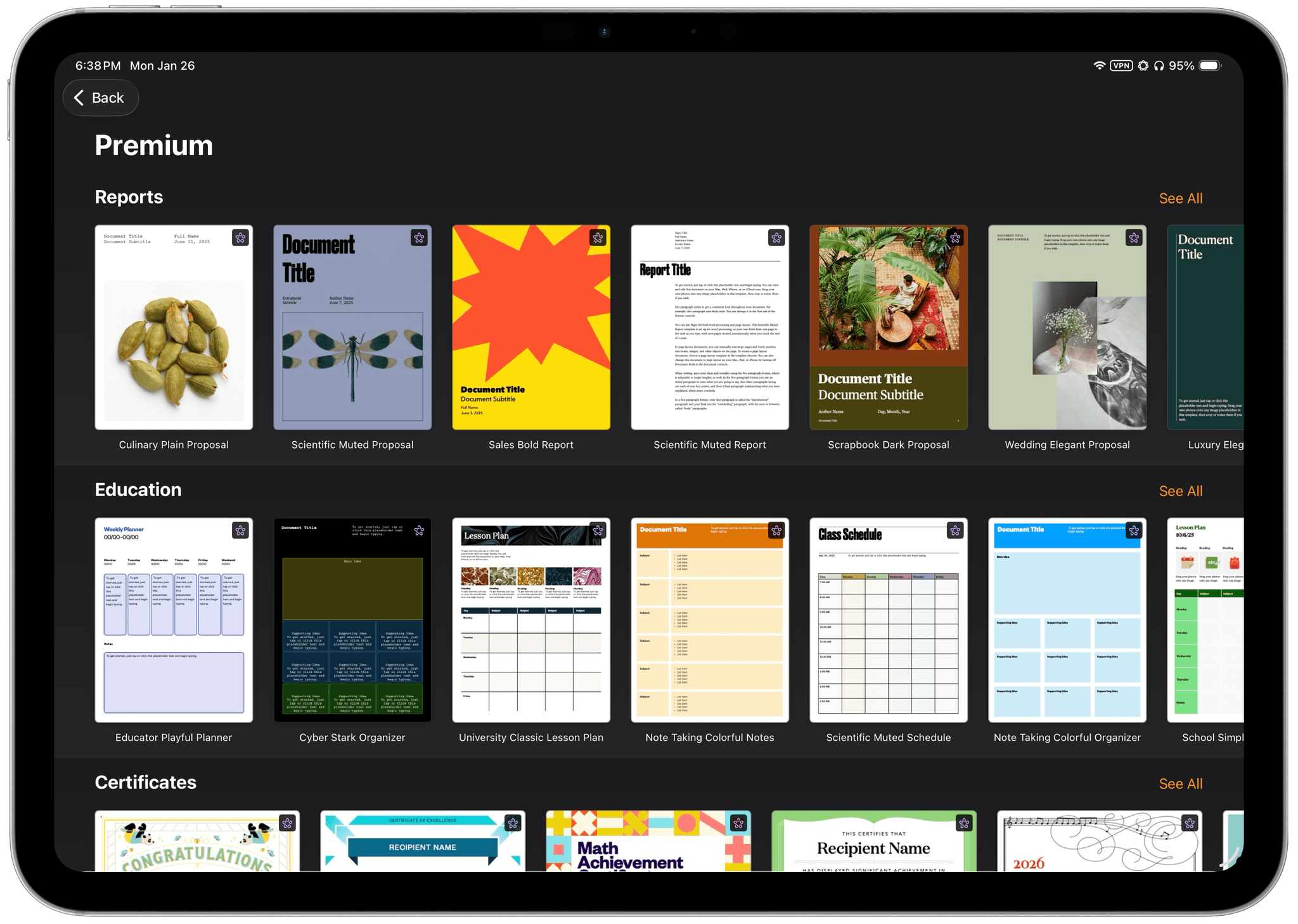
Pages, Numbers, and Keynote include premium Content Hub templates like these for Pages. Freeform will get Content Hub later this year.
The core functionality of Apple’s productivity apps remains free on the Mac, iPhone, and iPad, but as covered above, there are several Creator Studio-only features. Chief among them is Content Hub, an extensive library of royalty-free photos and illustrations. I’ve spent time browsing through them and searching for particular images, and I came away impressed with the depth and quality of the images.
Pixelmator Pro’s Super Resolution and Auto Crop are coming to the productivity suite, too. I use Super Resolution in Pixelmator Pro a lot and can imagine it will be useful to have it and Auto Crop available inline in these apps, too. The premium templates for things like business proposals, posters, and storyboards are a nice addition, too, but not something I use much myself.
The beta AI features for generating slides and notes in Keynote along with cleaning up draft slides sound truly useful if they can take you from a written document to a final slide deck more quickly. Plus, Numbers’ ability to generate formulas and fill in cells in a spreadsheet has potential, but both will require more real-world testing before I’m convinced of their utility. We’ll also have to wait to try Freeform’s new features, which aren’t slated for release until later this year.
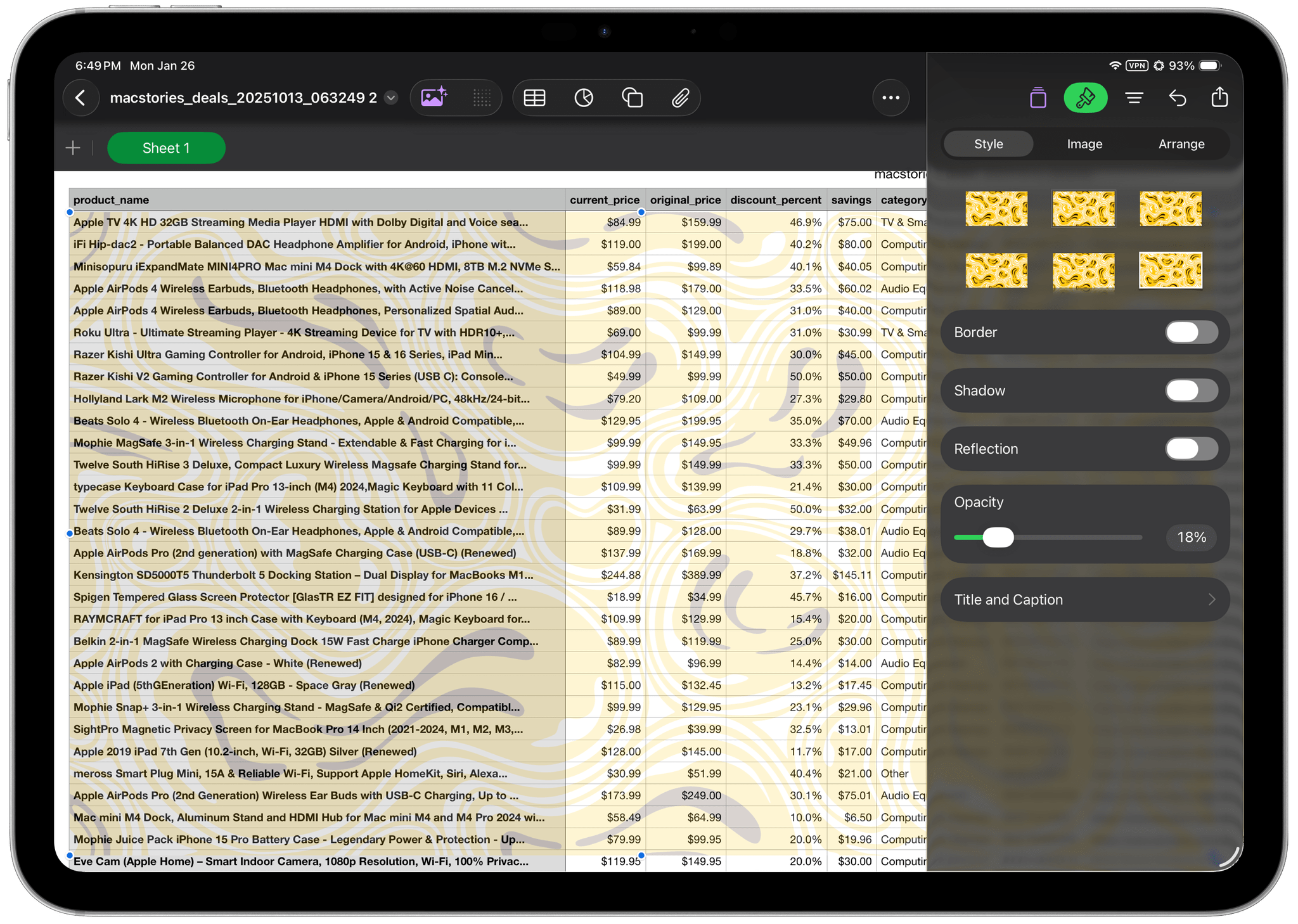
What’s more interesting than the new features of Apple’s productivity apps is their inclusion in the bundle in the first place. I suspect there are a couple of things going on here. First, for anyone who already owns Final Cut Pro, Logic Pro, and Pixelmator Pro, the enhancements to the productivity apps are a legitimate way to sweeten the deal.
Second, while I know it has struck some people as odd that Apple included its productivity apps in Creator Studio, it makes perfect sense for indie creators. Apps like Final Cut Pro and Logic Pro may have once been the domain of Hollywood studios and record labels, but today’s creative professional is just as often a solo creator working by themselves or with a small team. They’re the indie developers of the video and audio world. And unlike those movie studios and record labels, indie creators need the tools to run their businesses themselves. So while Numbers is never going to be mistaken for a media creation tool, it’s every bit as important to someone trying to make it as a creator.

That same approach points to something bigger about Creator Studio that I think has been overlooked. Last spring, Federico and I recorded an episode of AppStories about the missing middle of the app world. Our observation was that most app categories tended toward both ends of the spectrum – simple, inexpensive consumer apps and complex, expensive enterprise software. We lamented the loss of the prosumer and small business apps that go beyond the simple consumer apps without the complexity or budgets required by enterprise apps. Creator Studio strikes me as exactly the sort of app suite that has the potential to help fill that gap, offering the tools needed to appeal not just to big, institutional creative studios, but to every creator.
Who Is Creator Studio For?

Taken together, Creator Studio is a fascinating transition step from a loose set of professional tools toward something more integrated and cohesive. It marks a departure from the historical one-time payment and free models without abandoning existing users, while still encouraging them to subscribe. Creator Studio also marks the continued leveling up of Apple’s creative iPad apps, which will make iPad-first users happy and give Mac-first users more flexibility.
However, whether the Creator Studio makes sense for any particular user depends on many factors given these apps’ long history. As a starting point, I think that for a suite of 10 apps, seven of which are on both the Mac and iPad, $12.99/month or $129/year is a good deal for many people, even if they don’t use all the apps in the suite. Add to that the fact that Creator Studio can be shared by up to six family members, and I expect that a lot of users will be able to justify the cost.
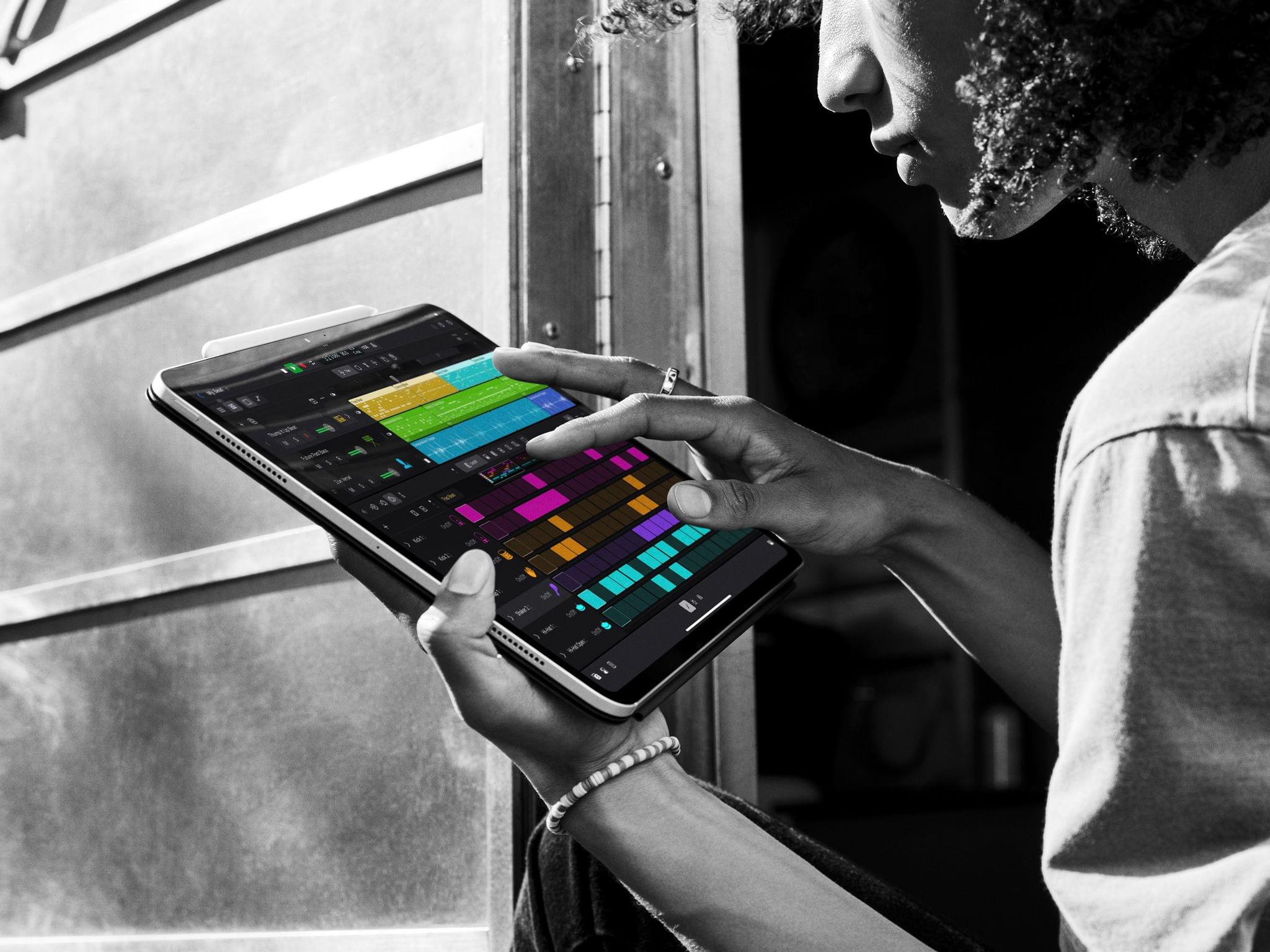
The case for Creator Studio is especially strong for iPad-first users. They don’t have a choice, but they also never had one since Final Cut Pro and Logic Pro for iPad were always subscription apps. Add in the new subscription-only features and access to the Mac apps, and the bundle is a no-brainer for iPad-first users who use more than a couple of the bundle’s apps.
The case is a little harder for light users of the Mac apps who already bought them years ago and can continue to use them. However, even they may be attracted to Creator Studio thanks to the iPad apps and enhancements to Apple’s productivity suite.
I count myself among this last group. I bought Final Cut Pro, Logic Pro, and Pixelmator Pro on the Mac years ago. I use Pixelmator Pro the most, but my needs are somewhat simple. I use Logic Pro a lot, too, but none of its new music features appeal to me. I use Final Cut Pro the least and, as with Logic Pro, my needs there are fairly simple. I use Apple’s productivity tools some, but not enough to tilt me either way on Creator Studio.
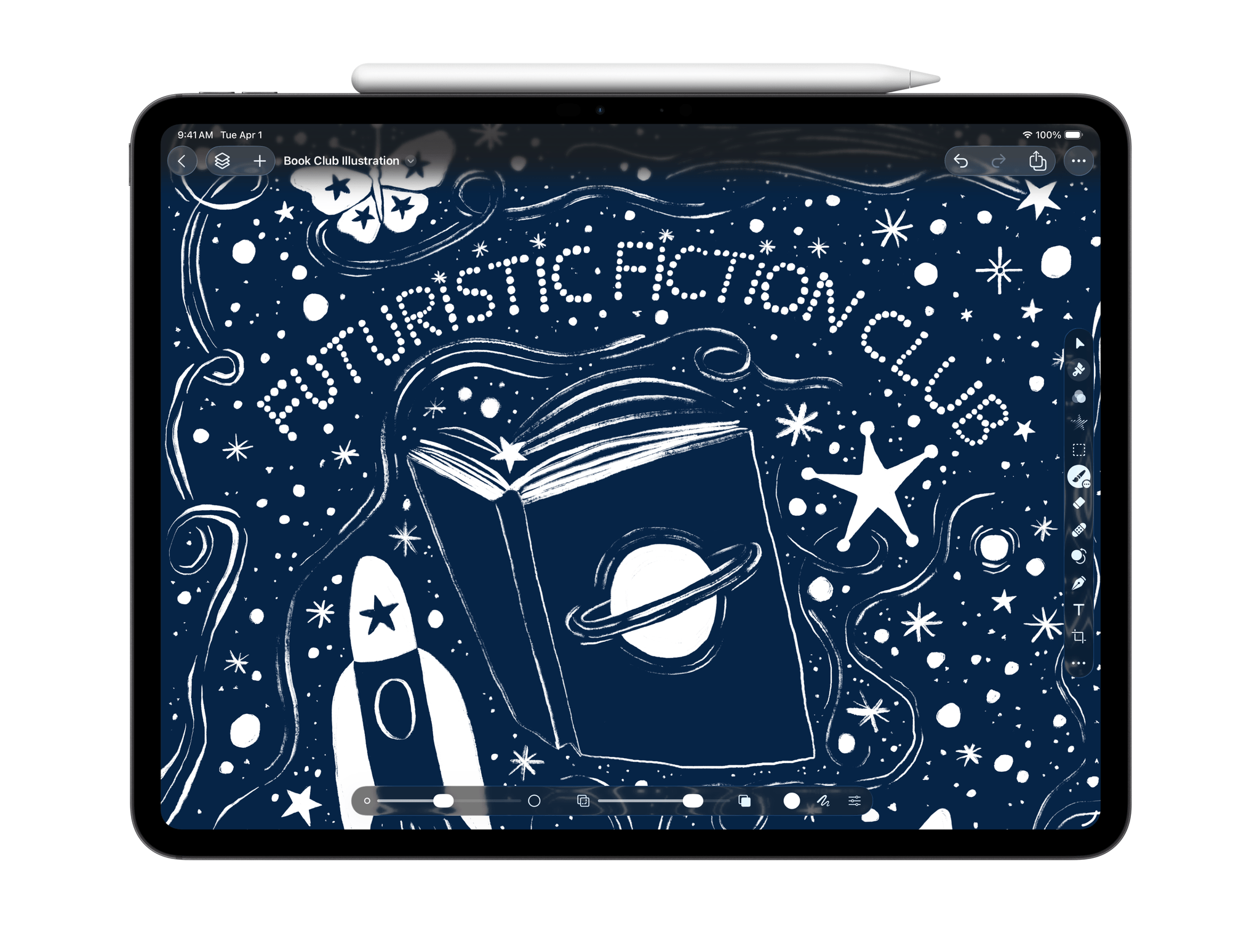
What will ultimately hook me when it comes to Creator Studio will undoubtedly be the iPad apps. I don’t make many videos that aren’t podcasts, but I absolutely love Final Cut Pro for iPad’s multicam support – so much so that I bought an iPhone 16e simply to use as a second camera with my iPhone 17 Pro Max and iPad Pro for dual-camera hardware videos. It’s a great setup that lets me create good-looking videos without ever using my Mac. The prospect of having Pixelmator Pro to help illustrate my articles with screenshots and other images is attractive to me as well. That’s just two of the 10 apps, but given the old iPad subscription pricing model, plus the other apps and features that I’m sure I’ll use at least occasionally, Creator Studio is a no-brainer for me too.
My hope for Creator Studio is that by bringing these apps that are at very different stages of their life cycles together, Apple has created a sustainable business case for consistently updating them, expanding the suite of apps, and integrating them further. Apps like Final Cut Pro and Logic Pro may have been conceived as niche tools for the highest-end users, but the very definition of who is a creative professional has shifted since they were released. Creator Studio strikes me as a direct response to that shift, seeking to align itself with a broader audience through a set of tools that makes sense to today’s creator. There’s still more that Apple can do to fully realize that vision, but Creator Studio is an excellent start and a great deal worth giving a try.
