Text Case for iOS Adds Title Case Text Transformations Based on Popular Style Guides

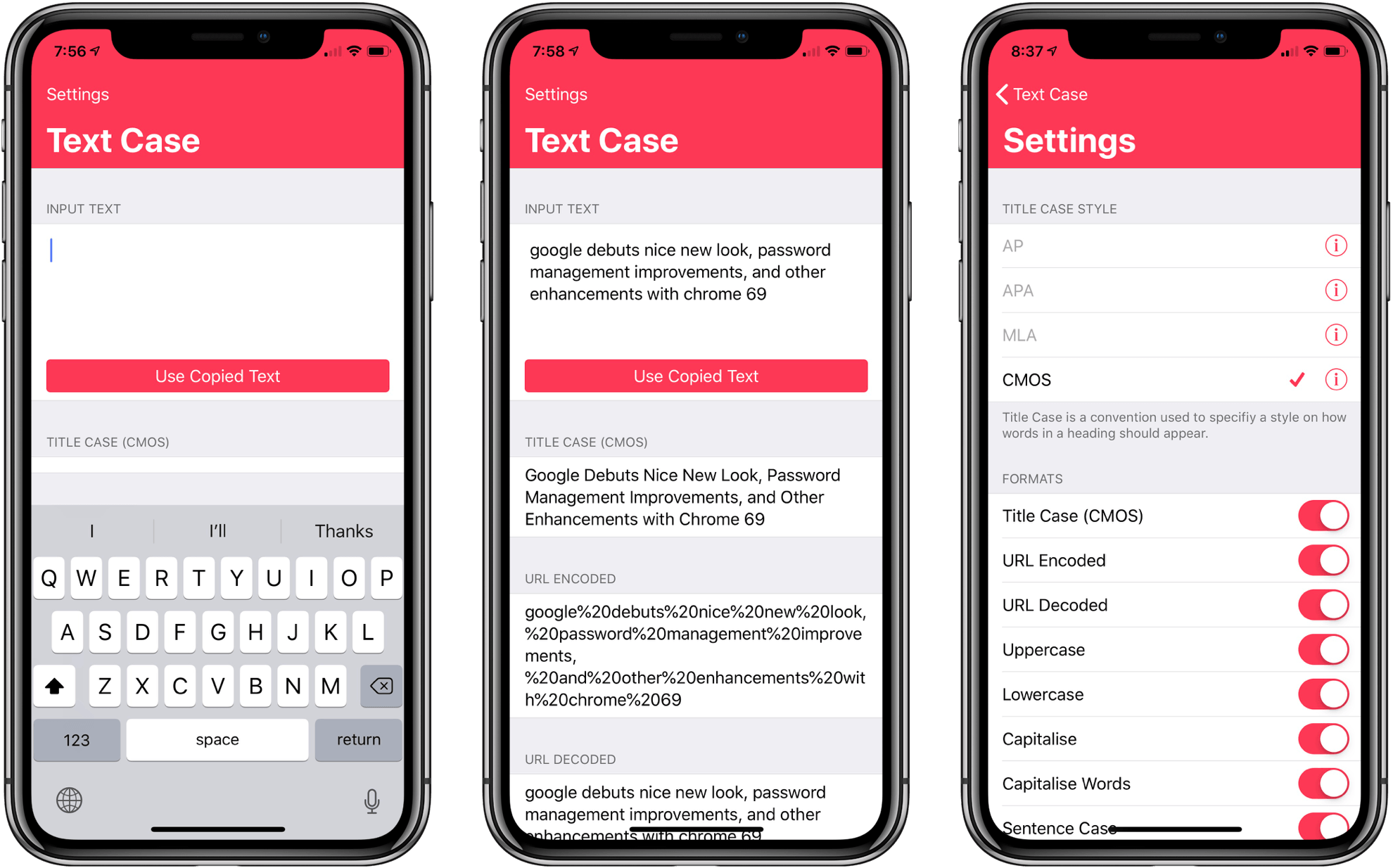
Several weeks ago I mentioned Chris Hannah’s recently-released iOS text transformation utility Text Case in the Club MacStories weekly newsletter. The app has a simple, utilitarian design that uses the big, bold header text popularized by Apple apps like News and Music. Version 1.0 included a long list of built-in text transformations. Some, like URL encoding and decoding, are useful, and others, like ‘Mocking SpongeBob,’ are just for fun. By and large though, the transformations in version 1.0 were geared more towards developers than writers. That’s changed with version 1.2 of the app, which should make it appeal to a wider audience.

The latest update adds Title Case, which can transform headlines according to the style guides for the Associated Press, American Psychology Association, Modern Language Association, or Chicago Manual of Style. The update also adds sentence case and Pascal case.
Read more


Apple’s Acquisition of Shazam Approved by the European Commission

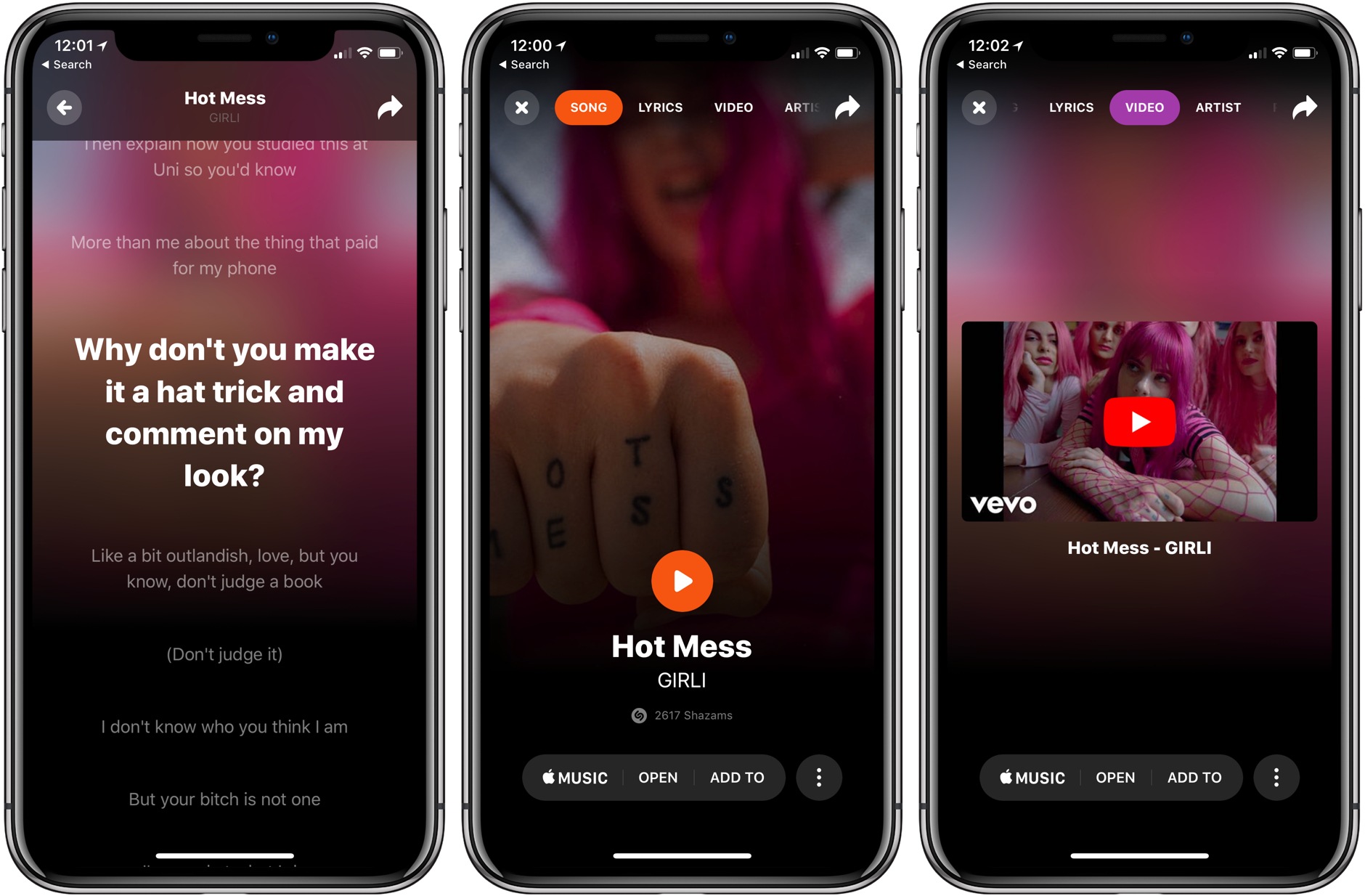
Last December, Apple announced plans to acquire music-discovery service Shazam. The service, which makes iOS, watchOS, and macOS apps that can detect songs, TV shows, and advertisements from their sound signatures, has been on Apple’s platforms since the early days of iOS and is the engine behind Siri’s ability to recognize songs.

Since February, the deal has been on hold while the European Commission considered whether it would adversely impact competition. In a press release today, Commissioner Margrethe Vestager, who is in charge of competition policy, explained:

“Data is key in the digital economy. We must therefore carefully review transactions which lead to the acquisition of important sets of data, including potentially commercially sensitive ones, to ensure they do not restrict competition. After thoroughly analysing Shazam’s user and music data, we found that their acquisition by Apple would not reduce competition in the digital music streaming market.”

Elaborating on the Commission’s findings, Vestager said the Commission concluded that “Apple and Shazam mainly offer complementary services and do not compete with each other.”

There has been no official word from Apple on the Commission’s decision, but it should clear the way to allow that deal to be consummated soon.

Past MacStories coverage of Shazam is available here.


Logitech Crayon Availability Is Expanding on September 12th

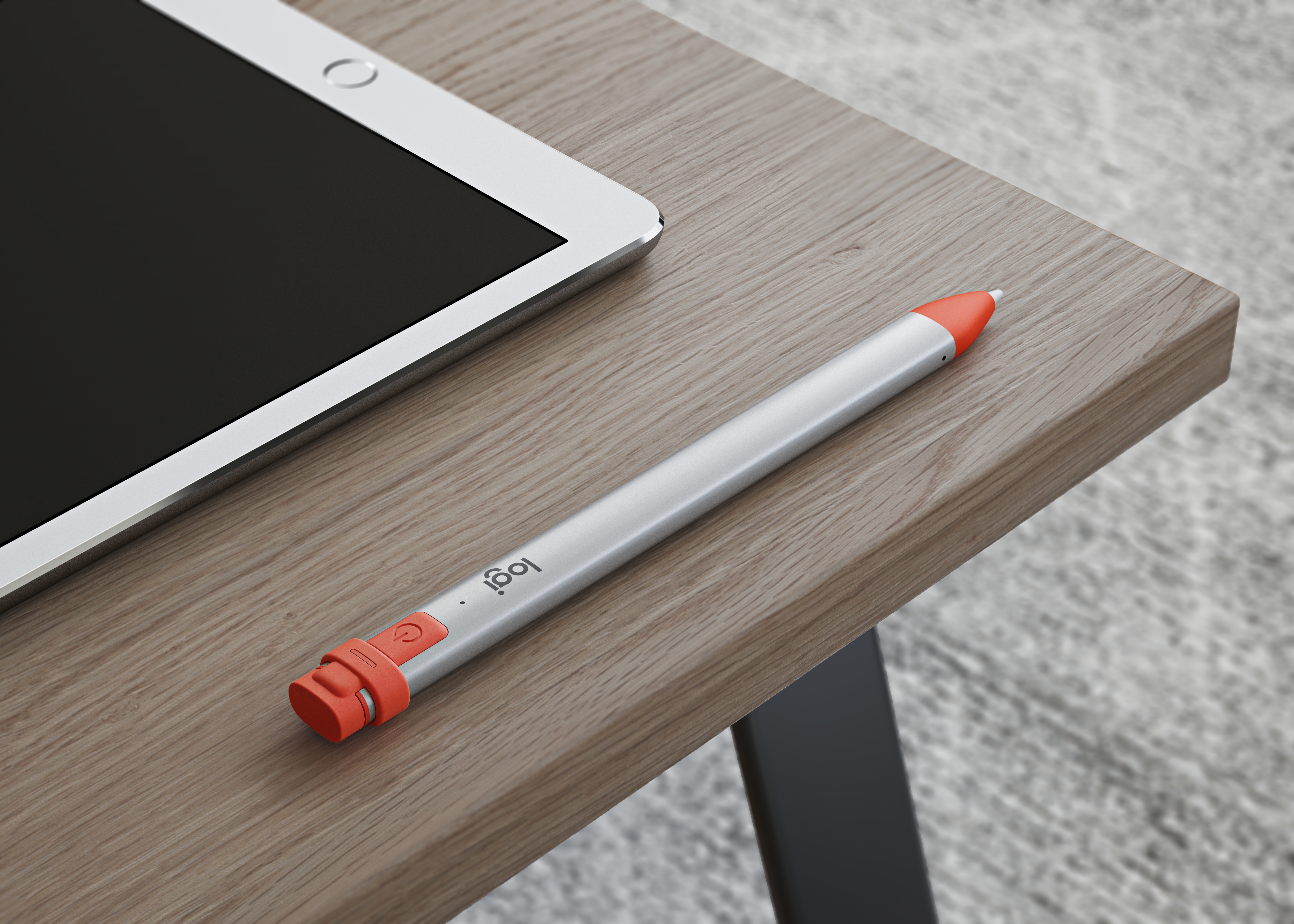
The Logitech Crayon stylus that was announced at Apple’s spring education event was available originally to education customers only. Logitech has announced however, that beginning on September 12th the Crayon will be available to anyone who wants one.

The Crayon has many of the same features as Apple’s Pencil but lacks pressure sensitivity. The device is also designed with kids in mind. The rubberized cap that hides a Lightning charging port is tethered to the device, and the replaceable tips can only be removed with a special tool. The barrel of the Crayon is also squared off so it won’t roll off a table.

Logitech says the Crayon will be available initially at Apple retail stores, Apple.com, and Logitech.com. However, beginning in October, availability will expand to other retailers.

The Crayon will continue to be available to education customers for $49.99. Everyone else can purchase the Crayon for $69.99, which is $30 less than the Apple Pencil.

It’s interesting that the Crayon goes on sale to the general public the same day as Apple’s fall event. Perhaps this indicates that new iPads will debut during the event, despite the lack of iPad rumors and leaks compared to the iPhone and Apple Watch.


WhatsApp Adds Media Previews in Notifications

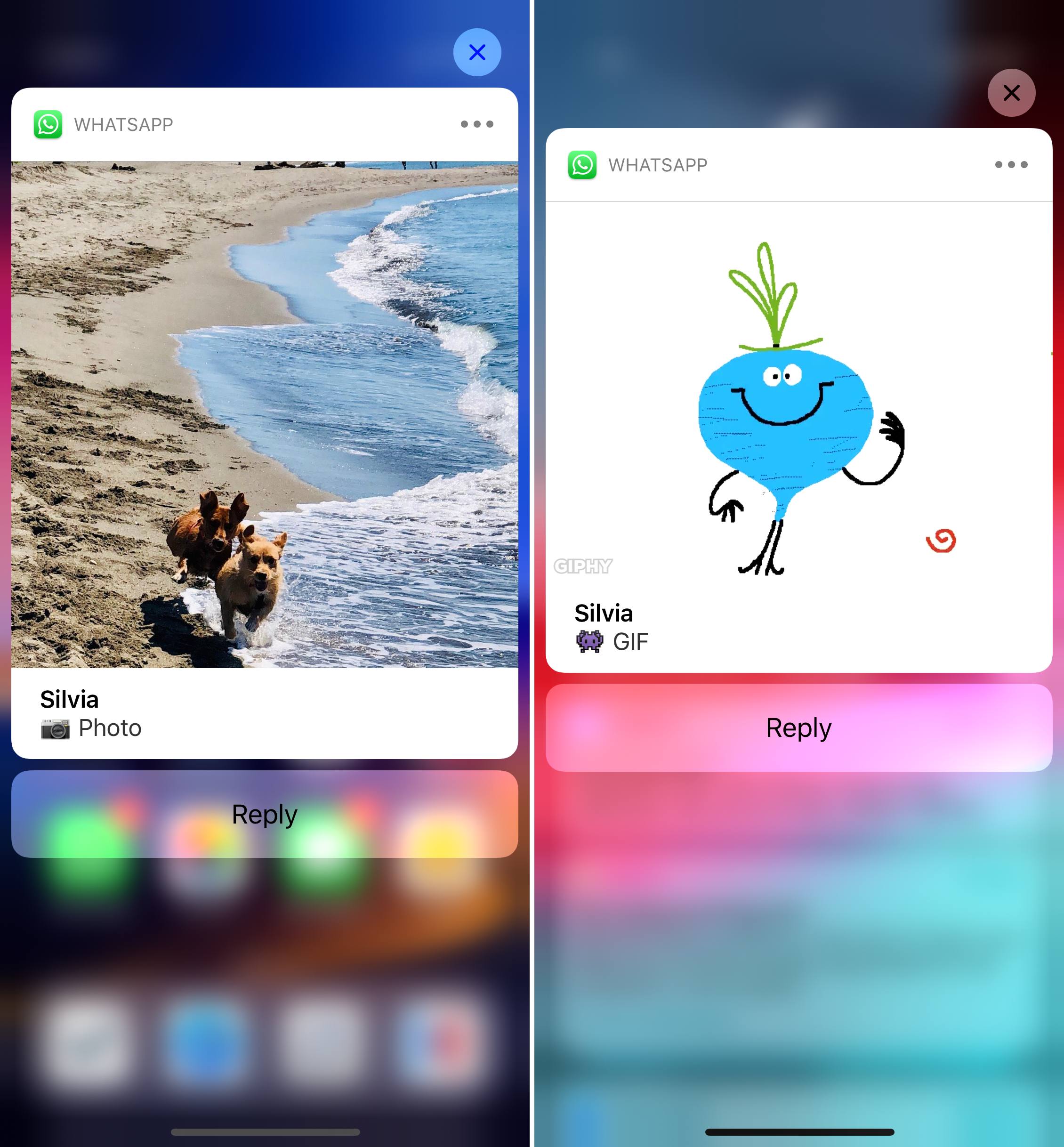
WhatsApp for iOS was updated earlier this week with the long-awaited ability to preview media (pictures and animated GIFs) using rich notifications on iOS. As you can see in the screenshots below, this new feature allows you to expand a notification and preview its embedded image attachment without having to open the app and before composing a reply from the notification itself.

As a heavy user of WhatsApp (it’s my second most used social/communication app, second only to iMessage), this feature was perhaps the single most important option I was hoping the app would eventually adopt. The entire flow of previewing and responding to messages that contain pictures is so much better now. Of course, I’m also waiting for an iPad version of WhatsApp.

For context, the rich notification API for media previews was introduced with iOS 10 in 2016. Here’s to hoping it won’t take the WhatsApp team until 2020 to implement Siri shortcuts.


Getting Behind the Mac as a Productivity-First Platform

Apple’s recent Behind the Mac series is one of my favorite marketing campaigns of late. I find the visual of people sitting behind their Macs so romantic and nostalgic. It’s a sight that’s ever-present whenever I spend time in a coffee shop, and the series’ tagline, “Make something wonderful behind the Mac,” causes me to now wonder in public: what are these people making as they sit behind the iconic Apple logo’s glow?

Following WWDC earlier this year, I shared that one of the things I least expected from the conference was that it would get me excited about the Mac. I’ve been iOS-first for three years now, with no regrets whatsoever. During that time, while the Mac has received incremental improvements, its growth has lagged significantly behind iOS and the iPad. While I never expected the same level of innovation on macOS that iOS received – since the Mac didn’t need as much work, frankly – it was frustrating to constantly see iOS score new apps and technologies before the Mac.

It has long seemed to me like the Mac was on its way to an eventual death. But WWDC breathed new life into the platform, with Apple doubling down on the Mac’s strengths as a productivity tool, and the prospect of ported iOS apps starting next year. Each of these changes will bring, I believe, genuine excitement back to the platform.

Read more


MacPaw Releases a Redesigned and Updated CleanMyMac X

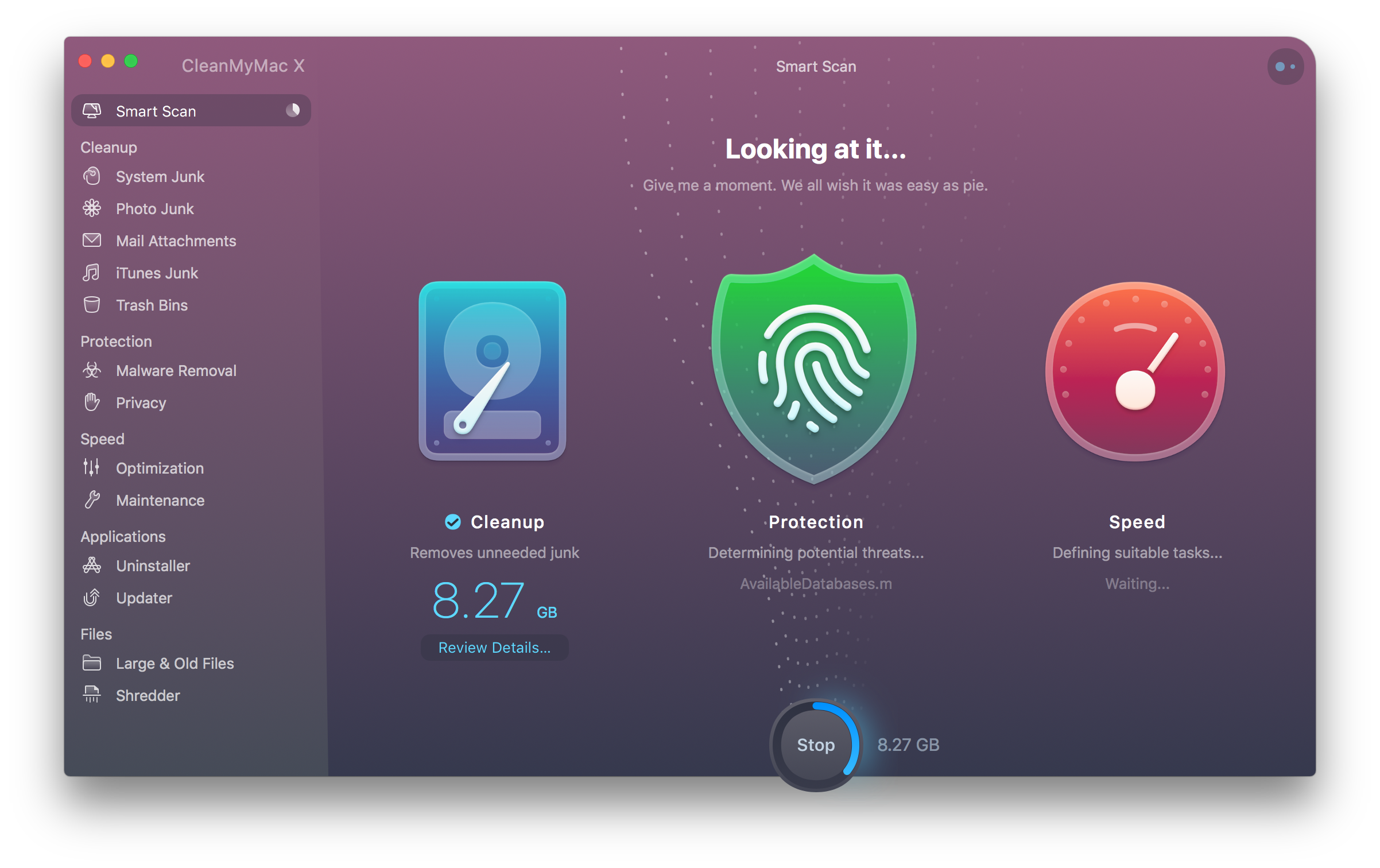
There’s a lot of junk that builds up on a Mac over time. The Trash fills up as do caches. There are also large language files, localizations, and other system files that most people don’t need. To eliminate the junk and keep as much space free as possible on my Mac, I’ve used CleanMyMac by MacPaw for several years. Today, MacPaw released an update to the app called CleanMyMac X in honor of the app’s ten-year anniversary.

The vast majority of the time I use CleanMyMac to free up space on my Mac. However, CleanMyMac does more than scan your Mac for junk and remove it. The app has grown over the years into a suite of utilities that also includes an uninstaller, system maintenance checks, privacy tools, large and old file removal, and a file shredder. That list has grown with CleanMyMac X, which has also been significantly redesigned.

Read more


Google Debuts Nice New Look, Password Management Improvements, and Other Enhancements With Chrome 69

Chrome just turned 10 and Google is celebrating with a big update to its Chrome browser on iOS and the Mac. The update, which was announced on Google’s The Keyword blog, includes a redesign of the app’s UI, improvements to password management, answers to common queries directly from Google’s Omnibox, new personalization options, and under-the-hood enhancements.

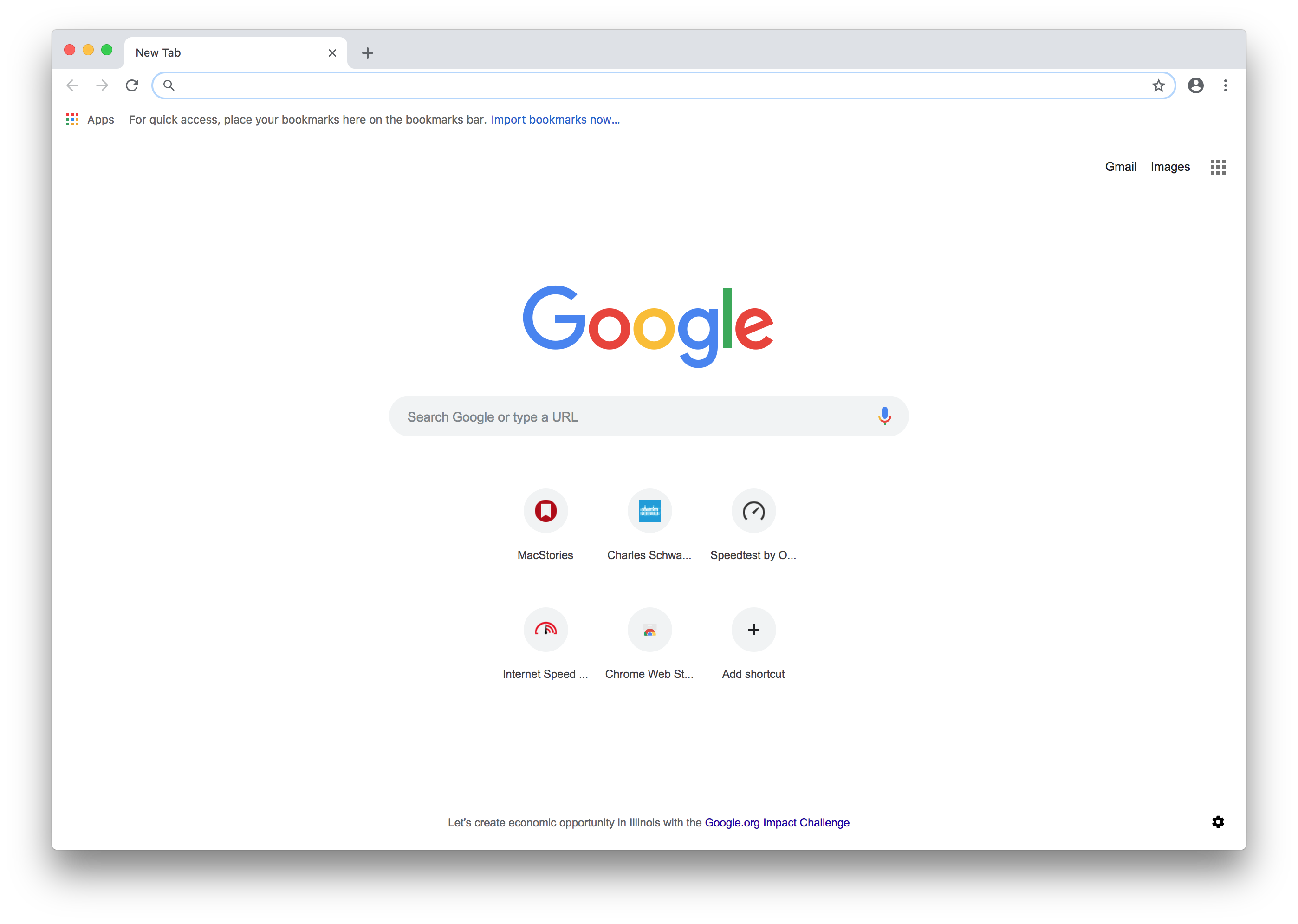
Front and center is a redesign of Chrome’s UI. Iconography, text fields, and tabs all have more rounded corners than previously. Google has also adjusted the color palette used. The overall effect has a more lightweight feel, especially on the Mac where there is abundant white space.

Chrome’s password manager is improved too. Google says the app is better at filling in names, addresses, and credit card information in web forms. Chrome also generates, saves, and syncs your passwords across platforms.

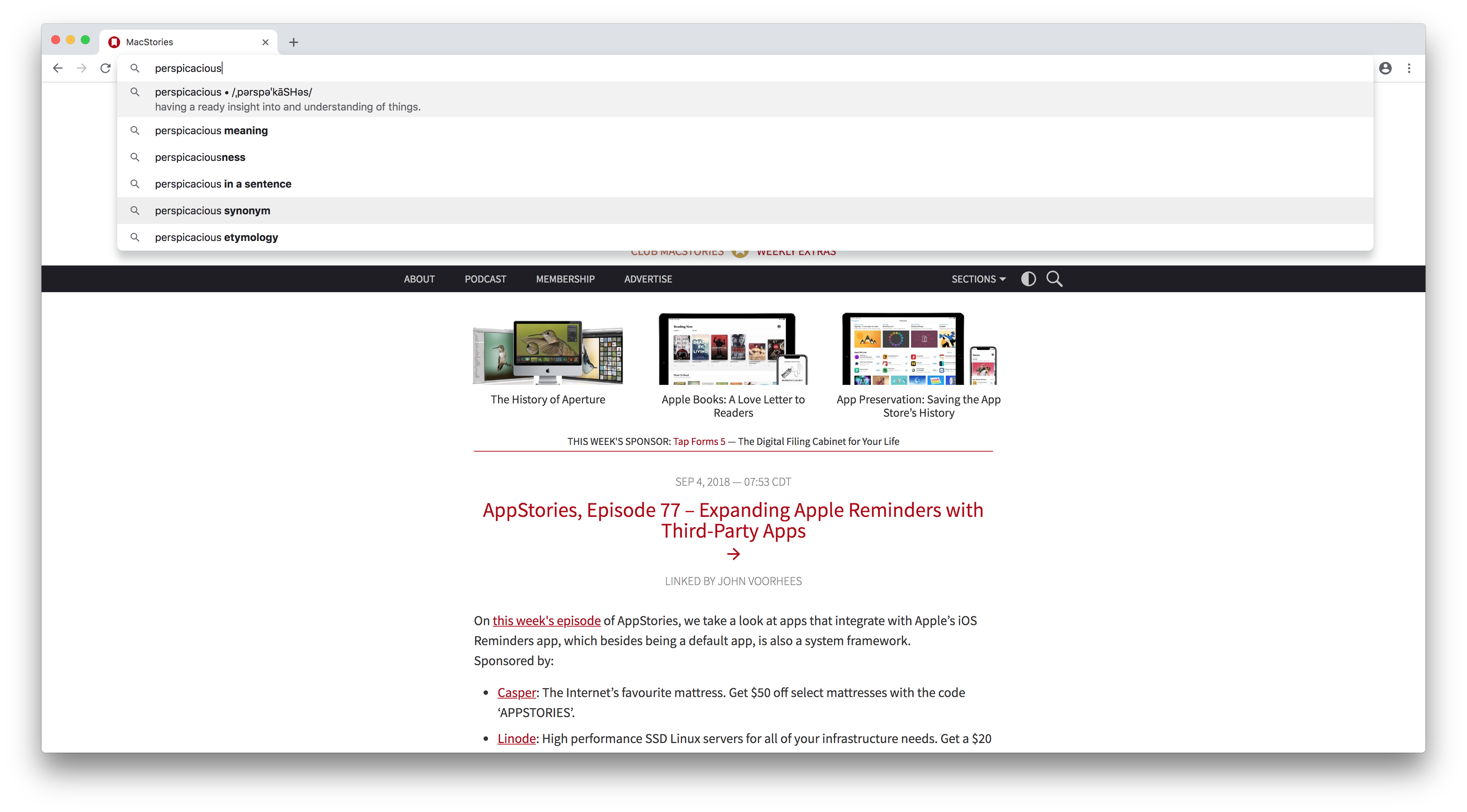
If all you need is a simple answer to a question, Google’s combination search bar/address bar, which it calls the Omnibox, will now display relevant information as you type on the Mac. Google says the Omnibox will return definitions in the drop-down results as you type as well as information about people and other subjects. In my limited testing, I was able to display definitions from the Omnibox, but I couldn’t recreate the other results demonstrated by Google in its announcement.

Definitions and other information is available from the Omnibox.

Definitions and other information is available from the Omnibox.

Google has also added shortcut management to newly opened tabs, which can also feature a photo of your choice in the background. Google also mentions that it is experimenting with under-the-hood changes to improve Chrome’s overall performance that are covered in detail on its developer blog.

The iOS update is available on the App Store and the Mac version directly from Google.


AppStories, Episode 77 – Expanding Apple Reminders with Third-Party Apps

On this week’s episode of AppStories, we take a look at apps that integrate with Apple’s iOS Reminders app, which besides being a default app, is also a system framework.
Sponsored by:

  • Casper: The Internet’s favourite mattress. Get $50 off select mattresses with the code ‘APPSTORIES’.
  • Linode: High performance SSD Linux servers for all of your infrastructure needs. Get a $20 credit with promo code ‘appstories2018’
AppStories+ Deeper into the world of apps

AppStories Episode 77 - Expanding Apple’s Reminders with Third-Party Apps

0:00
32:13

AppStories+ Deeper into the world of apps

Permalink

Creative Selection Delves into Apple Software Design with Stories about Safari, the iPhone, and the iPad

Today, former Apple engineer Ken Kocienda’s book Creative Selection, which covers his career at Apple and insights about the company’s software design process, was released. As an engineer at Apple, Kocienda worked on several high-profile projects including Safari on the Mac and the touch keyboards on the iPhone and iPad. Much of the publicity surrounding the book focuses on Kocienda’s work on the iPhone. However, there is a treasure trove of interesting anecdotes about other products and people that make Creative Selection an absorbing read for anyone interested in the creative process and Apple.

Read more