The App Store’s New Apps and Games of the Week Collections

The App Store is at once infinitely large and impossibly small. As a digital storefront, the App Store can accommodate an endless number of apps on its virtual shelves. However, at the same time, the App Store has to contend with screens as small as the iPhone SE’s 4.7” display. That poses interesting editorial challenges.

The App Store has always faced discovery challenges. From the day it opened for business 15 years ago, the App Store had more apps than it could easily display on the iPhone.

That problem only worsened with the App Store’s iOS 11 redesign. That update brought the welcome addition of editorial, curated content from the App Store’s editorial team. However, it also necessitated greater reliance on search because stories featuring individual apps and themed collections took up more space than simple lists and top charts. The result poses a difficult, ongoing balancing act between providing meaningful editorial recommendations and promoting as many apps and games as possible.
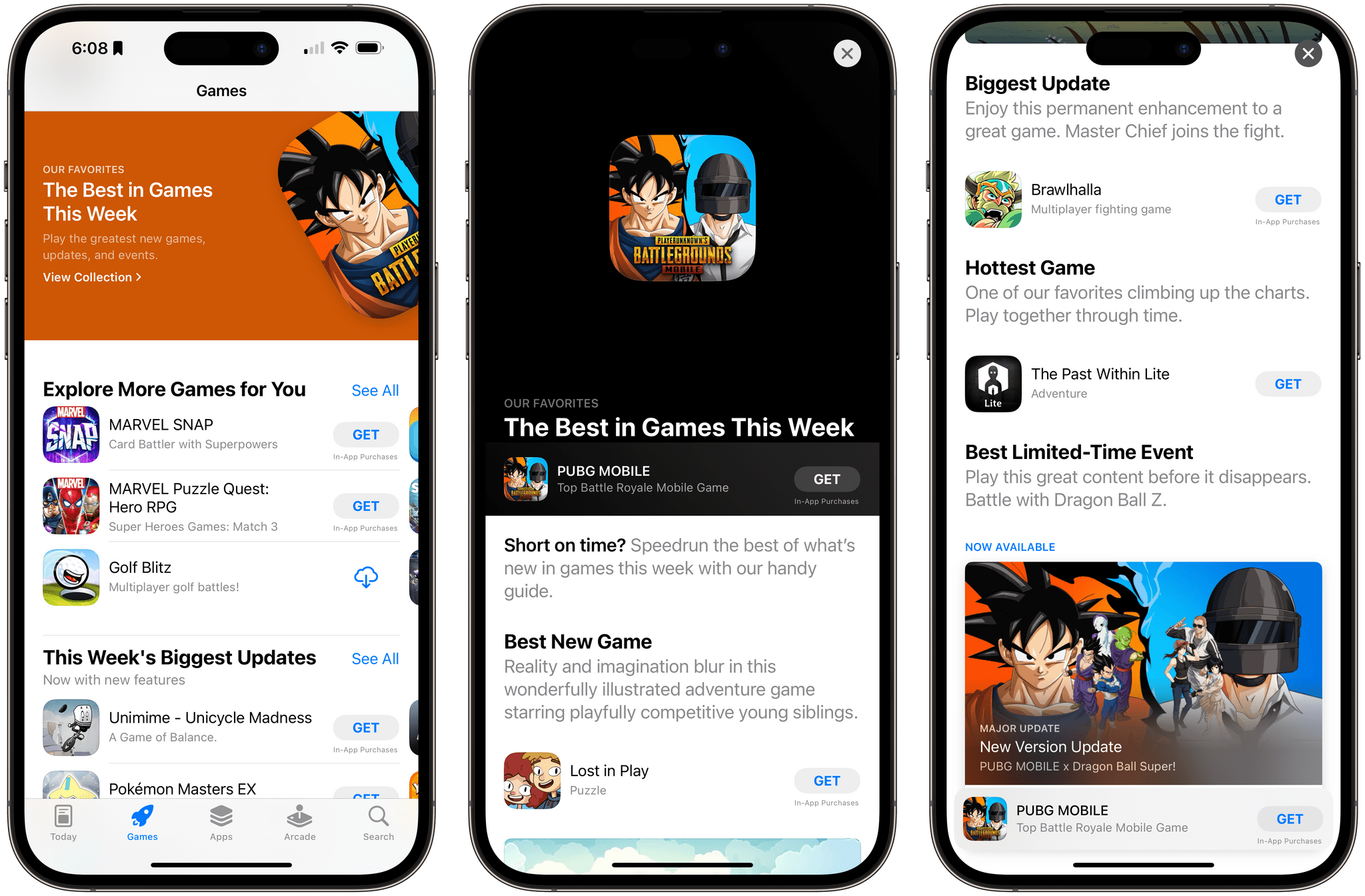
The Best in Games This Week.

The Best in Games This Week.

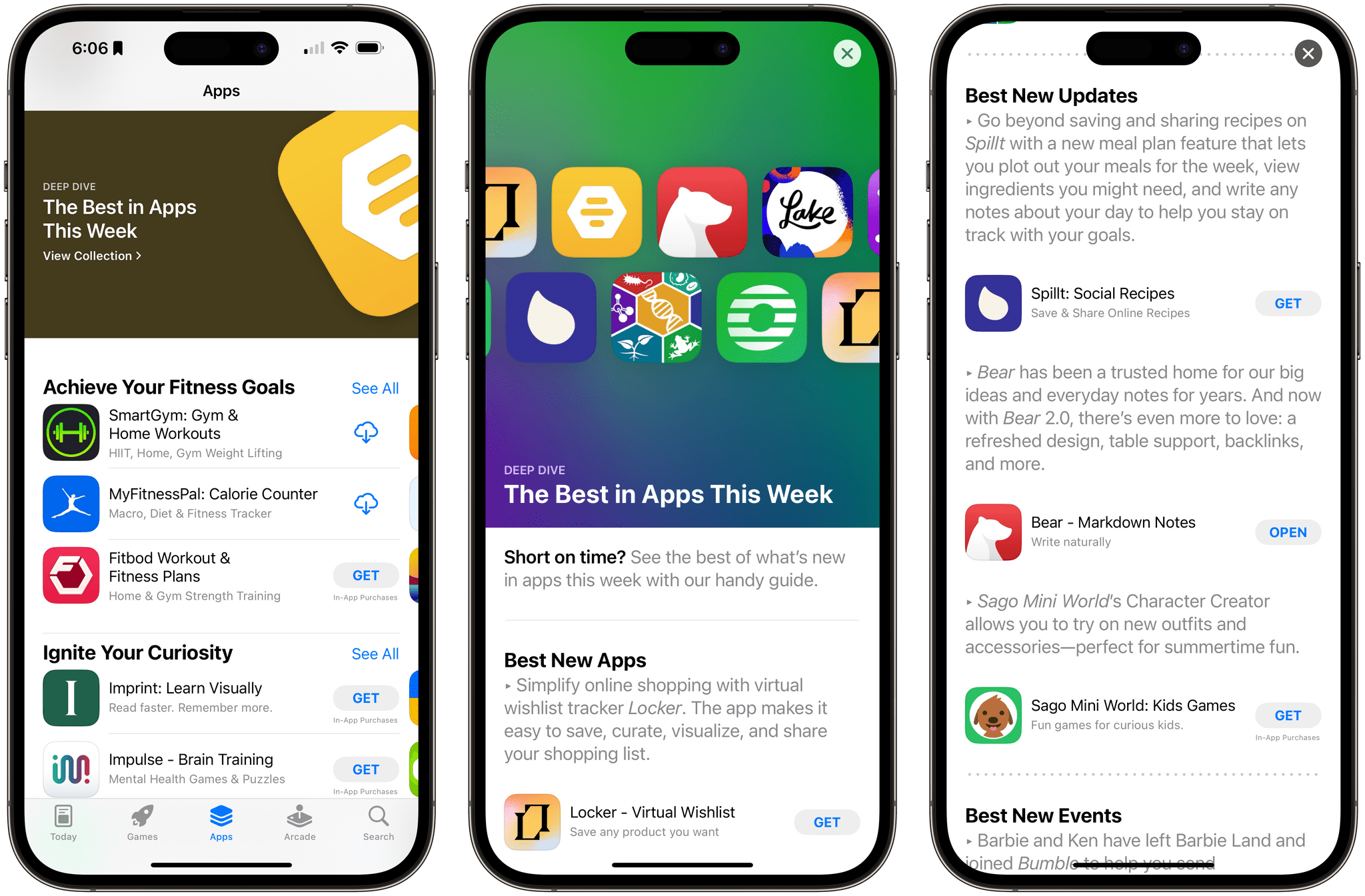
There are several different recurring featured stories that the App Store editorial team produces, including the App and Game of the Day, Developer Spotlights, and Featured Apps. However, a new one caught my eye recently thanks to Vidit Bhargava, the creator of LookUp and Zones.

Earlier this month, Vidit posted on Mastodon about a new App Store feature called The Best in Apps This Week. The weekly story includes notable new and updated apps, along with app events picked by the App Store editorial team. It turns out that another recurring story called The Best in Games This Week was added in early July that follows a similar format, with a mix of new, updated, and popular games, along with editorial team favorites and ongoing events.

Both of these new features are a nice way to spotlight what’s new on the App Store in one place. The short descriptions of each app and game allow more to be covered in one story but provide just enough detail to provide readers with a sense of why each is unique. I’d love to see more of this style of story on the App Store, which still relies on lists more than I’d like.


Access Extra Content and Perks

Founded in 2015, Club MacStories has delivered exclusive content every week for nearly a decade.

What started with weekly and monthly email newsletters has blossomed into a family of memberships designed for every MacStories fan.

Learn more here and from our Club FAQs.

Club MacStories: Weekly and monthly newsletters via email and the web that are brimming with apps, tips, automation workflows, longform writing, early access to the MacStories Unwind podcast, periodic giveaways, and more;

Club MacStories+: Everything that Club MacStories offers, plus an active Discord community, advanced search and custom RSS features for exploring the Club’s entire back catalog, bonus columns, and dozens of app discounts;

Club Premier: All of the above and AppStories+, an extended version of our flagship podcast that’s delivered early, ad-free, and in high-bitrate audio.

Learn more here and from our Club FAQs.


AppStories, Episode 343 – watchOS and macOS Sonoma Public Beta Previews

This week on AppStories, I’m joined by Alex Guyot to talk about the watchOS 10 and macOS Sonoma public betas.

Sponsored by:

  • Concepts - Sketch, Note, Draw.
  • Fitbod: Get stronger, faster with a fitness plan that fits you. Get 25% off your membership.

On AppStories+, Alex shares the tech he’s using to plan his wedding and I talk about game and app preservation.

We deliver AppStories+ to subscribers with bonus content, ad-free, and at a high bitrate early every week.

To learn more about the benefits included with an AppStories+ subscription, visit our Plans page, or read the AppStories+ FAQ.

Permalink

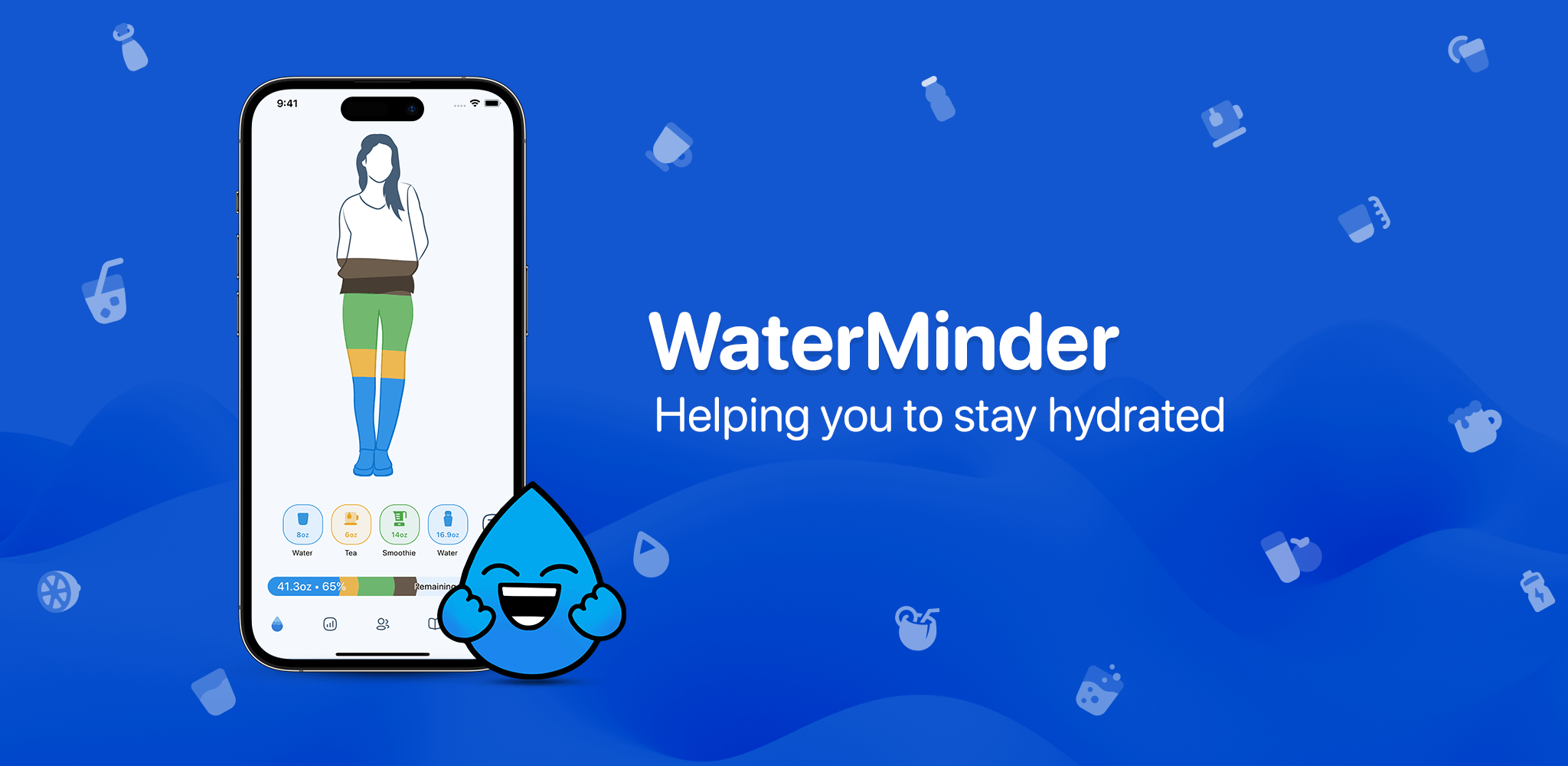
WaterMinder: Stay Hydrated All Day, Every Day [Sponsor]

It’s summertime, and with high temperatures comes the need to stay hydrated. The trouble is, you’re busy and have a lot going on every day, which can make it hard to remember to grab a glass of water, let alone keep track of how much you’ve had during the course of a day.

That’s where Funn Media’s WaterMinder app comes in. It’s the easiest way to remember to stay hydrated throughout the year and keep track of the liquids you consume.

WaterMinder makes tracking hydration incredibly simple. The app features an elegant interface and myriad ways to input the water and other drinks you consume throughout the day. The app is available on all of Apple’s platforms, is highly customizable, and includes support for Shortcuts, widgets, and Apple Watch complications. With WaterMinder’s rich charts for tracking, hydration reminders, and integration with Apple Health, you’ll have your hydration on track in no time flat.

The latest update to WaterMinder was version 6.2, which added the ability to create multi-ingredient cups and a simplified mode that hides some of the app’s more advanced features to create a focused, streamlined experience. The app is always being updated with new and innovative features. In fact, the team at Funn Media is currently working on interactive widgets for iOS 17 and a visionOS version of WaterMinder for the VisionPro’s release in 2024.

Get started on the road to proper hydration with WaterMinder by visiting the app’s website today to learn more about this fantastic app.

Our thanks to WaterMinder by Funn Media for sponsoring MacStories this week.

Access Extra Content and Perks

Founded in 2015, Club MacStories has delivered exclusive content every week for nearly a decade.

What started with weekly and monthly email newsletters has blossomed into a family of memberships designed for every MacStories fan.

Learn more here and from our Club FAQs.

Club MacStories: Weekly and monthly newsletters via email and the web that are brimming with apps, tips, automation workflows, longform writing, early access to the MacStories Unwind podcast, periodic giveaways, and more;

Club MacStories+: Everything that Club MacStories offers, plus an active Discord community, advanced search and custom RSS features for exploring the Club’s entire back catalog, bonus columns, and dozens of app discounts;

Club Premier: All of the above and AppStories+, an extended version of our flagship podcast that’s delivered early, ad-free, and in high-bitrate audio.

Learn more here and from our Club FAQs.


MacStories Unwind: How We Write

AppStories+ Deeper into the world of apps
0:00
24:44

AppStories+ Deeper into the world of apps


This week, Federico and I talk about the writing process, Federico recommends Vampire by Olivia Rodrigo and I recommend Hijack on Apple TV+.

  • Kolide – It ensures that if a device isn’t secure it can’t access your apps.  It’s Device Trust for Okta. Watch the demo today!

Federico’s Pick:

John’s Pick:

MacStories Unwind+

We deliver MacStories Unwind+ to Club MacStories subscribers ad-free and early with high bitrate audio every week.

To learn more about the benefits of a Club MacStories subscription, visit our Plans page.

Access Extra Content and Perks

Founded in 2015, Club MacStories has delivered exclusive content every week for nearly a decade.

What started with weekly and monthly email newsletters has blossomed into a family of memberships designed for every MacStories fan.

Learn more here and from our Club FAQs.

Club MacStories: Weekly and monthly newsletters via email and the web that are brimming with apps, tips, automation workflows, longform writing, early access to the MacStories Unwind podcast, periodic giveaways, and more;

Club MacStories+: Everything that Club MacStories offers, plus an active Discord community, advanced search and custom RSS features for exploring the Club’s entire back catalog, bonus columns, and dozens of app discounts;

Club Premier: All of the above and AppStories+, an extended version of our flagship podcast that’s delivered early, ad-free, and in high-bitrate audio.

Learn more here and from our Club FAQs.


The Case for Videogame and App Preservation

On the same day that the App Store turned 15, the Video Game History Foundation released a study that concludes 87% of all classic videogames released in the US are no longer commercially available. The study looked at a broad cross-section of platforms and found that this isn’t a problem that’s limited to one corner of the videogame industry. It’s universal. As a result, a large segment of videogame history is at risk of being lost forever.

The Video Game History Foundation’s mission is to preserve videogame history, and along with libraries, museums, and archives, they’re seeking exemptions from US Copyright law to make game preservation easier. On the other side of their efforts is the gaming industry, which argues, among other things, that commercial re-releases and remasters of classic games are satisfying preservation needs.

That debate is what prompted the Foundation’s study:

It’s true that there’s more games being re-released than even before. But then why does the gaming community believe that so few classic games are still available? What’s the real story here? If we want to have a productive conversation about game preservation, we need an accurate understanding of where things stand right now.

We conducted this study to settle the facts. It’s not enough just to have a hunch. We need hard data.

The results of the Video Game History Foundation’s study tell a different story than the one the videogame industry tells and is one that’s equally applicable to mobile games and apps on Apple’s App Store. Federico and I have written about app and game preservation before, including during the 10th anniversary of the App Store. And while I applaud Apple’s decision to promote classic iOS games as part of Apple Arcade, the Foundation’s study shows that it’s not enough. It’s a start, but for every game that is given a new lease on life as part of Arcade, there are dozens that lie dormant and unplayable.

The problem extends to apps too. Craig Grannell, with the help of Internet sleuths, set out to recreate the list of 500 apps and games that debuted on the App Store as its 15th anniversary approached. Grannell’s Google Spreadsheet currently lists 355 titles, and guess what? By my count, only 43 of those apps and games have live App Store URLs, which works out to 12%, almost exactly the same results as the Video Game History Foundation’s study. Grannell’s spreadsheet may not have been compiled as rigorously as the Foundation’s study, but the point stands: we’re losing access to culturally significant apps and games on the App Store alongside the videogame industry.

That’s why I was happy to see the Video Game History Foundation take the important step of gathering the facts that support their preservation efforts. Its focus is on games, but hopefully, it will help raise awareness about preserving apps too.

A good way to learn more about the Video Game History Foundation’s study is also to listen to the latest episode of its podcast, where Kelsey Lewin and Phil Salvador of the Foundation were joined by Brandon Butler, Director of Information Policy at the University of Virginia Library and Law and Policy Advisor at the Software Preservation Network.

Access Extra Content and Perks

Founded in 2015, Club MacStories has delivered exclusive content every week for nearly a decade.

What started with weekly and monthly email newsletters has blossomed into a family of memberships designed for every MacStories fan.

Learn more here and from our Club FAQs.

Club MacStories: Weekly and monthly newsletters via email and the web that are brimming with apps, tips, automation workflows, longform writing, early access to the MacStories Unwind podcast, periodic giveaways, and more;

Club MacStories+: Everything that Club MacStories offers, plus an active Discord community, advanced search and custom RSS features for exploring the Club’s entire back catalog, bonus columns, and dozens of app discounts;

Club Premier: All of the above and AppStories+, an extended version of our flagship podcast that’s delivered early, ad-free, and in high-bitrate audio.

Learn more here and from our Club FAQs.


David Smith on Adapting Widgetsmith’s Weather Features to visionOS

David Smith has been poking around the visionOS SDK and chronicling his efforts on his website. His latest experiment was to take the weather forecast part of Widgetsmith and adapt it to visionOS. We’ve seen a lot of developers post screenshots of what their app looks like when it’s first built in visionOS, and it’s impressive how little work it seems to take to get an app up and running on the new OS.

However, visionOS apps are fundamentally different from others and require further attention to adapt to the new UI language. That’s what I love about David’s post. This is what it looked like when he started:

In the post, David walks through all the changes made, big and small, to get to this point:

The evolution of this view and others is a fascinating lesson in the UI differences between iOS and visionOS apps. Be sure to check out David’s post for more screenshots and details on the process of adapting Widgetsmith’s weather features to visionOS.

Permalink

On the Value of Threads’ Social Graph

Jason Tate, in his always-excellent Liner Notes newsletter1, has written about the practical value of Threads’ built-in social graph and how it differs from signing up for Mastodon or Bluesky:

This is a key (and likely killer) feature for onboarding someone into Threads. Like TikTok, you don’t have to do anything else after signing up to start seeing stuff. Is all of that going to be relevant to you? Probably not. But it removes the problem of most social media platforms: a user signing up and then going, “Ok, now what?” Building on top of the Instagram social graph removes a huge barrier and gives Threads a bootstrapping head start. It’s “valuable” to any Instagram user almost immediately. The app itself is fine. It’s not what I would prefer in an app for this kind of thing (Ivory is). But it’s fine. In my playing around with it over the past few days, I have two main thoughts, the first is on what works, and the second is on what needs to change. Let’s start with what works. The people are here. Joining Mastodon and joining BlueSky, I can find maybe 5% of the people I’m looking for. On Mastodon, it’s a lot of my tech and nerd friends. On BlueSky, it’s a few joke accounts. On Threads, I’d venture almost 90% of the people I’m looking for are there. Music people and bands that never joined Mastodon are there, and they’re posting. Many of the baseball and basketball accounts I follow are there, and they’re posting during games. This is a huge use case for me in a real-time app like this. Social media, and communities, are all about who is on the platform. The value a user gets is directly tied to the people who are there posting on it. I can love Mastodon as much as I want, but if I cannot extract the value I’m looking for from it daily, I’ll use it less. And that’s why I want Threads to succeed if they follow through on their promise to federate with the Fediverse.

That’s precisely the issue with Mastodon for me. I love Mastodon, and I’ve built an amazing audience of tech enthusiasts and MacStories readers there, but the non-tech people I want to follow online just aren’t there. I’ve been on Mastodon for several months now, and so many communities I used to follow on Twitter never signed up; meanwhile, I noticed folks from music Twitter, VGC Twitter, and videogames Twitter show up on Threads within days. And they’re posting.

So far, the value of Threads2 is that it fills a hole left by Twitter that Mastodon, for a variety of reasons, never filled. I don’t know if it’ll ultimately succeed without Meta ruining it in the long run, but anything to move communities away from Elon works for me right now.


  1. If you love music and don’t subscribe to Chorus.fm, you’re missing out. I read Jason’s site religiously every week (and have been for decades, since it was AbsolutePunk). 
  2. You can find me as @viticci there. We’re working on bringing out company accounts to Threads too. 
Permalink

watchOS 10: The MacStories Preview

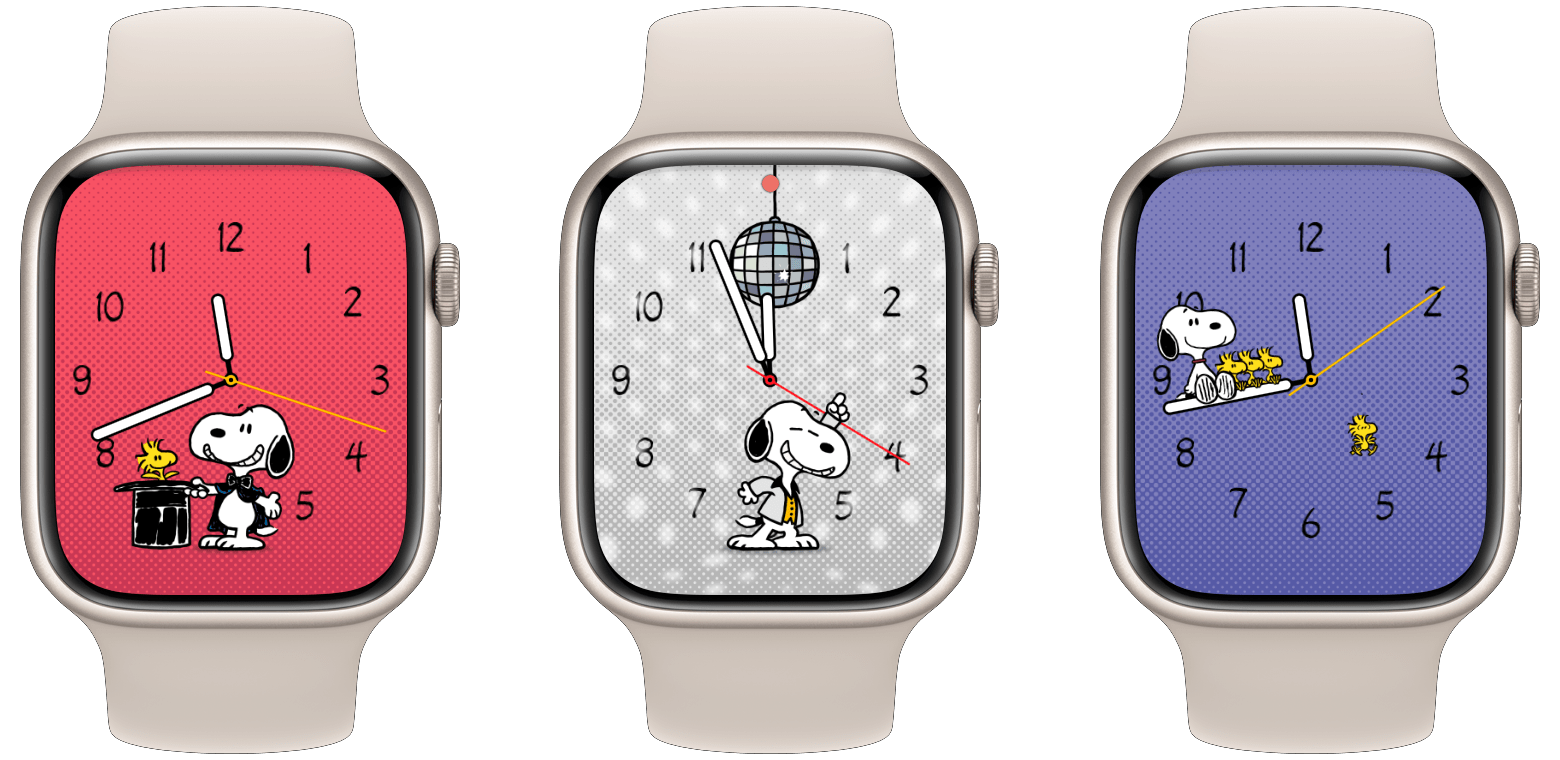
Apple itself is hailing watchOS 10 as the largest software update since the introduction of the Apple Watch. I’m not sure I quite agree with that characterization, but it’s certainly the biggest update we’ve seen in many years. The tenth iteration of watchOS includes an exciting fresh take on some of its core interactions, including a reassignment of the hardware side button and a brand-new widget interface. Apple has released the watchOS 10 public beta today, which you can access as part of the Apple Beta Software Program.

There’s a lot to dig into here, but we’ll leave most of the digging for my official watchOS review later this year. For now, let’s take a look at the highlights of watchOS 10, what exactly has changed, and what seems to be working after just a few weeks of usage.

Read more

Access Extra Content and Perks

Founded in 2015, Club MacStories has delivered exclusive content every week for nearly a decade.

What started with weekly and monthly email newsletters has blossomed into a family of memberships designed for every MacStories fan.

Learn more here and from our Club FAQs.

Club MacStories: Weekly and monthly newsletters via email and the web that are brimming with apps, tips, automation workflows, longform writing, early access to the MacStories Unwind podcast, periodic giveaways, and more;

Club MacStories+: Everything that Club MacStories offers, plus an active Discord community, advanced search and custom RSS features for exploring the Club’s entire back catalog, bonus columns, and dozens of app discounts;

Club Premier: All of the above and AppStories+, an extended version of our flagship podcast that’s delivered early, ad-free, and in high-bitrate audio.

Learn more here and from our Club FAQs.