This Week's Sponsor:

HomeSnap

A Private, Read-Only Window Into Your HomeKit Home


SkyView: Explore The Universe with Augmented Reality

Thanks to the camera built into every iPhone (and now iPad), we have seen clever implementations of augmented reality applications in the past. Augmented Reality software, also known as “AR apps”, is meant to literally “augment” real-life objects you see on the device’s screen through the camera by adding digital information or other items. A navigation app like Where To, for example, places virtual directions on a real map captured by the iPhone’s camera. These experiments are very cool and show off the capabilities of iOS devices when combined with software that takes advantage of modern technologies.

SkyView, an iPhone app by Terminal Eleven, lets you explore the universe from your iPhone by simply pointing the camera to the sky. Using GPS coordinates, gyroscope rotation and 3D graphics, SkyView augments what you see by adding stars, planets, satellites, space stations and constellations on the screen.

Once you point the iPhone’s camera to the sky and the app fetches information correctly via GPS, you’ll see a variety of sky objects popping up on screen – like stars, the sun, satellites and so forth, depending on where you are in the world. If you tap on an item, a bar appears at the bottom of the screen revealing its name; tap again, and the bar will expand to show RA and DEC location. Tap the arrow, and SkyView will let you flick through a detailed description of the object you’ve discovered. If you select the Sun, Moon or another planet, you can also see the path they’ll follow during a 24 hour period. In the Settings, you can choose how many 3D layers to display or hide (including dwarf planets) and adjust time and date basing on your location.

At $0.99 in the App Store, SkyView is a neat experiment that makes great use of the iPhone’s camera. Check it out here, free version available as well.



iOS 4.3.1 Coming Within Two Weeks with iPad 2 Jailbreak Fix?

According to BGR – who has a good track record on iOS releases and rumors – Apple is preparing to launch a new version of iOS, 4.3.1, “within one to two weeks”. The release, a minor one as usual following the “point upgrade”, will contain a series of fixes for the baseband and will also patch a vulnerability in the iPad 2 that enabled hackers to jailbreak the device.

BGR reports:

  • Baseband updates for the 3GS and iPad (original)
  • Fixed memory hang that results in memory corruption when reading large files from USIM filesystem
  • Fixed problem with NTLM authentication in apps and on websites
  • Fixed issue with the Springboard and 3rd party apps not recognizing the gyroscope on the iPad 2
  • Fixed iPad 2 jailbreak vulnerability

iOS 4.3 was released on March 9th ahead of the iPad 2 launch.


iPad 2 Launch Not Delayed in Czech Republic, Still Coming This Friday

Last week several blogs noted that on Apple’s Czech website the iPad 2 was set to launch on April, rather than March as Apple had previously announced at the iPad 2 media event. On the website, Apple wrote “V prodeji od 25 dubna”, which roughly translates to “Coming April 25”. That was a month after Apple’s promised release date, and many speculated it was a sign of the company delaying the launch of the iPad 2 across Europe due to supply constraints.

But it looks like it was just a translation error by Apple’s website design team. The webpage has been updated and now reports “V prodeji od 25 brezna” – which is March 25. The release date that Apple announced and, apparently, was never meant to change.

The iPad 2 will come out later this week in 25 countries (launch was delayed in Japan) and, from what we’re hearing, it’ll follow the steps of the US launch with afternoon availability on Friday and same prices of the original iPad.  [Thanks, Krystian]


Numerous Owners Reporting 2011 MacBook Pro Crashes Whilst Under Load

A considerable number of owners of the new 15” and 17” 2011 MacBook Pro’s have reported both on the Apple Discussion board and also on the MacRumors forum that their new machines are locking up and freezing when under an extensive load. For example this post by ‘brandonlive02’ is representative of what many are complaining about;

I have a 15” 2011 MacBook Pro with a 128 SSD. It has repeatedly frozen in the week I’ve had it - often at random points while using StarCraft II and also while trying to access Time Machine. When it freezes, sound continues and I can still move the cursor (which is sometimes the spinning ball and sometimes the regular cursor) but the computer is completely unresponsive – force quit does not work nor does anything else - have to do a hard reboot.

The issue is believed to be fairly widespread with one user reproducing it on three separate machines and another who reportedly managed to reproduce it on every new MacBook Pro at their local Apple store. This wiki outlines the various methods one can use to re-create the crash if they wish to check if their MacBook has this issue.

No complete fix has been found and the cause is still unknown but the wiki page suggests one fix of using some software to only use the integrated graphics chip of the MacBook Pro. A post in the MacRumors thread suggests that Apple is aware of the issue and that they believe it to be a firmware or driver related problem rather than a hardware issue, but this has yet to be confirmed and Apple have not issued any public statement.

[Via MacRumors]


Rob Waugh reports on the rise to near-mythical status of Jonathan Ive, the remarkable man from Chingford

Rob Waugh reports on the rise to near-mythical status of Jonathan Ive, the remarkable man from Chingford

Collectively, the designers obsess over each product, stripping away non-essential parts, reworking tiny details such as LED indicators on the sides of laptops and phones. Ive once spent months working solely on the stand for Apple’s desktop iMac; he was searching for the sort of organic perfection found in sunflower stalks.

There are many quotes you could pull from Rob Waugh’s fascinating background story on Jonathan Ive, but I’d like to think this one in particular is the most revealing. Nothing in Ive’s design is an afterthought, and it’s this pursuit of perfection beyond design that the competition simply lacks. If you choose to think about it, the most magnificent thing about Apple is that consumers get to put their hands on a product whose every inch receives an unremarkable amount of attention; you can affordably purchase what a true master had once carved and precision-engineered by hand. What Ive creates in my mind is no longer a computer, but a masterpiece. Just read the few opening paragraphs, and you’ll get a sense of what I mean.

Permalink

SoundTracking: More Than Just “Instagram for Music”

Last week I decided to refine my cloud storage and music streaming setup: I bought a Dropbox Pro 50 account and extended my Spotify subscription until September. In case you don’t know, I store my iTunes library on Dropbox so I can sync my iOS devices effortlessly across all the computers I’ve installed Dropbox on. But why using iTunes and Spotify together for storing and streaming music? For as much as I love Spotify – in fact, it changed my music listening habits since I started using it – not every artist I like is available on it. That’s why I care about keeping a well-organized iTunes library with the albums and songs not available on Spotify. This library is pretty huge and stored on Dropbox together with apps, books, movies and anything else that usually goes into iTunes.

With a 16 GB iPhone, the combination of iTunes + Spotify (which also happens to have an offline cache option) gives me the possibility of having any kind of music ready for listening whenever I like. SoundTracking, a new app for iPhone I installed a few days ago, aims at giving you the tools to share the “soundtrack of your life” and discover new songs shared by your friends, directly from your iPhone.

At first, SoundTracking might sound like an “Instagram for music” – that would actually make sense after all the Instagram alternatives and third-party apps we’ve seen recently, not to mention the Instagram for video SocialCam. SoundTracking starts from the same simple concept of Instagram: you open the app, tap on a button in the toolbar and share media with your social graph in seconds. In SoundTracking, that means you’re sharing the song and artist you’re currently listening to with friends using the app you discovered by logging into Twitter, Facebook and Foursquare. But the similarities with Instagram stop at the basic concept, as SoundTracking goes really in-depth to allow you to not only share, but also discover new music and people with your same music tastes worth following. Read more


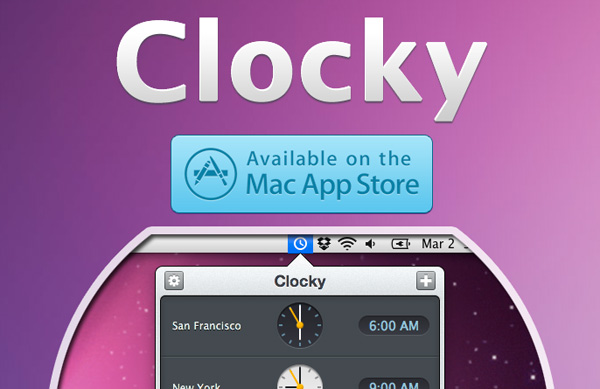
Clocky - A Beautiful World Clock App for Mac: Review & Giveaway

Yesterday I was browsing the new apps in the Mac App Store and came across Clocky, a world clock app that sits in your menu bar. Clocky was developed by Studio Dalton, who also did Lighty for iPhone, a very nice flashlight app. Clocky is already in the Top 100 apps in the Mac App Store and number 12 in Utilities.

Clocky shows the current time in the cities you’ve added, there are 479 to choose from. To add a city, click the ‘+’ sign and use the drop down menu or start typing. Even with almost 500 cities, I found some cities, such as Federico’s town of Viterbo, not on the list. If you want to delete a city, simply select and delete, or drag the clock out of the app. You can also click and drag the clocks to rearrange them. Read more


New Apple Patent: Flat USB & FireWire Cables with LEDs

Of all the designs and inventions Apple patents and trademarks every week, some are really interesting and provide good indication of things to come in Macs and iOS devices. Whilst we’ve recently seen several complex patents detailing social functionalities and smart location features coming to iOS, image editing capabilities for iPhones and a “safe deposit box” for cloud storage, a new patent design uncovered by Patently Apple last week seems to provide a simple solution to a minor, yet annoying problem: cables.

Apple sells a variety of cables on its online store: these cables are usually meant to connect Mac computers to external peripherals like monitors and hard drives, or to devices like iPhones and iPads. From HDMI connectors and FireWire 400 or 800 cables to most standard USB ones and 30-pin dock connectors (the ones that also come bundled with a new iOS device), these cables have one thing in common: they’re not flat. They tangle, they’re difficult to put away and carry around, they’ll very likely break over time as you twist them and, overall, simply use them. This happens because the standard cable circuitry used in the tech industry includes one or more wires placed within a non-conductive enclosure that result in a circular connector – the cable. The problem with a circular cable is that sometimes it’s meant to be used in a specific orientation, and if the cable bends in the opposite way (example: when you tangle it to put it away) the internal wires or external enclosure could break. Read more


Apple Store In Grand Central Not Happening After All?

Back in February, several rumors surfaced indicating Apple was planning on opening a major new retail store in Grand Central Terminal, New York in September. To celebrate the 10th anniversary of Apple Retail, reports suggested the Store in Grand Central was set to become the largest Apple Store ever built, likely meant to host thousands of customers every day because of the heavy traffic in Grand Central. Furthermore, to drive traffic away from the popular retail location in 5th Avenue, the rumored new Apple Store in Manhattan would accomplish the double functionality of better managing customers across retail stores, and being an impressive construction in Grand Central. This, on top of the Retail anniversary, lead many people to believe that September would indeed see the launch of an Apple Store, Grand Central. Read more