Report: Apple To Offer A Cheaper 8 GB iPhone 4 Within Weeks

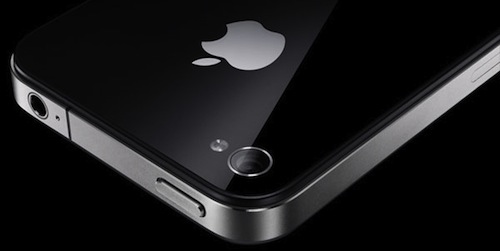
Apple may be preparing to launch a revised iPhone 4 that would feature a smaller 8 GB flash drive within weeks according to a report by Reuters today. It suggests that Apple may be preparing to launch an iPhone that would be priced at a lower level to help target emerging and the pre-paid mobile markets - something which Apple has expressed interest in utilising.

Most recently Apple’s COO, Tim Cook, said that Apple wanted to do “clever things” to attack the prepaid market so that the iPhone could be “for everyone”, not “just for the rich”. The obvious question is whether this iPhone 4 is more than just the old iPhone model at a lower price point with reduced storage - as was the case with the iPhone 3GS. It could just be that Apple decides to aggresively lower the price of this iPhone model - going further than what they have done with the iPhone 3GS and 3G when they were deprecated. Alternatively it could mean a new iPhone “4S” that is cheaper but also features some minor feature additions.

Reuters doesn’t specifically put a date on when this model could be released but past trends and common sense would suggest it launches alongside the new iPhone 5. They concur with previous iPhone 5 rumors and suggest it will feature a larger screen and better camera - they also note that Hon Hai and Pegatron have been told to prepare production capacity for 45 million units.

[Via Reuters]


Evernote 3.0 for Mac Released: New Lion-only Features and Redesigned Interface

Following the release of a new Evernote app for iOS earlier today that brought a completely redesigned iPad interface, rich text editing and support for viewing shared notebooks, the Evernote team has followed up with the release of Evernote 3.0 for Mac, a major update to the desktop app that aims at enhancing the experience for new OS X Lion users, as well as introducing several fixes and improvements under the hood for both 10.7 and older OS X versions.

Like Evernote 4.1 for iPad, Evernote 3.0 for Mac brings a new design for the “all notes” view, which, however, unlike the tablet version is not really enabled “by default” and requires users an extra click to be accessed. The Evernote developers, in fact, have decided to unify the Mac and iOS experience by bringing the iPad’s interface back to the Mac only in full-screen mode, which is fully supported on Lion. As I previously teased in my MacBook Air review, the new Evernote for Mac doesn’t simply scale up content when entering full-screen mode (which can be activated from the upper right corner of the application’s window): rather, Evernote changes the standard List, Snippet or Thumbnail views to a new “full-screen Snippet” one that looks exactly like its iPad counterpart. Bigger snippets offer a broader view of text and images within notes, and they also provide a way to check out a note’s creation date and time. Full-screen mode in Evernote also features the same month headers seen on the iPad, it allows you to close them at any time, and it displays a note counter next to each month. Read more


Apple Releases iTunes 10.4.1 with Keyboard, Album Artwork Fixes

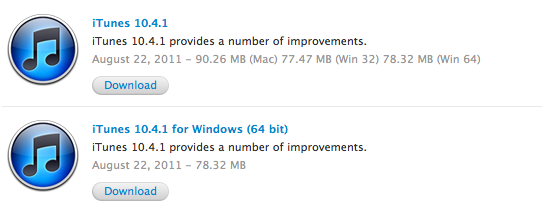
Apple released an update for iTunes a few minutes ago, bringing the app’s version number to 10.4.1 and including in a small delta update – available on Macs through the Software Update control panel – various fixes for the keyboard’s media keys, album artwork, and VoiceOver. From the changelog:

  • Fixes a problem where the media keys on some third-party keyboards work inconsistently with iTunes
  • Addresses issues with adding artwork to songs and videos
  • Resolves an issue which may cause iTunes to become unresponsive when purchasing an HD movie
  • Fixes a problem where iTunes may take longer than expected to open after waking your Mac from sleep
  • Addresses issues with VoiceOver support

iTunes 10.4.1 is available from Apple’s iTunes website and Downloads page, as well as Software Update. The update is available for Macs, Windows 32-bit and 64-bit machines. The app was recently updated to feature full Lion support and a completely rewritten Cocoa codebase, though a newer version of iTunes (10.5) has already been seeded to developers for iOS 5 testing.


Evernote Updates iOS App With New iPad UI, Rich Text, Shared Notebooks

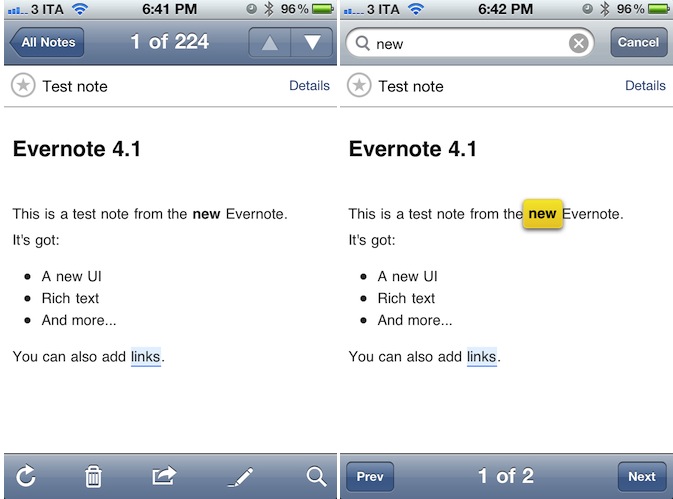
Teased at the first Evernote Trunk Conference last week, the long-awaited new version of Evernote for iPhone and iPad has been released today on the App Store, bringing much requested features to the iOS platform such as rich text styles, new iPad UI, support for shared notebooks and more. Evernote 4.1 for iOS is available for free here, whilst the Mac version’s publicly available beta still reports “beta 4” as the latest one.

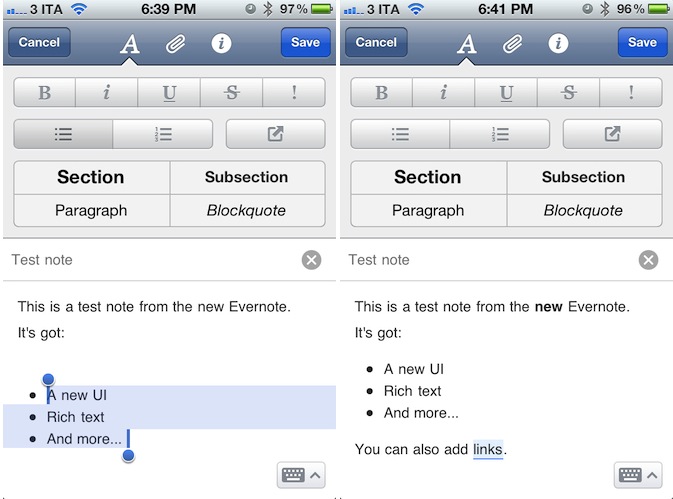
Evernote’s biggest change on iOS is the possibility of creating and editing notes with rich text styles. Whereas previous versions of the mobile app forced users to always edit notes in plain text – thus breaking styles coming from the desktop app – Evernote 4.1 allows basic creation of numbered and bulleted lists, as well as sections, paragraphs and blockquotes straight from an iPhone or iPad. Obviously, users can now also select text to make it bold, italic or underlined, with more options such as strikethrough and highlight available in a new formatting bar. To create or edit styles, Evernote uses a new tabbed toolbar on the iPhone that enables users to switch between styles (the uppercase A button),  attachments (images, audio notes, new photos), and note information such as notebook, tags, and location.

The Evernote team explains some of the limitations of rich text editing on iOS:

This update dramatically increases the creation and editing capabilities of Evernote for iOS. You will be able to edit any note that contains rich text that was created on the device. You will also be able to edit any note that contains styles available on iOS. There are some limitations to be aware of. You won’t be able to make direct changes to notes that contains more complex styles than what can be made in Evernote for iOS. These may include web clips, other typefaces or tables.

If you try to edit a complex note, you’ll be presented with new options: Append or Simplify. Append will add your additions to the end of the note. If you choose Simplify, Evernote will simplify the styles in the note to ones that are editable, which means that some complex styles may disappear. If you want to get back to the original, you can fish it out of the trash.

Evernote updated its iPhone app with a cleaner UI for note creation months ago, but admittedly this new version feels much nicer in comparison thanks to a clever usage of screen space, and elegant design. To edit a note and append rich text styles, users have to tap on the “edit” button when viewing a note, then manually select the text they wish to style – it works similarly to any desktop app in that you select text and then press a button to style it. Read more


Square Launches “Card Case” App for iPhone

Officially announced by Square in May, the company’s first Card Case app for iPhone is now available for free on the App Store, alongside an update to the official Square app that brings improved transaction speed, new tipping interface, and no signatures for transactions less than $25. Square, the mobile payment service that based its success on iOS apps and a mobile “card reader” that plugs directly into iOS devices’ headphone jack, detailed its plans to take over traditional wallets, credit cards and receipts with two new products, the aforementioned Card Case and Register for merchants.

Card Case is a digital wallet, a separate app available exclusively on the iPhone, that allows users to easily pay at their favorite local merchants with a few taps. By eliminating the need for cash, or real credit cards to carry around in a physical wallet, Card Case lives on the iPhone and collects different tabs associated to a user’s name and currently open at selected merchants. When it’s time to pay, instead of using cash or a credit card, merchants using Square can ask customers for their names, and have the Card Case app take care of the rest. Card Case lets you explore new and nearby places, keeps a list of recent transactions and paperless receipts which are automatically emailed after a transaction. Read more


iOS 5 Includes An Early Warning ‘Quake Alert’ Notification For Japanese Users

As discovered by a 9to5 Mac reader, iOS 5 contains a new ‘Quake Alert’ notification option to warn Japanese users of an expected earthquake. This new notification option simply hooks into the Japanese earthquake warning system and does a similar job to what some apps on the App Store already do, just on a simpler level that doesn’t require a third party app.

As this year’s devastating earthquake and ensuing tsunami in Japan tragically showed, such early warning systems are extremely important in getting just a little bit of time to prepare. Since the earthquake this year, Time has published an article that detailed the Japanese earthquake warning system:

Japan has the most advanced earthquake early-warning system in the world. A nationwide online system launched in 2007, it detects tremors, calculates an earthquake’s epicenter and sends out brief warnings from its 1,000-plus seismographs scattered throughout the country, one of the most earthquake-prone nations on the planet.

As MacRumors points out, this early warning system notification for the iPhone won’t be the first time the system has been integrated into a Japanese smartphone, with quite a number already featuring the system. Japanese users will be able to turn the ‘Quake Alert’ notification on and off from the Notification Center settings pane - although there is a warning that receiving quake alerts may impact on battery life (due to the connection to the early warning system.

[Via 9to5 Mac, MacRumors]


UDIDs To Become App-Specific After iOS 5

A subtle change noted by TechCrunch in the developer documentation for iOS 5 details how Apple, sometimes in the future and not necessarily starting with iOS 5.0, will start assigning unique device identifiers, or UDIDs, to apps rather than the device itself. TechCrunch reports that according to the documentation, “uniqueIdentifier” has been deprecated in iOS 5, suggesting developers to start using identifiers assigned to each app. For those not familiar with the concept of UDID, it is a alphanumeric string unique to each device (such as iPhone or iPad) that is widely used by advertisers to target ads at users without knowing personal information (just the UDID of a device, and some data associated with it), or by developers to test betas with a specific pool of users, making sure the beta doesn’t get installed on other devices (thus the UDID requirement).

In the past months, however, UDID usage has caused a number of privacy and security concerns because of certain advertisers and developers collecting more information associated to the UDID (such as email addresses or list of names) than they were allowed to, leading to a discussion as to whether UDIDs were really necessary. Basing on TechCrunch’s report, it’s unclear if Apple is going to remove UDIDs as we know them from the first version of iOS 5:

I guarantee Apple will not stop using UDID,” predicts one mobile industry CEO. If Apple does continue to use UDID for itself but denies it to developers that would be an “extremely lopsided change.” It would give Game Center and iAds yet one more advantage over competing third-party services.

Furthermore, when Apple announces that they’re “deprecating” a technology, it doesn’t mean it’s going away in a few weeks or months. Usually, a “deprecated” API or specific technology in, say, OS X is more of a warning to developers, a way to inform them that, going forward, there will be changes. This seems to be what Apple’s doing now with app-specific identifiers, with several iOS and Mac developers already wondering on Twitter how could Apple make the transition from device-based to app-specific UDIDs as seamless as possible for the developers themselves, and users.