Apple Releases iOS 5 Beta 6

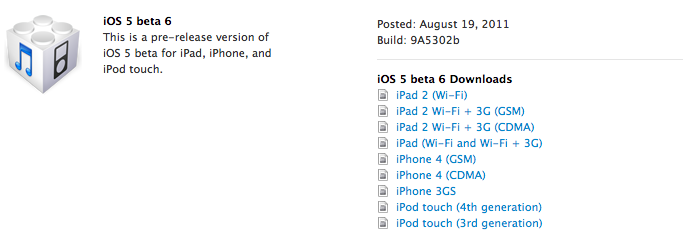
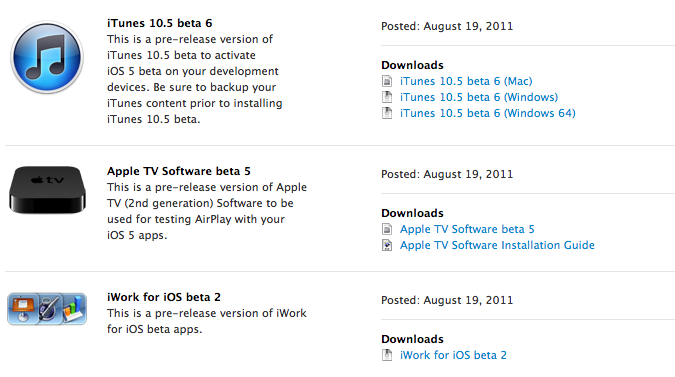
Apple has just released iOS 5 beta 6 in the Dev Center, with build number 9A5302b. Additionally, Apple has also released a new iTunes beta, Xcode 4.2 Developer Preview, Apple TV software and the second beta of iWork for iOS with iCloud functionalities. The release comes two weeks after iOS 5 beta 5, seeded to developers on a Saturday. iOS 5 is expected to be the operating system the next-generation iPhone will ship with out of the box, with recent rumors suggesting an early October release for the device.

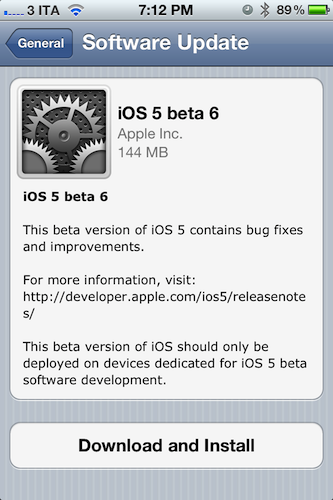
iOS 5 beta 6 can also be installed over-the-air on devices running iOS 5 beta 4 or later – beta 6 for the GSM iPhone 4 is a 144 MB download as pictured below. Apple recommends a backup either through iTunes or iCloud prior to installing iOS 5 beta 6.

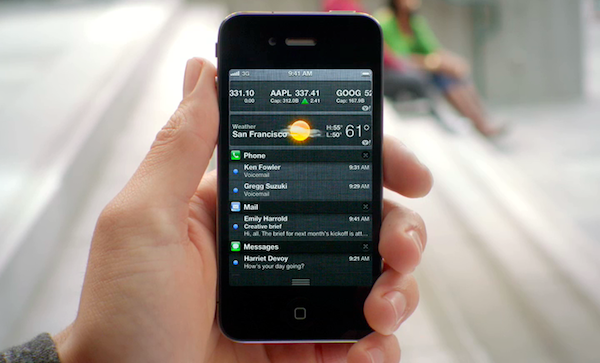
iOS 5 is the next major release of Apple’s mobile operating system for iPhone, iPad, and iPod touch, bringing new features like direct Twitter integration, PC-Free setup, iCloud, and completely revamped notifications to iOS devices this Fall. We will update this post with more information on the latest beta as it becomes available.

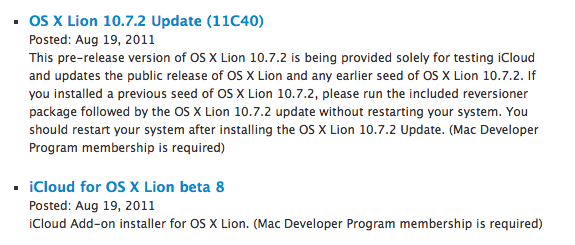
Update: Apple also seeded a new beta of the iCloud desktop control panel for Lion, Safari 5.1.1 for developers, as well as a new version of OS X 10.7.2. OS X 10.7.1 was released earlier this week, and 10.7.2 is being provided to developers to test iCloud integration on the Mac.


WSJ: iPad 3 In Early 2012 with High Resolution Display

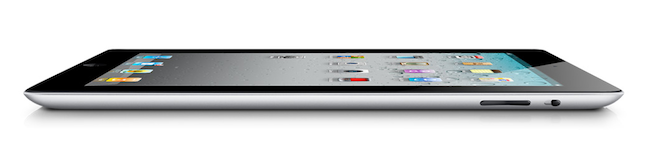
According to a new report by The Wall Street Journal, Apple will begin trial production of the next-generation iPad with key component suppliers in October, with the device set to debut in “early 2012” featuring a “high resolution display”. Whilst speculation in the past months had claimed Apple would release two iPads in 2011, with a possible “iPad 3” likely set for a Fall release alongside the iPhone 5, recent rumors have indicated Apple would either stick with its annual release cycle, or launch a minor refresh of the iPad 2 – dubbed iPad 2 HD – this year, focusing on improving screen resolution and processor speed.

The Wall Street Journal seems to believe the former theory, claiming that “[the] next generation iPad is expected to feature a high resolution display - 2048 by 1536 compared with 1024 by 768 in the iPad 2” with a launch in early 2012.

One component supplier to Apple said the company has already placed orders for parts for about 1.5 million iPad 3s in the fourth quarter.

“Suppliers will ramp up production and try to improve the yield rate for the new iPad in the fourth quarter before its official launch in early 2012,” said a person at the supplier.

Rumors surrounding a second iPad to be released in the fall started when both TechCrunch and Daring Fireball’s John Gruber hinted at an iPad 3 coming out this year for a “fall surprise”. Since then, speculation has been running wild as to whether Apple could really release the iPad 3 in 2011 whilst they were still struggling to meet demand for the iPad 2, which Apple COO Tim Cook later described as the “mother of all backlogs” due to a combination of high customer demand, and component shortages. However, at the Q3 earnings call in July Apple reported 9.25 million iPads sold in the quarter, mentioning that iPad 2 supply improved “dramatically” in the previous months.

Whereas several websites are still backing up the claims of a second iPad to be released in 2011, a report from Digitimes in June detailed how Apple had just began component certification for the iPad 3 set to come out next year. Technical details of the new device are unclear, although a number of reports in the past months – as well as graphical elements found in the iOS operating system – suggested Apple wants to build a “Retina Display” in the iPad 3 by doubling the existing resolution of the device, bringing it to 2048 x 1536 pixels up from 1024 x 768.


Marked 1.2: Rewritten from the Ground Up

This one goes out to all the Markdown nerds out there (I’m one of them). Marked 1.2 is out, and it’s packed with tons of new features. The interface should be pretty familiar, although you have to like the new persistant word count that you can toggle on and off. CSS styles have been changed up a bit (if you’re not using your own — I used Horizon which is similar to the multi-column style), but asides from the tweaks on the surface of Marked, we have some usability improvements that should make everyone really happy.

Directly interact with the preview and source code using standard highlighting and copy shortcuts to grab text and quickly paste it in the application or web service of your choice. Bundled inside is a new MultiMarkdown 3 binary that’s efficient and better handles big files (for those writing another “Hitchhikers Guide to Markdown” manual), along with web document presentation and compatibility for everything from HTML and ERB (that’s Ruby shenanigans for those wondering). Hit command+E to edit text in your favorite editor, or find where you put down the Master Sword with command+R to bring the file into view from the Finder. Not geeky enough? Marked does a better job of knowing where you are in the document, and will even follow along if you’ve reached the bottom of the page. You can limit text width in the preview, supress link highlighting if you’re going to print (yes, printers till exist), and opening new preview windows can be opened to float on the desktop.

That’s just scratching the surface of what’s available in Marked if you write in Markdown — I use it on a daily basis here at MacStories, and I’m sure you fellow Geekstorians will find it just as useful. Check out the changelog to Marked (it is MASSIVE), read Brett Terpstra’s update, and check it out on the Mac App Store (it’s only $2.99).


OmniOutliner for iPad 1.1: Text Search, Row Splits, Line Breaks, and More

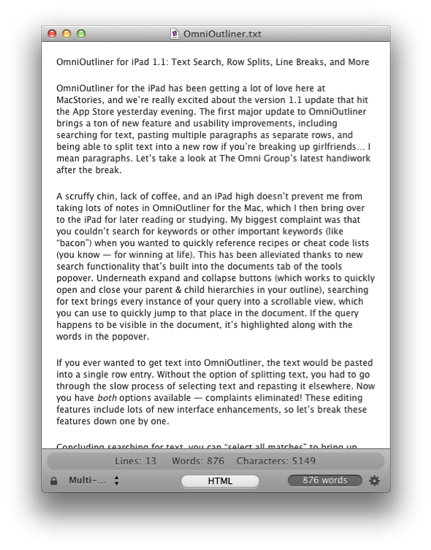
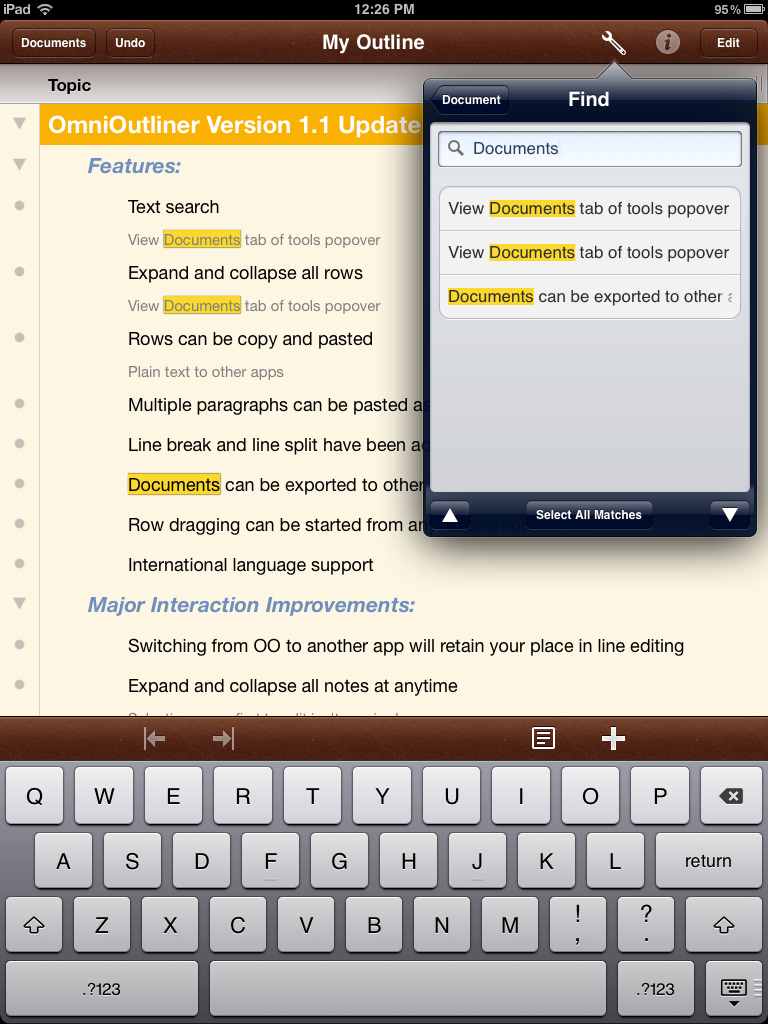
OmniOutliner for the iPad has been getting a lot of love here at MacStories, and we’re really excited about the version 1.1 update that hit the App Store yesterday evening. The first major update to OmniOutliner brings a ton of new feature and usability improvements, including searching for text, pasting multiple paragraphs as separate rows, and being able to split text into a new row if you’re breaking up girlfriends… I mean paragraphs. Let’s take a look at The Omni Group’s latest handiwork after the break.

Read more


Notes From An iOS User On Vacation

I came back from what I’d like to think of as a well-deserved vacation earlier this week and, unlike previous vacations at the camping I’ve been spending most of my summers in for the past 15 years, this time I went there with my friends and a specific goal in mind: I didn’t have to write anything, but I should have been able to do so and check on MacStories if my attention was needed. Last year, I went on vacation knowing that I would have ended up writing for the site anyway. Not this year. Yet, I told myself, if something happens – or really, just to make sure I could at least read the news – the devices I work with every day should be capable of letting me get things done quickly, and efficiently.

I went on vacation for roughly ten days, bringing an iPad, an iPhone, my new MacBook Air and a slew of other iOS accessories and cables with me. My girlfriend brought her iPhone, too, as well as her MacBook Pro and iPad. All my iOS devices managed to fit in the Tom Bihn Ristretto bag I’ve been using for the past months, whilst the MacBook Air snugly fit into a new sleeve I bought two weeks ago. I did not bring a digital camera because the iPhone 4 is the best camera I’ve ever owned, nor did I choose to unplug those external drives from my desktop iMac and AirPort Extreme. If we ever decided to watch a movie, we’d buy it from iTunes and stream it over 3G. The MacBook Air wouldn’t have been capable of backing itself up to SuperDuper!, but I had a feeling I wouldn’t use the Air much.

As I set out to drive to the camping and think about how I would keep up with MacStories news and updates without actually working on them, I had a feeling iOS and the great apps I had installed on my devices would help me go through the task without much effort.

They absolutely did. Read more


Evernote Acquires Skitch, Will Remain A Separate App

At the Evernote Trunk Conference that’s currently going on in San Francisco, Evernote CEO Phil Libin announced the company has acquired popular image sharing service Skitch. Skitch is a drawing tool for OS X that allows users to make quick edits and leave annotations on screenshots to share online with their friends and colleagues. The Mac app has got direct Twitter integration, it supports drag & drop and it can instantly send screenshots on to the web that anyone will be able to see with a browser. We had a review of Skitch for Mac last year, although the app has been improved a lot since then and given a new price point on the Mac App Store.

Following this acquisition, the price is the first thing that will change for Skitch. As part of Evernote, Skitch will be available for free on the Mac App Store, with no ads and no trials; existing Skitch users will be able to keep using the service with their accounts, though new users will get the possibility of signing up using their Evernote credentials. Evernote is promising “tighter integration between Evernote and Skitch” to “easily draw, ink, grab screenshots, annotate and share your favorite memories” – admittedly, as a long-time Evernote user, being able to edit and annotate images in a notebook has always been something I wished Evernote would do besides rich text editing and tagging. All Things Digital is also reporting an Android app will be launched soon, with Skitch for iOS and Windows to follow.

We were drawn to Skitch (har har) for one simple reason: we love and use their product with Evernote. For years, one of our most requested feature areas has been related to improved handling of images and annotation capabilities. Our users take and share millions of photos and screenshots already, but the experience isn’t as good as it could be. We debated about whether to add the improved functionality into Evernote or build a separate app to handle it. Finally, we decided to do both. Thanks to Skitch, we will.

According to Evernote, the engineers at the two companies will be working closely in the coming months to deeply integrate Skitch and Evernote with each other, as right now the only way to let the apps communicate on a Mac is by annotating an image in Skitch, and manually drag it into Evernote. It wouldn’t be a surprise if the app gained a feature to push annotations to Evernote’s cloud to avoid drag & drop – considering the app is coming to mobile devices, this has been certainly considered by the Evernote team. At the moment of writing this Skitch is still a paid app on the Mac App Store, so check back for changes soon to download it for free. We’re looking forward to whatever the Evernote team has in store for Skitch integration in their products – in the meantime, you can read the full announcement here.

Update: Skitch is now free on the Mac App Store.


Noteshelf Gets New Features & UI Changes, We’re Giving Away 10 Codes

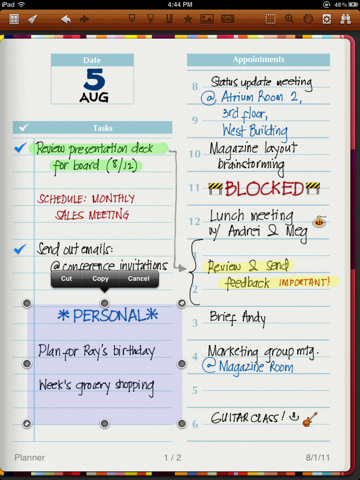
Back in October 2010 I reviewed Noteshelf, a handwriting app for the iPad I said “I could actually use” because of its clever feature set that included things like smooth virtual ink, wrist protection and templates which made using a stylus on the iPad almost a real pleasure. The app went through a series of updates, first bringing support for Evernote and Dropbox in November, finer ink and new notebooks, then AirPrint integration, photo albums and multitasking by the end of 2010. Of all the handwriting apps I’ve tried, Noteshelf is without a doubt one of the most powerful ones – it goes right up with Penultimate when it comes to selecting the best note-taking apps for the iPad with handwriting recognition and notebook template options.

Since December 2010, Noteshelf has gone through other major changes, with version 4.0 released late last month quickly climbing the charts of the App Store thanks to new functionalities introduced by the developers, such as vastly improved zoom mode, single-page paper styles, new icon and updated interface, and even smoother writing. Two weeks ago, FluidTouch released Noteshelf 4.1, further refining the interface design and adding more options like the possibility of grouping notebooks into folders, a full-screen finder, passcode protection, highlighters and VGA support. Noteshelf has gained a lot more features since I first reviewed it, but it’s still the same intuitive and fun-to-use app I installed on my device ten months ago. There’s a lot to play with in the new Noteshelf, including an in-app store to purchase and download new paper and notebook themes, or support for cut/copy/paste to get information out of a specific notebook and onto a new one. The app has been overhauled since version 1.0 – and no doubt the learning curve has slightly increased with all these new options – but functionalities like adjustable wrist protection and zoom mode on handwritten notes still make Noteshelf one of my favorite picks for the iPad.

Noteshelf is available at $4.99 on the App Store with a sweet new icon, and I highly recommend you give this app a try if you’ve been looking for a solid handwriting solution on your iPad. However, we also have 10 promo codes to give away, so jump after the break to check out the rules and find out how you can enter to win a copy of Noteshelf. Read more


Stay On Top Of Movie Releases with Trailrs

With the iTunes Store and Apple’s Trailers website, there’s no denying Apple has come up with a sweet combination to check out upcoming movies, and purchase or rent with one click those made available by movie studios after they’ve hit the box office. However, if you’ve been looking for a way to stay on top of new films and DVD releases directly from your iPhone or iPad, Trailrs is a new app developed by Andy Smart (the same guy behind Sociable for iPhone) that tightly integrates movie information and YouTube videos inside an app capable of sending you push notifications for your favorite movies, and more.

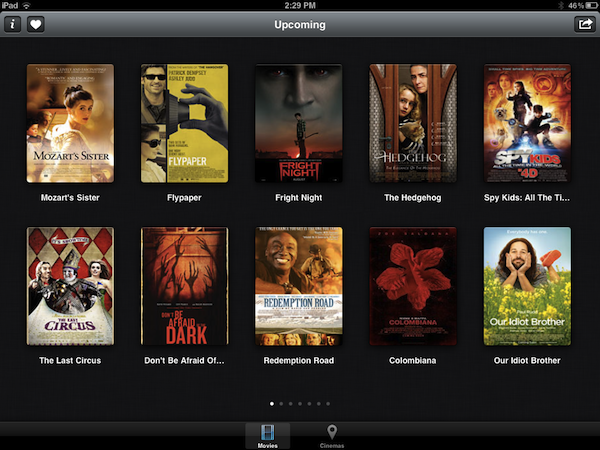
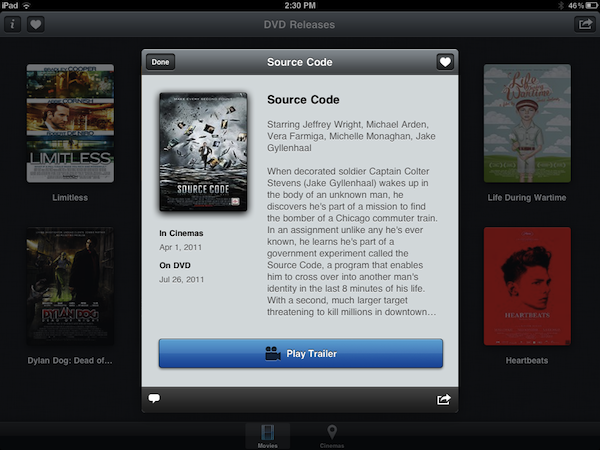
Trailrs is available as a universal app both on the iPhone and iPad, and it’s powered by a clean user interface design based on thumbnails for movie posters laid out on a classic linen background that’s everywhere on iOS devices nowadays. Trailrs allows you to check out trailers for “now showing” movies, upcoming releases (example: The Dark Knight Rises, coming out in 2012) and films now available on DVD. A button in the upper right corner lets you switch between these three different categories, whilst a “heart” icon on the left aggregates the movies you’ve marked as favorite – items you’re interested in, and that the app will save in its library to send you a push notification the day before they’re released in theaters. Furthermore, an Info button next to Favorites contains options to activate Facebook login (if you want to share a movie on your Wall), turn off notifications, and change your country from USA to UK, Spain, Japan, France, or Germany. The app will attempt to collect movie releases from these countries, replacing them with US data if not available.

As for the quality and availability of the trailers, the app doesn’t have the same huge catalog of Apple Trailers and there’s no way to switch between standard and high definition, as the app simply tries to fetch the most relevant video from YouTube, which when displayed natively on iOS doesn’t have controls to switch between 360p, 480p, 720p, and 1080p. Quality is fine in most cases, but I wish there were some options to enlarge the movie posters, and have multiple trailers like on Apple’s website (which, by the way, works well on iOS devices). I like the fact that you can look up each movie on IMDB and forward trailers to the iOS YouTube app – this is a workaround to see related videos, and thus additional trailers. Scrolling between pages in the main screen is smooth, and a second tab in the bottom toolbar allows you to geo-locate nearby cinemas to open in Maps and get directions.

At $1.99 on the App Store, Trailrs is a great-looking alternative to Apple’s Movie Trailers, perhaps with less content but with the possibility of getting push notifications for the movies you’re looking forward to and an intriguing UI. Go download the app here.