My Must-Have iPad Apps, 2011 Edition

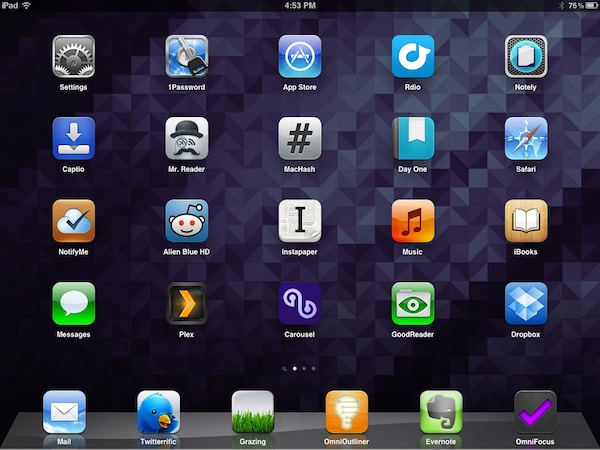
Last year, six months after the release of the original iPad, I published an article called “My Must-Have 20 iPad Apps” in which I collected my favorite iPad applications – the ones I used and enjoyed the most – as of September 2010. Fast forward thirteen months, the iPad’s software ecosystem has matured into something completely different from last year’s “experimentation” stage, when third-party developers, and quite possibly Apple as well, were still trying to figure out how, exactly, the iPad would change our digital lifestyles. Looking back to the iPad 1 and the App Store in 2010, it’s no surprise the list of apps I have today is so much different.

In the past year, Apple has sold millions of iPads and has seen the device being used in far more variegate scenarios than they initially expected. The whole point of the iPad: Year One video presented at the iPad 2’s introduction in March was, in fact, to showcase not only the hardware and software capabilities of the device, admittedly improved over the past months, but to demonstrate how the iPad has entered more markets than “consumer technology” alone. The iPad is being used by pilots, doctors, teachers, parents and artists who have found a whole new dimension through the tablet’s multi-touch screen. If the demographics of the iPad expanded to new segments and usage scenarios, so did the kinds of apps that are available on the App Store.

Once again, Apple itself has set new standards for developers to write their apps against. With iOS 5 and iCloud, released in October, the company is providing third-party app makers with powerful new tools to optimize their software and make it interconnected across devices and platforms. But I believe that there’s been a shift in “iPad development mentality” among developers and users alike that goes way back prior to iCloud’s announcement and launch. Sure, iOS 5 and iCloud will lead towards a future of invisible cloud backups and app connections, but Ambitious iOS Apps started making their way to the App Store before iCloud and all these latest, greatest software updates. It was immediately after the 2010 holiday season and the “second wave” of iPad apps that developers realized the iPad could be so much more. And so they wrote great, innovative, standard-setting apps that shaped the past thirteen months and are helping us transition to the next great revolution – the cloud and the post-PC device.

It’s always been about the apps. And I’m fairly certain that as long as Apple doesn’t focus on hardware specs alone and stands at the intersection of technology and liberal arts, it’ll always be about great software, rather than processors and RAM amounts. And more importantly, it will be about the people creating the apps that we use every day.

So here’s my list of “must-have” apps that have improved my workflow and ultimately made it more fun to use the iPad in the past year. And here’s to another year of iPad. Read more

IconSettings Offers Quick Home Screen Access To iOS Settings

Just two weeks ago we covered iPhone URL schemes, those native URLs specific to iOS applications like Facebook or Twitter that can be used to launch an app’s section (Facebook’s Messages view, Twitter’s Mentions tab) with a single tap. As it turns out, however, URL schemes aren’t exclusive to third-party apps that have implemented them, as Apple is using the same system to assign a unique URL to specific sections in the iOS Settings app. Which means that, in theory, you should be able to easily launch Bluetooth settings or iCloud’s control panel by tapping on a link.

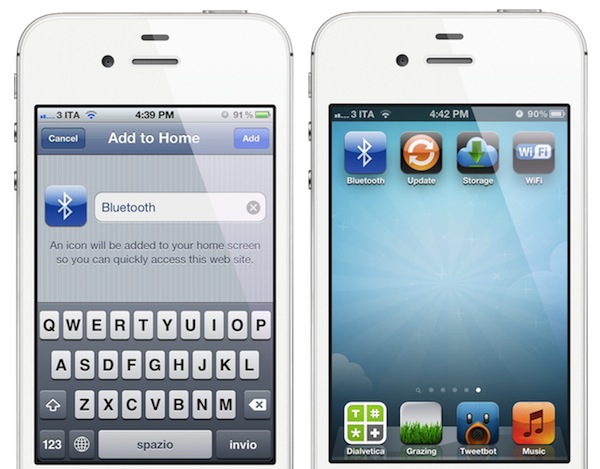
Of all the solutions that have surfaced in the past weeks to create Home screen shortcuts for Settings without jailbreaking a device, I’d say IconSettings is the most clever, nicest and easiest to use. As noted by Engadget, you just visit this webpage, decide which settings panels to turn into Home screen icons, and manually add a webpage to the Home screen using Safari. That webpage will turn into an icon, which will launch the settings panel you chose from the list. Quite simple.

There’s a catch: whilst jailbreak apps like SBSettings really put iOS Settings’ in another location (in SBSettings’ case, a dropdown menu), IconSettings simply creates visual bookmarks for URLs that redirect to the Settings app. And by “redirect” I mean that you’ll briefly notice Safari launching before you’re brought to the selected settings panel you need. This should be no big deal as the animation is very short, but this method will still leave an open tab in your Mobile Safari (remember, you’re still launching a URL). So yes, IconSettings is a pretty cool web-based trick to create Home screen shortcuts for commonly accessed Settings, but keep in mind that Safari will keep track of these URLs.

If you don’t have a jailbroken device and you’re willing to compromise to have Settings shortcuts on your Home screen, check out IconSettings here. Its icons are fairly good-looking, too.


iCloud Status In iTunes 10.5.1

iCloud Status In iTunes 10.5.1

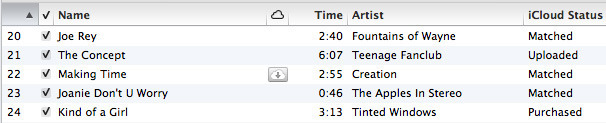
Jason Snell at Macworld has a good overview of the different iCloud status icons that you can find in iTunes 10.5.1, released earlier today with support for iTunes Match. In particular, iCloud has a “not eligible” status for songs that can’t be uploaded to iTunes Match:

Some iTunes-compatible file formats are not allowed in iCloud at all. Digital Booklets, podcasts, bookmarks to Internet radio streams, and the like are marked Not Eligible. A few people on Twitter are reporting that low-bit-rate MP3s (perhaps below 96 kbps) are also considered ineligible for use in iCloud, though we haven’t been able to confirm that.

In our overview of iTunes Match for Mac and iOS devices, Don took a look at the scanning process of iTunes libraries and the performances of iCloud music over WiFi and 3G. Understanding iCloud’s status icons might come in handy if you’re having initial issues with iTunes Match, which went live only a few hours ago.

Permalink


iTunes Match Hands On


It hardly seems like it has been almost 2 years since Apple acquired LaLa.com back in 2009. Since then there has been no shortage of rumors for how Lala would be utilized until Apple officially announced iTunes Match at this year’s WWDC Keynote. iTunes Match is the future for your iTunes Library. This is an exciting time for Apple fans and music lovers alike as iTunes Match aims to make it as simplistic as possible to move your music into the cloud with native applications you are already accustomed to using, all for a price that rivals every other music storage service currently available.

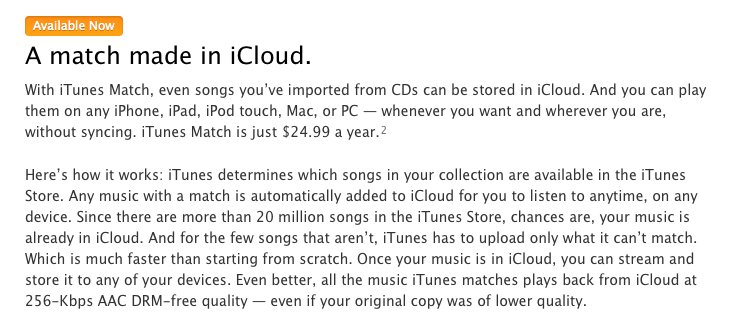
iTunes Match is just one feature of the new iCloud services currently rolling out. Think of it as an optional extension to your iCloud storage. The basic premise of iTunes Match is that iTunes will collect information about each song on your computer and send the data back to Apple through iTunes. Apple then checks each one of your songs to see if it can find a match between your song and one that is already on the iTunes store. If a match is found, you will be able to listen to the iTunes version. If your music is not matched then iTunes will automatically upload the music to your online music storage.

iTunes Match is available as an automatically renewing subscription of $24.99 per year and allows you to store up to 25,000 songs on Apple’s iCloud servers. On top of that, songs purchased from iTunes do not even count against your 25,000 song limitation. Your music library is accessible from an iOS 5 device, Apple TV, or any computer running the latest version of iTunes 10.5.1. The songs matched by iTunes will not need to be uploaded from your computer and will be accessible to you in 256 kbps AAC file format regardless of your songs’ previous formats. iTunes Match only deals with songs and excludes audiobooks, ringtones, iTunes LPs and iTunes Extras. Read more


Apple Launches iTunes Match

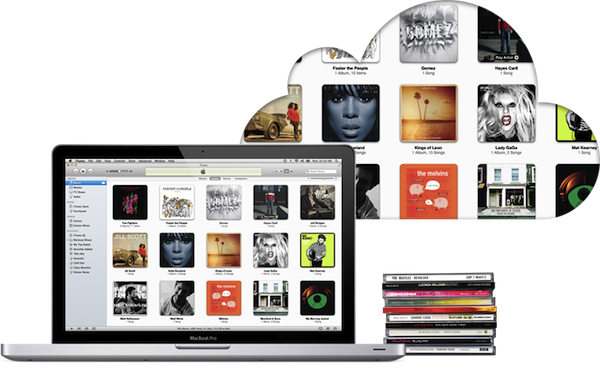
Apple today released iTunes 10.5.1, a software update that enables iTunes Match, a new music service integrated with iTunes in the Cloud that allows customers to “scan & match” their local music libraries, and store their songs and albums in Apple’s cloud. iTunes Match is currently available to U.S. customers only, and it costs $24.99 per year via iTunes subscription; iOS 5.0.1 and iTunes 10.5.1 are required to use iTunes Match.

Unlike other cloud music services, iTunes Match uses a scan technology that enables Apple to match songs in a user’s library with the ones the company already has on the iTunes Store, whilst the ones that aren’t recognized in the scanning process are directly uploaded to Apple’s servers. Because the iTunes Store offers more than 20 million songs, Apple believes most user libraries will be matched in seconds with the catalogue Apple already has, thus avoiding uploading an entire music library, which could take weeks on an average Internet connection. Furthermore, while the songs that aren’t matched with Apple’s iTunes Store are uploaded “as they are” (the exact file that a user has on a computer), matched songs are automatically upgraded to 256-Kbps AAC DRM-free quality, even if the original copy was of lower quality.

iTunes Match isn’t a streaming service like Spotify and Rdio in that it requires users to go through a “scan & match” process before they can start using the service. It is, however, deeply integrated with OS X and iOS 5: on the desktop, iTunes can download and play songs from iTunes Match, and the native Music app on iOS device is capable of downloading any song or album stored in your iCloud account, provided you’ve enabled iTunes Match in the Settings. iTunes Match doesn’t come with a huge catalogue of artists and genres available for streaming right away, but it allows users to scan & match their libraries, and download their songs (matched or not) at any time, on any device, with deep system integration.

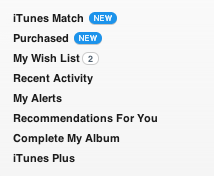
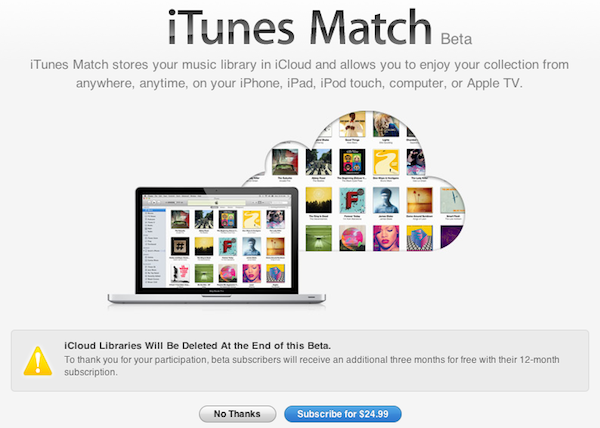
At the moment of writing this, iTunes 10.5.1 includes iTunes Match but the service is still mentioned as “beta” within iTunes:

We will have a complete overview of iTunes Match later today on MacStories. iTunes 10.5.1 is available now on Apple’s website or through Software Update.


Apple Releases iTunes 10.5.1 with iTunes Match

Apple has just released version 10.5.1 of iTunes, which has been in testing with developers for some weeks to test the new iTunes Match music service. iTunes 10.5.1 is available now on Apple’s website and Software Update. It’s still unclear whether iTunes Match will open to the public today, and we’ll update this story as soon as we know more.

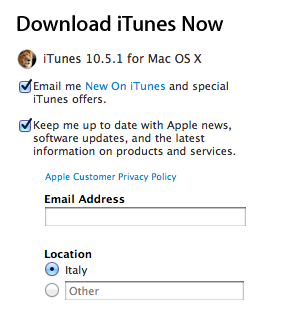
Update: It appears iTunes Match is indeed launching today as confirmed by Apple on the iTunes webpage.

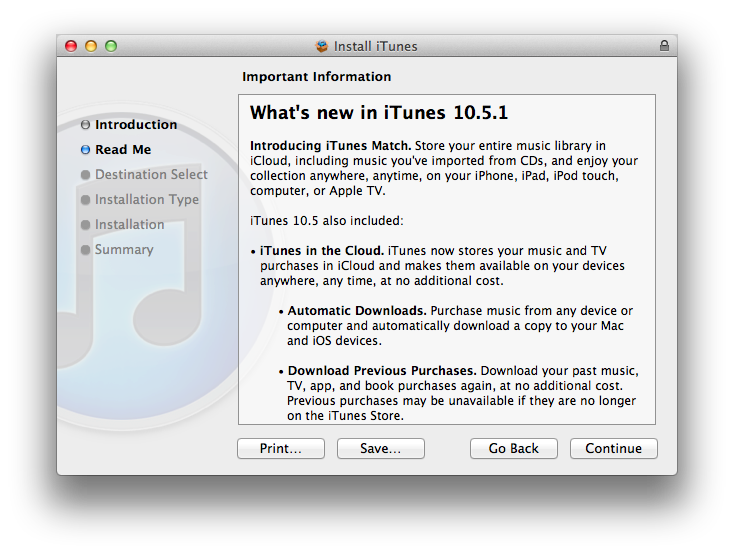
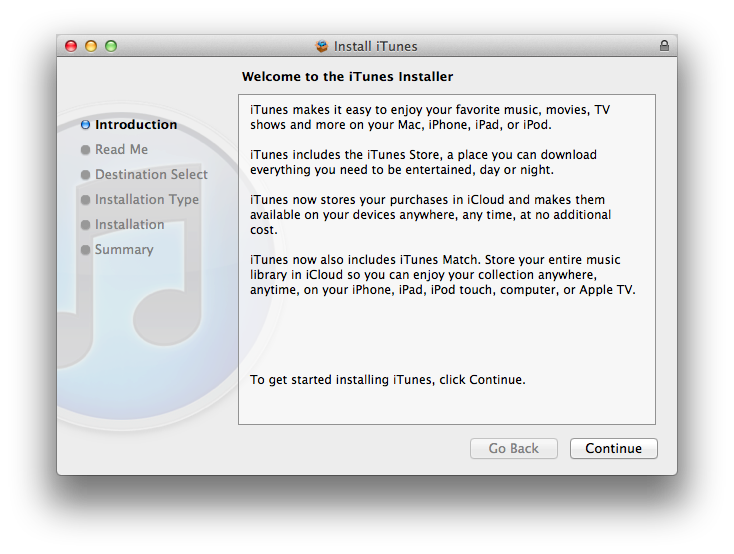
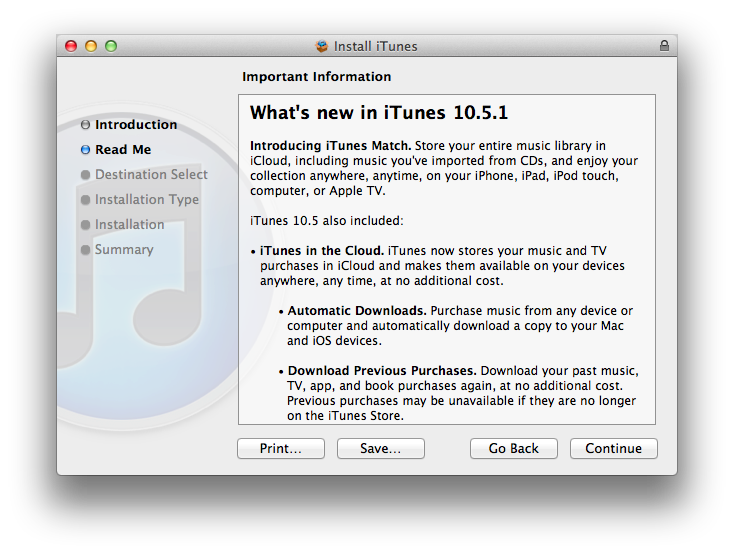
Screenshots from the iTunes 10.5.1 installer and iTunes 10.5.1, still showing iTunes Match as “beta”. More information about iTunes Match available here.


Dropzone 1.0 Released On The Mac App Store

Way back in 2009 I first reviewed Dropzone, a dock-based utility by Aptonic that, through a grid interface allowed users to quickly perform common but tedious actions like uploading images or sharing text with a single drag & drop. Later, I took another look at Dropzone as a way to effortlessly download Mac apps as .DMG files, and have the app automatically extract the contents of a disk image and install an application for me.

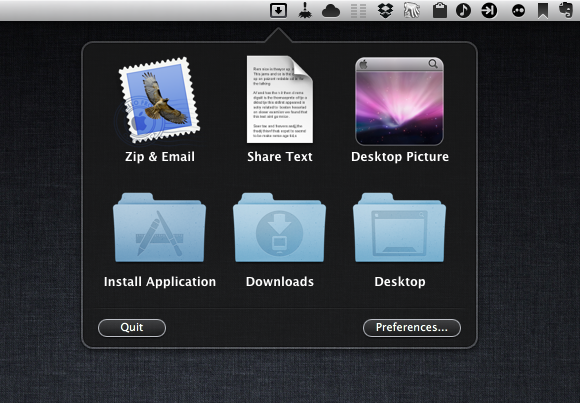
With the 1.0 release on the Mac App Store today, Aptonic had to make a few changes to Dropzone in order to be approved by Apple and sell its app on the Mac’s native digital storefront: Dropzone is now a menubar app – which you can still decide to launch on login – and gone is the dock access that was also made popular by Dropzone’s own icon and Stacks-like appearance. However, in spite of the technical changes, Dropzone 1.0 still shares the same user interface and set of actions of the previous version: for those not familiar with the concept of the app, Dropzone offers a series of built-in actions (and others that you can manually download and install) to perform tasks automatically and save precious seconds and clicks when working with your Mac. So, for instance, you can drop pictures onto Dropzone’s window and have them uploaded to Flickr, or compressed in a .zip archive and emailed to someone. You can drop files and move them to a specific destination on your Mac, or configure FTP servers and directories if you find yourself constantly uploading files via FTP every day. Dropzone aims at letting you save time with boring tasks and, at the same time, quickly share items with your friends or coworkers without going through separate clients and web upload tools.

Dropzone is very lightweight, and it’ll ultimately make your life easier through drag & drop. Version 1.0 is available at $13.99 on the Mac App Store.


Apple’s iPhone 4S Rollout Continues with November 25 Launch In India

As reported by The Next Web, Apple’s iPhone 4S is set to launch in India on Friday, November 25. Indian carrier Aircel has confirmed that it will begin selling the device next week, whereas another major operator in India, Airtel, is rumored to be joining sales on the 25th as well. Airtel and Aircel brought the iPhone 4 to India only in May, almost a year after the original US release, and this November launch seems to signal Apple’s intention to have a rapid rollout for the iPhone 4S in more than 70 countries before the end of 2011.

Prices for the iPhone 4S in India haven’t been confirmed by the carriers, but The Next Web suggests the 16 GB model will be priced between ₹ 35,000 and ₹ 40,000, with additional price drops for the iPhone 4 and 3GS.

Based on the latter’s launch and the fact that the unlocked iPhone 4S starts at $649 in the USA, however, we expect to see the iPhone 4S to be priced somewhere between ₹ 35,000 and ₹ 40,000 for the 16GB model and offered carrier unlocked with a reverse subsidy. This would mean that customers would pay the full price of the phone upfront and then be reimbursed part of the cost in the form of discounted tariffs for the next two years of usage.

We also expect to see both carriers drop the prices of the iPhone 4 and iPhone 3GS—which currently retail at ₹ 34,500 and ₹ 19,990 respectively—after the launch of the iPhone 4S.

As of today, the iPhone 4S is available in 44 countries around the world: the device launched in 7 initial countries on October 14th; 22 countries followed on October 28th, and last week (on November 11th) the iPhone 4S launched in 15 more countries including Hong Kong and South Korea. On November 11, Apple also started selling unlocked iPhone 4S units in the United States.