

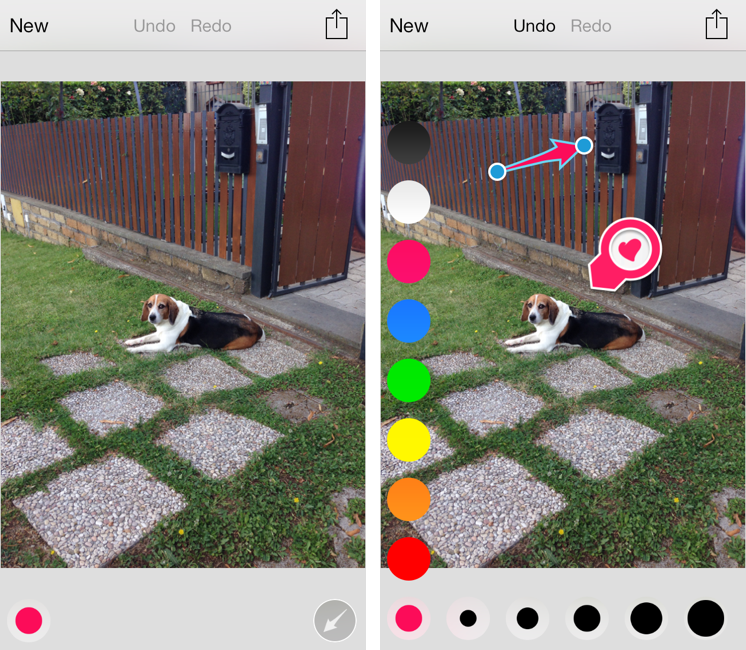
Released today during the third annual Evernote Conference, Skitch 3 is a complete redesign of the app that Evernote acquired in 2011 and started integrating into the main desktop and iOS apps. Skitch 3 has been redesigned and rebuilt for iOS 7, stripped away of the direct integration with an Evernote notebook, rebranded, and relaunched as a visual note-taking app focused on quick and fast markup. I have been testing Skitch 3 for the past few weeks, and, after an initial shock, I think it’s an excellent change. Read more
Posts in reviews
Skitch 3: Reimagined for iOS 7
Marked 2 Review
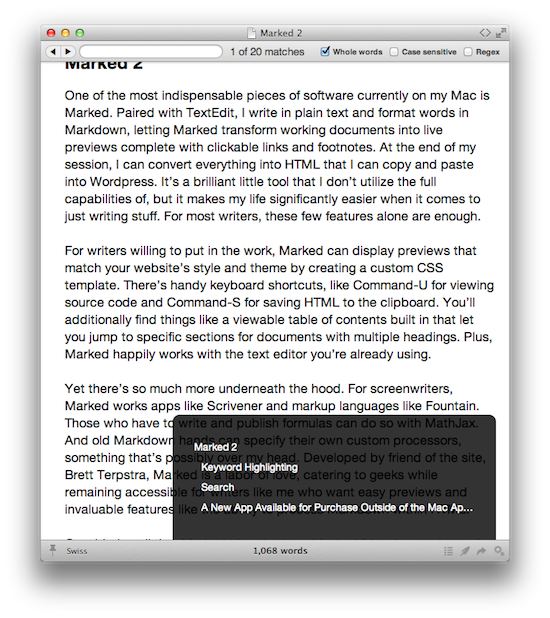
One of the most indispensable pieces of software currently on my Mac is Marked. Paired with TextEdit, I write in plain text and format words in Markdown, letting Marked transform working documents into live previews complete with clickable links and footnotes. At the end of my session, I can convert everything into HTML that I can copy and paste into WordPress. It’s a brilliant little tool that I don’t utilize the full capabilities of, but it makes my life significantly easier when it comes to just writing stuff. For most writers, these few features alone are enough.
For writers willing to put in the work, Marked can display previews that match your website’s style and theme by creating a custom CSS template. There’s handy keyboard shortcuts, like Command-U for viewing source code and Shift-Command-C for saving HTML to the clipboard. You’ll additionally find things like a viewable table of contents built in that let you jump to specific sections for documents with multiple headings. Plus, Marked happily works with the text editor you’re already using.
Yet there’s so much more underneath the hood. For screenwriters, Marked works with apps like Scrivener and markup languages like Fountain. Those who have to write and publish formulas can do so with MathJax. And old Markdown hands can specify their own custom processors… something that’s possibly over my head. Marked is a labor of love, catering to geeks while remaining accessible for writers like me who want easy previews and invaluable features like the ability to process Markdown within source code.
Considering all that Marked already does, Marked 2 is a huge release that adds a ton of new features for editor, bloggers, and people who would rather write in Markdown than open Microsoft Word. Instead of running through every new feature, I’d rather focus on the two that have the greatest impact on me. Keyword highlighting makes self editing much easier, while new searching features let me skip past the results I don’t need to see.
GeniusCam for iOS 7
It’s been two years since Apple announced the iPad 2, and the company still thinks that bringing Photo Booth to the iPhone isn’t worth it. It’s also been two years since Italian developer Libero Spagnolini released FaceMan, but, unlike Apple, today he’s back with a sequel to his original Photo Booth alternative, GeniusCam.
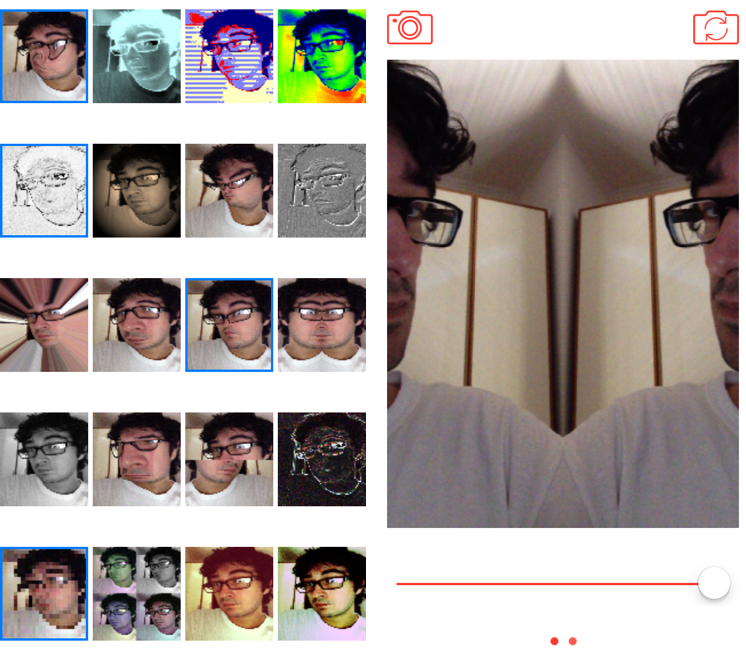
Made for iOS 7 and Universal, GeniusCam is, essentially, Photo Booth ported to the iPhone with some extra flair. There are 20 filters and effects to choose from, ranging from artsy ones like black & white and technicolor to fun ones like variations of Apple’s “Space Alien” and “Chipmunk” effects. You can see a live preview of the camera with each effect in the app’s main screen, which is a grid of live thumbnails; tap one, and the thumbnail turns into a larger camera view with the effect still applied, previewed live on screen. The animations and physics that power GeniusCam are sparse but constantly playful, and, together with the graphics and photo engines, they prove how developers can take advantage of the new iOS 7 APIs in cool ways.
GeniusCam’s camera interface is simple: at the top, you can switch between photo/video and front/rear facing camera, while at the bottom you’ll find a shutter button and a slider (you have to swipe to see the slider). In my tests, GeniusCam has been stable and fast with photos, but I have experienced crashes when saving videos. The slider allows you to tweak the intensity of effects in real time, and it’s cool to play around with it just to see your face morphing on the screen as you reduce or increase an effect’s intensity.
GeniusCam is a fun, impressive utility that provides a great follow-up to 2011’s FaceMan to take advantage of iOS 7. The app is free on the App Store but limited to 4 effects; you can unlock UI themes with a $0.99 In-App Purchase, all 20 effects for another $0.99, or buy the All Inclusive IAP for $1.99.
Enhanced for iOS 7, Dispatch 1.2 Brings Background Fetch, Advanced Search, and Custom Salutations
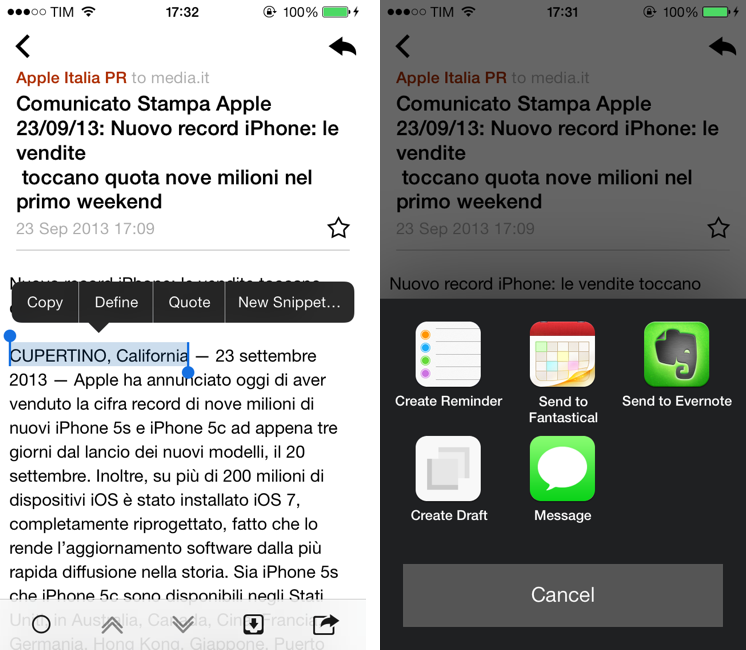
Dispatch, which I first reviewed in June, is an innovative email client for iPhone that eschews social features and push notifications for more power user-oriented functionalities such as default salutations, snippets, and built-in app actions. Here’s how I described message actions:
Dispatch has multiple sets of actions for message content and iOS data detectors – web links, dates and times, phone numbers and emails, and addresses can be tapped to bring up different actions. For third-party apps, Dispatch supports Due, OmniFocus, Things, Asana, Evernote, Drafts, Chrome, 1Password, Instapaper, and Google Maps; native iOS integrations include Messages, Maps, Reminders, Safari, Copy to Clipboard, Calendar, FaceTime, and Contacts. These actions are presented either by hitting the Share button in a message or by tapping a link or other bits of text that are recognized by iOS as, say, addresses or dates.
Being able to save a message to OmniFocus or directly into Evernote (preserving formatting) is incredibly handy, and I’m surprised that nobody else thought of this before. For years, I used Apple Mail and profoundly despised the round-tripping that it forced upon me to send text to other apps such as my task manager or text editor. Some email apps enable you to open links in other browsers, but Dispatch takes it to the next level with one-tap message sharing.
When I’m on my Mac, I can put together a Keyboard Maestro macro to archive a message for reference in Evernote, but when I’m on iOS, that’s a problem because there’s no native communication between Apple Mail and Evernote. The developers of Dispatch understand that people who work on iOS need to use multiple apps, and they’re trying to fix email’s inter-app communication problems with their own take on an email client.
I have been testing Dispatch 1.2, released last week alongside iOS 7, for a few months now, and I think it’s a good update that takes advantage of the new OS in interesting ways. Read more
Pod Wrangler for iOS 7 Review
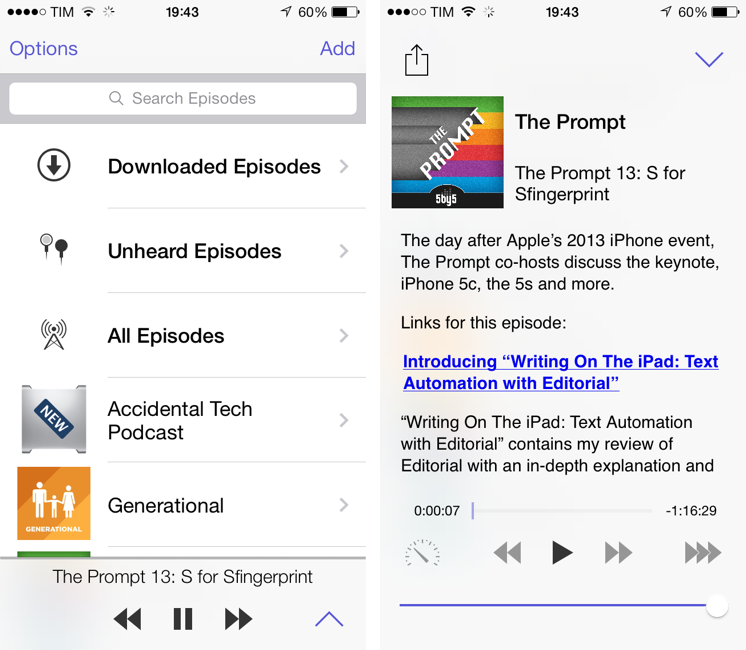
“I knew from the start that I would never win in a feature arms-race against apps that have been around for so long and developed so highly”, says David Smith, independent developer and creator of Feed Wrangler, a popular RSS service launched after the shutdown of Google Reader earlier this year. His new app and service, Pod Wrangler, launches today with an iOS 7 app for iPhone and a web backend to handle sync across devices and platforms with an API. Based on Feed Wrangler’s engine, Pod Wrangler is a podcast syncing and listening service that is completely free for existing Feed Wrangler customers.
Pod Wrangler is, in its first version, an iPhone-only app that uses the same API that Smith is launching and opening to third-party developers today. An iPad version is being considered, but its development will depend on the amount of requests and feedback from initial iPhone users. Following Smith’s tradition, Pod Wrangler is extremely simple and focused – in some areas of the app, perhaps a little “un-designed” and too simplified. Read more
Instapaper 5.0: Sorting and Filtering Options, Tweaked Interface for iOS 7
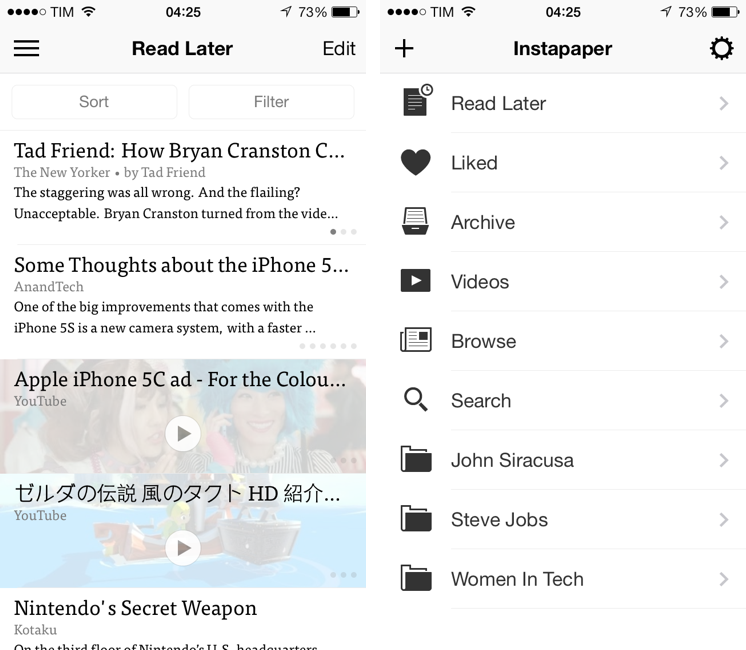
The first major update since the app was sold by original founder and developer Marco Arment to Betaworks earlier this year, Instapaper 5.0 has been released today on the App Store as a free update for existing owners of the app. Instapaper 5.0 doesn’t add any new major functionality to the app, which is still largely similar to the version 4.0 that was first released two years ago. Betaworks made the app ready for iOS 7, polished the interface, and added some new minor functionalities that, however, nicely complement the reading experience. I’ve been testing Instapaper for the past week on my iPhone 5 and iPad mini running the iOS 7 GM seed. Read more
Pocket Adds Instant Sync, Improved Reading Experience with iOS 7 Update
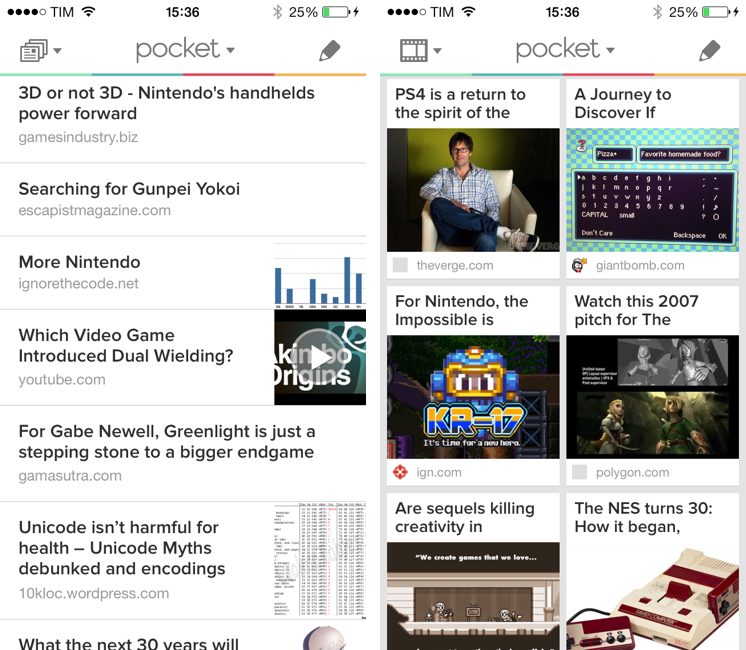
When Read It Later relaunched as Pocket last year, I was intrigued by the service’s focus on allowing users to “save everything for later”. In the months that followed, Pocket received a native Mac app, better browser extensions, deeper integration with iOS apps thanks to a new SDK, and started expanding to more devices and OSes, following Nate Weiner’s original strategy to bring Pocket to as many platforms as possible. Today, Pocket is updating its iOS app to take advantage of iOS 7 and ensuring that content is always available on an iPhone or iPad, even if the app isn’t running. The new Pocket is a good example of developers using the new iOS 7 APIs to enhance existing apps. Read more
Instacast 4: Revamped for iOS 7
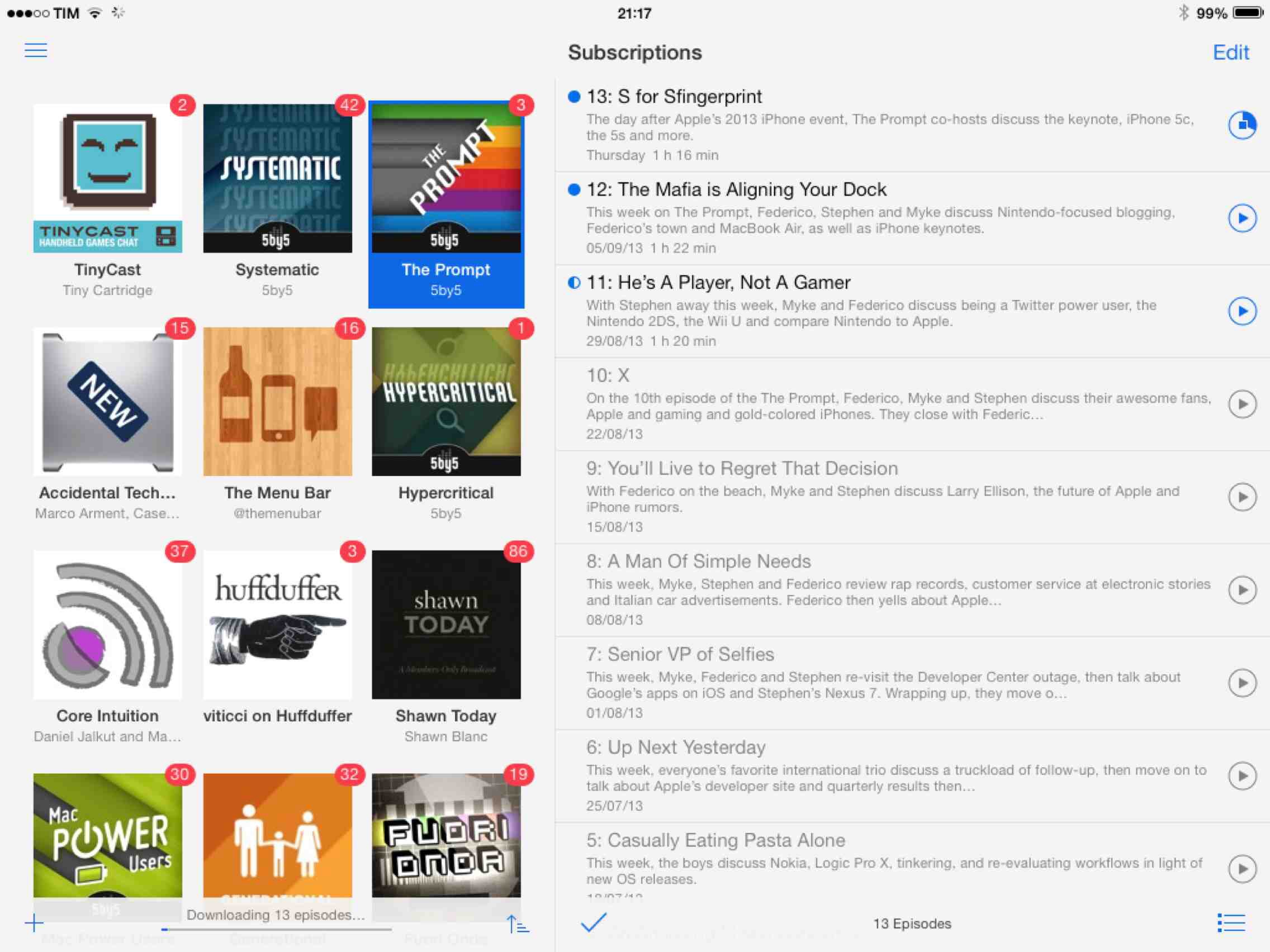
While Instacast 3 had a bumpy start, in time it matured into a solid app. Not only were the kinks worked out, but the new syncing engine enabled Vemedio to later launch a brand new version of Instacast for Macs running Mountain Lion. Together, this makes Instacast one of only three apps that can sync and play podcasts across desktops and iOS devices (the other two being Apple’s Podcasts + iTunes, and Downcast).
Intacast 4 is by far Vemedio’s best version of Instacast yet, and it’s a free update to those who’ve already purchased Instacast 3. Not only has the app been updated to adopt the look and feel of Apple’s translucency and flat iconography, it’s been significantly improved with the introduction of a sidebar and simpler now playing controls. Significant sounds funny, especially in light of a sidebar, but it makes Instacast much easier to navigate, less cluttered, and all around much more friendly to newcomers. Read more
OmniOutliner 2: Refined for iOS 7, Now With External Keyboard Support

When OmniOutliner originally launched on the iPad, I remember spending a lot of time figuring out its nuances, going so far as creating a tutorial so people could see how to customize documents and organize their outlines. While it won’t replace your spreadsheets, it will organize your data under collapsible headings and columns that neatly keeps related piece of information in their place. It works well as an alternative mind mapping tool, for students who are taking notes, or for someone creating that big holiday wish list. Read more