

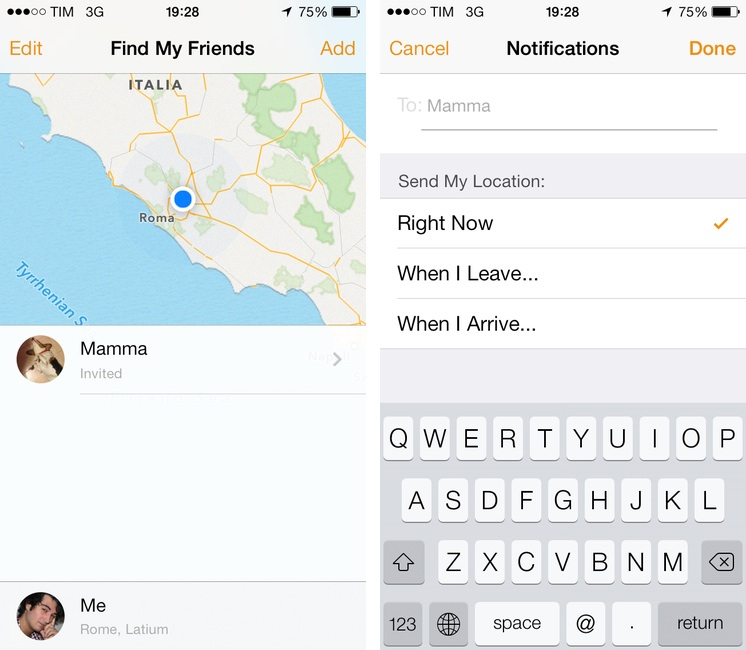
There’s not much to say about Find My Friends for iOS 7. I don’t know why the previous version of the app used leather detailing in such excess (see our original article), but it’s done away with now, leaving behind just the bare essentials. It’s a convenient app to use with friends and family when meeting up or bouncing around town before reconvening, and it’s free on the App Store.
Posts in news
Find My Friends Updated for iOS 7
FiftyThree Announces Pencil, a Sustainable Smart Stylus Made for Paper
Fair warning: the product video made us a little motion sick.
FiftyThree’s Pencil brings smart technologies like palm rejection, smart sensors, low power Bluetooth Smart wireless, and long lasting battery life to a stylus made specifically for Paper on the iPad. Shaped like a carpenter pencil to prevent rolling, Pencil pairs with the iPad by simply pressing the tip to the screen. Two gold plated sensors, one for the tip and one for the eraser, detect how you’re using the stylus so you can sketch and erase by simply flipping the pencil over. When paired, your finger becomes an extra tool that lets you smooth rough edges and blend colors. Pencil lasts up to a month on battery with regular use, and can be charged in 90 minutes by simply connecting it to a common USB port.
FiftyThree is well known for Paper, which was awarded Apple’s ‘App of the Year’ in 2012 for the iPad. For Paper, FiftyThree carefully crafted an app that makes people feel unashamed about their lack of artistry, developing a core set of tools that encourage people to draw and note take freely while producing beautiful results. Also known for its in-app purchase model, FiftyThree asks customers to buy only the tools they need, providing the essentials for free.
In addition to Pencil, FiftyThree also recently launched Book, which turns drawings from Paper into a printed foldout notebook.
Pencil comes in two sustainably manufactured flavors: Walnut (which includes a magnetic strip for adhering to Smart Covers and iPads) for $59.99, and a Graphite brushed aluminum model for $49.99. You can pre-order Pencil from http://shop.fiftythree.com/. You can download Paper from the App Store for free.
Learn more about Pencil from FiftyThree on their news page.
Evernote’s New Web Clipper for Safari
Bake in Clearly, integrate Skitch, toss in the clipper from Evernote’s helper, then add sharing, and you end up with Evernote’s new Web Clipper for Safari. Once a pop-up that simply copied the full page or URL, the new Web Clipper condenses page grabs and annotation tools into a simple sidebar, adding almost all of the base features you’d find in Skitch, a standalone screenshot, image, and PDF markup and sharing application for desktops and mobile devices.
The new Web Clipper is activated by clicking on the toolbar button, which slides out a sidebar that’s reminiscent of the formatting bar found in iWork’s updated apps for OS X Mavericks. All of the actions are organized neatly into various sections for cropping the web page, drawing shapes, and sharing the results. Arrows, squares, and text can be dragged around, rotated, and resized using onscreen handles for annotating webpages. Clip tools give you a wide variety of options, including the ability to format the page into a readable article view as Clearly would before taking the final screen grab. Sharing gives you a URL that you can paste into a chat app or your favorite website, while also presenting options to share via Facebook, Twitter, or publicly via Evernote itself. There’s a couple kinks with the extension, mainly that it doesn’t like to be used with swipe back gestures or the back button while the sidebar is open, but otherwise the tools work just as Skitch lets you on a Mac.
Saving web pages into Evernote is a great way to remember a cool design, highlight an important note, or refer back to a piece of content for later reading, homework, and marketing research in an instantly searchable database. The extension is a complete revamp over the previous one, putting all of the tools that used to require two or three apps into a streamlined list of actions that doesn’t get in the way. Chrome received the new look a while ago, and hopefully the Firefox extension is next.
Learn more and grab the Safari extension here from Evernote.
Google Play Music Now Available on the App Store
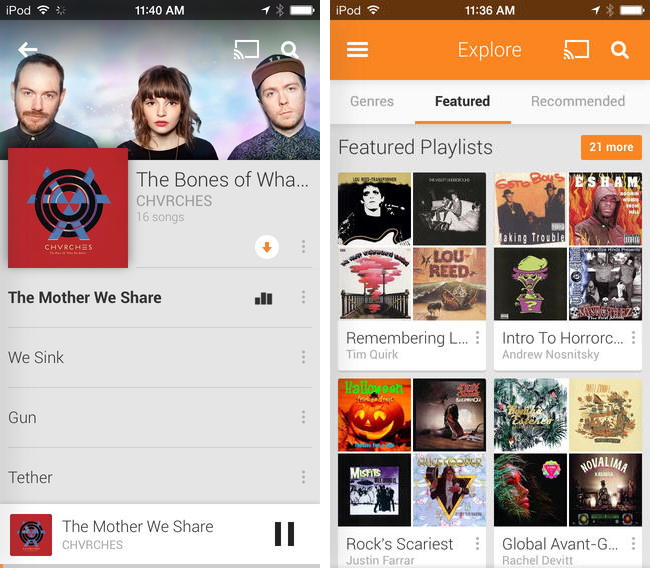
Joining the wealth of music streaming services such as Rdio and Spotify, Google Play Music is now available to download on the App Store. Formally announced in March, Google Play Music All Access originally let subscribers stream a collection of two million songs from the web and to Android devices for $9.99 a month. Similar to iTunes Match, Google also lets users match up to 20,000 songs from local music libraries for free, but like Spotify lets users listen to local music alongside streaming content.
Google Play Music for iOS brings all of All Access’ features to the iPhone, including unlimited streaming, ad-free custom radio stations with unlimited skips based on songs or artists, recommendations, and curated playlists. For streaming to speakers, the iOS app will stream over AirPlay and Chromecast.
Download Google Play Music from the App Store for free. A $9.99 monthly subscription is required to enjoy the service, but you can stream the first month for free.
iBooks 3.2 Flattens the Pages With New iOS 7 Design
iBooks was one of the most obvious examples of an app that made sense in Apple’s pre-iOS 7 world, when metaphors for describing real world objects were king. You had a shelf full of books, highlighting that looked like it was drawn by hand, and page curl animations that mimicked the feeling of flipping through a real book. The app was warm and inviting, providing a sense that you were browsing the modern equivalent of an actual book.
Apple has been staggering a lot of updates post-iOS 7, focusing on core product suites like iWork and iLife, coming back to apps like Remote at later time. I figured an app like iBooks would need some preferential treatment, given its importance to Apple’s ecosystem, their focus on education, and the relevance of the iBooks Store in the digital age. It would have been perfect to have on hand during this September’s Keynote, but maybe it would have been too much to announce on stage at once.
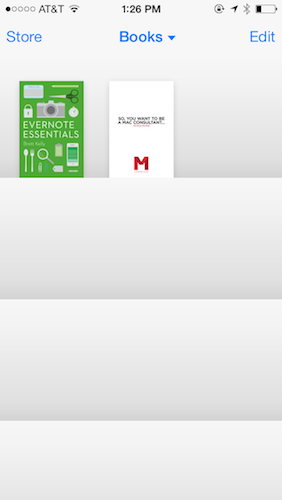
iBooks 3.2 features a brand new design that follows in the footsteps of Newsstand, with gradient rows replacing wooden shelves, leaving covers to stand out on their own. While some might have deemed all of the previous textures distracting, it’s almost a shame to see all of the rich design in the app stripped away. It’s still largely the same app as before, but it’s just been reduced to generic iOS 7-isms we’re all familiar with by now: textual buttons, straightened lines, and outline icons.
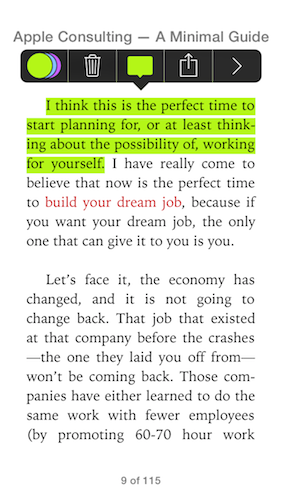
What’s gone is the charm — the new iBooks is strictly all business. Highlighting no longer has that ink-on-paper look to it, nor does inserting a note resemble a sticky or Post-it note. The app has received an iOS 7 inspired reskin, but what’s Apple doing to really show off this design’s potential? Developers such as Tapbots are taking iOS 7 design much further with apps like Tweetbot 3.
There’s also an update for iTunes U which is similar in design, using the same design language to describe courses and content.
iBooks and iTunes U are free updates from the App Store. Download them directly via the links below:
Apple Releases iOS 7.0.4
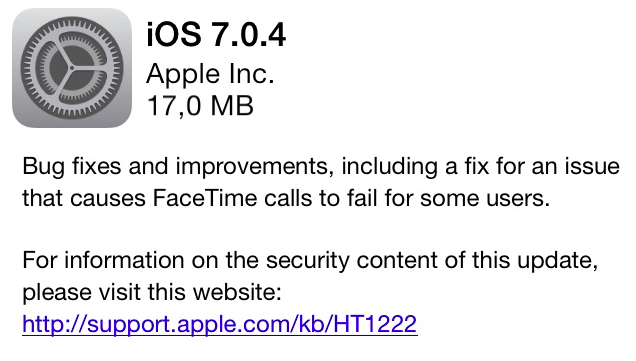
iOS 7.0.4 is currently propagating and should be available for download soon through Software Update. It includes bug fixes, various improvements, and fixes an issue with FaceTime calls.
The new update comes nearly a month after iOS 7.0.3, which was released on October 22nd and included iCloud Keychain, improvements to Spotlight, and changes to the Reduce Motion setting in Accessibility. iOS 7.0.4 is the third public update to iOS 7, which launched for all iOS devices on September 18.
Day One Updated for iOS 7 With New Design, Music Integration, Motion Activity
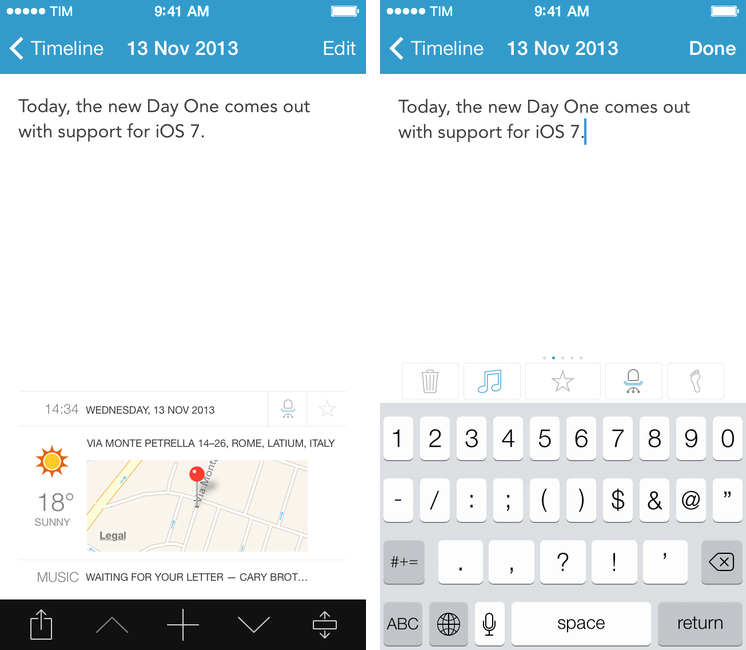
Day One, my favorite journaling app for iOS and OS X, has received an update today that brings a visual refresh for iOS 7, support for background fetch via Dropbox, and new data tracking sources.
Since its inception, Day One has been about adding context to your diary by using features of iOS and OS X that augment the classic journal in ways that paper never could. It was only last year, however, that Bloom Built’s vision could come to fruition with support for photos, weather data, and location information available right into your daily journal. Since then, Paul Mayne and his team have been hard at work to ensure that Day One could have feature consistency across platforms as well as take advantage of online data and Apple’s latest OSes and technologies.
Today’s new version for iOS is, again, all about data, sensors, and additional context for your journal entries, which are no longer limited to text and pictures but now span a bevy of tracking points such as date and time, tags, weather, location, activity tracking, and steps taken. Read more
iPad mini with Retina Display Available Today
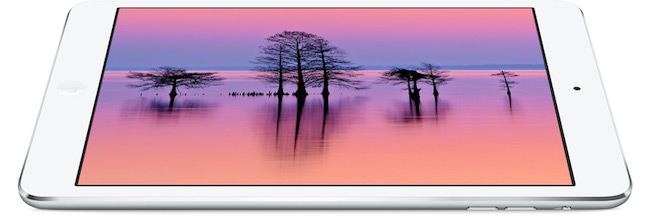
Following an update posted on the GSX website last night, Apple today launched the iPad mini with Retina display on its online store. The launch came as a surprise due to the lack of press releases to pre-announce the launch and product reviews from journalists who received a unit in advance. The launch followed rumors of a “delay” for the iPad mini due to supply constraints for the new Retina display.
As of this morning, the iPad mini with Retina display is available through the Apple online store with shipping times of 5-10 business days for both WiFi and WiFi + Cellular models. In a press release published a few minutes ago, Apple mentioned that it will also be available with Personal Pickup at Apple retail stores (in the United States at least):
iPad mini with Retina display is available to order through the Apple Online Store (www.apple.com) to ship or through Personal Pickup at Apple’s retail stores, and through AT&T, Sprint, T-Mobile, Verizon Wireless and select Apple Authorized Resellers.
From the press release:
The response to iPad Air has been incredible, and we’re excited for customers to experience the new iPad mini with Retina display,” said Philip Schiller, Apple’s senior vice president of Worldwide Marketing. “We think customers will love both of these thin, light, powerful new iPads, and we’re working hard to get as many as we can in the hands of our customers.
The iPad mini with Retina is Apple’s new 7.9-inch tablet that comes with a high-resolution display, A7 processor with 64-bit CPU, and all the other features of the larger iPad Air, in a lighter and smaller body.
MailMate Developer Launches Crowdfunding Campaign for MailMate 2.0
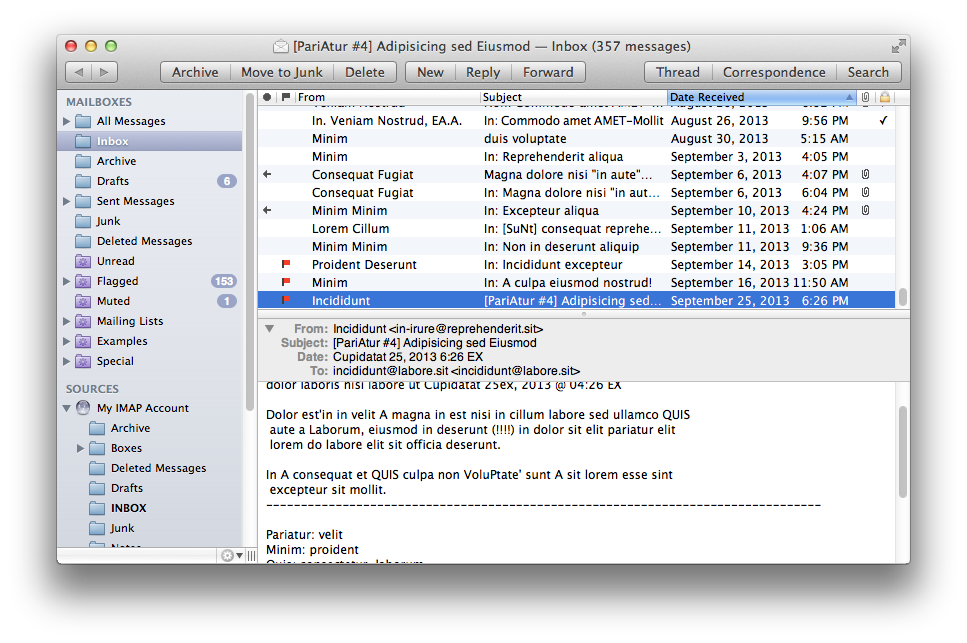

MailMate is a third-party email client for OS X developed by Benny Kjær Nielsen. The app was initially released in 2011 and it’s been actively developed for two years. Here’s a summary of the app’s features from the developer’s website:
MailMate is an IMAP email client featuring extensive keyboard control, Markdown supported email composition, advanced search conditions and drill-down search links, equally advanced smart mailboxes, automatic signature handling, cryptographic encryption/signing (OpenPGP and S/MIME), tagging, multiple notification methods, alternative message viewer layouts including a widescreen layout, and much more.
Today, Benny launched a crowdfunding campaign for MailMate 2.0. From his blog post:
The goal is now to fund the time needed to finish version 2.0 of MailMate. This requires a minimum of 6 months of 2014 and therefore I’ve set the initial fixed goal to $25,000. A fixed goal means that I get nothing if the goal is not reached. Anything beyond $25,000 increases the period I am guaranteed to work full time on MailMate. The exact period depends on daily sales, but a rough estimate is an additional month for every $5,000.
And from the campaign page:
I’m an academic by heart and to me MailMate is a never ending research project filled with challenging problems. To you I hope MailMate is one hell of a powerful email client — an email client worth paying for. I don’t ever expect MailMate to become a golden egg, but I have reached a point where MailMate has to put food on the table.
MailMate is a one-man business. I take care of development, support, homepage, marketing, sales, and now, crowd funding. It’s as personal a business as it can be. Supporting MailMate is to support me and my family. If you want to then you can read a bit more about me and the background for this crowd funding campaign.
Two weeks ago, I decided to start moving away from Gmail/Google Apps and go back to old-fashioned IMAP with Exchange support for iOS devices. I wanted to regain control of my email, and the fact that Mavericks’ Mail had serious issues with Gmail wasn’t helping. So I backed everything up, settled with Rackspace Email, and downloaded MailMate. I’ve been using MailMate intensively for the past week and I’m excited for the app’s future. Read more