Posts in news

Apple Adds Direct Access to News Sources to its TV App

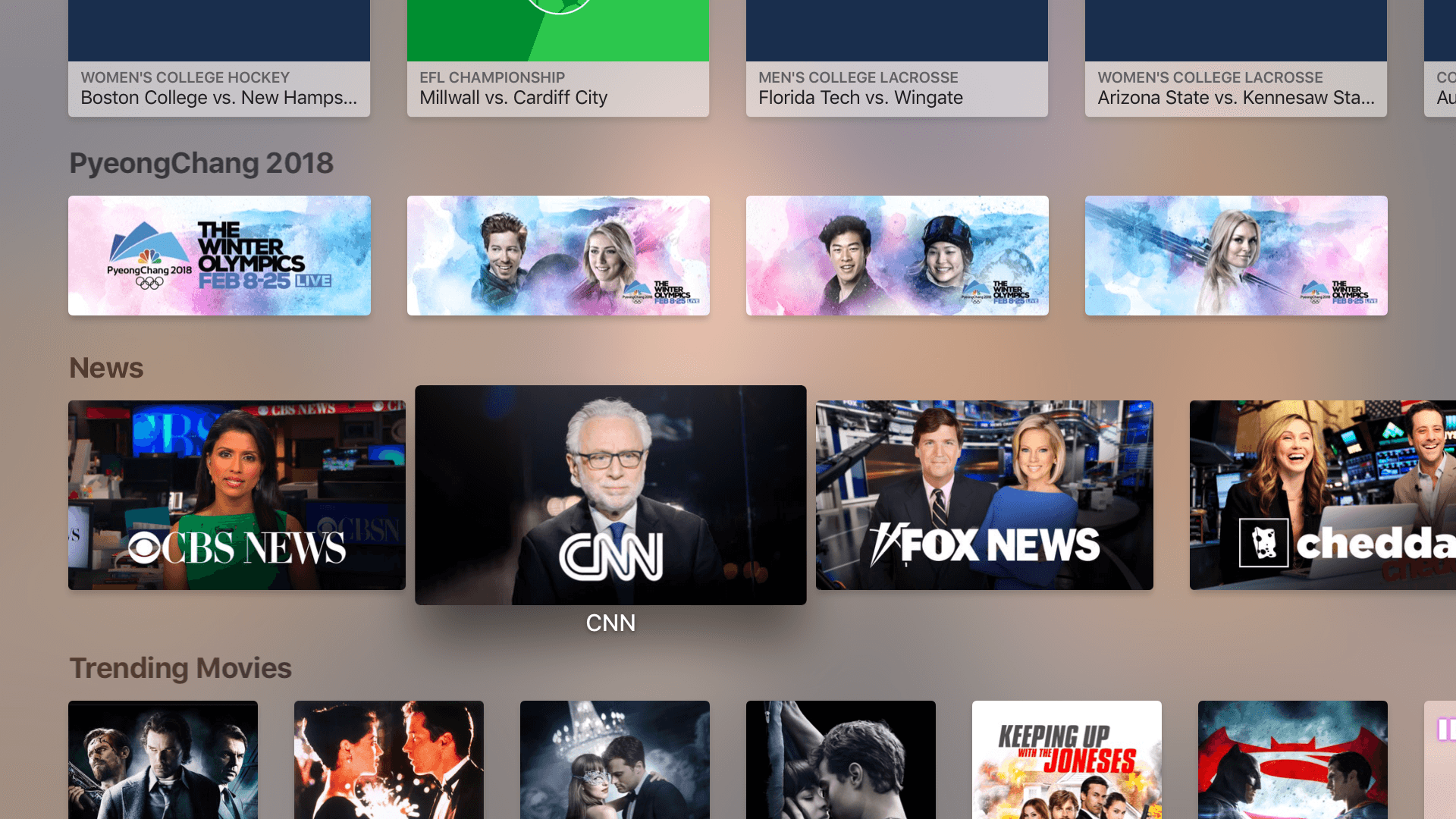
Apple has added a dedicated News section to its TV app on the Apple TV and iOS devices. The feature, which was announced at the company’s September 2017 event at the Steve Jobs Theater in Cupertino, allows users to jump straight into several different news programs.

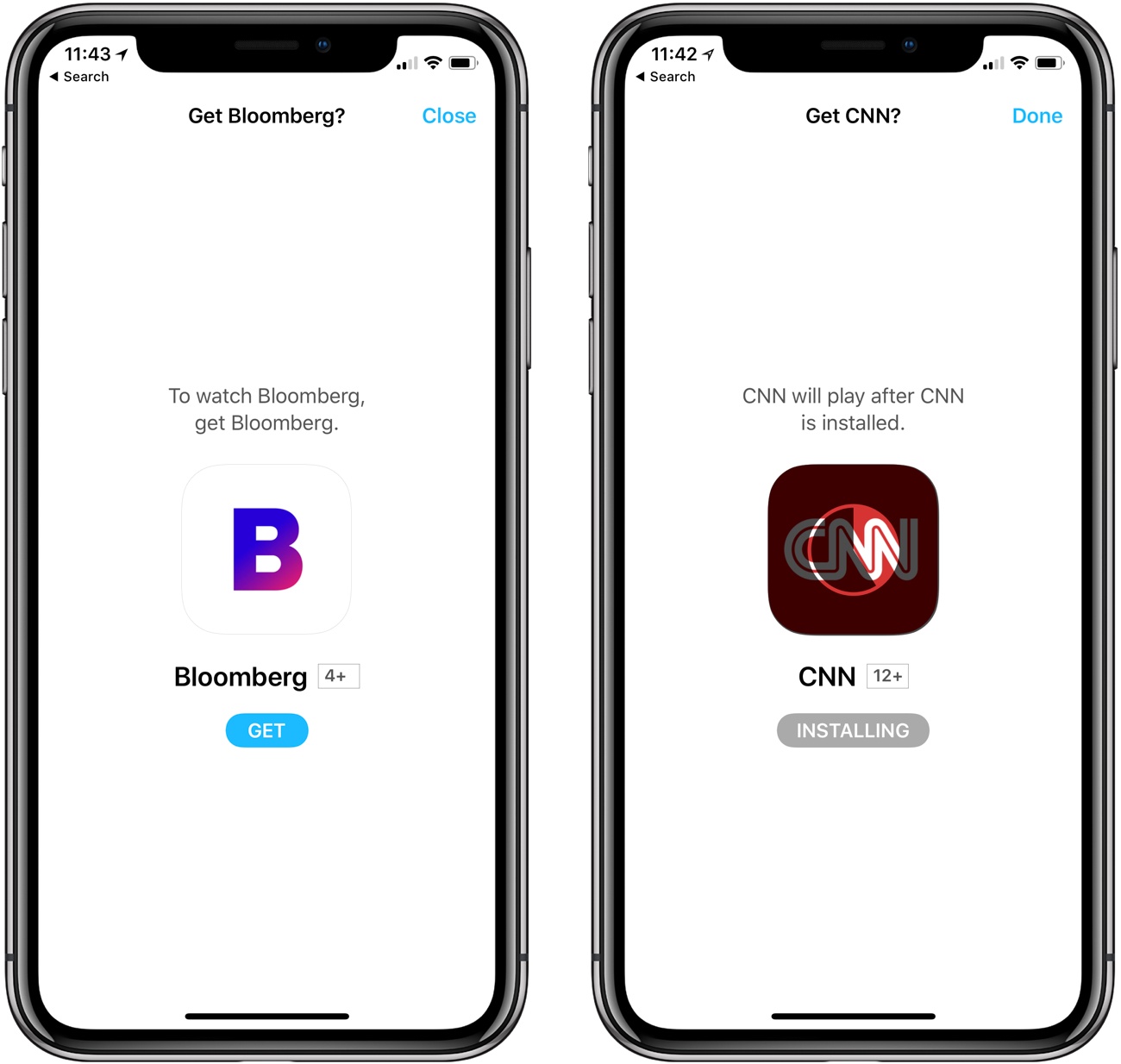
In the US, the choices include CBS News, CNN, Fox News, Cheddar, CNBC, and Bloomberg, some of which require paid subscriptions. When you select a news source, your Apple TV or iOS device will prompt you to install its app if it isn’t already on your device. On iOS, and at least with CNN on the Apple TV, the app is installed without a trip to the App Store, after which you are taken directly to the app to begin watching the news. The new feature also works with Siri using commands like ‘Watch CNBC.’

If you tap on a news source for which you don't have the app, you are prompted to install it without having to go to the App Store.

If you tap on a news source for which you don’t have the app, you are prompted to install it without having to go to the App Store.

News joins the TV app’s dedicated Sports section, which was announced at the same time as News but was introduced last December. Unlike Sports, which occupies a dedicated tab in the TV app’s interface, News is limited to a single row of icons that appears beneath Up Next, What to Watch, Sports, and a row of featured content.


Media Outlets Use ARKit to Bring the News into Your Living Room

Last week, The New York Times announced that it had added an augmented reality feature to its iOS app. The first article with embedded AR content was a preview of the feature published last week that explained to readers how it worked. At the bottom of the article was a newspaper box that could be dropped into your surroundings. I showed it off to some friends over the weekend, and everyone was impressed by how realistic it looked as they walked around the box in a neighbor’s kitchen.

The New York Times debuted its new ARKit features with a newspaper box demo.

The New York Times debuted its new ARKit features with a newspaper box demo.

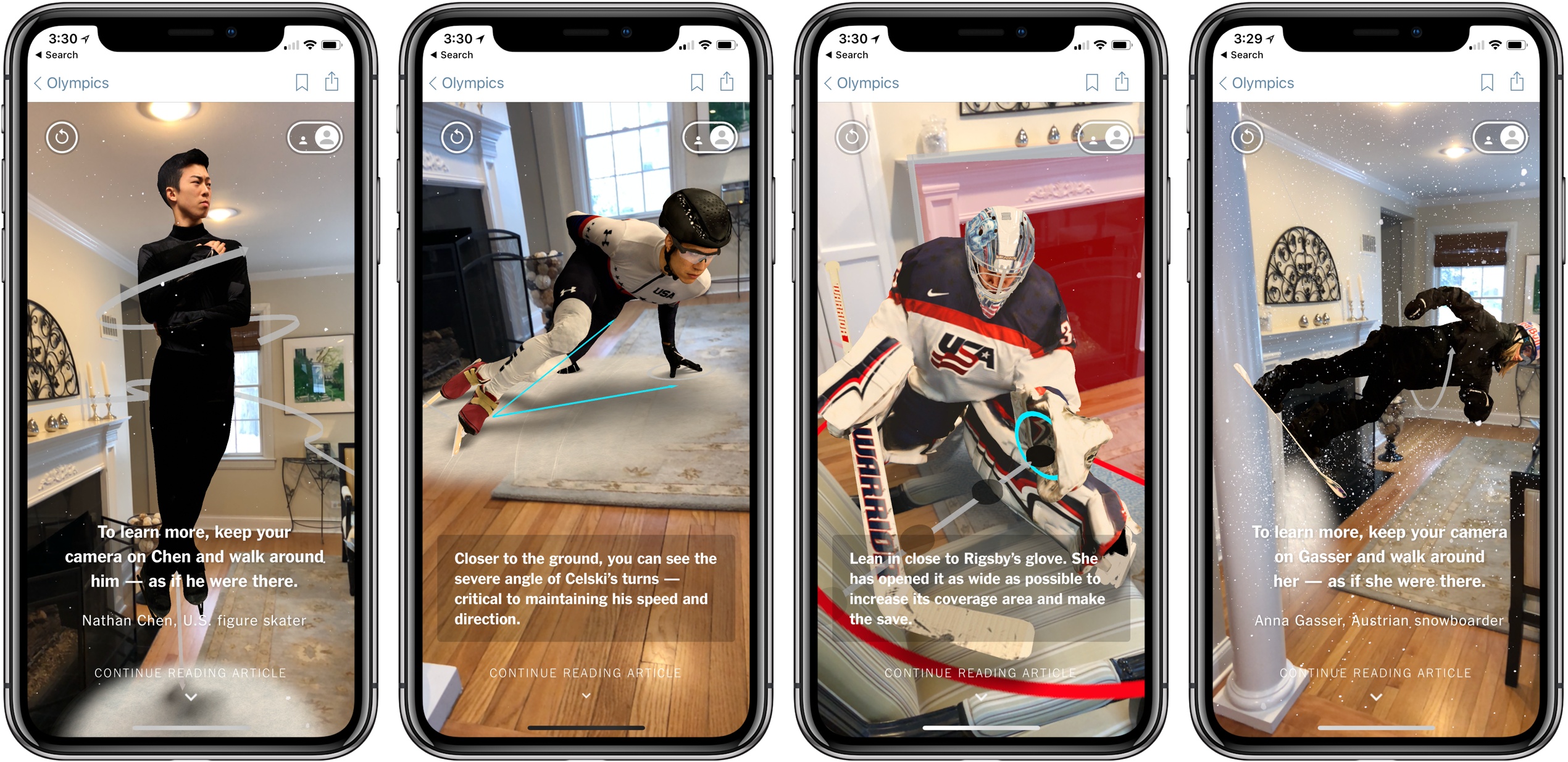
This week, the Times rolled the feature out as part of its Winter Olympics coverage. In Four of the World’s Best Olympians, as You’ve Never Seen Them Before, the publication spotlights figure skater Nathan Chen, speed skater J.R. Celski, hockey player Alex Rigsby, and snowboarder Anna Gasser. The results are impressive. I placed each athlete in my living room, then walked around them. From each angle, snippets of text about what I was seeing were overlaid on the image providing additional details and context. The app also makes use of haptic feedback on the iPhone to alert users to new information as they examine a scene.

Read more


AppStories, Episode 41 – iOS 11’s Effect on Our iOS Habits

On this week’s episode of AppStories, we take a look at how iOS 11 has changed not only the way we work, but also how it has impacted our use of lifestyle, health and fitness, media consumption, and other types of apps.

Sponsored by:

  • WALTR 2 - A Magic Drop Area to Convert & Push Media into Any iPhone, iPad or iPod
    • Use the coupon code APPSTORIES for 30% off
AppStories+ Deeper into the world of apps

AppStories Episode 41 - iOS 11’s Effect on Our iOS Habits

0:00
38:23

AppStories+ Deeper into the world of apps

Permalink

HomePod Review Roundup

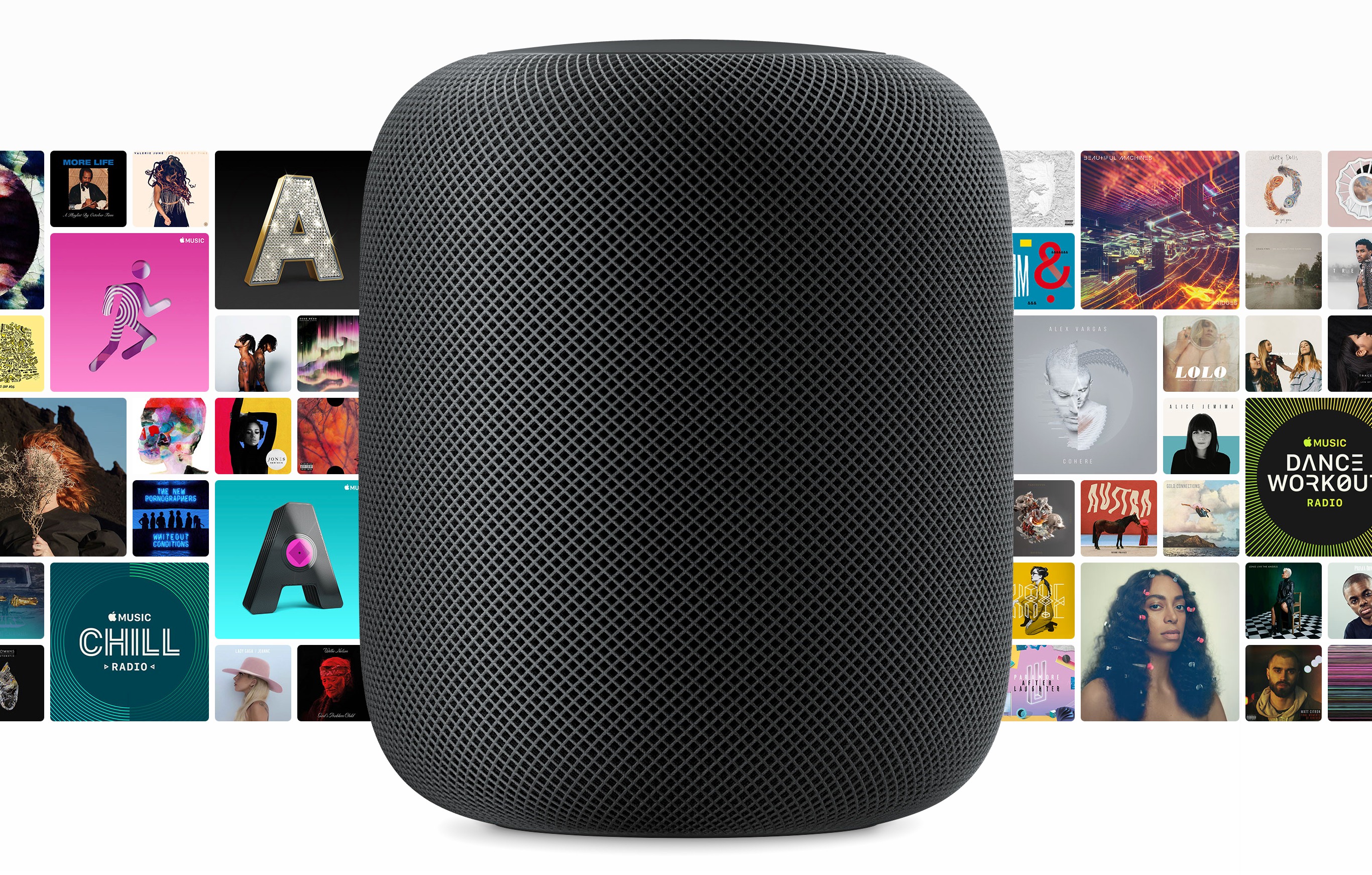
Initial orders of Apple’s new HomePod smart speaker will arrive on doorsteps and in Apple stores beginning Friday in the US, UK, and Australia. Today, reviews were published by several media outlets that have had about a week to test the HomePod. Apple also invited several journalists for a tour of its audio labs in Cupertino with Phil Schiller, hardware VP Kate Bergeron, and senior director of audio design and engineering Gary Greaves.

The consensus of the first wave of reviews is that the HomePod sounds fantastic. Apple has brought its engineering expertise and computing power to bear in a way that reviewers say produces remarkable sound for the HomePod’s size and price.

However, Siri’s limitations and the lack of support for third-party music streaming services also mean that the HomePod’s voice assistant features lag behind those of the Amazon Echo and Google Home. As a result, the HomePod’s appeal will likely be limited to people who already subscribe to Apple Music, use iOS devices, and care about high-quality audio.

Matthew Panzarino of TechCrunch:

Apple’s HomePod is easily the best sounding mainstream smart speaker ever. It’s got better separation and bass response than anything else in its size and boasts a nuance and subtlety of sound that pays off the 7 years Apple has been working on it.

As a smart speaker, it offers best-in-class voice recognition, vastly outstripping the ability of other smart speakers to hear you trying to trigger a command at a distance or while music is playing, but its overall flexibility is limited by the limited command sets that the Siri protocol offers.

Buy a HomePod if you already have Apple Music or you want to have it and you’re in the market for a single incredibly over-designed and radically impressive speaker that will give you really great sound with basically no tuning, fussing, measuring or tweaking.

Nilay Patel sums up what that means for everyone else:

The Apple engineers I talked to were very proud of how the HomePod sounds, and for good reason: Apple’s audio engineering team did something really clever and new with the HomePod, and it really works. I’m not sure there’s anything out there that sounds better for the price, or even several times the price.

Unfortunately, Apple’s audio engineering team wasn’t in charge of just putting out a speaker. It was in charge of the audio components of a smart speaker, one that simply isn’t as smart as its competitors.

That’s really the crux of it: the HomePod sounds incredible, but not so world-bendingly amazing that you should switch away from Spotify, or accept Siri’s frustrating limitations as compared to Alexa.

Read more


Newton: Supercharged Email with Space-Age Features [Sponsor]

Reliability is essential when it comes to email. Newton has you covered with rock-solid messaging, lightning-fast push notifications, sync across all your devices, and modern email management tools.

Life doesn’t just happen at your desk. Email streams in all day whether you’re working at your desk or out running errands. With Newton, you can keep on top of it all regardless of where you are because Newton works seamlessly across platforms.

What makes Newton stand out from the crowd is its simple, elegant design and flexibility. Newton supports all your email accounts whether they’re based on IMAP, Gmail, iCloud, Office 365, or another platform. The app also features modern functionality that you won’t find in many other email client. For example, with Newton, you can request read receipts and quickly find attachments. You can also schedule emails to be sent later, which is handy if you work unusual hours or with people across the world. Newton can even tidy up your inbox by putting things like newsletters to the side until you have time to look at them.

Newton works with your calendar too, eliminating the need to leave your messages when you want to add an event to your calendar. Other key features include integrations for saving email messages to Evernote, Trello, Todoist, Pocket, and other apps, snoozing messages, and sender profiles, so you know more about the people with whom you interact. It’s a powerful set of features that make it easier to manage your inbox by getting actionable items out of your email and putting them where they belong.

Harness the power of Newton to get control of your email once and for all. You can learn more on Newton’s website or go download it now and start your free trial immediately.

Thanks to Newton for sponsoring MacStories this week.


Apple Q1 2018 Results: $88.3 Billion Revenue, 77.3 Million iPhones, 13.2 Million iPads Sold

Apple has just published its financial results for Q1 2018. The company posted revenue of $88.3 billion. Apple sold 13.2 million iPads, 77.3 million iPhones, and 5.1 million Macs during the quarter.

“We’re thrilled to report the biggest quarter in Apple’s history, with broad-based growth that included the highest revenue ever from a new iPhone lineup. iPhone X surpassed our expectations and has been our top-selling iPhone every week since it shipped in November,” said Tim Cook, Apple’s CEO. “We’ve also achieved a significant milestone with our active installed base of devices reaching 1.3 billion in January. That’s an increase of 30 percent in just two years, which is a testament to the popularity of our products and the loyalty and satisfaction of our customers.”

Read more


Letterboxd 2.0 Brings iPad Version, Support for iOS Automation Apps

I’ve always been fascinated by Letterboxd, the popular service to catalog and rate movies you’ve watched, as well as share your appreciation for the art of film with other users in a social network-type environment. My problem, however, is that dedicating serious time to watching quality movies (instead of whatever is on TV) has mostly been an aspirational effort; I never truly attempted to make a list of films I want to watch and set aside a good chunk of time every week to enjoy them.

Among various “quality of life” improvements (which I briefly mentioned in this episode of Analog(ue) with Myke Hurley), earlier this year I decided to create an Airtable database with a list of movies I want to see, trying to tick one off at least every week. Since I started testing a beta of Letterboxd 2.0 for iOS last week though, I’m wondering if maybe now is the time for me to consider using a dedicated service to collect, rate, and discover movies.

Read more


OneDrive for iOS Updated with Drag and Drop on iPad, A New Design, and More

Microsoft has released version 10.1 of its OneDrive app with support for drag and drop on the iPad and a new, cleaner design.

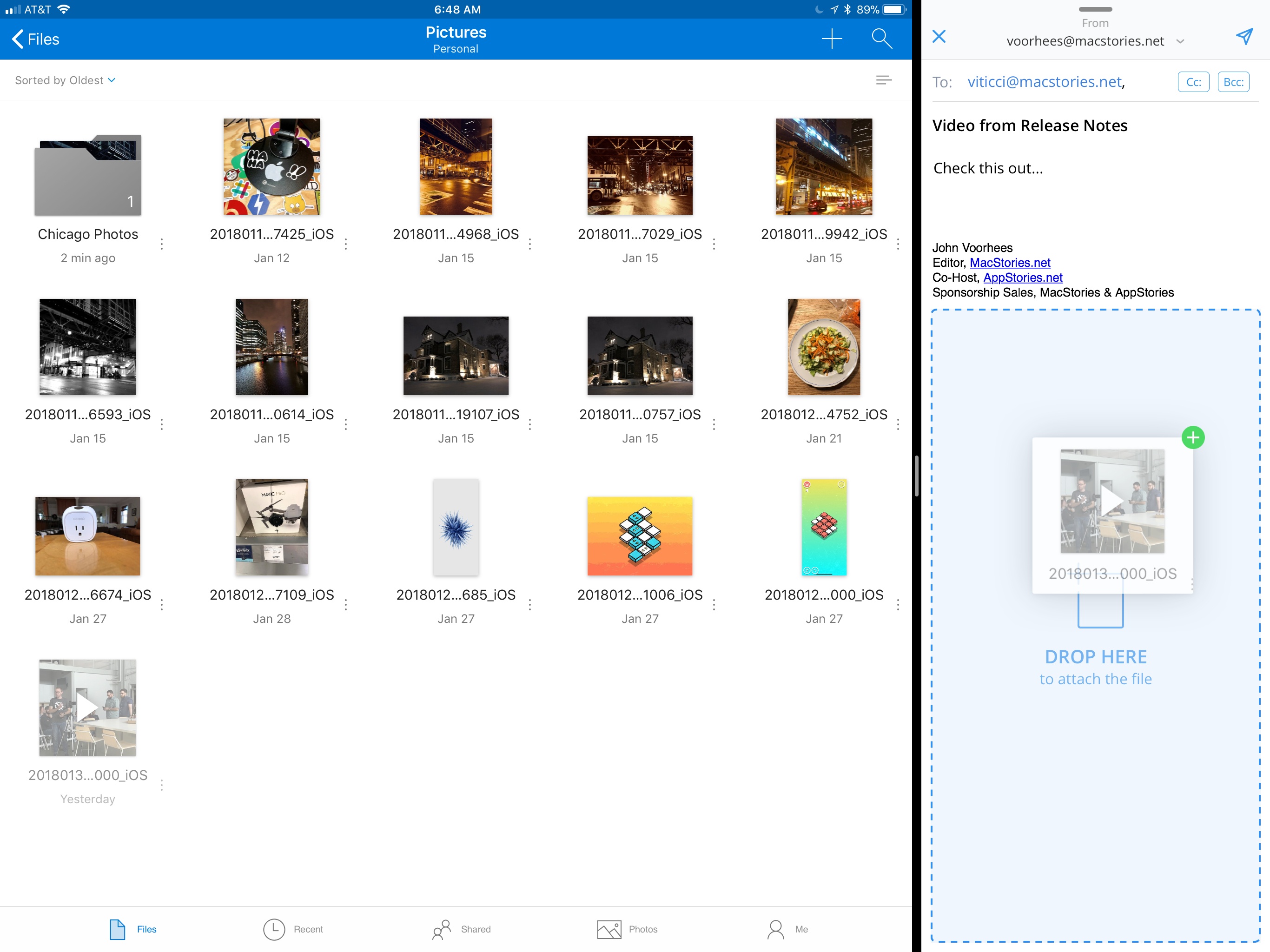
Drag and drop support allows users to move files and folders within the OneDrive app or drag files into and out of other apps. For example, users can drag photos from OneDrive into an email message to add as an attachment or drag attachments from messages into OneDrive. Users can also access their OneDrive files from Apple’s Files app.

OneDrive now supports drag and drop on the iPad.

OneDrive now supports drag and drop on the iPad.

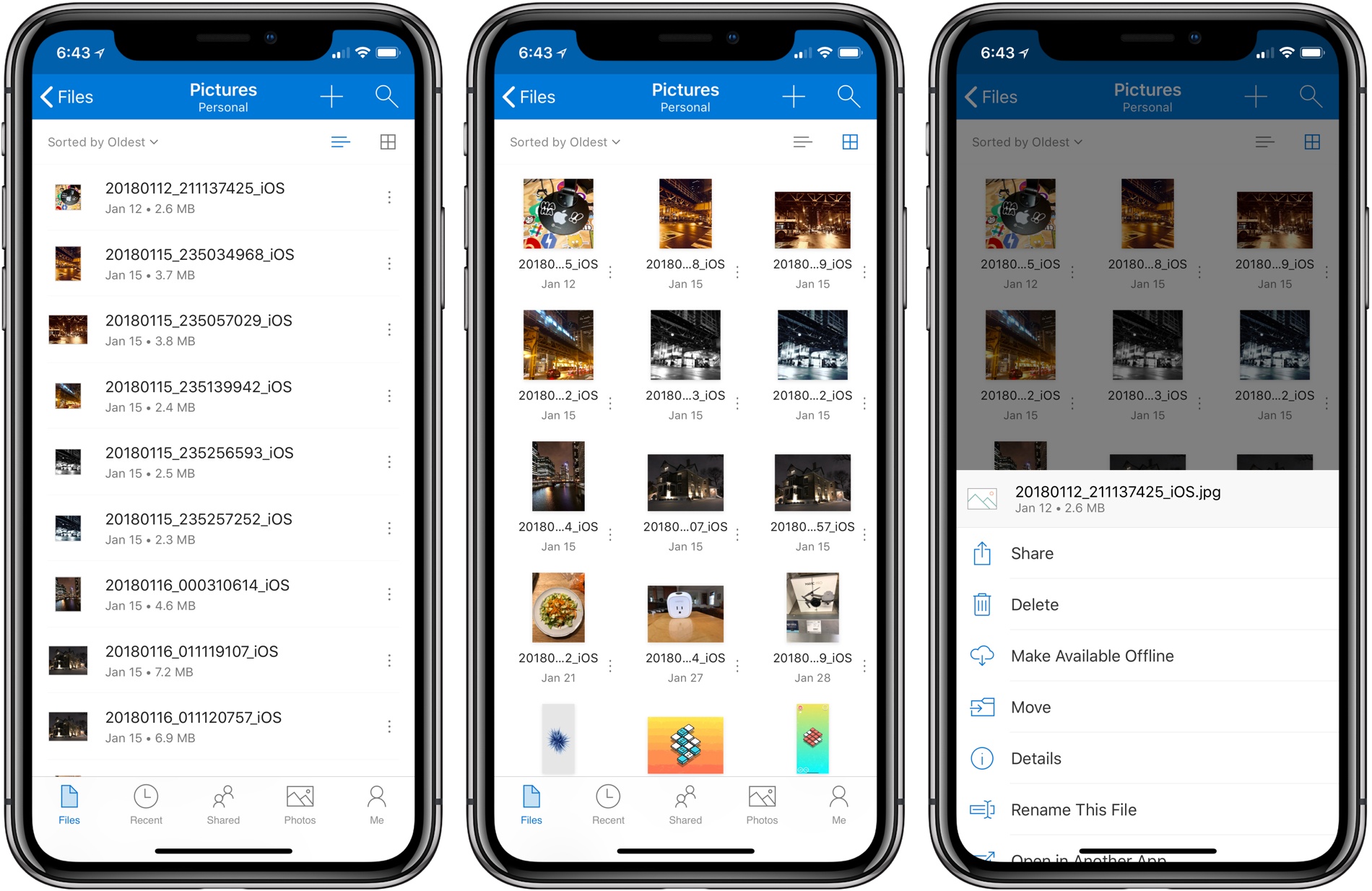
OneDrive also received a significant UI redesign. File names are easier to read on all devices, the organization more closely mirrors what users expect to see on a Mac or PC, and the icons of shared files have been updated to make them easier to identify at a glance.

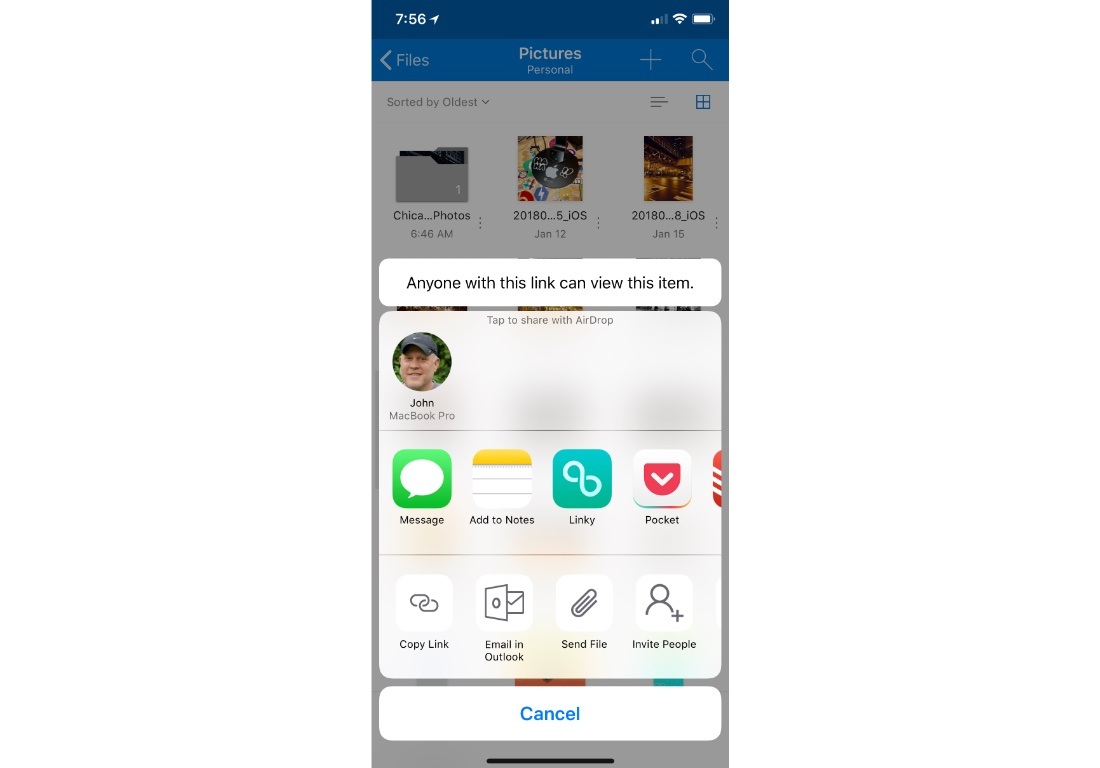
Before the update, file and folder actions required users to tap and hold on an item, which created discoverability issues. Now, there is a tiny three-dot button next to each file and folder that opens a contextual menu with options like ‘Share,’ ‘Delete,’ ‘Make Available Offline,’ ‘Move,’ and more. Additional file and folder actions, including ‘Copy Link,’ ‘Email in Outlook,’ ‘Send File,’ and ‘Invite People,’ are available via the system share sheet. OneDrive can now preview 130 different file types too.

Additional file and folder actions are available via the share sheet.

Additional file and folder actions are available via the share sheet.

It’s unfortunate that it’s taken so long for OneDrive to adopt iOS 11 features like drag and drop. Still, the update is a significant improvement over previous versions and brings the app’s functionality in line with many of its competitors, which makes it worth another look if you have been thinking about switching online storage providers.