This Week's Sponsor:

Dropzone 5

Improve your Drag-and-Drop Workflow


Posts in news

Adobe Unveils Photoshop Updates for the iPad and Mac on Its 30th Anniversary

Source: Adobe.

Source: Adobe.

Not many apps can say they’ve been around for 30 years, but that’s how long it’s been since Photoshop 1.0 launched. To coincide with the milestone, Adobe has released updates to Photoshop for the iPad and the Mac. We haven’t tried either update yet, but from the press demo I received, the updates to both versions of Photoshop appear substantial and promise to improve the experience of using the app significantly.
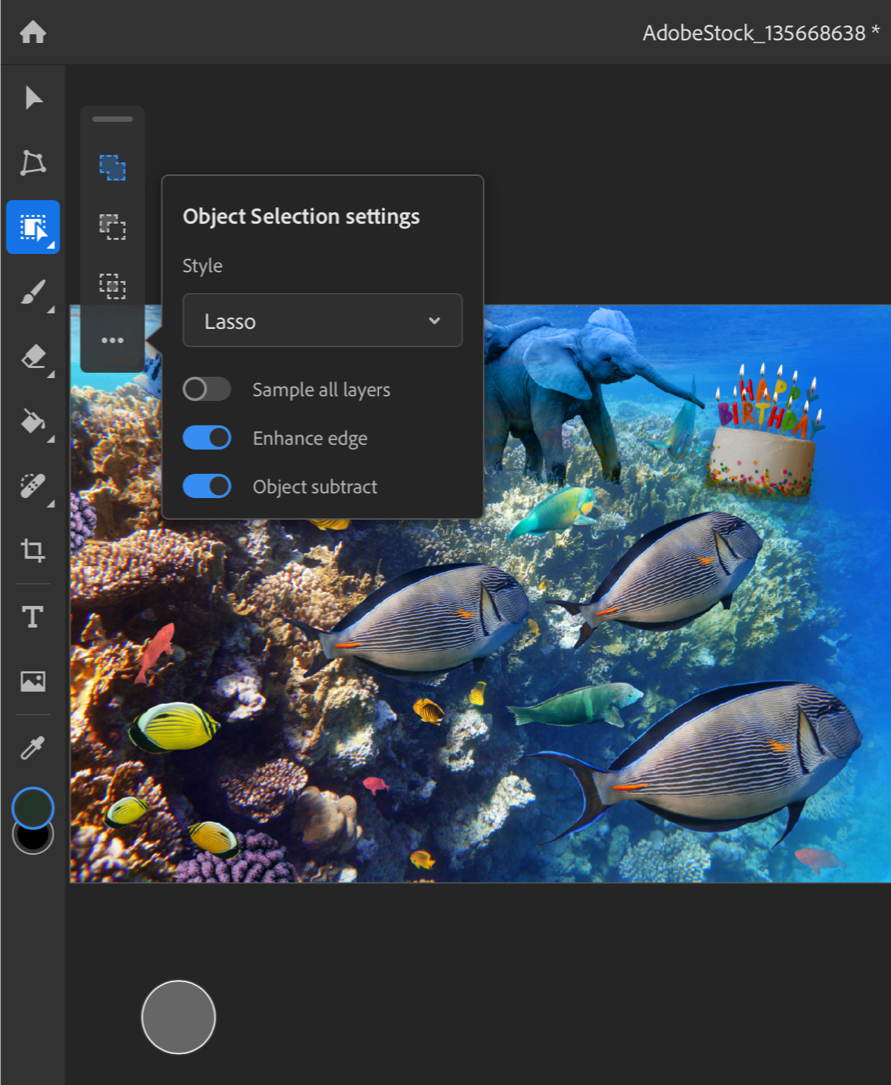
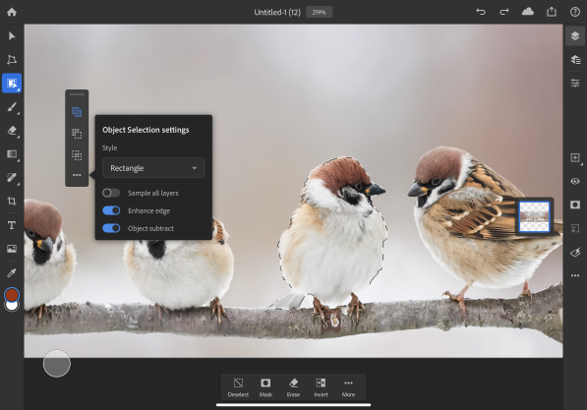
The Object Selection tool. Source: Adobe.

The Object Selection tool. Source: Adobe.

On the iPad, Photoshop already has a Subject Selection tool that lets users quickly select the primary subject of an image, but now, it also has a new Object Selection tool that works a little differently. Object Selection works best when there are multiple subjects in an image, and you want to select just one. After tapping the Object Selection tool, you trace an outline around the object you want to select. Then, Photoshop uses some software magic to figure out what you want and snaps the selection to the object. Finally, you can clean up the selection, adding and subtracting parts using Photoshop’s Touch Shortcut UI. It’s fantastic to see this tool, which just came to the Mac a few months ago at Adobe MAX, already part of the iPad app.

Photoshop for iPad's new type settings. Source: Adobe.

Photoshop for iPad’s new type settings. Source: Adobe.

The other headlining feature on the iPad is better typography settings. There are now type layer, character, and options properties that include tracking, leading, scaling, and other adjustments that can be made to text. It’s not quite the complete set of tools available on the desktop, but it appears to be a substantial improvement over the previous version of the iPad app.

The Mac version of Photoshop has also been updated too. Lens Blur has been moved from the CPU to the GPU for better performance. The app can also read the depth map from images taken with an iPhone and other smartphones, which can be edited in Photoshop to get the exact focal point and look that you want.

The old version of Lens Blur (left) and the new version (right). Source: Adobe.

The old version of Lens Blur (left) and the new version (right). Source: Adobe.

The Content-Aware Fill workspace has been improved too. Now, you can make multiple selections and apply multiple fills in the workspace, whereas before users had to leave the workspace and reenter it between selections.

Photoshop for iPad was released in early November 2019 with the promise of frequent updates to fill the gaps between it and its desktop sibling. So far, Adobe has lived up to that commitment with substantial updates last December and today. Another indication that Adobe is serious about mobile is evident from the Photoshop webpage, which prominently features the app.

Still, there is still plenty of work to be done before Photoshop for iPad rivals the desktop Photoshop experience. In addition to features that haven’t migrated from the desktop to the iPad yet, I’d like to see Adobe implement iPadOS system features like drag and drop, so I can drag images from Lightroom or other photo editors into Photoshop, context menus, which seem like a natural fit for an app with so many settings, options, and actions, and multiwindowing. My hope is that new functionality like keyboard event detection and whatever Apple has in store for iPadOS 14 will make it easier for Adobe to refine Photoshop further and continue to implement the most powerful desktop features on the iPad too.

Photoshop for iPad is a free update that is available on the App Store and requires a subscription. The Mac version of Photoshop is available directly from Adobe.
Apple Music Debuts Intelligent Sorting of Alternate Album Versions

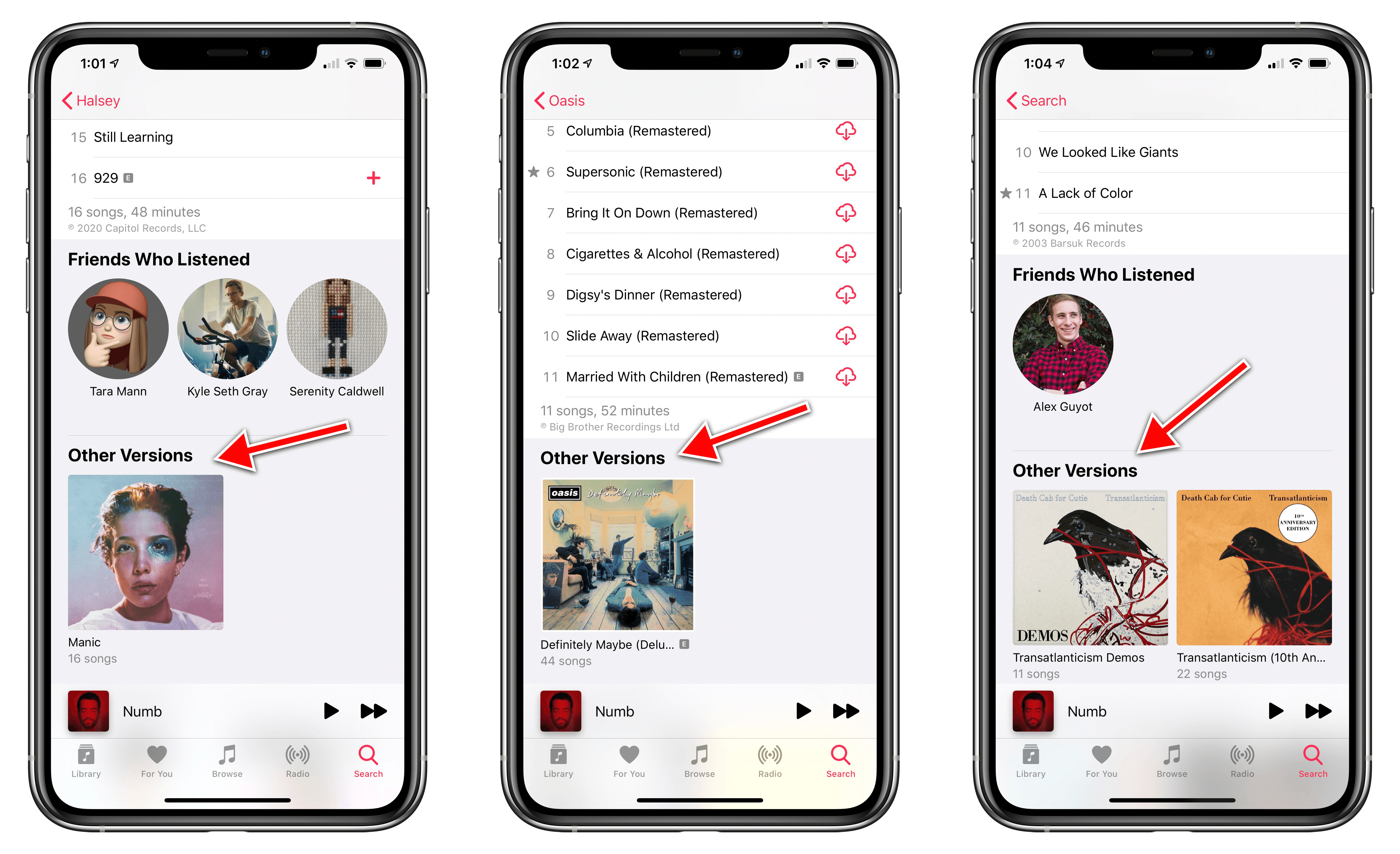
Apple Music has debuted a small, but valuable new feature that makes it easier to find the exact album version you’re looking for. As discovered by our Federico Viticci, when alternate album versions are available, they’re now listed in a dedicated Other Versions section underneath an album’s track list.

As Federico notes, this feature is a long-time carryover from Beats Music. In a previous story about Beats’ streaming service (which later became Apple Music) he details the service’s intuitive handling of album variations:

However, Artist pages also show some welcome options for music lovers. Albums that have been reissued with different editions (like remasters) are hidden by default

That same behavior is now followed by Apple Music. For example, if you view the Death Cab for Cutie artist page in Apple Music, you’ll see Transatlanticism as one of the group’s albums, but only one version of it so as to prevent unnecessary cluttering of the album list. Open that album, however, and you’ll see the Other Versions section containing the Demos and 10th Anniversary versions.

I’ve never liked how Apple Music’s artist pages were congested by alternate album versions, so it’s nice to see this change implemented. Even if Beats Music solved the problem years ago, it’s better late than never to see that solution brought to Apple’s streaming service.


Apple Music Replay 2020 Playlist Now Available

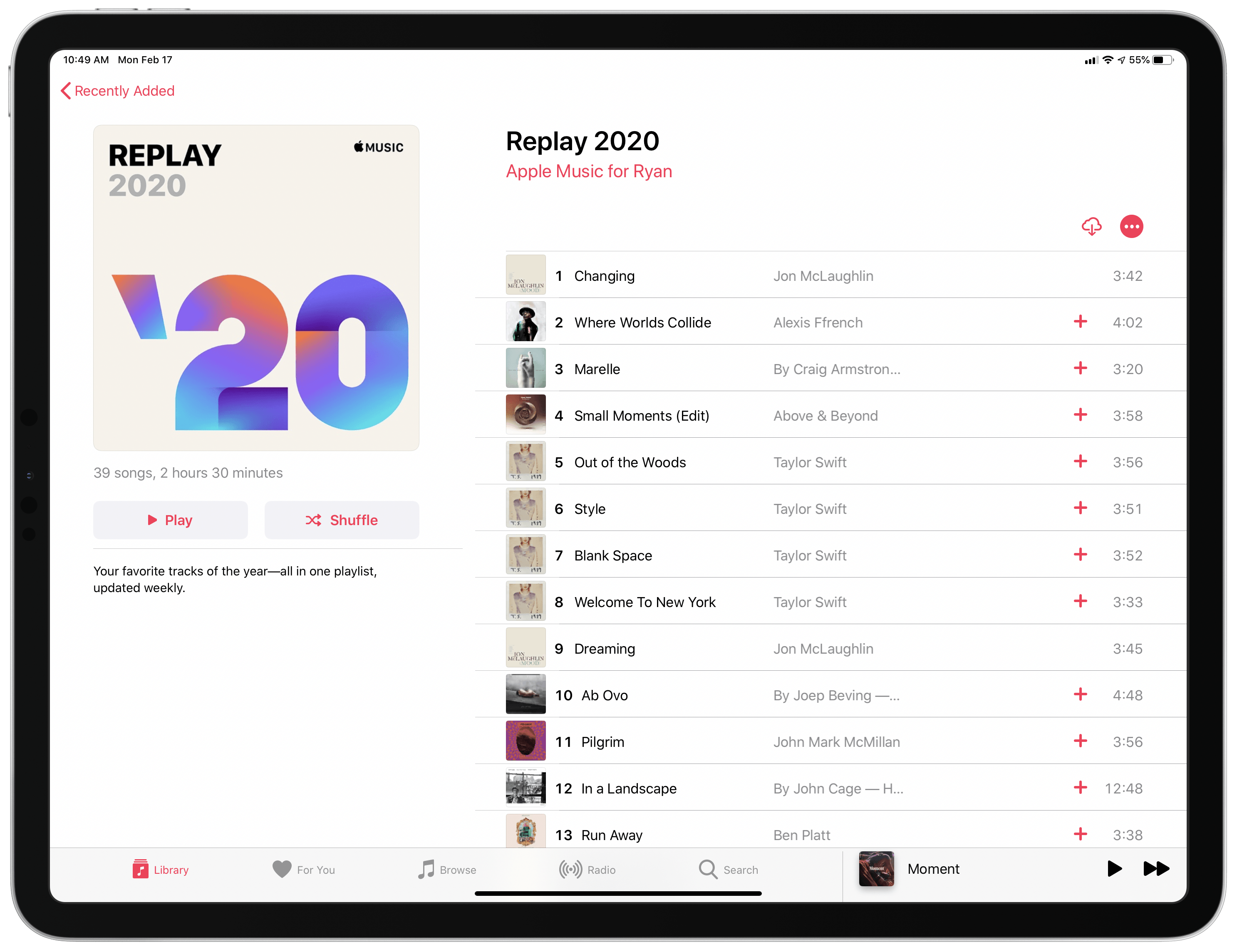
Last year when Apple Music Replay was introduced, Apple specified that the feature wouldn’t just serve as a year-end collection of your most-played music, but it would also become a weekly-updated playlist that you can enjoy throughout the year. Up until this weekend, however, the 2020 version of that playlist hadn’t yet been made available. Our Federico Viticci first discovered its debut on Sunday:

Once you add it to your library, the Replay 2020 playlist will show your most listened to songs all throughout the year, updating weekly to account for your latest listening data.

Since Replay is a year-long playlist, I’m interested to see if Apple will do anything special with the feature when the year is nearly over. Spotify’s similar year-end feature, Wrapped, generates special content tailored for social platforms like Instagram stories, and it’d be great to see Apple follow suit with Replay when the time comes.


Apple Introduces Mac Catalyst Version of Swift Playgrounds

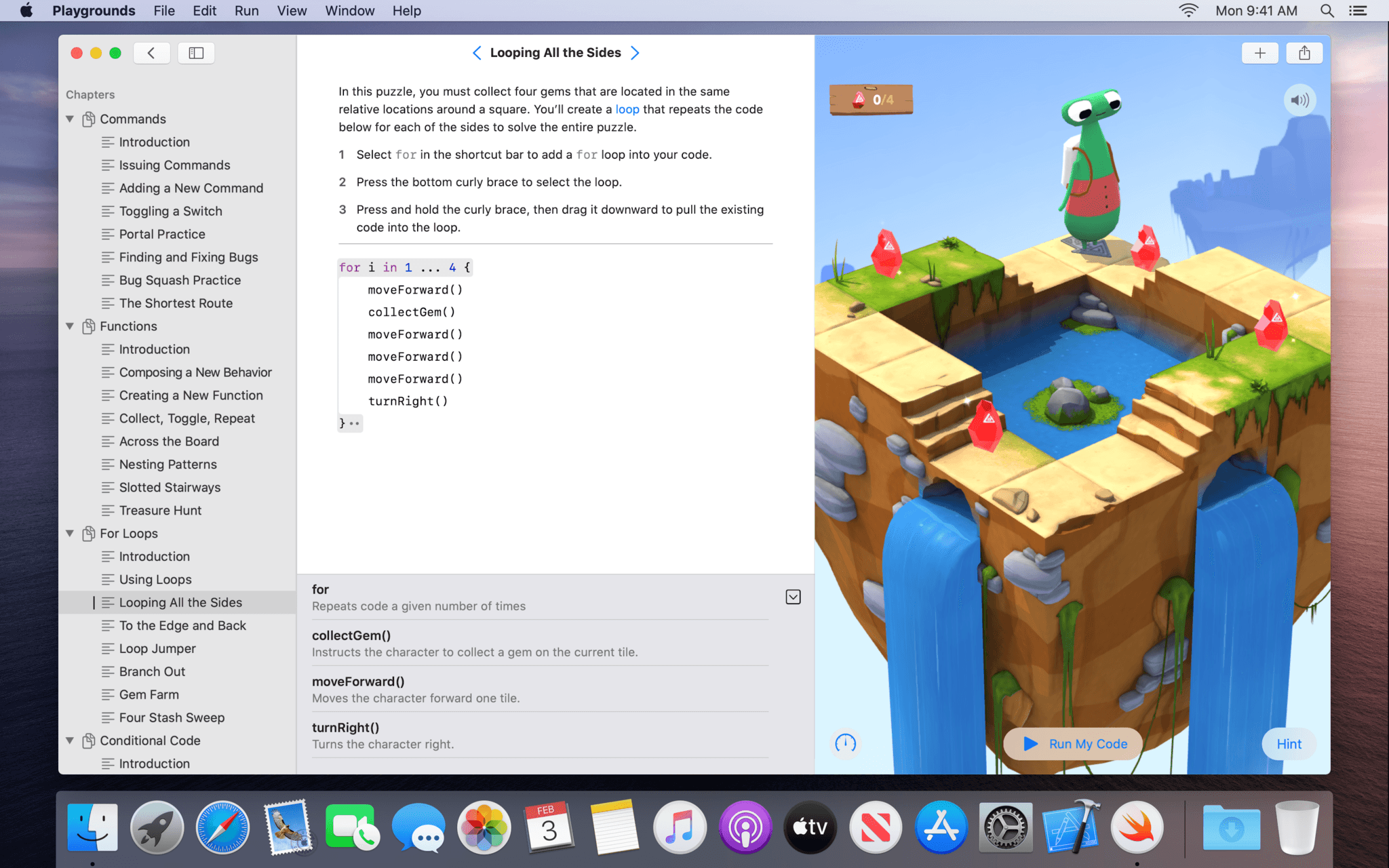
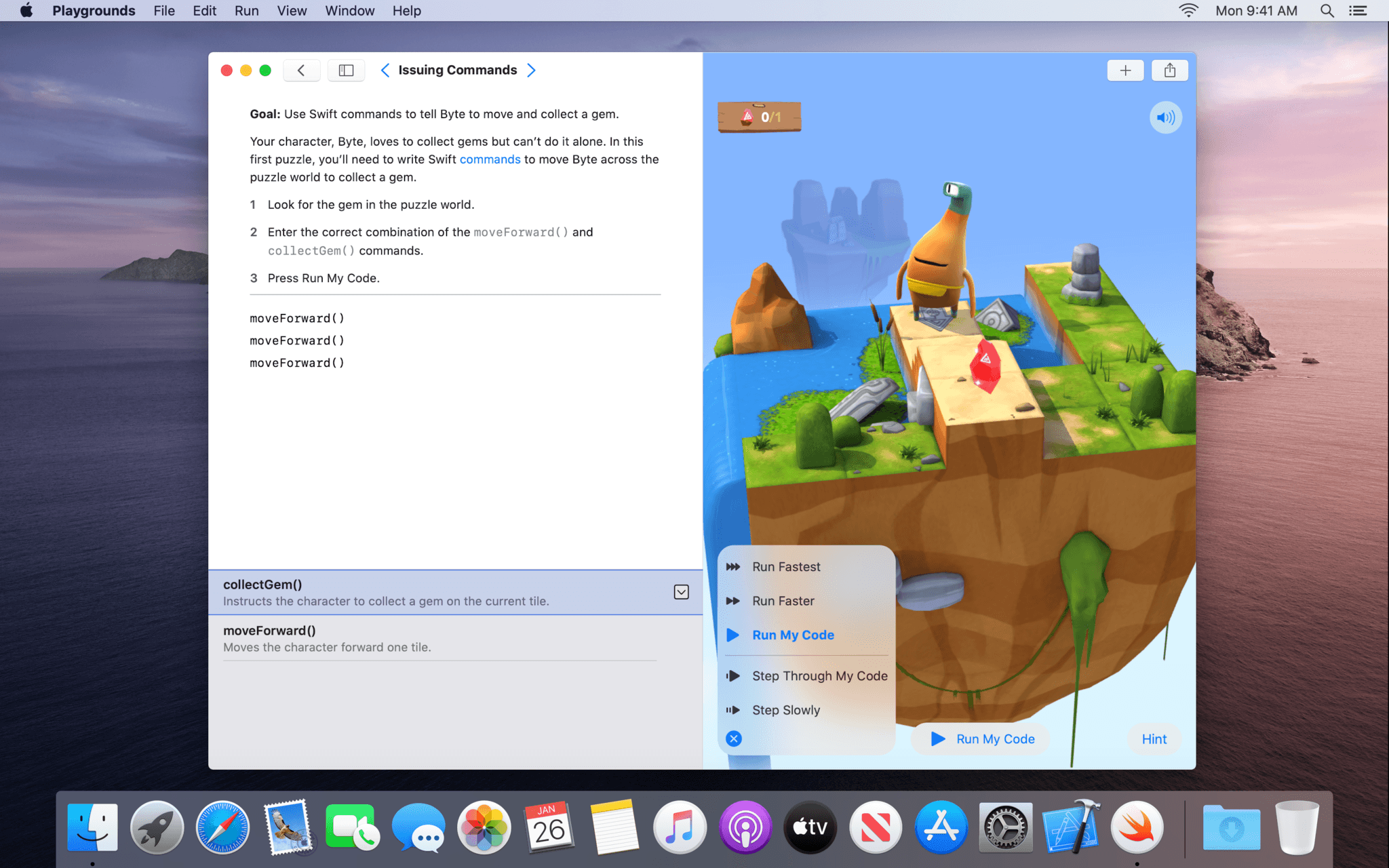
Swift Playgrounds has been around for quite a while on the iPad, but now, it’s on the Mac too as a Mac Catalyst app.

Swift Playgrounds teaches coding concepts and the Swift programming language. Until today, the app, which includes lessons designed to teach Swift alongside a coding environment, was an iPad exclusive. Now, however, anyone interested in learning Swift can move from the iPad to the Mac and back again.

I’ve been a fan of Swift Playgrounds since it debuted. It’s a friendly, easy-to-use environment for experimenting with Swift ideas and concepts, and the lessons available are excellent. With the addition of a native Catalyst app on the Mac, anyone who wants to learn Swift can do so whether they are in front of their Mac or using an iPad. What’s more, the additional space afforded by most Macs there’s more room to navigate playground books and files. Playgrounds on the Mac includes expanded code completion functionality that allows you to navigate code suggestions with the arrow keys on your keyboard or trackpad too.

I haven’t had a chance to spend more than a few minutes with the new Swift Playgrounds yet, but it’s clear from even a cursory review of the app that a lot of thought and care has gone into it. The sidebar and Touch Bar support stand out as terrific Mac-centric additions that take advantage of the Mac’s bigger screen and keyboard and trackpad. I’m looking forward to diving spending more time with Swift Playgrounds on my Mac mini in the coming weeks.

Swift Playgrounds is available as a free download on the Mac App Store and requires macOS Catalina 10.15.3.


Google Celebrates 15 Years of Its Maps App with a New Design and Features

Source: Google

Source: Google

Google has announced that it is rolling out an update to its Google Maps app today that features a redesigned interface, new features, and a brand new icon. The company also says that new public transportation and augmented reality features are coming later.

Today’s update, which should show up throughout the day worldwide, features a new look for Maps. The app currently has just two tabs, Explore and Commute. The update will add Saved, Contribute, and Updates tabs as well. Saved collects all of the places you have saved in Google Maps in one place and includes functionality for finding and organizing new places. Contribute will allow users to notify Google about new details that they think should be added to Maps like new businesses, photos, and reviews. Finally, Updates is a curated feed of trending places in your area and content from third parties like The Infatuation.

Source: Google

Source: Google

The update comes with a new icon too, which Google says reflects Maps’ evolution from an app designed primarily to get you from point A to point B to one that also helps you discover new places to visit. Google’s blog post includes a short video showing the evolution of the icon from the early days of the app to the new icon, which is simply a multicolored map pin.

Google also revealed that in March, it will add new public transportation features to Maps. The additions include temperature and accessibility information, the availability of a women’s section and security, and, in Japan only, the number of carriages. Also, later this year, Google plans to expand its Live View feature by combining map data with the view of your surroundings, providing information like distance to your destination and direction.

Google Maps today is a much different app than it was fifteen years ago. Google’s strength lies in the years of data it has collected, and the company continues to use that to its advantage. Apple Maps has come a long way in a relatively short amount of time compared to Google Maps, and it remains my preferred map app. However, it’s difficult to imagine Apple Maps ever having the granularity of local data that Google has achieved.


macOS Will Soon Support Universal Apps, Enabling a Single Purchase for Mac, iPhone, and iPad Apps

As first spotted by Steve Troughton-Smith, release notes for the latest beta build of Xcode include a major development: Mac apps can soon be included as universal purchases with their iPhone and iPad companions.

https://twitter.com/stroughtonsmith/status/1225125126427025409?s=21

Universal apps currently enable you to make a single purchase to gain access to both iPhone and iPad versions of an app. Nearly all cross-platform developers default to this option, though some still sell separate iPhone and iPad apps. macOS has never been included as part of universal apps though, even after Mac Catalyst launched last year. That sounds like it’s going to change when the latest OS updates – iOS and iPadOS 13.4 and macOS 10.15.4 – arrive this spring.

With universal app support, developers will be able to charge users a single time to grant access to Mac, iPhone, and iPad versions of their app. As Apple’s release notes state, this option in Xcode will be on by default for apps built with Catalyst, but it will also be available to non-Catalyst apps that are offered on the Mac App Store. While this change won’t be the best option for all developers, especially considering the different business dynamics of Mac and iOS apps, it makes sense for iPad developers who bring their apps to the Mac with Catalyst and don’t want to deal with the complication of a separate purchase system.


Apple Q1 2020 Results - $91.8 Billion Revenue

Apple has just published its financial results for Q1 2020. The company posted revenue of $91.8 billion. Apple CEO Tim Cook said:

“We are thrilled to report Apple’s highest quarterly revenue ever, fueled by strong demand for our iPhone 11 and iPhone 11 Pro models, and all-time records for Services and Wearables,” said Tim Cook, Apple’s CEO. “During the holiday quarter our active installed base of devices grew in each of our geographic segments and has now reached over 1.5 billion. We see this as a powerful testament to the satisfaction, engagement and loyalty of our customers — and a great driver of our growth across the board.”

Estimates and Expectations for Q1 2020 and the Year-Ago Quarter (Q1 2019)

Apple’s revenue guidance for Q1 2020 fell between $85.5 billion and $89.5 billion, with gross margin estimated to be between 37.5% and 38.5%.

Going into today’s earnings call, CNBC said:

Analysts are expecting earnings per share of $4.55, up from $4.18 per share from a year ago, according to Refinitiv. Revenue is expected to be $88.5 billion, up year-over-year from $84.3 billion.

In the year-ago quarter (Q4 2018), Apple earned $84.3 billion in revenue.

After the break, we’ve compiled a graphical visualization of Apple’s Q1 2020 financial results.

Read more


Introducing MacStories Shortcuts Icons Color Edition, Featuring 350 Multi-Color Icons

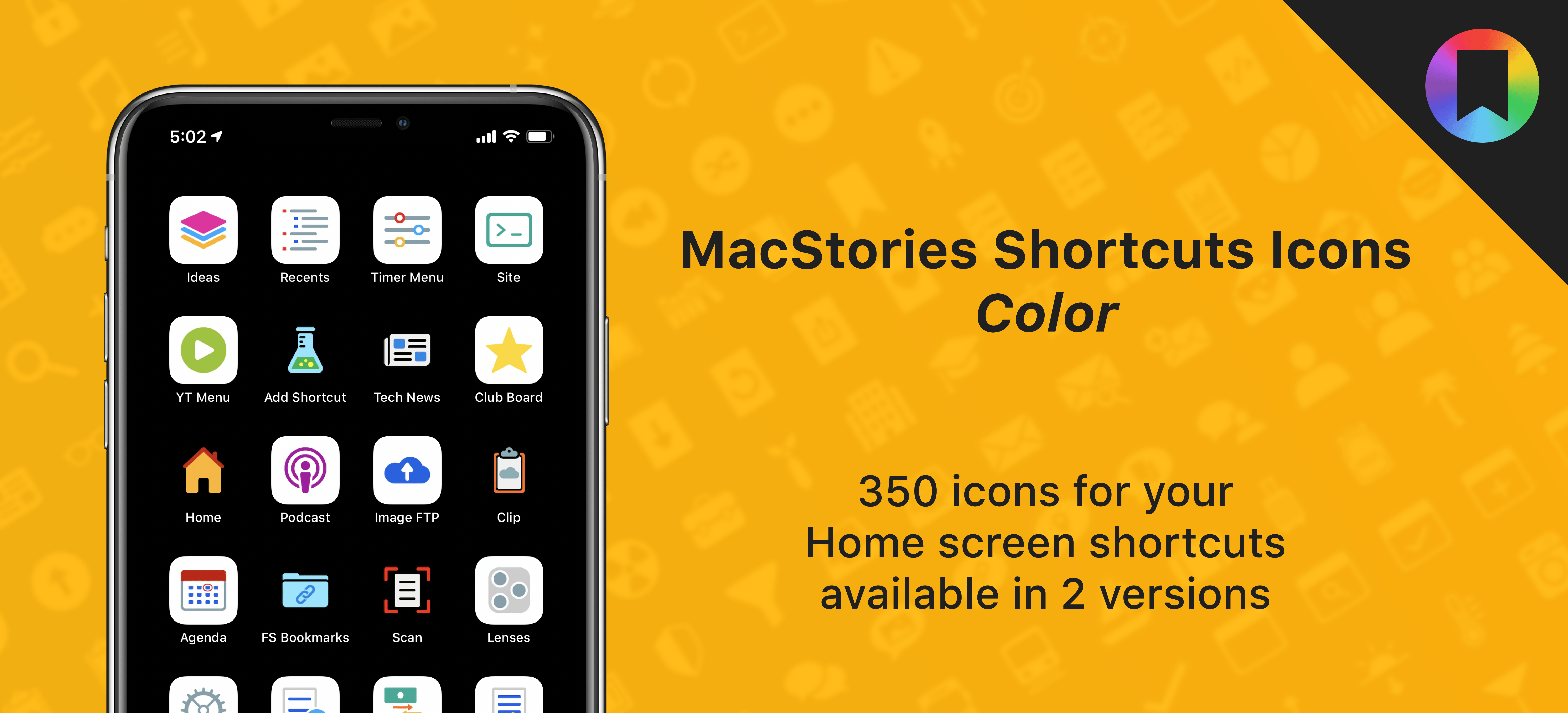
The Color set is a brand new version of MacStories Shortcuts Icons.

The Color set is a brand new version of MacStories Shortcuts Icons.

After working on this for months, I’m thrilled to announce the second product released under the MacStories Pixel brand: today we’re launching MacStories Shortcuts Icons (Color), a different version of our icon set that features multi-color glyphs and two background options.

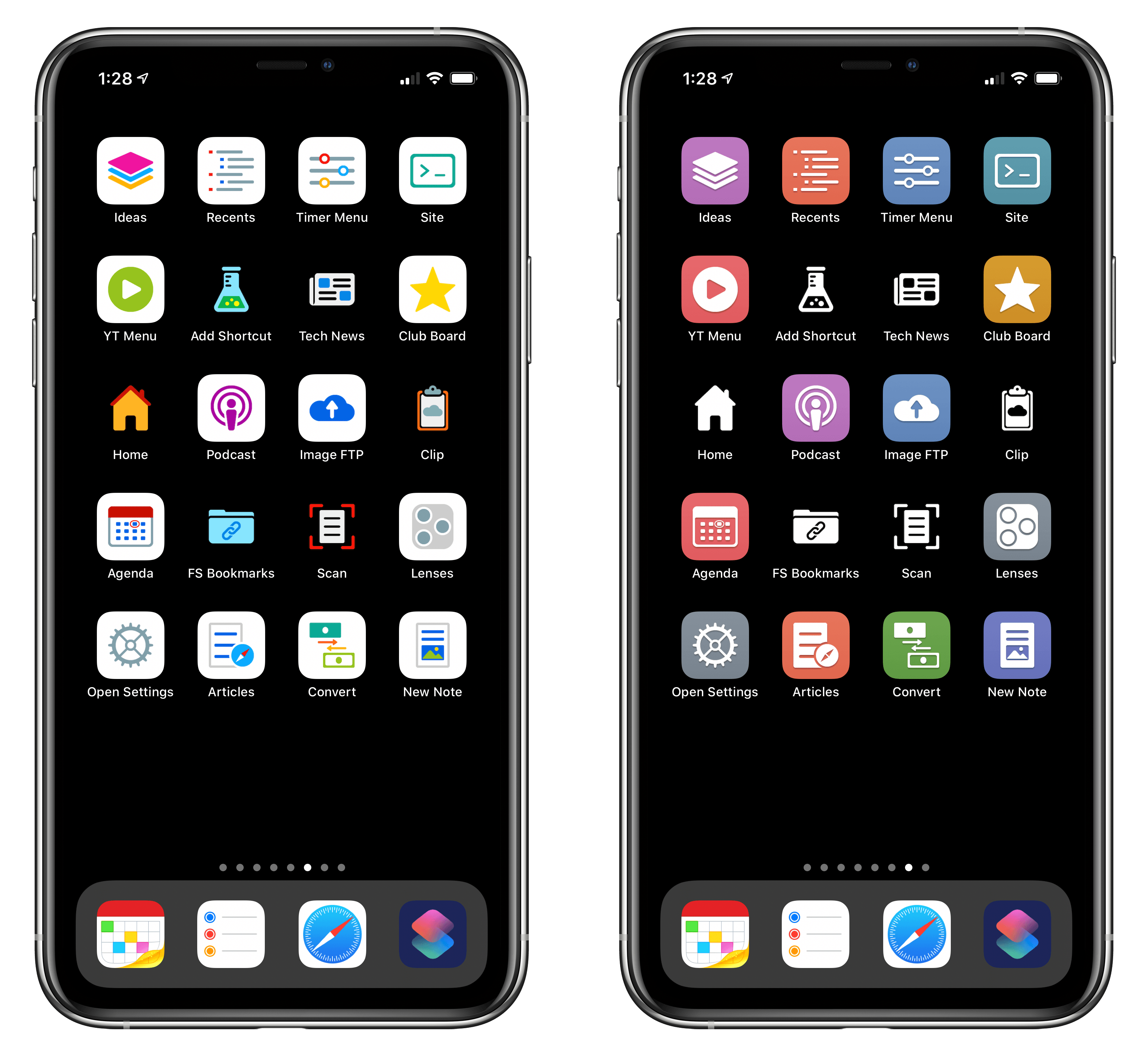
Here’s the gist of today’s launch: MacStories Shortcuts Icons (Color) are a new, separate set available for $14.99 here. What makes the Color set different: while the Classic set comes with monochrome glyphs, the Color version features multi-color glyphs with white or pure black backgrounds.

You can read more details about MacStories Shortcuts Icons (Color) here and buy the new set here.

And here’s a look at the difference between the two sets in practice:

The new Color set (left) features stunning multi-color glyphs. The Classic set (right) now includes black and white icons too.

The new Color set (left) features stunning multi-color glyphs. The Classic set (right) now includes black and white icons too.

As part of today’s launch, we’ve also redesigned the MacStories Pixel homepage to accomodate our new suite of products.

Read more


Apple Reveals Upcoming TV+ Lineup, including Amazing Stories, Central Park, Defending Jacob, and More

Steven Spielberg's Amazing Stories arrives March 6.

Steven Spielberg’s Amazing Stories arrives March 6.

Over the weekend, Apple debuted its TV+ content lineup for the first half of 2020 at the Television Critics Association Winter Press Tour. This Press Tour is a tradition of the TV industry, where traditional networks and streaming services alike share about the new content they’ll be releasing soon. Apple got to join the festivities this year for the first time, detailing its TV+ lineup through early summer, including release dates for highly anticipated series we already knew about, plus the debuts of new shows that hadn’t been previously announced.

Read more