This Week's Sponsor:

Dropzone 5

Improve your Drag-and-Drop Workflow


Posts in news

Apple Releases New Pride Edition Watch Bands Ahead of Pride Month, New Watch Faces Coming Soon

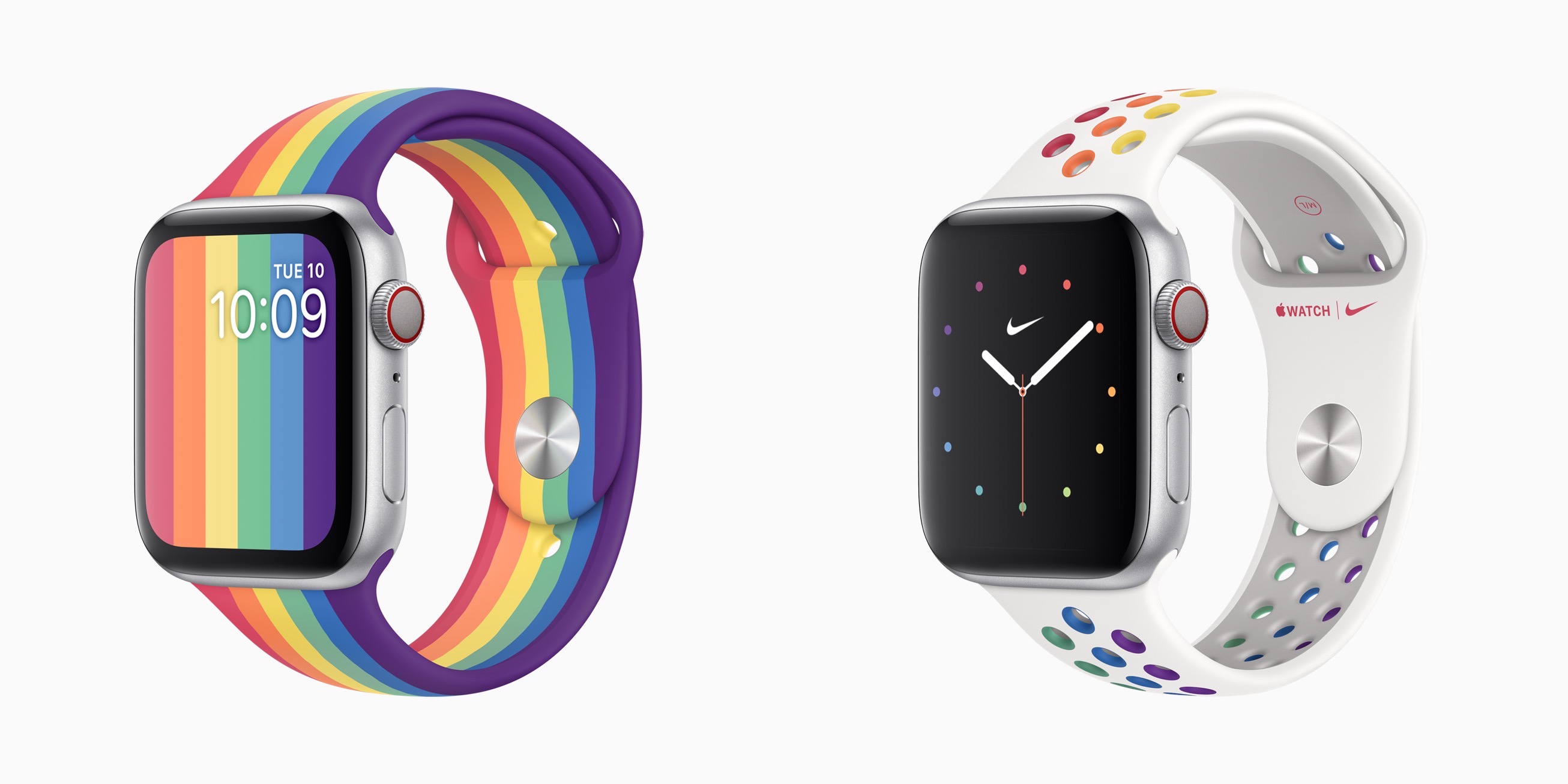
In anticipation of Pride month in June, Apple today has announced the release of two new Pride Edition bands for the Apple Watch, and new Pride watch faces that will be available soon as part of the watchOS 6.2.5 release.

It’s become an annual tradition for Apple to debut a new Pride band for Apple Watch and an accompanying watch face, but this is the first time there have been two new options launching. The Pride Edition Sport Band features the traditional rainbow pattern similar to last year’s offering, though that previous band was a Sport Loop, rather than the first-time Sport Band option available this year. The Nike Pride Edition Sport Band follows the unique design style of Nike’s other bands, but with its rainbow colors adorning the white band’s holes. The Nike Pride face arriving in the next watchOS update is unique as well, with colored dots representing the face’s hour markings.

The new Watch bands will be available today from the Apple Store, and watchOS 6.2.5 is anticipated to release some time in the next month leading up to WWDC.


MacStories Unwind – Noto, iA Writer, and a New Maintenance Task Manager

AppStories+ Deeper into the world of apps
0:00
34:00

AppStories+ Deeper into the world of apps


This week on MacStories Unwind:

MacStories

Club MacStories

  • MacStories Weekly
    • DaisyDisk
      • A tip from John on an easy way to create good-looking, text-searchable PDFs of webpages on iPadOS and iOS
      • Loads of Shortcuts requests answered by Federico
        • OmniChart and TimeChart using Charty
        • PDFs from URLs
        • Mail Merge
        • Safari Reader Article to PDF
        • Reminders to OmniFocus
      • Interview with Zac Cohan, developer of Soulver
      • A story about a News+ audio rumor by Ryan
  • MacStories Unplugged
    • Federico and John continue to refine their research strategies for this year’s review season, John shares a PDF tip with Federico, and then they compare notes on baking pizza and bread during the lockdown.

AppStories

Unwind


Apple Releases Substantial Update to Logic Pro X and Logic Remote

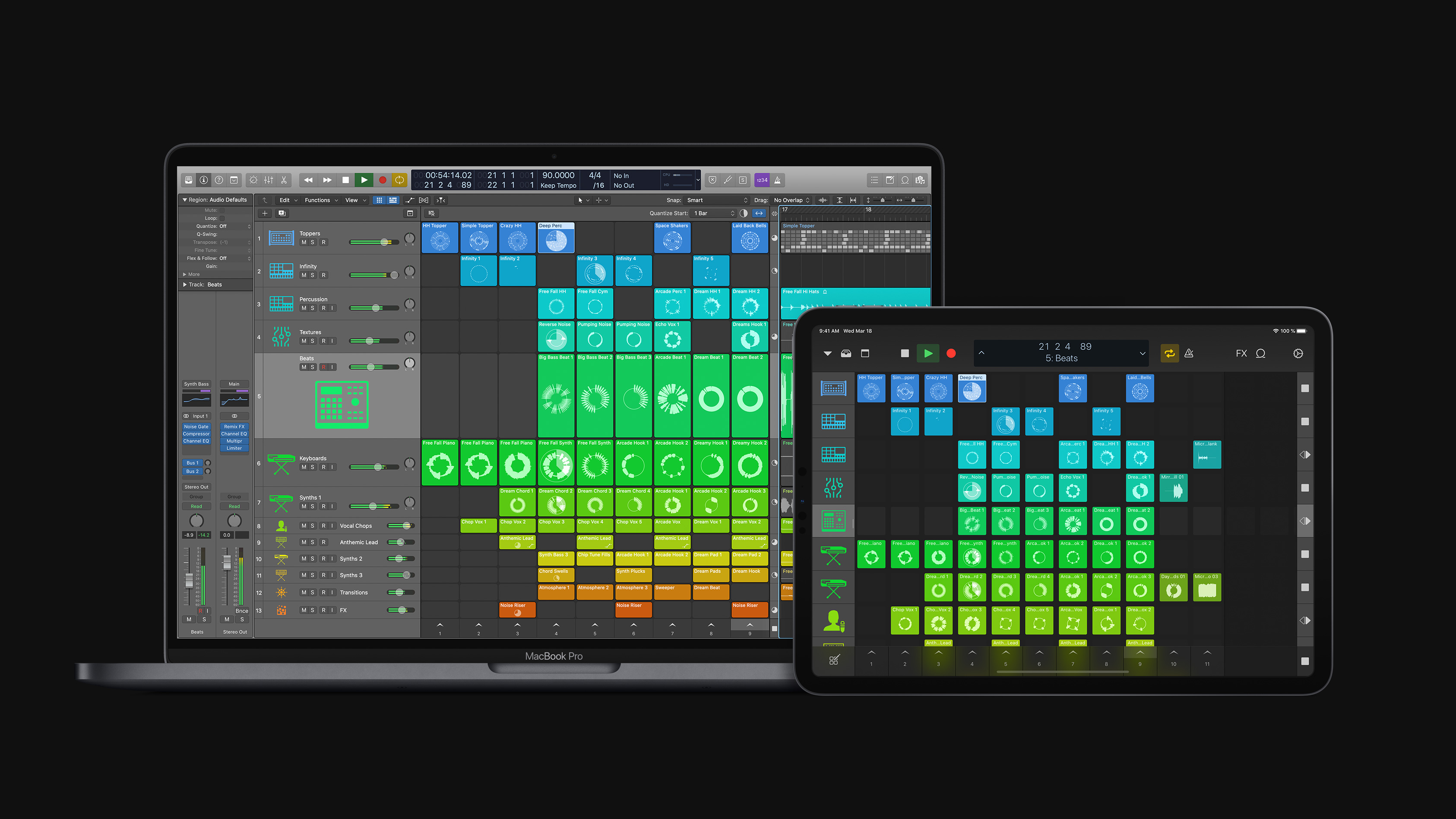
Apple has released a substantial update to Logic Pro X for macOS and the Logic Remote companion app for iOS and iPadOS that is focused on loops, sampling, and beat creation. According to Susan Prescott, Apple’s vice president of Apps Product Marketing:

Logic Pro X 10.5 represents the biggest update to Logic since the launch of Logic Pro X, with powerful new tools that will inspire every artist — from those just getting started with Logic, to those already using it to produce Grammy Award-winning albums.

Finneas O’Connell, Billie Eilish’s producer, says:

Logic Pro X has always been my one and only DAW. The workflow is unmatched, and the built-in sound libraries have been essential to my music from the beginning. Now with the addition of Quick Sampler and Drum Machine Designer, I’m getting back hours I used to spend in the studio building sounds and kits. This lets me spend more time writing new verses and editing 70-take vocals.

Source: Apple

Source: Apple

The update emphasizes non-linear production workflows that rely on loops, samples, and drum machine design, a departure from Logic Pro X’s historically timeline-focused approach.

With the new Live Loops tools, Apple says:

Loops, samples, and recordings can be organized into a new musical grid, where musicians can spontaneously perform and capture different arrangement ideas into the timeline. From there, tracks can be further refined using all of the professional production features in Logic.

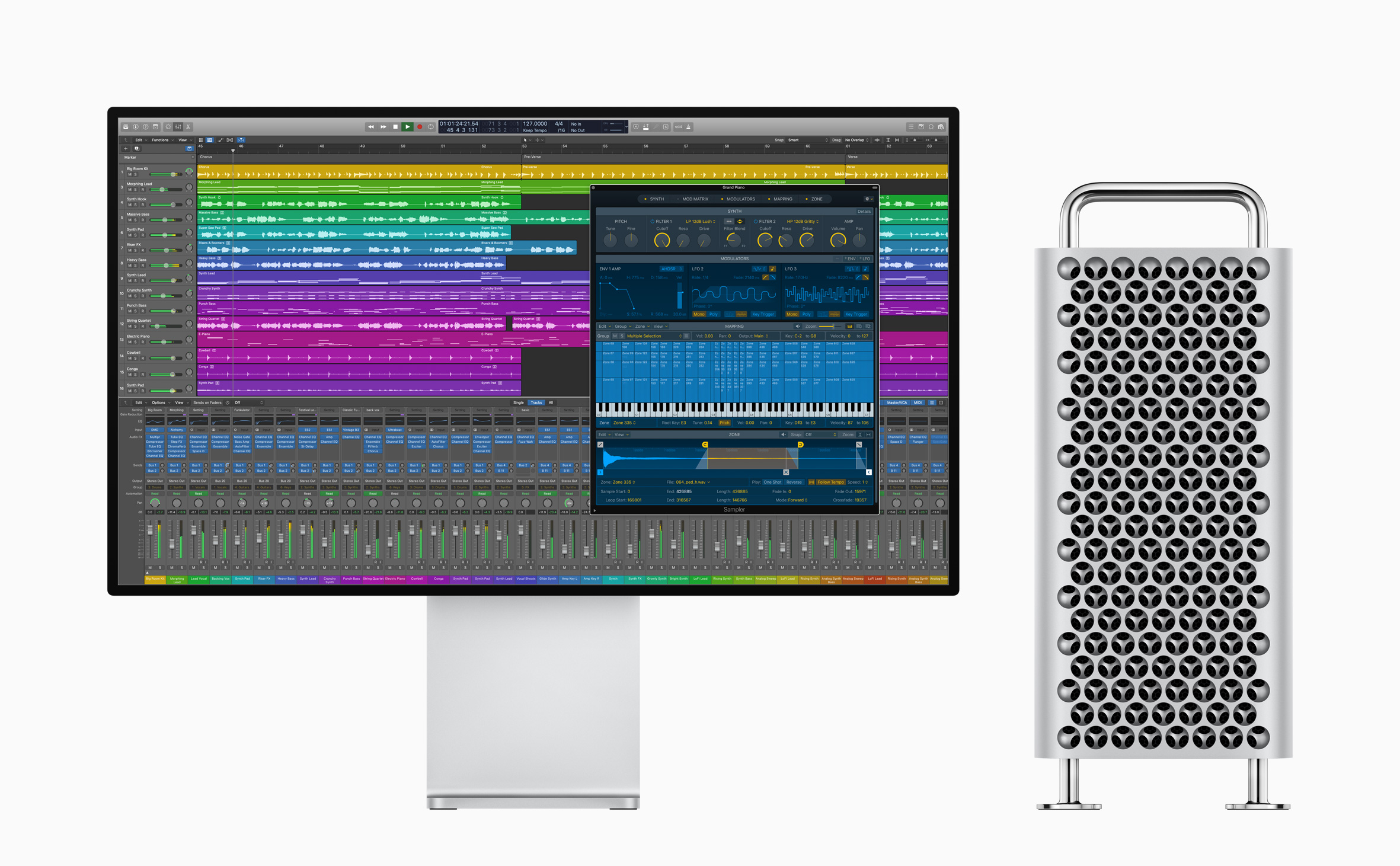
Sampler is a backward-compatible, redesigned expansion of existing Logic tools to “edit sophisticated multisampled instruments, using elegant drag-and-drop workflows that automate complex production tasks.”

For beat creation, Logic offers Step Sequencer, Drum Synth, and Drum Machine Designer. Step Sequencer is an editor that Apple describes as inspired by drum machine workflows, Drum Synth is a collection of software-generated beats, and Drum Machine Designer is Logic’s drum kit tool that now integrates with both Quick Sampler and Drum Synth, providing more control over editing kits and integrating with the new Step Sequencer.

Source: Apple.

Source: Apple.

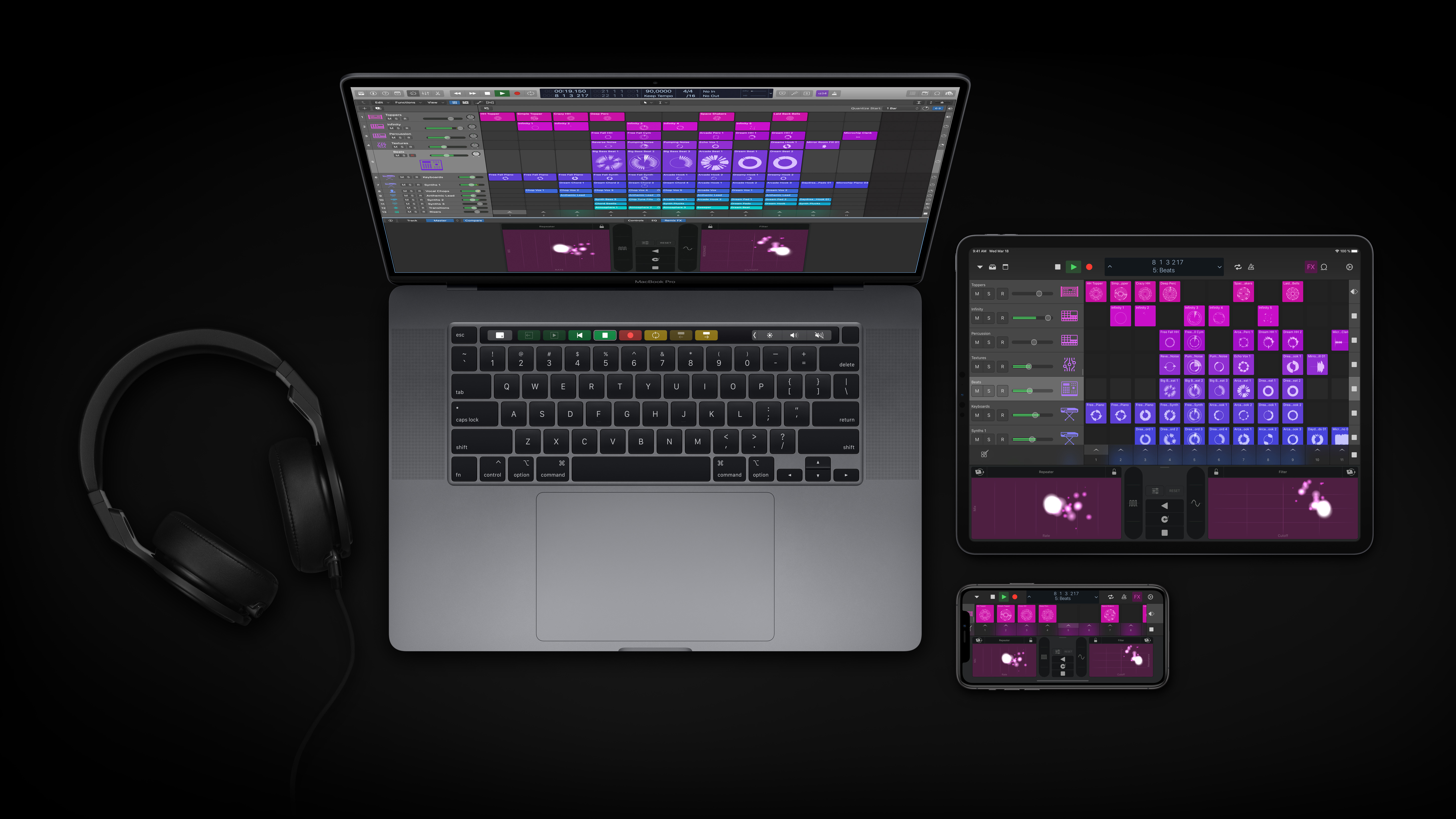
Finally, Apple is updating Logic Remote, the free iOS and iPadOS companion apps to Logic Pro X. The update will allow musicians to browse and add loops, trigger Live Loops, and apply Remix FX to a session.

Logic is available on the Mac App Store for $199.99. Additional information about the update is available on Apple’s dedicated Logic webpage.


MacStories Unwind: An Interview with Craig Federighi and Picking an iPad Pro

AppStories+ Deeper into the world of apps
0:00
25:02

AppStories+ Deeper into the world of apps


This week on MacStories Unwind:

MacStories

Club MacStories

AppStories

Unwind


Sponsored by:

SoundSource – Superior sound control from Rogue Amoeba


iPadOS and Pointer Support with Craig Federighi

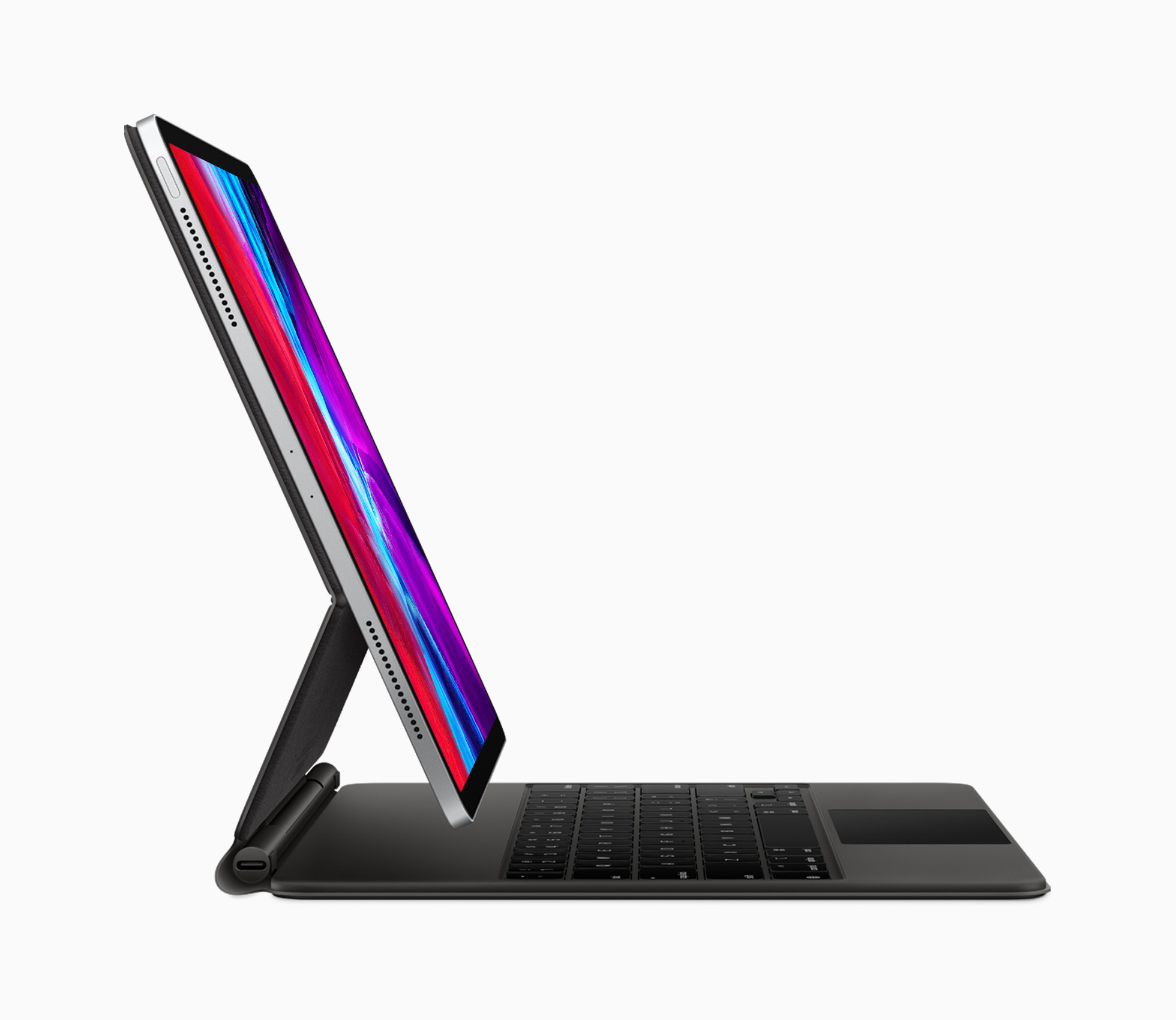
It has been quite a couple of months for the iPad and iPadOS. It started with the new iPad Pros and the Magic Keyboard with Trackpad, which were announced on March 18th. That was promptly followed by iPadOS 13.4, which wasn’t your typical late-cycle OS release. Along with modifier key remapping, key up/down events for developers, iCloud Drive shared folders, Mail toolbar adjustments, and new Memoji sticker reactions, Apple surprised everyone by revealing mouse and trackpad support.

The announcements came at a momentous juncture for the iPad, which turned 10 on April 3rd. As Federico explained on the anniversary, the iPad, and especially the iPad Pro, has become a modular computer that has stayed true to its tablet roots, while gaining the ability to transform to suit its users’ needs. Nowhere is the iPad’s modularity more evident than with the release of the Magic Keyboard with Trackpad.

Against that backdrop, Federico was fortunate to have the opportunity to once again chat with Craig Federighi, Apple’s Senior Vice President for Software Engineering, for a special episode of AppStories about iPadOS and its new pointer support. Although the COVID-19 pandemic prevented the interview from being conducted in person as it was last year at WWDC, FaceTime facilitated a terrific conversation that delves deep into the latest changes to iPadOS and what they mean for users and developers alike.

Thank you to Craig Federighi for taking the time for the interview, everyone at Apple who helped arrange it, and as always, thank you for listening to AppStories. We hope you enjoy the show.


AppStories+ Deeper into the world of apps

AppStories Episode 162 - iPadOS and Pointer Support with Craig Federighi

0:00
49:50

AppStories+ Deeper into the world of apps


Sponsored by:

  • Concepts – Where Ideas Take Shape
  • Linode – Cloud Hosting & Linux Servers. Get a $20 credit.

Apple Announces WWDC Will Begin June 22

Apple has announced that its annual WWDC conference, which will be online-only this year, will be held beginning June 22, 2020. The company also announced the Swift Student Challenge, in which students can submit a Swift playground that creates an interactive scene between now and May 17th.

The online-only conference will be held through the Apple Developer app and Apple’s Developer website.

In Apple’s press release, Phil Schiller is quoted as saying:

“WWDC20 will be our biggest yet, bringing together our global developer community of more than 23 million in an unprecedented way for a week in June to learn about the future of Apple platforms,” said Phil Schiller, Apple’s senior vice president of Worldwide Marketing. “We can’t wait to meet online in June with the global developer community and share with them all of the new tools we’ve been working on to help them create even more incredible apps and services. We look forward to sharing more details about WWDC20 with everyone as we get closer to this exciting event.”

Commenting on the Swift Student Challenge, Craig Federighi says:

“Students are an integral part of the Apple developer community, and last year WWDC saw attendance from more than 350 student developers spanning 37 different countries,” said Craig Federighi, Apple’s senior vice president of Software Engineering. “As we look forward to WWDC20, although our gathering will be virtual this year, we want to recognize and celebrate the creative contributions of our young developers from around the world. We can’t wait to see this next generation of innovative thinkers turn their ideas into a reality through the Swift Student Challenge.”

Students can learn more at developer.apple.com/wwdc20/swift-student-challenge. Winners chosen from the entrants will win an exclusive WWDC20 jacket and pin set.

Additional information about sessions and other programming announcements will be made through the Apple Developer app, on the Developer website, and by email.


Apple Refreshes the 13-inch MacBook Pro with a New Keyboard, More Storage, and Updated Processors and RAM

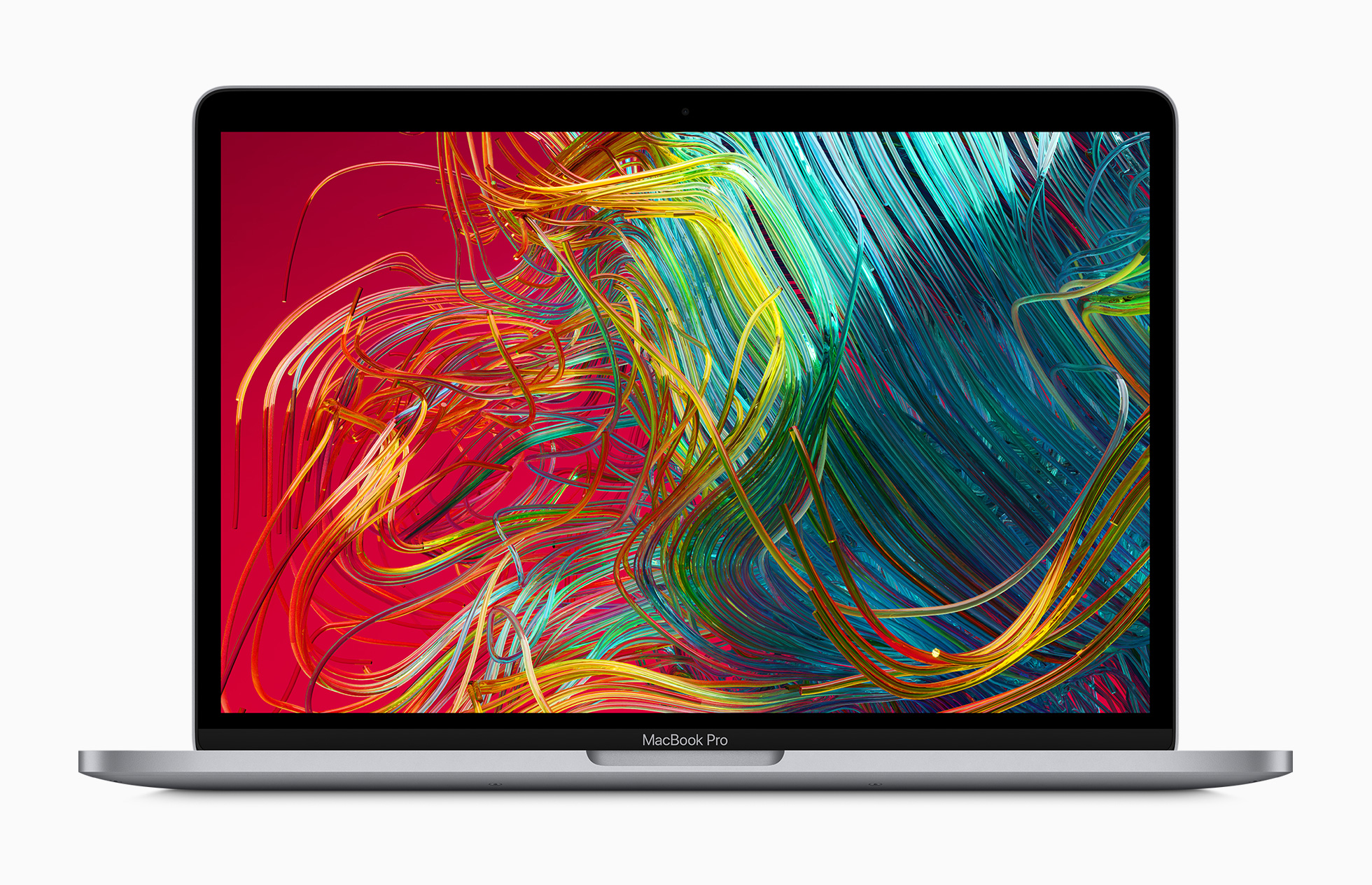
Apple has updated the 13-inch MacBook Pro with a redesigned keyboard, more storage, and updated processors and RAM. The new model replaces the existing 13-inch MacBook Pro and starts at $1299 like its predecessor and is available in the education market beginning at $1199.

In a press release, the company said:

Apple today updated the 13-inch MacBook Pro with the new Magic Keyboard for the best typing experience ever on a Mac notebook and doubled the storage across all standard configurations, delivering even more value to the most popular MacBook Pro. The new lineup also offers 10th-generation processors for up to 80 percent faster graphics performance1 and makes 16GB of faster 3733MHz memory standard on select configurations. With powerful quad-core processors, the brilliant 13-inch Retina display, Touch Bar and Touch ID, immersive stereo speakers, all-day battery life, and the power of macOS, all in an incredibly portable design, the new 13-inch MacBook Pro is available to order today, starting at $1,299, and $1,199 for education.

The new MacBook Pro comes in new CPU configurations and improved graphics capabilities. According to Apple:

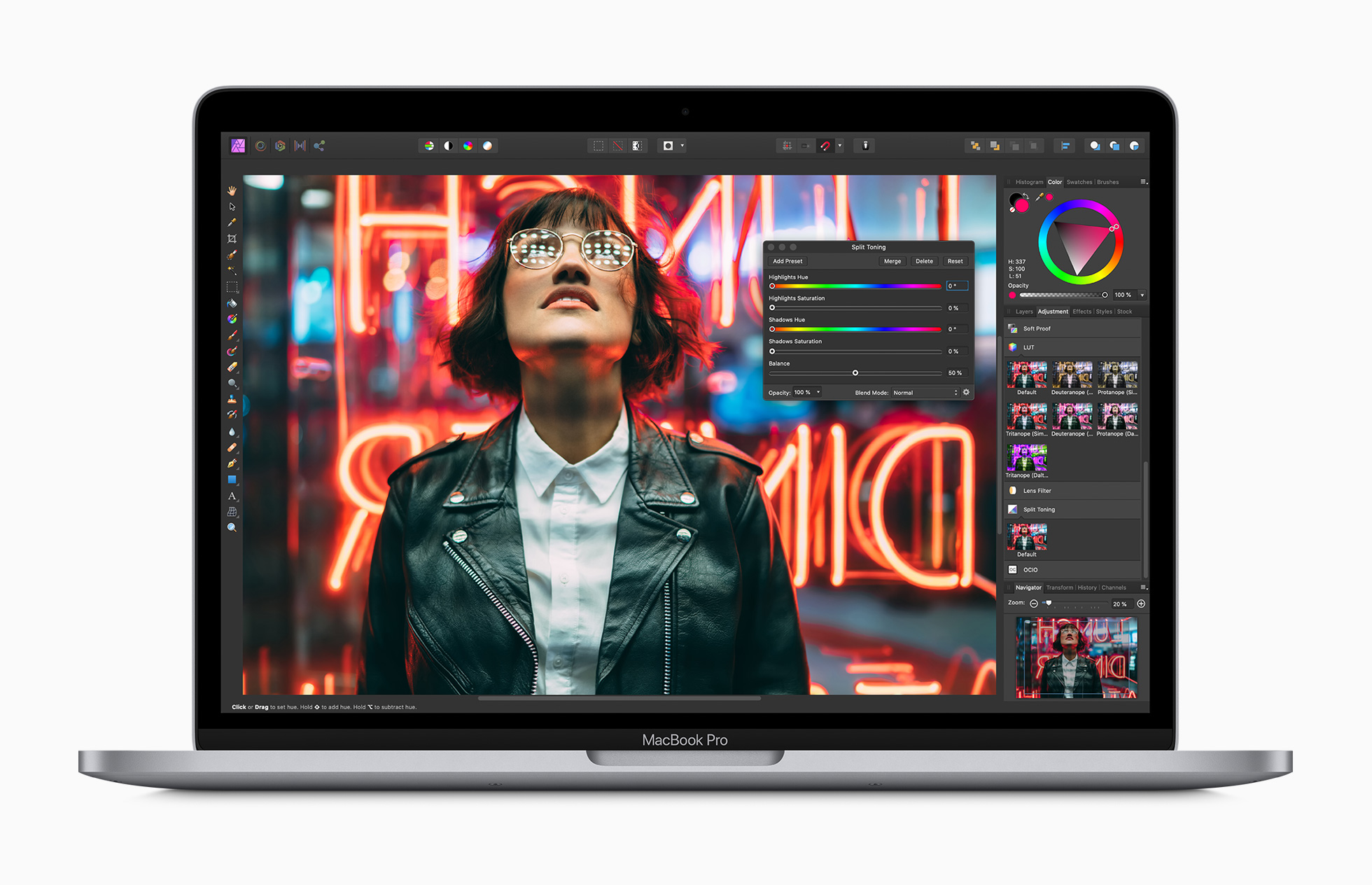
The 13-inch MacBook Pro lineup now offers up to 10th-generation quad-core Intel Core processors with Turbo Boost speeds of up to 4.1GHz. Customers who are upgrading from a 13-inch MacBook Pro with a dual-core processor will see up to 2.8 times faster performance. The integrated Intel Iris Plus Graphics deliver up to 80 percent faster performance over the previous generation 13-inch MacBook Pro for 4K video editing, faster rendering, and smoother gameplay. The new graphics also enable users to connect to Pro Display XDR at full 6K resolution.

The MacBook Pros that today’s machines replace had base configurations with a 1.4GHz quad‑core Intel Core i5 and 2.4GHz quad‑core Intel Core i5, both of which supported Turbo Boost and had 128MB of eDRAM.

Source: Apple.

Source: Apple.

Like its predecessor, the new MacBook Pro has a 13.3-inch diagonal display that uses IPS technology that supports 2560‑by‑1600 native resolution at 227 pixels per inch. The display also supports P3 wide color, Apple True Tone technology, and 500 nits of brightness.

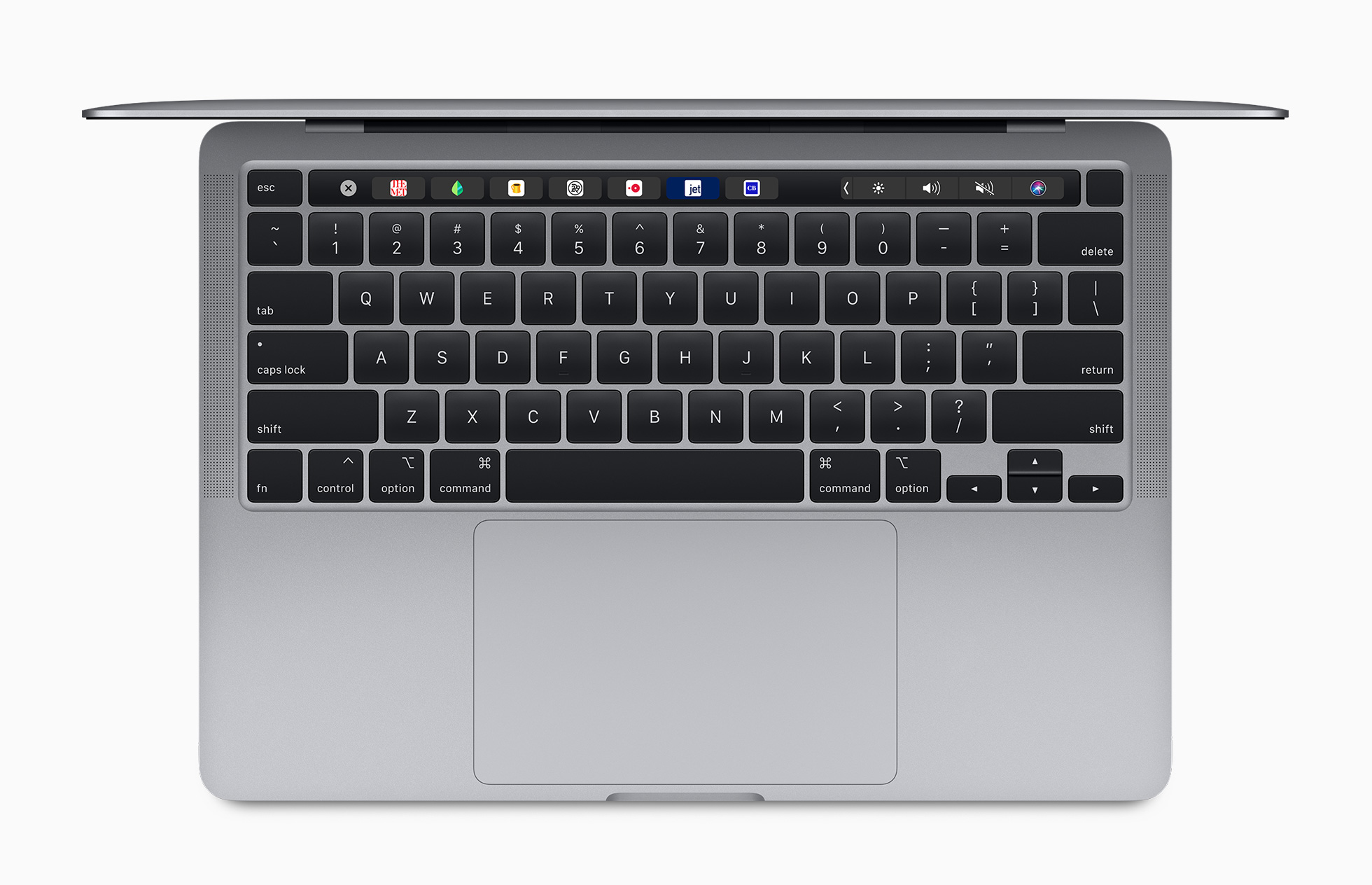
The new model follows in the footsteps of the 16-inch model with a new keyboard too. In addition to using a scissor mechanism like its 16-inch sibling, the new 13-inch model also includes an inverted-T arrow key layout and a physical Escape key.

Source: Apple.

Source: Apple.

Storage has been doubled across all configurations, starting at 256GB and offering up to a 4TB SSD. RAM is faster too. Some base-models of the updated laptop start at 16GB of 3733MHz memory, which can be upgraded to as much as 32GB.

As for ports, the new MacBook Pro hasn’t changed. The computer has two or four Thunderbolt 3 ports that also support USB-C 3.1 Gen 2 depending on which model you buy, plus a headphone jack. The speakers and microphone array appear to have been upgraded to something similar to the 16-inch model too.

Also, weight and battery life remain nearly identical. The new MacBook Pro weighs a slightly heavier 3.1 pounds compared to the model it replaces which was 3.01 pounds. Regarding the battery, Apple says users can expect similar performance compared to the models that the new laptops replace.

It’s nice to see the 13-inch MacBook Pro updated in line with what we saw when the larger model was updated last November. The keyboard update is especially welcome. I’ve been using a 2016 13-inch MacBook Pro and the keyboard has been a constant source of frustration. With this update, I expect Apple’s most portable pro laptop to serve users that need its power well.


MacStories Unwind – The Week of April 27, 2020

AppStories+ Deeper into the world of apps
0:00
30:40

AppStories+ Deeper into the world of apps


This week on MacStories Unwind:

MacStories

AppStories

Club MacStories

  • MacStories Weekly
    • Mac Utilities Grab Bag Vol. 2
    • Shortcut Essentials
      • Adding Tasks to OmniFocus’ Inbox with Intelligent Cleanup Reminders by Federico
      • Amazon to Deliveries by John
    • MacStories Interview with John Brayton, the developer of Unread
  • Monthly Log for April 2020

Unwind